essentiel}
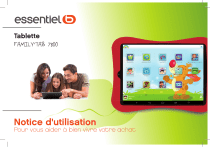
Tablette
FAMILYTAB 7500
Notice d'utilisation
Pour vous aider à bien vivre votre achat
Vous venez d'acquérir un produit de la marque Essentiel b et nous vous en remercions. Nous
apportons un soin tout particulier au DESIGN, à ERGONOMIE et à la SIMPLICITÉ D’USAGE de
NOS produits.
Nous espérons que cette tablette multimédia vous donnera entiere satisfaction.
sommaire
consignes d'usage 6
Consignes de sécurité 6
Déplacement 8
Radiofréquences 8
Batterie 9
description de la tablette 11
contenu de la boite 11
première utilisation 12
Charger la batterie 12
Allumer la tablette 13
Éteindre la tablette 13
Mise en veille 13
interface 14
utilisation du clavier virtuel 15
Options de saisie 15
connexion à un réseau sans fil 16
Saisie de caractères spéciaux 16
connexion Bluetooth* 17
navigateur web 18
Utilisation du navigateur web 18
Modification de l’agent utilisateur 18
associer un compte Google 19
envoyer et recevoir des e-mails 20
Configurer votre compte de messagerie 20
Gérer vos comptes de messagerie 21
gestion des applications 22
Applications préinstallées 22
Ajouter d’autres applications avec Play Store 27
Désinstaller des applications 27
Fermer une application 27
personnalisation de la tablette 28
Écran d’accueil étendu 28
Déplacer un élément de l'écran d'accueil 29
Supprimer un élément de l'écran d'accueil 29
Ajouter un widget 29
Gestion des notifications 29
Changement du fond d’écran 30
Réglages des paramètres 30
lecture de fichiers multimédia 31
Lire un fichier audio 31
Lire un fichier vidéo 33
Lire une vidéo sur un écran 35
diaporama photos 36
Visionner des photos 36
Mode webcam / prise de vues 38
Capture d'écran 40
connexion a un ordinateur 40
questions fréquemment posées 41
caractéristiques techniques 44
déclaration de conformité 46
consignes d'usage
Consignes de sécurité
AVANT D'UTILISER L'APPAREIL POUR LA PREMIERE FOIS, VEUILLEZ LIRE ATTENTIVEMENT CES INSTRUCTIONS SE RAPPORTANT A LA
SECURITE ET LES CONSERVER POUR REFERENCE ULTERIEURE.
AUCUNE PIECE DE CET APPAREIL NE PEUT ETRE REPAREE OU REMPLACEE PAR L’UTILISATEUR. CONFIEZ LES REPARATIONS ET
L’ENTRETIEN EXCLUSIVEMENT À UN PERSONNEL QUALIFIÉ. TOUT DEMONTAGE DE L’APPAREIL ENTRAINERA L'ANNULATION DE LA
GARANTIE.
ATTENTION
RISQUE DE CHOC ELECTRIQUE
NE PAS OUVRIR
ATTENTION : AFIN DE PREVENIR TOUT RISQUE D’ELECTROCUTION, NE RETIREZ PAS LE COUVERCLE DE
L'APPAREIL.
e Vérifiez que la tension d’alimentation indiquée sur la plaque signalétique de l’adaptateur secteur corresponde bien à celle de votre installation
électrique.
e N'utilisez pas l'appareil :
1. si l’adaptateur ou le câble d’alimentation est endommagé,
2. en cas de mauvais fonctionnement,
3. si lappareil a été endommagé de quelque façon que ce soit.
e Utilisez uniquement l’adaptateur secteur fourni avec cet appareil. L’adaptateur fourni ne doit être utilisé qu’avec l'appareil.
e Branchez l’adaptateur secteur sur une prise secteur facilement accessible.
e Veillez à ce que le cordon d’alimentation ne puisse être écrasé ou coincé, en particulier au niveau des fiches, des prises de courant et au point
de raccordement à l’appareil.
e L’adaptateur fourni avec l’appareil est uniquement destiné à une utilisation en intérieur.
essentiel®
consignes d'usage
N’installez pas cet appareil ou son adaptateur à proximité d’une quelconque source de chaleur, telle qu’un radiateur, une arrivée d’air chaud,
un four ou tout autre appareil (notamment les amplificateurs) produisant de la chaleur.
Veuillez ne pas exposer l’appareil ou son adaptateur à la lumière directe du soleil et à la poussière.
N'utilisez pas cet appareil ou son adaptateur à proximité d’eau ou d’une source d'humidité, telle qu’une baignoire, un lavabo, un évier de
cuisine, une piscine, dans un sous-sol humide ou tout autre emplacement humide.
Utilisez cet appareil uniquement dans des climats modérés. Évitez les climats tropicaux et particulièrement humides.
Ne placez pas de sources de flamme nues (une bougie allumée, par exemple) sur l’appareil ou son adaptateur ou à proximité de ceux-ci.
Veillez à ne pas éclabousser ou renverser un liquide sur l’appareil ou son adaptateur et à ne pas placer d’objet contenant un liquide (un vase,
par exemple) sur l’appareil ou son adaptateur.
N’installez pas cet appareil dans un espace restreint comme une bibliothèque, derrière des rideaux etc. afin de permettre une ventilation
suffisante.
Ne pas ouvrir l’appareil ou son adaptateur pour quelque raison que ce soit.
N'utilisez jamais d’objets pointus pour accéder à l’intérieur de l’appareil ou de l’adaptateur.
Ne débranchez jamais l’appareil en tirant sur le cordon d’alimentation mais en saisissant l’adaptateur secteur.
Si votre appareil ou son adaptateur fonctionnent de manière inhabituelle, et particulièrement s'ils émettent des sons ou des odeurs qui vous
paraissent anormaux, débranchez-les immédiatement et faites les examiner par un réparateur qualifié.
Débranchez l’appareil avant tout nettoyage. Nettoyez-la uniquement à l’aide d’un chiffon doux et sec et évitez l’usage d’aérosols.
Évitez de laisser tomber ou de lancer le produit.
Conservez le produit hors de portée des enfants. Ils risqueraient d'endommager le produit, de se blesser ou de blesser un tiers.
Afin d’éviter les dommages auditifs éventuels, ne pas écouter à un niveau sonore élevé pendant une longue durée.
essentiel®
consignes d’usage
Déplacement
Par mesure de sécurité, seul un passager, mais en aucun cas le chauffeur, peut utiliser l’appareil pendant que le véhicule se déplace. Référez-
vous à la réglementation en vigueur dans votre pays ou votre juridiction pour prendre connaissance des limitations quant à l’utilisation
d’appareils électroniques par le conducteur.
Respectez tous les avertissements et toutes les réglementations de sécurité. Conformez-vous aux réglementations limitant l’utilisation de
ce type de produits dans certaines zones. N’utilisez pas votre tablette dans les stations service ou à proximité de produits combustibles
ou chimiques. Éteignez votre tablette à chaque fois que cela vous est demandé (panneau ou instructions). Votre tablette, équipée d’une
connectivité sans fil, peut provoquer une explosion ou un incendie lorsque vous vous trouvez à l’intérieur ou à proximité d’une zone de
stockage de carburants ou de produits chimiques, d’une zone de transfert ou de tout lieu où se déroulent des opérations de mise à feu.
Ne transportez et ne stockez jamais de liquides inflammables, de gaz, ou de matériaux explosifs à proximité de votre tablette.
Votre tablette peut provoquer des interférences avec les équipements de navigation. Respectez toutes les réglementations aériennes. Éteignez
votre tablette ou passez dans un mode permettant de désactiver les fonctions réseau lorsque cela vous est demandé par le personnel
naviguant.
Radiofréquences
Votre produit émet des signaux de radiofréquences (RF) qui peuvent perturber certains équipements médicaux dans les hôpitaux ainsi que le
fonctionnement des appareils électroniques insuffisamment ou mal protégés, comme par exemple les stimulateurs cardiaques, les prothèses
auditives, les appareils médicaux et tout autre appareil électronique équipant votre maison ou votre véhicule. Respectez les réglementations,
les avertissements et les consignes du personnel soignant.
Conservez une distance minimale de 15 cm entre la tablette et un stimulateur cardiaque afin d’éviter toute interférence. Si vous avez de
bonnes raisons de penser que votre produit perturbe le fonctionnement d’un stimulateur cardiaque ou de tout autre équipement médical,
éteignez-le immédiatement et contactez le fabricant du stimulateur cardiaque ou de l’équipement médical pour obtenir de l’aide.
essentiel®
consignes d'usage
* Cette tablette respecte la réglementation en vigueur pour la limitation de la puissance sonore maximale. L'écoute a trés haut volume avec
un casque ou des écouteurs peut créer des dommages auditifs permanents. Méme si vous étes habitué a écouter de la musique a forte
puissance, vous courez le risque d’endommager votre ouie. Pour éviter toute altération, réduisez le volume d'écoute.
e À pleine puissance, l’écoute prolongée de musiques ou vidéos sur la tablette peut endommager l’oreille de l'utilisateur
Batterie
e Ne laissez pas votre batterie en charge plus longtemps que spécifié. Une surcharge risquerait de raccourcir sa durée de vie.
e Si elle n’est pas utilisée pendant une période prolongée, une batterie se décharge progressivement et doit par conséquent être rechargée
avant toute nouvelle utilisation.
e Ce produit est équipé d’une batterie Lithium-ion. Le pictogramme relatif au recyclage (container avec une croix) indique que le produit tombe
dans la catégorie des équipements électriques / électroniques. Cet équipement contenant des substances potentiellement dangereuses pour
l’environnement et la santé humaine font l’objet d’un recyclage, par conséquent, il vous est demandé de ne pas jeter la tablette dans une
poubelle classique sachant que les directives Européennes courantes recommandent que ces appareils soient collectés :
- Aux entrepôts du vendeur dès lors qu’il y a achat d’un matériel neuf identique.
- Aux Centres de recyclage créés dans votre zone d'habitation (Centres de recyclage des déchets, systèmes de tri des déchets, etc.)
e En procédant de la sorte, vous participez activement à la réutilisation et au recyclage des équipements électriques et électroniques usagés,
susceptibles d’avoir certains effets potentiels sur l’environnement et la santé humaine.
* En cas de fuite et de contact avec du liquide s’échappant de la batterie, rincez soigneusement à l’eau la zone exposée et consultez
immédiatement un médecin. Le non-respect de ces recommandations risquerait de provoquer des fuites d’acide ou une surchauffe de la
batterie, laquelle pourrait alors s’enflammer ou exploser et causer des dommages matériels et/ou corporels sévères.
Veillez à ne pas écraser ou perforer la batterie. Ne jetez jamais une batterie au feu. Évitez d’exposer votre batterie à une trop forte pression
externe qui pourrait provoquer un court-circuit interne et une surchauffe.
e Manipulez le chargeur avec précaution et débranchez-le du secteur lorsqu’il n’est pas utilisé.
e Utilisez uniquement les accessoires fournis avec l’appareil. L'utilisation d'accessoires incompatibles peut endommager votre appareil ou
provoquer des blessures.
essentiel®
consignes d’usage
Les mises à jour des composants matériels sont effectuées régulièrement. Par conséquent, certaines des instructions, les spécifications et les
photos dans cette documentation peuvent légèrement différer de votre situation spécifique. Tous les éléments décrits dans ce manuel, à titre
indicatif seulement, peuvent ne pas s'appliquer à la situation particulière. Aucun droit légal ou autres droits ne peuvent être obtenus d’après les
descriptions effectuées dans ce manuel.
Ce produit est strictement destiné à un usage privé. Le téléchargement de morceaux de musique, de vidéos ou de fichiers image pour la vente
ou d’autres fins commerciales peut être une violation de la loi protégeant les droits d’auteur. Pour enregistrer ou copier, de manière intégrale
ou partielle, des documents, œuvres d’art et représentations protégés par des droits d’auteur, une autorisation préalable peut être obligatoire.
Veuillez examiner en détail le droit applicable en matière d’enregistrement et d’utilisation de tels contenus dans votre pays et juridiction.
essentiel®
consignes d'usage
description de la tablette
432
A db
contenu de la boite
* 1 tablette
* 1 coque de protection anti-chocs en silicone
* 1 cáble USB - micro USB
* 1 chargeur secteur
1. Webcam intégrée
a 2. Marche/arrét (appui long) ou
Mode veille (appui court)
Port micro-USB
Port micro-HDMI
Microphone
Prise casque
Bouton volume
Lecteur de cartes micro-SD
. Haut-parleurs
10. Caméra
о ю мой > ©
Note : Le volume peut également étre
réglé dans l’interface de la tablette.
e 1 adaptateur USB - micro USB
e 1 adaptateur HDMI
* 1 notice d'utilisation
* 1 guide rapide
essentiel
description de la tablette
premiere utilisation
Attention : Avant d'utiliser votre tablette pour la première fois, chargez complètement sa batterie ! )
Charger la batterie
1. Connectez le câble micro-USB - USB au port micro-USB de la tablette.
2. Connectez l’autre extrémité du câble micro-USB - USB à l’adaptateur secteur, puis branchez celui-ci sur une prise secteur.
3. Votre tablette s'allume et commence à se charger. Environ 5 heures sont nécessaires pour recharger la batterie complètement.
(5),
e Nous vous conseillons de recharger votre batterie sans attendre dès que l’icône indique que le niveau de batterie est inférieur à 15%
et d'effectuer des charges complètes.
Évitez autant que possible d’effectuer des micro-charges.
e Vous pouvez continuer à utiliser la tablette lorsque la batterie est en cours de chargement. Cependant, afin d'optimiser la durée de
vie de la batterie, nous vous conseillons de ne pas utiliser la tablette pendant la charge.
e Les batteries lithium-ion doivent être utilisées régulièrement. Si vous n’utilisez pas la tablette pendant une période prolongée,
« assurez-vous de recharger la batterie au minimum une fois par mois. J
Quand la tablette est éteinte, vous pouvez également charger la batterie en connectant la tablette au port USB de votre ordinateur à l’aide du
câble micro-USB - USB.
essentiel
première utilisation
Allumer la tablette
1. Maintenez la touche Marche/Arrêt appuyée jusqu’à ce que l'écran s’allume.
E «HOM = Oa ;
©
Cette operation peut prendre quelques instants, ne l’interrompez pas.
2. Déverrouillez ensuite l’écran en maintenant l'icóne appuyée puis faites-la glisser vers la droite sur l’icône (a)
O
L'écran se verrouille automatiquement si aucune action n'est effectuée sur la tablette pendant un certain temps.
Eteindre la tablette
Maintenez la touche Marche/Arrêt appuyée jusqu’à ce qu’une fenêtre apparaisse. Appuyez sur OK pour confirmer l’extinction de la tablette.
Mise en veille
Si aucune action n’est effectuée sur la tablette pendant un certain temps, celle-ci peut passer en mode veille. Appuyez brièvement sur la touche
Marche/Arrêt pour sortir de la mise en veille.
essentiel
première utilisation
interface
Raccourcis Android*
Appuyez sur une icône pour ouvrir l’application
N e correspondante. Vous pouvez personnaliser
Icónes d'état Pécran d'accueil en ajoutant/supprimant des
Indiquent les applications ayant raccourcis et des widgets, en changeant le Icônes système
envoyé des notifications etc. fond d’écran, etc. (Cf. $ Personnalisation de la
Indiquent la force du signal de
Faites glisser vers le bas pour connexion réseau, le niveau de la
afficher vos notifications. batterie, etc.
tablette en page 26).)
7} A Poe NN
Hi
Applications
Afficher toutes les applications installées sur votre
tablette (jeux, différents outils, etc.
Diminuer le son Augmenter le son
Retour à l’écran précédent Gestionnaire des tâches
Retour à l’écran d’accueil
* Ce produit Essentiel b est compatible avec les marques citées (marques appartenant à des tiers et n’ayant aucun lien avec Sourcing & Creation).
essentiel®
interface
utilisation du clavier virtuel
Appuyez sur un champ de saisie de texte pour ouvrir le clavier virtuel qui vous permet d’entrer une adresse de site web ou tout autre texte.
Options de saisie
Appuyez sur la touche Æ} pour afficher les options de saisie puis sélectionnez une option : Langues et saisie ou Paramétres du clavier Android*.
e Langues et saisie :
Cette option vous permet de sélectionner une ou plusieurs méthodes de saisie
e Paramètres du clavier Android” :
Cette option vous permet de définir les paramètres généraux comme les majuscules automatiques, son à chaque touche, correction automatique, etc.
essentiel
utilisation du clavier virtuel
Saisie de caracteres spéciaux
Pour entrer un caractère spécial comme « à », maintenez votre doigt sur la lettre « a ». Un menu contenant tous les caractères spéciaux associés
à « a » apparaît, glissez ensuite votre doigt sur le caractère dont vous avez besoin puis relâchez.
©
Si la touche + n’apparaît pas, maintenez la touche & jusqu’à ce que la touche +; apparaisse.
connexion à un réseau sans fil
La tablette intègre un système WLAN qui vous permet de vous connecter à internet si vous possédez un point d’accès sans fil. Ensuite, chaque
fois que la tablette détectera un réseau que vous avez déjà configuré, celle-ci se connectera automatiquement.
1. Depuis l’écran d’accueil, appuyez sur l’icône Applications puis sur l'icône Paramètres hn
2. Dans Sans fil et réseaux, faites glisser le curseur WLAN sur Oui pour activer la connexion WLAN. Puis, sélectionnez Paramètres WLAN. La
tablette recherche les réseaux WLAN disponibles et les affiche.
3. Appuyez sur l’un des réseaux disponibles proposés, saisissez les informations réseau demandées* et appuyez ensuite sur Se connecter.
Votre tablette se connecte alors à ce point d’accès WLAN d’après les paramètres réseau saisis précédemment.
4. Lorsque la tablette est connectée à un réseau sans fil, le message Connecté apparaît sous le nom du réseau.
* Pour vous connecter à un réseau WLAN ouvert, il n’est pas nécessaire de saisir les informations réseau. Pour un réseau protégé, vous devrez
entrer une clé (une suite de chiffres et/ou de lettres) du type WEP, WPA ou WPA2. Pour obtenir les paramètres de connexion exacts, contacter
le fournisseur d’accès à Internet.
essentiel®
connexion a un réseau sans fil
(O)
a liste des réseaux disponibles est constamment mise a jour. Si le réseau auquel vous voulez vous connecter n’apparait toujours pas,
appuyez sur Ajouter un réseau WLAN en bas de l’écran. Entrez tous les paramètres réseaux demandés. L'administrateur réseau peut
vous fournir ces paramètres.
e La portée et la qualité du signal dépendent de l’environnement dans lequel vous vous situez. Les obstacles physiques et les
perturbations électromagnétiques d’appareils électriques situés à proximité peuvent gêner la portée et la qualité du signal WLAN.
\_ * Un message s*affiche si la tablette détecte un réseau qui n’a jamais été configuré. D
connexion Bluetooth*
La tablette integre un systeme Bluetooth* 4.0 qui vous permet de connecter a celle-ci des périphériques (casque, clavier, etc.) de technologie
équivalente. Une fois que vous avez appairé un périphérique pour la premiere fois, celui-ci reste dans la liste des Peripheriques associes.
1. Depuis l’écran d'accueil, appuyez sur l'icóne Applications puis sur l’icône Paramètres Ln
2. Dans Sans fil et réseaux, faites glisser le curseur Bluetooth* sur Oui pour activer la connexion Bluetooth*. Appuyez sur SMART pour rendre
la tablette identifiable par tous les périphériques pendant 2 minutes. Reportez-vous au manuel d'utilisation de votre périphérique pour connaitre
la procédure d’appairage. La tablette recherche les périphériques Bluetooth* disponibles et les affiche.
3. Appuyez sur l’un des périphériques disponibles proposés. Votre tablette est alors automatiquement connectée au périphérique.
©
Il est possible qu’il vous soit demande d’entrer un code PIN lors de la procedure d’appairage. Veuillez alors vous reporter au manuel
d’utilisation de votre périphérique pour en prendre connaissance..
essentiel®
connexion Bluetooth®
navigateur web
==
Appuyez sur l'icóne Applications puis sur l’icône du Navigateur 6
Si vous étes déja connecté a un réseau, le navigateur web s’ouvre simplement et il ne vous reste plus qu’a naviguer sur Internet.
O
=
Tous les réseaux sans fil n’offrent pas un accès à Internet. Certains types de configuration WLAN ne relient que des ordinateurs entre
eux, sans établir de connexion à Internet.
Utilisation du navigateur web
e Barre d’adresse : Si la barre d’adresse internet disparaît, appuyez sur l’onglet pour l'afficher de nouveau.
e Clavier : Pour remplir un champ de texte (barre d’adresse internet ou la barre de recherche), appuyez sur le champ puis utilisez le clavier virtuel
pour y saisir les informations nécessaires.
« Défilement des pages : Faites glisser votre doigt horizontalement ou verticalement pour faire défiler la page internet active.
e Pour ouvrir un lien, il vous suffit de le toucher.
e Accédez à plus d'options en appuyant sur l'icône Menu = à droite de l’écran.
Modification de l’agent utilisateur
Lorsque vous vous connectez à internet à partir de la tablette celle-ci affiche automatiquement la version correspondant à votre navigateur et
système d’exploitation de la page web visitée. Si vous désirez parcourir le site dans une autre version (version « Ordinateur », par exemple),
suivez les étapes suivantes :
1. À partir d'une page web, appuyez sur l'icône Menu : en haut à droite de l’écran.
2. Appuyez ensuite sur Voir Version Ordinateur.
essentiel
navigateur web
associer un compte Google
Retrouvez sur votre tablette, votre compte de messagerie Gmail, tous vos contacts et événements d’agenda, etc. Après avoir associé votre compte
google, tous vos e-mails, agenda, contacts seront automatiquement synchronisés et sauvegardés.
Pour associer un compte existant ou pour créer un compte, procédez comme suit :
1. Depuis l’écran d'accueil, appuyez sur l’icône Applications puis sur l’icône Paramètres ne i
2. Appuyez sur Ajouter un compte en haut a droite de l’écran puis choisissez Google dans la liste des types de comptes.
3. Suivez les instructions pour vous connecter à votre compte Google existant ou créer un nouveau compte Google.
©
Vous pouvez accéder a votre compte Google uniquement quand la tablette est connectée a internet. Reportez-vous a la section
Connexion a un réseau sans fil en page 16 pour plus de détails.
essentiel(®
associer un compte Google
envoyer et recevoir des e-mails
La tablette possede un logiciel de messagerie préinstallé qui vous permet d’envoyer ou de recevoir des e-mails. Assurez-vous d'abord que vous
disposez d’une connexion Internet avant d’utiliser le service de courrier électronique.
Depuis l’écran d’accueil, appuyez sur l’icône d’applications puis sur l’icône E-mail pour lancer l’application de courrier électronique.
Configurer votre compte de messagerie
1. Saisissez votre adresse e-mail puis votre mot de passe à l’aide du clavier virtuel puis appuyez sur Suivant.
2. Si vous appuyez sur Suivant, l’application E-mail tente d’établir une communication avec votre fournisseur de service de messagerie. Cette
opération suffit pour la plupart des services de messagerie, cependant pour certains fournisseurs de services vous devrez peut-être indiquer le
type de compte de messagerie dont vous disposez. Vous passerez donc en configuration manuelle. Si vous ne connaissez pas les informations
demandées (type de serveur POP3, IMAP ou Exchange pour les courriers entrants), renseignez vous auprès de votre fournisseur de service
de messagerie.
3. Sélectionnez les options du compte puis appuyez sur Suivant.
4. Entrez votre nom puis appuyez sur Suivant.
5. Lorsque vous avez terminé de saisir toutes les informations demandées, appuyez sur OK.
6. Entrez un nom pour ce compte de messagerie puis appuyez sur OK.
7. L'application E-mail commence à télécharger vos e-mails, et vous pouvez désormais l’utiliser pour envoyer et recevoir des messages via votre
nouveau compte.
essentiel®
envoyer et recevoir des e-mails
O
Si vous avez plusieurs comptes, vous devrez spécifier le compte de messagerie par défaut au premier démarrage de l’application de
messagerie électronique.
Gérer vos comptes de messagerie
AJOUTER UN COMPTE DE MESSAGERIE
1. Depuis l’écran d'accueil, appuyez sur l’icône Applications puis sur l’icône Paramètres hn
2. Dans Comptes, appuyez sur Ajouter un compte puis sur Email en haut de la fenétre qui s’affiche.
SUPPRIMER UN COMPTE DE MESSAGERIE
1. L'écran d'accueil, appuyez sur licóne Applications puis sur Parametres Ln
2. Dans Comptes, sélectionnez le compte désiré puis appuyez l'icóne Menu i Appuyez sur Supprimer le compte puis appuyez sur OK pour
confirmer.
MODIFIER LES PARAMETRES DE COMPTE
1. Depuis la boîte de messagerie, appuyez sur l’icône Menu : en haut à droite de l’écran puis sur Paramètres.
2. Vous pourrez ainsi modifier les paramètres généraux et les paramètres de compte.
essentiel
envoyer et recevoir des e-mails
gestion des applications
La tablette permet de gérer de nombreuses applications. Certaines sont préinstallées sur votre tablette, d’autres, gratuites ou payantes, sont
disponibles en ligne sur internet.
Applications préinstallées
La tablette possède des applications préinstallées que vous pouvez voir en sélectionnant l’icône Applications : Lecteur vidéo, lecteur audio,
navigateur, alarme, calculatrice, etc.
KIDO’Z
L’application KIDO’Z est une interface simplifi€e qui va permettre aux plus petits d’utiliser la tablette en toute sécurité en mode enfant. L'enfant
n’a accès qu’aux applications choisies par les parents parmi celles pré-installées, ou téléchargées sur le Google Playstore.
Dans le menu Parents, retrouvez le tableau de bord, gardez un oeil sur les sites et rubriques consultés par votre enfant, ou encore, gérez son
profil et le vôtre. Vous pourrez, par exemple, attribuer des applications différentes pour plusieurs enfants.
essentiel
gestion des applications
Pour configurer KIDO’Z, suivez ces différentes étapes :
Mode enfant sécurisé et amusant
La passerelle mobile de votre enfant
#80
© = e&
ar
ommençons
Améliorez la sécurité enfant
sur l'écran suivant :
© seecionerKkIDOZ—
Sélectionner
© “Toujours
Continuer
№7
Passer cette fois Passer toujours
1. Appuyez sur l'icbne KIDO’Z
dans la liste des applications.
Une fois dans l'interface,
appuyez sur Commencons.
. Appuyez sur Continuer si
vous souhaitez définir KIDO’Z
comme l’interface par défaut
au démarrage de votre
tablette. Pour ce faire, suivez
les instructions présentées
sur cet écran lorsque vous
arriverez à l’écran suivant.
Créer un compte
Г
Laas [о
=
Créer le compte plus tard. laisse:
2. Saisissez votre adresse
électronique puis un mot de
passe de votre choix. Appuyez
sur S’inscrire pour créer un
compte de Contrôle parental.
. Entrez le nom ou le pseudo
de votre enfant puis sa
date de naissance. Ajoutez
éventuellement sa photo.
Appuyez sur Créer.
essentiel
gestion des applications
5. Vous pouvez configurer Kido’z
pour que l’interface ne puisse
être fermée que par l’utilisation
d’un mot de passe. Dans le
menu de sortie, appuyez sur
Bloquez la sortie grâce à un
mot de passe.
4 APPLICATIONS DE LA COLLECTION APPRENDRE EN S'AMUSANT
essentiel
gestion des applications
6. Appuyez sur Bloquer la
sortie de KIDO’Z par un mot
de passe parental, puis sur
Enregistrer. Le mot de passe
que vous avez défini à l’étape
2 sera demandé chaque fois
que vous voudrez quitter
l’interface.
NIL
les tables
en 5 ámusdnt
COn
+
шт
L'application Dessiner pour L’application Coloriage pour L'application Puzzles pour L'application Tables pour
apprendre reproduire des apprendre les couleurs et les développer ses aptitudes apprendre à compter en
dessins simples. chiffres. visuelles et motrices s'amusant
2 AVENTURES DE LUKA
Les applications Luka et les copains du Brésil et Luka et les copains du Pôle Nord sont des aventures
ludo-éducatives, où il n’est pas nécessaire de savoir lire. Dans chacune d’entre elles, un petit garçon
découvre les spécialités et les particularités des lieux qu’il visite.
2 CONTES ANIMÉS
essentiel
gestion des applications
Les applications 1000 aventures et Au dodo ! sont des aventures interactives. Dans la première, on
découvre la journée d’un petit garçon qui a beaucoup d’imagination. La seconde nous fait voyager dans
les rêves d’un enfant.
ed
O a
Coa
ry : he 2”
E 5
essentiel®
gestion des applications
Ajouter d'autres applications avec Play Store
Avant de pouvoir utiliser le Play Store, vous devrez tout d’abord associer un compte Google à votre tablette. Reportez-vous au chapitre Associer un
compte Google en page 14.
L'application Play Store vous propose des milliers d'applications, de la musique, des livres et des films gratuits ou payants. Une fois la tablette
connectée à Internet, appuyez sur l’icône d’applications pour afficher toutes les applications. Appuyez ensuite sur l’icône PlayStore =,
1. Recherchez l’application que vous souhaitez installer, puis appuyez dessus pour la sélectionner.
2. Appuyez sur le bouton Installer pour télécharger puis installer l’application.
3. Appuyez sur Accepter et télécharger pour lancer le téléchargement si l’application est gratuite ou appuyez sur Accepter et acheter si
l’application est payante. Vous pouvez également appuyer sur «Retour» si vous ne voulez pas poursuivre l’opération.
O
Pour télécharger une application payante, acceptez les autorisations relatives à l’application puis finalisez votre achat.
Le téléchargement de l’application est lancé sur votre téléphone ou votre tablette dès que le paiement est autorisé.
Désinstaller des applications
1. Depuis l’écran d’accueil, appuyez sur l’icône Applications en haut à droite puis sur l’icône Paramètres 2.
2. Dans Appareil, appuyez sur Applications
3. Appuyez ensuite sur l’application à supprimer puis sur Désinstaller.
4. Appuyez sur OK pour confirmer la désinstallation du programme.
©
Vous ne pouvez pas supprimer les applications preinstallees. )
Fermer une application
Pour fermer une application, appuyez sur l’icône Gestionnaire des tâches et faîtes glisser l’application désirée vers le bas de l’écran.
essentiel
gestion des applications
personnalisation de la tablette Déplacer un élément de lécran d'accueil
7 > —, Appuyez de manière prolongée sur l’élément jusqu’à ce qu’il s’illumine, faites-le glisser vers l’emplacement souhaité, et reláchez votre doigt.
Ecran d’accueil étendu
; ny < ; .
Faites glisser votre doigt horizontalement sur l’écran pour aller sur le côté gauche ou droit de l’écran d’accueil étendu. Votre tablette possède un Supprimer un élément de l'écran d'accueil
écran d’accueil principal et 4 écrans annexes.
Maintenez votre doigt appuyé sur l’élément, faites-le glisser vers X en haut de l’écran puis relâchez votre doigt.
Ajouter un widget
Les widgets sont des petits programmes qui permettent d’accéder directement à certaines fonctionnalités : météo, agenda, e-mails, galerie
photos, livres, etc. Pour afficher vos widgets sur l’écran d’accueil, suivez les instructions suivantes :
1. Dans l’écran d’accueil, appuyez sur l’icône Applications © .
2. Appuyez ensuite sur l’onglet Widgets.
3. Appuyez de manière prolongée sur l’icône d’un widget, puis faites glisser votre doigt jusqu’à l'emplacement de votre choix sur l’un des écrans
d’accueil, puis relâchez.
O
K Dans certains cas, vous serez invité à sélectionner d’autres options pour activer le widget. S’il n’y a pas de place à l’emplacement où
vous déposez le widget, ce dernier ne sera pas ajouté à l’écran d’accueil.
essentiel® essentiel®
personnalisation de la tablette personnalisation de la tablette
Gestion des notifications
Les icônes d’état vous informent des notifications (arrivée de nouveaux messages, alarmes et événements dans l’agenda, etc.). Lorsque vous
recevez une notification, son icône s'affiche dans l'angle supérieur gauche de l’écran.
Faîtes glisser cette icône vers le bas pour en afficher le détail et y répondre.
Changement du fond d’écran
Appuyez de manière prolongée n’importe où sur l’écran d’accueil jusqu’à ce que le menu ci-après apparaisse. Sélectionnez une source de fonds
d’écran : Fonds d’écran, Fonds d’écran animés ou Galerie (photo prise avec l’appareil photo ou téléchargée sur la tablette).
LE Fonds d'écran
Fonds d'écran ; ines: Galerie
animes
©
Si vous utilisez une image de la galerie, vous devrez définir les zones de rognages puis appuyez sur Rogner en haut a droite de con.
Réglages des paramètres
Depuis l’écran d’accueil, appuyez sur l’icône Applications en haut à droite puis sur l’icône Paramètres E.
essentiel
personnalisation de la tablette
lecture de fichiers multimédia
Lire un fichier audio
Depuis l’écran d’accueil, appuyez sur l’icône Applications puis sur l’icône Musique © pour accéder à la bibliothèque audio. Les dossiers
sont classés par catégorie : Artistes, Albums, Titres, Playlists, À l’écoute. Appuyez sur le titre d’un fichier pour lancer la lecture.
9 8 7 1 2 3
[I
=
О Artiste
DE
UA Titre de la piste audio
10 4 5
6 essentiel®
lecture de fichiers multimédia
1. Lecture en cours
2. Lecture aléatoire
3. Lecture en boucle
4. Piste précédente
5. Lecture/Pause : Suspendre/reprendre la lecture de la piste audio.
6. Piste suivante
7. Artiste
8. Album
9. Titre de la piste audio
10. Barre de progression : pour atteindre directement le passage voulu. Vous pouvez aussi faire glisser le curseur de la barre a un autre endroit
précis de la piste audio.
E
En cours de lecture d’un fichier audio, appuyez sur l’icône Menu = à droite de l’écran pour afficher les options de menu : Bibliothèque, Mode
DJ, Ajouter à la playlist, Supprimer, Effets sonores.
essentiel®
lecture de fichiers multimédia
Lire un fichier vidéo
Depuis l'écran d'accueil, appuyez sur licóne Applications puis sur l’icône Lecteur vidéo J pour accéder au répertoire de vos vidéos.
Appuyez sur le titre d'une vidéo pour lancer la lecture.
Un,
an
m
- jit
uu
pe
LER TURE
x
essentiel®
lecture de fichiers multimédia
1. Barre de progression : pour atteindre directement le passage voulu. Vous pouvez aussi faire glisser le curseur de la barre a un autre endroit Lire une vidéo sur un écran
précis de la vidéo.
. Verrouiller l’écran. La tablette dispose d’un port HDMI qui vous permet de connecter la tablette à un écran d’ordinateur ou à un téléviseur.
. Vidéo précédente
. Lecture/Pause : Suspendre/reprendre la lecture de la vidéo.
. Vidéo suivante
. Régler la taille de l’image
. Paramètres vidéo : Afficher les éléments de menu disponibles.
. Sélection de la piste audio
. Sélection du décodeur
© © “< O a LR LEON
[[s el]
\
PARAMETRES VIDEO , Cable mini-HDMI HDMI
Dans le mode vidéo, vous pouvez accéder au menu déroulant des paramètres du lecteur vidéo en touchant l’icône =. Pour accéder aux différents
paramètres d’un menu, appuyez sur celui-ci :
° one Pour utiliser la fonction HDMI sur les téléviseurs, veillez à :
- Ss © age vous assurer que le téléviseur possède un port HDMI,
° оо * connecter la tablette au téléviseur avec un cable HDMI,
- ts * allumer le téléviseur et la régler sur le mode HDMI.
° > * allumer la tablette et lire une vidéo. Lorsque la connexion HDMI fonctionne, la vidéo est automatiquement lue sur le téléviseur, et l’écran de la
>
tablette devient complètement noir.
Pour pouvoir être lus simultanément, le nom de votre fichier vidéo et celui de votre fichier sous-titres (.SRT) doivent être identiques.
Pour activer l’affichage de l’image sur l’écran de la tablette, débranchez le câble HDMI du téléviseur ou de la tablette.
essentiel® essentiel®
lecture de fichiers multimédia lecture de fichiers multimédia
diaporama photos 3. Faites glisser votre doigt de gauche à droite sur l’écran pour afficher la photo suivante ou faites glisser votre doigt de droite à gauche sur
l’écran pour afficher la photo précédente.
Depuis l’écran d’accueil, appuyez sur l’icône Applications puis sur l’icône Galerie (Ml pour accéder au mode photo.
Visionner des photos
1. Le navigateur photo affiche les dossiers contenant des photos. Appuyez sur l’un des dossiers pour afficher les vignettes des photos.
"A
<
4. Pincez la photo pour la réduire ou écartez les doigts pour l’agrandir.
S
к”
essentiel® essentiel®
diaporama photos diaporama photos
Mode webcam / prise de vues
La tablette possède un objectif intégré qui vous permet de faire des clips vidéo ou de prendre des photos. Depuis l’écran d’accueil, appuyez sur
l’icône Applications © en haut à droite puis sur l’icône Caméra € pour utiliser l’appareil photo.
PRISE DE VUES
Pour regarder les photos que vous avez prises, appuyez sur l’icône Applications puis sur l’icône Galerie ||#
dossier Appareil Photo.
essentiel®
diaporama photos
|. Appuyez ensuite sur le
. Changer de caméra
2. Mode rafale
3. Sélectionner le mode de prise de vue
(normal ou panoramique)
4. Ajouter des effets
O1
© © N ©
. Réglage des paramètres du mode
(exposition, delai, balance des blancs, etc.)
. Mode prise de vue
. Mode Webcam
. Déclenchement de la prise de vue
. Prise de vue précédente
MODE WEBCAM
1. Changer de caméra
2. Balance des blancs
3. Délai (raccourci non disponible sur ce
produit)
. Réglage de la qualité de l'image (raccourci
non disponible sur ce produit)
.Réglage des paramètres du mode
(exposition, délai, etc.)
6. Mode prise de vue
7. Mode Webcam
8. Déclenchement de l’enregistrement du clip
vidéo
. Clip vidéo précédent
. no lez a на: nam a 4e
Pour lire le clip vidéo que vous avez réalisé, appuyez sur l’icône Applications mmm puis sur l'icône Lecteur vidéo J
©
о Zoom: Pincez I'image pour la réduire ou écarter les doigts pour l’agrandir.
* Focus : Appuyez sur un endroit de Рёсгап pour que le caméra y fasse le focus. Attention, vous ne pouvez plus effectuer le focus en
mode Webcam une fois l’enregistrement lancé.
essentiel
diaporama photos
Capture d'écran
Pour effectuer une capture d'écran, appuyez simultanément sur le bouton Marche/arrét (situé sur le cóté de la tablette) et sur la touche Volume
- (située au bas de l'écran, a gauche) et maintenez-les enfoncés pendant deux secondes.
connexion a un ordinateur
1. Branchez la prise micro-USB dans le port micro-USB de la tablette puis connectez la prise USB = dans un port USB libre de votre
ordinateur.
ORDINATEUR
ALLUMÉ
2. La tablette s'allume.
3. Windows détecte la tablette et installe automatiquement le nouveau matériel. Une fois l’installation terminée, une autre bulle d’information
vous informe que votre matériel est prêt à l'emploi. La tablette apparaît sous la forme d’une icône dans le poste de travail de votre ordinateur.
essentiel®
connexion a un ordinateur
4. Votre tablette est reconnue en tant que Périphérique multimédia. Vous pouvez copier/coller vos fichiers depuis votre ordinateur vers la tablette
et vice-versa.
5. Une fois que tous les transferts de fichiers sont terminés, fermez tout programme susceptible d’utiliser la tablette. Cliquez ensuite sur l’icône
de retrait du périphérique en toute sécurité dans la barre des tâches, à côté de l’horloge. Vous pouvez à présent débrancher le câble USB.
questions fréquemment posées
Je ne parviens pas à me connecter en WLAN. Que faire ?
e Vérifiez que votre routeur/modem WLAN fonctionne bien en essayant de connecter un autre appareil WLAN (par exemple l’ordinateur d’un
ami).
e Vérifiez, dans la documentation de votre routeur/modem WLAN, s’il vous faut appuyer sur un bouton de « pairage ». En effet, sur certains
modems, vous devez appuyer sur ce bouton la première fois que vous connectez un nouvel appareil en WLAN.
e Vérifiez que vous êtes suffisamment près du routeur/modem lorsque vous vous connectez la première fois. Vous pourrez vérifier ensuite
jusqu’à quelle distance vous pouvez vous connecter.
e Essayez de vous connecter au point d’accès WLAN d’un ami pour vérifier si votre produit réagit de la même façon. S'il se connecte, alors vous
saurez que vous devez paramétrer votre routeur WLAN/modem avec une configuration similaire.
e Désactivez puis réactivez la connexion WLAN de votre tablette. Pour ce faire, sélectionnez Menu > Paramètres > Sans fil et réseaux, et
décochez le paramètre « WLAN ». Attendez que le message « Activer le WLAN » apparaisse en petits caractères en dessous du paramètre «
WLAN », et appuyez à nouveau dessus pour le réactiver (cela cochera la case de nouveau). Votre point d’accès WLAN devrait apparaître dans
la liste des réseaux, plus bas.
* Si un mot de passe vous est demandé (code de sécurité de type WEP ou WPA), faites bien attention de ne pas confondre les chiffres 1 et O
avec les lettres | et O, ainsi que les lettres U et V. Ces fautes de frappes sont fréquentes.
essentiel
questions fréquemment posées
e Lorsque vous entrez un code de sécurité pour vous connecter à votre point d’accès WLAN, cochez la case « Afficher le mot de passe ». Cela
vous permettra de voir tous les caractères que vous tapez afin d’éviter d’éventuelles fautes de frappe.
L’écran de ma tablette se fige. Que dois-je faire ?
A l’aide d’une pointe fine, appuyez sur le bouton Reset situé à l’arrière de la tablette.
Puis-je télécharger n’importe quelle application Android®*
Certaines applications Android®* (autres que celles du Google Play Store) exigent certaines fonctions matérielles qui ne sont pas sur la tablette,
ce qui peut provoquer des problèmes d’affichage (par exemple : affichage sur la moitié de l’écran ou mode portrait uniquement). Un grand
nombre d'applications entièrement compatibles peuvent être téléchargées et installées directement sur la tablette depuis l’icône Google Play
Store.
Est-il possible d’écouter de la musique et de naviguer sur Internet en même temps ?
Oui, c’est possible. Lancez la lecture de votre morceau, appuyez sur l’icône d’accueil, en bas à gauche, pour retourner sur l’écran d’accueil, et
ouvrez le navigateur Internet. Appuyez sur l’icône du gestionnaire de tâches.
La tablette ne parvient pas à lire une vidéo que j'ai copiée dessus. Que faire ?
Les fichiers vidéo existent dans de nombreux formats et tailles (résolution) différents. La tablette est compatible avec les formats suivants (liste
non exhaustive) :
- H.264 jusqu’à 720p
- MPEG-4
- Realvideo™ jusqu’en résolution 720p
- MKV
- FLV
Avec les codecs ci-dessus, la tablette peut lire des vidéos avec les extensions suivantes: .avi, .mp4, .mkv, .mov, et .fiv (avec les résolutions ci-
dessus)
essentie. E)
questions fréquemment posées
Est-il possible de charger mon appareil gráce au cáble USB ?
Oui, la tablette peut-être chargée grâce au cable USB. Il est cependant recommandé de l’éteindre pendant la charge.
L’autonomie de la batterie est inférieure à ce qui est annoncé. Pourquoi ?
Certains programmes ainsi que la lecture de fichiers vidéo et de photo peuvent décharger rapidement la batterie. Suivez les conseils suivants
pour économiser la batterie :
- Fermez les applications qui s’exécutent en tâches de fond,
- Appliquez un fond d'écran non animé sur la page d'accueil,
- Si vous n'utilisez pas le WLAN, désactivez cette fonction,
- Réduisez la luminosité de l’écran,
- Sélectionnez une durée de mise en veille plus courte,
- Effectuez toujours des charges complètes de la batterie. Veuillez également vous référer aux précautions relatives à la batterie dans la
section « Consignes de sécurité » et chargez complètement la batterie avant la première utilisation de la tablette.
essentiel
questions fréquemment posées
caractéristiques techniques
Family’tab 7800
Multimédia
Caméra
Oui (une avant et une arriere) 0,3 + 2 MPx
Système d’exploitation
Android ICS 4.2.2
Processeur
Formats Vidéo supportés
H.264 jusqu’à 720p, MPEG-4 jusqu’à 720p, AVI, MP4, MKV,
MOV, FLV
Type de processeur
Allwinner A31 S Quad Core
Formats audio supportés
MP3, WAV, APE, OGG, FLAC
Cadence
1 GHz
Prise casque
Oui
Stockage et mémoire
Haut-parleur
Oui 2 HP
Connectiques
Connecteur USB Host
Oui (via adaptateur micro-USB USB fourni)
Type de mémoire Flash
Capacité 8 Go
Mémoire RAM 1 Go
Lecteur de cartes
Micro SD jusqu’à 32 Go
Écran
Écran tactile
Oui
Micro-HDMI Qui
Micro-USB Qui
Dimensions 200 x 139 x 7.15 mm
Poids 320 g
Technologie
Tactile capacitif multipoint
Alimentation
Taille écran
7,85 pouces / 19,93 cm
Type de batterie
Lithium Polymère
Type d’écran
LCD IPS
Résolution 1024x768
Réseaux
WLAN Oui, b/g/n
Bluetooth Oui 4.0
Ethernet Non
essentiel
caractéristiques techniques
Autonomie 4 à 6 heures en fonction de l’utilisation
Entrée 100-240 V~ 50/60 Hz 0.3A
Sortie 5.0V 2.5A
Compatibilité
OS compatibles Microsoft WindowsE* XP, Vista, 7 8. 8, Mac OSOE* ou LinuxOE*
essentiel®
caractéristiques techniques
déclaration de conformité
Sourcing&Creation
21 Avenue de l’Harmonie
Nous déclarons que le produit désigné ci-dessous : 59650 Villeneuve d'Ascq Cedex
- Tablette Multimédia
- Marque : Essentiel B
- Modèle : Family’tab 7800 - Code article : 1016171
- Code EAN : 3497670056111
est conforme aux dispositions des directives CE suivantes :
- Directive 2006/95/CE relative au matériel électrique.
- Directive 2004/108/CE relative a la compatibilité électromagnétique.
- Directive 1999/5/CE relative aux équipements hertziens et aux équipements terminaux de télécommunications.
- Directive 2002/95/CE relative a la limitation de l’utilisation de certaines substances dans les équipements électriques et électroniques.
- Directive Ecoconception 2009/125/CE
et que les normes et/ou spécifications techniques mentionnées ont été appliquées sur un modèle type :
EN 60950-1: 2006+A11:2009+A1:2010+A12:2011 EN 301 489-1 V1.9.2
EN 55022:2010 EN 301 489-17 V2.1.1 Responsable Qualité
EN 61000-3-2:2006+A1:2009+A2:2009 EN 300 328 v1.7.1 Cédric SAVARY
EN 61000-3-3:2008 EN62311:2008
EN 55024:2010
Fait a Villeneuve d’Ascq,
le 23 Décembre 2013
All information, designs, drawings and pictures in this document are the property of SOURCING & CREATION. SOURCING & CREATION reserves all rights to its brands, designs and information. Any copy and reproduction through
any means shall be deemed and considered as counterfeiting.
Toutes les informations, dessins, croquis et images dans ce document relèvent de la propriété exclusive de SOURCING & CREATION . SOURCING & CREATION se réserve tous les droits relatifs à ses marques, créations et
informations. Toute copie ou reproduction, par quelque moyen que ce soit, sera jugée et considérée comme une contrefaçon.
essentiel®
déclaration de conformité
essentiel}
Tablette
FAMILYTAB 7500
Protection de l’environnement
Ce symbole apposé sur le produit signifie qu’il s’agit d’un appareil dont le traitement en tant que
"== déchet est soumis à la réglementation relative aux déchets d’équipements électriques et électroniques
(DEEE). Cet appareil ne peut donc en aucun cas être traité comme un déchet ménager, et doit faire
l’objet d’une collecte spécifique à ce type de déchets. Des systèmes de reprise et de collecte sont mis à votre
disposition par les collectivités locales (déchèterie) et les distributeurs. En orientant votre appareil en fin de
vie vers sa filière de recyclage, vous contribuerez à protéger l’environnement et empêcherez toute
conséquence nuisible pour votre santé.
5
essentiel® Art. 1016474
Ref. Family’TAB 7800
Service Clientele FABRIQUÉ EN R.PC.
CRT Lesquin SOURCING & CREATION
Rue de la haie Plouvier 21 Avenue de l'Harmonie
F - 59273 - FRETIN 59650 Villeneuve d'Ascq Cedex
Testé dans nos laboratoires
Garantie valide à partir de la date
d'achat (ticket de caisse faisant foi).
Cette garantie ne couvre pas les
vices ou les dommages résultant
d'une mauvaise installation, d'une
utilisation incorrecte, ou de l'usure
normale du produit.
EOCE®
QF AEE
">