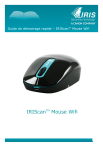
Guide de démarrage rapide – IRIScanTM Mouse Wifi
IRIScanTM Mouse Wifi
Guide de démarrage rapide – IRIScanTM Mouse Wifi
Ce guide de démarrage rapide a pour but de vous aider dans la mise en route de l'IRIScan Mouse Wifi.
TM
Les descriptions données dans ce guide sont basées sur les systèmes d'exploitation Windows ® 7 et Mac®
OS X Maverick. Lisez attentivement ce guide avant d'utiliser le scanneur et son logiciel. Toutes les
informations du présent guide peuvent être modifiées sans préavis.
En cas de problèmes liés à l'utilisation de la souris IRIScan Mouse Wifi, consultez la page des questions
fréquentes (FAQ) ou contactez le support technique via la page www.irislink.com/support.
TM
1. Introduction
L'IRIScan Mouse Wifi est une souris-scanneur sans fil tout-en-un. Grâce à la fonction de numérisation,
vous pouvez scanner des documents en faisant glisser la souris sur ceux-ci.
Pour enregistrer les résultats de la numérisation, plusieurs solutions sont possibles. Vous pouvez les faire
glisser et les déposer vers des dossiers et des applications. Il est également possible de les enregistrer
directement au format Word, PDF et XLS. Vous pouvez les partager par messagerie électronique,
Facebook©, Twitter© et Flickr©. En outre, vous pouvez les envoyer vers diverses applications, dont
Cardiris , Dropbox©, Evernote© et Google© Translate.
TM
TM
2. Mentions légales
Copyrights
Copyrights © 2012 - 2016 I.R.I.S. Tous droits réservés.
IRIScan Mouse Wifi est basée sur la technologie SLAM Scan de Dacuda.
I.R.I.S. détient les droits d'auteur de toute la documentation relative à l'IRIScan Mouse Wifi.
Les informations contenues dans ce document sont la propriété exclusive d'I.R.I.S. Le contenu est sujet à
modification sans notification préalable et ne représente aucun engagement de la part d'I.R.I.S. Le logiciel
décrit dans ce document est fourni avec un contrat de licence qui spécifie les conditions d'utilisation du
produit. Le logiciel doit être exclusivement utilisé ou copié conformément aux conditions de cet accord.
Aucune partie de la présente publication ne peut être reproduite, transmise, stockée dans un système de
récupération ou traduite dans une autre langue sans l'autorisation écrite préalable d'I.R.I.S.
Cette documentation utilise des noms fictifs à des fins d'exemples. Les références à des personnes, sociétés
ou organisations réelles sont strictement fortuites.
Marques commerciales
Le logo IRIScan Mouse Wifi et IRIScan Mouse Wifi sont des marques commerciales de la société Image
Recognition Integrated Systems S.A.
Technologie OCR par I.R.I.S.
Technologie AutoFormat et Linguistic par I.R.I.S.
Dacuda® et SLAM Scan® sont des marques commerciales déposées de la société Dacuda Ltd, située à
Zurich, en Suisse.
Windows est une marque déposée de Microsoft Corporation aux États-Unis et dans d'autres pays.
Tous les autres produits mentionnés dans cette documentation sont des marques commerciales ou des
marques déposées de leurs propriétaires respectifs.
TM
TM
TM
TM
2
Guide de démarrage rapide – IRIScanTM Mouse Wifi
3. Consignes de sécurité
Veuillez prendre connaissance des consignes de sécurité suivantes concernant l'IRIScan Mouse Wifi.
TM
Avertissements
Le non-respect de ces consignes peut entraîner des blessures corporelles graves, voire mortelles.
N'utilisez pas le scanneur dans un endroit directement exposé aux rayons du soleil ou à proximité
d'une source de chaleur.
N'utilisez pas le scanneur à proximité de liquides ou lorsque du liquide a été renversé sur celui-ci.
Ne pointez pas la surface de numérisation en direction de vos yeux pendant la numérisation.
Arrêtez immédiatement d'utiliser le scanneur et débranchez-le de l'ordinateur si l'un des deux
dégage de la fumée, des odeurs ou émet des bruits inhabituels.
Attention
Le non-respect de ces consignes peut entraîner des blessures légères ou endommager le scanneur.
N'utilisez pas le scanneur dans un endroit très chaud (plus de 35°C) ou très froid (moins de 5°C).
N'utilisez pas le scanneur dans un endroit humide ou poussiéreux.
N'utilisez pas le scanneur dans un endroit chargé en électricité statique.
Évitez de démonter, de modifier ou de réparer le scanneur.
Ne soumettez jamais le scanneur à des chocs/vibrations excessifs.
Évitez de plier exagérément le fil.
Ne laissez pas tomber le scanneur.
3
Guide de démarrage rapide – IRIScanTM Mouse Wifi
4. Présentation du matériel
1. Bouton de clic gauche
2. Molette / Bouton de clic
3. Bouton de clic droit
4. Voyant LED du Wifi et et de la batterie
5. Bouton de numérisation
6. Bouton de marche/arrêt
7. Surface de numérisation
Retirez la feuille de plastique avant la première utilisation.
8. Étiquette de la souris
9. Port Micro USB
10. Capteurs de numérisation
Avant de commencer :
Chargez l'IRIScan Mouse Wifi pendant 30 minutes. Pour ce faire, connectez la souris à un ordinateur à
l'aide du câble USB fourni et mettez l'ordinateur sous tension ou branchez l'IRIScan Mouse Wifi dans une
prise électrique.
Lorsque vous utilisez la fonction de numérisation, la durée de vie de la batterie est d'environ 48 heures.
Pour vérifier l'état de la batterie, appuyez sur le bouton Scan et regardez le voyant LED de la batterie :
Si le voyant clignote une seule fois en bleu, la batterie est chargée.
TM
TM
Si le voyant clignote deux fois en rouge, le niveau de la batterie est bas.
Si le voyant clignote une seule fois en rouge, la batterie est presque déchargée et doit être mise en
charge.
Notez que lorsque la batterie est déchargée, vous pouvez toujours utiliser l'IRIScan Mouse Wifi comme
une souris sans fil normale.
Attention : le câble USB ne sert qu'à charger la batterie, pas à utiliser la souris. Pour utiliser la souris et sa
fonction de numérisation, vous devez enficher le dongle.
TM
4
Guide de démarrage rapide – IRIScanTM Mouse Wifi
5. Installation de l'application IRIScanTM Mouse Wifi
Remarques importantes :
Assurez-vous de disposer des droits d'administrateur requis sur votre ordinateur pour procéder à
l'installation.
Pensez à installer Cardiris avant d'installer l'application IRIScan Mouse Wifi, comme décrit ci-dessous.
Sinon, l'IRIScan Mouse Wifi ne sera pas en mesure d'envoyer les documents numérisés vers Cardiris .
TM
TM
TM
TM
Avant de commencer l'installation, activez le Wifi sur votre ordinateur. Vous avez besoin du Wifi pour
connecter l'ordinateur à l'IRIScan Mouse Wifi. Si votre ordinateur ne prend pas en charge le Wifi, vous
devrez vous procurer un adaptateur Wifi.
1. Accédez à la page www.irislink.com/softwaredownload.
2. Faites défiler la liste jusqu'à IRIScan Mouse Wifi et cliquez sur le programme d'installation
approprié.
TM
TM
3. Au terme du téléchargement, accédez au dossier dans lequel vous avez téléchargé le package et
double-cliquez sur le programme d'installation : ISMWifi.exe (Windows) ou ISMWifi.pkg (Mac OS
X).
4. Suivez les instructions affichées à l'écran.
5. Dans l'écran d'installation, cliquez sur Cardiris et suivez les instructions d'installation.
TM
6. Revenez dans le menu d'installation et cliquez sur IRIScan Mouse Wifi. À nouveau, suivez les
instructions affichées à l'écran.
7. Cliquez sur Terminer pour finaliser l'installation.
Au terme de l'installation, l'application IRIScan Mouse Wifi démarre automatiquement.
TM
TM
8. Débranchez votre souris habituelle. Enfichez le dongle de l'IRIScan Mouse Wifi dans un port USB
libre (USB 2.0 ou ultérieur) et mettez la souris sous tension en basculant le bouton en dessous de la
souris en position On.
Le pilote est installé automatiquement en quelques secondes.
9. Lorsque l'ordinateur reconnaît le dispositif, appuyez sur le bouton Scan pour connecter la souris.
Après quelques secondes, l'interface de numérisation noire apparaît.
TM
5
Guide de démarrage rapide – IRIScanTM Mouse Wifi
6. Utilisation de l'IRIScanTM Mouse Wifi
Etape 1 : Numérisation des documents
Placez la souris sur les documents à numériser.
Appuyez une seule fois sur le bouton Scan pour démarrer l'IRIScan Mouse Wifi.
Faites passer la souris sur le document pour numériser la partie qui vous intéresse.
Pour arrêter la numérisation, appuyez de nouveau sur le bouton Scan. Cette opération ouvre l'écran
Modifier.
Pour annuler la numérisation, appuyez sur la touche Echap du clavier.
TM
Fonctions de l'écran de numérisation
1. Mémoire de numérisation restante
2. Description de la fonction
3. Fenêtre de numérisation qui indique la zone
4. Numérisation de l'image
de numérisation active
Remarques
Au cours de la numérisation, IRIScan Mouse Wifi effectue un zoom arrière automatique et ajuste la
vue en conséquence. Pour vérifier si l'image est correctement numérisée, utilisez la molette de la
souris pour faire un zoom avant/arrière de l'image. Vous pouvez numériser des documents jusqu'au
format A3.
Si vous déplacez la souris IRIScan Mouse Wifi trop rapidement, la fenêtre de numérisation devient
jaune ou rouge. Ralentissez la numérisation, le cas échéant.
Si les images numérisées semblent déformées, arrêtez brièvement de déplacer la souris IRIScan
Mouse Wifi. L'image est calibrée automatiquement.
Une fois la numérisation terminée, l'image numérisée est automatiquement coupée en une forme
rectangulaire et alignée horizontalement par rapport à l'arrière-plan.
TM
TM
6
TM
Guide de démarrage rapide – IRIScanTM Mouse Wifi
Etape 2 : Modification des documents numérisés
Dans l'écran d'édition, vous pouvez modifier les documents numérisés.
Fonctions de l'écran d'édition
3. Ajustement des couleurs, de la luminosité
1. Rotation du résultat de la numérisation
et du contraste
2. Redimensionnement de la zone de
numérisation avec les poignées
4. Ajustement de l'arrière-plan
Lorsque vous avez terminé, cliquez sur OK pour accepter les réglages. Pour revenir par la suite dans l'écran
d'édition, cliquez sur Modifier dans l'écran principal.
Remarque : lorsque vous cliquez sur Annuler, les résultats de la numérisation ne sont pas enregistrés en
mémoire.
Etape 3 : Enregistrement et partage des documents numérisés
Avant d'enregistrer les documents numérisés, assurez-vous de sélectionner la langue de reconnaissance
appropriée. La langue de reconnaissance par défaut est l'anglais. La puissante technologie de
reconnaissance de texte d'I.R.I.S. vous permet de reconnaître des documents dans 130 langues.
PC Windows
Mac OS
Pour modifier la langue de reconnaissance du Pour modifier la langue de reconnaissance du
texte :
texte :
Cliquez sur Options > Réglages.
Cliquez sur Reconnaissance du texte.
Sélectionnez la ou les langues de votre
choix dans la liste.
Vous pouvez sélectionner jusqu'à 3 langues
en même temps.
Cliquez sur Scanner Mouse >
Préférences.
Cliquez sur Reconnaissance du texte.
Sélectionnez la ou les langues de votre
choix dans la liste.
Vous pouvez sélectionner jusqu'à 3 langues
en même temps.
7
Guide de démarrage rapide – IRIScanTM Mouse Wifi
1. Enregistrez les documents dans les applications par défaut.
1. Double-cliquez sur le format de sortie requis.
2. Le document s'ouvre dans l'application par défaut qui prend en charge ce format.
3. Enregistrez le document dans votre application par défaut.
2. Enregistrez les documents en tant que fichiers de sortie.
1. Cliquez sur Enregistrer.
2. Entrez le nom de fichier et sélectionnez un type de fichier.
Les types de fichiers suivants sont pris en charge : png, jpeg, bmp, pdf, xls, txt et doc.
3. Cliquez ensuite sur Enregistrer.
Remarques :
Lorsque vous numérisez des tableaux, il est recommandé de les enregistrer au format .xls.
3. Faites glisser et déposez les documents dans des applications.
1. Choisissez le format d'enregistrement du document.
2. Ouvrez une application qui prend en charge le format sélectionné,
par exemple . Microsoft Word ou Pages pour le format DOC ou Adobe Reader pour le format PDF.
3. Faites glisser et déposez l'icône du format requis dans l'application.
Remarque : vous pouvez aussi faire glisser et déposer directement les résultats de la numérisation sur le
Bureau ou dans des dossiers de fichiers.
8
Guide de démarrage rapide – IRIScanTM Mouse Wifi
4. Copiez les numérisations en tant qu'image ou texte.
1. Cliquez sur Copier.
2. Sélectionnez Copier image ou Copier texte.
3. Ouvrez une application qui prend en charge les images, le format RTF ou les deux, par exemple
Microsoft Word ou Pages.
4. Ensuite, cliquez sur Coller dans cette application.
Remarque : vous pouvez également utiliser les raccourcis copier-coller.
5. Partagez des images via e-mail, Facebook, Twitter et Flickr.
Remarque : lorsque vous utilisez les fonctions Partager, les numérisations sont toujours envoyées en tant
qu'images.
1. Cliquez sur Partager.
2. Sélectionnez l'application requise.
Remarque : vous avez besoin d'un compte Facebook, Twitter ou Flickr valide et d'une connexion
Internet pour partager des documents via ces applications.
Notez aussi qu'une application de messagerie par défaut, par exemple Microsoft Outlook, doit
être installée et configurée sur votre système. Les clients Webmail ne sont pas pris en charge.
3. Une fenêtre de connexion apparaît à l'écran. Connectez-vous à votre compte.
6. Envoyez des documents aux applications.
Cardiris
TM
Lorsque vous numérisez des cartes de visite, vous pouvez les reconnaître et les enregistrer dans Cardiris ,
la puissante solution de numérisation de cartes de visite et de gestion des contacts d'I.R.I.S.
Important : Cardiris doit avoir été installé avant l'application IRIScan Mouse Wifi. Si ce n'est pas le cas,
désinstallez IRIScan Mouse Wifi puis réinstallez l'application en n'oubliant d'installer préalablement
Cardiris .
1. Cliquez sur Apps > Cardiris .
TM
TM
TM
TM
TM
TM
2. Cardiris s'ouvre et affiche la numérisation.
TM
3. Vous pouvez ensuite traiter la carte de visite :
Double-cliquez sur la carte numérisée pour l'afficher.
Sélectionnez le pays de votre choix dans la liste.
9
Guide de démarrage rapide – IRIScanTM Mouse Wifi
Cliquez ensuite sur Reconnaître.
Les données de la carte sont extraites de la carte et renseignées dans les champs
correspondants.
Pour plus d'informations, consultez l'Aide de Cardiris .
TM
Evernote
Vos numérisations peuvent être envoyées à Evernote. Si celles-ci contiennent du texte, le texte reconnu et
l'image sont stockés dans Evernote.
1. Vérifiez que l'application Evernote est installée sur votre ordinateur.
2. Assurez-vous d'être connecté à votre compte Evernote.
3. Dans IRIScan Mouse Wifi, cliquez sur Apps > Evernote.
Le message suivant s'affiche : Evernote - Fichiers synchronisés avec Evernote.
TM
4. Les numérisations ont été envoyées à Evernote.
DropBox
Vos numérisations peuvent être envoyées à Dropbox. Elles sont enregistrées en tant que fichiers texte
(.doc) et fichiers image (.jpg) dans votre dossier Dropbox.
1. Vérifiez que l'application Dropbox est installée sur votre ordinateur.
2. Assurez-vous d'être connecté à votre compte Dropbox.
3. Dans IRIScan Mouse Wifi, cliquez sur Apps > Dropbox.
Le message suivant s'affiche : Dropbox - Fichiers synchronisés avec Dropbox.
TM
4. Les numérisations sont envoyées dans le dossier Scanner Mouse de votre Dropbox.
Google Translate
Vos numérisations peuvent être traduites avec Google Translate.
1. Vérifiez que votre ordinateur est connecté à Internet.
2. Dans IRIScan Mouse Wifi, cliquez sur Apps > Google Translate.
TM
3. Le texte reconnu du document numérisé est envoyé à Google Translate.
Remarque : assurez-vous d'avoir sélectionné la langue de reconnaissance correcte dans IRIScan
Mouse Wifi (voir l'étape 3).
Remarque importante : lorsque vous avez fini d'utiliser l'IRIScan Mouse Wifi, pensez à basculer le
bouton de marche/arrêt en position Off pour économiser la batterie.
TM
10
TM
Guide de démarrage rapide – IRIScanTM Mouse Wifi
7. Configuration
Cette section présente les paramètres configurables dans l'application IRIScan Mouse Wifi.
TM
Réglages
Pour accéder aux paramètres dans Windows :
Cliquez sur Options > Réglages.
Pour accéder aux paramètres dans Mac OS X :
Cliquez sur Scanner Mouse > Préférences.
Général
Sélectionnez la langue de l'interface utilisateur requise.
Elle est disponible en 22 langues. La langue par défaut est l'anglais.
Sélectionnez la résolution de numérisation de votre choix :
Faible : 100 ppp
Moyenne : 200 ppp
Élevée : 300 ppp
Maximum : 400 ppp
Important : pour obtenir de bon résultats de reconnaissance du texte, sélectionnez Élevée.
Lorsque vous numérisez du texte en langue arabe ou asiatique, sélectionnez Maximum.
Définissez le comportement de la fenêtre de l'application IRIScan Mouse Wifi.
TM
Enregistrer
Spécifiez le préfixe du nom de fichier. Par défaut, le préfixe est SCAN. Le cas échéant, indiquez un
autre nom.
Sélectionnez la qualité de compression JPEG des images : Élevée, Moyenne ou Faible.
Cette option détermine la résolution utilisée pour l'enregistrement des images.
Faible : 100 ppp
Moyenne : 200 ppp
Élevée : 300 ppp
Important : pour obtenir les meilleurs résultats, sélectionnez Élevée.
11
Guide de démarrage rapide – IRIScanTM Mouse Wifi
Mises à jour
Sélectionnez l'option requise pour les mises à jour : Silencieux, Automatiquement ou Manuellement.
Vous avez besoin d'une connexion Internet pour rechercher des mises à jour.
Reconnaissance du texte
Sélectionnez la langue de reconnaissance du texte dans la liste. IRIScan Mouse Wifi reconnaît 130
langues.
Vous devez sélectionner la langue correcte pour obtenir des résultats de reconnaissance satisfaisants. Vous
pouvez sélectionner jusqu'à 3 langues en même temps.
Pour déterminer les langues activées, cliquez sur la liste déroulante en regard de Filtrer. Cliquez ensuite
sur Afficher les langues activées.
TM
Serveur proxy
Vous ne devez modifier les paramètres de proxy que si vous utilisez un serveur proxy (serveur
intermédiaire) pour vous connecter à Internet. Par défaut, IRIScan Mouse Wifi détecte automatiquement
les paramètres du serveur proxy.
Pour configurer manuellement les paramètres de proxy, sélectionnez Réglages manuels. Le cas échéant,
contactez votre administrateur système.
TM
Avancé
Il est conseillé de ne pas modifier les paramètres avancés. Faites-le uniquement si vous êtes un utilisateur
« averti ».
Gérer les applications
Il est possible de gérer les paramètres de certains médias sociaux et applications disponibles dans IRIScan
Mouse Wifi.
Pour gérer les applications :
Cliquez sur Options > Gérer les applications.
TM
Cardiris
Aucun paramètre à gérer.
Dropbox
Cliquez sur le bouton Réglages et définissez le dossier dans lequel vous souhaitez conserver les fichiers de
sortie.
Evernote
Aucun paramètre à gérer.
12
Guide de démarrage rapide – IRIScanTM Mouse Wifi
Google Translate
Cliquez sur le bouton Réglages et définissez les langues de saisie et de sortie.
Facebook, Flickr, Twitter
Cliquez sur Réglages et sélectionnez Rester connecté. De cette façon, vous ne devez pas vous connecter
chaque fois que vous souhaitez partager une image.
Courrier
Aucun paramètre à gérer.
8. Spécifications du scanner
Spécifications du produit
Capteur de la souris
Capteur de souris optique (1500 PPP)
Dimensions du scanner
(H x L x P)
3,8 x 11,5 x 6 cm
Poids du scanner
200 g
Format de numérisation max.
Jusqu'au format A3 (selon la configuration de la carte graphique)
Résolution PPP
Jusqu’à 400 PPP
Taille de la fenêtre du scanner
(H x L)
4,3 x 2 cm
Type de port USB
2.0
Spécifications sans fil
Standard
Wi-Fi : IEEE 802.11 b/g/n | Souris sans fil : propriétaire
LAN sans fil
DHCP
Plage de fréquence
Wi-Fi : 2,412 à 2,462 GHz | Souris sans fil : 2,4GHz propriétaire
Nombre de canaux réglables
Wi-Fi : 11 canaux (auto) | Souris sans fil : 78 canaux (auto)
Débit de données
Wi-Fi : 72 Mbit/s (max.) | Souris sans fil : propriétaire
Puissance de transmission (PIRE)
Wi-Fi : +7,8 dBm | Souris sans fil : -4,1 dBm
Sécurité
Wi-Fi : aucune | Souris sans fil : propriétaire
Spécifications de la batterie
Type
Batterie lithium intégrée rechargeable
Modèle
602248
Puissance nominale (mAh)
650
Intensité nominale (V)
3,7
Intensité maximale
4,2
Dimensions de la batterie (mm)
60 x 22 x 48
Poids
~70 g
Tous les logiciels et les pilotes peuvent être téléchargés à l'adresse
www.irislink.com/softwaredownload.
13
Guide de démarrage rapide – IRIScanTM Mouse Wifi
9. Conformité
Conformité aux directives RoHS et DEEE
Ce produit est conforme aux règlementations RoHS de la directive du Parlement européen et du Conseil sur
les restrictions de l’utilisation de certaines substances dangereuses dans les équipements électriques et
électroniques (2002/95/CE) et de la directive sur les déchets d’équipements électroniques et électriques
(DEEE) (2002/96/CE).
Déclaration de conformité à la FCC en matière d'interférences radioélectriques
Cet équipement a été testé et jugé conforme aux limites d’un appareil numérique de classe B stipulées
dans la section 15c de la réglementation de la FCC. Ces limites sont établies pour garantir une protection
raisonnable contre les interférences nuisibles dans une installation résidentielle. Cet équipement génère,
utilise et peut émettre des ondes de radiofréquence et peut, s'il n'est pas installé et utilisé conformément
aux instructions, provoquer des interférences nuisibles aux communications radio. Il n’existe toutefois
aucune garantie qu’une installation spécifique ne provoquera pas d'interférence. En cas d'interférences avec
la réception radio ou télévisuelle, qu'il est possible de vérifier par la mise hors tension et sous tension de
l'équipement, vous pouvez tenter de les corriger à l'aide d'une ou plusieurs des mesures suivantes :
Réorientez ou déplacez l’antenne de réception.
Augmentez la distance entre l’équipement et le récepteur.
Raccordez l’équipement sur la prise d’un circuit autre que celui auquel le récepteur est connecté.
Contactez le concessionnaire ou un technicien radio/tv expérimenté pour obtenir une assistance.
Cet équipement a été testé et certifié conforme aux limites autorisées pour un équipement numérique de
classe B, conformément à la réglementation de la FCC. Pour rester conforme à la réglementation de la FCC,
des câbles blindés doivent être utilisés avec cet équipement. Une utilisation avec un équipement non
approuvé ou des câbles non blindés risque de provoquer des interférences avec la réception radio ou
télévisuelle. L'utilisateur est averti que tout changement ou modification non expressément approuvé par le
fabricant pourrait annuler l’autorisation d’exploitation de l'équipement accordée à l’utilisateur. Cet appareil
est conforme à la section 15c de la réglementation de la FCC. Son utilisation est soumise aux deux
conditions suivantes : (1) cet équipement ne doit pas causer d'interférences nuisibles et 2) il doit accepter
toutes les interférences reçues, y compris celles susceptibles de provoquer un fonctionnement indésirable.
En cas de problèmes liés à l'utilisation de la souris IRIScan Mouse Wifi, consultez la page des questions
fréquentes (FAQ) ou contactez le support technique via la page www.irislink.com/support.
TM
14
">