Mary V.
What connectivity technology is required to remotely control the device?
To remotely control your radiator, you need to use a Cozytouch bridge connected to your home's internet box and the free Atlantic Cozytouch application.
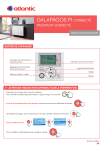

What connectivity technology is required to remotely control the device?
To remotely control your radiator, you need to use a Cozytouch bridge connected to your home's internet box and the free Atlantic Cozytouch application.

How to install the smart thermostat?
To install the smart thermostat, first ensure the power to the HVAC system is off. Then, remove the old thermostat and connect the new one using the provided wiring. Follow the on-screen instructions for setup.
How to connect the device to a Wi-Fi network?
To connect the device to a Wi-Fi network, go to the 'Settings' menu on the device, select 'Network & Internet', then 'Wi-Fi'. Choose the network from the list, enter the password, and tap 'Connect'.
How to reset the device to factory settings?
To perform a factory reset, go to 'Settings', then 'System', and select 'Reset Options'. Be aware that this will erase all personal data and settings.
Which smart home systems is this thermostat compatible with?
This smart thermostat is compatible with Google Home, Amazon Alexa, and Apple HomeKit, allowing seamless integration into most popular smart home ecosystems.