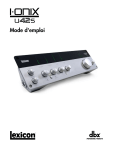
Mode d'emploi
CONSIGNES DE SÉCURITÉ IMPORTANTES
ATTENTION — POUR VOTRE
PROTECTION, LISEZ CE QUI SUIT :
CONSERVEZ CES INSTRUCTIONS
Les symboles représentés ci-dessus sont admis sur le plan international
comme des mises en garde contre les risques électriques. L’éclair terminé
par une flèche dans un triangle équilatéral signifie que le produit contient
des tensions électriques dangereuses. Le point d’exclamation dans un
triangle équilatéral indique que l’utilisateur doit se rapporter au mode
d’emploi.
Ces symboles avertissent que le produit ne contient aucune pièce réparable
par l’utilisateur. N’ouvrez pas le produit. N’essayez pas de réparer le produit vous-même. Faites effectuer les réparations par un personnel qualifié.
L’ouverture du châssis pour quelle raison que ce soit annule la garantie du
constructeur. N’exposez pas le produit à l’humidité. Si du liquide a été
répandu sur le produit, éteignez l’appareil immédiatement et portez-le
chez le revendeur pour réparation. Déconnectez le produit lors des orages
afin d’éviter de possibles dégâts.
TENEZ-COMPTE DE TOUTE LES MISES EN GARDE
RESPECTEZ TOUTES LES CONSIGNES
L’APPAREIL NE DOIT PAS ÊTRE EXPOSÉ À L’HUMIDITÉ ET AUCUN OBJET
CONTENANT DU LIQUIDE, COMME UN VASE, NE DOIT ÊTRE PLACÉ
SUR L’APPAREIL.
NETTOYEZ UNIQUEMENT A L’AIDE D’UN TISSU SEC.
NE BLOQUEZ PAS LES Ouïes DE VENTILATION. INSTALLEZ L’APPAREIL
EN SUIVANT LES CONSIGNES DU FABRICANT.
N’INSTALLEZ PAS L’APPAREIL PRÈS D’UNE SOURCE DE CHALEUR
COMME UN RADIATEUR, UN FOUR OU AUTRE APPAREIL DÉGAGEANT
DE LA CHALEUR (Y COMPRIS LES AMPLIS DE PUISSANCE).
N’UTILISEZ QUE DES ACCESSOIRES ET FIXATIONS RECOMMANDÉS PAR
LE CONSTRUCTEUR.
DÉCONNECTEZ CET APPAREIL DU SECTEUR PENDANT LES ORAGES OU
LORS DE LONGUES PÉRIODES D’INUTILISATION.
CONSIGNES DE SÉCURITÉ
Pour les utilisateurs dont les équipements sont munis d’un
cordon secteur.
Attention : CET APPAREIL DOIT ÊTRE CONNECTÉ À UNE PRISE SECTEUR
AVEC TERRE.
Les fils de la fiche secteur sont repérés par couleurs :
VERT et JAUNE - Terre BLEU - Neutre MARRON - Phase
Ne supprimez jamais la mise à la terre ou le repérage de polarisation des
prises de terre (Canada). Les prises polarisées possèdent deux broches dont
une plus large que l’autre. Une prise avec terre possède deux contacts plus
une mise à la terre. La broche la plus large ou la troisième broche de mise
à la terre sont là pour votre sécurité. Si la fiche fournie ne correspond pas
à votre installation électrique, faites appel à un électricien pour effectuer
les modifications.
Protégez le cordon d’alimentation afin qu’on ne puisse pas marcher
dessus ni le pincer, particulièrement à l’endroit des prises et des rallonges
électriques, ainsi qu’à la sortie de l’appareil.
Si les couleurs des fils de vos prises électriques sont différentes de celles du
cordon secteur de notre produit, procédez comme suit :
• Le fil jaune et vert doit être connecté à la borne E (Earth, ou terre),
ou à la borne avec le symbole de la terre, ou la borne verte, ou à la
borne jaune et vert.
• Le fil bleu doit être connecté à la borne N ou noire.
• La phase doit être reliée à la borne L ou repérée en rouge.
Cet appareil peut nécessiter un cordon et/ou une fiche secteur différent.
Consultez un électricien et demandez-lui de se référer au tableau ci-dessous. Le fil vert/jaune doit être connecté au boîtier de l’appareil.
CONDUCTEUR
COULEUR
Normal
Autre
L
PHASE
MARRON
NOIR
N
NEUTRE
BLEU
BLANC
E
TERRE
VERT/
JAUNE
VERT
MISE EN GARDE : Si la mise à la terre est désactivée, vous
courrez de graves risques d’électrocution avec des possibilités de tension
secteur portée entre la terre et le boîtier de l’appareil lui-même. Cette
condition peut entraîner la mort.
Utilisez uniquement un chariot, un trépied ou un diable ou une table
recommandé par le fabricant ou vendu avec l’appareils. Soyez très prudent
lorsque vous utilisez un chariot et évitez tout accident ou blessure possible
liée à la chute de l’appareil et du chariot. Les travaux d’entretien de l’appareil doivent être effectués par un
personnel qualifié. Une révision de l’appareil est nécessaire si l’appareil a
été endommagé de quelle manière que ce soit, comme lorsque le cordon
d’alimentation ou la fiche secteur sont endommagés, si du liquide ou un
objet a pénétré à l’intérieur du boîtier, si l’appareil a été exposé à la pluie
ou l’humidité, ne fonctionne pas correctement ou à la suite d’une chute.
INTERRUPTEUR SECTEUR : Pour les produits équipés d’un interrupteur,
l’interrupteur ne DÉCOUPLE PAS l’appareil totalement du secteur.
DÉCONNEXION DU SECTEUR : La fiche secteur doit rester accessible à tout
moment. Pour les installations en Rack ou pour les installations où la fiche
secteur n’est pas accessible, installez un interrupteur secteur multi-polaire
avec une séparation entre les bornes d’au moins 3 mm.
APPAREIL AVEC FUSIBLE EXTERNE : Remplacez par un autre exactement
identique.
APPAREIL À TENSION, SECTEUR MULTIPLE : Ce appareil peut nécessiter
un cordon secteur répondant à d’autres normes et formats électriques selon
le pays d’utilisation. Connectez cet appareil uniquement à une tension secteur dont les caractéristiques sont indiquées à l’arrière de l’appareil. Pour
éviter tout risque d’électrocution, confiez toutes les opérations d’entretien
à un personnel qualifié.
CONSIGNES DE SÉCURITÉ IMPORTANTES
DÉCLARATION DE CONFORMITÉ
Nom du fabricant :
Adresse du fabricant :
Lexicon®
8760 S. Sandy Parkway
Sandy, Utah 84070, USA
déclare que le produit :
Nom du produit :I•ONIX U42S
Remarque : Le nom du produit peut être précédé par la désignation "EU".
Options du produit :
Aucune
Ce produit est conforme aux normes suivantes :
Sécurité :IEC 60065-01 + Amd. 1
EMC :
EN 55013 (2001 + A1)
EN 55020 (1998)
Informations supplémentaires :
Ce produit est conforme aux normes sur les produits à basse tension 2006/95/EC et EMC
2004/108/EC.
Le Vice Président
8760 S. Sandy Parkway
Sandy, Utah 84070, USA
Date : 29 décembre 2009
Contact en Europe : Votre filiale locale ou votre point de vente ou de réparation Lexicon, ou
Harman Music Group
8760 South Sandy Parkway
Sandy, Utah 84070, USA
Tél : (801) 566-8800
Fax : (801) 566-7005
COMPATIBILITÉ ÉLECTROMAGNÉTIQUE
Ce produit est conforme aux caractéristiques de fabrication
indiquées sur la déclaration de conformité. Son fonctionnement est soumis aux deux conditions suivantes :
•
cet appareil ne doit causer aucune interférence
dangereuse, et
•
cet appareil doit accepter toutes les interférences,
y compris les interférences pouvant causer des
dysfonctionnements.
•
Le fonctionnement de cet appareil à l’intérieur de
champs magnétiques importants doit être évité.
•
utilisez uniquement des câbles blindés.
Si vous souhaitez vous débarasser de ce produit, ne le jetez pas avec les autres ordures ménagères.
Le ramassage des équipements électroniques se fait séparément pour assurer le recyclage correct
de ces équipements.
Les citoyens des 25 états membres de la CEE, les Suisses et les Norvégiens peuvent apporter leurs produits
électroniques sans frais dans le centre de recyclage le plus proche ou auprès de leur revendeur (dans le cas de
l’achat d’un produit similiare).
Pour les membres des autres pays, consultez les autorités locales.
En agissant ainsi de façon responsable, les produits sont recyclés de façon convenable, ce qui aide à protéger notre
environnement et évite tout effet négatif potentiel sur notre santé.
Informations sur les réparations
Pour toute information technique, contactez le service clientèle de Lexicon®, votre revendeur, ou votre distributeur.
Vous devrez décrire en détail le problème. Préparez le numéro de série de l'appareil, situé
sur un autocollant placé sous l'I-ONIX U42S. Prenez le temps de remplir la carte de
garantie et renvoyez-la.
Avant de nous renvoyer le produit, consultez le mode d'emploi. Veuillez suivre les étapes d'installation et les procédures d'utilisation. Si vous n'arrivez toujours pas à résoudre le problème, contactez notre Service Clientèle au (801) 568-7660. Si vous devez
nous renvoyer le produit, vous DEVEZ au préalable contacter le Service Clientèle pour
obtenir un numéro d'autorisation pour le retour du produit. Nous n'accepterons aucun
produit sans numéro d'autorisation préalable. Consultez les informations de garantie.
Une fois la garantie terminée, nous facturerons un prix raisonnable pour les pièces, la
main d'œuvre, et les frais d'emballage et de manutention, si vous souhaitez faire réparer
l'appareil en usine. Dans tous les cas, vous êtes responsable des frais de port jusqu'à nos
usines. Lexicon Professional prend en charge les frais de retour lorsque le produit est
sous garantie.
Utilisez l'emballage original pour le retour. Inscrivez le nom du transporteur sur le
paquet et écrivez en rouge : INSTRUMENT FRAGILE ! Assurez le transport avec une
valeur correcte. Vous devez payer les frais de retour par avance auprès du transporteur.
N'envoyez pas par la poste.
Garantie
Les conditions de garantie peuvent varier d'un pays à un autre, d'une région à une
autre, d'une province à une autre, etc.
Consultez votre revendeur ou votre distributeur pour connaître des conditions de garantie qui vous sont propres. Notez les points suivants :
1. Vous devez renvoyer la carte de garantie fournie avec le produit (vous pouvez également vous enregistrer en ligne à l'adresse www.lexiconpro.com) dans les 30 jours
suivant l'achat du produit pour activer la garantie. Le consommateur est responsable de la fourniture de la preuve d'achat.
2. Selon les termes de la garantie, la responsabilité de Lexicon Professional se limite
à la réparation (ou à notre discrétion, au remplacement) des éléments défectueux,
dans la mesure où le produit est renvoyé à Lexicon Professional AVEC UNE
AUTORISATION DE RETOUR délivrée par nos usines. Toutes les pièces et la
main d'œuvre sont couvertes pendant une période d'1 an. Vous pouvez obtenir
un numéro de retour auprès de Lexicon Professional par téléphone. La société ne
peut être tenue responsable de dommages directs ou indirects liés à l'utilisation du
produit.
3. Lexicon Professional se réserve le droit d'apporter des modifications dans la
conception ou l'apparence du produit sans obligation d'apporter ces modifications
aux produits déjà fabriqués.
4. La société Lexicon Professional, ses filiales, distributeurs ou revendeurs ne peuvent
être tenus responsables des dommages directs ou indirects liés à l'utilisation du
produit.
Table des matières
Mode d'emploi................................................................... 1
Informations sur les réparations...................................... 4
Garantie......................................................................... 4
Table des matières............................................................. 5
Introduction.................................................................... 1
Caractéristiques générales............................................... 1
Découverte de votre interface I-ONIX U42S................. 2
Éléments fourni............................................................... 2
Systèmes requis............................................................... 2
Face avant......................................................................... 3
Faces arrière et latérales................................................ 6
Connexion de l'I•ONIX U42S............................................ 8
Micros............................................................................ 8
Sources à niveau ligne..................................................... 8
Instruments.................................................................... 8
Ordinateur/Station d'enregistrement audionumérique... 8
Casques.......................................................................... 8
Moniteurs....................................................................... 8
Exemples de connexions................................................. 9
U42S — Exemple : Enregistrer une guitare.................... 11
Installation des pilotes, de l'application de gestion,
et de Cubase® LE 4........................................................ 11
Configuration audio et MIDI sous
Windows® (optionnel)..................................................... 11
Connexions pour notre exemple..................................... 12
Connectez la guitare......................................................... 13
Connectez l'ordinateur..................................................... 15
Écoute directe de l'entrée guitare.................................... 15
Configuration de Cubase® LE 4 pour l'I•ONIX U42S.. 16
(Windows®)................................................................... 16
Configuration de Cubase® LE 4 pour l'I•ONIX U42S.. 17
(Mac®)............................................................................ 17
Enregistrement d'une piste dans Cubase® LE 4.............. 18
Création d'un nouveau morceau...................................... 18
Lancement de l'enregistrement......................................... 19
Écoute de l'enregistrement............................................... 19
Mixage audio................................................................... 20
Options et fonctions de Cubase LE 4.............................. 20
Utilisation de la réverbération Pantheon II dans
Cubase LE 4.................................................................... 20
Caractéristiques techniques.......................................... 23
Introduction
Merci d'avoir choisi cette interface d'enregistrement Lexicon® I-ONIX
U42S !
Le système breveté I·ONIX U42S s'insère parfaitement entre votre clavier et
votre écran. Avec tous les niveaux d'écoute et d'entrée au bout de vos doigts,
vous vous demanderez comment vous avez fait jusqu'à aujourd'hui sans
l'I·ONIX U42S.
Équipé de nos nouveaux préamplis micro dbx® sur chaque canal, l'I·ONIX
U42S a été conçue pour vous offrir des enregistrements 100 % professionnels. Les préamplis sont alimentés par haute tension pour vous garantir une
stabilité totale, une qualité d'enregistrement inégalée et une plage dynamique très élevée. Les convertisseurs A/N et N/A hautes performances travaillent en 24 Bits à 96 kHz et capturent avec subtilité chaque détail de vos
enregistrements.
Le nom de Lexicon est synonyme de “meilleures réverbérations au monde”. Le
Plug-In VST/AU de réverbération Pantheon™ II vous offre 6 types de réverbérations avec 16 paramètres réglables, et 35 Presets d'usine allant des chants
de studio aux réverbérations de scène en passant par les effets spéciaux. Il vous
est facile d'apporter cette touche de finition ultime à votre musique grâce à ces
réverbérations soyeuses et riches qui ont fait la renommée de Lexicon.
Caractéristiques générales
• Connexion USB 2.0 à votre application de MAO — jusqu'à 480 Mo/s
• Fréquence d'échantillonnage de 44,1 à 96 kHz, en 24 bits
• Embases analogiques combinées Jack 6,35 mm et XLR en face arrière sur
les entrées micro/ligne
• Sorties analogiques en Jack stéréo 6,35 mm (sorties stéréo)
• Préamplis micro haute tension dbx®, à bruit de fond ultra faible sur toutes les entrées micro/ligne analogiques
• Compatible Windows® et Mac®
• Alimentation fantôme 48 V sur chaque paire d'entrées
• Affichage du niveau d'entrée par 8 Leds par canal
• Affichage du niveau de mixage et de niveau de bus stéréo
• Sorties casque 6,35 mm à niveau de sortie élevé
• MIDI In/Out
• Écoute exempte de toute latence
• Pilotes ASIO à faible latence
• Plug-In de réverbération VST/AU Lexicon Pantheon II
• La suite logicielle comprend Cubase® LE 4 de Steinberg®, et Toontrack®
EZdrummer® Lite
1
Découverte de votre interface I-ONIX U42S
Les interfaces d'enregistrement I-ONIX U42S sont expédiées dans un carton
unique, contenant le boîtier U42S et un DVD de logiciels pour Windows®
et Macintosh®. Après déballage, conservez les produits d'emballage au cas
où vous devriez les utiliser à nouveau. Inspectez avec soin l'I-ONIX U42S
et l'emballage pour tout signe de dommage. Rapportez immédiatement les
dommages liés au transport auprès du transporteur ou du vendeur auprès
duquel vous avez acheté le produit.
Éléments fournis :
• U42S
• Le DVD d'installation avec les pilotes, le Plug-in de réverbération
Lexicon Pantheon II, l'application de MAO Cubase LE 4, et l'application de rythmes ToonTrack® EZ Drummer Lite pour Mac® et
Windows®
• Le câble USB
• Carte de garantie Lexicon Professional
REMARQUE : Le mode d'emploi complet de Cubase LE 4 est également
situé sur le DVD.
Systèmes requis
Les applications audionumériques puissantes nécessitent des configurations
informatiques puissantes avec le système d'exploitation adapté, un processeur rapide et une mémoire importante. La plupart des ordinateurs disponibles sur le marché de nos jours semblent répondre à ces exigences ou peuvent être aisément mis à jour pour être compatibles avec l'I-ONIX U42S.
Comme toujours, l'ajout de mémoire RAM supplémentaire par rapport aux
exigences minimales vous offrira une puissance de traitement accrue et des
performances globales améliorées.
Windows Vista, XP
®
•
•
•
•
•
Système multi-coeur
1 Go de RAM (recommandé)
Résolution d'affichage de 1024 x 768 pixels
Lecteur de DVD-ROM
Accès Internet pour l'activation de la licence
Mac®
•
•
•
•
•
•
Système multi-coeur Intel®
1 Go de RAM (recommandé)
OS X Version 10.4.9 ou plus récente
Résolution d'affichage de 1024 x 768 pixels
Lecteur de DVD-ROM
Accès Internet pour l'activation de la licence
Remarque : Adobe Reader est nécessaire pour afficher les documents .pdf
contenus sur le DVD.
2
Face avant
3
1
4 5 6 7 8 9 10
2
11 12 13
14
15 16 17
1. LEDS DE NIVEAU D'ENTRÉE
Elles indiquent le niveau du signal de chaque entrée en indiquant la réserve
dynamique avant écrêtage. Les valeurs sont :
Rouge
Écrêtage
Jaune
–3 dB
Vert
–6 dB
Vert
–9 dB
Vert
–12 dB
Vert
–18 dB
Vert
–24 dB
Vert
–36 dB
2. LEDS DE NIVEAU de sortie
Elles indiquent le niveau du signal de chaque sortie en indiquant la réserve
dynamique avant écrêtage. Les valeurs sont :
Rouge
Écrêtage
Jaune
–3 dB
Vert
–6 dB
Vert
–9 dB
Vert
–12 dB
Vert
–18 dB
Vert
–24 dB
Vert
–36 dB
3. BOUTONS DE NIVEAUX Phones 1 ET Phones 2
Règle de niveau de la sortie casque correspondante. Le bouton Phones 1 règle
le niveau de la sortie casque Phones 1, et le bouton Phones 2 règle le niveau
de la sortie casque Phones 2.
4. BOUTONS DE GAIN MIc/Line/Inst 1
Détermine le gain de l'entrée Mic/Line 1 ou Instrument 1.
5. LED Instrument 1
S'allume lorsqu'un Jack 6,35 mm est inséré dans l'embase Instrument 1 du
panneau latéral droit.
3
6. BOUTON STÉRÉO ET LED STÉRÉO — Mic/Line/Inst 1 ET
Mic/Line/inst 2
Cette touche vous permet de configurer l'entrée Mic/Line 1 (ou
Instrument 1) et l'entrée Mic/Line 2 (ou Instrument 2) en stéréo ou mono.
La Led s'allume en stéréo.
En mode stéréo (Led Stereo allumée), les signaux des entrées
Instrument 1 et Mic/Line 1 sont dirigés vers la sortie gauche Left Main Out,
et les signaux des entrées Instrument 2 et Mic/Line 2 vers la sortie droite
Right Main Out.
En mode Mono mode (Led Stereo éteinte), chaque paire d'entrées est
mélangée et dirigée vers les sorties Main Outs Left et Right sous la forme
d'uns signal mono. Une paire comprend l'entrée Instrument 1 ou Mic/
Line 1 et l'entrée Instrument 2 ou Mic Line 2.
7. LED +48V
S'allume lorsque l'alimentation fantôme est active pour la paire d'entrées
Mic/Line 1 et 2. Vous pouvez activer/désactiver l'alimentation fantôme
par paires d'embases d'entrées combinées grâce aux touches 48V de la face
arrière. Les micros dynamiques n'ont pas besoin d'être alimentés. Ceci dit,
l'alimentation fantôme ne leur pose aucun risque de dommage. La plupart des
micros à condensateur ont besoin de l'alimentation fantôme pour fonctionner. En cas de doute, consultez le mode d'emploi du micro ou contactez votre
revendeur.
8. LED Instrument 2
S'allume lorsque vous insérez une fiche Jack 6,35 mm dans l'embase
Instrument 2 située sur le panneau latéral droit.
9. BOUTON DE GAIN MIc/Line/Inst 2
Ce bouton règle le gain de l'entrée Mic/Line 2 ou Instrument 2.
10. BOUTON DE GAIN MIc/Line 3
Ce bouton règle le gain de l'entrée Mic/Line 3.
11. BOUTON Stereo ET LED Stereo Mic/line 3 ET mic/line 4
Cette touche vous permet de configurer l'entrée Mic/Line 3 et l'entrée Mic/
Line 4 en stéréo ou mono. La Led s'allume en stéréo.
En mode stéréo (Led Stereo allumée), les signaux des entrées Mic/Line 3
sont dirigés vers la sortie gauche Left Main Out, et les signaux des entrées
Mic/Line 4 vers la sortie droite Right Main Out.
En mode Mono (Led Stereo éteinte), chaque paire d'entrées est mélangée
et dirigée vers les sorties Main Outs Left et Right sous la forme d'un signal
mono. Une paire comprend l'entrée Mic/Line 3 et l'entrée ou Mic/Line 4.
4
12. LED +48V
S'allume lorsque l'alimentation fantôme est active pour la paire d'entrées
Mic/Line 3 et 4. Vous pouvez activer/désactiver l'alimentation fantôme
par paires d'embases d'entrées combinées grâce aux touches 48V de la face
arrière. Les micros dynamiques n'ont pas besoin d'être alimentés. Ceci dit,
l'alimentation fantôme ne leur pose aucun risque de dommage. La plupart des
micros à condensateur ont besoin de l'alimentation fantôme pour fonctionner. En cas de doute, consultez le mode d'emploi du micro ou contactez votre
revendeur.
13. BOUTON DE GAIN MIc/Line 4
Ce bouton règle le gain de l'entrée Mic/Line 4.
14. BOUTON Output Level
Ce bouton règle le niveau des sorties générales gauche et droite.
15. LED S/PDIF
S'allume lorsqu'une connexion S/PDIF est détectée. Notez que vous ne pouvez établir une connexion S/PDIF que si une connexion USB est établie.
16. BOUTON Monitor Mix
L'I-ONIX U42S vous permet d'écouter directement vos entrées analogiques
pendant l'enregistrement, sans avoir à régler les niveaux dans le logiciel,
et avant les temps de retard causés par les convertisseurs numériques et la
latence d'enregistrement de l'ordinateur. Cette écoute analogique exempte
de toute latence est contrôlée par le bouton Monitor Mix, que vous pouvez
utiliser pour régler le dosage entre les entrées analogiques (“directes”) et les
signaux revenant de votre ordinateur par USB (“lecture”). Pour régler le
niveau de la lecture en provenance de l'ordinateur (pistes précédentes, retours
d'effets, etc.), utilisez les Faders de l'écran du mélangeur du logiciel. Pour
écouter uniquement les sources d'entrées directes connectées à l'U42S, réglez
le bouton Mix au minimum, en position Direct. Pour écouter uniquement le
mixage en provenance de l'ordinateur, placez le bouton Mix complètement
à droite, sur Playback. Les signaux en provenance de l'entrée S/PDIF sont
convertis en analogique et transmis au bouton de Mix, ce qui vous permet
d'écouter directement cette entrée, comme c'est le cas avec les entrées analogiques. La sortie du bouton Monitor Mix est dirigée vers les sorties Line et
Headphone.
17. LED USB
S'allume lorsqu'une connexion USB est détectée.
5
Faces arrière et latérales
1
2 3
4
5
6
7 8
9
10
1. ENtRÉES Instrument 1 ET instrument 2
Ces entrées asymétriques acceptent les fiches Jack 6,35 mm et les signaux à
niveau instrument (dont les guitares). Notez que lorsque l'entrée Instrument
1 est utilisée, l'entrée Mic/Line 1 est désactivée. Il en va de même pour les
entrées Instrument 2 et Mic/Line 2 : lorsque l'entrée Instrument est utilisée,
l'entrée Mic/Line est désactivée.
2. EMBASE Power
Utilisez uniquement l'adaptateur secteur PSS3-xxx fourni ("xxx" correspond
à la tension secteur).
3. port USB
Le port USB permet de connecter l'U42S à votre ordinateur. Nous vous
fournissons un câble USB standard. L'U42S est compatible USB 2.0 uniquement.
4. MIDI IN ET MIDI OUT
Les embases MIDI IN et OUT vous permettent la connexion à votre ordinateur, vos claviers MIDI, vos expandeurs, et vos contrôleurs externes.
5. S/PDIF In ET Out
Les embases S/PDIF In et Out sont au format asymétrique (RCA). Ils transmettent et reçoivent un signal audionumérique à deux canaux en 16 bits ou
24 bits. Les connexions S/PDIF sont utilisées par de nombreux lecteurs/enregistreurs audio professionnels et grand public. Utilisez un câble coaxial avec
une impédance de 75 Ohms pour les transferts S/PDIF, avec une distance
maximale de 10 mètres pour éviter toute interférence parasite et tout décrochage des données.
6. SORTIES GÉNÉRALES Main Outputs
Ces sorties fournissent des liaisons symétriques (Jacks 6,35 mm stéréo) ou
asymétriques (Jacks 6,35 mm mono). Utilisez-les pour la connexion à une
console de mixage, un amplificateur de puissance, des moniteurs actifs,
un enregistreur, ou tout autre équipement à niveau ligne. Pour obtenir les
meilleurs résultats sonores, utilisez des connexions symétriques.
6
7. ENTRÉES Mic/Line 1–4
Ces entrées symétriques acceptent des fiches XLR ou Jack 6,35 mm, et des
signaux à niveau micro et ligne. Notez que lorsque l'entrée Instrument 1 est
utilisée, l'entrée Mic/Line 1 est désactivée. Il en va de même pour les entrées
Instrument 2 et Mic/Line 2 : lorsque l'entrée Instrument est utilisée, l'entrée
Mic/Line est désactivée Mic/Line.
8. touche +48V — Mic/Line 1 et Mic/Line 2
Ces touches activent l'alimentation fantôme des entrées Mic/Line 1 et Mic/
Line 2. Lorsque l'alimentation est activée la Led +48V entre les boutons de
gain Mic/Line/Inst 1 et 2 de la face avant s'allume. Les micros dynamiques
n'ont pas besoin d'être alimentés. Ceci dit, l'alimentation fantôme ne leur
pose aucun risque de dommage. La plupart des micros à condensateur ont
besoin de l'alimentation fantôme pour fonctionner. En cas de doute, consultez le mode d'emploi du micro ou contactez votre revendeur. Laissez cette
touche en position désactivée si vous utilisez des signaux à niveau ligne dans
les entrées Mic.
9. touche +48V — Mic/Line 3 et Mic/Line 4
Ces touches activent l'alimentation fantôme des entrées Mic/Line 3 et Mic/
Line 4. Lorsque l'alimentation est activée la Led +48V entre les boutons de
gain Mic/Line 3 et 4 de la face avant s'allume. Les micros dynamiques n'ont
pas besoin d'être alimentés. Ceci dit, l'alimentation fantôme ne leur pose
aucun risque de dommage. La plupart des micros à condensateur ont besoin
de l'alimentation fantôme pour fonctionner. En cas de doute, consultez le
mode d'emploi du micro ou contactez votre revendeur. Laissez cette touche
en position désactivée si vous utilisez des signaux à niveau ligne dans les
entrées Mic.
10. jacks Headphone 1 et headphone 2
Ces sorties permettent la connexion de casques avec fiches Jack stéréo
6,35 mm. Ces sorties transmettent le même signal que ceux des sorties générales Main, et possèdent leur propre niveau de sortie.
7
Connexion de l'I•ONIX U42S
Micros
Connectez un câble XLR directement entre le micro et l'entrée Mic/Inst en
face arrière de l'U42S.
Si le micro doit être alimenté par fantôme, connectez le micro puis appuyez
sur la touche +48V au-dessus des entrées correspondantes. Si le micro n'utilise pas l'alimentation fantôme laissez la touche relâchée.
Remarque : Certains micros peuvent être endommagés par la présence de la
tension fantôme 48 Vcc. Consultez le mode d'emploi de votre micro avant
d'activer l'alimentation fantôme 48 Vcc.
Sources à niveau ligne
Les sources à niveau ligne regroupent les claviers, les boîtes à rythmes, les lecteurs de CD, les préamplis micro extérieurs et les effets. Connectez un câble
en Jacks 6,35 mm mono (asymétrique) ou stéréo (symétrique) directement
entre la source à niveau ligne et l'entrée Mic/Inst d l'U42S, en face arrière.
Instruments
Les Jacks Instrument du panneau latéral acceptent les signaux d'instruments comme une guitare ou une basse électrique. Connectez un câble Jack
6,35 mm directement entre l'instrument et l'une des entrées Instrument du
panneau latéral droit de l'U42S.
Ordinateur/Station d'enregistrement audionumérique
Connectez le port USB de votre ordinateur au port USB à l'arrière de
l'U42S à l'aide du câble USB standard fourni.
Casques
Connectez les casques aux sorties Headphones du panneau latéral gauche.
Les embases casque sont au format Jack stéréo 6,35 mm. Réglez le volume
des casques avec les boutons Phones 1 et Phones 2.
Moniteurs
Utilisez des câbles en Jacks 6,35 mm entre les sorties L/R Main Out de la
face arrière et les entrées de votre console de mixage, amplis de puissance, ou
moniteurs actifs (amplifiés). Réglez le niveau de sortie avec le bouton Output
Level. Pour obtenir les meilleurs résultast sonores, utilisez des câbles symétriques.
8
Exemples de connexions
9
10
U42S — Exemple : Enregistrer une guitare
Suivez les étapes de cet exemple pour commencer à vous familiariser avec
l'U42S. Cet exemple utilise Cubase® LE 4, mais l'U42S fonctionne avec
toutes les applications de MAO.
Installation des pilotes, de l'application de gestion, et
de Cubase® LE 4
1. Insérez le DVD dans votre lecteur de DVD-ROM. L'application d'installation démarre automatiquement.
Si l'installeur ne se lance pas automatiquement, lancez-le manuellement
en ouvrant le fichier correspondant sur le DVD :
Mac® : Windows® : Cliquez sur Open Me
Lancez le fichier Menu.exe
2. Une fois l'installeur ouvert, suivez les instructions à l'écran pour installer le logiciel.
Remarque : Vous devez installer les pilotes de l'I-ONIX U42S pour
utiliser l'U42S avec Cubase® LE 4. Vous devez également installer
Cubase LE 4 pour suivre les étapes du projet d'exemple dans les pages
suivantes.
Vous trouverez les derniers pilotes sur le site www.lexiconpro.com.
Configuration audio et MIDI sous Windows® (optionnel)
Une fois les pilotes et le logiciel de gestion Control installés, Windows peut
les avoir sélectionnés automatiquement comme vos sorties audio et MIDI
par défaut. Cela signifie que vos sons système Windows seront envoyés à
l'U42S à la place de la carte son de l'ordinateur. Vous devez regardez si l'ordinateur à fait la modification, et, si c'est le cas, revenir aux réglages d'origine :
1. Sélectionnez Démarrer>Panneau de Configuration>Périphériques Son
et Audio (XP) ou Périphériques et Son (Vista).
2. Sélectionnez l'onglet Audio (XP) ou Gestion des périphériques Audio
(Vista).
3. Dans Périphérique de lecture son>Défaut (XP), ou Lecture (Vista),
vérifiez que la carte son de l'ordinateur soit sélectionnée comme périphérique par défaut.
4. Dans les périphériques Son Enregistrement>Défaut (XP), ou
Enregistrement (Vista), vérifiez que la carte son de l'ordinateur soit
sélectionnée comme périphérique par défaut.
5. Dans la section du périphérique MIDI Lecture>Défaut, ouvrez le menu
déroulant et vérifiez que Microsoft GS Wavetable Synth soit sélectionné
comme périphérique par défaut (XP uniquement).
11
Connexions pour notre exemple
12
Connectez la guitare
1. Réglez le bouton Mic/Line/Inst 1 au minimum.
Connectez la guitare à l'entrée Instrument 1 sur le panneau latéral droit.
13
Connectez le casque
2. Réglez le bouton Phones 1 au minimum.
Phones 1 Knob
3. Connectez le casque à l'embase Phones 1 sur le panneau latéral gauche.
Phones 1 input
14
Connectez l'ordinateur
Reliez le port USB de votre ordinateur au port USB de l'I-ONIX U42S situé
en face arrière, à l'aide du câble USB standard fourni.
Écoute directe de l'entrée guitare
1. Placez le casque sur vos oreilles.
2. Réglez le bouton Monitor Mix en position centrale. Ceci vous permet
d'écouter un mixage 50 % - 50 % du signal direct de l'U42S et des
signaux en provenance de Cubase.
3. Jouez de la guitare.
4. Montez progressivement le niveau Phones 1 jusqu'à ce que vous obteniez
le niveau d'écoute souhaité.
15
Configuration de Cubase® LE 4 pour l'I•ONIX U42S
(Windows®)
1. Vérifiez que le câble USB fourni soit connecté entre l'ordinateur et
l'U42S. Veillez à ce que l'U42S soit sous tension.
2. Lacez Cubase® LE 4 (dans le menu Démarrer, dans Lexicon®).
3. Si la fenêtre suivante s'affiche, cliquez sur OK.
4. Une fois dans Cubase LE 4, allez dans Devices>Device Setup.
5. Dans le menu Devices, cliquez sur VST Audio System et sélectionnez
Lexicon I-ONIX U42s dans le menu déroulant des pilotes ASIO s'il
n'est pas déjà sélectionné. Cliquez sur Switch pour changer de pilote, puis
cliquez sur OK dans la fenêtre Device Setup. Vous êtes prêt à enregistrer
avec l'U42S dans Cubase LE 4.
16
Configuration de Cubase® LE 4 pour l'I•ONIX U42S
(Mac®)
1. Vérifiez que le câble USB fourni soit connecté entre l'ordinateur et
l'U42S. Veillez à ce que l'U42S soit sous tension.
2. Ouvrez Cubase LE 4 (dans le dossier Applications), et ouvrez le menu
Devices>Device Setup comme indiqué :
3. Cliquez sur VST Audio System et sélectionnez Lexicon I-ONIX U42s
comme pilote ASIO, si ça n'est pas déjà le cas.
4. Cubase® LE 4 vous demande maintenant si vous souhaitez remplacer le
pilote. Sélectionnez Switch, puis OK.
Utilisateurs de Mac® OS 10.4.x uniquement : Après avoir sélectionné
Lexicon X4 comme pilote ASIO, vérifiez que les entrées du périphérique
soient actives. À cette fin, procédez comme suit :
1. Sélectionnez le menu Device>VST Connections.
2. Lorsque la fenêtre des connexions VST s'affiche, cliquez sur l'onglet des
entrées Inputs.
3. La case sous la colonne du périphérique Audio peut indiquer “Not
Connected”. Dans ce cas, cliquez sur cette case et sélectionnez Lexicon
I-ONIX U42s pour activer les entrées de l'U42S.
4. Fermez la fenêtre des connexions VST.
Vous pouvez maintenant passer à l'étape suivante et enregistrer avec Cubase
LE 4.
17
Enregistrement d'une piste dans Cubase® LE 4
Création d'un nouveau morceau
1. Dans Cubase, cliquez sur File > New Project. La fenêtre New Project
s'affiche.
2. Sélectionnez Lexicon I-ONIX U42S Mono In et cliquez sur OK.
3. Sélectionnez un dossier de morceau et cliquez sur Choose.
4. Ajoutez une piste mono en cliquant sur Project -> Add Track -> Audio.
Sélectionnez la configuration Mono et cliquez sur OK.
5. Dans la fenêtre Audio 1, le bouton d'armement de l'enregistrement
doit déjà être allumé en rouge. Sinon, cliquez dessus pour l'allumer.
ASSUREZ-VOUS QUE LE
BOUTON D'ARMEMENT DE
L'ENREGISTREMENT SOIT
ALLUMÉ
6. Dans la fenêtre Audio 1, cliquez sur le bouton d'écoute d'entrée
l'éteindre.
ASSUREZ-VOUS QUE LE
BOUTON D'ÉCOUTE SOIT
ÉTEINT
18
pour
Lancement de l'enregistrement
1. Cliquez sur la touche d'enregistrement dans la zone des touches de transport de Cubase® LE 4.
Touche d’enregistrement
2. Jouez de la guitare.
3. Lorsque vous avez terminé appuyez sur la touche Stop.
Touche Stop
Écoute de l'enregistrement
1. Dans Cubase, cliquez sur la touche de retour à zéro.
Touche de retour à zéro
2. Réglez le bouton Phones 1 au minimum.
3. Placez le casque sur vos oreilles.
4. Dans Cubase, cliquez sur la touche de lecture.
Touche de lecture
5. Dans l'U42S, montez progressivement le bouton Phones 1 jusqu'à obtenir le niveau d'écoute souhaité.
Dès que vous ajoutez une piste à votre morceau Cubase, le champ de routage
des entrées Input Routing passe par défaut sur l'entrée U42S In 1. Ceci dit,
si vous connectez des instruments ou d'autres entrées à l'interface U42S,
vous devez modifier le routage d'entrée de la piste sur laquelle vous enregistrez. Consultez le tableau ci-dessous pour voir comment les entrées sont
indiquées dans Cubase LE 4 par rapport aux entrées physiques de l'interface
U42S.
Entrées de l'interface U42S
1
2
3
4
Notation des entrées dans les pistes mono de Cubase LE 4 (en utilisant le modèle de morceau par
défaut Lexicon® I-ONIX U42S
Mono In Project)
U42S In 1
U42S In 2
U42S In 3
U42S In 4
19
Mixage audio
Vous pouvez utiliser les fonctions de mixage audio de Cubase® LE 4 pour
créer un fichier .wav à partir de votre morceau Cubase. Le fichier .wav peut
être gravé sur CD ou être lu par le lecteur audio de votre ordinateur. Cubase
LE 4 ne génère pas de fichiers mp3 — vous devez utiliser un autre logiciel
pour convertir un fichier .wav en mp3.
Pour mixer votre morceau, vous devez commencer par définir les Locators
gauche et droit, notamment en utilisant le raccourci clavier [Ctrl] + [A] puis
en appuyant sur [P]. Vous pouvez glisser les Locators.
Une fois les Locators en place, ouvez le menu File > Export > Audio
mixdown. Cliquez sur ‘Choose’ et nommez le fichier dans la zone ‘File
name:’. Sélectionnez l'emplacement de la sauvegarde du fichier .wav dans le
champ ‘Look in’ et cliquez sur ‘Save’. Vous devez tout d'abord sauvegarder le
fichier sur le disque dur de votre ordinateur pour pouvoir le graver sur CD. Sélectionnez ensuite Wave File (.wav) dans le champ ‘File Format’, réglez la
fréquence d'échnatillonnage ‘Sample Rate’ sur 44,1 kHz, réglez la résolution
‘Bit Depth’ sur 16 bits, et cliquez sur Export.
Options et fonctions de Cubase LE 4
Cubase LE 4 offre de nombreuses fonctions et options d'enregistrement,
d'édition et de mixage audio. Pour en savoir plus, consultez les sections
‘Getting started’ et ‘Operation Manual’ sur Cubase LE 4, dans le menu
Help > Documentation.
Utilisation de la réverbération Pantheon II dans Cubase LE 4
La réverbération Pantheon est configurable dans Cubase LE 4 de deux
façons : en insertion sur une piste audio ou sur une voie d'effets.
Pour utiliser la réverbération Pantheon II en insertion sur une piste audio :
1. Cliquez sur l'onglet Inserts de la voie sur laquelle vous souhaitez insérer
la réverbération Pantheon II.
2. Cliquez dans la banque et sélectionnez Earlier VST Plug-ins > Lexicon
> Pantheon II. La réverbération Pantheon II est audible uniquement sur
les voies sur lesquelles elle est insérée.
Pour utiliser la réverbération Pantheon II en insertion sur une voie d'effets :
1. Ajoutez une voie d'effets FX : allez dans Project > Add track > FX
Channel, et cliquez sur Inserts de la voie FX.
2. Cliquez dans la banque et sélectionnez Earlier VST Plug-ins > Lexicon
> Pantheon II.
3. Cliquez sur l'onglet Sends des pistes audio sur lesquelles vous souhaitez
ajouter de la réverbération.
4. Cliquez dans un emplacement vide et réglez la sortie sur FX-1 Pantheon
II.
5. Cliquez sur le bouton Marche et réglez le niveau de départ. N'importe
quelle piste peut bénéficier de l'effet défini sur la voie d'effets FX.
20
21
22
Mic or Line Input 4
Mic or Line Input 3
Hi-Z
Instrument Input 2
Mic or Line Input 2
Hi-Z
Instrument Input 1
Mic or Line Input 1
0 to 55dB
Level Control 4
0 to 55dB
Level Control 3
0 to 55dB
Level Control 2
0 to 55dB
Level Control 1
M2
LEDs
LEDs
LEDs
Input 4
M3
A/D
A/D
Input 2
Input 3
M1
LEDs
Input 1
M4
M3
M2
M1
L
D/A
Stereo
Stereo
Mix
Monitor
USB
Control
Output
Logic
R
Monitor
Level
LEDs
HP 2 Volume
HP 1 Volume
Main Volume
Headphone 2 Output
Headphone 1 Output
Right TRS Out
Left TRS Out
MIDI
I/O
USB Jack
S/PDIF Out
S/PDIF In
Synoptique
Caractéristiques techniques
Entrées micro :
Impédance d'entrée :
Alimentation fantôme :
Gain maximum :
Bruit (gain max) :
Niveau d'entrée maximum :
Réponse en fréquence :
DHT + bruit :
XLR femelle (broche 2 = point chaud )
3 kΩ symétrique
48 Volts
+58 dB
−126 dBu avec gain type de 58 dB (source de 150 Ω)
−129 dBu avec gain type de 58 dB et pondération A (source de 150 Ω)
+14 dBu à gain minimum
+0/−1 dB, 20 Hz - 20 kHz
<0,02 %, 20 Hz - 20 kHz (entre entrée mic et sortie Main)
<0,015 %, 1 kHz, niveau d'entrée de -6 dBu
Entrées ligne : Impédance d'entrée : Niveau d'entrée maximum :
Réponse en fréquence :
THD+N: Entrées Instrument : Impédance d'entrée : Niveau d'entrée maximum : Réponse en fréquence : DHT + bruit : Jack stéréo 6,35 mm symétrique ou asymétrique
20 kΩ symétrique, 13 kΩ asymétrique
+32 dBu
+0/−1,5 dB, 20Hz - 20kHz (référence de 1 kHz)
<0,05 %, 20 Hz - 20 kHz (entre entrée ligne et sortie Main)
Sorties ligne : Niveau : Impédance : Jack stéréo 6,35 mm symétrique ou asymétrique
>+18 dBu maximum
32 Ω symétrique, 16 Ω asymétrique
Sortie casque : Jack stéréo 6,35 mm, 350mW par canal dans 50 Ω
Interface MIDI : Fréq. d'échantillonnage : Connecteurs MIDI In et Out DIN à 5 broches (signal de 5 Volts)
44,1, 48, 88,2, ou 96 kHz (définie par l'application logicielle)
Plage dynamique :
A/N (24 Bits) 108 dB type, mesure pondérée A, 20 Hz - 20 kHz
(fréquence d'échantillonnage de 44,1 kHz)
N/A (24 Bits) 110 dB type, mesure pondérée A, 20 Hz - 20 kHz
A/N/A (24 Bits) 102 dB type, mesure pondérée A, 20 Hz - 20 kHz
Alimentation : 18 Watts 9 Vca
Adaptateurs secteur disponibles :
PSS3-120 (USA)
PSS3-EU (Europe)
PSS3-UK (Royaume Uni)
PSS3-JA (Japon)
PSS3-AU (Australie)
Jack mono 6,35 mm asymétrique
1 MΩ
+13 dBu
+0/−2 dB, 20 Hz - 20 kHz (entre entrée instrument et sortie Main)
<0,05 %, 20 Hz - 20 kHz, +4 dBu
Les ingénieurs de Lexicon® cherchent en permanence à améliorer la qualité de nos produits. Les caractéristiques sont par conséquent sujettes à modifications sans préavis.
23
24
25
Harman Music Group
8760 South Sandy Parkway | Sandy, Utah 84070
U.S.A.
Tél : (801)-568-7660 | Fax : (801)-568-7662
I-ONIX U42S
Copyright 2009 Lexicon®
Brevets déposés
Questions ou commentaires ?
Envoyez-nous un email à :
customer@lexiconpro.com
ou consultez notre site Internet :
www.lexiconpro.com
">