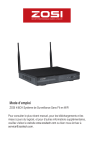
SECURITE PROFESSIONELLE RAMENE LA FACILITE
Mode d’emploi
ZOSI 4/8CH Système de Surveillance Sans Fil en WiFi
Pour consulter le plus récent manuel, pour les téléchargements et les
mises à jours du logiciel, et pour d’autres informations supplémentaires,
veuillez visitez le website www.zositech.com ou bien nous écrivez à
service@zositech.com.
Déclaration
Merci d’avoir choisi ZOSI pour l’achat de votre système de surveillance de sécurité. ZOSI
s’engage à fournir à nos clients une solution de sécurité fiable et de haute qualité. ZOSI ne
peut pas assumer la responsabilité de toutes les conséquences résultant de ce manuel.
Avant de la mise en place
Il est vivement recommandé de tester le système avant de le mettre en place pour éviter de
débrancher le câblage en cas de problème.
Applications
C’est un système autonome. Il faut brancher au écran de moniteur pour commencer la
visualisation en direct (tels qu’un PC moniteur, ou un TV). En ajoutant un disque dur interne de
3,5" au NVR, le système peut enregistrer des vidéos.
En connectant le NVR à l’Internet, vous pouvez visualiser les caméras partout à tout moment.
Remarque
Ce manuel est utilisé pour vous guider à installer le système et surveiller à distance, pour plus
instructions et plus détails veuillez consulter le CD livré avec le système.
Support Technique
Website: www.zositech.com Email: service@zositech.com
1. Connecting your system: Séchma de branchement
Antennas
interface
Camera
5
7
3
Camera
Video inputs
Mouse
Router
4
Monitor/TV
6
Power
1
2
3
4
5
6
7
Installer les antennes pour les caméras et le NVR.
Insérer les caméras au Power (Alimentation DC 12V 1A).
Connecter le NVR au routeur via un câble Ethernet.
Connecter le NVR au écran de moniteur via le port HDMI ou VGA (ni
cable HDMI ni cable VGA ne sont pas inclus).
Insérer la souris (incluse) au port USB du panneau frontal de NVR.
Insérer le NVR au Power (Alimentation DC 12V 2A).
Entrées vidéos de la caméra: En cas que les caméras ne sont pas en
wifi, elles peuvent se connecter aux ces ports de NVR via un cable
Ethernet.
Vous allez voir l’image sur l’écran dans quelques secondes.
ID par défaut: admin
Mot de passe: il n’y a pas de mot de passe requis, laisser le en blanc.
Remarque:
Afin de protéger votre vie privée, allez au menu--”System Setup-System Admin--User--Set password” pour changer le mot de passe.
2. View on Smartphone: Visualisation de l’App sur
Smartphone
Étape 1. Connecter le NVR au réseau
Connecter le WAN port du NVR au réseau (routeur) avec un câble
Ethernet. Lorsque le NVR s’est connecté avec succès, il est visible que
le Cloud ID est en ligne au coin inférieur droit sur votre écran.
Network Video Recorder
Network Video Recorder
Network Video Recorder
Network Video Recorder
Cloud ID:662023312 ONLINE
Remarque:
Si le Esee ID est hors ligne après la connexion, vous devriez aller au
menu “ System Setup > Network Setup>” à activer le DHCP ou allouer
manuellement l’adresse IP pour le NVR.
Si le Esee ID ne change pas encore en ligne après ces configurations,
veuillez consulter l’administreur du réseau de votre PC pour avoir un
coup de main. (Ex: port 80 doit être activé sur le routeur)
Veuillez assurer-vous que le DHCP de votre routeur soit activée.
Si vous ne connaissez pas comment activer la DHCP, saisissez l’adresse
IP de votre routeur dans la barre d’adresse du navigateur IE, puis vous
trouverez l’information du réseau de votre routeur et vous pouvez activer
la fonction DHCP.
Étape 2. Télécharger l’application
Rechercher “IP PRO” ou ”EseeCloud” dans App Store ou Google Play.
Ou bien numériser le code QR cité ci-dessous pour le téléchargement.
Étapes 3. Faire marcher l’ App
A: Installer l’App gratuite.
B: Créer un nouveau compte en définissant votre nom de l’utilisateur,
votre mot de passe, et votre Email.
C: Login l’App, cliquez l’icône“+” au coin supérieur droit de l'écran--”Add
device by ID”.
D-1: Donfigurer comme ci-dessous:
1. ID Cloud: Il se trouve au coin inférieur droit de l’écran.
2. Descriptions: nommer le dispositif
3. User name: saisir le nom de NVR (admin par défaut)
4. Password: saisir le mot de passe de NVR (pas de mot de passe
requis par défaut, laisser le en blanc)
5. Appuyer “Submit”
D-2: Un autre mode de connexion: numériser le code QR
*-1. Appuyrer l’icône droite de la barre de “Cloud ID” pour entrer
l’interface de numérisation.
*-2. Trouver le code QR en cliquant le menu principal “Réseau
Rapide” et entrer l’interface, le code QR se trouve à droite de
l’interface.
E. Vous verrez la vidéo en direct en appuyant le canal à connecter la
caméra.
3. Visualisation de l’App sur PC
Étape 1. Télécharger et installer l’App CMS sur le PC.
Veuillez visiter www.zositech.om/support à télécharger l’application
“CMS” pour le PC.
Éatpe 2. Faire marcher l’App, aller au menu “ Settings > Device manage
> Add device” et choisir “Add device by Esee ID”.
Esee ID: le même que l’ID Cloud
Username: le nom de NVR (admin par défaut)
Passeword: le mot de passe de NVR (pas de mot de passe requis par
défaut, laisser le en blanc)
Device name: le même nom que celui de “Description” sur smatphone
Channels: le nombre du channel de votre NVR
Appuyer “Confirm”
Étape 3. Cliquer “Preview” pour revenir à l’interface de la visualisation
en direct, il est visible que le dispositif a été ajouté et présenté à la
liste avec succès. Cliquer le nom du dispositif pour la visualisation en
direct de la caméra. Vous devriez attendre quelques secondes pour la
connexion.
4. Visualisation de l’IE sur PC
4.1 Quand votre PC est dans le même LAN avec le NVR (c’est-à-dire ils
sont connectés au même routeur).
Étape 1. Trouver l’adresse IP et Web Port du NVR (l’adresse IP se
trouve au “System Setup--Network Setup”).
Étape 2. Saisir l’adresse IP dans la barre d’adresse de Internet Explorer
en format: http://l’adresse IP, par exemple: http://192.1.1.100 (si le web
port par défaut 80 a été changé par 100 par exemple, vous devriez
ajouter le nouveau nombre du port lors de saisir l’adresse IP dans la
barre d’adresse de IE. Par exemple: 192.1681.100:100).
User name: le nom du nvr (admin par défaut)
Password: le mot de passe de nvr (pas de mot de passe requis par
défaut, laisser le en blanc)
4.2 Quand votre PC n’est pas dans le même LAN avec le nvr (Par
exemple: visualiser le système depuis le PC dans votre bureau)
Étape 1. Ouvrir Internet Explorer et visiter: www.e-seenet.com
Étape 2. Saisir le Cloud ID, Username et Password à Login.
Cloud ID: Il se trouve au coin inférieur droit de l’écran de nvr.
User Name: le nom de nvr (admin par défaut)
Password: le mot de passe de nvr (pas de mot de passe requis par
défaut, laisser le en blanc)
Étape 3. Pour la visualisation de la 1ème fois, vous devriez télécharger
et installer le contrôle WebClient.exe et suivre les étapes cité ci-dessous:
① Cliquer sur le Internet Explorer “Tools > Internet Options > Security >
Internet > Custom Level.
② Chercher les options “ ACTIVEX CONTROLS AND PLUG-INS ”.
(Si vous avez le Internet Explorer de la version 9 ou 11 , changer “ALLOW
ACTIVEX FILTERING to DISABLE”. D’atures versions de IE n’a pas
cette option.)
③ Activer toutes les options pour le contrôleX:
Étape 4: Enfin cliquer “OK” et quitter le menu de réglage de sécurité.
5. L’installation de disque dur
Le système peut-être n’inclut pas un disque dur. Il est recommandé
d’acheter un disque dur interne de 3,5” pour ce système.
(1)Installer le disque dur (si votre système est livré avec disque dur
préinstallé, veuillez ignorez cette étape).
① Retirer la prise de courant du NVR, défaire les vis et enlever le
couvercle.
② Brancher le câble SATA et le câble d’alimentation venant du DVR au
port correspondant de votre disque dur (comme l’image).
③ Placer le disque dur dans le NVR. Tous les câbles doit traverser audessus de disque dur.
④ En tenant le disque dur et le NVR, tournez doucement sur et
aligner les trous sur le disque dur avec les trous sur le NVR. Utiliser un
tournevis cruciforme, visser les vis fournies dans les trous. Refixer le
couvercle.
Remarque:
Après avoir installé le disque dur, il vous faut d’abord le formater avant
de l’utilisation.
Aller au “System Setup > General Setup > HDD Setup” > cocher et
formater le disque dur.
6. Enregistrer des vidéos
Aller au “ Main Menu-Setup-Record”.
Les configurations de l’enregistrement pour tous les canaux se présentent, et
il vous est possible de les changer d’après votre préférence.
6.1 Description de la fonction pour l’enregistrement manuelle: L’utilisateur
peut activer / désactiver l'enregistrement rapidement sous ce mode.
Étapes à suivre:
1. Aller au menu “Manual Record”.
2. Sélectionner le channel que vous voulez faire l’enregistrement.
3. Si vous voulez que tous les channels enregistrent, cliquez sur “All on”
4. Si vous voulez déactiver l’enrgistrement pour tous les channels, cliquez
sur “All off”
5. Cliquez “OK” pour terminer la configuration.
Remarque: Enregistrement Priorité: Enregistrement d'alarme>
Enregistrement de la détection de mouvement > Enregistrement manuel>
Enregistrement par le temps prévu
6.2 Description de la fonction pour l’enregistrement par le temps prévu: le
NVR va enregistrer dans la période spécialisée et définisée par l’utilisateur.
Étapes à suivre:
1. Allez au menu “System Setup--Recorde Setup-Recorde plan”.
2. Choisissez le channel et la date où vous voulez que le nvr enregistre dans
le sous-menu.
3. Réglez la période de temps, et cochez sur“Time”.
5. Cliquez “Copy to” si vous voulez appliquer ces configurations aux autres
channels.
6. Cliquez “Apply”à sauvegarder les configurations.
Remarque: Vous pouvez définir 4 périodes de temps pour
l'enregistrement du temps prévu, les clients peuvent mettre en place
en fonction de leurs besoins spécifiques; si vous voulez que le NVR
enregistre pendant 24 heures en continu, il vous suffit alors de définir
une période de temps, à partir de 0:00 - 24:00 pm, et de laisser les
autres périodes en blanc.
La période de temps différente montre en couleurs différentes,
l’utilisateur peut facilement doubler vérifier si les paramètres de temps à
répondre à leurs besoins ou non.
7. Playback de la vidéo
Playback sur l’écran/moniteur
Aller au menu “Video playback” choisir la durée du
temps(5/10/30minutes) pour le playback ou “Manual Search” pour
choisir le channel, la date et le temps pour le playpack (attendre 30
secondes pour que la liste des vidéos recherchées se présente).
Remarque: Avant du playback, veuillez vérifier et confirmer qu’il y a un
disque dur installé dans le nvr pour que vous puissiez activer la fonction
“Enregistrement”.
8. Détection de mouvement & Alerte par Email
8.1 Détection de mouvement
Si le NVR est réglé pour enregistrer lors d’une détection de mouvement,
il enregistra uniquement lorsqu’un mouvement est détecté.
Étape 1. Aller au menu > System setup > Record setup > Cocher (Motion)
> Copy to > Choose all > OK pour sauvegarder les configurations.
Étape 2. Aller au menu “Channel Setup > Video detection > Detection
‘Motion’ > Set sensitivity” > Cocher “Alarm, Buzzer, Email notice” ou “App
alarm” >Cliquer “Copy to” > Choisir “All” > Cliquer “OK” pour sauvegarder
les configurations.
Remarque: Il est possible de configurer la période du temps et la zone
de détection via “Arming Time” et “Area Edit”. Le système détecte toute
la zone en tout moment par défaut.
8.2 Alerte par Email
Aller au menu > “System setup > Network setup” > pour confirmer que
le DHCP est coché et le Cloud ID (P2P) est “Online”.
Aller au menu > “System setup > Network setup > Email ” configurer
comme cité ci-dessous:
● E-Mail function: √ Enable
● SMTP Server: stmp.qiye.163.com
● Port: 25.
● User name: transport@zositech.com.
● Password: Zs0301
● Encryption type: None.
● Sender: transport@zositech.com.
● Sendee1: l’adresse email 1 du destintaire ( une email adresse OK)
● Sendee2: l’adresse email 2 du destintaire ( une email adresse OK)
● Subject: Vous pouvez le définir comme vous voulez
● Interval: l’intervalle du temps (secondes) interval entre la réception
de email (Remarque:si les alarmes sont déclenchées avec une
fréquence élevée dans une court intervalle, vous recevrez beaucoup
de email dans cette période.).
Après avoir terminé les configurations, cliquer sur “Test”. Si tout est ok, vous
recevrez un email dans la boîte aux lettres sur l’adresse email rempli.
La 2ème point est correcte pour la configuration.
9. Backup des enregistrement pour la mémoire
Étape 1. Insérer une clé USB au port USB de NVR.
Étape 2. Aller au menu “Video backup” et choisir “Channel, Record
mode, Search time et cliquer “Search”, cocher des vidéos sélectionnées,
cliquer “Backup”.
Remarque:
Le système supporte max 32Go USB clé. L'enregistrement sera emballé
toutes les heures.
10. Ajouter une caméra en faisant correspondant le code
10.1 Pour les caméras qui ne se couple pas au NVR
En cas de ne pas avoir l’image sur l’écran après avoir branché les
caméras au NVR, veuillez suivre les étapes ci-dessous pour ajouter les
caméras à nouveau en faisant correspondre le code.
Étape 1. Alimenter la caméra qui n'a pas d’image et connecter cette
caméra au NVR via le câble Ethernet.
Étape 2. Aller au menu "Video Manage".
Étape 3. Sélectionner le canal dont le statut affiche "Network
unreachable". Et après cliquer sur le bouton "Delete Channel" pour
supprimer le canal "Network unreachable". Ensuite cliquer sur "Match
Code", puis cliquez sur "yes", le NVR commencera automatiquement à
faire correspondre le code à la caméra.
Étape 4. Une fois le code de match a réussi, le statut affichera "Connect
success".
Remarque: Après avoir connecté avec succès via “Match Code”, toutes
les caméras ont le même segment de l’adresse IP.
10.2 Pour les caméras IP qui sont supprimées par erreur ou reset
du système.
Étape 1. Veuillez vous assurer-vous que les caméras ont été
appareillées au nvr.
Étape 2. Ajouter les caméras par la recherche. Cliquer “Refresh” et puis
double-cliquer les channels trouvées pour les ajouter.
11. Reset le mot de passe du système
En cas d’impossbile d’entrer au système et pour lequel l’erreur est de
“mot de passe incorrect”,
1. S'il vous plaît saisissez un mot de passe arbitraire, puis cliquez sur
"OK".
2. Puis "Nom d'utilisateur / mot de passe est incorrect" apparaît.
3. S'il vous plaît cliquez rapidement sur le bouton gauche et puis le
bouton droit de la souris plusieurs fois (ne cliquez pas sur le bouton
droit et le bouton gauche en même temps).
4. Puis "Restaurer l'utilisateur par défaut Êtes-vous sûr de continuer?"
Pop-up, s'il vous plaît cliquez sur "Oui"
5. Ensuite, le mot de passe sera restauré à la valeur par défaut. (Par
défaut il n’y a pas de mot de passe requis, nom de l’utilisateur est
admin).
12. Comment formater et reset le système de NVR en
utilisant une clé USB?
1. Tout d’abord, formater la usb clé en format compatible FAT32.
2. Télécharger et sauvegarder le ficher “restore_factory_config_is_
dangerous”au répertoire racine de la usb clé.
https://www.dropbox.com/sh/z968suxo1zptfah/AACEe_OWdk8skU2zyl_
KjP4Na?dl=0
3. Éteindre le NVR et insérer la usb clé au port USB du NVR.
4. Redémarrer le nvr et le système reset automatiquement.
Remarque: le fichier ne peut être utilisé qu’une fois, il faut le télécharger
et sauvegarder à nouveau pour la 2ème fois.
13. La Mise à Jour du Système et La Configuration du
Répétiteur
13.1 Mise à jour de NVR
Étape 1. Copier les fichiers de mise à jour dans le répertoire racine du
clef USB, puis l’insérer au port USB du NVR.
Étape 2. Allez au menu ” System Setup > System Admin > System
Upgrade” et commencer à mettre à jour.
Si la mise à jour a échoué, veuillez réinsérer la clé USB et vous assurezvous que le fichier soit correct et puis réessayez la mise à jour.
13.2 Mise à jour de IPC
Après avoir inséré la clé usb portant les fichiers de mise à jour, aller
au menu “System Setup > System Admin > IPC Maintenance”et
commencer à mise à jour,
13.3 Configuration du répétiteur
Remarque
1. Le NVR doit être mis à jour et configurer pour la fonction répétiteur
uniquement lorsque la distance de transmission doit être augmentée.
2. La configuration du répétiteur ne peut pas améliorer le signal des
caméras, elle rallonge la distance de transmission par la voie du relais.
3. Seulement placer les caméras raisonnables pour le répétiteur peut
réaliser le but de rallonger la distance de transmission sans fil.
4. Cette configuration demande que la version de NVR doit être 2.5.0.0
ou plus, et celle de la caméra doit être 1.6.3 ou plus. Si la version du
dispositif est plus ancienne que celle demandée, il devrait d’abord
mettre à jour le NVR et les IPCs en suivant les étapes du chapitre 12.1
et 12.2.
Étape 1. Aller au menu “Video Manage > Repeater”
Étape 2. Ajouter un répériteur
Cliquer “+” près du CH3, et ajouter une caméra.
Comme l’image cité ci-dessous, CH1 connecte au CH2 en WiFi d’abord,
puis connecte au NVR via CH3; CH2 connecte au CH3 en WiFi, puis
connecte au NVR via CH3; CH3 connecte directement au NVR. C’està-dire, vous pouvez installer caméra 1 dans la plus longue distance,
puis connecte cette caméra au nvr via les caméras qui sont de distance
moins longue.
Étape 3. Supprimer le répétiteur
Il est possible de supprimer le répétiteur en mettant la souris sur le CHx
qu’on veut supprimer, et faire un clique droit à le supprimer.
SECURITE PROFESSIONELLE RAMENE LA FACILITE
www.zositech.com
Service@zositech.com
Tous les droits réservés. Aucune partie de ce document ne peut pas être
reproduite par tout moyen sans l’autorisation écrite préalable de ZOSI.
Bien que tous les efforts possibles aient été mis en oeuvre pour
assurer l’exactitude des informations contenues dans ce manuel, nous
n’assumons aucune responsabilité pour les erreurs ou omissions ou
toutes autres déclarations contenues dans ce manuel, que ces erreurs
soient commises par omissions ou résultant d’une négligence, par
accident, ou toute autre cause. Les informations contenues dans ce
manuel sont sujettes à modifications sans préavis.
">