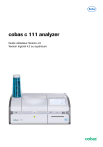
cobas c 111 analyzer
Guide utilisateur Version 4.5
Version logiciel 4.3 ou supérieure
2
Roche Diagnostics
Analyseur cobas c 111 · 4.3 ou supérieure · Guide utilisateur · 4.5
3
Informations relatives à la publication
Version de la
publication
Version logiciel
1.0
Date des révisions
Description des modifications
Juillet 2006
Première version
2.0
2.0
Décembre 2007
Ajout du mode Complet.
Amélioration des principes de calibration.
Ajout d’informations complémentaires concernant la
maintenance et le dépannage.
Ajouts, améliorations et corrections.
3.0
3.0
Juin 2009
Inventaire, ordre de traitement et fonctions de ratio ajoutés.
Améliorations et corrections.
Présentation mise à jour.
4.0
4.0
Avril 2012
Améliorations logicielles.
Ajustements visant à restituer la dernière version du logiciel
(indication du temps de réalisation des tests et indication de
l'espace sur le disque).
4.1
4.1
Octobre 2013
La fonction Vérif. TRL a été ajoutée.
Ajout d'avis de non responsabilité.
Modifications mineures apportées au texte.
4.2
4.2
Mars 2016
Mise à jour des risques de sécurité informatique relatifs au
produit.
Mise à niveau de l’écran de l’analyseur et mise à jour de la
conception de l’interface utilisateur.
4.3
4.2
Septembre 2017
Adoption d’une structure axée sur les tâches et d’une
disposition FutureDoc.
Mise en œuvre de l’assistance utilisateur
4.4
4.3
Juin 2018
Nouvelle mise à jour du logiciel.
4.5
≥ 4.3
Mars 2021
Conformité au règlement UE 2017/746 relatif aux DMDIV
Nouveau message d'erreur
Mise à jour des symboles utilisés sur le tableau des produits
Mise à jour des informations sur les accessoires et
consommables
y Historique des révisions
Informations relatives à la publication
Cette publication est destinée aux utilisateurs du
cobas c 111 analyzer et de la version 4.3 ou supérieure
du logiciel installé.
Les informations contenues dans cette publication ont
fait l’objet d’un contrôle particulier afin d’en garantir
l’exactitude. Toutefois, il est possible que le fabricant de
ce produit doive mettre à jour les informations relatives à
la publication à la suite d’opérations de maintenance du
produit, ce qui entraîne la création d’une nouvelle version
de cette publication.
Roche Diagnostics
Analyseur cobas c 111 · 4.3 ou supérieure · Guide utilisateur · 4.5
4
Où trouver des informations
L’assistance utilisateur contient toutes les informations
relatives au produit, dont :
•
Les opérations de routine
•
La maintenance
•
La sécurité
•
Des informations concernant le dépannage
•
Références du logiciel
•
Informations concernant la configuration
•
Des informations générales
Le manuel de sécurité contient des informations de
sécurité cruciales. Vous devez lire le manuel de sécurité
avant de faire fonctionner l’appareil.
Le Guide de référence rapide met l'accent sur
l'exploitation quotidienne du produit. Le Guide de
référence rapide est organisé selon la procédure
normale d'opération. Il fournit des informations dans une
version concentrée. Pour obtenir des informations plus
détaillées, consultez le Guide utilisateur ou
l’assistance utilisateur.
L’Aide en ligne est une option contextuelle. Pour obtenir
de l’aide dans le logiciel cobas c 111, choisissez
afin
d’afficher la rubrique d’aide correspondant à la zone de
travail actuelle du logiciel. L’Aide en ligne permet de
trouver rapidement et facilement des informations,
notamment la description de fenêtres et de boîtes de
dialogue et des explications sur la réalisation de certaines
tâches spécifiques.
Pour vous permettre de trouver rapidement l’information
que vous recherchez, une table des matières figure au
début du manuel ainsi que de chaque chapitre. En outre,
vous trouverez un index complet à la fin de cet ouvrage.
Déclaration de confidentialité
Lorsque vous utilisez le service d'assistance utilisateur en
ligne, les événements d'affichage (thèmes affichés et
recherches effectuées) et les adresses IP sont
enregistrés.
Les données collectées par Roche sont exclusivement
réservées à un usage interne et ne seront en aucun cas
transmises à un tiers. Elles sont anonymisées et sont
automatiquement supprimées à l'issue d'une période d'un
an.
Les événements d'affichage sont analysés pour améliorer
le contenu du service d'assistance utilisateur et la
fonction de recherche. Les adresses IP sont utilisées pour
classer le comportement régional.
Roche Diagnostics
Analyseur cobas c 111 · 4.3 ou supérieure · Guide utilisateur · 4.5
5
!
Avertissement de sécurité générale
Pour éviter tout dommage corporel grave ou tout accident
fatal, vous devez vous familiariser avec les informations
relatives au système et à la sécurité avant de commencer
à utiliser le système.
r
Respectez scrupuleusement toutes les mesures de
sécurité.
r
Référez-vous en permanence aux instructions de
cette publication.
r
N’utilisez pas l’appareil d’une autre façon que celle
décrite dans cette publication.
r
Conservez les publications à l’abri, dans un endroit
facile d’accès.
!
r
Signalement des incidents
Signalez tout incident grave survenant lors de
l’utilisation de ce produit à un représentant Roche et à
l’autorité compétente locale.
Formation
Vous ne devez en aucun cas essayer de faire fonctionner
l’appareil ou d’en assurer la maintenance sans avoir
bénéficié d’une formation Roche Diagnostics. Les
opérations qui ne sont pas décrites dans la
documentation utilisateur doivent être confiées à des
ingénieurs de maintenance spécialisés.
Images
Les images de cette publication ont uniquement été
ajoutées à des fins d'illustration. Les données
configurables et variables des captures d’écran telles que
les tests, résultats ou chemins d’accès ne doivent pas être
utilisées lors des procédures laboratoires.
Garantie
Toute modification apportée par le client au système
annule le contrat de garantie et d’assistance.
Pour connaître les conditions de garantie, contactez votre
représentant commercial local ou référez-vous à votre
contrat de garantie.
Les mises à jour logicielles doivent être réalisées par un
ingénieur de maintenance Roche ou par un utilisateur
assisté par un ingénieur.
Droits d’auteur
Marques déposées
© 2006-2021, F. Hoffmann-La Roche Ltd. Tous droits
réservés.
Les marques commerciales suivantes sont reconnues :
COBAS et COBAS C sont des marques commerciales de
Roche.
Toutes les autres marques sont la propriété de leurs
détenteurs respectifs.
Roche Diagnostics
Analyseur cobas c 111 · 4.3 ou supérieure · Guide utilisateur · 4.5
6
Retour
Tout a été mis en œuvre pour que cette publication
remplisse la fonction prévue. Tous vos commentaires sont
lus avec attention et pris en compte dans le cadre des
mises à jour. Si vous souhaitez nous soumettre un retour,
contactez votre ingénieur Roche.
Homologation
Le cobas c 111 analyzer répond aux exigences exposées
dans les réglementations suivantes :
Règlement (UE) 2017/746 du Parlement européen et du
Conseil du 5 avril 2017 relatif aux dispositifs médicaux de
diagnostic in vitro et abrogeant la directive 98/79/CE et la
décision 2010/227/UE de la Commission.
Directive 2011/65/UE du Parlement européen et du
Conseil du 8 juin 2011 relative à la limitation de
l’utilisation de certaines substances dangereuses dans les
équipements électriques et électroniques.
La conformité aux réglementations et directives
applicables est assurée par la Déclaration de Conformité.
Les marquages suivants démontrent la conformité :
Pour une utilisation diagnostique in vitro.
Est conforme aux dispositions des réglementations et
directives de l’UE applicables.
R
Avis de non-responsabilité
Publié par Underwriters Laboratories, Inc. (UL) pour le
Canada et les États-Unis.
Cette publication peut contenir des informations et des
références à des produits susceptibles de ne pas être
disponibles dans votre pays ou de ne pas être vendus par
Roche Diagnostics. Le contenu de cette publication ne
peut justifier aucune réclamation quant à l'utilisation ou
aux performances de ces produits. Des produits tiers
sélectionnés sont disponibles pour être utilisés avec le
cobas c 111 analyzer.
Roche Diagnostics
Analyseur cobas c 111 · 4.3 ou supérieure · Guide utilisateur · 4.5
7
Adresse de contact
Roche Diagnostics GmbH
Sandhofer Strasse 116
68305 Mannheim
Allemagne
Fabriqué en Suisse
Filiales de Roche
Vous trouverez une liste de toutes les filiales de Roche
sur :
www.roche.com/about/business/roche_worldwide.htm
eLabDoc
Vous pouvez télécharger la documentation utilisateur
électronique à l’aide du service en ligne eLabDoc sur
Roche DiaLog :
www.dialog.roche.com
Pour de plus amples informations, contactez une filiale
Roche locale ou un représentant service Roche.
Roche Diagnostics
Analyseur cobas c 111 · 4.3 ou supérieure · Guide utilisateur · 4.5
8
Roche Diagnostics
Analyseur cobas c 111 · 4.3 ou supérieure · Guide utilisateur · 4.5
Table des matières
Table des matières
Informations relatives à la publication
Adresse de contact
Table des matières
Utilisation prévue
Symboles et abréviations
Nouveautés de la version 4.5
Nouveautés de la version 4.4
Nouveautés de la version 4.3
3
7
9
11
11
15
15
16
5 Vue d’ensemble du système
21
32
67
6 Vue d’ensemble du logiciel
Vue d’ensemble du logiciel
Panneaux clé
77
98
Fonctionnement
7 Avant de faire fonctionner l’appareil
Guide rapide : utilisation au quotidien
Guide rapide : Assistant Préparation
À propos de la préparation du système
Liste de contrôle : Avant de faire fonctionner
l’appareil
Démarrage et arrêt du système
Contrôle des niveaux des stocks, de l’eau et
des effluents
Alarmes de l’appareil
179
182
192
210
367
393
403
Guide rapide : demande et analyse
d'échantillons
À propos de la gestion des tubes
échantillons
Définition d'une demande d’échantillon
Ajout de tests à une demande
Suivi de la progression de l’analyse
Validation des résultats de tests
Impression des résultats d’échantillon
Retransmission des résultats d'un test à
l'hôte
Suppression de demandes d’échantillons
Suppression des résultats des tests
409
411
414
441
446
450
483
485
488
490
Guide rapide : Assistant Fin de session
Vérification des demandes non terminées
Vérification des résultats de test non
validés
Lancement de l’assistant Fin de session
Sauvegarde quotidienne
Exportation de l'ensemble des données de
résultats
Nettoyage de la base de données
495
498
501
504
507
510
513
13 Maintenance
239
241
274
283
9 Calibration
Guide rapide : Exécution des calibrations
Vue d’ensemble de la calibration
Exécution de la calibration et traitement des
résultats de calibration
Changement du lot de calibrateurs
Informations d’ordre général sur la
calibration
365
366
12 Après l'utilisation
169
174
177
8 Réactifs et consommables
Vue d’ensemble des réactifs et
consommables
Manipulation des réactifs
Contrôle du statut des réactifs
Gestion des stocks et des effluents
Guide rapide : Exécution de CQ
Vue d’ensemble du CQ
Exécution d’une demande de CQ et traitement
des résultats de CQ
Changement d’un lot de CQ
Informations d’ordre général relatives au
CQ
11 Demandes et résultats
Description du système
Description du système
Description du matériel
Matériel pris en charge
10 Contrôle qualité
317
318
322
340
358
Roche Diagnostics
Analyseur cobas c 111 · 4.3 ou supérieure · Guide utilisateur · 4.5
Liste des intervalles de maintenance
À propos des opérations de maintenance
périodique
À propos du statut des opérations de
maintenance
Exécution des opérations de maintenance
Opérations de maintenance
517
519
521
523
526
Dépannage
14 Dépannage
Messages
Flags
Dépannage
601
605
625
9
10
Table des matières
Glossaire
15 Glossaire
Index
653
Roche Diagnostics
Analyseur cobas c 111 · 4.3 ou supérieure · Guide utilisateur · 4.5
11
Utilisation prévue
Utilisation prévue de la protection des
données, de la confidentialité des données et
Guide de sécurité
Ce guide de conformité décrit les dispositions pouvant
aider votre laboratoire ou établissement médical en tant
que responsable du traitement ou sous-traitant des
données à se conformer à ses exigences lors de
l’utilisation du cobas c 111 analyzer. Il est destiné aux
personnes de votre établissement qui sont chargées de la
protection des données.
Utilisation prévue du cobas c 111 analyzer
Le cobas c 111 analyzer est un analyseur à accès
continu et aléatoire conçu pour la détermination in vitro
des paramètres de chimie clinique dans des échantillons
de sérum, plasma, urine et sang total (HbA1c).
•
Le cobas c 111 analyzer est destiné aux analyses
professionnelles.
•
Le cobas c 111 analyzer n’est pas destiné au
diagnostic près du patient.
L’analyseur est optimisé pour pouvoir traiter une charge
de travail limitée (jusqu’à 50 échantillons par jour) et fait
appel à l’analyse photométrique.
Il est important que tout utilisateur du système lise
attentivement ce manuel avant de se servir de l’appareil.
Symboles et abréviations
Noms de produits
Les noms de produits et descripteurs suivants sont
utilisés sauf si le contexte indique clairement le contraire.
Nom du produit
Descripteur
cobas c 111 analyzer
cobas c 111
Segments de microcuvettes
Segment de cuvettes
Réservoir d’eau de 3,2 L
Réservoir d’eau
Réservoir à effluents de 3,2 L
Réservoir à effluents
Cleaner (c111, Integra)
Cleaner
Papier pour imprimante thermique 5
pièces, u 411, c 111
Papier pour
l’imprimante
Activator
Activator
y Noms de produits
Roche Diagnostics
Analyseur cobas c 111 · 4.3 ou supérieure · Guide utilisateur · 4.5
12
Symboles utilisés dans la publication
Symbole
Description
o
Élément de liste
u
Rubriques associées contenant des
informations supplémentaires
q
Astuce. Informations supplémentaires
permettant une bonne utilisation du produit ou
astuces utiles.
r
Démarrage d’une tâche
I
Informations supplémentaires en cours de
tâche
f
Résultat d’une opération en cours de tâche
c
Fréquence d’une tâche.
n
Durée d’une tâche.
d
Matériels requis pour une tâche.
j
Conditions préalables d’une tâche.
u
Rubrique. Utilisé dans les références croisées
aux rubriques.
p
Tâche. Utilisé dans les références croisées aux
tâches.
w
Figure. Utilisé dans les titres de figures et les
références croisées aux figures.
y
Tableau. Utilisé dans les titres de tableaux et
les références croisées aux tableaux.
z
Équation. Utilisé dans les références croisées
aux équations.
k
Exemple de code. Utilisé dans les titres de
codes et les références croisées aux codes.
y Symboles utilisés dans la publication
Abréviations
Les abréviations utilisées sont répertoriées ci-après.
Abréviation
Définition
AD
Amplification et détection
ANSI
American National Standards
Institute (Institut national de
normalisation américain)
CISPR
Comité international spécial des
perturbations radioélectriques
DIL
Diluant
GD
Gestion des données
DRAM
Dynamic Random Access Memory
(mémoire vive dynamique)
ex.
par exemple
CEM
Compatibilité électromagnétique
EN
European norm (norme
européenne)
F
Facteur de solution 1
c.-à-d.
c’est-à-dire
CEI
Commission électrotechnique
internationale
EU
Union européenne
y Abréviations
Roche Diagnostics
Analyseur cobas c 111 · 4.3 ou supérieure · Guide utilisateur · 4.5
13
Abréviation
Définition
IT
Information Technology
(informatique)
LAN
Réseau local
IVD
Diagnostic in vitro
IVDR
Règlement relatif au diagnostic in
vitro
LED
Light-emitting diode (Diode
électroluminescente)
LLD
Détection du niveau de liquide
n/a
Non applicable
p.a.
Pro analysi
ROM
Read Only Memory (mémoire
morte)
S
Pente en mV/déc.
SRAM
Static Random Access Memory
(mémoire vive statique)
TRL
Intervalle de mesure inférieur
(limite inférieure de l'intervalle de
mesure)
UL
Underwriters Laboratories Inc.
y Abréviations
Abréviations des unités
Les abréviations utilisées pour les unités sont répertoriées
ci-après.
Abréviation
Définition
°C
Degré centigrade
A
Ampère
cm
Centimètre
h
Heure
Hz
Hertz
po
Pouce
kg
Kilogramme
kVA
Kilovoltampère
L
Litre
m
Mètre
Mo
Mégaoctet
min
Minute
ml
Millilitre
mm
Millimètre
mV
Tension mesurée en millivolts
nm
Nanomètre
s
Seconde
V
Volt
V CA
Courant alternatif en volts
V CC
Courant continu en volts
VA
Voltampère
y Abréviations des unités
Roche Diagnostics
Analyseur cobas c 111 · 4.3 ou supérieure · Guide utilisateur · 4.5
14
Abréviation
Définition
W
Watt
μl
Microlitre
μm
Micromètre
y Abréviations des unités
Roche Diagnostics
Analyseur cobas c 111 · 4.3 ou supérieure · Guide utilisateur · 4.5
15
Nouveautés de la version 4.5
Nouveau message de sécurité
Nouveau chapitre sur la sécurité
IVDR
Symboles utilisés sur le produit
Message de sécurité sur les bords tranchants mis en
œuvre.
Informations concernant la protection des données et la
sécurité des données personnelles mises en œuvre.
Conformité au règlement UE 2017/746 relatif aux DMDIV
Tableau complété
u Symboles utilisés sur le produit (15)
Accessoires et consommables
Mise à jour du tableau pour les accessoires et
consommables disponibles.
u Liste des accessoires et consommables
disponibles (71)
Solution de nettoyage
Ajout du nettoyant plastique Lixtop-TYP 6-1825 à la liste
des solutions de nettoyage homologuées.
u Liste des solutions de nettoyage homologuées (70)
Nouveautés de la version 4.4
Calibration de l’écran tactile
Vous n’avez plus besoin de calibrer l’écran tactile.
u Fonctions générales (85)
Historique de CQ
Des informations complémentaires relatives à
l’interprétation du graphique de l’historique de CQ ont été
ajoutées.
u Panneau du graphique de l’historique CQ (135)
u Interprétation de l’historique CQ (384)
Lancement d’une routine
Des informations complémentaires relatives à l'affichage
du nombre de cuvettes nécessaires et disponibles lors du
lancement d’une routine ont été ajoutées.
u Lancement d’une routine (186)
Roche Diagnostics
Analyseur cobas c 111 · 4.3 ou supérieure · Guide utilisateur · 4.5
16
Nouveautés de la version 4.3
Nouvelles présentation et structure
Suite aux remarques des clients, nous avons mis à jour la
disposition et la structure de cette publication afin de
vous aider à trouver plus facilement les informations
nécessaires et à réaliser plus rapidement les tâches.
Récupération de la base de données
Nouvelle fonction permettant de récupérer une base de
données endommagée.
u Récupération de la base de données (584)
Roche Diagnostics
Analyseur cobas c 111 · 4.3 ou supérieure · Guide utilisateur · 4.5
Description du système
Roche Diagnostics
Analyseur cobas c 111 · 4.3 ou supérieure · Guide utilisateur · 4.5
19
Table des matières
Dans ce chapitre
Description du système . . . . . . . . . . . . . . . . . . . . . . . . .
À propos du cobas c 111 analyzer . . . . . . . . . . . .
À propos des capots, panneaux et volets de
service . . . . . . . . . . . . . . . . . . . . . . . . . . . . . . . . . . . .
À propos des LED et de leurs indicateurs de
couleur . . . . . . . . . . . . . . . . . . . . . . . . . . . . . . . . . . . .
À propos de l’interrupteur d’alimentation
principal de l’analyseur . . . . . . . . . . . . . . . . . . . . . .
À propos des boutons d'ouverture et de
fermeture du capot. . . . . . . . . . . . . . . . . . . . . . . . . .
À propos de l’interface utilisateur . . . . . . . . . . . . .
Description du matériel . . . . . . . . . . . . . . . . . . . . . . . . .
Vue d’ensemble de l’analyseur . . . . . . . . . . . . . . . .
À propos de la zone échantillons . . . . . . . . . . . . . .
Système de fluides . . . . . . . . . . . . . . . . . . . . . . . . . .
À propos des composants du système de
fluides. . . . . . . . . . . . . . . . . . . . . . . . . . . . . . . . . .
À propos de l’aiguille . . . . . . . . . . . . . . . . . . . . .
À propos de la station de rinçage . . . . . . . . . .
À propos du module seringue . . . . . . . . . . . . .
À propos du réservoir à effluents interne . . . .
À propos des connecteurs des réservoirs de
fluides externes. . . . . . . . . . . . . . . . . . . . . . . . . .
À propos du réservoir d’eau . . . . . . . . . . . . . . .
À propos du réservoir à effluents . . . . . . . . . . .
À propos du flacon de cleaner . . . . . . . . . . . . .
Rotor. . . . . . . . . . . . . . . . . . . . . . . . . . . . . . . . . . . . . .
À propos du rotor . . . . . . . . . . . . . . . . . . . . . . . .
À propos du disque réactifs . . . . . . . . . . . . . . .
À propos du conteneur de disque réactifs . . .
À propos du refroidisseur de réactifs . . . . . . .
À propos de la couronne à cuvettes . . . . . . . .
Système de transfert . . . . . . . . . . . . . . . . . . . . . . . .
À propos du système de transfert . . . . . . . . . .
À propos de la tête de transfert . . . . . . . . . . . .
À propos du lecteur de code-barres portable . . .
À propos de l’imprimante . . . . . . . . . . . . . . . . . . . .
À propos du photomètre . . . . . . . . . . . . . . . . . . . . .
À propos du mode de mesure de l’absorbance . .
À propos des connecteurs . . . . . . . . . . . . . . . . . . .
À propos des fusibles . . . . . . . . . . . . . . . . . . . . . . .
Vue d’ensemble des spécifications techniques . .
Roche Diagnostics
Analyseur cobas c 111 · 4.3 ou supérieure · Guide utilisateur · 4.5
5
5
21
21
24
27
28
29
30
32
33
35
36
36
38
39
40
41
42
43
44
45
46
46
48
50
50
51
52
52
53
55
57
58
59
61
62
64
5 Vue d’ensemble du système
Vue d’ensemble du système
20
Table des matières
5 Vue d’ensemble du système
Matériel pris en charge . . . . . . . . . . . . . . . . . . . . . . . . .
Tubes . . . . . . . . . . . . . . . . . . . . . . . . . . . . . . . . . . . . .
À propos des tubes . . . . . . . . . . . . . . . . . . . . . .
Liste des types de tubes pris en charge . . . . .
Liste des solutions de nettoyage homologuées . .
Liste des accessoires et consommables
disponibles . . . . . . . . . . . . . . . . . . . . . . . . . . . . . . . .
Roche Diagnostics
Analyseur cobas c 111 · 4.3 ou supérieure · Guide utilisateur · 4.5
67
67
67
69
70
71
Description du système
21
Description du système
Dans cette partie
À propos du cobas c 111 analyzer (21)
À propos des capots, panneaux et volets de service (24)
À propos des LED et de leurs indicateurs de couleur (27)
À propos de l’interrupteur d’alimentation principal de
l’analyseur (28)
À propos des boutons d'ouverture et de fermeture du
capot (29)
À propos de l’interface utilisateur (30)
À propos du cobas c 111 analyzer
Utilisation prévue du cobas c 111 analyzer
Le cobas c 111 analyzer est un analyseur à accès
continu et aléatoire conçu pour la détermination in vitro
des paramètres de chimie clinique dans des échantillons
de sérum, plasma, urine et sang total (HbA1c).
•
Le cobas c 111 analyzer est destiné aux analyses
professionnelles.
•
Le cobas c 111 analyzer n’est pas destiné au
diagnostic près du patient.
!
AVERTISSEMENT
Connaissances et compétences insuffisantes
En tant qu’utilisateur, assurez-vous de connaître les
mesures, directives et normes de sécurité en vigueur ainsi
que les informations et procédures que contient ce
manuel.
r
Vous ne devez en aucun cas essayer de faire
fonctionner l’appareil ou d’en assurer la maintenance
sans avoir bénéficié d’une formation Roche
Diagnostics.
r
Les opérations de maintenance et d’installation qui ne
sont pas décrites ici doivent être confiées à des
ingénieurs de maintenance Roche formés.
r
Suivez scrupuleusement les procédures relatives au
fonctionnement et à la maintenance décrites dans ce
manuel.
r
Conformez-vous aux meilleures pratiques de
laboratoire, notamment en cas de manipulation de
substances présentant un risque biologique.
Roche Diagnostics
Analyseur cobas c 111 · 4.3 ou supérieure · Guide utilisateur · 4.5
5 Vue d’ensemble du système
L’analyseur est optimisé pour pouvoir traiter une charge
de travail limitée (jusqu’à 50 échantillons par jour) et fait
appel à l’analyse photométrique.
22
Description du système
Fonctions
S’inscrivant dans la gamme d’analyseurs cobas, le
cobas c 111 analyzer offre aux petits laboratoires les
avantages suivants :
Performances analytiques élevées
•
Les réactifs, le photomètre à 12 longueurs d’onde et
les cuvettes jetables génèrent des résultats tout aussi
fiables que les autres analyseurs cobas.
Efficacité
•
Des disques réactifs réfrigérés et interchangeables
assurent un usage économique des réactifs ; les
segments de cuvettes jetables permettent quant à eux
de charger et retirer facilement les cuvettes.
Haute fiabilité, maintenance limitée
•
Le concept « à impact limité » innovant de l’analyseur
et les fonctions de maintenance préventive régies
informatiquement améliorent le temps réel de
fonctionnement et réduisent les coûts de
maintenance.
Interface utilisateur personnalisable
•
L’écran tactile intégré, les fonctions logicielles régies
par le processus et la fonction d’entrée des codesbarres de réactifs et d’échantillons s’adaptent à
l’utilisateur en fonction de son niveau de compétences
et de ses droits d’accès.
5 Vue d’ensemble du système
Standards de sécurité élevés
•
Les systèmes de sécurité intégrés, tels que la
détection de niveau des liquides, la détection de fond
de tube et le CQ des cuvettes permettent de prévenir
les incidents en cours de fonctionnement.
Échantillonnage souple
•
Huit compartiments intégrés peuvent, en principe,
accueillir tous les types de conteneurs d’échantillons
et permettent la mise en place et le retrait des
échantillons en cours de fonctionnement.
Gestion des données
•
Roche Diagnostics
Analyseur cobas c 111 · 4.3 ou supérieure · Guide utilisateur · 4.5
Doté de ports USB et RS-232 bidirectionnels, d’une
imprimante thermique intégrée et de pilotes,
l’analyseur offre des capacités de gestion de données
ultramodernes.
Description du système
Principes de mesure
23
Les mesures sont réalisées au moyen d’un photomètre.
L’analyseur est constitué des composants suivants :
Composant
•
Analyseur
•
Unité de contrôle
•
Système de fluides
•
Système de transfert
•
Zone échantillons
•
Stockage de réactifs
Fonction
Analyseur
Il abrite les incubateurs et photomètres utilisés pour la prise des mesures ainsi que le rotor de
l’analyseur qui achemine les cuvettes vers les zones de pipetage, mélange et mesure.
Unité de contrôle
Elle contrôle les fonctions de l’analyseur.
Système de fluides
Il déplace tous les fluides utilisés par le système, y compris l’eau, les échantillons, les réactifs, les
effluents liquides et le cleaner.
Système de transfert
Il permet de pipeter les échantillons, réactifs et autres fluides de leur contenant vers les cuvettes
dans lesquelles ils sont mélangés pour pouvoir ensuite être mesurés.
Zone échantillons
Elle abrite la zone de mise en place des tubes selon leurs types.
Stockage de réactifs
Il permet de conserver les jeux de réactifs dans un lieu réfrigéré avant de les tester.
y Composants de l’analyseur
cobas c 111 analyzer
•
Disques de réactifs réfrigérés et interchangeables
•
Manipulation aisée des segments de cuvettes jetables
•
Mise en place et retrait des échantillons en continu
lors du fonctionnement de l’appareil
Roche Diagnostics
Analyseur cobas c 111 · 4.3 ou supérieure · Guide utilisateur · 4.5
5 Vue d’ensemble du système
Les principales fonctions de l’analyseur sont les
suivantes :
24
Description du système
À propos des capots, panneaux et volets de service
Tous les capots, panneaux et volets de service doivent
être correctement montés et fermés lors du
fonctionnement de l’appareil.
La figure suivante représente les panneaux amovibles, les
capots et les volets qui peuvent être ouverts.
A
E
B
C
F
D
G
5 Vue d’ensemble du système
H
A Capot de la tête de transfert
E
Volet de service arrière
B Panneau d’accès gauche
F
Panneau d’accès droit
C Volet de service gauche
G Volet de service droit
D Capot principal
H Panneau d’accès à l’imprimante
w Le cobas c 111 analyzer
Capot de la tête de transfert
Il permet d’accéder aux éléments suivants :
•
Mécanisme de transfert
•
Aiguille
q Quittez le logiciel d’exploitation et éteignez
l’analyseur avant d’ouvrir ce capot.
Roche Diagnostics
Analyseur cobas c 111 · 4.3 ou supérieure · Guide utilisateur · 4.5
Description du système
Volet de service gauche
25
Il permet d’accéder aux éléments suivants :
•
Station de rinçage
•
Tuyaux
•
Réservoir à effluents interne
•
Plaque d’initialisation
q Manipulez le volet en suivant les instructions
relatives aux opérations de maintenance ou quittez le
logiciel d’exploitation et éteignez l’analyseur avant de
l’ouvrir.
Capot principal
Il permet d’accéder aux éléments suivants :
•
Rotor
•
Disque réactifs
•
Segments de cuvettes
•
Flacons de réactif
•
Unité photométrique
Ouvrez ce capot pour manipuler les segments de
cuvettes, les flacons de réactifs ou le disque de réactif.
q
La LED indique que vous devez insérer un élément
ou que vous ne pouvez pas ouvrir le capot principal.
Volet de service arrière
Il permet d’accéder aux éléments suivants :
•
Cartes informatiques
•
Alimentation électrique
•
Système de transfert
•
Piège à bulle
q Seul un ingénieur de maintenance est autorisé à
ouvrir ce volet.
Panneau d’accès droit
Il permet d’accéder aux éléments suivants :
•
Module seringue
q
Retirez ce panneau en suivant les instructions
relatives aux opérations de maintenance ou fermez la
session et éteignez l’analyseur avant de le retirer.
Roche Diagnostics
Analyseur cobas c 111 · 4.3 ou supérieure · Guide utilisateur · 4.5
5 Vue d’ensemble du système
Lorsque le capot doit être refermé, un signal sonore
retentit et l’icône système
s’affiche en rouge dans le
panneau Statut système.
26
Description du système
Volet de service droit
Il permet d’accéder aux éléments suivants :
•
Unité photométrique
•
Zone échantillons
•
Écran tactile
•
Ordinateur dédié à la gestion des données
q Ouvrez ce panneau en suivant les instructions
relatives aux opérations de maintenance ou quittez le
logiciel d’exploitation et éteignez l’analyseur avant de
l’ouvrir.
Panneau d’accès à l’imprimante
Il permet d’accéder aux éléments suivants :
•
Papier pour l’imprimante
q Ce panneau peut être ouvert à tout moment sous
5 Vue d’ensemble du système
réserve qu’aucune impression ne soit en cours.
Roche Diagnostics
Analyseur cobas c 111 · 4.3 ou supérieure · Guide utilisateur · 4.5
Description du système
27
À propos des LED et de leurs indicateurs de couleur
Les LED sont situées à des emplacements clés du
cobas c 111 analyzer. Elles indiquent à l’utilisateur s’il
peut réaliser ou non certaines actions.
B
C
A
C Touches de fonctions générales avec indicateurs de
couleur
w Le cobas c 111 analyzer
Interprétation de la couleur des LED
LED
LED situées sur le capot
principal
Couleur
Désactivé
Signification
Aucune activité en cours dans cette zone. Vous pouvez ouvrir le capot
principal.
L’intervention de l’utilisateur est nécessaire : par exemple un flacon doit
être inséré ou retiré.
Une action est en cours. Ne manipulez pas le capot.
Un signal sonore est émis lorsque le capot est ouvert alors que le système est en Fonctionnement.
Vous pouvez ajuster le volume.
Utilitaires > Configuration > Système > Volume
LED associée à la zone
échantillons
Désactivé
Aucune activité en cours dans cette zone. Vous pouvez retirer les tubes
d’échantillons.
Vous devez insérer un tube échantillon.
Clignotante
La tête de transfert approche. Écartez vos mains et tout objet de la zone
échantillons.
y Les différentes LED et leur signification
Roche Diagnostics
Analyseur cobas c 111 · 4.3 ou supérieure · Guide utilisateur · 4.5
5 Vue d’ensemble du système
A LED situées sur le capot principal
B LED associée à la zone échantillons
28
Description du système
Interprétation des indicateurs de couleur des
touches de fonctions générales
Touche de fonctions
générales
Démarrage
Couleur
Désactivé
Signification
Vous ne pouvez pas lancer la routine de mesure.
Vous pouvez lancer la routine de mesure.
Arrêt
Désactivé
Alarme
Désactivé
L’activation du bouton
donne accès à plusieurs options d’interruption.
L’activation du bouton
donne accès à plusieurs options d’interruption.
Tous les messages d’alarme sont confirmés.
Au moins un message d’alarme n’est pas confirmé.
Vous devez le traiter le plus rapidement possible.
Au moins un message d’alarme n’est pas confirmé.
Vous devez le traiter immédiatement, sans quoi le processus pourrait ne
pas être poursuivi.
Un signal sonore est émis lorsqu’une alarme est générée. Vous pouvez ajuster le volume.
Utilitaires > Configuration > Système > Volume
y Indicateurs de couleur des touches de fonctions générales et leur signification
5 Vue d’ensemble du système
u Sujets connexes
•
Alarmes de l’appareil (210)
•
Messages (601)
•
À propos de la réaction aux messages générés par
l’appareil (214)
À propos de l’interrupteur d’alimentation principal de
l’analyseur
A
L’interrupteur d’alimentation principal de l’analyseur qui
se trouve dans le coin gauche du volet de service arrière
sert à démarrer l’analyseur et le logiciel.
u Sujets connexes
•
Démarrage du système (182)
•
Arrêt du système et mise hors tension de
l’analyseur (190)
A Interrupteur d’alimentation principal
Roche Diagnostics
Analyseur cobas c 111 · 4.3 ou supérieure · Guide utilisateur · 4.5
Description du système
29
À propos des boutons d'ouverture et de fermeture du
capot
Les boutons d'ouverture et de fermeture du capot sont
utilisés lors d’opérations de maintenance.
Le bouton d’ouverture du panneau d’accès à l’imprimante
se trouve au-dessus du module d’imprimante.
Pour ouvrir le panneau d’accès à l’imprimante, appuyez
sur le bouton d’ouverture.
Le bouton de verrouillage du capot principal se trouve au
centre du capot principal.
5 Vue d’ensemble du système
Pour ouvrir le capot principal, appuyez sur le bouton
d’ouverture situé sous la face avant du capot principal.
Roche Diagnostics
Analyseur cobas c 111 · 4.3 ou supérieure · Guide utilisateur · 4.5
30
Description du système
À propos de l’interface utilisateur
Le cobas c 111 analyzer est équipé d’un écran tactile. Le
clavier virtuel vous permet de saisir les valeurs requises.
Des indicateurs de couleur, des signaux sonores et 4
touches de fonctions générales fournissent des
informations concernant le statut du système et les
opérations en cours.
Grâce à sa présentation claire et cohérente, l’interface
utilisateur est un programme simple d’utilisation.
Les rubriques sont réparties sous les zones de travail
habituelles suivantes :
•
Accueil : zone de gestion des demandes et fluides.
•
Routine : zone de traitement des résultats et de
consultation des détails relatifs aux demandes.
•
Utilitaires : zone réservées aux tâches
d’administration
A
F
5 Vue d’ensemble du système
B
C
D
G
E
A La ligne de statut indique le statut du système.
E
Les boutons varient en fonction du contenu de la zone de
travail et de la position de la fenêtre au sein d’une série
d’étapes (assistant).
B Les onglets représentent les principales zones de travail.
F
Le bouton Aide permet d’obtenir des explications
succinctes sur les principaux éléments de la fenêtre active
et des informations sur la situation présente.
C La ligne de titre décrit le contenu ou la fonction de la
fenêtre. Si la fenêtre fait partie d’une série d’écrans
(assistant), le titre vous indique à quel stade vous vous
trouvez.
G Les touches de fonctions générales représentent les
fonctions disponibles en permanence, à savoir :
Démarrage, Arrêt, Alarme, Alim. papier. Les indicateurs de
couleur associés indiquent leur statut respectif.
D La zone de travail affiche le contenu principal de la
fenêtre.
w Exemple de fenêtre
Roche Diagnostics
Analyseur cobas c 111 · 4.3 ou supérieure · Guide utilisateur · 4.5
Description du système
31
u Sujets connexes
À propos de la présentation du logiciel (79)
5 Vue d’ensemble du système
•
Roche Diagnostics
Analyseur cobas c 111 · 4.3 ou supérieure · Guide utilisateur · 4.5
32
Description du matériel
Description du matériel
Dans cette partie
Vue d’ensemble de l’analyseur (33)
À propos de la zone échantillons (35)
Système de fluides (36)
Rotor (46)
Système de transfert (52)
À propos du lecteur de code-barres portable (55)
À propos de l’imprimante (57)
À propos du photomètre (58)
À propos du mode de mesure de l’absorbance (59)
À propos des connecteurs (61)
À propos des fusibles (62)
5 Vue d’ensemble du système
Vue d’ensemble des spécifications techniques (64)
Roche Diagnostics
Analyseur cobas c 111 · 4.3 ou supérieure · Guide utilisateur · 4.5
Description du matériel
33
Vue d’ensemble de l’analyseur
La figure suivante illustre les principaux composants du
cobas c 111 analyzer.
B
A
C
D
E
F
G
H
I
K
A Rotor
E
Piège à bulle
I
Port USB avant
B Système de transfert
F
Zone échantillons
J
Portoir de fluides externe
C Unité photométrique
G Écran tactile
D Circuit imprimé principal
H Module seringue
K Imprimante
w Principaux composants matériels
Rotor
Il inclut une zone réfrigérée réservée aux réactifs (unité
de refroidissement) ainsi qu’un incubateur pour chauffer
les cuvettes. Il déplace les flacons de réactifs et les
segments de cuvette dans la position adéquate pour les
opérations de chargement, de retrait, de pipetage et de
mesure.
u Rotor (46)
Système de transfert
Il permet de pipeter les échantillons, réactifs et autres
fluides de leur contenant d’origine à leur contenant de
destination (cuvettes ou station de rinçage, par exemple).
u Système de transfert (52)
Roche Diagnostics
Analyseur cobas c 111 · 4.3 ou supérieure · Guide utilisateur · 4.5
5 Vue d’ensemble du système
J
34
Description du matériel
Unité photométrique
Elle abrite le photomètre qui permet de réaliser les
mesures d’absorbance.
u Reportez-vous à la section :
À propos du photomètre (58)
À propos du mode de mesure de l’absorbance (59)
Circuit imprimé principal
Système de fluides (non visible)
Il contrôle les éléments matériels de l’analyseur.
Il transporte les fluides dans l’analyseur, y compris les
échantillons, réactifs, calibrateurs, contrôles, diluants,
cleaner, eau et effluents.
u Système de fluides (36)
Module seringue
Il aspire et répartit les fluides. Le module seringue fournit
également l’eau et le cleaner nécessaires au nettoyage de
l’aiguille dans la station de rinçage après chaque
pipetage, en vue d’éviter les contaminations entre tests.
u À propos du module seringue (40)
Piège à bulle
Zone échantillons
Élimine les éventuelles bulles d’air présentes dans l’eau
du système.
Elle inclut huit emplacements destinés aux tubes
échantillons. Cette zone accueille également les
calibrateurs, les contrôles et les fluides auxiliaires.
u À propos de la zone échantillons (35)
5 Vue d’ensemble du système
Port USB avant
Ce port permet de connecter une clé USB afin de
sauvegarder des données ou d’en charger dans le
système.
u À propos des connecteurs (61)
Roche Diagnostics
Analyseur cobas c 111 · 4.3 ou supérieure · Guide utilisateur · 4.5
Description du matériel
35
À propos de la zone échantillons
La zone échantillons inclut 8 emplacements destinés à
accueillir les tubes échantillons. Vous pouvez y placer des
tubes primaires ou secondaires.
A
A La LED indique que la tête de transfert approche ou que vous devez insérer un tube échantillon.
w Zone échantillons contenant des tubes échantillons
Insérez les échantillons lorsque le système vous y invite.
•
Calibrateurs
•
Activator
•
Deproteinizer
Tous les autres fluides peuvent être insérés dans
l’emplacement de votre choix dans la zone échantillons.
u Tubes (67)
Roche Diagnostics
Analyseur cobas c 111 · 4.3 ou supérieure · Guide utilisateur · 4.5
5 Vue d’ensemble du système
Le système vous indique l’emplacement réservé à chacun
des fluides suivants :
36
Description du matériel
Système de fluides
Dans cette partie
À propos des composants du système de fluides (36)
À propos de l’aiguille (38)
À propos de la station de rinçage (39)
À propos du module seringue (40)
À propos du réservoir à effluents interne (41)
À propos des connecteurs des réservoirs de fluides
externes (42)
À propos du réservoir d’eau (43)
À propos du réservoir à effluents (44)
À propos du flacon de cleaner (45)
À propos des composants du système de fluides
5 Vue d’ensemble du système
Le système de fluides est composé des pièces suivantes :
•
Vannes
•
Pompes
•
Tuyaux
•
Piège à bulle
•
Seringue
•
Aiguille
•
Détecteurs de fluides
•
Station de rinçage
•
Réservoir à effluents interne
•
Réservoir d’eau externe et réservoir à effluents
Il transporte les fluides suivants dans l’analyseur :
•
Calibrateurs
•
Matériels de CQ
•
Échantillon
•
Réactif
•
Diluants
•
Eau du système
•
Cleaner
•
Activator
•
Deproteinizer
•
Effluents
Le système de fluides délivre également la quantité
adéquate de fluide dans les cuvettes.
Roche Diagnostics
Analyseur cobas c 111 · 4.3 ou supérieure · Guide utilisateur · 4.5
Description du matériel
!
37
ATTENTION
Contamination de l’appareil
Un débordement du réservoir à effluents interne peut
entraîner une contamination de l’appareil. La
condensation à l’intérieur de l’unité de refroidissement
peut être importante lorsque le système est en attente.
r
A
B
C D
Les effluents internes sont régulièrement pompés vers
le réservoir à effluents externe lorsque le système est
en mode En attente.
E
G
H
I
A Station de rinçage
F
B Tête de transfert (avec aiguille)
G Flacon de cleaner (bouchon rouge)
Réservoir à effluents interne
C Pompes
H Réservoir d’eau (blanc)
D Dégazeur
I
E
Module seringue
w Système de fluides
Roche Diagnostics
Analyseur cobas c 111 · 4.3 ou supérieure · Guide utilisateur · 4.5
Réservoir à effluents (jaune)
5 Vue d’ensemble du système
F
38
Description du matériel
À propos de l’aiguille
L’aiguille est reliée par des tuyaux aux éléments suivants :
A
•
à la seringue, afin d’assurer le pipetage de la quantité
requise de fluide ;
•
au réservoir d’eau externe et au flacon de cleaner,
pour garantir l’approvisionnement en eau claire et
cleaner.
u Reportez-vous à la section :
Nettoyage manuel de l’aiguille (539)
Déprotéinisation de l’aiguille (571)
Remplacement de l’aiguille (634)
B
A Détecteur de fluides
5 Vue d’ensemble du système
B Aiguille
Roche Diagnostics
Analyseur cobas c 111 · 4.3 ou supérieure · Guide utilisateur · 4.5
Description du matériel
39
À propos de la station de rinçage
L’aiguille est nettoyée après chaque pipetage. Elle est
dirigée vers le bas, dans la station de rinçage, où le
cleaner est pompé à travers l’aiguille afin d’en nettoyer
l’intérieur et l’extérieur. L’eau est ensuite pompée à son
tour afin d’éliminer toute trace de cleaner sur et dans
l’aiguille.
A
La station de rinçage est reliée par des tuyaux au
réservoir à effluents interne.
5 Vue d’ensemble du système
A Station de rinçage
Roche Diagnostics
Analyseur cobas c 111 · 4.3 ou supérieure · Guide utilisateur · 4.5
40
Description du matériel
À propos du module seringue
Le module seringue contrôle l’aspiration et la répartition
des fluides. Il régit également l’approvisionnement en eau
et en cleaner nécessaires au nettoyage de l’aiguille dans
la station de rinçage après chaque pipetage, en vue
d’éviter les contaminations entre tests.
A
5 Vue d’ensemble du système
A Seringue
Roche Diagnostics
Analyseur cobas c 111 · 4.3 ou supérieure · Guide utilisateur · 4.5
Description du matériel
41
À propos du réservoir à effluents interne
Réservoir à effluents interne
Le réservoir à effluents interne recueille les effluents
provenant de la station de rinçage. Il recueille également
la condensation issue de l’unité de refroidissement du
rotor.
A
Le réservoir à effluents interne est relié par des tuyaux
aux éléments suivants :
•
Réservoir à effluents externe
•
Station de rinçage
•
Refroidisseur de réactifs (condensation) ;
5 Vue d’ensemble du système
A Réservoir à effluents interne
Roche Diagnostics
Analyseur cobas c 111 · 4.3 ou supérieure · Guide utilisateur · 4.5
42
Description du matériel
À propos des connecteurs des réservoirs de fluides externes
A
B
C
Les 3 réservoirs de fluides externes doivent être
correctement reliés avant la mise en route du
cobas c 111 analyzer.
u Sujets connexes
•
Raccordement du réservoir d’eau (283)
•
Raccordement du réservoir à effluents (286)
•
Raccordement du flacon de cleaner (289)
•
Déconnexion des réservoirs de fluides externes (292)
A Connecteur du réservoir d’eau
B Connecteur du flacon de cleaner avec manchon de
protection
5 Vue d’ensemble du système
C Connecteur du réservoir à effluents
Roche Diagnostics
Analyseur cobas c 111 · 4.3 ou supérieure · Guide utilisateur · 4.5
Description du matériel
43
À propos du réservoir d’eau
Le réservoir d’eau blanc se trouve sur le portoir de fluides
externe. Son bouchon est muni d’un tube aspirant, équipé
d’un filtre d’arrivée d’eau.
Aucun système de contrôle n’est associé au réservoir
d’eau. Si le réservoir n’a pas été rempli depuis plus de
24 heures, le système vous en avertit.
Le réservoir d’eau est conçu pour pouvoir être lavé et rerempli.
A
B
C
A Canule
B Réservoir d’eau externe
•
Pompe de la station de lavage
•
Module seringue
•
Aiguille
u Reportez-vous à la section :
Raccordement du réservoir d’eau (283)
Vérification du statut des réservoirs de fluides
externes (205)
Remplissage du réservoir d’eau (295)
Nettoyage du réservoir d’eau et du réservoir à
effluents (549)
Remplacement du filtre d’arrivée d’eau (586)
Déconnexion des réservoirs de fluides externes (292)
5 Vue d’ensemble du système
C Filtre d’arrivée d’eau
Le réservoir d’eau est relié par des tuyaux aux éléments
suivants :
Roche Diagnostics
Analyseur cobas c 111 · 4.3 ou supérieure · Guide utilisateur · 4.5
44
Description du matériel
À propos du réservoir à effluents
Le réservoir à effluents externe jaune se trouve sur le
portoir de fluides externe. Il est conçu pour pouvoir être
lavé et réutilisé.
Le système effectuant régulièrement des opérations de
nettoyage, le réservoir à effluents externe doit toujours
être connecté. Ainsi, lorsque vous videz ce réservoir, vous
devez le replacer immédiatement par un réservoir de
rechange avant d’aller vider le premier. (Un réservoir à
effluents de rechange est fourni avec l’analyseur.)
A
u Reportez-vous à la section :
Raccordement du réservoir à effluents (286)
Vérification du statut des réservoirs de fluides
externes (205)
Vidange du réservoir à effluents (299)
Nettoyage du réservoir d’eau et du réservoir à
effluents (549)
Déconnexion des réservoirs de fluides externes (292)
5 Vue d’ensemble du système
A Réservoir à effluents externe
Aucun système de contrôle n’est associé au réservoir à
effluents externe. Si le réservoir à effluents externe n’a
pas été rempli depuis plus de 24 heures, le système vous
en avertit.
Roche Diagnostics
Analyseur cobas c 111 · 4.3 ou supérieure · Guide utilisateur · 4.5
Description du matériel
45
À propos du flacon de cleaner
Le flacon de cleaner se trouve sur le portoir de fluides
externe. Il est conçu pour pouvoir être remplacé une fois
vide.
Le contrôle du niveau de cleaner s’appuie sur le nombre
de nettoyages et de pipetages réalisés.
Le flacon de cleaner est livré avec un bouchon. Lors de
l’installation, retirez le bouchon blanc et insérez le
bouchon rouge à l’aide de la canule.
A
B
A Canule
•
Module seringue
•
Aiguille
u Reportez-vous à la section :
Raccordement du flacon de cleaner (289)
Vérification du statut des réservoirs de fluides
externes (205)
Remplacement du flacon de cleaner (303)
Déconnexion des réservoirs de fluides externes (292)
5 Vue d’ensemble du système
B Flacon de cleaner
Le flacon de cleaner est relié par des tuyaux aux éléments
suivants :
Roche Diagnostics
Analyseur cobas c 111 · 4.3 ou supérieure · Guide utilisateur · 4.5
46
Description du matériel
Rotor
Dans cette partie
À propos du rotor (46)
À propos du disque réactifs (48)
À propos du conteneur de disque réactifs (50)
À propos du refroidisseur de réactifs (50)
À propos de la couronne à cuvettes (51)
À propos du rotor
Le rotor inclut une zone réfrigérée réservée aux réactifs
(unité de refroidissement) ainsi qu’un incubateur pour
chauffer les cuvettes. Il déplace les flacons de réactifs et
les segments de cuvette dans la position adéquate pour
les opérations de chargement, de retrait, de pipetage et
de mesure.
5 Vue d’ensemble du système
Le rotor présente les caractéristiques suivantes :
•
un environnement réfrigéré pour les réactifs
(refroidisseur de réactifs) ;
•
un disque réactifs d’une capacité maximale de
27 flacons de réactif ;
•
un environnement à température contrôlée pour les
cuvettes (couronne à cuvettes) ;
•
une couronne à cuvettes pouvant contenir jusqu’à
60 cuvettes ;
•
un mécanisme de transport synchronisé permettant
d’acheminer les flacons de réactif et les cuvettes vers
les emplacements adéquats pour le pipetage, le
chargement et les mesures.
Roche Diagnostics
Analyseur cobas c 111 · 4.3 ou supérieure · Guide utilisateur · 4.5
Description du matériel
47
A
B
C
D
A Disque réactifs
C Segment de cuvettes
B Refroidisseur de réactifs
D Couronne à cuvettes à température contrôlée (non visible)
w Élements du rotor
A
A
Les flacons et les cuvettes sont positionnés de façon à
pouvoir être acheminés vers différents emplacements par
simple mouvement de rotation. Un emplacement
spécifique correspond à chaque opération : chargement
et retrait (entrées cuvettes et réactifs), pipetage et
mesure.
B
A Emplacements de pipetage
B Entrée réactifs
Roche Diagnostics
Analyseur cobas c 111 · 4.3 ou supérieure · Guide utilisateur · 4.5
5 Vue d’ensemble du système
Rotation
48
Description du matériel
À propos du disque réactifs
Le disque réactifs peut contenir jusqu’à 27 flacons. Il est
conçu pour être manipulé avec les flacons qu’il contient,
comme un bloc solidaire. Lorsqu’il n’est pas utilisé sur
l’analyseur, le disque réactifs doit être placé dans un
conteneur et stocké au frais.
MISE EN GARDE
Détérioration du disque réactifs
Le disque réactifs permet de manipuler les réactifs
lorsqu’il est chargé sur l’analyseur. Le capot est muni d’un
mécanisme de verrouillage.
r
5 Vue d’ensemble du système
ID du disque réactifs
Il convient de toujours retirer et charger les réactifs
lorsque le disque réactifs est dans l’analyseur, en
respectant les procédures prises en charge par le
logiciel.
Vous pouvez utiliser jusqu’à 8 disques différents sur un
seul cobas c 111 analyzer. Chaque disque réactifs est
muni de languettes numérotées. Pour que l’analyseur
puisse identifier automatiquement le disque, une seule de
ces languettes doit être retirée. Le numéro associé à cette
languette correspond à l’ID du disque. Lorsque vous
étiquetez le disque, assurez-vous que le numéro figurant
sur l’étiquette correspond bien à celui de la languette
retirée.
A
A
B
C
D
C
A ID de disque réactifs. Il existe huit ID possibles.
C Languettes d’identification
B Étiquette du disque. Le numéro doit correspondre à l’ID du D La languette est retirée à des fins d’identification
disque réactifs.
automatique du disque.
w ID du disque réactifs
Roche Diagnostics
Analyseur cobas c 111 · 4.3 ou supérieure · Guide utilisateur · 4.5
Description du matériel
49
u Sujets connexes
Préparation d’un disque réactifs (247)
•
Chargement d’un disque réactifs. (252)
•
À propos de la manipulation des réactifs (245)
•
Chargement des jeux de réactifs (255)
•
À propos du conteneur de disque réactifs (50)
•
À propos du refroidisseur de réactifs (50)
5 Vue d’ensemble du système
•
Roche Diagnostics
Analyseur cobas c 111 · 4.3 ou supérieure · Guide utilisateur · 4.5
50
Description du matériel
À propos du conteneur de disque réactifs
Lorsqu’il doit être stocké hors de l’analyseur, le disque
réactifs doit être placé dans un conteneur. Ce conteneur
permet de limiter l’évaporation des réactifs et empêche
leur contamination.
u Sujets connexes
•
À propos du rotor (46)
•
À propos du disque réactifs (48)
À propos du refroidisseur de réactifs
5 Vue d’ensemble du système
Le refroidisseur de réactifs contient le disque réactifs
ainsi que les flacons de réactif. La température y est
maintenue entre 6 et 10 °C.
A
A Refroidisseur de réactifs
w Refroidisseur de réactifs
u Sujets connexes
•
À propos du rotor (46)
•
À propos du disque réactifs (48)
•
Nettoyage du disque réactifs et de la zone
échantillons (544)
Roche Diagnostics
Analyseur cobas c 111 · 4.3 ou supérieure · Guide utilisateur · 4.5
Description du matériel
51
À propos de la couronne à cuvettes
La couronne à cuvettes peut contenir jusqu’à 6 segments
de 10 cuvettes chacun.
A
A Couronne à cuvettes
B
B Segment de cuvettes
Les cuvettes sont parfaitement adaptées à la couronne et
ne touchent pas les parois lorsqu’elles sont déplacées.
u Sujets connexes
•
Vérification du statut des cuvettes (197)
•
Remplacement des segments de cuvettes (311)
Roche Diagnostics
Analyseur cobas c 111 · 4.3 ou supérieure · Guide utilisateur · 4.5
5 Vue d’ensemble du système
w Couronne à cuvettes
52
Description du matériel
Système de transfert
Dans cette partie
À propos du système de transfert (52)
À propos de la tête de transfert (53)
À propos du système de transfert
Le système de transfert permet de déplacer l’aiguille dans
la position appropriée pour toutes les opérations de
pipetage et de nettoyage.
A
B
5 Vue d’ensemble du système
C
A Tête de transfert
C Glissière de déplacement vers X
B Chariot avec support de l’aiguille
w Éléments principaux du système de transfert robotisé
Tête de transfert
Arrêt de la tête de transfert
•
Elle se déplace horizontalement (le long de l’axe des
abscisses X)
•
L’aiguille se déplace de bas en haut (axe des
ordonnées Y)
•
L’aiguille effectue un mouvement de rotation pour
mélanger le mélange réactionnel dans la cuvette et le
réactif dans le flacon de réactif.
Lorsque le déplacement horizontal de la tête de transfert
est gêné, celle-ci s’arrête immédiatement. Toutes les
opérations de pipetage ou de traitement sont également
interrompues.
Roche Diagnostics
Analyseur cobas c 111 · 4.3 ou supérieure · Guide utilisateur · 4.5
Description du matériel
53
À propos de la tête de transfert
A
D
B
E
C
A Moteur dédié au mélange
D Moteur dédié au transfert vers Z
B Support de l’aiguille
E
Axe de rotation du mélangeur
C Aiguille
Moteur dédié au mélange
Aiguille
Le moteur est monté sur le chariot. Il permet la rotation
de l’aiguille. Ce mouvement sert à mélanger le contenu
des cuvettes et des flacons de réactif.
Elle présente une extrémité plane qui permet de détecter
le fond du tube.
q Ce type d’aiguille ne pouvant pas percer le bouchon
d’un flacon, tous les flacons doivent être placés sur
l’analyseur sans leur bouchon.
u Reportez-vous à la section :
Nettoyage manuel de l’aiguille (539)
Remplacement de l’aiguille (634)
Détection du niveau de liquide
Détection de fond de tube
Un capteur permet de détecter l’entrée en contact de
l’aiguille avec un fluide. Sur la base du niveau détecté, le
système détermine si la quantité de fluide est suffisante
pour procéder au pipetage requis.
Un détecteur est activé dès que l’aiguille touche le fond
du tube échantillon ou du flacon de réactif.
Roche Diagnostics
Analyseur cobas c 111 · 4.3 ou supérieure · Guide utilisateur · 4.5
5 Vue d’ensemble du système
w Tête de transfert
54
Description du matériel
q Ce mécanisme fonctionne également lorsque
5 Vue d’ensemble du système
l’aiguille percute un objet à l’extérieur du tube. Dans les
deux cas, le fonctionnement de l’aiguille est interrompu et
un message d’alarme est généré.
Roche Diagnostics
Analyseur cobas c 111 · 4.3 ou supérieure · Guide utilisateur · 4.5
Description du matériel
55
À propos du lecteur de code-barres portable
Le lecteur de code-barres portable permet d’identifier les
jeux de réactifs et les ID de demandes d’échantillons.
!
ATTENTION
Cécité due à la lumière intense du lecteur de codebarres.
r
Ne fixez jamais le faisceau émis par le lecteur de
code-barres à technologie laser ou LED.
r
Ne retirez pas le boîtier du lecteur de code-barres.
r
Ne réalisez aucune opération de maintenance sur les
lecteurs de code-barres. Si vous rencontrez des
difficultés avec le lecteur de code-barres, contactez
votre ingénieur de maintenance Roche.
r
Réalisez uniquement les procédures décrites dans les
instructions relatives au fonctionnement de l’appareil.
La réalisation de procédures non autorisées peut
entraîner une exposition à des radiations
dangereuses.
q Connexion au port RS232.
Raccordez toujours le lecteur de code-barres au plus
inférieur des 2 connecteurs de communications série (B).
A
A Lecteur de code-barres portable
B
B Connecteur de communications série sur l’analyseur
w Lecteur de code-barres portable
Roche Diagnostics
Analyseur cobas c 111 · 4.3 ou supérieure · Guide utilisateur · 4.5
5 Vue d’ensemble du système
La lumière intense générée par le lecteur de code-barres
à faisceau laser ou lumière LED peut endommager
gravement vos yeux ou entraîner une exposition à des
radiations dangereuses. Le lecteur de code-barres, qui
fait appel à la technologie des LED, répond à la norme
internationale EN/CEI 60825-1 applicable aux produits
laser/LED de classe 1.
56
Description du matériel
Les conteneurs énumérés ci-après sont toujours livrés
avec le code-barres correspondant :
•
Flacons de réactif
•
Flacons de diluant
•
Fluides auxiliaires (cleaners, etc.)
Les tubes échantillons peuvent être utilisés avec ou sans
étiquette(s) à code-barres.
Code-barres associé à un flacon de réactif
Un format de code-barres de type PDF417 est utilisé sur
les flacons de réactif.
Ce code-barres inclut les informations suivantes :
Code-barres d’échantillon
•
ID de l’élément
•
Numéro de lot
•
Date d’expiration
•
Volume de réactif
•
Numéro de série du flacon
•
Données de test
q Par défaut, les lecteurs de code-barres portables
acceptent uniquement les code-barres avec une valeur
checksum à la fin. Votre lecteur de code-barres portable
doit être configuré si vous travaillez avec des codesbarres sans checksum. Contactez votre représentant
service Roche pour de plus amples informations.
5 Vue d’ensemble du système
Les types de codes-barres suivants sont pris en charge
pour l’identification des tubes échantillons :
•
Codabar
•
Codabar (code 2 parmi 7)
•
Code 3 parmi 9
•
Code 128
•
EAN
•
2 parmi 5 entrelacé
•
UPC (A, E)
Roche Diagnostics
Analyseur cobas c 111 · 4.3 ou supérieure · Guide utilisateur · 4.5
Description du matériel
57
À propos de l’imprimante
Le cobas c 111 analyzer est équipé d’une imprimante
thermique intégrée et d’un rouleau de papier de 112 mm.
Vous pouvez utiliser l'imprimante pour les tâches
suivantes :
•
Listes de positionnement
•
Résultats
•
Instructions de l’opération de maintenance
•
Informations de statut concernant divers éléments tels
que les tests chargés
q Stockage des impressions
L’impression sur papier thermique tend à pâlir avec le
temps. Pour un stockage à long terme, utilisez
uniquement des copies d’impressions.
A
C
A Bouton d’ouverture du panneau
C Panneau d’accès à l’imprimante
B Fente pour papier
w Imprimante
u Sujets connexes
•
Impression des informations (94)
•
Vérification du statut système (199)
•
Remplacement du papier de l’imprimante (307)
•
Suppression d’un bourrage papier (628)
Roche Diagnostics
Analyseur cobas c 111 · 4.3 ou supérieure · Guide utilisateur · 4.5
5 Vue d’ensemble du système
B
58
Description du matériel
À propos du photomètre
Le cobas c 111 analyzer fait appel à la méthode de
mesure de l’absorbance par photométrie.
A
A Compartiment à lampe de l’unité photométrique
w Unité photométrique
5 Vue d’ensemble du système
Les mesures sont prises sans que les cuvettes soient
retirées du rotor.
Lampe du photomètre
La lampe du photomètre est montée sur un support afin
de faciliter son remplacement. Le système vous informe
lorsque vous devez remplacer la lampe.
u Remplacement de la lampe du photomètre (590)
Longueurs d’onde du photomètre
Pour chaque cuvette, le photomètre mesure l’intensité de
la lumière à 12 longueurs d’onde différentes.
340 nm
378 nm
409 nm
449 nm
480 nm
512 nm
520 nm
552 nm
583 nm
629 nm
652 nm
659 nm
y Longueurs d’onde du photomètre
Principes de mesure
u À propos du mode de mesure de l’absorbance (59)
Roche Diagnostics
Analyseur cobas c 111 · 4.3 ou supérieure · Guide utilisateur · 4.5
Description du matériel
59
À propos du mode de mesure de l’absorbance
Le bloc principal du cobas c 111 analyzer recourt à la
photométrie d’absorption pour déterminer le volume
d’absorbance d’un fluide. Celui-ci est utilisé pour calculer
la concentration dans une solution.
Mise en place d’échantillons
L’utilisateur identifie l’échantillon, le place sur l’analyseur
et crée la demande à exécuter.
•
Processus de réalisation des mesures
En cas d’utilisation d’un système hôte, la demande est
créée automatiquement.
Pour chaque test, le processus de réalisation des mesures
inclut 40 cycles réguliers de 18 secondes chacun. Une
mesure est effectuée durant chacun de ces cycles,
quelles que soient les autres opérations réalisées pendant
le cycle. La définition d’une application permet de
déterminer les actions à effectuer et le cycle
correspondant, et de désigner les résultats à utiliser pour
le calcul des résultats.
En règle générale, le processus s’organise comme suit :
1. Vérification de la cuvette.
Le système prend une mesure pour vérifier la qualité
de la cuvette.
Après chaque pipetage, le système déclenche un
cycle de lavage afin de minimiser les contaminations.
Au cours de ce cycle, l’aiguille et les tuyaux sont
remplis d’eau et de cleaner.
3. Délai d’attente.
Le fluide doit atteindre une température donnée. Cette
phase peut durer plusieurs cycles.
Pendant les cycles d’attente, les opérations
nécessaires sur les autres tests sont réalisées.
4. Pipetage du fluide suivant.
En règle générale, il s’agit du pipetage de l’échantillon.
Les détails associés sont spécifiés dans les définitions
d’application.
5. Délai d’attente.
6. Pipetage du fluide suivant.
7. Délai d’attente.
8. Et ainsi de suite.
Roche Diagnostics
Analyseur cobas c 111 · 4.3 ou supérieure · Guide utilisateur · 4.5
5 Vue d’ensemble du système
2. Pipetage du réactif (R1) à destination de la cuvette.
60
Description du matériel
Calcul des résultats
Les données brutes des mesures photomètriques sont
utilisées pour effectuer le calcul des résultats. Au cours
de cette opération, plusieurs contrôles sont effectués afin
de vérifier que l’ensemble du processus de mesure s’est
déroulé correctement. Si certaines valeurs se situent audessous ou au-dessus des limites prédéfinies, un flag est
associé au résultat du test.
Les résultats sont enregistrés sur le système. Ceux-ci
incluent les résultats des 40 mesures (données brutes) et
les résultats calculés de chaque test.
Demande de traitement
Statut du processus de réalisation des
mesures
À chaque étape du processus de mesure, vous avez la
possibilité de vérifier son statut à l’écran.
Vous disposez d’un espace suffisant pour enregistrer les
résultats obtenus sur une journée. Nous recommandons
d’exporter vos résultats sur un périphérique de stockage
une fois par jour, à des fins d’archivage.
5 Vue d’ensemble du système
Gestion des données de résultats
Pour un échantillon donné, le système commence par le
test dont le traitement est le plus long (en nombre de
cycles). Cet ordre peut être modifié manuellement ; pour
cela, il faut créer une liste spécifique de séquence de
traitement.
Roche Diagnostics
Analyseur cobas c 111 · 4.3 ou supérieure · Guide utilisateur · 4.5
Description du matériel
61
À propos des connecteurs
A
B
C
E
F
A
G
H
I J
K
A Alimentation électrique
E
connecteur de l’interface host
I
Connecteur du réservoir d’eau
B Connecteurs de communications et
de données
F
Connecteur du lecteur de codebarres
J
Connecteur du flacon de cleaner
C Connecteurs de fluides
G câble LAN externe (Ne pas retirer le
câble.)
D Port USB avant (non visible)
H Connecteur USB 2
w Connecteurs
Roche Diagnostics
Analyseur cobas c 111 · 4.3 ou supérieure · Guide utilisateur · 4.5
K Connecteur du réservoir à effluents
5 Vue d’ensemble du système
D
62
Description du matériel
À propos des fusibles
!
ATTENTION
Choc électrique
Le retrait des capots de l’équipement électronique peut
entraîner un choc électrique car il renferme des pièces
soumises à haute tension.
r
N’essayez jamais de manipuler les pièces logées dans
l’équipement électronique.
r
Ne retirez jamais les capots du système, hormis ceux
spécifiés dans ce manuel.
r
Seuls les ingénieurs de maintenance Roche sont
autorisés à installer le système ainsi qu’à en assurer la
maintenance et les réparations.
r
L’analyseur doit être raccordé à des prises de mise à
la terre uniquement (classe de protection CEI 1). Tous
les périphériques reliés au cobas c 111 analyzer
doivent être conformes à la norme de sécurité
applicable aux appareils de traitement de l’information
ou à la norme CEI/UL 61010-1 relative aux appareils
de laboratoire.
5 Vue d’ensemble du système
Les principaux fusibles se trouvent à l’arrière de
l’analyseur, au-dessus du connecteur électrique. Les
fusibles internes se trouvent sur le côté droit de
l’analyseur, au-dessus du panneau des connecteurs.
B
A
A Connecteur électrique avec fusible T6.3 A H 250 V.
B Fusibles basse tension (T3.15 A)
F1 : Incubateur
F2 : Moteurs, pompes, vannes et ventilateurs
F3 : Module de refroidissement et panneau principal
F4 : Photomètre et module d’affichage avec écran tactile
w Fusibles
Roche Diagnostics
Analyseur cobas c 111 · 4.3 ou supérieure · Guide utilisateur · 4.5
Description du matériel
63
5 Vue d’ensemble du système
u Reportez-vous à la section :
Vue d’ensemble des spécifications techniques (64)
Remplacement des fusibles secteur (630)
Remplacement des fusibles basse tension (632)
Roche Diagnostics
Analyseur cobas c 111 · 4.3 ou supérieure · Guide utilisateur · 4.5
64
Description du matériel
Vue d’ensemble des spécifications techniques
Dimensions
Largeur
590 mm
Profondeur
550 mm
Hauteur
480 mm
Poids
Approx. 32 kg
y Dimensions
Alimentation
Tension
100 - 125 V et 200 - 240 V
(-15 %, +10 %)
Fréquence de ligne
50 Hz (± 5 %) et 60 Hz (± 5 %)
Consommation
électrique
250 VA
Coordination de
l’isolation
Installation de catégorie II
(CEI 61010-1)
Fusible principal
5x20 6.3 AT 250 V URL/CEI
Fusibles basse tension
5x20 3.15 AT 250 V URL/CEI
Batterie
Lithium 3,6 V
y Alimentation
Principes de mesure
Absorbance mesurée
par photométrie
Enzymes, substrats
5 Vue d’ensemble du système
y Principes de mesure
Environnement
Température
Conditions de fonctionnement :
15 - 32°C
Transport et stockage :
-20 °C ± +60 °C
Humidité
Conditions de fonctionnement : 30 80 % à 15 - 32 °C, sans
condensation.
Transport et stockage : 10 - 95 %,
sans condensation
Pollution
Degré 2 (CEI 61010-1)
Altitude
Maximum 2 000 m au-dessus du
niveau de la mer
y Environnement
Rendement
Photométrie
y Rendement
Roche Diagnostics
Analyseur cobas c 111 · 4.3 ou supérieure · Guide utilisateur · 4.5
85 tests/h maximum ; 60 tests/h en
consolidation (avec un panneau de
tests typique)
Description du matériel
65
Échantillons
Manipulation des
échantillons
Manuelle, par l’utilisateur
Délai d’obtention des
premiers résultats
5 -10 min (mesures
photométriques)
y Échantillons
Pureté de l’eau
Configuration minimale
requise
Résistivité électrique
[M?*cm @ 25 °C]
>1
Conductivité électrique
[μS/cm @ 25 °C]
<1
Silicate (SiO2) [mg/L]
< 0,1
Taille des particules
[μm]
n.a.
Bactéries [CFU/ml]
< 1000
y Pureté de l’eau
q
Dans cette documentation, chaque occurrence du
terme " eau purifiée " fait référence à une eau de qualité
au moins équivalente à celle spécifiée ci-dessus.
Roche recommande l’utilisation d’eau de qualité réactif.
Calibrateurs
Calibrateurs Roche
Reportez-vous aux mentions qui
figurent dans les fiches techniques
des réactifs.
Flacons de réactif
Flacons de réactif
20 ml maximum
Identification
Code-barres
Code-barres
2D, format PDF417
Nombre de tests
50 - 200 tests, selon le test
y Réactifs
Cuvettes
Segments de
10 cuvettes
Insertion et retrait manuels des
segments
Les cuvettes sont conçues pour une
seule utilisation.
Température
37 °C ± 0,5 °C
d’incubation stable dans
les cuvettes
y Cuvettes
Roche Diagnostics
Analyseur cobas c 111 · 4.3 ou supérieure · Guide utilisateur · 4.5
5 Vue d’ensemble du système
y Calibrateurs
66
Description du matériel
Photomètre
Photomètre
Lampe du photomètre 20 W
12 longueurs d’onde
340 - 659 nm
Détecteur
Champ de diode photosensible
y Photomètre
Gestion des données informatiques
Système d’exploitation
LINUX
VX Works
Processeurs
Intel XScale
Mémoires
ROM Flash
DRAM
SRAM
y Gestion des données informatiques
Stockage de masse
Externe
Clé USB
Interne
ROM Flash
y Stockage de masse
Interfaces
USB1.1/2.0/3.0
Pour sauvegarder des données ou
en charger dans le système (clé
USB)
2 x RS232
Hôte, lecteur de code-barres
y Interface
5 Vue d’ensemble du système
Écran
Écran tactile couleur
Affichage à matrice active
8,0 pouces (WXGA, 1024 x
768 pixels)
y Écran
Imprimante
Imprimante thermique
intégrée
y Imprimante
Roche Diagnostics
Analyseur cobas c 111 · 4.3 ou supérieure · Guide utilisateur · 4.5
Largeur de papier : 112 mm
Matériel pris en charge
67
Matériel pris en charge
Dans cette partie
Tubes (67)
Liste des solutions de nettoyage homologuées (70)
Liste des accessoires et consommables disponibles (71)
Tubes
Dans cette partie
À propos des tubes (67)
Liste des types de tubes pris en charge (69)
À propos des tubes
Le cobas c 111 analyzer permet d’utiliser indifféremment
des tubes primaires ou secondaires (godets).
•
Hauteur maximale (tube secondaire inclus) : 102 mm
•
Hauteur minimale : 70 mm
•
Largeur extérieure maximale : 16,3 mm
•
Largeur extérieure minimale : 11,8 mm
!
AVERTISSEMENT
Résultats erronés dus à un manque de fluides
B Microcup 13/16 utilisé comme godet sur le tube
Un manque de fluides peut provoquer des erreurs de
pipetage et par conséquent fausser les résultats.
C Godet standard
r
A Tube primaire
D Tube à faux fond
Roche Diagnostics
Analyseur cobas c 111 · 4.3 ou supérieure · Guide utilisateur · 4.5
Remplissez toujours les tubes avec suffisamment de
fluide pour que la quantité de fluide restante à la fin
du processus de pipetage corresponde au moins au
volume mort.
5 Vue d’ensemble du système
Vous pouvez utiliser tout type de tube primaire, sous
réserve que ses dimensions correspondent aux limites
recommandées.
68
Matériel pris en charge
!
AVERTISSEMENT
Résultats erronés dus à une erreur de
positionnement de tube et de godet
Une erreur de positionnement de tube et de godet peut
provoquer des erreurs de pipetage et donc fausser les
résultats.
r
Assurez-vous que les tubes primaires sont bien
centrés, positionnés verticalement dans les
emplacements de la zone échantillons et qu’ils sont
enfoncés fermement.
r
Assurez-vous que les tubes secondaires sont centrés
sur les tubes primaires et reposent entièrement sur
eux.
MISE EN GARDE
Détérioration de l’aiguille due à des bouchons de
tubes primaires non retirés
L’aiguille n’est pas conçue pour percer des bouchons de
tubes. Essayer de percer les bouchons des tubes avec
cette dernière peut la détériorer.
r
Volume mort
Retirez toujours les bouchons des tubes primaires
avant de les positionner sur l’analyseur.
Le tableau qui suit dresse la liste des tubes types adaptés
à l’appareil et indique le volume mort correspondant à
chacun d’eux.
5 Vue d’ensemble du système
Dimensions du tube
Volume mort
13 x 75 mm
500 μl
13 x 100 mm
500 μl
16 x 75 mm
700 μl
16 x 100 mm
700 μl
y Exemples de conteneurs types adaptés
Roche Diagnostics
Analyseur cobas c 111 · 4.3 ou supérieure · Guide utilisateur · 4.5
Matériel pris en charge
69
Liste des types de tubes pris en charge
Pour de plus amples informations, contactez votre
ingénieur de maintenance Roche local.
Roche préconise l’utilisation de godets homologués
uniquement. Le tableau qui suit dresse la liste des godets
homologués.
q
Nom du godet
Dimensions
Volume mort
Emplacement
Godet échantillon
17 x 37 mm
2,5 mL
75 μL pour un volume d’échantillon de
2,5 ml
Directement dans la zone
échantillons
Godet échantillon Micro
17 x 37 mm
1,5 mL
50 μL pour un volume d’échantillon de
1,5 ml
Godet sur le tube puis sur la
zone échantillons
Tube à faux fond standard RD 13 x 75 mm
75 μL pour un volume d’échantillon de
2,5 ml
Directement dans la zone
échantillons
Godet échantillon Micro 13/16
50 μL pour un volume d’échantillon de
1,5 ml
Godet sur le tube puis sur la
zone échantillons
y Exemples de conteneurs types adaptés
Positionnement des godets
Les godets standard et microcups peuvent être placés sur
des tubes 16 x 75 mm.
Les godets dotés d’un rebord peuvent être insérés
directement dans la zone des échantillons, tandis que
ceux qui n’en ont pas doivent être placés au-dessus des
tubes primaires.
Roche Diagnostics
Analyseur cobas c 111 · 4.3 ou supérieure · Guide utilisateur · 4.5
5 Vue d’ensemble du système
Si un Microcup 13/16 Roche Diagnostics est placé
directement sur la zone échantillons, des erreurs de
position et d'identification de tube risquent de se
produire.
70
Matériel pris en charge
Liste des solutions de nettoyage homologuées
Utilisez les substances répertoriées ci-après pour
nettoyer ou décontaminer le système.
Eau déionisée ou distillée
•
Éthanol à 70 % p.a.
•
Chiffon imbibé de Mikrozid®. N’utilisez pas d’aérosols.
•
Nettoyant plastique Lixtop-TYP 6-1825
5 Vue d’ensemble du système
•
Roche Diagnostics
Analyseur cobas c 111 · 4.3 ou supérieure · Guide utilisateur · 4.5
Matériel pris en charge
71
Liste des accessoires et consommables disponibles
Dans cette section sont répertoriés les accessoires et
consommables disponibles. Pour commander des
brochures d’informations, contactez votre ingénieur de
maintenance Roche.
Accessoires
Produit
Illustration du produit
Nom du produit
Réservoir à effluents de 3,2 L
Réservoir d’eau de 3,2 L
Rouleau de papier de
l’imprimante thermique
Clé USB cobas
Disque réactif du test
y Accessoires
Roche Diagnostics
Analyseur cobas c 111 · 4.3 ou supérieure · Guide utilisateur · 4.5
5 Vue d’ensemble du système
Lecteur de code-barres
72
Matériel pris en charge
Produit
Illustration du produit
Nom du produit
Aiguille c111, Jeu de 2
Lampe halogène 12V/20W test
Filtre à fluide D13.8, Jeu de 10
y Accessoires
Consommables
Illustration du produit
Nom du produit
Segments de microcuvettes
5 Vue d’ensemble du système
Papier pour imprimante
thermique 5 pièces, u 411, c 111
Cheminée (canule pour flacon)
y Consommables
Roche Diagnostics
Analyseur cobas c 111 · 4.3 ou supérieure · Guide utilisateur · 4.5
Matériel pris en charge
Auxiliaires
Illustration du produit
73
Nom du produit
Cleaner (c111, Integra)
ISE Deproteinizer, 2 x 11 ml
Activator
5 Vue d’ensemble du système
y Auxiliaires
Roche Diagnostics
Analyseur cobas c 111 · 4.3 ou supérieure · Guide utilisateur · 4.5
Matériel pris en charge
5 Vue d’ensemble du système
74
Roche Diagnostics
Analyseur cobas c 111 · 4.3 ou supérieure · Guide utilisateur · 4.5
75
Table des matières
Dans ce chapitre
6
6
Vue d’ensemble du logiciel . . . . . . . . . . . . . . . . . . . . . .
Introduction . . . . . . . . . . . . . . . . . . . . . . . . . . . . . . . .
À propos de la présentation du logiciel. . . . . . . . .
À propos des assistants. . . . . . . . . . . . . . . . . . . . . .
À propos des éléments de la fenêtre . . . . . . . . . . .
À propos de la couleur des boutons . . . . . . . . . . .
Vue d’ensemble des boutons . . . . . . . . . . . . . . . . .
À propos de l’utilisation de l’interface utilisateur .
Développement et réduction d’une liste . . . . . . . .
À propos de la saisie de texte. . . . . . . . . . . . . . . . .
Utilisation de filtres. . . . . . . . . . . . . . . . . . . . . . . . . .
Impression des informations . . . . . . . . . . . . . . . . . .
À propos de l’option Aide en ligne. . . . . . . . . . . . .
77
77
79
81
83
84
85
89
90
91
93
94
96
Panneaux clé. . . . . . . . . . . . . . . . . . . . . . . . . . . . . . . . . .
Onglet Accueil. . . . . . . . . . . . . . . . . . . . . . . . . . . . . .
À propos de l’onglet Accueil . . . . . . . . . . . . . . .
À propos de l’aperçu échantillons . . . . . . . . . .
À propos du bouton Urgent . . . . . . . . . . . . . . .
À propos du bouton Tests . . . . . . . . . . . . . . . . .
À propos des assistants Préparation de
l’onglet Accueil . . . . . . . . . . . . . . . . . . . . . . . . . .
À propos du bouton « Demande » . . . . . . . . . .
À propos de la sélection de tests, profils et
ratios. . . . . . . . . . . . . . . . . . . . . . . . . . . . . . . . . . .
À propos des assistants « Fin de session » de
l’onglet Accueil . . . . . . . . . . . . . . . . . . . . . . . . . .
À propos du bouton du disque de réactif . . . .
À propos du bouton du module ISE. . . . . . . . .
À propos du bouton « cuvette » . . . . . . . . . . . .
À propos du bouton « Statut système » . . . . . .
Onglet Routine . . . . . . . . . . . . . . . . . . . . . . . . . . . . .
À propos de l’onglet « Routine » . . . . . . . . . . . .
À propos du bouton « Demandes » . . . . . . . . .
À propos du bouton « Statut CQ » . . . . . . . . . .
À propos du bouton « Calibrations » . . . . . . . .
À propos du bouton « Liste de chargement ».
À propos du bouton « Récap. résultats » . . . . .
À propos du bouton « Historique CQ » . . . . . .
À propos du bouton « Données de lot » . . . . .
À propos du bouton « Liste de travail » . . . . . .
Onglet Utilitaires . . . . . . . . . . . . . . . . . . . . . . . . . . . .
98
99
99
103
105
106
Roche Diagnostics
Analyseur cobas c 111 · 4.3 ou supérieure · Guide utilisateur · 4.5
109
110
111
114
115
116
117
118
122
122
124
126
128
131
132
134
138
140
141
6 Vue d’ensemble du logiciel
Vue d’ensemble du logiciel
76
Table des matières
6 Vue d’ensemble du logiciel
À propos de l’onglet « Utilitaires » . . . . . . . . . .
À propos du bouton « Configuration » . . . . . . .
À propos du bouton des fonctions liées aux
applications . . . . . . . . . . . . . . . . . . . . . . . . . . . . .
À propos du bouton « Paramètres de labo. » .
À propos du bouton « Codes host » . . . . . . . . .
À propos du bouton « Ordre de traitement » .
À propos du bouton « Cycles lavage suppl. » .
À propos du bouton « Mélange réactif » . . . . .
À propos du bouton « Inventaire » . . . . . . . . . .
À propos du bouton « Utilisateurs » . . . . . . . . .
À propos du bouton « Maintenance » . . . . . . .
À propos du bouton « Diagnostics » . . . . . . . .
À propos du bouton « Importer » . . . . . . . . . . .
À propos du bouton « Exportation » . . . . . . . . .
À propos du bouton d’arrêt général . . . . . . . . . . .
Roche Diagnostics
Analyseur cobas c 111 · 4.3 ou supérieure · Guide utilisateur · 4.5
141
143
144
145
147
148
149
151
152
154
156
158
160
161
162
Vue d’ensemble du logiciel
77
Vue d’ensemble du logiciel
Dans cette partie
Introduction (77)
À propos de la présentation du logiciel (79)
À propos des assistants (81)
À propos des éléments de la fenêtre (83)
À propos de la couleur des boutons (84)
Vue d’ensemble des boutons (85)
À propos de l’utilisation de l’interface utilisateur (89)
Développement et réduction d’une liste (90)
À propos de la saisie de texte (91)
Utilisation de filtres (93)
Impression des informations (94)
À propos de l’option Aide en ligne (96)
Introduction
L’écran tactile du cobas c 111 analyzer vous permet de
faire fonctionner l’analyseur. Les principes fonctionnels et
la conception même de l’écran tactile vous aident dans
les différentes tâches en s’adaptant à votre façon de
travailler.
•
Le code couleur des LED situées sur l’analyseur
indique si vous pouvez ou non ouvrir les capots ou
insérer des tubes d’échantillons.
•
La couleur associée aux boutons vous signale si vous
devez intervenir ou non.
•
Les boutons disponibles sous l’onglet Accueil
permettent d’accéder à des informations détaillées sur
le statut des processus sélectionnés et des éléments
matériels.
•
Les messages affichés à l’écran vous informent sur les
tâches et les événements individuels.
•
Le texte qui figure dans la ligne de statut fournit des
indications sur le statut et les activités de l’analyseur
et de l’unité photométrique.
Le tableau qui suit répertorie les principaux éléments et
les caractéristiques d’une fenêtre du cobas c 111 et
décrit leur influence sur le fonctionnement de l’analyseur.
Roche Diagnostics
Analyseur cobas c 111 · 4.3 ou supérieure · Guide utilisateur · 4.5
6 Vue d’ensemble du logiciel
Le cobas c 111 analyzer indique le statut des divers
composants et processus de plusieurs façons.
78
Vue d’ensemble du logiciel
Élément
Influence sur le fonctionnement
Types de fenêtres
Les différents types de fenêtres vous permettent de vous repérer facilement dans l’interface
utilisateur. Par exemple, vous savez immédiatement si vous vous trouvez dans une fenêtre
principale ou si vous êtes en train de lire un message.
Présentation des fenêtres
Grâce à une présentation cohérente, vous pouvez facilement trouver les informations requises et
repérer les différents éléments de la fenêtre.
u À propos de la présentation du logiciel (79)
Boutons
Il suffit de sélectionner un bouton pour ouvrir ou fermer une fenêtre ou encore activer une
fonction.
u Vue d’ensemble des boutons (85)
Couleurs
La couleur d’un élément figurant à l’écran indique le statut de l’élément d’affichage lui-même ou
celui du composant qu’il représente.
Pour cela, un code couleur de type « feu de signalisation » est utilisé :
o
Vert : Tout fonctionne correctement.
o
Orange : Le système fonctionne mais une intervention de votre part est nécessaire pour
poursuivre.
o
Rouge : Le système ne fonctionne pas, une intervention de votre part est indispensable.
Les éléments de l’interface utilisateur (par exemple les boutons) présentent une bande de
couleur sur leur sommet.
Pour aider les utilisateurs daltoniens ne distinguant pas le rouge du vert, les éléments de
l’interface utilisateur présentant une bande rouge sur leur sommet ont également une bande
rouge à leur base.
u À propos de la couleur des boutons (84)
Assistants
Un assistant renvoie à un enchaînement prédéfini de fenêtres (étapes) qui constituent une tâche
donnée, par exemple la création d’une demande.
Le respect de cette série d’étapes garantit la bonne exécution des tâches et des fonctions.
Pour certaines tâches délicates, vous devez suivre l’assistant à la lettre, du début à la fin. Dans
certains cas, vous avez la possibilité d’ignorer une étape ou d’effectuer l’action correspondante
ultérieurement.
u À propos des assistants (81)
6 Vue d’ensemble du logiciel
y Principaux éléments et caractéristiques de l’écran tactile
Roche Diagnostics
Analyseur cobas c 111 · 4.3 ou supérieure · Guide utilisateur · 4.5
Vue d’ensemble du logiciel
79
À propos de la présentation du logiciel
Les panneaux du logiciel sont structurés selon les
éléments suivants :
•
Ligne de statut
•
Onglets
•
Ligne de titre
•
Zone des touches de fonctions générales
•
Zone de travail
•
Zones des boutons
Selon la fonction de la fenêtre, certains éléments peuvent
ne pas apparaître. Le panneau ci-dessous présente tous
les types d’éléments qui peuvent s’afficher à l’écran.
F
A
B
C
G
D
A Ligne de statut
E
Zones des boutons
B Onglets
F
Bouton Aide
C Ligne de titre
G Zone des touches de fonctions générales
D Zone de travail
w Exemple de fenêtre
Ligne de statut
Le texte qui figure dans la ligne de statut fournit des
indications sur le statut et les activités de l’analyseur et de
l’unité photométrique.
La liste qui suit répertorie les statuts système disponibles.
Roche Diagnostics
Analyseur cobas c 111 · 4.3 ou supérieure · Guide utilisateur · 4.5
6 Vue d’ensemble du logiciel
E
80
Vue d’ensemble du logiciel
Statut
Remarque
En attente
Les interfaces utilisateur et hôte restent
actives, tout comme l’unité de
refroidissement de réactifs, le système de
fluides et l’incubateur de cuvettes.
Maintenance
Une opération de maintenance est en
cours. Le système est indisponible pour
l’exécution d’un test.
Diagnostics
Une opération de diagnostic est en cours.
Le système est indisponible pour
l’exécution d’un test.
Fonctionnemen Le traitement est en cours.
t
Marche
Après le démarrage de l’appareil, le
système procède à un test d’initialisation et
à un test fonctionnel.
Arrêt
La procédure de fermeture normale est en
cours.
Arrêté
Le processus a été interrompu.
L’intervention de l’utilisateur est nécessaire
pour que le système puisse reprendre
l’opération.
Arrêt U.
Statut qui indique que le système vient de
procéder à un arrêt d’urgence (Arrêt U.). Ce
statut peut être dû à une erreur matérielle
ou à une requête d’arrêt d’urgence émise
par l’un des dispositifs de sécurité.
y Statuts système
Onglets
6 Vue d’ensemble du logiciel
Ligne de titre
Zone de travail
Boutons
Bouton Aide
Zone des touches de fonctions générales
Ils représentent les principales zones de travail. Vous
pouvez passer de l’un à l’autre à tout moment.
Elle décrit le contenu ou la fonction de la fenêtre. Si la
fenêtre fait partie d’une série d’écrans (assistant), le titre
vous indique à quel stade vous vous trouvez.
Elle affiche le contenu principal de la fenêtre.
Ils varient en fonction du contenu de la zone de travail et
de la position de la fenêtre au sein d’une série d’étapes
(assistant).
Il fournit des informations concises sur la fenêtre active
ou la situation présente.
Elle contient les fonctions qui sont disponibles en
permanence, à savoir :
•
Démarrage
•
Arrêt
•
Alarme
•
Alim. papier
L’indicateur de couleur associé indique leur statut
respectif.
Roche Diagnostics
Analyseur cobas c 111 · 4.3 ou supérieure · Guide utilisateur · 4.5
Vue d’ensemble du logiciel
81
À propos des assistants
Si toutes les étapes d'une tâche ne peuvent pas être
effectuées à partir d'une même fenêtre, la procédure est
réalisée par enchaînements de fenêtre, à l'aide d'un
assistant.
Les fenêtres vous permettent de mener à bien diverses
tâches.
q Les assistants du cobas c 111 ne vous obligent pas
à effectuer une tâche à un moment particulier, ils sont là
pour vous aider.
Lorsqu’une intervention est nécessaire
À l’écran, plusieurs éléments vous indiquent qu’une
intervention de votre part est nécessaire :
•
Les boutons et les textes répondent à un code
couleur.
Couleur
Signification
Tout est correct.
Pour garantir le bon fonctionnement du
système, vous devez mener à bien certaines
tâches.
L’action ou le processus n’a pas encore débuté
ou a été interrompu. Une intervention est
nécessaire pour déclencher ou poursuivre
l’opération.
Assistants
•
Les fenêtres peuvent inclure des instructions. Par
exemple, il peut vous être demandé de mettre en
place un échantillon dans la zone échantillons ou de
retirer un flacon de réactif du disque réactifs.
•
Les messages vous donnent des informations sur le
statut des actions en cours.
•
Le Suivi alarmes, affiché en permanence, vous alerte
sur les événements dont vous devez être informé.
2 assistants principaux sont disponibles :
•
Assistant Préparation
•
Assistant Fin de session
Pour la plupart des tâches incluant plusieurs étapes,
telles que le changement d’un réactif ou d’un flacon de
fluide, un assistant est à votre disposition.
Assistant Préparation
L’assistant Préparation vous guide à travers les tâches
que vous devez mener à bien en début de session.
Lorsque l’assistant se referme, le système est prêt à traiter
les demandes.
Roche Diagnostics
Analyseur cobas c 111 · 4.3 ou supérieure · Guide utilisateur · 4.5
6 Vue d’ensemble du logiciel
y Indicateurs de couleur de l’assistant
82
Vue d’ensemble du logiciel
Assistant Fin de session
L’assistant Fin de session vous guide à travers les
tâches que vous devez mener à bien en fin de journée. Si
vous devez transmettre l’analyseur ou le préparer pour un
autre utilisateur, vous pouvez utiliser cet assistant.
q
Les tâches individuelles peuvent être exécutées sans
l’aide des assistants.
La plupart des tâches qui constituent un enchaînement
d’étapes peuvent être menées à bien sans recourir aux
assistants.
Si vous réalisez une tâche indépendamment de
l’assistant, vous devez d’abord naviguer jusqu’à la fenêtre
correspondante. Vous pouvez également y démarrer la
tâche. Si vous utilisez un assistant, la fenêtre
correspondante s’affiche automatiquement.
6 Vue d’ensemble du logiciel
L’utilisation d’un assistant garantit cependant l’exécution
de toutes les étapes dans le bon ordre.
Roche Diagnostics
Analyseur cobas c 111 · 4.3 ou supérieure · Guide utilisateur · 4.5
Vue d’ensemble du logiciel
83
À propos des éléments de la fenêtre
Les fenêtres du cobas c 111 sont composées de zones
de texte et de divers types d’éléments d’affichage (onglets
et boutons notamment).
Le tableau suivant recense les principaux éléments
composant une fenêtre et décrit leur utilisation.
Fonction
Bouton
Il vous suffit d’appuyer sur un bouton
pour activer la fonction associée. En
outre, de nombreux boutons permettent
d’accéder à une autre fenêtre ou de
fermer la fenêtre active.
Touche de fonctions générales
Les touches de fonctions générales se
trouvent sur le côté droit de l’écran.
L’indicateur de couleur associé indique
le statut respectif.
Liste
Il vous suffit d’appuyer sur un élément
figurant dans une liste pour le
sélectionner (celui-ci devient bleu).
Utilisez les boutons de défilement pour
afficher les éléments non visibles.
Texte
Les textes fournissent généralement des
informations ou des instructions. Un
code couleur peut leur être associé pour
indiquer le niveau d’importance.
Onglet
Les onglets permettent de regrouper des
informations par entités qui peuvent être
affichées dans une seule fenêtre.
y Éléments principaux d'une fenêtre
Roche Diagnostics
Analyseur cobas c 111 · 4.3 ou supérieure · Guide utilisateur · 4.5
6 Vue d’ensemble du logiciel
Élément
84
Vue d’ensemble du logiciel
À propos de la couleur des boutons
La couleur des boutons et autres éléments de la fenêtre
indique le statut de l’élément lui-même ou du composant
qu’il représente.
Le cobas c 111 analyzer applique un code couleur
familier de type « feu de signalisation ».
Couleur
Signification du bouton
Vert
L’élément fonctionne correctement.
Orange
Vous devez intervenir pour assurer le
bon déroulement de l’opération.
Rouge
Vous devez intervenir immédiatement.
Le processus a été interrompu.
Bleu
Le bleu est utilisé dans les contextes
suivants :
o Dans une liste, un élément est
sélectionné.
o Un bouton est sélectionné.
o Un test n’est pas défini ou n’est pas
chargé.
o Un réactif est chargé mais aucun
test ne lui est attribué.
y Principe des couleurs des boutons
6 Vue d’ensemble du logiciel
u Sujets connexes
•
À propos des LED et de leurs indicateurs de
couleur (27)
•
Vérification du statut des réservoirs de fluides
externes (205)
•
Vérification du statut système (199)
•
Vérification du statut des cuvettes (197)
•
Vérification du statut des réactifs (195)
•
Vérification du statut de maintenance (208)
•
À propos du suivi des alarmes de l’appareil (210)
Roche Diagnostics
Analyseur cobas c 111 · 4.3 ou supérieure · Guide utilisateur · 4.5
Vue d’ensemble du logiciel
85
Vue d’ensemble des boutons
Les tableaux suivants répertorient et décrivent les
fonctions des boutons utilisés dans les fenêtres du
cobas c 111. Ces boutons sont regroupés selon le type
de fonction qui leur est associé.
Fonctions générales
Icône
Fonction
Sélectionnez le bouton d’aide pour d’obtenir
des informations sur les principaux éléments
de la fenêtre active et sur la situation présente.
Démarrer le traitement des demandes
o
o
Afficher les options d’interruption.
Mode test de l’écran tactile. (Appuyez à
deux reprises sur ce bouton pour accéder
au mode test. Appuyez à nouveau sur ce
bouton pour quitter le mode test.)
Consulter les alarmes.
Alim. papier
y Touches de fonctions générales
Fonctions interactives
Icône
Fonction
Ajouter ou créer un élément
Annuler l’opération.
N'utilisez pas le bouton quand le système
exécute des tests de contrôle ou de
calibration ; cette action pourrait entraîner la
perte de données.
Fermer la fenêtre.
Imprimer le contenu de la zone de travail de la
fenêtre active.
Afficher le contenu de la zone de travail de la
fenêtre active sous forme de tableau.
Confirmer l’action
Enregistrer les données et fermer la fenêtre
Afficher les informations détaillées pour
l’élément sélectionné.
Appliquer des critères de filtrage à l’affichage
actif.
Modifier l’élément sélectionné
y boutons interactifs
Roche Diagnostics
Analyseur cobas c 111 · 4.3 ou supérieure · Guide utilisateur · 4.5
6 Vue d’ensemble du logiciel
Supprimer l’élément sélectionné
86
Vue d’ensemble du logiciel
Icône
Fonction
Exécuter l’action sélectionnée
Exporter les données
Importer les données
Intervenir sur le disque réactifs et les réactifs
qu’il contient.
o Afficher le statut des réactifs
Afficher le statut des segments de cuvettes.
o Manipuler les segments de cuvettes
Saisir des informations
Intervenir sur le disque réactifs
2
Insérer un flacon de réactif
o La mention à gauche du bouton indique le
nombre d’emplacements libres sur le
disque.
Retirer un flacon de réactif
Mélanger des réactifs
Confirmer le remplacement du segment de
cuvettes
6 Vue d’ensemble du logiciel
Confirmer le retrait du segment de cuvettes
Sélectionner tous les tests pour lesquels une
calibration ou un CQ est nécessaire
Sélectionner toutes les calibrations incluses
dans la période programmée
Exécuter un CQ par défaut
Réaliser un CQ après intervalle ou un CQ
individuel
Afficher les informations contextuelles
associées au résultat (fluides utilisés et
informations de lot).
Utiliser des codes d’applications identiques sur
l’hôte et sur le cobas c 111 analyzer.
y boutons interactifs
Roche Diagnostics
Analyseur cobas c 111 · 4.3 ou supérieure · Guide utilisateur · 4.5
Vue d’ensemble du logiciel
Fonctions « statut système »
Icône
87
Fonction
Afficher le statut du capot principal
Indiquer le statut des réservoirs de fluides
externes.
o Intervenir sur les réservoirs de fluides
externes
Afficher le statut de la température du
refroidisseur de réactifs et de la couronne de
cuvettes.
Afficher le statut de l’imprimante
Statut du ventilateur du module d’affichage.
Afficher la liste des opérations de maintenance.
Afficher le statut du module ISE (n'est actif que
si le module ISE est activé et sous tension).
y Boutons « statut système »
Fonctions de navigation
Icône
Fonction
Passer à la ligne au-dessus
o Sélectionner la ligne précédente
Passer à la ligne au-dessous
o Sélectionner la ligne suivante
Faire défiler les pages de façon continue
Passer à la page suivante
Ouvrir la fenêtre suivante dans un assistant
Ouvrir la fenêtre précédente dans un assistant.
y Boutons de navigation
Fonctions de déplacement d’éléments
Icône
Fonction
Déplacer l’élément sélectionné à la ligne
supérieure
Déplacer l’élément sélectionné à la ligne
inférieure
y Boutons de déplacement d’éléments
Roche Diagnostics
Analyseur cobas c 111 · 4.3 ou supérieure · Guide utilisateur · 4.5
6 Vue d’ensemble du logiciel
Passer à la page précédente
88
Vue d’ensemble du logiciel
Icône
Fonction
Déplacer l’élément sélectionné vers la liste de
droite
Déplacer l’élément sélectionné vers la liste de
gauche
Déplacer tous les éléments de la liste vers la
liste de gauche
6 Vue d’ensemble du logiciel
y Boutons de déplacement d’éléments
Roche Diagnostics
Analyseur cobas c 111 · 4.3 ou supérieure · Guide utilisateur · 4.5
Vue d’ensemble du logiciel
89
À propos de l’utilisation de l’interface utilisateur
Navigation
A
B
Les fenêtres depuis lesquelles vous effectuez les
différentes tâches sont composées d'une ligne de titre où
figure le fil d’Ariane de la fenêtre active.
C
A Bouton initial
B Position actuelle au sein du processus
C Ligne de titre
Utilisation de la barre de défilement
Si l’intégralité d’un texte ou des éléments d’une liste
n’entrent pas dans une seule fenêtre ou une seule zone
de la fenêtre, utilisez la barre de défilement pour afficher
le contenu non visible.
Signification du bouton
Passer à la page précédente.
Sélectionner la ligne précédente et faire défiler si
nécessaire.
Sélectionner la ligne suivante et faire défiler si
nécessaire.
Passer à la page suivante.
y Boutons de défilement
u Sujets connexes
•
Roche Diagnostics
Analyseur cobas c 111 · 4.3 ou supérieure · Guide utilisateur · 4.5
Vue d’ensemble des boutons (85)
6 Vue d’ensemble du logiciel
Faire défiler les pages de façon continue.
90
Vue d’ensemble du logiciel
Développement et réduction d’une liste
Dans une liste hiérarchisée, seules les entrées de niveaux
supérieurs sont d’abord visibles. Les listes qui incluent
des niveaux hiérarchiques inférieurs masqués sont
identifiées par le signe . Les listes dont les niveaux
hiérarchiques inférieurs sont affichés sont identifiées par
le signe .
r Pour développer une liste
1
1 Sélectionnez un élément de liste auquel le bouton
est associé.
2 Pour développer un élément de liste, double-cliquez
sur le bouton
ou sélectionnez le bouton
.
6 Vue d’ensemble du logiciel
3 Le cas échéant, servez-vous de la barre de défilement
pour afficher les éléments qui vous intéressent.
r Pour réduire une liste
1
1 Sélectionnez un élément de liste auquel le bouton
est associé.
2 Pour réduire un élément de liste, double-cliquez sur le
bouton
ou sélectionnez le bouton
.
Roche Diagnostics
Analyseur cobas c 111 · 4.3 ou supérieure · Guide utilisateur · 4.5
Vue d’ensemble du logiciel
91
À propos de la saisie de texte
Certains panneaux sont spécialement dédiés à la saisie
de caractères alphanumériques et numériques.
Vous pouvez choisir parmi les panneaux suivants :
•
Alphanumérique majuscules
•
Alphanumérique minuscules
•
Caractères spéciaux
•
Numérique
Claviers alphanumériques
Activer le clavier minuscules.
Activer le clavier majuscules.
Supprimer le dernier caractère de la ligne de texte.
Activer le clavier des caractères spéciaux.
Sélectionnez ce bouton pour insérer une espace.
y Clavier alphanumérique
Roche Diagnostics
Analyseur cobas c 111 · 4.3 ou supérieure · Guide utilisateur · 4.5
6 Vue d’ensemble du logiciel
Signification du bouton
92
Vue d’ensemble du logiciel
Clavier des caractères spéciaux
Signification du bouton
Activer le clavier alphanumérique.
Supprimer le dernier caractère de la ligne de texte.
Sélectionnez ce bouton pour insérer une espace.
Activer le pavé numérique.
y Clavier des caractères spéciaux
Clavier numérique
Signification du bouton
Supprimer le dernier caractère de la ligne de texte.
Activer le clavier alphanumérique.
6 Vue d’ensemble du logiciel
y Clavier numérique
Roche Diagnostics
Analyseur cobas c 111 · 4.3 ou supérieure · Guide utilisateur · 4.5
Vue d’ensemble du logiciel
93
Utilisation de filtres
De nombreuses listes autorisent l’application d’un filtre.
Autrement dit, vous avez la possibilité de sélectionner des
critères prédéfinis pour générer une sélection de
résultats.
r Pour utiliser des filtres
1 Affichez une liste.
2 Sélectionnez le bouton
3
.
3 Dans le panneau Filtre, sélectionnez l’option de filtre
souhaitée.
4 Sélectionnez le bouton
.
f La liste apparaît à nouveau mais elle contient
désormais uniquement les entrées correspondant
au critère que vous avez appliqué.
q
Une fois le filtre appliqué, le nom du critère de
filtrage est associé au bouton de liste, notamment
dans les fenêtres de suppression de données. Si vous
recourez au critère Non validé, la ligne de titre de la
liste devient Liste [Non validé].
Roche Diagnostics
Analyseur cobas c 111 · 4.3 ou supérieure · Guide utilisateur · 4.5
6 Vue d’ensemble du logiciel
1
94
Vue d’ensemble du logiciel
Impression des informations
De nombreux panneaux autorisent l’impression du
contenu de leur zone de travail par l’imprimante intégrée
à l’appareil. Le plus souvent, un panneau s’affiche dans
un premier temps pour vous permettre de sélectionner le
type de données à imprimer.
Vérifiez que le bouton
est disponible dans le
panneau contenant les informations que vous souhaitez
imprimer.
q Stockage des impressions
L’impression sur papier thermique tend à pâlir avec le
temps. Pour un stockage à long terme, conservez
uniquement des copies d’impressions.
r Pour imprimer des informations
1 Sélectionnez le bouton
6 Vue d’ensemble du logiciel
1
Roche Diagnostics
Analyseur cobas c 111 · 4.3 ou supérieure · Guide utilisateur · 4.5
•
.
Si des critères de filtrage sont disponibles, un
panneau vous permettant de sélectionner les
données à imprimer s’affiche à l’écran.
Vue d’ensemble du logiciel
2
95
2 Sélectionnez une des options d’impression.
f Les données correspondantes sont
automatiquement sélectionnées et imprimées.
q Le cas échéant, sélectionnez
>
pour
interrompre l’impression.
u Sujets connexes
•
À propos de l’imprimante (57)
Remplacement du papier de l’imprimante (307)
•
Suppression d’un bourrage papier (628)
6 Vue d’ensemble du logiciel
•
Roche Diagnostics
Analyseur cobas c 111 · 4.3 ou supérieure · Guide utilisateur · 4.5
96
Vue d’ensemble du logiciel
À propos de l’option Aide en ligne
L’Aide en ligne est une option contextuelle. Pour obtenir
de l’aide dans le logiciel cobas c 111, sélectionnez le
bouton
afin d’afficher la rubrique d’aide
correspondant à la zone de travail actuelle du logiciel.
L’Aide en ligne permet de trouver rapidement et
facilement des informations, notamment la description de
fenêtres et de boîtes de dialogue et des explications sur la
réalisation de certaines tâches spécifiques.
A
6 Vue d’ensemble du logiciel
A Bouton Aide
w Fenêtre principale
En sélectionnant le bouton Aide en ligne, vous accédez à
une fenêtre 2 onglets contenant des informations
relatives à la zone de travail.
Roche Diagnostics
Analyseur cobas c 111 · 4.3 ou supérieure · Guide utilisateur · 4.5
Vue d’ensemble du logiciel
Onglet Légende
Il contient une description des boutons et de leurs
couleurs.
Il fournit des informations complémentaires sur les
éléments affichés à l’écran ou sur les actions possibles.
6 Vue d’ensemble du logiciel
Onglet Workflow
97
Roche Diagnostics
Analyseur cobas c 111 · 4.3 ou supérieure · Guide utilisateur · 4.5
98
Panneaux clé
Panneaux clé
La fenêtre principale est divisée en différents onglets, qui
représentent chacun une zone de travail.
•
L’onglet Accueil constitue la principale zone de
travail pour l’exécution des opérations quotidiennes.
•
L’onglet Routine fournit des informations sur les
demandes et leurs résultats correspondants. Cet
onglet vous permet également d’accéder aux
fonctions de gestion des lots.
•
L’onglet Utilitaires vous permet de mener à bien les
tâches qui ne font pas partie des routines d’analyse
habituelles, à savoir les opérations d’administration et
de maintenance.
Dans cette partie
Onglet Accueil (99)
Onglet Routine (122)
Onglet Utilitaires (141)
6 Vue d’ensemble du logiciel
À propos du bouton d’arrêt général (162)
Roche Diagnostics
Analyseur cobas c 111 · 4.3 ou supérieure · Guide utilisateur · 4.5
Panneaux clé
99
Onglet Accueil
Dans cette partie
À propos de l’onglet Accueil (99)
À propos de l’aperçu échantillons (103)
À propos du bouton Urgent (105)
À propos du bouton Tests (106)
À propos des assistants Préparation de l’onglet
Accueil (109)
À propos du bouton « Demande » (110)
À propos de la sélection de tests, profils et ratios (111)
À propos des assistants « Fin de session » de l’onglet
Accueil (114)
À propos du bouton du disque de réactif (115)
À propos du bouton du module ISE (116)
À propos du bouton « cuvette » (117)
À propos du bouton « Statut système » (118)
À propos de l’onglet Accueil
A
B
C
D
A Boutons des tubes
C Boutons
B Statut du traitement de la demande en cours.
D Bouton « statut système »
w Onglet Accueil
Afficher les détails de la demande associée à
l’échantillon.
Roche Diagnostics
Analyseur cobas c 111 · 4.3 ou supérieure · Guide utilisateur · 4.5
6 Vue d’ensemble du logiciel
L’onglet Accueil constitue la principale zone de travail
pour l’exécution des opérations quotidiennes.
100
Panneaux clé
Urgent
Demande
Tests
Connexion (Déconnexion)
Créer des demandes de type Urgent
Créer des demandes de routine
Vérifier le statut des tests installés.
Se connecter au système et se déconnecter du système.
Si vous êtes connecté, votre identifiant s’affiche à l’écran,
par exemple labor. Si personne n’est connecté,
Connexion s’affiche à l’écran.
Préparation
Fin de session
Réaliser les tâches préliminaires en début de session.
Mener à bien les tâches requises en fin de session.
Vérifier le statut du disque réactifs.
Couleur
Signification
Les réactifs sont OK.
Il reste moins de 10 % des tests pour un jeu de
réactifs ou la date d’expiration de ce dernier est
dépassée.
Aucun disque n’est chargé ou le disque installé
n’est pas identifié.
Le jeu de réactifs n’est pas terminé.
Le réactif est vide.
Le réactif n’est pas calibré.
6 Vue d’ensemble du logiciel
y Couleurs des statuts du disque réactifs
Vérifier le statut des segments de cuvettes chargés sur
le rotor.
Couleur
Signification
Au moins 15 cuvettes sont disponibles.
Il y a jusqu’à 15 cuvettes disponibles.
Aucune cuvette n’est disponible.
y Couleurs des statuts des cuvettes
Statut système
Le bouton Statut système affiche l’icône et la couleur
des boutons de la fenêtre Statut système secondaire.
u À propos du bouton « Statut système » (118)
Roche Diagnostics
Analyseur cobas c 111 · 4.3 ou supérieure · Guide utilisateur · 4.5
Panneaux clé
Ligne de statut
101
Le texte qui figure dans la ligne de statut fournit des
indications sur le statut et les activités de l’analyseur et de
l’unité photométrique.
La liste qui suit répertorie les statuts système disponibles.
Statut
Remarque
En attente
Les interfaces utilisateur et hôte restent
actives, tout comme l’unité de
refroidissement de réactifs, le système de
fluides et l’incubateur de cuvettes.
Maintenance
Une opération de maintenance est en
cours. Le système est indisponible pour
l’exécution d’un test.
Diagnostics
Une opération de diagnostic est en cours.
Le système est indisponible pour
l’exécution d’un test.
Fonctionnemen Le traitement est en cours.
t
Marche
Après le démarrage de l’appareil, le
système procède à un test d’initialisation et
à un test fonctionnel.
Arrêt
La procédure de fermeture normale est en
cours.
Arrêté
Le processus a été interrompu.
L’intervention de l’utilisateur est nécessaire
pour que le système puisse reprendre
l’opération.
Arrêt U.
Statut qui indique que le système vient de
procéder à un arrêt d’urgence (Arrêt U.). Ce
statut peut être dû à une erreur matérielle
ou à une requête d’arrêt d’urgence émise
par l’un des dispositifs de sécurité.
Le niveau de priorité des icônes est d’abord déterminé en
fonction de leur couleur. Le degré de priorité le plus élevé
étant le rouge, puis l’orange et enfin le vert, puis selon
l’ordre détaillé ci-après.
Les icônes suivantes peuvent être associées au bouton
Statut système :
Icône
Signification
Analyseur (capot principal)
Température du refroidisseur de réactifs et de
la couronne à cuvettes
Ventilateur du module d'affichage
y Boutons « statut système »
Roche Diagnostics
Analyseur cobas c 111 · 4.3 ou supérieure · Guide utilisateur · 4.5
6 Vue d’ensemble du logiciel
y Statuts système
102
Panneaux clé
Icône
Signification
Réservoirs de fluides externes
Maintenance
Imprimante
6 Vue d’ensemble du logiciel
y Boutons « statut système »
Roche Diagnostics
Analyseur cobas c 111 · 4.3 ou supérieure · Guide utilisateur · 4.5
Panneaux clé
103
À propos de l’aperçu échantillons
Utilisez l’aperçu échantillons pour obtenir une vue
d’ensemble sur les demandes d’échantillons réalisées et
le statut de leurs résultats de test.
A
B
C
A Boutons des tubes
C Résultats
B Demandes en cours
Icône
1
Signification
Action
Le numéro qui figure au centre du bouton indique la position
du tube dans la zone échantillons.
n/a
Lorsque le contour d’un bouton de tube échantillon apparaît
en gras, ceci symbolise une demande de type Urgent.
n/a
Tous les tests ont été réalisés et leurs résultats sont validés.
Vous pouvez retirer le tube échantillon.
Tous les tests sont pipetés.
Vous pouvez retirer le tube échantillon,
Le nombre indiqué sous le bouton du tube échantillon indique ce qui fait disparaître le délai
le délai estimé d'exécution.
d'exécution.
Tous les tests ont été réalisés mais ne sont pas encore validés. Validez les résultats.
y Interprétation des boutons « tube échantillon »
Roche Diagnostics
Analyseur cobas c 111 · 4.3 ou supérieure · Guide utilisateur · 4.5
6 Vue d’ensemble du logiciel
w Statut des tubes échantillons sous l’onglet Accueil
104
Panneaux clé
6 Vue d’ensemble du logiciel
Icône
Signification
Action
Tous les tests restants sont bloqués pour l’un des motifs
suivants :
o il n’y a plus assez de fluide dans le tube échantillon ;
1. Retirez le tube et rajoutez du fluide.
Ne supprimez pas la demande
précédente !
2. Scannez le code-barres de
l’échantillon ou saisissez son ID,
comme précédemment.
3. Réinsérez le tube échantillon.
Le traitement reprend au stade où il a
été interrompu.
Le retrait et la remise en place d’un
échantillon implique la création d’une
nouvelle demande d’échantillon. Le
système ne mémorise pas
l’emplacement auquel se trouvait le
tube échantillon pour la première
demande.
o
1. Retirez le tube échantillon.
2. Scannez le code-barres de
l’échantillon ou saisissez son ID,
comme précédemment.
3. Réinsérez le tube échantillon.
Le retrait et la remise en place d’un
échantillon implique la création d’une
nouvelle demande d’échantillon. Le
système ne mémorise pas
l’emplacement auquel se trouvait le
tube échantillon pour la première
demande.
l’échantillon n’est pas identifié.
Il n’y a aucun échantillon à cet emplacement.
Vous pouvez insérer un tube à cet
endroit.
Les tests ont été demandés. Le traitement n’a pas encore
débuté.
Vous avez la possibilité d’annuler les
tests demandés ou d’associer des tests
supplémentaires à la demande
d’échantillon.
Les tests ont été demandés, le traitement est en cours.
Vous ne pouvez pas annuler les tests
Le nombre indiqué sous le bouton du tube échantillon indique demandés. Vous avez la possibilité
le délai estimé d'exécution.
d’associer des tests supplémentaires à
la demande d’échantillon.
L’échantillon est identifié mais aucun test n’a encore été
demandé.
q Si vous recourez au Mode Query : la demande n’a pas
été obtenue auprès de l’host.
y Interprétation des boutons « tube échantillon »
Roche Diagnostics
Analyseur cobas c 111 · 4.3 ou supérieure · Guide utilisateur · 4.5
Il peut s’agit d’un mode temporaire.
Aucune intervention n’est nécessaire.
Panneaux clé
105
À propos du bouton Urgent
Sélectionnez le bouton Urgent pour créer des demandes
d’échantillons urgentes.
A
B
A Clavier intégré
C
C CQ de la demande par défaut
B Demander un CQ après intervalle.
w Panneau Accueil > Urgent > Identification échantillon
La différence entre les deux réside dans la planification
des tâches associées. Dès lors qu’une demande de type
Urgent est créée, celle-ci est traitée dans la foulée,
quelles que soient les demandes de routine formulées.
q Les demandes de type Urgent sont terminées en
priorité.
Roche Diagnostics
Analyseur cobas c 111 · 4.3 ou supérieure · Guide utilisateur · 4.5
6 Vue d’ensemble du logiciel
La procédure de création des demandes de type Urgent
est identique à celle qui permet de créer des demandes
de routine.
106
Panneaux clé
À propos du bouton Tests
Utilisez le bouton Tests pour obtenir un aperçu des
statuts de tous les tests installés.
A
B
6 Vue d’ensemble du logiciel
C
A Affichage du tableau de tests en mode Simple : tous les
tests figurent dans une seule fenêtre.
C Onglets
B Affichage du tableau de tests en mode Complet. Les tests
sont regroupés sous différents onglets.
w Panneaux de sélection des tests
Roche Diagnostics
Analyseur cobas c 111 · 4.3 ou supérieure · Guide utilisateur · 4.5
Panneaux clé
Interprétation des couleurs du bouton de test
107
Couleur Signification
Le test est « à bord » (chargé) et prêt à l’emploi.
Le test a déjà été pipeté.
Le test est bloqué pour l’un des motifs suivants :
o La calibration est nécessaire ou a échoué.
o Le nombre de tests disponibles pour le jeu de
réactifs est égal à 0, ou il manque un flacon de
réactif (jeu de réactifs incomplet).
o Calibration initiale requise.
Il ne reste plus que quelques tests.
Un CQ est nécessaire ou son résultat n’a pas été
validé.
Une version plus récente de l’application a été
importée.
Pour un canal libre : il manque un cycle de lavage
supplémentaire.
Le test est défini mais n’est pas à bord.
Un diluant ou un cleaner nécessaire n’est pas à
bord.
y Couleur du statut du test
Bouton
Signification
Afficher la liste exhaustive des tests
définis, ainsi que les données relatives à
leur statut.
Intervenir sur le disque réactifs chargé
dans l’appareil.
Informations détaillées concernant le statut
des tests
Pour obtenir plus d’informations concernant le statut des
tests, sélectionnez le bouton de test dans le panneau
Statut du test.
La couleur du texte indique si une intervention de votre
part est nécessaire et, le cas échéant, dans quel délai
vous devez traiter le problème.
Bouton
Signification
Imprimer les informations relatives au
statut du test.
Affiche des informations détaillées
relatives au jeu de flacons
o Numéros des lots
o Numéros de série
o Calibrateurs associés
o Matériels de CQ associés
o Diluant associé
y Boutons de statut détaillé du test
Calibration
Contrôle qualité
Informations sur le statut de la calibration.
Informations sur le statut du CQ.
Roche Diagnostics
Analyseur cobas c 111 · 4.3 ou supérieure · Guide utilisateur · 4.5
6 Vue d’ensemble du logiciel
y Boutons du panneau des tests
108
Panneaux clé
Tests sur le disque <X>
Nombre total de tests actuellement disponibles.
q Plusieurs jeux de réactifs peuvent être chargés pour
un test donné.
Tests prêts à être lancés
Nombre de tests pouvant être réalisés.
q Les jeux de réactifs sont calibrés et prêts à l’emploi.
q Un profil est un ensemble de tests défini par
6 Vue d’ensemble du logiciel
l’utilisateur. Il est représenté comme n’importe quel autre
test.
Roche Diagnostics
Analyseur cobas c 111 · 4.3 ou supérieure · Guide utilisateur · 4.5
Panneaux clé
109
À propos des assistants Préparation de l’onglet Accueil
Les fenêtres vous permettent de mener à bien diverses
tâches.
2 principaux assistants sont disponibles dans l’onglet
Accueil :
L’assistant Préparation vous guide à travers les tâches
que vous devez mener à bien en début de session.
Lorsque l’assistant se referme, le système est prêt à traiter
les demandes.
u Sujets connexes
Guide rapide : Assistant Préparation (174)
6 Vue d’ensemble du logiciel
•
Roche Diagnostics
Analyseur cobas c 111 · 4.3 ou supérieure · Guide utilisateur · 4.5
110
Panneaux clé
À propos du bouton « Demande »
Selon l’infrastructure de votre laboratoire (notamment
l’utilisation de code-barres ou la connexion à un système
host), différents panneaux du cobas c 111 analyzer sont
affichés ou masqués.
A
B
A Clavier intégré
C
C CQ de la demande par défaut
B CQ de la demande par intervalles ou individuel
w Panneau Accueil > Demande > Identification échantillon
6 Vue d’ensemble du logiciel
Création des ID de demandes d’échantillons
Si vous n’utilisez pas de codes-barres, choisissez le
bouton
pour saisir manuellement l’ID de demande
d’échantillon.
u À propos de la saisie de texte (91)
Roche Diagnostics
Analyseur cobas c 111 · 4.3 ou supérieure · Guide utilisateur · 4.5
Panneaux clé
111
À propos de la sélection de tests, profils et ratios
Utilisez le bouton Tests pour obtenir un aperçu des
réactifs disponibles.
A
B
C
A Affichage du tableau de tests en mode Simple : tous les
tests figurent dans une seule fenêtre.
C Les onglets identifiés par un astérisque contiennent les
tests sélectionnés.
B Affichage du tableau de tests en mode Complet. Les tests
sont regroupés sous différents onglets.
w Panneaux de sélection des tests
Interprétation des couleurs du bouton de test
Le test est « à bord » (chargé) et prêt à l’emploi.
Le test a déjà été pipeté.
Le test est bloqué pour l’un des motifs suivants :
o La calibration est nécessaire ou a échoué.
o Le nombre de tests disponibles pour le jeu de
réactifs est égal à 0, ou il manque un flacon de
réactif (jeu de réactifs incomplet).
o Calibration initiale requise.
Il ne reste plus que quelques tests.
Un CQ est nécessaire ou son résultat n’a pas été
validé.
Une version plus récente de l’application a été
importée.
Pour un canal libre : il manque un cycle de lavage
supplémentaire.
Le test est défini mais n’est pas à bord.
Un diluant ou un cleaner nécessaire n’est pas à
bord.
y Couleur du statut du test
Roche Diagnostics
Analyseur cobas c 111 · 4.3 ou supérieure · Guide utilisateur · 4.5
6 Vue d’ensemble du logiciel
Couleur Signification
112
Panneaux clé
Les onglets permettent de regrouper des informations par
entités qui peuvent être affichées dans une seule fenêtre.
Vous pouvez définir jusqu’à 6 onglets Test, leur donner un
nom et leur associer les tests, profils et ratios de votre
choix.
Les tests, profils et ratios sont classés dans l’ordre
alphabétique. Les profils et les ratios sont affichés avant
les tests. La couleur de leur bouton reflète le statut de
leurs tests.
Pour sélectionner un élément, cochez la case
correspondante. Pour annuler la sélection, décochez la
case correspondante.
Bouton
Signification
Test sélectionné pour la mesure
Afficher une fenêtre contenant des
informations sur le statut de chaque
test.
Afficher la liste exhaustive des tests
définis, ainsi que les données relatives à
leur statut.
Intervenir sur le disque réactifs chargé
dans l’appareil.
y Boutons du panneau des tests
6 Vue d’ensemble du logiciel
Informations détaillées concernant le statut
des tests
Pour obtenir plus d’informations concernant le statut des
tests, sélectionnez le bouton de test dans le panneau
Statut du test.
La couleur du texte indique si une intervention de votre
part est nécessaire et, le cas échéant, dans quel délai
vous devez traiter le problème.
Bouton
Signification
Imprimer les informations relatives au
statut du test.
Affiche des informations détaillées
relatives au jeu de flacons
o Numéros des lots
o Numéros de série
o Calibrateurs associés
o Matériels de CQ associés
o Diluant associé
y Boutons de statut détaillé du test
Calibration
Contrôle qualité
Informations sur le statut de la calibration.
Informations sur le statut du CQ.
Roche Diagnostics
Analyseur cobas c 111 · 4.3 ou supérieure · Guide utilisateur · 4.5
Panneaux clé
Tests sur le disque <X>
113
Nombre total de tests actuellement disponibles.
q Plusieurs jeux de réactifs peuvent être chargés pour
un test donné.
Tests prêts à être lancés
Nombre de tests pouvant être réalisés. Synthèse de tous
les disques identifiés par le système.
q Les jeux de réactifs sont calibrés et prêts à l’emploi.
q
6 Vue d’ensemble du logiciel
Un profil est un ensemble de tests défini par
l’utilisateur. Il est représenté comme n’importe quel autre
test.
Roche Diagnostics
Analyseur cobas c 111 · 4.3 ou supérieure · Guide utilisateur · 4.5
114
Panneaux clé
À propos des assistants « Fin de session » de l’onglet Accueil
Les fenêtres vous permettent de mener à bien diverses
tâches.
2 principaux assistants sont disponibles dans l’onglet
Accueil :
L’assistant Fin de session vous guide à travers les
tâches que vous devez mener à bien en fin de journée. Si
vous devez transmettre l’analyseur ou le préparer pour un
autre utilisateur, vous pouvez utiliser cet assistant.
u Sujets connexes
6 Vue d’ensemble du logiciel
•
Roche Diagnostics
Analyseur cobas c 111 · 4.3 ou supérieure · Guide utilisateur · 4.5
Guide rapide : Assistant Fin de session (495)
Panneaux clé
115
À propos du bouton du disque de réactif
Pour obtenir un aperçu de la disponibilité du jeu de
réactifs, sélectionnez le bouton .
A
A Bouton du jeu de réactifs
A plus (+) indique qu’au moins un flacon d’un jeu de réactifs complet est chargé. Cette icône s’affiche dès que le premier
flacon du jeu est chargé ou dès qu’un flacon d’un jeu de réactifs complet est retiré.
w Panneau de statut Accueil > Disque réactif
Interprétation des couleurs du bouton de
réactifs
o
o
o
Aucune application ne fait appel à ce jeu de
réactifs.
Un diluant ou un cleaner nécessaire n’est pas à
bord.
Le jeu est incomplet (lors du chargement du
jeu de flacons).
Le jeu de réactifs est à bord et prêt à l’emploi.
o
o
Le jeu de réactifs autorise moins de 10 % des
tests requis.
La date d’expiration est dépassée.
Le jeu de réactifs est à bord mais il est bloqué pour
l’un des motifs suivants :
o Le nombre de tests disponibles est égal à 0.
o Le jeu est incomplet.
o Le jeu est incomplet (1 flacon a été retiré).
o Le test doit être calibré.
y Statut du jeu de réactifs
Roche Diagnostics
Analyseur cobas c 111 · 4.3 ou supérieure · Guide utilisateur · 4.5
6 Vue d’ensemble du logiciel
Couleur Signification
116
Panneaux clé
Boutons du panneau de disque de réactifs
Couleur
7
Signification
Charger un jeu de réactifs.
La mention à gauche du bouton indique le
nombre d’emplacements libres sur le disque.
Afficher la liste exhaustive des tests chargés,
ainsi que les données relatives à leur statut.
Cette liste utilise les abréviations suivantes
pour indiquer le statut du jeu de réactifs :
o C : Calibration manquante
o E : Vide
o I : Incomplet
o N : Non utilisé
o L : Bas
o X : Périmé
Intervenir sur le disque réactifs.
y Boutons du panneau de disque de réactifs
u Sujets connexes
•
Vérification du statut des réactifs (195)
À propos du bouton du module ISE
q Ce bouton n’est disponible que si votre analyseur est
6 Vue d’ensemble du logiciel
équipé d’un module ISE et que celui-ci est sous tension.
A Statut ISE
Roche Diagnostics
Analyseur cobas c 111 · 4.3 ou supérieure · Guide utilisateur · 4.5
Panneaux clé
117
À propos du bouton « cuvette »
Pour obtenir un aperçu de la disponibilité des cuvettes,
sélectionnez le bouton .
A
A Bouton Segment de cuvettes
w Panneau Accueil > Statut des cuvettes
Les boutons correspondent aux 6 segments de cuvettes.
Le nombre qui figure sur le bouton indique le nombre de
cuvettes disponibles.
Interprétation des couleurs du bouton Cuvette
Couleur
Signification
Il y a jusqu’à 15 cuvettes disponibles.
Aucune cuvette n’est disponible.
y Couleurs des statuts des cuvettes
Interprétation des couleurs du bouton de
segment de cuvettes
Couleur Signification
Au moins 2 cuvettes du segment sont disponibles.
Il y a au maximum 2 cuvettes disponibles dans le
segment.
Toutes les cuvettes du segment sont utilisées.
y Statut du segment de cuvettes
u Sujets connexes
•
Vérification du statut des cuvettes (197)
•
À propos des cuvettes (309)
•
Remplacement des segments de cuvettes (311)
Roche Diagnostics
Analyseur cobas c 111 · 4.3 ou supérieure · Guide utilisateur · 4.5
6 Vue d’ensemble du logiciel
Au moins 15 cuvettes sont disponibles.
118
Panneaux clé
À propos du bouton « Statut système »
Les boutons Statut système de l’onglet Accueil indiquent
la couleur et l’icône associées aux boutons de la fenêtre
Statut système.
Le niveau de priorité des icônes est d’abord déterminé en
fonction de leur couleur - le degré de priorité le plus
élevé étant le rouge, puis l’orange et enfin le vert -, puis
selon leur ordre d’apparition à l’écran.
A
A Boutons du module
6 Vue d’ensemble du logiciel
w Panneau Accueil > Statut système
q Vous pouvez vérifier la signification d’un bouton via
l’Aide en ligne. Pour ce faire, sélectionnez le bouton
Statut de l’analyseur
Couleur Signification
L’analyseur est prêt à l’emploi, aucune intervention
n’est nécessaire.
Une application de canal libre est exécutée sans
cycle de lavage supplémentaire.
Le capot principal est ouvert.
y Statut de l’analyseur
Roche Diagnostics
Analyseur cobas c 111 · 4.3 ou supérieure · Guide utilisateur · 4.5
.
Panneaux clé
119
q Roche recommande vivement de recourir à des
cycles de lavage supplémentaires lors de l’utilisation
d’applications de canaux libres, et également de charger
un supplément de cleaner lors de l’exécution de cycles de
lavage supplémentaires.
o
Roche Diagnostics Ltd. n’assume qu’une
responsabilité limitée quant à l’utilisation du
cobas c 111 analyzer avec le Logiciel de
programmation de canaux libres cobas c 111. Pour
plus d’informations, reportez-vous à la dernière
version du Formulaire d’enregistrement des canaux
libres du cobas c 111 et au manuel de l’utilisateur
des canaux libres du cobas c 111.
Statut de la température du refroidisseur de réactifs et
de la couronne à cuvettes
Couleur Signification
La température est dans l’intervalle spécifié,
aucune intervention n’est nécessaire.
La température est en dehors de l’intervalle de
tolérance.
y Statut de la température
Couleur Signification
Le ventilateur fonctionne, aucune intervention n’est
nécessaire.
Le ventilateur ne fonctionne pas.
y Statut du ventilateur du module d'affichage
Statuts des réservoirs de fluides externes
Réservoir d’eau
Roche Diagnostics
Analyseur cobas c 111 · 4.3 ou supérieure · Guide utilisateur · 4.5
6 Vue d’ensemble du logiciel
Statut du ventilateur du module d'affichage
120
Panneaux clé
Couleur Signification
Aucune intervention n’est nécessaire.
Le réservoir d’eau a été rempli il y a plus d’un jour.
Vous devez vérifier le niveau d’eau et remplir le
réservoir, le cas échéant.
Il n’y a plus d’eau. (Un détecteur de fluide a détecté
que l’eau n’arrivait plus du réservoir d’eau.)
Vous devez remplir le réservoir d’eau
immédiatement. Aucun autre test ne peut être
pratiqué ; il est possible que les tests en cours
doivent être redémarrés après le remplissage.
y Statut du réservoir d’eau
Réservoir à effluents
Couleur Signification
Aucune intervention n’est nécessaire.
Le réservoir à effluents a été vidé il y a plus d’un
jour.
Vous devez vérifier le niveau d’effluents et vider le
réservoir, le cas échéant.
y Statut du réservoir à effluents
Flacon de cleaner
Couleur Signification
Aucune intervention n’est nécessaire.
6 Vue d’ensemble du logiciel
Le niveau de cleaner est égal ou inférieur à 10 %.
Reportez-vous à l’indice de remplissage (%).
Le compteur du logiciel indique que le niveau de
cleaner est de 0 %.
Vous devez remplacer le flacon de cleaner
immédiatement. Aucun autre test ne peut être
pratiqué ; il est possible que les tests en cours
doivent être relancés après le remplacement du
flacon.
y Statut du flacon de cleaner
Statut de maintenance
Couleur Signification
Aucune intervention n’est nécessaire.
Une opération de maintenance devra être réalisée
lors de la prochaine journée de maintenance
principale.
L’intervalle de maintenance défini pour une
opération est expiré.
y Statut du bouton Maintenance
Roche Diagnostics
Analyseur cobas c 111 · 4.3 ou supérieure · Guide utilisateur · 4.5
Panneaux clé
121
Statut imprimante
Couleur Signification
L’imprimante est prête à l’emploi.
L'impression est impossible, pour l’une des raisons
suivantes :
o Papier pour l’imprimante non disponible
o Bourrage de papier dans l’imprimante
o Erreur matérielle
y Statut imprimante
u Sujets connexes
À propos des LED et de leurs indicateurs de
couleur (27)
•
À propos de la couleur des boutons (84)
6 Vue d’ensemble du logiciel
•
Roche Diagnostics
Analyseur cobas c 111 · 4.3 ou supérieure · Guide utilisateur · 4.5
122
Panneaux clé
Onglet Routine
Dans cette partie
À propos de l’onglet « Routine » (122)
À propos du bouton « Demandes » (124)
À propos du bouton « Statut CQ » (126)
À propos du bouton « Calibrations » (128)
À propos du bouton « Liste de chargement » (131)
À propos du bouton « Récap. résultats » (132)
À propos du bouton « Historique CQ » (134)
À propos du bouton « Données de lot » (138)
À propos du bouton « Liste de travail » (140)
À propos de l’onglet « Routine »
6 Vue d’ensemble du logiciel
L’onglet Routine donne accès aux informations
concernant les demandes et les résultats correspondants.
w Onglet Routine
Demandes
Récap. résultats
Statut CQ
Historique CQ
Calibrations
Afficher et gérer les demandes.
Consulter et valider les résultats d’échantillon.
Consulter et valider les résultats de tests CQ actifs.
Consulter, dans des fenêtres séparées, les résultats de
tests CQ du mois calendaire en cours et du mois
précédent, ou encore ceux générés avant le mois
précédent.
Consulter, valider et supprimer les résultats de
calibration.
Roche Diagnostics
Analyseur cobas c 111 · 4.3 ou supérieure · Guide utilisateur · 4.5
Panneaux clé
Données de lot
Liste de chargement
Définir et modifier les données de calibration et de lot de
matériel de CQ par lecture d’un code-barres ou saisie des
valeurs requises.
Liste des tests demandés ou prêts à être réalisés.
Informations sur les tubes actuellement dans la zone
échantillons.
6 Vue d’ensemble du logiciel
Liste de travail
123
Roche Diagnostics
Analyseur cobas c 111 · 4.3 ou supérieure · Guide utilisateur · 4.5
124
Panneaux clé
À propos du bouton « Demandes »
A
B
C
A Colonnes d’informations relatives aux statuts des
demandes
C Touches de fonctions
B Barre de défilement
w Panneau Routine > Demandes
St
Colonne Statut
6 Vue d’ensemble du logiciel
St
Signification
St
Signification
A
Validée
B
Toutes bloquées
C
Créée
D
Supprimée
F
Toutes calculées
N
Pas de demande de
test
O
Délai de la demande
dépassé
P
Toutes pipetées
R
Prête
S
Partiellement bloquées
T
Délai de réanalyse
dépassé
U
inconnu
Cellul effectuée (tous les tests ont été mesurés et les
e vide résultats validés)
y Statut de la demande
q Les demandes de type Urgent sont identifiées par
un astérisque (*).
Fait
Nombre de tests réalisés pour la demande d’échantillon
en question.
Roche Diagnostics
Analyseur cobas c 111 · 4.3 ou supérieure · Guide utilisateur · 4.5
Panneaux clé
#
125
Nombre de tests demandés pour la demande
d’échantillon en question.
Touches de fonctions
Imprimer la liste des demandes.
Sélectionnez l’une des options suivantes :
o Liste : imprimer toutes les demandes d’échantillons
répertoriées dans la liste et leurs résultats. Si un filtre
a été appliqué, la liste imprimée contient
uniquement les résultats correspondant au critère de
filtrage. Le critère de filtrage est associé au nom du
bouton.
o Détails demande [X] : imprimer la demande
d’échantillon actuellement sélectionnée et ses
résultats.
Modifier la demande d’échantillon sélectionnée.
Créer une demande d’échantillon.
Appliquer les critères de filtrage aux demandes
d’échantillons figurant dans la liste.
Sélectionnez l’une des options suivantes :
o Toutes
o Incomplet
o Urgent
o Non terminé
o Pas aujourd’hui
o Par ID
Roche Diagnostics
Analyseur cobas c 111 · 4.3 ou supérieure · Guide utilisateur · 4.5
6 Vue d’ensemble du logiciel
Supprimer des demandes d’échantillons.
Sélectionnez l’une des options suivantes :
o Liste : supprimer toutes les demandes d’échantillons
répertoriées dans la liste et leurs résultats. Si un filtre
a été appliqué, la liste supprimée contient
uniquement les résultats correspondant au critère de
filtrage. Le critère de filtrage est associé au nom du
bouton.
o Sélection [X] : supprimer la demande d’échantillon
actuellement sélectionnée et ses résultats.
126
Panneaux clé
À propos du bouton « Statut CQ »
Les entrées sont d’abord regroupées par noms de test
puis par contrôles.
A
B
C
A Colonnes du statut de CQ
C Touches de fonctions
B Indicateur de couleur de la sélection
w Panneau Routine > Statut CQ
6 Vue d’ensemble du logiciel
S
Flag/résultat
Colonne du statut de CQ
•
! : le résultat n'est pas encore validé.
•
I : Le résultat a été ignoré.
•
@ : le résultat n'est pas encore transmis.
•
Si aucun flag n’est émis, le résultat de CQ apparait.
•
Si un flag a été émis, le flag de CQ de niveau le plus
élevé est affiché.
•
Si la mesure de CQ n’a pas encore été effectuée, le
statut de la demande de CQ est affiché.
•
Lot précédent : indique que plus d’un lot est utilisé
pour ce matériel de CQ.
Touches de fonctions
Imprimer tous les résultats de CQ.
Roche Diagnostics
Analyseur cobas c 111 · 4.3 ou supérieure · Guide utilisateur · 4.5
Panneaux clé
127
Valider les résultats de CQ.
Sélectionnez l’une des options suivantes :
o Valider
o Ignorer
o Retransmettre : Disponible uniquement si l’option
Serveur host = activé a été configurée dans
Utilitaires > Configuration > Système.
Les détails du résultat de CQ sélectionné s’affichent.
Créer une demande de CQ.
Interprétation des couleurs du statut de CQ
Couleur Signification
Action
Le test est bloqué pour o
l’un des motifs suivants :
o
o
Une calibration est
nécessaire
La calibration a
échoué.
Le nombre de tests
disponibles pour le
jeu de réactifs est
égal à 0, ou il
manque un flacon
de réactif (jeu de
réactifs incomplet).
Le jeu de réactifs est à
bord et prêt à l’emploi.
Le jeu de réactifs n’est
pas à bord.
A
A Permet de sélectionner tous les tests nécessitant
un CQ. Sélectionnez de nouveau ce bouton pour
annuler la sélection.
Aucune intervention
n’est nécessaire
y Couleur du statut de CQ
Supprimer le résultat de CQ.
Sélectionnez l’une des options suivantes :
o Toutes
o Non validé
o Sélection [X]
Roche Diagnostics
Analyseur cobas c 111 · 4.3 ou supérieure · Guide utilisateur · 4.5
6 Vue d’ensemble du logiciel
Un CQ est nécessaire ou
son résultat n’a pas
encore été validé.
128
Panneaux clé
À propos du bouton « Calibrations »
A
B
C
A Colonnes du statut de calibration
C Touches de fonctions
B Indicateur de couleur de la sélection
w Panneau Routine > Calibrations
6 Vue d’ensemble du logiciel
Colonne U
Utilisation de la calibration
EC
En cours : indique que le jeu est chargé et que les
résultats de calibration qui lui sont rattachés sont en
cours d’utilisation.
OB
Obsolète : indique que les résultats de calibration du jeu
en question ne sont plus utilisés.
Ce statut s’applique notamment dans les cas de figures
suivants :
EA
•
Le jeu est vide et a été retiré.
•
Le jeu a été retiré il y a plus de 30 jours et n’était pas
vide.
En attente : indique que les résultats de calibration du
jeu en question ne sont pas en cours d’utilisation.
Ce statut s’applique notamment dans les cas de figures
suivants :
•
Un nouveau jeu a été chargé et calibré alors qu’un jeu
identique était en encore en cours d’utilisation
(précalibration).
•
Le jeu a été retiré il y a moins de 30 jours et n’était pas
vide.
Roche Diagnostics
Analyseur cobas c 111 · 4.3 ou supérieure · Guide utilisateur · 4.5
Panneaux clé
Colonne T
Type de calibration.
L
Calibration de lot
S
Jeu de calibration
Colonne Statut
129
La date correspond à la date de validation des résultats
de calibration.
•
Si des flags ont été émis pour le résultat de calibration
en question, le flag de niveau le plus élevé est affiché.
•
Dans tous les autres cas, le statut de la demande de
calibration est indiqué.
Touches de fonctions
Imprimer les résultats de calibration.
Sélectionnez l’une des options suivantes :
o Liste [X] : si un filtre a été appliqué, la liste
imprimée contient uniquement les résultats de
calibration correspondant au critère de filtrage. Le
critère de filtrage est associé au nom du bouton.
o Détails calibration
Dans le panneau de détails, vous pouvez valider le
résultat de calibration.
Sélectionnez l’une des options suivantes :
o Valider jeu
o Valider lot
o Répéter
o Utiliser une précédente : permet de continuer à
utiliser l’ancien résultat de calibration. Les résultats
de la calibration en cours et la date prévue sont
écrasés et réinitialisés.
o Retransmettre : disponible uniquement si « Serveur
host = Activé » a été configuré.
Créer une demande de calibration.
Supprimer le résultat de la calibration sélectionnée.
Appliquer les critères de filtrage aux résultats de
calibration figurant dans la liste.
Sélectionnez l’une des options suivantes :
o Toutes
o En cours
Roche Diagnostics
Analyseur cobas c 111 · 4.3 ou supérieure · Guide utilisateur · 4.5
6 Vue d’ensemble du logiciel
Les détails relatifs à la calibration sélectionnée
s’affichent.
130
Panneaux clé
Interprétation des couleurs du statut de la
calibration
Couleur Signification
Action
Une calibration est
nécessaire
Lancez la calibration
La calibration a échoué
Vérifiez le flag associé
au résultat pour
connaître les raisons de
cet échec.
Répétez la calibration si
nécessaire.
La calibration s’est
déroulée avec succès
mais le résultat n’a pas
encore été validé.
Valider les résultats de
calibration
Ne s’applique pas aux
calibrations
A
B
A Permet de sélectionner tous les tests nécessitant
une calibration immédiate.
Aucune intervention
n’est nécessaire
La calibration est OK.
Elle s’applique à un jeu
de réactifs non actif.
Aucune intervention
n’est nécessaire
y Couleur du statut de calibration
6 Vue d’ensemble du logiciel
B Permet de sélectionner tous les tests qui devront
être calibrés au cours de la période programmée.
La calibration est OK.
Le résultat
correspondant a été
validé.
Roche Diagnostics
Analyseur cobas c 111 · 4.3 ou supérieure · Guide utilisateur · 4.5
Panneaux clé
131
À propos du bouton « Liste de chargement »
Liste des tests prêts à être réalisés.
A
A Nombre de pipetages nécessaires.
B
B Nombre de pipetages disponibles.
w Panneau Routine > Liste de chargement
Touche de fonction
6 Vue d’ensemble du logiciel
Imprimer la liste.
Roche Diagnostics
Analyseur cobas c 111 · 4.3 ou supérieure · Guide utilisateur · 4.5
132
Panneaux clé
À propos du bouton « Récap. résultats »
A
B
C
A Colonne du statut de résultat
C Touches de fonctions
B Indicateur de couleur de la sélection
w Panneau Routine > Récap. résultats
Interprétation de la couleur de sélection
Couleur Signification
6 Vue d’ensemble du logiciel
Cette ligne contient des informations relatives au
résultat du test.
Cette ligne contient des informations relatives aux
échantillons.
Cette ligne est sélectionnée.
y Couleur de la ligne
S
Colonne Statut
•
! : ce résultat de test n’est pas encore validé.
•
@ : ce résultat de test n’a pas été transmis à l’host.
q Les demandes de type Urgent sont identifiées par
un astérisque (*).
o
Touches de fonctions
Roche Diagnostics
Analyseur cobas c 111 · 4.3 ou supérieure · Guide utilisateur · 4.5
La date indiquée correspond à la date de création de
la demande.
Panneaux clé
133
Imprimer les résultats de test.
Sélectionnez l’une des options suivantes :
o Liste : permet d’imprimer tous les résultats de test
de la liste. Si un filtre a été appliqué, la liste imprimée
contient uniquement les résultats de test
correspondant au critère de filtrage. Le critère de
filtrage est associé au nom du bouton.
o Détails demande [X] : permet d’imprimer tous les
résultats de test associés à la demande
d’échantillon.
Valider les résultats de test.
Sélectionnez l’une des options suivantes :
o Répéter : refaire le test à une concentration
identique.
o Réanalyser : refaire le test à une concentration
différente.
o Valider
o Retransmettre : disponible uniquement si « Serveur
host = Activé » a été configuré.
Supprimer les résultats de test.
Sélectionnez l’une des options suivantes :
o Liste : permet de supprimer tous les résultats de test
de la liste. Si un filtre a été appliqué, la liste
supprimée contient uniquement les résultats de test
correspondant au critère de filtrage. Le critère de
filtrage est associé au nom du bouton.
o Sélection [X] : supprimer le résultat du test
sélectionné.
Appliquer les critères de filtrage aux demandes
d’échantillons figurant dans la liste.
Sélectionnez l’une des options suivantes :
o Toutes
o Avec flag
o Urgent
o Non validé
o Pas aujourd’hui
o Non envoyé à l’host
o Par ID
Roche Diagnostics
Analyseur cobas c 111 · 4.3 ou supérieure · Guide utilisateur · 4.5
6 Vue d’ensemble du logiciel
Les détails du résultat de test sélectionné s’affichent.
134
Panneaux clé
À propos du bouton « Historique CQ »
Le panneau d’historique de CQ contient des informations
relatives aux résultats de CQ générés ce mois-ci, le mois
dernier ou celui précédent le mois dernier.
Une représentation graphique de ces résultats permet de
comparer facilement les résultats sur une période
donnée.
A
B
C
A Colonne du statut de l’historique de CQ
C Touches de fonctions
6 Vue d’ensemble du logiciel
B Indicateur de couleur de la sélection
w Panneau Routine > Historique CQ
Cette liste contient, pour chaque combinaison
test/matériel de CQ, les derniers résultats de CQ. Les
entrées sont d’abord regroupées par noms de test puis
par matériel de CQ.
Dernière mesure
Date et heure du résultat le plus récent.
Lot précédent : indique que la mesure de CQ a été
réalisée après le changement d’un lot de CQ.
Touches de fonctions
Imprimer les résultats de CQ.
Un graphique représente les résultats de CQ du test et
du matériel de CQ sélectionnés.
Roche Diagnostics
Analyseur cobas c 111 · 4.3 ou supérieure · Guide utilisateur · 4.5
Panneaux clé
135
Supprimer le résultat de CQ.
Sélectionnez l’une des options suivantes :
o Liste : permet de supprimer tous les résultats de CQ
de la liste. Si un filtre a été appliqué, la liste
supprimée contient uniquement les résultats de CQ
correspondant au critère de filtrage. Le critère de
filtrage est associé au nom du bouton.
o Jusqu’au mois dernier
o Sélection [X]
Appliquer le critère de filtrage à la liste de l’historique
CQ.
Sélectionnez l’une des options suivantes :
o Toutes
o Lot en cours
o Lot précédent
Panneau du graphique de l’historique CQ
Pour afficher l’historique de CQ sous forme de graphique,
sélectionnez le bouton
.
Pour un meilleur aperçu des informations dans
l’historique de CQ, la valeur arrondie des résultats est
affichée.
•
≤ 0,5 s : Le résultat apparaît sur la ligne du milieu.
•
≤ 1,0 s : Le résultat apparaît sous la ligne invisible de
1 s.
•
≤ 1,5 s : Le résultat apparaît au-dessus de la ligne
invisible de 1 s.
•
≤ 2,0 s : Le résultat apparaît sous la ligne des 2 s.
•
≤ 2,25 s : Le résultat apparaît au-dessus de la ligne
invisible des 2 s.
•
≤ 2,5 s : Le résultat apparaît sous la ligne des 2,5 s.
•
≤ 2,75 s : Le résultat apparaît au-dessus de la ligne
des 2,5 s.
•
≤ 3 s : Le résultat apparaît sous la ligne des 3 s.
•
> 3 s : Le résultat apparaît au-dessus de la ligne des
3s s.
Vous pouvez consulter les valeurs exactes à tout moment
sur la page Liste.
Roche Diagnostics
Analyseur cobas c 111 · 4.3 ou supérieure · Guide utilisateur · 4.5
6 Vue d’ensemble du logiciel
Les résultats sont affichés dans l’historique de CQ de la
manière suivante :
136
Panneaux clé
A
B
C
D
E
F
G
H
I
J
K
A Changement du lot de calibrateurs
G Valeur moyenne
B Changement de jeu de réactifs
H -2s
C Modification de la valeur cible de CQ
I
- 2,5 s
D +3s
J
-3s
E
+ 2,5 s
K Touches de fonctions
F
+2s
w Panneau Routine > Historique QC > Détails
6 Vue d’ensemble du logiciel
Touches de fonctions
Imprimer le graphique.
Les résultats du test et du matériel de CQ sélectionnés
sont affichés dans une liste.
Roche Diagnostics
Analyseur cobas c 111 · 4.3 ou supérieure · Guide utilisateur · 4.5
Panneaux clé
A
B
137
q
Les résultats sont classés dans l’ordre
chronologique et les événements pertinents (changement
de lot de CQ, de lot de réactifs ou de valeur cible)
précèdent ces résultats.
C
A Date du CQ
B Résultat ou événement
C Flag (le cas échéant)
Bouton Mois
Les résultats de CQ générés avant le mois dernier sont
affichés dans le graphique.
6 Vue d’ensemble du logiciel
Ancien
Les résultats du mois indiqué sur le bouton sont affichés
dans le graphique.
Roche Diagnostics
Analyseur cobas c 111 · 4.3 ou supérieure · Guide utilisateur · 4.5
138
Panneaux clé
À propos du bouton « Données de lot »
A
B
A Définition du lot de matériel de CQ
B Définition du lot de calibrateurs
w Panneau Routine > Données de lot
Choisissez le type de matériel pour lequel vous voulez
gérer les données de lot.
Lot de matériel de CQ
•
Lot de calibrateurs
6 Vue d’ensemble du logiciel
•
Roche Diagnostics
Analyseur cobas c 111 · 4.3 ou supérieure · Guide utilisateur · 4.5
Panneaux clé
Liste de matériel
139
Le contenu de cette liste dépend du type de lot
sélectionné. La capture d’écran suivante illustre un
exemple de données de lot de calibrateurs.
A
B
C
D
E
F
A Nom du calibrateur.
Un astérisque indique que les données de lot ont été
modifiées par l'utilisateur.
Non installé : le test correspondant n’est pas installé.
D Test associé
B Lot de calibrateurs
E
Valeurs de lot
C Date d’expiration
F
Touches de fonctions
Touches de fonctions
Imprimer les données de lot.
Les fonctions du bouton dépendent de votre sélection.
o Calibrateur : développer ou réduire le lot.
o Test : développer ou réduire la liste.
o Valeur du lot : modifier la valeur du lot.
Les fonctions du bouton dépendent de votre sélection.
o Calibrateur : ajouter un lot.
o Test : associer un test au lot.
o Valeur du lot : inactive.
Les fonctions du bouton dépendent de votre sélection.
o Calibrateur : supprimer les valeurs de lot associées
au calibrateur.
o Test : supprimer les valeurs de lot associées au test.
o Valeur du lot : inactive.
Roche Diagnostics
Analyseur cobas c 111 · 4.3 ou supérieure · Guide utilisateur · 4.5
6 Vue d’ensemble du logiciel
w Panneau Routine > Données de lot > Calibrateurs
140
Panneaux clé
À propos du bouton « Liste de travail »
A
A Emplacement du tube dans la zone échantillons
B
B Type de fluide
w Panneau Routine > Liste de travail
6 Vue d’ensemble du logiciel
Types de fluides
Vous pouvez charger les types de fluides suivants sur
l’analyseur.
•
A : Activator
•
C : Calibrateur
•
D : Diluant
•
P : ISE Deproteinizer
•
Q : Contrôle
•
S : Échantillon
•
U : inconnu
Touche de fonction
Imprimer la liste.
Roche Diagnostics
Analyseur cobas c 111 · 4.3 ou supérieure · Guide utilisateur · 4.5
Panneaux clé
141
Onglet Utilitaires
Dans cette partie
À propos de l’onglet « Utilitaires » (141)
À propos du bouton « Configuration » (143)
À propos du bouton des fonctions liées aux
applications (144)
À propos du bouton « Paramètres de labo. » (145)
À propos du bouton « Codes host » (147)
À propos du bouton « Ordre de traitement » (148)
À propos du bouton « Cycles lavage suppl. » (149)
À propos du bouton « Mélange réactif » (151)
À propos du bouton « Inventaire » (152)
À propos du bouton « Utilisateurs » (154)
À propos du bouton « Maintenance » (156)
À propos du bouton « Diagnostics » (158)
À propos du bouton « Importer » (160)
À propos du bouton « Exportation » (161)
À propos de l’onglet « Utilitaires »
w Onglet Utilitaires
Configuration
Afficher et modifier les valeurs de configuration.
Maintenance
Sélectionner et réaliser les opérations de maintenance
requises.
Roche Diagnostics
Analyseur cobas c 111 · 4.3 ou supérieure · Guide utilisateur · 4.5
6 Vue d’ensemble du logiciel
L’onglet Utilitaires vous permet de mener à bien les
tâches qui ne font pas partie des routines d’analyse. En
règle générale, ces tâches correspondent à des
opérations d’administration et de maintenance.
142
Panneaux clé
Applications
Diagnostics
Inventaire
Importer
•
Gérer les applications et leurs définitions.
•
Gérer les cycles de lavage supplémentaires.
•
Afficher, exporter et importer le tableau de
correspondance des ID de tests du
cobas c 111 analyzer avec ceux de l’host.
•
Gérer la définition du mélange de réactifs.
•
Définir l’ordre de traitement.
Exécuter des actions de diagnostic.
Afficher des informations sur les jeux de flacons
actuellement définis sur n’importe quel disque du
cobas c 111.
Importer les données d’applications, les mises à jour
logiciel, l’intégralité du contenu d’une base de données,
les certificats, les définitions des cycles de lavage
supplémentaires, les règles de mélange de réactifs, ou
une nouvelle langue pour l’interface utilisateur.
Définir les profils utilisateur et gérer les droits d’accès.
Exportation
Exporter l’intégralité de la base de données, les résultats
détaillés et les fichiers log.
6 Vue d’ensemble du logiciel
Utilisateurs
Roche Diagnostics
Analyseur cobas c 111 · 4.3 ou supérieure · Guide utilisateur · 4.5
Panneaux clé
143
À propos du bouton « Configuration »
A
A Développer/réduire le bouton
B
B Configuration des détails
w Panneau Utilitaires > Configuration
Navigation
Pour développer ou réduire une section du panneau
Configuration, double-cliquez sur la section ou
sélectionnez le bouton
.
Imprimer les données de configuration.
Sélectionnez l’une des options suivantes :
o Toutes
o Sélection : permet d’imprimer les paramètres du
groupe de configuration sélectionné.
Les fonctions du bouton dépendent de votre sélection.
o Élément : configurer l’élément sélectionné.
o Groupe : développer ou réduire le groupe.
Roche Diagnostics
Analyseur cobas c 111 · 4.3 ou supérieure · Guide utilisateur · 4.5
6 Vue d’ensemble du logiciel
Touches de fonctions
144
Panneaux clé
À propos du bouton des fonctions liées aux applications
A
A Fonctions liées aux applications
6 Vue d’ensemble du logiciel
w Panneau Utilitaires > Fonctions liées aux applications
Paramètres de laboratoire
Gérer les définitions des applications installées, importer
et installer de nouvelles applications.
Cycles lavage suppl.
Gérer et installer des informations relatives aux cycles de
lavage supplémentaires.
Codes host
Afficher, exporter et importer le tableau de
correspondance des ID de tests du cobas c 111 analyzer
avec ceux de l’host.
Mélange de réactifs
Afficher, imprimer et supprimer des règles de mélange.
q Pour ajouter des règles de mélange, sélectionnez
Utilitaires > Importer > CLS/Mélange.
Ordre de traitement
Établir le niveau de priorité des tests individuels.
Roche Diagnostics
Analyseur cobas c 111 · 4.3 ou supérieure · Guide utilisateur · 4.5
Panneaux clé
145
À propos du bouton « Paramètres de labo. »
A
A Développer/réduire les fonctions
w Panneau Utilitaires > Paramètres de labo.
La liste est développée.
Pour réduire la liste, double-cliquez sur l’élément.
Touches de fonctions
Imprimer la liste d’applications.
Pour les éléments précédés de
ou de
, vous
pouvez également utiliser le bouton
pour
développer ou réduire la liste.
Si un autre élément est sélectionné : modifier cet
élément.
Utilisez ce bouton pour réaliser les actions suivantes :
o Importer une application
o Créer un profil
o Créer un ratio
o Installer une application.
Roche Diagnostics
Analyseur cobas c 111 · 4.3 ou supérieure · Guide utilisateur · 4.5
6 Vue d’ensemble du logiciel
La liste inclut des éléments de niveau inférieur.
Pour développer la liste, double-cliquez l’élément.
146
Panneaux clé
6 Vue d’ensemble du logiciel
Utilisez ce bouton pour réaliser les actions suivantes :
o Désinstaller une application
o Supprimer un profil
o Supprimer un ratio
o Supprimer une application désinstallée
Roche Diagnostics
Analyseur cobas c 111 · 4.3 ou supérieure · Guide utilisateur · 4.5
Panneaux clé
147
À propos du bouton « Codes host »
w Panneau Utilitaires > Codes host
Touches de fonctions
Imprimer le tableau de correspondance.
Exporter le tableau de correspondance au format texte.
Utiliser des ID de tests identiques sur le
cobas c 111 analyzer et sur l’host.
Roche Diagnostics
Analyseur cobas c 111 · 4.3 ou supérieure · Guide utilisateur · 4.5
6 Vue d’ensemble du logiciel
Importer le tableau de correspondance.
148
Panneaux clé
À propos du bouton « Ordre de traitement »
w Panneau Utilitaires > Ordre de traitement
Touches de fonctions
Imprimer la liste de l’ordre de traitement.
6 Vue d’ensemble du logiciel
Dans la liste Priorité, déplacer l’élément d’un cran vers
le haut.
Dans la liste Priorité, déplacer l’élément d’un cran vers
le bas.
Déplacer le test sélectionné de la liste Par défaut vers
la liste Priorité.
Déplacer le test sélectionné de la liste Priorité vers la
liste Par défaut.
Déplacer tous les tests de la liste Priorité vers la liste
Par défaut.
Roche Diagnostics
Analyseur cobas c 111 · 4.3 ou supérieure · Guide utilisateur · 4.5
Panneaux clé
149
À propos du bouton « Cycles lavage suppl. »
A
A Développer/réduire les fonctions
w Panneau Utilitaires > Cycles de lavage suppl.
La liste est développée.
Pour réduire la liste, double-cliquez sur l’élément.
Touches de fonctions
Imprimer la définition du cycle de lavage
supplémentaires sélectionné ou la liste entière.
Pour les éléments précédés de
ou de
, vous
pouvez également utiliser le bouton
pour
développer ou réduire la liste.
Si un autre élément est sélectionné : modifier cet
élément.
Utilisez ce bouton pour réaliser les actions suivantes :
o Importer des cycles de lavage supplémentaires
o Créer un cycle de lavage supplémentaire
Roche Diagnostics
Analyseur cobas c 111 · 4.3 ou supérieure · Guide utilisateur · 4.5
6 Vue d’ensemble du logiciel
La liste inclut des éléments de niveau inférieur.
Pour développer la liste, double-cliquez l’élément.
150
Panneaux clé
6 Vue d’ensemble du logiciel
Supprimer un cycle de lavage supplémentaire.
Roche Diagnostics
Analyseur cobas c 111 · 4.3 ou supérieure · Guide utilisateur · 4.5
Panneaux clé
151
À propos du bouton « Mélange réactif »
w Panneau Utilitaires > Mélange réactif
La liste inclut des éléments de niveau inférieur.
Pour développer la liste, double-cliquez l’élément.
Touches de fonctions
Imprimer la sélection des règles de mélange.
Supprimer la règle de mélange sélectionnée.
Roche Diagnostics
Analyseur cobas c 111 · 4.3 ou supérieure · Guide utilisateur · 4.5
6 Vue d’ensemble du logiciel
La liste est développée.
Pour réduire la liste, double-cliquez sur l’élément.
152
Panneaux clé
À propos du bouton « Inventaire »
w Panneau Utilitaires > Inventaire
L’inventaire affiche des informations relatives aux jeux de
flacons qui sont définis sur les disques utilisés sur ce
cobas c 111 analyzer. La liste comprend des jeux qui ont
été retirés du disque, à condition qu’ils n’étaient pas vides
ou que leur date d’expiration n’était pas encore dépassée.
6 Vue d’ensemble du logiciel
Un jeu de flacons est retiré de l’inventaire si les
conditions suivantes sont remplies :
•
Le jeu de flacons est retiré du disque.
•
La date de stabilité à bord du jeu de flacons a été
dépassée il y a plus de 30 jours.
•
Un jeu de flacons valide est chargé pour le même
fluide.
Si les conditions ne sont pas remplies, le dernier jeu de
flacons chargé reste dans l’inventaire.
Touches de fonctions
Imprimer la liste des jeux de flacons.
Sélectionnez l’une des options suivantes :
o Liste
o Description du jeu de flacons
Les détails relatifs au jeu de flacons sélectionné
s’affichent.
Roche Diagnostics
Analyseur cobas c 111 · 4.3 ou supérieure · Guide utilisateur · 4.5
Panneaux clé
153
Supprimer de la liste le jeu de flacons sélectionné.
q Avant de pouvoir supprimer un jeu de flacons de la
liste, vous devez le retirer du disque.
6 Vue d’ensemble du logiciel
Appliquer les critères de filtrage à la liste Inventaire.
Sélectionnez l’un des critères suivants :
o Tous
o Par ID
Roche Diagnostics
Analyseur cobas c 111 · 4.3 ou supérieure · Guide utilisateur · 4.5
154
Panneaux clé
À propos du bouton « Utilisateurs »
w Panneau Utilitaires > Utilisateurs
q
6 Vue d’ensemble du logiciel
Pour modifier les paramètres d’un compte
utilisateur, vous devez disposer des droits d’accès qui le
permettent.
La liste inclut des éléments de niveau inférieur.
Pour développer la liste, double-cliquez l’élément.
La liste est développée.
Pour réduire la liste, double-cliquez sur l’élément.
Touches de fonctions
Imprimer les données relatives au compte utilisateur
sélectionné.
Pour les éléments précédés de
ou de
, vous
pouvez également utiliser le bouton
pour
développer ou réduire la liste.
Si un autre élément est sélectionné : modifier cet
élément.
Créer un compte utilisateur.
Roche Diagnostics
Analyseur cobas c 111 · 4.3 ou supérieure · Guide utilisateur · 4.5
Panneaux clé
155
Supprimer le compte utilisateur sélectionné.
Vous ne pouvez pas supprimer vos propres données
d’utilisateur.
6 Vue d’ensemble du logiciel
q Modification du mot de passe d’un utilisateur
Roche Diagnostics
Analyseur cobas c 111 · 4.3 ou supérieure · Guide utilisateur · 4.5
156
Panneaux clé
À propos du bouton « Maintenance »
A
B
C
D
A Nom de l’opération de maintenance
C Cette opération de maintenance est sélectionnée.
B Dates prévues, dans l’ordre croissant
D Servez-vous de la barre de défilement pour afficher les
opérations de maintenance masquées.
w Panneau Utilitaires > Maintenance
6 Vue d’ensemble du logiciel
Interprétation des couleurs de l’opération de
maintenance
Les opérations de maintenance sont classées par ordre
de priorité :
Rouge > jaune > vert, puis elles sont classées par date
prévue.
Couleur Signification
L’intervalle de maintenance défini a expiré. Vous
devez effectuer l’opération de maintenance
immédiatement.
Cette opération de maintenance devra être réalisée
lors de la prochaine maintenance principale.
Aucune intervention n’est nécessaire.
Cette opération de maintenance est sélectionnée.
y Statut des opérations de maintenance
Touche de fonction
Roche Diagnostics
Analyseur cobas c 111 · 4.3 ou supérieure · Guide utilisateur · 4.5
Panneaux clé
157
Démarrer l’opération de maintenance sélectionnée.
q Si vous interrompez l’exécution d’une opération de
6 Vue d’ensemble du logiciel
maintenance qui était nécessaire, elle conserve le statut
nécessaire et il vous faudra ré-exécuter totalement
l’opération ultérieurement.
Roche Diagnostics
Analyseur cobas c 111 · 4.3 ou supérieure · Guide utilisateur · 4.5
158
Panneaux clé
À propos du bouton « Diagnostics »
w Panneau Utilitaires > Diagnostics
q
6 Vue d’ensemble du logiciel
Les opérations de diagnostic sont conçues pour être
utilisées par les ingénieurs de maintenance Roche ou sur
ordre de ces derniers. Par conséquent, ces fonctions ne
sont pas décrites dans le présent manuel.
La liste inclut des éléments de niveau inférieur.
Pour développer la liste, double-cliquez l’élément.
La liste est développée.
Pour réduire la liste, double-cliquez sur l’élément.
Touches de fonctions
Sélectionnez l’une des options suivantes :
o Toutes
o Sélection : permet d’imprimer les actions incluses
dans le groupe sélectionné.
Roche Diagnostics
Analyseur cobas c 111 · 4.3 ou supérieure · Guide utilisateur · 4.5
Panneaux clé
159
Les fonctions du bouton dépendent de votre sélection.
o Rubrique : développer ou sélectionner une liste.
o Action : démarrer l’opération de diagnostic
sélectionnée.
q Une fois l’opération de diagnostic terminée, le
6 Vue d’ensemble du logiciel
statut système passe du mode Diagnostics au mode
Prêt. Le système vérifie que tous les modules sont
initialisés. Si les modules ne sont pas initialisés, le
système démarre automatiquement l’initialisation.
Roche Diagnostics
Analyseur cobas c 111 · 4.3 ou supérieure · Guide utilisateur · 4.5
160
Panneaux clé
À propos du bouton « Importer »
w Panneau Utilitaires > Importation
Application
Logiciel
6 Vue d’ensemble du logiciel
Base de données
Importer des données d’applications.
Importer les mises à jour du logiciel ou les nouvelles
langues de l’interface utilisateur.
Importer l’intégralité d’une base de données.
Certificat
Importer les certificats d’identification des codes-barres
des réactifs.
CLS/Mélange
Importer les informations relatives aux cycles de lavage
supplémentaires ou aux mélanges pour une application
donnée.
Roche Diagnostics
Analyseur cobas c 111 · 4.3 ou supérieure · Guide utilisateur · 4.5
Panneaux clé
161
À propos du bouton « Exportation »
w Panneau Utilitaires > Importation
Base de données
Résultats détaillés
Exporter les résultats détaillés.
Exporter les messages système, les journaux d’alarmes et,
le cas échéant, les fichiers de suivi.
6 Vue d’ensemble du logiciel
Fichiers log
Exporter l’intégralité de la base de données.
Roche Diagnostics
Analyseur cobas c 111 · 4.3 ou supérieure · Guide utilisateur · 4.5
162
Panneaux clé
À propos du bouton d’arrêt général
A
B
A Système en mode Fonctionnement
B Système en mode En attente
w Panneau général > Arrêt
6 Vue d’ensemble du logiciel
Interrompre
Récupérer
Une fois le système en mode Fonctionnement :
•
Arrêter immédiatement toutes les activités en cours.
•
Les pipetages non terminés sont considérés comme
non effectués.
•
Les mesures qui n’ont encore généré aucun résultat
valide sont considérées comme non effectuées.
Lorsque le système est en mode En attente ou Arrêté :
•
Arrêt échantillonnage
initialiser tous les systèmes et les modules qui ne sont
pas prêts actuellement.
Le système termine le pipetage en cours mais n’en
démarre pas d'autre.
Pour redémarrer le traitement, sélectionnez le bouton
Arrêt impression
Arrêt système
.
Arrête la tâche d’impression en cours. L’arrêt effectif de
l’impression peut prendre quelques instants.
Fermer le logiciel cobas c 111 et le système
d’exploitation. Cette option n’est disponible que lorsque le
mode En attente est activé.
Roche Diagnostics
Analyseur cobas c 111 · 4.3 ou supérieure · Guide utilisateur · 4.5
Panneaux clé
Relancer
163
Fermer le logiciel cobas c 111 et le relancer
automatiquement.
6 Vue d’ensemble du logiciel
Cette option n’est disponible que lorsque le mode En
attente est activé. Elle est utilisée lorsque des
modifications de configuration exigent de relancer le
logiciel pour prendre effet.
Roche Diagnostics
Analyseur cobas c 111 · 4.3 ou supérieure · Guide utilisateur · 4.5
Panneaux clé
6 Vue d’ensemble du logiciel
164
Roche Diagnostics
Analyseur cobas c 111 · 4.3 ou supérieure · Guide utilisateur · 4.5
Fonctionnement
Roche Diagnostics
Analyseur cobas c 111 · 4.3 ou supérieure · Guide utilisateur · 4.5
167
Table des matières
Avant de faire fonctionner l’appareil7
Dans ce chapitre
7
Guide rapide : utilisation au quotidien. . . . . . . . . . . . . 169
Guide rapide : Assistant Préparation . . . . . . . . . . . . . . 174
À propos de la préparation du système . . . . . . . . . . . 177
Liste de contrôle : Avant de faire fonctionner
l’appareil . . . . . . . . . . . . . . . . . . . . . . . . . . . . . . . . . . . . . 179
Contrôle des niveaux des stocks, de l’eau et des
effluents . . . . . . . . . . . . . . . . . . . . . . . . . . . . . . . . . . . . . .
Lancement de l’assistant Préparation . . . . . . . . . .
Vérification du statut des réactifs . . . . . . . . . . . . . .
Vérification du statut des cuvettes . . . . . . . . . . . . .
Vérification du statut système . . . . . . . . . . . . . . . . .
Vérification des réservoirs et du statut de
maintenance . . . . . . . . . . . . . . . . . . . . . . . . . . . . . . .
Vérification du statut des réservoirs de fluides
externes . . . . . . . . . . . . . . . . . . . . . . . . . . . . . . . .
Vérification du statut de maintenance . . . . . . .
Alarmes de l’appareil . . . . . . . . . . . . . . . . . . . . . . . . . . .
À propos du suivi des alarmes de l’appareil . . . . .
À propos de la réaction aux messages générés
par l’appareil . . . . . . . . . . . . . . . . . . . . . . . . . . . . . . .
À propos de la gestion des situations
exceptionnelles . . . . . . . . . . . . . . . . . . . . . . . . . . . . .
Confirmation des messages d’alarme de
l’appareil . . . . . . . . . . . . . . . . . . . . . . . . . . . . . . . . . .
Impression des messages d’alarme de l’appareil.
Exportation du fichier journal des messages
d’alarme de l’appareil. . . . . . . . . . . . . . . . . . . . . . . .
Liste des messages d’alarme de l’appareil . . . . . .
Roche Diagnostics
Analyseur cobas c 111 · 4.3 ou supérieure · Guide utilisateur · 4.5
182
182
184
186
187
189
190
192
192
195
197
199
205
205
208
210
210
214
216
218
221
223
225
7 Avant de faire fonctionner l’appareil
Démarrage et arrêt du système . . . . . . . . . . . . . . . . . .
Démarrage du système . . . . . . . . . . . . . . . . . . . . . .
Connexion au système. . . . . . . . . . . . . . . . . . . . . . .
Lancement d’une routine . . . . . . . . . . . . . . . . . . . .
Interruption et redémarrage d’une routine . . . . . .
Déconnexion du système . . . . . . . . . . . . . . . . . . . .
Arrêt du système et mise hors tension de
l’analyseur . . . . . . . . . . . . . . . . . . . . . . . . . . . . . . . . .
168
7 Avant de faire fonctionner l’appareil
Table des matières
Roche Diagnostics
Analyseur cobas c 111 · 4.3 ou supérieure · Guide utilisateur · 4.5
Guide rapide : utilisation au quotidien
169
Guide rapide : utilisation au quotidien
Le tableau suivant propose une vue d’ensemble des
tâches susceptibles d’être réalisées par l’utilisateur dans
le cadre du fonctionnement quotidien de l’appareil.
Roche recommande d’exécuter les diverses étapes dans
l’ordre défini ci-dessous ; vous pouvez néanmoins opérer
différemment. Pour plus de détails sur les étapes
individuelles, reportez-vous aux sections correspondantes
dans ce chapitre.
Étape
Navigation
Avec
assistant
1
Démarrage du système
2
Ouverture de session
3
Préparation du système
1.
En tant qu’étape indépendante
Mettre le système sous tension
Accueil > Connexion
Lancer l’assistant Préparation.
Accueil > Préparation
1.
Vérifier les réservoirs de fluides
externes
Accueil >
3.
Exécuter les opérations de
maintenance requises
Accueil >
4.
Charger le disque réactif
Accueil >
5.
Vérifier les réactifs
Accueil >
6.
Vérifier les cuvettes
Accueil >
7.
Effectuer les mélanges
Accueil >
8.
Exécuter les calibrations
nécessaires
Routine > Calibrations >
y Vue d’ensemble des opérations quotidiennes et tâches de routine
Roche Diagnostics
Analyseur cobas c 111 · 4.3 ou supérieure · Guide utilisateur · 4.5
>
>
>
> Test >
7 Avant de faire fonctionner l’appareil
# Tâche
170
Guide rapide : utilisation au quotidien
# Tâche
Étape
Navigation
Avec
assistant
4
Exécution des calibrations
Réalisation de calibrations
individuelles
Exécution de toutes les
calibrations nécessaires
7 Avant de faire fonctionner l’appareil
En tant qu’étape indépendante
1.
Lancer l’assistant
2.
Choisir le test
Cocher la case du test et
sélectionner le bouton
3.
Préparer et installer les
calibrateurs
Confirmer à l’aide du bouton
4.
Démarrer les mesures de
calibration
5.
Valider les résultats de calibration
6.
Retirer les calibrateurs
1.
Lancer l’assistant
2.
o
o
Sélectionner tous les tests
pour lesquels une calibration
est nécessaire
Sélectionner tous les tests
pour lesquels la calibration est
incluse dans la période
programmée
3.
Préparer et installer les
calibrateurs.
4.
Lancer la calibration
5.
Valider les résultats de calibration
6.
Retirer les calibrateurs
y Vue d’ensemble des opérations quotidiennes et tâches de routine
Roche Diagnostics
Analyseur cobas c 111 · 4.3 ou supérieure · Guide utilisateur · 4.5
Routine > Calibrations >
Routine > Calibrations >
choisir un résultat de calibration
>
>
o
Valider jeu
o
Valider lot
o
Répéter
o
Utiliser une précédente
o
Retransmettre
Routine > Calibrations >
Cocher la case du test et
sélectionner le bouton
Confirmer à l’aide du bouton
Routine > Calibrations >
choisir un résultat de calibration
>
>
o
Valider jeu
o
Valider lot
o
Répéter
o
Utiliser une précédente
o
Retransmettre
Guide rapide : utilisation au quotidien
# Tâche
Étape
Navigation
Avec
assistant
En tant qu’étape indépendante
Exécution de CQ
Exécution d’un CQ par
défaut
Exécution d’un CQ
individuel
Exécution de toutes les
mesures de CQ prévues
1.
Lancer l’assistant
Accueil > Order >
Accueil > Urgent >
2.
Sélectionner un CQ et insérer le
tube
o Répéter l’opération jusqu’à ce
qu’il n’y ait plus aucun CQ sur
le panneau
3.
Démarrer les mesures de CQ
4.
Valider les résultats de CQ
Choisir un CQ
Placer le tube correspondant dans
la zone échantillons dans les 10
secondes qui suivent.
Routine > Statut CQ > choisir
un résultat de CQ >
o
Valider
o
Ignorer
o
Retransmettre
5.
Retirer les CQ
1.
Lancer l’assistant
2.
Choisir un test
n.a.
3.
Sélectionner un CQ et insérer le
tube
o Répéter l’opération jusqu’à ce
qu’il n’y ait plus aucun CQ sur
le panneau
Choisir un CQ et confirmer à l’aide
du bouton
Placer le tube correspondant dans
la zone échantillons dans les 10
secondes qui suivent
4.
Démarrer les mesures de CQ
5.
Valider les résultats de CQ
6.
Retirer les CQ
1.
Lancer l’assistant
2.
Sélectionner un CQ et insérer le
tube
o Répéter l’opération jusqu’à ce
qu’il n’y ait plus aucun CQ sur
le panneau
3.
Démarrer les mesures de CQ
4.
Valider les résultats de CQ
5.
Retirer les CQ
y Vue d’ensemble des opérations quotidiennes et tâches de routine
Roche Diagnostics
Analyseur cobas c 111 · 4.3 ou supérieure · Guide utilisateur · 4.5
n.a.
Routine > Statut CQ > choisir un test >
Routine > Statut CQ > choisir
un résultat de CQ >
o
Valider
o
Ignorer
o
Retransmettre
n.a.
Accueil > Order >
Choisir un CQ et confirmer à l’aide
du bouton
Placer le tube correspondant dans
la zone échantillons dans les 10
secondes qui suivent
Routine > Statut CQ > choisir
un résultat de CQ >
o
Valider
o
Ignorer
o
Retransmettre
n.a.
7 Avant de faire fonctionner l’appareil
5
171
172
Guide rapide : utilisation au quotidien
# Tâche
Étape
Navigation
Avec
assistant
6
Création des demandes
d’échantillons
7
Suivi de la progression
6
Validation des résultats de
test
Lancer l’assistant Demandes.
En tant qu’étape indépendante
Accueil > Demandes
Accueil > Urgent
1
Identifier l’échantillon
n.a.
2.
Choisir les tests
n.a.
3.
Placer le tube échantillon
n.a.
4.
Lancer une routine
n.a.
1.
Afficher les résultats de test
n.a.
Routine > Récap. résultats
2.
Intervenir sur les résultats de test
associés à des flags
n.a.
Routine > Récap.
résultats > choisir un résultat de
test >
3.
Valider les résultats de test
o
Valider
o
Répéter
o
Réanalyser
Routine > Récap.
résultats > choisir un résultat de
test >
o
7 Avant de faire fonctionner l’appareil
y Vue d’ensemble des opérations quotidiennes et tâches de routine
Roche Diagnostics
Analyseur cobas c 111 · 4.3 ou supérieure · Guide utilisateur · 4.5
Valider
Guide rapide : utilisation au quotidien
Étape
Navigation
Avec
assistant
9
Fermeture d’une session
1.
En tant qu’étape indépendante
Vérifier s’il y a des demandes non
terminées
Routine > Demandes >
2.
Vérifier s’il y a des résultats non
validés
Routine > Récap. résultats
>
> Non validé >
3.
Vérifier s’il y a des résultats non
transmis
o En cas d’utilisation d’un
système host uniquement
Routine > Récap. résultats
>
> Non envoyé à l’host
> Non terminé >
>
4.
Lancer l’assistant Fin de session
Accueil > Fin de session
5.
Exécuter la sauvegarde
quotidienne
Utilitaires > Exportation
> Base de données > insérer
une clé USB > choisir un dossier
> sélectionner le bouton
6.
Exporter les résultats détaillés
Utilitaires > Exportation
> Résultats détaillés > insérer
une clé USB > choisir un dossier
> choisir le format > sélectionner
le bouton
7.
Nettoyer la base de données
Les résultats suivants sont
supprimés :
o Résultats de patients validés
(envoyés à l’hôte et/ou
imprimés)
o Résultats de CQ validés
o L’historique de CQ antérieurs
au mois dernier
o Résultats de calibration
obsolètes
Routine > Demandes >
> choisir le bouton Liste ou
Sélection [xy]
Routine > Récap. résultats
> choisir un résultat >
> choisir le bouton Liste ou
Sélection [xy]
Routine > Statut CQ >
> choisir le bouton Tous, Tous
validés ou Sélection [xy]
Routine > Historique CQ
>
> choisir le bouton Liste,
Jusqu’au mois dernier ou
Sélection [xy]
Routine > Calibrations >
>
8.
Exécuter les opérations de
maintenance requises
Utilitaires > Maintenance
> choisir une opération de
maintenance > choisir le
bouton
9.
Remplacer les cuvettes
Accueil >
10.
S’il s’agit de la dernière session,
retirer le disque de réactifs
Accueil >
>
11.
Vérifier les réservoirs de fluides
externes
Accueil >
>
12.
Se déconnecter du système
Accueil > bouton avec votre nom
d’utilisateur
13.
S’il s’agit de la dernière session,
arrêter le système et éteindre
l’analyseur.
y Vue d’ensemble des opérations quotidiennes et tâches de routine
Roche Diagnostics
Analyseur cobas c 111 · 4.3 ou supérieure · Guide utilisateur · 4.5
>
Arrêt
7 Avant de faire fonctionner l’appareil
# Tâche
173
174
Guide rapide : Assistant Préparation
7 Avant de faire fonctionner l’appareil
Guide rapide : Assistant Préparation
Étape
Action de l’utilisateur
1
Lancer l’assistant Préparation.
1. Sous l’onglet Accueil, sélectionner le bouton
Préparation.
2
Vérifier le statut des réservoirs
externes.
1. Au besoin, remplir le réservoir d’eau, puis
confirmer l’opération en appuyant sur le bouton
Eau. (Si vous remplissez le réservoir d’eau, veillez
également à vider le réservoir à effluents.)
2. Au besoin, vider le réservoir à effluents, puis
confirmer l’opération en appuyant sur le bouton
Effluents.
3. Au besoin, changer le flacon de cleaner, puis
confirmer l’opération en appuyant sur le bouton
Cleaner.
4. Pour passer à la prochaine étape de l’assistant
Préparation, choisir le bouton
.
3
Exécuter les opérations de
maintenance requises.
1. Vérifiez les opérations de maintenance
nécessaires.
2. Exécuter les opérations de maintenance
Opérations quotidiennes de préparation.
Effectuez au moins celles signalées en rouge.
3. Pour passer à la prochaine étape de l’assistant
Préparation, choisir le bouton
.
4
Préparer le disque réactifs.
1. Si le disque réactifs a été conservé à l'extérieur de
l’appareil, choisir le bouton
.
2. Ouvrez le capot principal.
3. Placez le disque sur l’appareil. Assurez-vous que
les indicateurs fléchés sur le capot du disque sont
orientés vers l’avant.
4. Fermez le capot principal.
Une fois que l’appareil a lu l’ID du disque, un écran
indiquant le statut des réactifs s’affiche.
y Assistant Préparation
Roche Diagnostics
Analyseur cobas c 111 · 4.3 ou supérieure · Guide utilisateur · 4.5
Guide rapide : Assistant Préparation
Étape
Action de l’utilisateur
5
Préparer les réactifs.
Intervenez au moins sur tous les éléments signalés en
rouge ou orange.
1. Pour consulter les détails associés à un réactif,
choisissez le bouton correspondant.
Remplacez les flacons de réactif vides.
1. Choisissez le bouton
.
2. Ouvrez le capot principal.
3. Retirez le flacon requis.
4. Pour confirmer, choisissez le bouton
.
5. Retirez les autres flacons du jeu.
6. Pour confirmer, choisissez le bouton
.
7. Sélectionnez le bouton
.
8. Scannez le code-barres du flacon et placez le
nouveau flacon.
9. Pour confirmer, choisissez le bouton
.
10. Installez les autres flacons du jeu.
11. Pour passer à la prochaine étape de l’assistant
Préparation, choisissez le bouton
.
6
Préparer les cuvettes.
q
Mélanger des réactifs.
y Assistant Préparation
Roche Diagnostics
Analyseur cobas c 111 · 4.3 ou supérieure · Guide utilisateur · 4.5
1. Choisissez un ou plusieurs test(s).
2. Sélectionnez le bouton
.
3. Pour passer à la prochaine étape de l’assistant
Préparation, choisissez le bouton
.
7 Avant de faire fonctionner l’appareil
Pour éviter les erreurs de temporisation, assurezvous que tous les emplacements de segments de
cuvettes disponibles sont remplis.
Remplacez toujours les segments de cuvette utilisés.
Un segment de cuvette partiellement utilisé ne doit pas
être nécessairement remplacé.
Remplacez tous les segments de cuvettes signalés en
rouge.
1. Choisissez le bouton du segment de cuvettes.
2. Ouvrez le capot principal.
3. Remplacez le segment de cuvettes.
4. Pour confirmer, choisissez le bouton
.
5. Remplacez les autres segments qui doivent être
changés.
6. Pour passer à la prochaine étape de l’assistant
Préparation, choisissez le bouton
.
7
175
176
Guide rapide : Assistant Préparation
8
Étape
Action de l’utilisateur
Exécuter les calibrations.
Exécution des calibrations
1. Vérifiez les tests sélectionnés.
2. Sélectionnez le bouton
.
3. Placez les calibrateurs aux emplacements qui leur
sont attribués.
4. Dans l’écran de positionnement, choisissez le
bouton
.
5. Sélectionnez le bouton
.
6. Validez les résultats.
o Choisissez Routine > Récap. résultats
Intervenez sur les résultats de test associés à des flags
o Choisissez Routine > Récap. résultats
o Choisissez un résultat de test
o Choisissez le bouton Modifier
o Choisissez l’une des options suivantes :
Répéter
Réanalyser
Validez les résultats de test
o Choisissez Routine > Récap. résultats
o Choisissez un résultat de test
o Choisissez le bouton Modifier
o Choisissez le bouton Valider
7 Avant de faire fonctionner l’appareil
y Assistant Préparation
Roche Diagnostics
Analyseur cobas c 111 · 4.3 ou supérieure · Guide utilisateur · 4.5
À propos de la préparation du système
177
À propos de la préparation du système
Ouverture d’une session
L’ouverture d’une session inclut les tâches qui doivent
être réalisées entre la mise sous tension de l’analyseur et
le moment où vous vous connectez.
Les différentes tâches sont décrites dans l’ordre suivant
lequel elle doivent être exécutées.
Présentation des opérations de routine
Les opérations de routine incluent les tâches
quotidiennes indispensables à la préparation et à la
surveillance du système, ainsi qu’à l’analyse des
échantillons.
Lorsque vous mettez le système sous tension, celui-ci
procède à une série de contrôles. Ces contrôles vérifient
que toutes les conditions préalables sont remplies,
notamment que tous les capots sont fermés et que toutes
les cuvettes sont disponibles. Il exécute ensuite des autotests afin de vérifier que tous les modules fonctionnent
correctement.
Avant de commencer à analyser des échantillons, vous
devez préparer le système. Ceci inclut les actions
utilisateur mais aussi les opérations réalisées
automatiquement par le système, notamment la mise en
température de la couronne à cuvettes ou du
refroidisseur de réactifs. La phase de préparation est
organisée de telle manière que l’intervention de
l’utilisateur est surtout nécessaire au début et à la fin de
cette phase. vous évitant ainsi de rester à proximité de
l’analyseur tout au long du processus.
La façon la plus simple de mener à bien les tâches
journalières de préparation est de suivre l’assistant
Préparation.
q Limitation des interventions au cours du traitement
des échantillons
Pour réduire considérablement la nécessité d’une
intervention de votre part au cours des opérations de
routine, réalisez consciencieusement toutes les tâches de
préparation.
Roche Diagnostics
Analyseur cobas c 111 · 4.3 ou supérieure · Guide utilisateur · 4.5
7 Avant de faire fonctionner l’appareil
À l’issue de la phase de démarrage, l’écran est mis à jour
et affiche le statut du système.
178
À propos de la préparation du système
q Respect des étapes suggérées par l’assistant
L’assistant Préparation vous guide à travers le
processus de préparation. L’ordre d’apparition des
différentes fenêtres vous indique quelle action doit être
réalisée et à quel moment.
q Saut d’une étape
Vous pouvez ignorer une étape. Avant cela, gardez à
l'esprit les conséquences. Dans la plupart des cas, ignorer
une étape signifie simplement différer cette étape afin de
la réaliser à un moment plus propice pour vous. Ignorer
une étape pourrait empêcher le système d’effectuer une
analyse. Par exemple, si vous choisissez de ne pas
remplacer un réactif en faible quantité, il est probable que
cette quantité ne soit pas suffisante pour un test donné.
7 Avant de faire fonctionner l’appareil
Gestion des lots
Les données associées à un lot et la gestion de ce dernier
dépendent de l’élément auquel ce lot se rapporte :
•
Lot de calibrateurs
•
Lot de CQ
•
Lot de réactifs
•
Lot de diluants
u Sujets connexes
•
Liste de contrôle : Avant de faire fonctionner
l’appareil (179)
•
Guide rapide : Assistant Préparation (174)
Roche Diagnostics
Analyseur cobas c 111 · 4.3 ou supérieure · Guide utilisateur · 4.5
Liste de contrôle : Avant de faire fonctionner l’appareil
179
Liste de contrôle : Avant de faire
fonctionner l’appareil
Procédez aux contrôles suivants pour vous assurer que le
cobas c 111 analyzer est opérationnel.
Assurez-vous que les éléments suivants fonctionnent :
m Analyseur
m Logiciel d’exploitation
Contrôlez le niveau des stocks et effluents suivants :
m Eau
m Effluents
m Cleaner
m Cuvettes
m Papier pour l’imprimante
m Jeux de réactifs
Lisez les informations suivantes sur le logiciel (pour
réaliser les tâches ou confirmer les messages utilisateur,
vous devez être connecté au logiciel) :
m Tâches
m Messages
Roche Diagnostics
Analyseur cobas c 111 · 4.3 ou supérieure · Guide utilisateur · 4.5
7 Avant de faire fonctionner l’appareil
m Maintenance
180
Liste de contrôle : Avant de faire fonctionner l’appareil
Étape
Action
1 Démarrez le système
1. Basculez l’interrupteur principale en position I.
Lorsque l'onglet Accueil apparaît, vous pouvez vous
connecter au système.
2 Connectez-vous au système
1. Sous l’onglet Accueil, sélectionnez le bouton Connexion.
2. Connectez-vous au système à l’aide de vos identifiants.
Utilisez le clavier pour saisir vos nom d’utilisateur et mot de
passe.
q Vous devez être connecté pour réaliser certaines
7 Avant de faire fonctionner l’appareil
opérations.
3 Contrôlez les alarmes de
l’appareil
1. Dans la zone des Touches de fonctions générales,
sélectionnez le bouton
.
2. Dans le panneau Alarme, résolvez tous les problèmes de
l’appareil.
Le cas échéant, redémarrez le système.
4 Vérifiez le statut des
réservoirs de fluides externes
1. Sous l’onglet Accueil, sélectionnez le bouton du statut
système.
2. Dans le panneau Statut système, sélectionnez le bouton
.
Le cas échéant, remplacez les fluides.
Pour confirmer le remplacement, choisissez le bouton du
réservoir correspondant.
5 Contrôlez le statut du papier
de l’imprimante
1. Sous l’onglet Accueil, sélectionnez le bouton du statut
système.
2. Dans le panneau Statut système, sélectionnez le bouton
.
Le cas échéant, remplacez le rouleau de papier de
l’imprimante.
y Guide rapide : Avant de faire fonctionner l’appareil
Roche Diagnostics
Analyseur cobas c 111 · 4.3 ou supérieure · Guide utilisateur · 4.5
Liste de contrôle : Avant de faire fonctionner l’appareil
Action
6 Vérifiez le statut des
cuvettes
1. Sous l’onglet Accueil, sélectionnez le bouton
.
2. Dans le panneau Cuvettes, remplacez les segments de
cuvettes, le cas échéant.
Pour remplacer un segment de cuvettes, choisissez le
bouton du segment et confirmez son remplacement.
7 Vérifiez le statut des réactifs
1. Sous l’onglet Accueil, sélectionnez le bouton
.
2. Dans le panneau Disque <X>, chargez ou remplacez les
jeux de réactifs, le cas échéant.
8 Vérifiez le statut de
maintenance
1. Sous l’onglet Accueil, sélectionnez le bouton du statut
système.
2. Dans le panneau Statut système, sélectionnez le bouton
.
3. Dans le panneau Maintenance, effectuez toutes les
opérations de maintenance requises.
y Guide rapide : Avant de faire fonctionner l’appareil
u Sujets connexes
•
Démarrage du système (182)
•
Connexion au système (184)
•
Alarmes de l’appareil (210)
•
Remplissage du réservoir d’eau (295)
•
Vidange du réservoir à effluents (299)
•
Remplacement du flacon de cleaner (303)
•
Remplacement du papier de l’imprimante (307)
•
Remplacement des segments de cuvettes (311)
•
Préparation d’un disque réactifs (247)
•
Chargement d’un disque réactifs. (252)
•
Chargement des jeux de réactifs (255)
•
Exécution des opérations de maintenance (523)
•
Messages (601)
Roche Diagnostics
Analyseur cobas c 111 · 4.3 ou supérieure · Guide utilisateur · 4.5
7 Avant de faire fonctionner l’appareil
Étape
181
182
Démarrage et arrêt du système
Démarrage et arrêt du système
Dans cette partie
Démarrage du système (182)
Connexion au système (184)
Lancement d’une routine (186)
Interruption et redémarrage d’une routine (187)
Déconnexion du système (189)
Arrêt du système et mise hors tension de
l’analyseur (190)
Démarrage du système
7 Avant de faire fonctionner l’appareil
Vous devrez peut-être redémarrer le système après avoir
réalisé une opération de maintenance, un dépannage ou
après une longue période durant laquelle le système n’a
pas été utilisé.
n
Environ 5 minutes
d
m Équipement de protection
j
m Tous les capots doivent être fermés.
m Les réservoirs de fluides externes doivent être
connectés.
m La zone échantillons doit être vide.
Roche Diagnostics
Analyseur cobas c 111 · 4.3 ou supérieure · Guide utilisateur · 4.5
Démarrage et arrêt du système
183
r Pour démarrer le système
A
1
1 Basculez l’interrupteur de l’analyseur en position I.
f Le système procède à une série de vérifications et
de procédures de routine internes.
f La phase de démarrage peut prendre quelques
minutes. Pendant ce temps, une fenêtre d’accueil
apparaît à l’écran.
q N’utilisez pas l’écran tant que le système n’a pas
le statut En attente.
2 Lorsque l'onglet Accueil apparaît, vous pouvez vous
connecter au système.
u Sujets connexes
•
Connexion au système (184)
7 Avant de faire fonctionner l’appareil
A Interrupteur de l’analyseur
Roche Diagnostics
Analyseur cobas c 111 · 4.3 ou supérieure · Guide utilisateur · 4.5
184
Démarrage et arrêt du système
Connexion au système
Vous devez être connecté pour faire fonctionner le
système. L’accès au menu dépend des droits d’accès
propres aux utilisateurs.
q Les noms d’utilisateur et les mots de passe tiennent
compte de la casse. Autrement dit, « Utilisateur » et
« utilisateur » sont considérés comme 2 noms différents.
d
m Équipement de protection
j
m Le système doit être En attente.
r Pour vous connecter au système
7 Avant de faire fonctionner l’appareil
1
2
1 Sous l’onglet Accueil, sélectionnez le bouton
Connexion.
2 Dans le panneau Nom d’utilisateur, saisissez votre
nom d’utilisateur à l’aide du clavier numérique
(majuscules et minuscules).
I Si le système identifie votre nom d’utilisateur, le
nom complet s’affiche dès que vous saisissez les
premiers caractères composant votre nom,
3 Sélectionnez le bouton
Roche Diagnostics
Analyseur cobas c 111 · 4.3 ou supérieure · Guide utilisateur · 4.5
.
Démarrage et arrêt du système
4
185
4 Dans le panneau Mot de passe pour <X>, saisissez
votre mot de passe à l’aide du clavier numérique
(majuscules et minuscules).
5 Sélectionnez le bouton
.
f L’onglet Accueil s’affiche à nouveau.
7 Avant de faire fonctionner l’appareil
f Votre nom d’utilisateur s’affiche dans le bouton
Connexion.
Roche Diagnostics
Analyseur cobas c 111 · 4.3 ou supérieure · Guide utilisateur · 4.5
186
Démarrage et arrêt du système
Lancement d’une routine
Choisissez le bouton de démarrage pour lancer le
traitement ou redémarrer un traitement programmé.
Demande de traitement
Les demandes sont traitées dans l’ordre suivant :
1. Calibration > CQ > demande d’échantillon
2. Demande urgente > demande de routine
3. Zone d’échantillons emplacement 1 > emplacement 8
4. Paramètre de l’ordre de demande
Les répétitions et les réanalyses de demandes de routine
sont réalisées avant les demandes de routine.
r Pour lancer une routine
1
1 Dans la zone des touches de fonctions générales,
sélectionnez le bouton .
f Le système vérifie s’il y a suffisamment de cuvettes
disponibles et si les réactifs requis sont bien sur le
disque.
7 Avant de faire fonctionner l’appareil
f Si l’une des conditions préalables n’est pas
remplie, un panneau de message vous informant
de l’élément manquant s’affiche.
q
Le système calcule le nombre de cuvettes
requises lorsque vous appuyez sur le bouton . Il
s’appuie sur le nombre de cuvettes requises pour
effectuer le test demandé, les tests verrouillés, les
contrôles et les calibrations nécessaires.
Roche Diagnostics
Analyseur cobas c 111 · 4.3 ou supérieure · Guide utilisateur · 4.5
o
Pour réduire le nombre de cuvettes nécessaires,
supprimez tous les tests verrouillés et exécutez les
calibrations et contrôles nécessaires avant de
commencer votre test.
o
Vous pouvez commencer votre test même si le
système indique qu’il n’y a pas assez de cuvettes
disponibles. Pour continuer, appuyez sur le
bouton
sur l’écran de dialogue.
Démarrage et arrêt du système
187
Interruption et redémarrage d’une routine
Si un problème technique survient, il peut être nécessaire
d’arrêter le traitement en cours.
q Selon le statut du système, les options d’arrêt
peuvent être ou non disponibles.
Action
Interrompre
Une fois le système en statut
Fonctionnement : Arrêter
immédiatement toutes les activités en
cours.
Les pipetages non terminés sont
considérés comme non effectués.
Les mesures qui n’ont généré aucun
résultat valide sont considérées comme
non effectuées.
Récupérer
Lorsque le statut du système est En
attente ou Arrêté : initialiser tous les
systèmes et les modules qui ne sont
pas prêts actuellement.
Arrêt
échantillonnage
Terminer le pipetage en cours mais ne
pas en commencer d'autre.
Vous pouvez redémarrer le traitement
en appuyant sur la touche
dans la
zone des touches de fonctions
générales
Arrêt impression
Arrête la tâche d’impression en cours.
L’arrêt effectif de l’impression peut
prendre quelques instants.
Arrêt système
Fermer le logiciel cobas c 111 et le
système d’exploitation.
Cette option ne peut être exécutée que
lorsque l’appareil est En attente.
Relancer
Fermer le logiciel cobas c 111 et le
relancer automatiquement.
Cette option n’est disponible que
lorsque l’appareil est En attente.
Elle est utilisée lorsque des
modifications de configuration exigent
de relancer le logiciel pour prendre
effet.
y Options du panneau d’arrêt
Roche Diagnostics
Analyseur cobas c 111 · 4.3 ou supérieure · Guide utilisateur · 4.5
7 Avant de faire fonctionner l’appareil
Option
188
Démarrage et arrêt du système
r Pour interrompre une routine
1
2 Dans le panneau Arrêt, choisissez l’une des options
suivantes en fonction du statut du système et de
l’opération requise :
7 Avant de faire fonctionner l’appareil
2
1 Dans la zone des touches de fonctions générales,
sélectionnez le bouton .
Roche Diagnostics
Analyseur cobas c 111 · 4.3 ou supérieure · Guide utilisateur · 4.5
•
Interrompre
•
Récupérer
•
Arrêt échantillonnage
•
Arrêt impression
•
Arrêt système
•
Relancer
Démarrage et arrêt du système
189
Déconnexion du système
Lorsque vous laissez le système sans surveillance
pendant un long moment, vous devez le sécuriser en vous
déconnectant.
Vous pouvez vous déconnecter à tout moment.
q Déconnexion automatique
Vous pouvez configurer le système de sorte que
l’utilisateur soit automatiquement déconnecté après une
durée d’inactivité à déterminer
L’option Utilitaires > Configuration > Système
> Déconnexion auto. est activée
q Consultation des alarmes hors connexion
Vous pouvez consulter les alarmes à tout moment, y
compris si vous êtes déconnecté.
m Équipement de protection
r Pour se déconnecter du système
1
1 Dans l’onglet d’accueil, choisissez le bouton
Connexion qui indique votre nom d’utilisateur.
f Le bouton Connexion reprend son statut
d'origine.
q
Si aucune autre session n’est prévue, vous
pouvez éteindre l’analyseur principal pour arrêter le
système.
Roche Diagnostics
Analyseur cobas c 111 · 4.3 ou supérieure · Guide utilisateur · 4.5
7 Avant de faire fonctionner l’appareil
d
190
Démarrage et arrêt du système
Arrêt du système et mise hors tension de l’analyseur
Si vous n’utilisez pas le système pendant un certain
temps, mettez-le hors tension.
q
Lorsque vous mettez le système hors tension, le
système de refroidissement des réactifs s’arrête. Par
conséquent, il est impératif de retirer le disque réactifs et
de le stocker au frais avant d’éteindre l’appareil.
q
Quittez toujours le logiciel avant de mettre
l’analyseur hors tension pour empêcher toute corruption
du logiciel.
7 Avant de faire fonctionner l’appareil
c
Lorsque le système reste inutilisé pendant un certain
temps.
n
Environ 2 minutes
d
m Équipement de protection
j
m Le système doit être En attente.
m Vous devez être connecté.
r Pour fermer la session et éteindre
l’analyseur principal
1
1 Dans la zone des touches de fonctions générales,
sélectionnez le bouton .
Roche Diagnostics
Analyseur cobas c 111 · 4.3 ou supérieure · Guide utilisateur · 4.5
Démarrage et arrêt du système
2 Sous le panneau Arrêt, sélectionnez le bouton
Arrêt système.
•
A
3
Attendez que l’écran devienne noir.
3 Basculez l’interrupteur de l’analyseur en position O.
A Interrupteur de l’analyseur
Roche Diagnostics
Analyseur cobas c 111 · 4.3 ou supérieure · Guide utilisateur · 4.5
7 Avant de faire fonctionner l’appareil
2
191
192
Contrôle des niveaux des stocks, de l’eau et des effluents
Contrôle des niveaux des stocks, de l’eau
et des effluents
Dans cette partie
Lancement de l’assistant Préparation (192)
Vérification du statut des réactifs (195)
Vérification du statut des cuvettes (197)
Vérification du statut système (199)
Vérification des réservoirs et du statut de
maintenance (205)
Lancement de l’assistant Préparation
Utilisez l’assistant Préparation pour configurer les
opérations quotidiennes de l’appareil.
!
AVERTISSEMENT
7 Avant de faire fonctionner l’appareil
Échantillons infectieux
La mise en contact avec des échantillons contenant des
substances d’origine humaine peut provoquer des
infections. Chaque substance ou composant mécanique
associé à des prélèvements contenant des substances
d’origine humaine présente un risque biologique
potentiel.
r
Conformez-vous aux meilleures pratiques de
laboratoire, notamment en cas de manipulation de
substances présentant un risque biologique.
r
Maintenez tous les capots fermés lorsque le système
est en cours d’utilisation.
r
Portez un équipement de protection adapté.
r
En cas de déversement d’une substance présentant
un risque biologique, essuyez immédiatement et
appliquez un désinfectant.
r
Si le contenu d’un échantillon ou des effluents entrent
en contact avec votre peau, lavez immédiatement la
zone concernée avec de l’eau savonneuse et
appliquez un désinfectant.
Consultez un médecin.
Roche Diagnostics
Analyseur cobas c 111 · 4.3 ou supérieure · Guide utilisateur · 4.5
Contrôle des niveaux des stocks, de l’eau et des effluents
!
193
ATTENTION
Inflammation cutanée ou dommage corporel
Un contact direct avec les réactifs, détergents, produits
de nettoyage et autres solutions de travail peut entraîner
une irritation ou inflammation cutanée ou encore des
brûlures.
r
Lors de l’utilisation de réactifs, il convient de prendre
toutes les précautions applicables aux réactifs de
laboratoire.
r
Portez un équipement de protection adapté.
r
Suivez les instructions détaillées dans la fiche
technique applicable au test.
r
Suivez les recommandations fournies par les fiches de
sécurité (associées aux réactifs et solutions de
nettoyage Roche Diagnostics).
r
Si des réactifs ou d’autres solutions de nettoyage
entrent en contact avec votre peau, lavez
immédiatement la zone concernée avec de l’eau
savonneuse et appliquez un désinfectant.
Consultez un médecin.
!
ATTENTION
La mise en contact avec des effluents liquides peut
entraîner une infection. Chaque substance ou composant
mécanique associé au système d’évacuation des effluents
présente un risque biologique potentiel.
r
Portez un équipement de protection adapté. Soyez
particulièrement vigilant lorsque vous travaillez avec
des gants de protection. Ils peuvent facilement être
percés ou taillés, ce qui peut entraîner une infection.
r
En cas de déversement d’une substance présentant
un risque biologique, essuyez immédiatement et
appliquez un désinfectant.
r
Si des effluents entrent en contact avec votre peau,
lavez immédiatement la zone concernée avec de l’eau
savonneuse et appliquez un désinfectant.
Consultez un médecin.
c
Tous les jours
n
Dépend des opérations de maintenance requises
d
m Équipement de protection
m Eau purifiée
m ISE Deproteinizer
Roche Diagnostics
Analyseur cobas c 111 · 4.3 ou supérieure · Guide utilisateur · 4.5
7 Avant de faire fonctionner l’appareil
Effluents infectieux
194
Contrôle des niveaux des stocks, de l’eau et des effluents
j
m Le système doit être En attente.
m Vous devez disposer des droits d’accès appropriés.
r Pour lancer l’assistant Préparation
1
7 Avant de faire fonctionner l’appareil
2
1 Choisissez Accueil > Préparation.
2 Suivez scrupuleusement les instructions.
3 Sélectionnez le bouton
.
I Pour annuler la procédure de l’assistant
Préparation, vous pouvez sélectionner le bouton
à tout moment.
f Vous pouvez redémarrer l'assistant Préparation
ou effectuer les actions de préparation
manquantes individuellement.
u Sujets connexes
•
Guide rapide : Assistant Préparation (174)
•
Remplissage du réservoir d’eau (295)
•
Vidange du réservoir à effluents (299)
•
Remplacement du flacon de cleaner (303)
•
Exécution des opérations de maintenance (523)
•
Chargement des jeux de réactifs (255)
•
Remplacement des segments de cuvettes (311)
•
Exécution d’un mélange de réactifs à l’aide de
l’assistant de Préparation (263)
•
Exécution des calibrations (323)
Roche Diagnostics
Analyseur cobas c 111 · 4.3 ou supérieure · Guide utilisateur · 4.5
Contrôle des niveaux des stocks, de l’eau et des effluents
195
Vérification du statut des réactifs
Avant de démarrer les mesures de routine, assurez-vous
que vos jeux de réactifs sont valides.
Interprétation des couleurs du bouton de
réactifs
Signification
Action
o
n.a.
o
Le jeu de réactifs est chargé mais aucune
application ne l’utilise.
Un diluant ou un cleaner nécessaire n’est pas à
bord.
Le jeu de réactifs est à bord et prêt à l’emploi.
o
o
o
o
o
o
o
Aucune intervention n’est nécessaire.
Le jeu de réactifs n’est pas chargé
Charger un disque réactif.
Aucun disque chargé
Chargez un nouveau jeu de réactifs.
Le jeu de réactifs autorise moins de 10 % des tests
requis.
La date d’expiration est dépassée.
Un CQ est nécessaire ou son résultat n’a pas été
validé.
Une version plus récente de l’application a été
importée.
Ce test de canal libre est effectué sans cycle de
lavage supplémentaire.
Le jeu de réactifs est à bord mais il est bloqué pour l’un
des motifs suivants :
o Le nombre de tests disponibles est égal à 0.
o Le jeu de réactifs est incomplet.
o Le test doit être calibré ou mélangé.
o Le disque de réactifs n’a pas pu être identifié.
Complétez le jeu de réactifs ou remplacez-le.
Effectuez une calibration ou un mélange.
Retirez le disque de réactifs et vérifiez qu’une seule
languette d’identification a été retirée. Réinsérez le
disque réactifs.
y Statut du jeu de réactifs
j
m Vous devez disposer des droits d’accès appropriés.
r Pour vérifier le statut des réactifs
1
1 Sous l’onglet Accueil, sélectionnez le bouton
Roche Diagnostics
Analyseur cobas c 111 · 4.3 ou supérieure · Guide utilisateur · 4.5
.
7 Avant de faire fonctionner l’appareil
Couleur
196
Contrôle des niveaux des stocks, de l’eau et des effluents
2
A
2 Dans le panneau Disque <X>, sélectionnez le bouton
de test pour lequel vous souhaitez obtenir des
informations de statut détaillées.
B
A Un signe plus (+) indique qu’un jeu de réactifs
identique et actif est déjà à bord. (Cette icône
s’affiche immédiatement après le chargement du
premier flacon du jeu.)
B La mention à gauche du bouton indique le nombre
d’emplacements libres sur le disque.
7 Avant de faire fonctionner l’appareil
3
3 Sélectionnez le bouton
.
u Sujets connexes
•
Préparation d’un disque réactifs (247)
•
Chargement d’un disque réactifs. (252)
•
Chargement des jeux de réactifs (255)
•
Déchargement des jeux de réactifs (267)
A
A Description du statut
Roche Diagnostics
Analyseur cobas c 111 · 4.3 ou supérieure · Guide utilisateur · 4.5
Contrôle des niveaux des stocks, de l’eau et des effluents
197
Vérification du statut des cuvettes
Pour éviter les erreurs de temporisation, assurez-vous
que tous les emplacements de segments de cuvettes
disponibles sont remplis. Vous pouvez vérifier le statut
des cuvettes à tout moment.
Les boutons correspondent aux 6 segments de cuvettes.
Le nombre qui figure sur le bouton indique le nombre de
cuvettes disponibles.
Interprétation des couleurs du bouton Cuvette
Couleur
Signification
Action
Au moins 2 segments de cuvettes sont disponibles.
Aucune intervention n’est nécessaire.
2 segments de cuvettes maximum sont disponibles.
Remplacez les segments de cuvettes usagés le plus
rapidement possible.
Tous les segments de cuvettes sont utilisés.
Remplacez les segments de cuvettes.
y Statut du segment de cuvettes
j
m Vous devez disposer des droits d’accès appropriés.
1
1 Sous l’onglet Accueil, vérifiez la couleur du bouton
.
•
Pour actualiser le statut des cuvettes, sélectionnez
le bouton .
q Le traitement des demandes de test en attente
est lancé.
Roche Diagnostics
Analyseur cobas c 111 · 4.3 ou supérieure · Guide utilisateur · 4.5
7 Avant de faire fonctionner l’appareil
r Pour vérifier le statut des cuvettes
198
Contrôle des niveaux des stocks, de l’eau et des effluents
2
2 Pour obtenir des informations détaillées, choisissez le
bouton .
I Le nombre qui figure sur le bouton indique le
nombre de cuvettes disponibles.
u Sujets connexes
7 Avant de faire fonctionner l’appareil
•
Roche Diagnostics
Analyseur cobas c 111 · 4.3 ou supérieure · Guide utilisateur · 4.5
Remplacement des segments de cuvettes (311)
Contrôle des niveaux des stocks, de l’eau et des effluents
199
Vérification du statut système
Vous pouvez vérifier le statut du système à tout moment.
Pour vous assurer que le système fonctionne
correctement, vérifiez le statut système avant de démarrer
des mesures de routine.
!
AVERTISSEMENT
Infection et dommage corporel de l’utilisateur
r
Dans la mesure du possible, maintenez les capots et
volets de l’analyseur fermés.
r
Assurez-vous que le système est toujours à l’arrêt ou
en mode Maintenance avant de réaliser des
opérations nécessitant de laisser le capot ouvert
(notamment lors du nettoyage ou des opérations de
maintenance).
r
N'ouvrez aucun capot ou volet lorsqu’une opération
de maintenance du système est en cours.
r
Lors des mouvements automatiques de l’appareil,
surveillez les capots, veillez à ce qu’aucun objet ne
vienne bloquer l’appareil et tenez-vous à l’écart.
r
Ne touchez jamais d’autres pièces du système que
celles décrites dans ce manuel.
r
Ne touchez jamais l’analyseur lorsque certaines
pièces sont en mouvement.
r
Il est important de se conformer aux instructions
énumérées dans cette publication.
Roche Diagnostics
Analyseur cobas c 111 · 4.3 ou supérieure · Guide utilisateur · 4.5
7 Avant de faire fonctionner l’appareil
Tout contact avec les mécanismes (notamment avec la
tête de transfert), le châssis ou les capots du système
peut entraîner des dommages corporels et des infections.
200
Contrôle des niveaux des stocks, de l’eau et des effluents
!
ATTENTION
Parties mobiles
Tout contact avec des parties mobiles peut provoquer des
dommages corporels.
r
Maintenez les capots et volets fermés et en place
lorsque le système est en marche.
r
Assurez-vous que le système est toujours à l’arrêt ou
en mode Maintenance avant de réaliser des
opérations nécessitant de laisser le capot ouvert
(notamment lors du nettoyage ou des opérations de
maintenance).
r
Ne touchez jamais les pièces du système, hormis
celles décrites dans ce manuel. Tenez-vous à l’écart
des parties mobiles lorsque le système est en marche.
r
Lorsque que le système est en marche et lors des
opérations de maintenance, respectez
scrupuleusement les instructions.
!
ATTENTION
7 Avant de faire fonctionner l’appareil
Inflammation cutanée ou dommage corporel
Un contact direct avec les réactifs, détergents, produits
de nettoyage et autres solutions de travail peut entraîner
une irritation ou inflammation cutanée ou encore des
brûlures.
r
Lors de l’utilisation de réactifs, il convient de prendre
toutes les précautions applicables aux réactifs de
laboratoire.
r
Portez un équipement de protection adapté.
r
Suivez les instructions détaillées dans la fiche
technique applicable au test.
r
Suivez les recommandations fournies par les fiches de
sécurité (associées aux réactifs et solutions de
nettoyage Roche Diagnostics).
r
Si des réactifs ou d’autres solutions de nettoyage
entrent en contact avec votre peau, lavez
immédiatement la zone concernée avec de l’eau
savonneuse et appliquez un désinfectant.
Consultez un médecin.
Roche Diagnostics
Analyseur cobas c 111 · 4.3 ou supérieure · Guide utilisateur · 4.5
Contrôle des niveaux des stocks, de l’eau et des effluents
!
201
ATTENTION
Effluents infectieux
La mise en contact avec des effluents liquides peut
entraîner une infection. Chaque substance ou composant
mécanique associé au système d’évacuation des effluents
présente un risque biologique potentiel.
r
Portez un équipement de protection adapté. Soyez
particulièrement vigilant lorsque vous travaillez avec
des gants de protection. Ils peuvent facilement être
percés ou taillés, ce qui peut entraîner une infection.
r
En cas de déversement d’une substance présentant
un risque biologique, essuyez immédiatement et
appliquez un désinfectant.
r
Si des effluents entrent en contact avec votre peau,
lavez immédiatement la zone concernée avec de l’eau
savonneuse et appliquez un désinfectant.
Consultez un médecin.
Couleur
Signification
Action
L’analyseur est prêt à l’emploi, aucune intervention
n’est nécessaire.
Aucune intervention n’est nécessaire.
Une application de canal libre est exécutée sans cycle
de lavage supplémentaire.
Vérifiez les paramètres des cycles de lavage
supplémentaires.
Le capot principal est ouvert.
Vérifiez les informations relatives au statut du capot
principal dans le panneau Statut système de
l’appareil.
y Statut de l’analyseur
Statut de la température du refroidisseur de réactifs et
de la couronne à cuvettes
Couleur
Signification
Action
La température est dans l’intervalle spécifié, aucune
intervention n’est nécessaire.
Aucune intervention n’est nécessaire.
La température est en dehors de l’intervalle de
tolérance.
Vérifiez les informations relatives à la température
dans le panneau Statut système.
y Statut de la température
Statut du ventilateur du module d'affichage
Roche Diagnostics
Analyseur cobas c 111 · 4.3 ou supérieure · Guide utilisateur · 4.5
7 Avant de faire fonctionner l’appareil
Statut de l’analyseur
202
Contrôle des niveaux des stocks, de l’eau et des effluents
Couleur
Signification
Action
Le ventilateur fonctionne, aucune intervention n’est
nécessaire.
Aucune intervention n’est nécessaire.
Le ventilateur ne fonctionne pas.
Vérifiez les informations relatives au statut du
ventilateur dans le panneau Statut système.
y Statut du ventilateur du module d'affichage
Statuts des réservoirs de fluides externes
1. Réservoir d’eau
Couleur
Signification
Action
Aucune intervention n’est nécessaire.
Aucune intervention n’est nécessaire.
Le réservoir d’eau a été rempli il y a plus d’un jour.
Vous devez vérifier le niveau d’eau et remplir le
réservoir, le cas échéant.
Il n’y a plus d’eau. (Un détecteur de fluide a détecté
que l’eau n’arrivait plus du réservoir d’eau.)
Vous devez remplir le réservoir d’eau immédiatement.
Aucun autre test ne peut être pratiqué ; il est possible
que les tests en cours doivent être redémarrés après le
remplissage.
y Statut du réservoir d’eau
7 Avant de faire fonctionner l’appareil
2. Réservoir à effluents
Couleur
Signification
Action
Aucune intervention n’est nécessaire.
Aucune intervention n’est nécessaire.
Le réservoir à effluents a été vidé il y a plus d’un jour.
Vous devez vérifier le niveau d’effluents et vider le
réservoir, le cas échéant.
y Statut du réservoir à effluents
3. Flacon de cleaner
Couleur
Signification
Action
Aucune intervention n’est nécessaire.
Aucune intervention n’est nécessaire.
Le niveau de cleaner est égal ou inférieur à 10 %.
Reportez-vous à l’indice de remplissage (%).
Remplacez le flacon de cleaner en question le plus
rapidement possible.
Un détecteur de fluides signale qu’il n’y a plus de
cleaner dans les tuyaux de l’analyseur.
Vous devez remplacer le flacon de cleaner
immédiatement. Aucun autre test ne peut être pratiqué
; il est possible que les tests en cours doivent être
relancés après le remplacement du flacon.
y Statut du flacon de cleaner
Statut de maintenance
Roche Diagnostics
Analyseur cobas c 111 · 4.3 ou supérieure · Guide utilisateur · 4.5
Contrôle des niveaux des stocks, de l’eau et des effluents
Couleur
Signification
Action
Aucune intervention n’est nécessaire.
Aucune intervention n’est nécessaire.
203
Une opération de maintenance devra être réalisée lors Réalisez l’opération de maintenance le plus
de la prochaine journée de maintenance principale.
rapidement possible
L’intervalle de maintenance défini pour une opération
est expiré.
Pour vous assurer que le système fonctionne
correctement, vous devez réaliser toutes les opérations
de maintenance requises.
y Statut du bouton Maintenance
Statut imprimante
Couleur
Signification
Action
L’imprimante est prête à l’emploi.
Aucune intervention n’est nécessaire.
L'impression est impossible, pour l’une des raisons
suivantes :
o Papier pour l’imprimante non disponible
o Bourrage de papier dans l’imprimante
o Erreur matérielle
Vérifiez les informations relatives au statut de
l’imprimante dans le panneau Statut système.
c
Tous les jours
n
Environ 3 minutes
d
m Équipement de protection
j
m Le système peut être En attente ou en
Fonctionnement.
m Vous devez disposer des droits d’accès appropriés.
Roche Diagnostics
Analyseur cobas c 111 · 4.3 ou supérieure · Guide utilisateur · 4.5
7 Avant de faire fonctionner l’appareil
y Statut imprimante
204
Contrôle des niveaux des stocks, de l’eau et des effluents
r Pour vérifier le statut système
1
2
1 Sous l’onglet Accueil, sélectionnez le bouton
I Si une opération de maintenance est requise, le
statut système affiche l’icône de maintenance.
2 Dans le panneau Statut système, vérifiez les
différents modules.
•
Le cas échéant, lancez les opérations requises.
u Sujets connexes
7 Avant de faire fonctionner l’appareil
.
•
Remplissage du réservoir d’eau (295)
•
Vidange du réservoir à effluents (299)
•
Remplacement du flacon de cleaner (303)
•
Exécution des opérations de maintenance (523)
•
Remplacement du papier de l’imprimante (307)
•
Suppression d’un bourrage papier (628)
Roche Diagnostics
Analyseur cobas c 111 · 4.3 ou supérieure · Guide utilisateur · 4.5
Contrôle des niveaux des stocks, de l’eau et des effluents
205
Vérification des réservoirs et du statut de maintenance
Dans cette partie
Vérification du statut des réservoirs de fluides
externes (205)
Vérification du statut de maintenance (208)
Vérification du statut des réservoirs de fluides externes
Le système ne contrôle pas le niveau de remplissage.
L’utilisateur doit veiller à vérifier les réservoirs
régulièrement.
A
B
C
A Flacon de cleaner
B Réservoir d’eau (blanc)
C Réservoir à effluents (jaune)
Interprétation des couleurs du bouton du
réservoir d’eau
Couleur Signification
Aucune intervention n’est nécessaire.
Le réservoir d’eau a été rempli il y a plus d’un jour.
Vous devez vérifier le niveau d’eau et remplir le
réservoir, le cas échéant.
Il n’y a plus d’eau. (Un détecteur de fluide a détecté
que l’eau n’arrivait plus du réservoir d’eau.)
Vous devez remplir le réservoir d’eau
immédiatement. Aucun autre test ne peut être
pratiqué ; il est possible que les tests en cours
doivent être redémarrés après le remplissage.
y Statut du réservoir d’eau
Roche Diagnostics
Analyseur cobas c 111 · 4.3 ou supérieure · Guide utilisateur · 4.5
7 Avant de faire fonctionner l’appareil
Les réservoirs de fluides externes sont placés sur un
portoir.
206
Contrôle des niveaux des stocks, de l’eau et des effluents
Interprétation des couleurs du bouton du
réservoir à effluents
Couleur Signification
Aucune intervention n’est nécessaire.
Le réservoir à effluents a été vidé il y a plus d’un
jour.
Vous devez vérifier le niveau d’effluents et vider le
réservoir, le cas échéant.
y Statut du réservoir à effluents
Interprétation des couleurs du bouton du
flacon de cleaner
Couleur Signification
Aucune intervention n’est nécessaire.
Le niveau de cleaner est égal ou inférieur à 10 %.
Reportez-vous à l’indice de remplissage (%).
Un détecteur de fluides signale qu’il n’y a plus de
cleaner dans les tuyaux de l’analyseur.
Vous devez remplacer le flacon de cleaner
immédiatement. Aucun autre test ne peut être
pratiqué ; il est possible que les tests en cours
doivent être relancés après le remplacement du
flacon.
7 Avant de faire fonctionner l’appareil
y Statut du flacon de cleaner
d
m Équipement de protection
j
m Vous devez disposer des droits d’accès appropriés.
r Pour vérifier le statut des réservoirs
de fluides externes
1
1 Sous l’onglet Accueil, sélectionnez le bouton du
statut système.
I Si une opération de maintenance est requise, le
bouton de statut du réservoir externe est masqué.
Roche Diagnostics
Analyseur cobas c 111 · 4.3 ou supérieure · Guide utilisateur · 4.5
Contrôle des niveaux des stocks, de l’eau et des effluents
2
207
2 Dans le panneau Statut système, sélectionnez le
bouton .
I La couleur du bouton indique le statut.
f Si le bouton est orange, la durée affichée sur le
bouton correspond au délai de retard de la tâche.
u Sujets connexes
Remplissage du réservoir d’eau (295)
•
Vidange du réservoir à effluents (299)
•
Remplacement du flacon de cleaner (303)
7 Avant de faire fonctionner l’appareil
•
Roche Diagnostics
Analyseur cobas c 111 · 4.3 ou supérieure · Guide utilisateur · 4.5
208
Contrôle des niveaux des stocks, de l’eau et des effluents
Vérification du statut de maintenance
Le respect scrupuleux des procédures et du planning des
opérations de maintenance permet de garantir le bon
fonctionnement de l’analyseur.
Interprétation des couleurs du bouton de
maintenance
Couleur Signification
Aucune intervention n’est nécessaire.
Une opération de maintenance devra être réalisée
lors de la prochaine journée de maintenance
principale.
L’intervalle de maintenance défini pour une
opération est expiré.
y Statut du bouton Maintenance
Interprétation des couleurs de l’opération de
maintenance
Les opérations de maintenance sont classées par ordre
de priorité :
Rouge > orange > vert, puis selon l’ordre détaillé ciaprès.
Couleur Signification
Aucune intervention n’est nécessaire.
7 Avant de faire fonctionner l’appareil
Cette opération de maintenance devra être réalisée
lors de la prochaine maintenance principale.
L’intervalle de maintenance défini a expiré. Vous
devez effectuer l’opération de maintenance
immédiatement.
Cette opération de maintenance est sélectionnée.
y Statut des opérations de maintenance
j
m Vous devez disposer des droits d’accès appropriés.
Roche Diagnostics
Analyseur cobas c 111 · 4.3 ou supérieure · Guide utilisateur · 4.5
Contrôle des niveaux des stocks, de l’eau et des effluents
209
r Pour vérifier le statut de maintenance
1
1 Sous l’onglet Accueil, contrôlez le bouton du statut
système.
I Si une opération de maintenance est requise, le
bouton du statut système affiche l’icône . Si
dans le panneau Statut système, le bouton de
maintenance est vert, alors aucune intervention
n’est nécessaire.
2
2 Pour exécuter une opération de maintenance donnée,
sélectionnez le bouton
.
3 Pour quitter le panneau Maintenance, sélectionnez
le bouton
.
•
Liste des intervalles de maintenance (517)
•
Exécution des opérations de maintenance (523)
•
Opérations de maintenance (526)
Roche Diagnostics
Analyseur cobas c 111 · 4.3 ou supérieure · Guide utilisateur · 4.5
7 Avant de faire fonctionner l’appareil
u Sujets connexes
210
Alarmes de l’appareil
Alarmes de l’appareil
Dans cette partie
À propos du suivi des alarmes de l’appareil (210)
À propos de la réaction aux messages générés par
l’appareil (214)
À propos de la gestion des situations
exceptionnelles (216)
Confirmation des messages d’alarme de l’appareil (218)
Impression des messages d’alarme de l’appareil (221)
Exportation du fichier journal des messages d’alarme de
l’appareil (223)
Liste des messages d’alarme de l’appareil (225)
À propos du suivi des alarmes de l’appareil
Vous pouvez consulter les messages concernant les
anomalies survenues au cours d’une opération via la
fenêtre de suivi des alarmes.
7 Avant de faire fonctionner l’appareil
Les messages peuvent être affichés de 2 façons :
•
Les commentaires immédiats concernant une action
effectuée par l’utilisateur apparaissent dans un
panneau de message pop-up.
•
Les informations relatives aux problèmes survenus au
cours d’une opération sont communiquées via la
fenêtre de suivi des alarmes.
La touche Alarme vous alerte lorsque des messages de
ce type sont générés. L’indication du statut de la touche
alarme est désactivée lorsque tous les messages d’alarme
sont confirmés.
La touche alarme
reste active en permanence, même
si aucun utilisateur n’est connecté au système.
Roche Diagnostics
Analyseur cobas c 111 · 4.3 ou supérieure · Guide utilisateur · 4.5
Alarmes de l’appareil
211
A
A Touche Alarme
w Fenêtre principale
Type
Les alarmes sont classées selon différents types et
niveaux :
•
Les flags signalent tout résultat ou toute condition de
mesure anormal(e).
•
Les alarmes de l’appareil signalent les conditions
anormales de l’analyseur.
Niveau
Signification
flag
Cette alarme est liée aux résultats de calibration, de CQ ou des échantillons.
L’appareil n’interrompt pas l’opération.
Flags :
Alarmes de l’appareil :
Tous les messages d’alarme sont confirmés.
Aucune intervention n’est nécessaire.
Aucune couleur
(éteinte)
Attention
Un flag ou un problème avec l’analyseur a généré ce flag. Si cette alarme se
déclenche en cours d’opération, l’analyseur n’interrompt pas l’opération. Il revient
à l’utilisateur de décider s’il doit poursuivre ou interrompre la mesure.
Arrêt
Cette alarme est liée à des problèmes concernant l’analyseur. Le module
correspondant ou l’appareil entier interrompt l’opération. Pour l’échantillon en
cours de mesure, aucune donnée de résultat n’est obtenue et la mesure doit être
répétée.
L'intervention immédiate de l'utilisateur est requise.
Arrêt U.
(arrêt d’urgence)
Cette alarme est émise suite à une erreur matérielle ou si un arrêt d’urgence est
requis par l’un des dispositifs de sécurité. L’analyseur doit être mis hors tension
ou au moins réinitialisé pour reprendre un fonctionnement normal.
L'intervention immédiate de l'utilisateur est requise.
y Couleurs de la touche alarme
Roche Diagnostics
Analyseur cobas c 111 · 4.3 ou supérieure · Guide utilisateur · 4.5
7 Avant de faire fonctionner l’appareil
Types et niveaux d’alarmes
212
Alarmes de l’appareil
MISE EN GARDE
Erreur de temporisation
Apparition d’un message d’alarme suite à une erreur de
temporisation.
r
Flags
Tous les tests exécutés ou les résultats obtenus après
l’heure de l’erreur d'horodatage doivent être à
nouveau testés.
Les flags sont indiqués dans le panneau Routine
> Récap. Résultats et sur les rapports imprimés. Si un
flag se déclenche, il est associé au résultat de test et
indiqué dans l'interface utilisateur et sur les rapports.
Pour les CQ et échantillons, un flag est composé d'un
message de flag et d’un message de résultat. Les
messages de résultat sont propres à chaque test.
Signal sonore
Un signal sonore est émis lorsqu’une alarme est générée.
Vous avez la possibilité d’en régler le volume
Utilitaires > Configuration > Système > Volume
Un signal sonore vous indique que tous les tests sont
terminés et que le système est en attente.
7 Avant de faire fonctionner l’appareil
Messages système
A
B
D
E
F
C
A Nombre total de messages de la liste.
D Permet d’afficher le message d’alarme précédent.
B ID de l’alarme (alarme de l’appareil) avec date et heure.
E
Description du problème et suggestion d’une solution.
C Touche de détails de l’alarme
F
Permet d’afficher le message d’alarme suivant.
w Message d’alarme
Capacité de la liste d’alarmes
La liste des alarmes peut contenir jusqu’à 250 messages.
Une fois ce nombre atteint, le message le plus ancien est
automatiquement supprimé lorsqu’un nouveau message
est généré.
Roche Diagnostics
Analyseur cobas c 111 · 4.3 ou supérieure · Guide utilisateur · 4.5
Alarmes de l’appareil
Message d’alarme détaillé
213
Fournit des informations supplémentaires, les causes de
l’échec ou les actions correctrices à effectuer.
u Sujets connexes
Confirmation des messages d’alarme de
l’appareil (218)
•
Impression des messages d’alarme de l’appareil (221)
•
Exportation du fichier journal des messages d’alarme
de l’appareil (223)
•
Liste des messages d’alarme de l’appareil (225)
7 Avant de faire fonctionner l’appareil
•
Roche Diagnostics
Analyseur cobas c 111 · 4.3 ou supérieure · Guide utilisateur · 4.5
214
Alarmes de l’appareil
À propos de la réaction aux messages générés par
l’appareil
Une alarme de l’appareil cobas c 111 débute par un
code composé d’un numéro suivi de la date et de l’heure
auxquelles le message a été généré, par exemple :
7 Avant de faire fonctionner l’appareil
•
Communication d’informations aux ingénieurs
de maintenance
12002: 17.17.35.1178 [25.03.2016 13:12]
Si l’on vous demande de fournir à un ingénieur de
maintenance Roche les informations relatives aux
alarmes, vous devez donner les codes d’erreur affichés
dans le message.
En outre, un événement peut être à l’origine de plusieurs
messages : il est donc important de fournir les
informations correspondant à tous les messages générés
dans un délai d’environ une minute.
Il existe 5 types de messages d’alarme :
•
Les alarmes composées de texte uniquement.
•
Les alarmes qui incluent un code d’erreur à 4 ou 5
chiffres, par exemple, 7009 ou 12002
•
Les alarmes qui incluent un code d’erreur au format
a.bbb.ccc, par exemple, 3.000.121
•
Les alarmes qui incluent un code d’erreur à 9 chiffres,
par exemple, 104000551
•
Les alarmes qui incluent un code d’erreur au format
aa.bb.cc.ddd, par exemple, 12.12.35.191
Roche Diagnostics
Analyseur cobas c 111 · 4.3 ou supérieure · Guide utilisateur · 4.5
Alarmes de l’appareil
215
Le tableau ci-après répertorie un ensemble d’alarmes et
décrit la façon dont vous devez réagir à chacune.
q
Dans la colonne « Alarme ou code d’erreur » du
tableau suivant, le numéro constitue l’information la plus
importante. Le texte descriptif peut être différent sur le
système.
Alarme ou code
d’erreur
1.xxx.81
1.xxx.82
1.xxx.84
Éléments concernés
Causes probables
Commentaires
Appareil
Le fusible F1, F2, ou F4
est défectueux
Remplacez le fusible basse tension identifié
dans le message d’alarme.
u Remplacement des fusibles basse
tension (632)
Erreur code [109000572] Appareil
détectée par le logiciel
IC, causée par un
problème de
manipulation ou
système inattendu.
L’aiguille est tordue ou
la tête de transfert est
mal réglée.
Aucune connexion avec
l’Instrument Control.
Le fusible F3 est
défectueux
Appareil
1. Vérifiez que l’aiguille est bien montée et
remplacez-la le cas échéant.
2. Si le problème persiste, contactez votre
ingénieur de maintenance Roche.
u Remplacement de l’aiguille (634)
Vérifiez la LED associée au fusible F3. Le cas
échéant, remplacez le fusible. (Si le fusible a
disjoncté, la LED est éteinte.)
[1.xxx.73] Erreur
détection de niveau de
liquide (conductivité).
Détection du niveau de
liquide
Le câble LAN n’est pas
bien connecté ou n’est
pas connecté du tout.
Vérifiez le raccordement du câble LAN :
1. Mettez l’analyseur hors tension
2. Si le câble n’est pas connecté, raccordez-le.
Si le câble est connecté, débranchez-en les
deux extrémités et reconnectez-le.
3. Démarrez l’analyseur
Problème électronique
Si les mesures ci-dessus ont été infructueuses,
contactez votre ingénieur de maintenance
Roche.
o
1. Veillez à utiliser une eau de qualité
satisfaisante.
2. Réalisez l’opération de maintenance
Amorcer système de fluides.
3. Si le problème persiste, contactez votre
ingénieur de maintenance Roche.
o
Eau de mauvaise
qualité
Contamination par
du cleaner (le
robinet fuit).
u Reportez-vous à la section :
Vue d’ensemble des spécifications
techniques (64)
Amorçage du système de fluides (560)
[4.xxx.41] à [4.xxx.44]
Photomètre
Plusieurs descriptions
liées au photomètre Gc0166807.
o
o
La lampe est
défectueuse
La lentille du
photomètre est sale
N’essayez de nettoyer les lentilles du
photomètre.
1. Remplacez la lampe du photomètre
2. Si le problème persiste, contactez votre
ingénieur de maintenance Roche.
u Remplacement de la lampe du
photomètre (590)
y Dépannage à l’aide des messages
Roche Diagnostics
Analyseur cobas c 111 · 4.3 ou supérieure · Guide utilisateur · 4.5
7 Avant de faire fonctionner l’appareil
u Remplacement des fusibles basse
tension (632)
216
Alarmes de l’appareil
À propos de la gestion des situations exceptionnelles
Le tableau ci-après répertorie les situations
exceptionnelles envisageables, fournit des informations
sur les causes probables et suggère des solutions pour
remédier à chacune de ces situations. (Les sections qui
suivent détaillent les procédures associées aux
différentes solutions.)
Situation
7 Avant de faire fonctionner l’appareil
Éléments concernés
Causes probables
Commentaires
Dosage du sang total
Détection de fond de
tube
Les tubes utilisés ne
sont pas adaptés
Le pipetage des échantillons de sang total ne
s’effectue jamais complètement au fond du
tube.
Pour garantir un pipetage approprié, seuls des
tubes primaires doivent être employés. En cas
d’utilisation d’autres types de tubes, le
détecteur de fond peut se déclencher ce qui
peut interrompre le pipetage.
Les connecteurs des
réservoirs doivent être
déconnectés de
l’analyseur.
Connecteurs des
réservoirs externes
o
Pour accéder plus facilement aux clips de
dégagement des connecteurs, retirez le
panneau latéral avant d’ôter les connecteurs.
Un ingénieur de
maintenance vous
demande de réaliser les
tâches de diagnostic.
Fonctions de diagnostic
o
L’analyseur doit être
déplacé.
Un débouchage est
nécessaire.
u Reportez-vous à la section Pour
déconnecter un tuyau de l’analyseur à la
page B-140.
Ces fonctions sont
utilisées à la demande
d’un ingénieur de
maintenance Roche.
Suivez les instructions communiquées par
l’ingénieur de maintenance.
Appareil
Le système ne
fonctionnement pas ou
ne se met pas en route,
et la lumière de
l’interrupteur est éteinte.
Absence de courant
électrique
1. Vérifiez que l’analyseur est bien raccordé à
l’alimentation secteur.
2. Si tel est le cas, remplacez les fusibles
secteur.
Pas d’impression
L’imprimante manque
de papier
Rechargez l’imprimante en papier
Bourrage papier
u Suppression d’un bourrage papier (628)
Le module de stockage
des flacons, logé dans le
disque réactifs, a été
bougé alors que le
disque était hors de
l’analyseur.
Le disque réactifs permet de manipuler les
réactifs lorsqu’il est chargé sur l’analyseur. Le
capot est muni d’un mécanisme de
verrouillage.
Il convient de toujours retirer et charger les
réactifs lorsque le disque réactifs est dans
l’analyseur, en respectant les procédures prises
en charge par le logiciel.
1. Alignez le module de stockage des flacons
à l’intérieur du disque réactif.
2. Placez le disque réactifs dans le
refroidisseur de réactifs.
Imprimante
Impossible d’insérer le
Disque réactifs
disque réactifs dans le
refroidisseur de réactifs.
u Exportation de panneaux de diagnostics
vers une clé USB (640)
u Remplacement des fusibles secteur (630)
u Remplacement du papier de
l’imprimante (307)
u Réalignement du disque réactifs (639)
y Gestion des situations exceptionnelles
Roche Diagnostics
Analyseur cobas c 111 · 4.3 ou supérieure · Guide utilisateur · 4.5
Alarmes de l’appareil
Situation
Éléments concernés
Le système ne passe pas Statut système
en mode
Fonctionnement.
Causes probables
Commentaires
Le nombre de cuvettes
disponibles chargées
sur l’analyseur est
insuffisant.
Chargez des segments de cuvettes vides.
Une calibration air/eau
est nécessaire.
Exécutez une opération Abs.Opération de
maintenance Calibration air/eau.
217
u Remplacement des segments de
cuvettes (311)
Dans les définitions de
lots de calibrateurs d’au
moins un des tests, le
paramètre Eau en
dernier est défini sur
Désactivé.
Le paramètre Eau en dernier désigne
l’élément employé en tant que calibrateur 1. Il
s’agit généralement d’eau du système (Activé)
ou d’une solution standard, généralement de
l’eau (Désactivé), versée dans un tube comme
n’importe quel autre calibrateur.
Certains tests exigent l’activation du paramètre
Eau en dernier, leur calibration étant
impossible à l’aide de calibrateurs 1 spéciaux.
Solutions possibles :
1. Supprimez la demande de calibration en
cours et créez-en une nouvelle.
2. Si le paramètre Eau en dernier est
désactivé, assurez-vous de charger un
calibrateur 1 spécial sur l’analyseur au
moment de la calibration. (Généralement, il
s'agit d'eau.)
Si cette procédure n’est d’aucune aide, activer
le paramètre Eau en dernier. (La calibration
du test est impossible à l’aide d’un calibrateur 1
spécial.)
1. Choisissez Routine > Données de lot
> Calibrateurs
2. Choisissez le test approprié et développez
l’entrée de liste associée.
3. Choisissez l’entrée Eau en dernier et
appuyez sur le bouton
.
4. Sélectionnez le bouton d’activation.
5. Sélectionnez le bouton
.
6. Supprimez la demande de calibration en
cours et créez-en une nouvelle.
Une erreur matériel s’est L’état du matériel empêche le système de
produite.
réaliser les tests.
1. Choisissez le bouton
pour vérifier les
messages d’alarme.
2. Suivez les instructions qui s’affichent dans
les panneaux de messages.
3. Pour redémarrer le système, choisissez
> Relancer
y Gestion des situations exceptionnelles
Roche Diagnostics
Analyseur cobas c 111 · 4.3 ou supérieure · Guide utilisateur · 4.5
7 Avant de faire fonctionner l’appareil
u Exécution d'une opération Calibration
air/eau Abs. (563)
218
Alarmes de l’appareil
Confirmation des messages d’alarme de l’appareil
La touche Alarme vous alerte lorsque des messages de
ce type sont générés.
Vous devez résoudre le problème avant de pouvoir faire
fonctionner l’analyseur.
Couleur
Aucune
couleur,
éteinte
Jaune
Rouge
Signification
Tous les messages d’alarme sont confirmés.
Au moins un message d’alarme n’est pas
confirmé. Vous devez le traiter le plus
rapidement possible.
Au moins un message d’alarme n’est pas
confirmé. Vous devez le traiter immédiatement,
sans quoi le processus pourrait ne pas être
poursuivi.
Remarque : Lorsque le message d’alarme
résulte d’une erreur de temporisation, tous les
tests exécutés ou les résultats obtenus après
l’heure de l’erreur d'horodatage doivent être à
nouveau testés.
7 Avant de faire fonctionner l’appareil
y Couleur de la touche alarme
j
m Vous devez disposer des droits d’accès appropriés.
r Pour confirmer les messages
d’alarme
1 Surveillez la touche Alarme.
2 Si le bouton de l’alarme est orange ou rouge,
choisissez le bouton .
I Le message d’alarme le plus récent de cette liste
s’affiche. Les messages inclus dans cette liste
dépendent des critères de filtre appliqués à cette
dernière.
Roche Diagnostics
Analyseur cobas c 111 · 4.3 ou supérieure · Guide utilisateur · 4.5
Alarmes de l’appareil
3
219
3 Pour limiter le nombre de messages contenus dans la
liste, choisissez le bouton
et appliquez l’un des
filtres suivants :
•
Non confirmé inclut dans la liste tous les
messages d’alarme non confirmés.
•
Alarmes d’aujourd’hui inclut dans la liste tous
les messages d’alarme générés dans la journée.
•
Liste complète inclut dans la liste tous les
messages d’alarme enregistrés dans la base de
données des alarmes.
4 Choisissez le message de votre intérêt. Choisissez le
bouton
ou
pour afficher le message précédent
ou suivant.
5
5 Pour afficher des informations détaillées, sélectionnez
le bouton
.
I Ce bouton n’est pas disponible s’il n’existe aucune
information complémentaire.
7
7 Un fois le problème résolu, choisissez le bouton
pour supprimer l’alarme de la liste.
Roche Diagnostics
Analyseur cobas c 111 · 4.3 ou supérieure · Guide utilisateur · 4.5
7 Avant de faire fonctionner l’appareil
6 Pour quitter la boîte de dialogue du message d’alarme
détaillé, sélectionnez le bouton
.
220
Alarmes de l’appareil
8
8 Dans le panneau de confirmation, vous avez le choix
parmi les options suivantes :
•
Tous : retire tous les messages de la liste.
Choisissez le bouton
dans le panneau de
confirmation.
•
Sélection : supprime le message affiché.
I Le message est supprimé du tableau Non
confirmé, mais il figure toujours dans les autres
listes et dans le journal des messages d’alarme.
Vous pouvez exporter le fichier journal de l’alarme.
9 Pour quitter la boîte de dialogue du message d’alarme,
sélectionnez le bouton
.
I Lorsque tous les messages sont confirmés, la
touche alarme est éteinte (pas allumée).
u Sujets connexes
•
À propos du suivi des alarmes de l’appareil (210)
Impression des messages d’alarme de l’appareil (221)
•
Exportation du fichier journal des messages d’alarme
de l’appareil (223)
•
Liste des messages d’alarme de l’appareil (225)
7 Avant de faire fonctionner l’appareil
•
Roche Diagnostics
Analyseur cobas c 111 · 4.3 ou supérieure · Guide utilisateur · 4.5
Alarmes de l’appareil
221
Impression des messages d’alarme de l’appareil
Vous pouvez imprimer les messages d’alarme à des fins
de traçabilité.
Lorsque vous imprimez des messages d’alarme, les
détails associés sont également imprimés.
q
Stockage des impressions
L’impression sur papier thermique tend à pâlir avec le
temps. Pour un stockage à long terme, conservez
uniquement des copies d’impressions.
j
m Vous devez disposer des droits d’accès appropriés.
r Pour imprimer les messages d’alarme
1 Sélectionnez le bouton
2 Sélectionnez le bouton
.
7 Avant de faire fonctionner l’appareil
2
.
Roche Diagnostics
Analyseur cobas c 111 · 4.3 ou supérieure · Guide utilisateur · 4.5
222
Alarmes de l’appareil
3
3 Dans le panneau de confirmation, vous avez le choix
parmi les options suivantes :
•
Tous : imprime tous les messages de la liste.
Choisissez le bouton
dans le panneau de
confirmation.
•
Sélection : imprime le message affiché.
4 Pour quitter la boîte de dialogue du message d’alarme,
sélectionnez le bouton
.
u Sujets connexes
À propos du suivi des alarmes de l’appareil (210)
•
Confirmation des messages d’alarme de
l’appareil (218)
•
Exportation du fichier journal des messages d’alarme
de l’appareil (223)
•
Liste des messages d’alarme de l’appareil (225)
7 Avant de faire fonctionner l’appareil
•
Roche Diagnostics
Analyseur cobas c 111 · 4.3 ou supérieure · Guide utilisateur · 4.5
Alarmes de l’appareil
223
Exportation du fichier journal des messages d’alarme de
l’appareil
Vous pouvez utiliser la fonction d’exportation à des fins
de traçabilité ou pour transmettre des informations à
votre ingénieur de maintenance Roche en charge du
dépannage.
d
m Clé USB
j
m Vous devez disposer des droits d’accès appropriés.
r Pour exporter le fichier journal des
messages d’alarme
1 Sélectionnez le bouton
2
2 Sélectionnez le bouton
.
.
3 Insérez la clé USB.
Choisissez le bouton
.
7 Avant de faire fonctionner l’appareil
•
Roche Diagnostics
Analyseur cobas c 111 · 4.3 ou supérieure · Guide utilisateur · 4.5
224
Alarmes de l’appareil
4
4 Pour afficher les fichiers, choisissez l’un des boutons
suivants :
•
*.tgz : Répertorie uniquement les fichiers journaux
•
*.* : Répertorie tous les fichiers et dossiers
5 Choisissez le dossier pour le fichier journal du
message d’alarme.
•
Pour confirmer, choisissez le bouton
.
f Tous les fichiers journaux sont regroupés dans un
fichier dont le nom est au format
log_aaaammjjhhmmss.tgz et qui est copié sur la
clé USB. Le fichier journal des messages d’alarme
est au format err_aaaammjjhhmmss.log.
6 Retirez la clé USB.
7 Pour quitter la boîte de dialogue du message d’alarme,
sélectionnez le bouton
.
u Sujets connexes
À propos du suivi des alarmes de l’appareil (210)
•
Confirmation des messages d’alarme de
l’appareil (218)
•
Impression des messages d’alarme de l’appareil (221)
•
Liste des messages d’alarme de l’appareil (225)
7 Avant de faire fonctionner l’appareil
•
Roche Diagnostics
Analyseur cobas c 111 · 4.3 ou supérieure · Guide utilisateur · 4.5
Alarmes de l’appareil
225
Liste des messages d’alarme de l’appareil
q Dans le tableau qui suit, les variables %s et %d
représentent du texte et des chiffres.
Message
Remarque
Message inconnu, id=%d !
0001
Une erreur système fatale (%d) s’est produite.
Redémarrez le système. En cas de récidive, exportez les fichiers
journaux pendant l’échec du système. Si l’erreur persiste,
contactez un ingénieur de maintenance.
0002
Erreur logicielle interne (%d) pendant mise à
jour configuration.
Redémarrez le système. En cas de récidive, exportez les fichiers
journaux pendant l’échec du système. Si l’erreur persiste,
contactez un ingénieur de maintenance.
0003
Une erreur logicielle s’est produite. La
demande (%d, %d) ne peut pas être traitée.
Supprimez les demandes qui n’ont pas encore été traitées. En cas
de récidive, exportez les fichiers journaux pendant l’échec du
système. Si l’erreur persiste, contactez un ingénieur de
maintenance.
0004
Une erreur logicielle s’est produite. L’appareil
n’est pas prêt, la demande (%d) a été rejetée.
Redémarrez le système. En cas de récidive, exportez les fichiers
log pendant l’échec du système. Si l’erreur persiste, contactez un
ingénieur de maintenance.
0005
Une erreur mathématique s’est produite.
Répétez la demande. En cas de récidive, exportez les fichiers log
pendant l’échec du système. Si l’erreur persiste, contactez un
ingénieur de maintenance.
0006
Dernier cycle de calcul (%d) trop court.
Répétez la demande. En cas de récidive, exportez les fichiers log
pendant l’échec du système. Si l’erreur persiste, contactez un
ingénieur de maintenance.
0007
Le calcul de la régression linéaire a échoué.
Répétez la demande. En cas de récidive, exportez les fichiers log
pendant l’échec du système. Si l’erreur persiste, contactez un
ingénieur de maintenance.
0008
L’intervalle de cycle n’est pas valide (%d..%d).
Répétez la demande. En cas de récidive, exportez les fichiers log
pendant l’échec du système. Si l’erreur persiste, contactez un
ingénieur de maintenance.
0010
La direction de la réaction (%d) n’est pas
valide.
Répétez la demande. En cas de récidive, exportez les fichiers log
pendant l’échec du système. Si l’erreur persiste, contactez un
ingénieur de maintenance.
0011
Erreur de communication interne. Le message
IPC reçu (%d, %d) ne peut pas être interprété.
Redémarrez le système. En cas de récidive, exportez les fichiers
log pendant l’échec du système. Si l’erreur persiste, contactez un
ingénieur de maintenance.
0012
Une erreur logicielle s’est produite. Le statut
d’une des demandes n’est pas valide (%d.%d).
Supprimez et redéfinissez la demande. En cas de récidive,
exportez les fichiers log pendant l’échec du système. Si l’erreur
persiste, contactez un ingénieur de maintenance.
0017
Les paramètres linguistiques installés sont
obsolètes (%s, %s).
Installez les paramètres linguistiques correspondant à la version
du logiciel système utilisée. Si l’erreur persiste, contactez un
ingénieur de maintenance.
0018
La date et l’heure ne sont pas valides.
Réglez les paramètres Date et Heure dans Configuration. Si
l’erreur persiste, contactez un ingénieur de maintenance.
0019
La révision du contrôleur d'imprimante %d n'est Contactez un ingénieur de maintenance.
pas prise en charge.
0020
Ce jeu de réactifs contient plus de flacons qu'il Chargez un autre disque ou retirer les réactifs inutilisés.
n'existe d'emplacements libres sur le disque.
0021
Problème d'espace disque.
y Liste des messages d’alarme
Roche Diagnostics
Analyseur cobas c 111 · 4.3 ou supérieure · Guide utilisateur · 4.5
7 Avant de faire fonctionner l’appareil
ID
0000
226
Alarmes de l’appareil
7 Avant de faire fonctionner l’appareil
ID
Message
Remarque
0022
Vous êtes sur le point de supprimer les
résultats qui ont été imprimés ou envoyés au
système host !
0023
Entrez la partie A1c.
0024
Entrez maintenant la partie A1c.
5001
Présence d’air dans le système de fluides. Le
réservoir d’eau ou de cleaner est vide.
5002
[%d] Air dans syst. fluides.
5003
[%s] Une erreur logicielle interne s’est produite. Redémarrez le système. Si l’erreur persiste, contactez un ingénieur
L’un des paramètres n’est pas valide.
de maintenance.
5004
[%s] Erreur moteur seringue. Le moteur
seringue n’a pas pu démarrer.
Redémarrez le système. Si l’erreur persiste, contactez un ingénieur
de maintenance.
5010
[%s] Échec init. seringue.
Mettez l’analyseur hors tension. Retirez le panneau latéral droit.
Vérifiez l’absence de blocage ou d’obstruction au niveau du
mécanisme de la seringue. Vérifiez le positionnement de la
seringue. Redémarrez le système. Si l’erreur persiste, contactez un
ingénieur de maintenance.
5013
[%s] Erreur moteur mélange. Le moteur
mélange n’a pas pu démarrer.
Redémarrez le système. Si l’erreur persiste, contactez un ingénieur
de maintenance.
5019
[%s] Échec initialisation moteur mélange.
Mettez l’analyseur hors tension. Retirez le capot de la tête de
transfert. Vérifiez l’absence de blocage ou d’obstruction au niveau
du mécanisme de mélange. Redémarrez le système. Si l’erreur
persiste, contactez un ingénieur de maintenance.
5022
[%s] Erreur capteur de température de
Redémarrez le système. Si l’erreur persiste, contactez un ingénieur
l’incubateur de l’analyseur. Le capteur ne réagit de maintenance.
plus.
5024
[%s] Erreur capteur de température du
refroidisseur de l’analyseur. Le capteur ne
réagit plus.
Redémarrez le système. Si l’erreur persiste, contactez un ingénieur
de maintenance.
5026
[%s] Erreur capteur de température du
refroidisseur. Le capteur de température du
bac chauffant (Heat sink) ne réagit plus.
Redémarrez le système. Si l’erreur persiste, contactez un ingénieur
de maintenance.
5028
[%s] Erreur capteur de température de
Redémarrez le système. Si l’erreur persiste, contactez un ingénieur
l’appareil. Le capteur de température ambiante de maintenance.
ne réagit plus.
5030
[%s] Erreur pompe de lavage P1. La pompe de
lavage n’a pas pu démarrer.
Redémarrez le système. Si l’erreur persiste, contactez un ingénieur
de maintenance.
5032
[%s] Erreur pompe d’évacuation P2. La pompe
d’évacuation n’a pas pu démarrer.
Redémarrez le système. Si l’erreur persiste, contactez un ingénieur
de maintenance.
5034
[%s] Erreur valve de lavage V1. La valve ne
réagit plus.
Redémarrez le système. Si l’erreur persiste, contactez un ingénieur
de maintenance.
5036
[%s] Erreur valve de cleaner V2. La valve ne
réagit plus.
Redémarrez le système. Si l’erreur persiste, contactez un ingénieur
de maintenance.
5038
[%s] Erreur incubateur de l’analyseur.
L’incubateur ne réagit plus.
Redémarrez le système. Si l’erreur persiste, contactez un ingénieur
de maintenance.
5040
[%s] Erreur refroid. L’un des éléments Peltier
ne réagit plus.
Redémarrez le système. Si l’erreur persiste, contactez un ingénieur
de maintenance.
5044
[%s] Erreur ventilateur panneau principal. Le
ventilateur n’a pas pu démarrer ou sa vitesse
n’est pas adaptée.
Redémarrez le système. Si l’erreur persiste, contactez un ingénieur
de maintenance.
Remplissez le réservoir d’eau. Vérifiez le niveau de remplissage du
flacon de cleaner. Remplacez le flacon de cleaner, si nécessaire.
Exécutez <Amorçage du système de fluides>. Si l’erreur persiste,
contactez un ingénieur de maintenance.
y Liste des messages d’alarme
Roche Diagnostics
Analyseur cobas c 111 · 4.3 ou supérieure · Guide utilisateur · 4.5
Message
Remarque
5047
ID
[%s] Erreur ventilateur du refroidisseur. Le
ventilateur n’a pas pu démarrer.
Redémarrez le système. Si l’erreur persiste, contactez un ingénieur
de maintenance.
5049
[%s] Erreur ventilateur zone échantillons.
Mettez l’analyseur hors tension.
Retirez le panneau latéral droit. Vérifiez l’absence de blocage ou
d’obstruction au niveau du ventilateur. Remédiez au problème, si
possible. Redémarrez le système. Si l’erreur persiste, contactez un
ingénieur de maintenance.
5052
[%s] Erreur refroid. Surchauffe du refroid. bac
chauffant.
Vérifiez la bonne circulation de l’air de refroidissement. Vérifiez le
ventilateur de refroidissement. Vérifiez l’absence de blocage au
niveau de l’évent externe. Redémarrez le système. Si l’erreur
persiste, contactez un ingénieur de maintenance.
5054
[%s] Surchauffe de l’incubateur de l’analyseur.
Éteignez l’analyseur et laissez l’analyseur refroidir 15 minutes.
Redémarrez le système. Si l’erreur persiste, contactez un ingénieur
de maintenance.
5055
[%s] Température de l’analyseur hors de
l’intervalle.
Redémarrez le système. Si l’erreur persiste, contactez un ingénieur
de maintenance.
5056
[%s] Échec calibration détecteur fluides tête de Vérifiez la position du tube de l’aiguille. Vérifiez l’installation de la
transfert.
seringue. Redémarrez le système. Si l’erreur persiste, contactez un
ingénieur de maintenance.
5058
[%s] Erreur détecteur de fluides de la tête de
transfert. Le capteur ne réagit plus.
Redémarrez le système. Si le problème persiste, contactez un
ingénieur de maintenance.
5060
[%s] Le contrôle Multi-Slave a signalé une
erreur matérielle inconnue (%d).
Redémarrez le système. En cas de récidive, exportez les fichiers
log pendant l’échec du système. Si l’erreur persiste, contactez un
ingénieur de maintenance.
5061
[%d] Air dans syst. fluides.
Remplissez le réservoir d’eau. Vérifiez le niveau de remplissage du
flacon de cleaner. Remplacez le flacon de cleaner, si nécessaire.
Exécutez <Amorçage du système de fluides>. Si l’erreur persiste,
contactez un ingénieur de maintenance.
5062
Le détecteur de liquides du dégazeur n’est pas Exécutez <Initialisation du détecteur de fluides du dégazeur>.
initialisé.
Suivez les instructions qui s’affichent à l’écran. Si l’erreur persiste,
contactez un ingénieur de maintenance.
5063
[%s] Erreur valve de purge d'air. La valve de la
purge d'air ne réagit plus.
Redémarrez le système. Si l’erreur persiste, contactez un ingénieur
de maintenance.
5064
[%s] Erreur détecteur de fluides du dégazeur.
Le capteur ne réagit plus.
Redémarrez le système. Si l’erreur persiste, contactez un ingénieur
de maintenance.
6001
[%s] Erreur photomètre. Signal
instable/invalide.
Mettez l’analyseur hors tension. Retirez le rotor et nettoyez-le. En
cas de récidive, exécutez <Remplacement de la lampe Abs.> et
<Calibration air/eau Abs.>. Si l’erreur persiste, contactez un
ingénieur de maintenance.
6002
[%s] Erreur photomètre. L’état du photomètre
est incorrect car l’initialisation n’a pas encore
été réalisée avec succès.
Redémarrez le système. Si l’erreur persiste, contactez un ingénieur
de maintenance.
6018
[%s] Erreur matérielle inconnue (%d) au niveau Redémarrez le système. En cas de récidive, exportez les fichiers
du photomètre.
log pendant l’échec du système. Si l’erreur persiste, contactez un
ingénieur de maintenance.
6019
[%s] Erreur photomètre. Signaux du
photomètre hors de l’intervalle lors de
l’initialisation du photomètre ou des mesures.
Redémarrez le système. Si l’erreur persiste, contactez un ingénieur
de maintenance.
6020
[%s] Erreur lampe Abs.
Exécutez <Nettoyage du rotor et de l’incubateur>. Si l’erreur
persiste, remplacez la lampe Abs. Exécutez d’abord l’opération de
maintenance <Remplacement de la lampe Abs.> puis
<Calibration air/eau Abs.>.
6021
[%s] Erreur photomètre. Tension de la lampe
hors de l’intervalle.
Redémarrez le système. Si l’erreur persiste, contactez un ingénieur
de maintenance.
y Liste des messages d’alarme
Roche Diagnostics
Analyseur cobas c 111 · 4.3 ou supérieure · Guide utilisateur · 4.5
227
7 Avant de faire fonctionner l’appareil
Alarmes de l’appareil
228
Alarmes de l’appareil
7 Avant de faire fonctionner l’appareil
ID
Message
Remarque
6022
[%s] Erreur photomètre. L’alimentation 15 V du Redémarrez le système. Si l’erreur persiste, contactez un ingénieur
photomètre interne est défectueuse.
de maintenance.
6023
[%s] Erreur photomètre. L’intensité de la lampe Exécutez d’abord l’opération de maintenance <Remplacement de
est en dehors des valeurs.
la lampe Abs.> puis <Calibration air/eau Abs.>. Redémarrez le
système. Si l’erreur persiste, contactez un ingénieur de
maintenance.
6024
[%s] Erreur photomètre. Ventilateur lampe ne
fonctionne pas ou vitesse non adaptée.
Mettez l’analyseur hors tension. Ouvrez le capot principal. Vérifiez
l’absence de blocage ou d’obstruction au niveau du ventilateur de
la lampe. Redémarrez le système. Si l’erreur persiste, contactez un
ingénieur de maintenance.
6025
[%s] Erreur photomètre. Le moteur du volet
d’obstruction ne fonctionne pas ou le
mécanisme du volet est obstrué ou bloqué.
Redémarrez le système. Si l’erreur persiste, contactez un ingénieur
de maintenance.
6026
[%s] Erreur photomètre. Un problème provoqué Redémarrez le système. Si l’erreur persiste, contactez un ingénieur
par le circuit interne a été détecté.
de maintenance.
6027
[%s] Erreur photomètre. Signaux du
Redémarrez le système. Si l’erreur persiste, contactez un ingénieur
photomètre hors limites lors de la mesure dans de maintenance.
l’obscurité.
6029
[%s] Erreur photomètre. Un problème provoqué Redémarrez le système. Si l’erreur persiste, contactez un ingénieur
par le circuit interne a été détecté.
de maintenance.
6030
[%s] Échec de l’initialisation du rotor.
Mettez l’analyseur hors tension. Retirez le rotor et nettoyez tous
les repères de mesure. Remettez le rotor en place. Redémarrez le
système. Si l’erreur persiste, contactez un ingénieur de
maintenance.
6031
[%s] Erreur photomètre. Le signal d’obscurité
du photomètre est instable.
Redémarrez le système. Si l’erreur persiste, contactez un ingénieur
de maintenance.
7001
[%d] Une erreur s’est produite au niveau du
logiciel Instrument Control.
Redémarrez le système. En cas de récidive, exportez les fichiers
log pendant l’échec du système. Si l’erreur persiste, contactez un
ingénieur de maintenance.
7002
[%d] Une erreur logicielle s’est produite.
Redémarrez le système. En cas de récidive, exportez les fichiers
log pendant l’échec du système. Si l’erreur persiste, contactez un
ingénieur de maintenance.
7004
[%s] Une erreur logicielle de communication
interne s’est produite.
Redémarrez le système. En cas de récidive, exportez les fichiers
log pendant l’échec du système. Si l’erreur persiste, contactez un
ingénieur de maintenance.
7006
[%s] Une erreur matérielle inconnue (%d) a été Redémarrez le système. En cas de récidive, exportez les fichiers
signalée.
log pendant l’échec du système. Si l’erreur persiste, contactez un
ingénieur de maintenance.
7007
[%s] Erreur de communication interne (%d).
Échec de connexion d’une unité de contrôle.
Redémarrez le système. En cas de récidive, exportez les fichiers
log pendant l’échec du système. Si l’erreur persiste, contactez un
ingénieur de maintenance.
7008
[%d] Un état système inattendu a provoqué
une erreur logicielle.
Redémarrez le système. En cas de récidive, exportez les fichiers
log pendant l’échec du système. Si l’erreur persiste, contactez un
ingénieur de maintenance.
7009
La connexion LAN au logiciel IC a échoué.
Vérifiez le câble Ethernet externe. Vérifiez le fusible F3.
Redémarrez le système. En cas de récidive, exportez les fichiers
log pendant l’échec du système. Si l’erreur persiste, contactez un
ingénieur de maintenance.
7010
Échec init. appareil.
Recherchez les erreurs antérieures. Éteignez l'instrument. Vérifiez
le mécanisme de transfert Redémarrez le système. En cas de
récidive, exportez les fichiers log pendant l’échec du système. Si
l’erreur persiste, contactez un ingénieur de maintenance.
7011
Échec d'aspiration de l'échantillon du tube en
position %d. Le tube est vide ou le volume
d'échantillon n'est pas suffisant.
Vérifiez que le tube contient assez d'échantillon.
y Liste des messages d’alarme
Roche Diagnostics
Analyseur cobas c 111 · 4.3 ou supérieure · Guide utilisateur · 4.5
Message
Remarque
7012
ID
Échec identif. disque réactifs. Une erreur
consécutive s’est produite.
Recherchez les erreurs antérieures et éliminez-en la cause. Retirez
le disque réactifs et vérifiez les languettes d’ID. Réinsérez
correctement le disque réactifs.
7013
[%s] Erreur position du système de
déplacement X. Mettez l’analyseur hors
tension.
Vérifiez l’absence de blocage ou d’obstruction au niveau du
système de déplacement X. Éliminez la cause. Redémarrez le
système. Si l’erreur persiste, contactez un ingénieur de
maintenance.
7018
[%d] L’aiguille n’est pas droite ou n’est pas
montée correctement.
Vérifiez le montage de l’aiguille. Exécutez <Remplacement de
l’aiguille>.
7019
[%d] Échec initialisation transfert: problème de Nettoyez la plaque d’initialisation du transfert. Vérifiez le montage
détection de niveau.
et l’état de l’aiguille. Redémarrez le système. Si l’erreur persiste,
contactez un ingénieur de maintenance.
7020
[%d] L’initialisation du transfert a échoué car
l’un des capots est ouvert.
Vérifiez que tous les capots sont fermés. Redémarrez le système.
7021
[%d] L’initialisation de l’appareil a échoué car
la plaque d’init. ou l’aiguille est sale.
Exécutez <Nettoyer aiguille manuellement> et relancez le
système. Si le problème persiste, contactez un ingénieur de
maintenance.
7022
[%s] Mouvement du moteur %d bloqué.
Redémarrez. Si le problème persiste, contactez un ingénieur de
maintenance.
7033
[%s] Erreur position système de déplacement
Z.
Mettez l’analyseur hors tension. Vérifiez l’absence de blocage ou
d’obstruction au niveau du système de déplacement Z. Remédiez
au problème. Redémarrez le système. Si l’erreur persiste,
contactez un ingénieur de maintenance.
7034
[%s] Une erreur s’est produite au niveau du
contrôle du mouvement du rotor ou des
systèmes de déplacement X ou Z.
Redémarrez le système. Si l’erreur persiste, contactez un ingénieur
de maintenance.
7036
[%s] Fréquence détect. niveau hors limites.
Nettoyez l’aiguille et son support. Remplacez le filtre d’arrivée
d’eau. Vérifiez que l’eau est conforme aux spécifications requises.
Redémarrez le système. Si l’erreur persiste, contactez un ingénieur
de maintenance.
7037
[%s] Fréquence détect. niveau hors limites.
Nettoyez l’aiguille et son support. Vérifiez que le câble de
détection de niveau n’est pas détérioré. Vérifiez que le câble est
raccordé correctement. Redémarrez le système. Si l’erreur
persiste, contactez un ingénieur de maintenance.
7038
[%s] Erreur moteur %d (surchauffe).
Mettez l’analyseur hors tension. Vérifiez la bonne mobilité du
système. Redémarrez le système. Si le problème persiste,
contactez un ingénieur de maintenance.
7039
[%s] Erreur alimentation. Au moins 1 tension
utilisée en interne hors.
Mettez l’analyseur hors tension. Vérifiez les fusibles F1-F4 et
remplacez les fusibles défectueux. Redémarrez le système. Si
l’erreur persiste, contactez un ingénieur de maintenance.
7042
[%s] Le fusible F1 est défectueux.
Mettez l’analyseur hors tension. Vérifiez le fusible F1. Si
nécessaire, remplacez le fusible F1. Redémarrez le système. Si
l’erreur persiste, contactez un ingénieur de maintenance.
7043
[%s] Le fusible F2 est défectueux.
Mettez l’analyseur hors tension. Vérifiez le fusible F2. Si
nécessaire, remplacez le fusible F2. Redémarrez le système. Si
l’erreur persiste, contactez un ingénieur de maintenance.
7044
[%s] Le fusible F3 est défectueux.
Mettez l’analyseur hors tension. Vérifiez le fusible F3. Si
nécessaire, remplacez le fusible F3. Redémarrez le système. Si
l’erreur persiste, contactez un ingénieur de maintenance.
7045
[%s] Le fusible F4 est défectueux.
Mettez l’analyseur hors tension. Vérifiez le fusible F4. Si
nécessaire, remplacez le fusible F4. Redémarrez le système. Si
l’erreur persiste, contactez un ingénieur de maintenance.
y Liste des messages d’alarme
Roche Diagnostics
Analyseur cobas c 111 · 4.3 ou supérieure · Guide utilisateur · 4.5
229
7 Avant de faire fonctionner l’appareil
Alarmes de l’appareil
230
Alarmes de l’appareil
ID
7 Avant de faire fonctionner l’appareil
Message
Remarque
7046
[%s] Échec init. rotor.
Mettez l’analyseur hors tension. Vérifiez que le rotor n’est ni
obstrué ni bloqué. Nettoyez la barrière lumineuse d’initialisation
du rotor. Redémarrez le système. Si l’erreur persiste, contactez un
ingénieur de maintenance.
7051
[%s] Erreur moteur du rotor. Le moteur n’a pas Redémarrez le système. Si l’erreur persiste, contactez un ingénieur
pu démarrer.
de maintenance.
7052
[%s] Erreur moteur X. Le moteur n’a pas pu
démarrer.
Redémarrez le système. Si l’erreur persiste, contactez un ingénieur
de maintenance.
7053
[%s] Erreur moteur Z. Le moteur n’a pas pu
démarrer.
Redémarrez le système. Si l’erreur persiste, contactez un ingénieur
de maintenance.
7066
Une unité de contrôle interne (%d) a signalé
une version du micrologiciel inadaptée.
Réinstallez le logiciel système.
7067
Une unité de contrôle interne (%d) a signalé
une erreur checksum ou attach.
Redémarrez le système. En cas de récidive, exportez les fichiers
log pendant l’échec du système. Si l’erreur persiste, contactez un
ingénieur de maintenance.
7068
[%d] Le lavage a été interrompu car le capot
est ouvert.
Fermez le capot et redémarrez le système.
7069
[%d] L’initialisation du transfert a échoué car
l’un des capots est ouvert.
Vérifiez que tous les capots sont fermés. Redémarrez le système.
7070
Le volume du flacon de réactif disponible dans Remplacez le jeu de flacons.
le jeu de flacons %s est insuffisant. Le jeu de
flacons a été marqué comme vide.
7071
Err photomèt. Signal instable/invalide.
Mettez l’analyseur hors tension. Retirez le rotor et nettoyez-le. En
cas de récidive, exécutez <Remplacement de la lampe Abs.>, puis
<Calibration air/eau Abs.>. Si l’erreur persiste, contactez un
ingénieur de maintenance.
7072
[%d] Échec du mélange des réactifs dû à une
erreur de détection de niveau.
Vérifiez l’absence d’obstruction au niveau de l’aiguille. Vérifiez le
niveau de remplissage du flacon de réactif correspondant. Si
l’erreur persiste, contactez un ingénieur de maintenance.
7100
Une panne d’alimentation a été détectée et le
système a redémarré automatiquement.
7101
[%s] Erreur position du rotor. Mettez
l’analyseur hors tension.
7102
[%s] Échec de l’init. de la butée de
déplacement. Redémarrez.
7108
[%s] Le contrôle DC-Slave a signalé une erreur Redémarrez le système. En cas de récidive, exportez les fichiers
matérielle inconnue (%d).
log pendant l’échec du système. Si l’erreur persiste, contactez un
ingénieur de maintenance.
7109
[%d] L’aiguille est tordue ou mal alignée.
7110
[%d] Erreur de temporisation lors de l’expulsion Recherchez les erreurs antérieures. Redémarrez le système. Si
de la cuvette. Erreur probablement due à un
l’erreur persiste, contactez un ingénieur de maintenance.
problème matériel antérieur.
7111
[%d] Le déplacement a échoué car le capot est Maintenez tous les capots fermés lorsque le statut du système est
ouvert.
Fonctionnement.
7113
[%d] Le cycle d’amorçage a échoué car un
capot est ouvert.
7114
[%d] Erreur init. Positions zéro syst. dépl. X non Vérifiez l’absence d’obstruction au niveau du système de
valides.
déplacement X. Vérifiez que tous les capots sont fermés.
Redémarrez le système. Si l’erreur persiste, contactez un ingénieur
de maintenance.
Vérifiez que le rotor n’est ni bloqué ni obstrué. Éliminez la cause.
Redémarrez le système. Si l’erreur persiste, contactez un ingénieur
de maintenance.
Vérifiez l’aiguille et remplacez-la si nécessaire. Redémarrez le
système. Si l’erreur persiste, contactez un ingénieur de
maintenance.
Vérifiez que tous les capots sont fermés pendant l’initialisation du
système ou lorsque son statut est Fonctionnement ou
Maintenance.
y Liste des messages d’alarme
Roche Diagnostics
Analyseur cobas c 111 · 4.3 ou supérieure · Guide utilisateur · 4.5
Alarmes de l’appareil
Message
Remarque
7116
[%d] L’aiguille s’est tordue pendant distribution Mettez l’analyseur hors tension. Vérifiez la mobilité du système de
fluide.
déplacement ou de l’aiguille. Redémarrez le système. Si l’erreur
persiste, contactez un ingénieur de maintenance.
7117
[%d] Erreur due à probl. mat. ou log. anté.
7118
[%s] Erreur init. rotor. La barrière lumineuse n’a Mettez l’analyseur hors tension. Retirez le rotor. Nettoyez la
pas réagi.
barrière lumineuse. Remettez le rotor en place. Redémarrez le
système. Si l’erreur persiste, contactez un ingénieur de
maintenance.
7119
[%d] Erreur due à probl. mat. ou log. anté.
7120
[%s] Erreur liée à position rotor, ou syst. dépl. X Redémarrez le système. Si l’erreur persiste, contactez un ingénieur
ou Z. L’un de ces éléments a pu être déplacé
de maintenance.
manuellement par inadvertance.
7121
[%d] Erreur due à probl. communication
interne.
Recherchez les erreurs antérieures. Redémarrez le système. En
cas de récidive, exportez les fichiers log pendant l’échec du
système. Si l’erreur persiste, contactez un ingénieur de
maintenance.
7122
[%d] L’opération de préparation a été
interrompue car un capot est ouvert.
Vérifiez que tous les capots sont fermés pendant l’initialisation du
système ou lorsque son statut est Fonctionnement ou
Maintenance.
7123
Échec du cycle de lavage supplémentaire après Exécutez <Déprotéinisation de l’aiguille> avant de lancer la
pipetage du réactif.
routine suivante.
7124
Température de l’analyseur hors de l’intervalle.
7125
[%s] Erreur contrôle de mouvement du moteur Redémarrez le système pour remédier au problème. Si l’erreur
du rotor.
persiste, contactez un ingénieur de maintenance.
7126
[%s] Erreur contrôle de mouvement du moteur Redémarrez le système pour remédier au problème. Si l’erreur
X.
persiste, contactez un ingénieur de maintenance.
7127
[%s] Erreur contrôle de mouvement du moteur Redémarrez le système. Si l’erreur persiste, contactez un ingénieur
Z.
de maintenance.
7128
[%s] Erreur initialisation système déplacement
X.
Mettez l’analyseur hors tension. Vérifiez que tous les capots sont
fermés. Vérifiez l’absence de blocage ou d’obstruction au niveau
du système de déplacement X. Redémarrez le système. Si l’erreur
persiste, contactez un ingénieur de maintenance.
7129
[%s] Erreur initialisation système déplacement
Z.
Mettez l’analyseur hors tension. Vérifiez l’absence de blocage ou
d’obstruction au niveau du système de déplacement Z. Vérifiez la
position du capot de la tête de transfert. Redémarrez le système. Si
l’erreur persiste, contactez un ingénieur de maintenance.
7130
[%s] Erreur position du rotor.
Éteignez l’analyseur et vérifiez que le rotor n’est ni bloqué ni
obstrué. En cas de récidive, contactez un ingénieur de
maintenance.
7131
[%s] Erreur position du système de
déplacement X.
Éteignez l’analyseur et vérifiez que le système de déplacement X
n’est ni bloqué ni obstrué. En cas de récidive, contactez un
ingénieur de maintenance.
7132
[%s] Erreur initialisation système déplacement
Z.
Mettez l’analyseur hors tension. Vérifiez l’absence de blocage ou
d’obstruction au niveau du système de déplacement Z. Vérifiez la
position du capot de la tête de transfert. Redémarrez le système. Si
l’erreur persiste, contactez un ingénieur de maintenance.
7133
[%s] Surchauffe moteur rotor.
Mettez l’analyseur hors tension. Vérifiez que le rotor n’est ni
bloqué ni obstrué. Redémarrez le système. Si l’erreur persiste,
contactez un ingénieur de maintenance.
Recherchez les erreurs antérieures. Redémarrez le système. En
cas de récidive, exportez les fichiers log pendant l’échec du
système. Si l’erreur persiste, contactez un ingénieur de
maintenance.
Recherchez les erreurs antérieures. Redémarrez le système. En
cas de récidive, exportez les fichiers log pendant l’échec du
système. Si l’erreur persiste, contactez un ingénieur de
maintenance.
y Liste des messages d’alarme
Roche Diagnostics
Analyseur cobas c 111 · 4.3 ou supérieure · Guide utilisateur · 4.5
7 Avant de faire fonctionner l’appareil
ID
231
232
Alarmes de l’appareil
ID
7 Avant de faire fonctionner l’appareil
Message
Remarque
7134
[%s] Surchauffe moteur X.
Mettez l’analyseur hors tension. Vérifiez l’absence de blocage ou
d’obstruction au niveau du système de déplacement X. Vérifiez la
bonne mobilité du système de déplacement X. Redémarrez le
système. Si l’erreur persiste, contactez un ingénieur de
maintenance.
7135
[%s] Surchauffe moteur Z.
Mettez l’analyseur hors tension. Vérifiez l’absence de blocage ou
d’obstruction au niveau du système de déplacement Z. Vérifiez la
bonne mobilité du système de déplacement Z. Redémarrez le
système. Si l’erreur persiste, contactez un ingénieur de
maintenance.
7136
[%s] Détect. fond tube bloqué/obstrué.
Mettez l’analyseur hors tension. Retirez le capot de la tête de
transfert. Vérifiez le mécanisme du détecteur de fond de tube.
Remettez le capot de la tête de transfert en place. Redémarrez le
système. Si l’erreur persiste, contactez un ingénieur de
maintenance.
7143
[%d] Erreur logicielle interne (%d). Échec de
l’accès à l’EEPROM interne.
Redémarrez le système. En cas de récidive, exportez les fichiers
log pendant l’échec du système. Si l’erreur persiste, contactez un
ingénieur de maintenance.
7144
[%d] La batterie de l’analyseur est faible ou
Contactez un ingénieur de maintenance.
non raccordée. La date et l’heure ne sont peutêtre plus valides. Un remplacement de la
batterie est probablement nécessaire.
7146
[%d] L’initialisation du système a été
interrompue car un capot est ouvert.
Vérifiez que tous les capots sont fermés pendant l’initialisation du
système ou lorsque son statut est Fonctionnement ou
Maintenance.
7149
[%d] Échec de l’initialisation du rotor. Offset
calculé hors de l’intervalle.
Mettez l’analyseur hors tension. Vérifiez que le rotor n’est ni
bloqué ni obstrué. Redémarrez le système. Si l’erreur persiste,
contactez un ingénieur de maintenance.
7150
[%d] Échec init. syst. déplac.: erreur détect. niv. Mettez l’appareil hors tension. Nettoyez l’aiguille et son support.
Vérifiez leur positionnement. Redémarrez le système. Si l’erreur
persiste, contactez un ingénieur de maintenance.
7152
[%d] Échec 1 cycle pipet. ou de rempliss.:
mauvais positionnement syst. dépl. X ou
aiguille.
Mettez l’analyseur hors tension. Vérifiez l’absence de blocage ou
d’obstruction au niveau des systèmes de déplacement X et Z.
Redémarrez le système. Si l’erreur persiste, contactez un ingénieur
de maintenance.
7153
[%d] Échec cycle mélange réactif: aiguille
tordue.
Mettez l’analyseur hors tension. Vérifiez le positionnement de
l’aiguille et du support de l’aiguille. Remplacez toute aiguille
tordue. Redémarrez le système. Si l’erreur persiste, contactez un
ingénieur de maintenance.
7154
[%d] Échec cycle lavage: aiguille tordue.
Mettez l’analyseur hors tension. Vérifiez le positionnement de
l’aiguille et du support de l’aiguille. Remplacez toute aiguille
tordue. Redémarrez le système. Si l’erreur persiste, contactez un
ingénieur de maintenance.
7155
[%d] Échec init. syst. dépl.: aiguille tordue.
Mettez l’analyseur hors tension. Vérifiez le positionnement de
l’aiguille et du support de l’aiguille. Remplacez toute aiguille
tordue. Redémarrez le système. Si l’erreur persiste, contactez un
ingénieur de maintenance.
7156
[%d] Échec cycle amorçage: aiguille tordue.
Mettez l’analyseur hors tension. Vérifiez le positionnement de
l’aiguille et du support de l’aiguille. Remplacez toute aiguille
tordue. Redémarrez le système. Si l’erreur persiste, contactez un
ingénieur de maintenance.
7157
[%d] Échec init. syst. dépl.Z: erreur détect. niv.
Mettez l’analyseur hors tension. Vérifiez le positionnement de
l’aiguille et du support de l’aiguille. Nettoyez la plaque
d’initialisation. Redémarrez le système. Si l’erreur persiste,
contactez un ingénieur de maintenance.
y Liste des messages d’alarme
Roche Diagnostics
Analyseur cobas c 111 · 4.3 ou supérieure · Guide utilisateur · 4.5
Alarmes de l’appareil
Message
Remarque
7158
[%d] Problème au niveau du détecteur de fond Mettez l’analyseur hors tension. Vérifiez que rien ne gêne la
de tube.
mobilité du mécanisme du détecteur de fond de tube. Redémarrez
le système. Si l’erreur persiste, contactez un ingénieur de
maintenance.
7159
[%d] Dépl. interr.: aiguille tordue.
7160
Pipetage de l'échantillon en position %d
interrompu en raison d'un signal%s LD
instable.
7161
Pipetage de réactif du jeu de flacons %s
interrompu en raison d'un signal%s de
détection de niveau instable. Le test est
automatiquement répété.
7162
L'aiguille s'est tordue à cause d'une obstruction Vérifiez la plaque et veillez à ce qu'elle coulisse correctement.
de la plaque coulissante du capot principal.
7163
La routine a été abandonnée à cause d'une
obstruction de la plaque coulissante du capot
principal.
Vérifiez la plaque et veillez à ce qu'elle coulisse correctement.
7164
Erreur de communication interne. Échec de
connexion d’un contrôleur %s.
Redémarrez le système. Si l’erreur persiste, contactez un ingénieur
de maintenance.
12001
L’ordinateur host n’a pas répondu à temps à la Vérifiez la communication et les demandes figurant dans l’host.
requête de demande associée à l’échantillon
%s.
12002
Le port de communication n’est pas accessible. Vérifiez les paramètres host et comparez-les avec les paramètres
La communication avec le serveur host est
du serveur host.
impossible.
12003
L’envoi du message à l’ordinateur host a
échoué.
Activez le fichier de suivi host dans les paramètres host afin
d’enregistrer les activités de communication HIF.
12004
La réception ou le traitement d’un message
provenant de l’ordinateur host a échoué.
Activez le fichier de suivi host dans les paramètres host afin
d’enregistrer les activités de communication HIF.
12005
Impossible d’envoyer un message à l’host.
Sélectionnez un résultat et réessayez. En cas de récidive, activez le
fichier de suivi host dans les paramètres de l’host. Réessayez et
exportez les fichiers log. Si l’erreur persiste, contactez un
ingénieur de maintenance.
12006
La modification des paramètres de
communication de l’host n’a pas pu être
appliquée.
Redémarrez le système. Si l’erreur persiste, contactez un ingénieur
de maintenance.
13001
Erreur logicielle (%d). La base de données n’a
pas pu s’ouvrir.
Redémarrez le système. Si l’erreur se reproduit, exécutez la
fonction de maintenance « Récupérer la base de données ». Si
l’erreur persiste, exportez les fichiers journaux et contactez la
maintenance.
13002
Une erreur logicielle s’est produite. Le résultat Redémarrez le système. Si l’erreur se reproduit, exécutez la
calculé pour la demande (%d) ne peut pas être fonction de maintenance « Récupérer la base de données ». Si
enregistré dans la base de données.
l’erreur persiste, exportez les fichiers journaux et contactez la
maintenance.
13003
Une erreur logicielle s’est produite. Les
données associées à la demande (%d) n’ont
pas été récupérées dans la base de données.
Redémarrez le système. Si l’erreur se reproduit, exécutez la
fonction de maintenance « Récupérer la base de données ». Si
l’erreur persiste, exportez les fichiers journaux et contactez la
maintenance.
13004
Une erreur logicielle s’est produite. Les
paramètres requis pour l’application (%d) sont
introuvables.
Redémarrez le système. Si l’erreur persiste, exportez les fichiers
journaux et contactez la maintenance.
Mettez l’analyseur hors tension. Vérifiez le positionnement de
l’aiguille et du support de l’aiguille. Remplacez toute aiguille
tordue. Vérifiez la plaque magnétique coulissante. Redémarrez le
système. Si l’erreur persiste, contactez un ingénieur de
maintenance.
y Liste des messages d’alarme
Roche Diagnostics
Analyseur cobas c 111 · 4.3 ou supérieure · Guide utilisateur · 4.5
7 Avant de faire fonctionner l’appareil
ID
233
234
Alarmes de l’appareil
ID
7 Avant de faire fonctionner l’appareil
Message
Remarque
13005
Une erreur logicielle s’est produite. Le résultat
de calibration pour la demande (%d) ne peut
pas être enregistré dans la base de données.
Redémarrez le système. Si l’erreur se reproduit, exécutez la
fonction de maintenance « Récupérer la base de données ». Si
l’erreur persiste, exportez les fichiers journaux et contactez la
maintenance.
13006
Une erreur logicielle s’est produite. Les
paramètres requis pour l’application (%d) sont
introuvables.
Exportez les fichiers log. Si l’erreur persiste, contactez un
ingénieur de maintenance.
13007
Le disque réactifs %d a été remplacé par le
disque %d alors que le système était éteint.
Vérifiez que les informations associées au <Statut disque>
correspondent aux jeux de flacons à bord.
13008
L’importation de la base de données a échoué.
La version de la base de données ne
correspond pas à la version du logiciel
installée. La version de la base de données est
obsolète (v. détectée %d ; v. requise %d).
13009
Une erreur logicielle s’est produite. Une entrée Exportez les fichiers log. Si l’erreur persiste, contactez un
de contrôle non valide a été détectée dans la
ingénieur de maintenance.
base de données (%d).
13010
Une erreur logicielle s’est produite. Une entrée Exportez les fichiers log. Si l’erreur persiste, contactez un
de contrôle non valide a été détectée dans la
ingénieur de maintenance.
base de données (%d).
13011
La validation des DC a échoué. Le nombre
d’applications DC installées ne correspond pas
au nombre de canaux disponibles. (%d
applications DC trouvées, %d canaux installés).
13012
Réactif auxiliaire (%d) introuvable.
Vérifiez que le flacon de réactif est chargé. En cas de récidive,
exportez les fichiers log pendant l’échec du système. Si l’erreur
persiste, contactez un ingénieur de maintenance.
13013
Flacon de réactif %d introuvable.
Vérifiez que le flacon de réactif est chargé. En cas de récidive,
exportez les fichiers log pendant l’échec du système. Si l’erreur
persiste, contactez un ingénieur de maintenance.
13014
La définition des lots de calibrateur pour
l’application %d est incohérente. Comparez le
nombre de standards utilisés avec le nombre
de cuvettes de calibrateur et le paramètre Eau
en dernier.
20001
<Remplacement du filtre d’arrivée d’eau>
terminé.
20002
<Nettoyage Eau/Effluents> terminé.
20003
<Remplacement lampe Abs.> terminé.
20004
<Nettoyage manuel de l’aiguille> terminé.
20005
<Amorçage du système de fluides> terminé.
20006
<Nettoyage du châssis> terminé.
20007
<Déprotéinisation de l’aiguille> terminée.
20008
<Nettoyage du disque réactifs> terminé.
20009
<Sauvegarde de la base de données>
terminée.
20010
<Contact du service technique> terminé.
20023
L’opération inconnue %d s’est déroulée
correctement.
20024
Installation terminée. Les intervalles des
opérations de maintenance ont été réinitialisés
avec succès (excepté les opérations
quotidiennes de maintenance).
y Liste des messages d’alarme
Roche Diagnostics
Analyseur cobas c 111 · 4.3 ou supérieure · Guide utilisateur · 4.5
Alarmes de l’appareil
ID
Message
20025
<Abs. Calibration air/eau Abs> terminée.
20026
Le réservoir d’eau externe est rempli.
20027
Le réservoir à effluents externe est vide.
20028
<Opérations quotidiennes de préparation>
terminées.
20029
Nettoyage de la base de données terminé.
20030
<Initialisation du détecteur de fluides du
dégazeur> terminée.
235
Remarque
7 Avant de faire fonctionner l’appareil
y Liste des messages d’alarme
Roche Diagnostics
Analyseur cobas c 111 · 4.3 ou supérieure · Guide utilisateur · 4.5
Alarmes de l’appareil
7 Avant de faire fonctionner l’appareil
236
Roche Diagnostics
Analyseur cobas c 111 · 4.3 ou supérieure · Guide utilisateur · 4.5
237
Table des matières
Réactifs et consommables
Dans ce chapitre
8
8
Vue d’ensemble des réactifs et consommables . . . . . 239
Manipulation des réactifs . . . . . . . . . . . . . . . . . . . . . . .
À propos des réactifs et diluants . . . . . . . . . . . . . .
À propos de la manipulation des réactifs . . . . . . .
Préparation d’un disque réactifs. . . . . . . . . . . . . . .
Chargement d’un disque réactifs. . . . . . . . . . . . . .
Chargement des jeux de réactifs . . . . . . . . . . . . . .
Mélange de réactifs . . . . . . . . . . . . . . . . . . . . . . . . .
Exécution d’un mélange de réactifs à l’aide
de l’assistant de Préparation . . . . . . . . . . . . . . .
Exécution d’un mélange de réactifs . . . . . . . . .
Déchargement des jeux de réactifs . . . . . . . . . . . .
Retrait du disque réactifs . . . . . . . . . . . . . . . . . . . .
241
241
245
247
252
255
263
Contrôle du statut des réactifs . . . . . . . . . . . . . . . . . . .
Vérification de l’inventaire des réactifs . . . . . . . . .
Vérification du statut du jeu de réactifs. . . . . . . . .
Affichage des informations concernant le réactif
et des données de lot. . . . . . . . . . . . . . . . . . . . . . . .
274
274
277
Gestion des stocks et des effluents . . . . . . . . . . . . . . .
Raccordement du réservoir d’eau . . . . . . . . . . . . .
Raccordement du réservoir à effluents . . . . . . . . .
Raccordement du flacon de cleaner . . . . . . . . . . .
Déconnexion des réservoirs de fluides externes .
Remplissage du réservoir d’eau . . . . . . . . . . . . . . .
Vidange du réservoir à effluents . . . . . . . . . . . . . .
Remplacement du flacon de cleaner . . . . . . . . . . .
Remplacement du papier de l’imprimante . . . . . .
À propos des cuvettes . . . . . . . . . . . . . . . . . . . . . . .
Remplacement des segments de cuvettes . . . . . .
283
283
286
289
292
295
299
303
307
309
311
Roche Diagnostics
Analyseur cobas c 111 · 4.3 ou supérieure · Guide utilisateur · 4.5
263
265
267
270
8 Réactifs et consommables
281
238
8 Réactifs et consommables
Table des matières
Roche Diagnostics
Analyseur cobas c 111 · 4.3 ou supérieure · Guide utilisateur · 4.5
Vue d’ensemble des réactifs et consommables
239
Vue d’ensemble des réactifs et
consommables
Avant de lancer une routine, il est impératif de charger
et/ou décharger les consommables et réactifs. Le
graphique offre une vue d’ensemble de leurs
emplacements sur l’analyseur.
B
A
C
D
F
G
A Jeux de réactifs
E
B Tubes échantillons, solutions de maintenance, calibrateurs F
et CQ
C Réservoir à effluents
Flacon de cleaner
Segments de cuvettes
G Papier pour l’imprimante
D Réservoir d’eau
w Vue d’ensemble des réactifs et consommables
Réservoirs de fluides
Le tableau suivant indique les réservoirs correspondant à
chaque fluide et leurs emplacements sur l’analyseur :
q
Le terme « tube » inclut tous les types de tubes, sous
réserve que les dimensions correspondent aux limites
recommandées. Ceci inclut également les tubes
secondaires (godets).
u Tubes (67)
Roche Diagnostics
Analyseur cobas c 111 · 4.3 ou supérieure · Guide utilisateur · 4.5
8 Réactifs et consommables
E
240
Vue d’ensemble des réactifs et consommables
Fluide
Réservoir
Emplacement
Échantillons
Tube
Zone échantillons
Matériel de CQ
Tube
Zone échantillons
Calibrateurs
Tube
Zone échantillons
Activator
Tube
Zone échantillons
ISE Deproteinizer
Tube
Zone échantillons
Réactifs
Flacon de réactif
Disque réactifs
Diluant
Flacon de réactif
Disque réactifs
Cleaner
Flacon de réactif
Disque réactifs
Eau
Réservoir
Portoir de fluides externe
Effluents
Réservoir
Portoir de fluides externe
Cleaner système
Flacon
Portoir de fluides externe
8 Réactifs et consommables
y Fluides, conteneurs, et emplacement
Roche Diagnostics
Analyseur cobas c 111 · 4.3 ou supérieure · Guide utilisateur · 4.5
Manipulation des réactifs
241
Manipulation des réactifs
Dans cette partie
À propos des réactifs et diluants (241)
À propos de la manipulation des réactifs (245)
Préparation d’un disque réactifs (247)
Chargement d’un disque réactifs. (252)
Chargement des jeux de réactifs (255)
Mélange de réactifs (263)
Déchargement des jeux de réactifs (267)
Retrait du disque réactifs (270)
À propos des réactifs et diluants
A Disque réactifs du test
B
C
C Cheminée
B Flacon de réactif avec code-barres
w Équipement requis pour la manipulation des réactifs
Disque réactifs
Dans l’analyseur, les réactifs sont placés sur un disque
réactifs. Celui-ci comprend 27 emplacements pour
flacons, ce qui permet d’installer jusqu’à 14 jeux de
réactifs sur le disque, partant du principe que la plupart
des tests impliquent 2 réactifs. Les diluants et cleaners
pour lavages supplémentaires sont également placés sur
le disque réactifs.
Vous pouvez utiliser jusqu’à 8 disques différents sur un
seul cobas c 111 analyzer.
Roche Diagnostics
Analyseur cobas c 111 · 4.3 ou supérieure · Guide utilisateur · 4.5
8 Réactifs et consommables
A
242
Manipulation des réactifs
Vous devez toujours charger et retirer les flacons lorsque
le disque réactifs est sur l’analyseur. Le système doit
savoir précisément ce que contient le disque.
Lorsque tous les tests ont été réalisés, vous pouvez retirer
le disque réactifs, le placer dans le conteneur prévu à cet
effet, puis mettre ce dernier au réfrigérateur.
Flacons
Les réactifs, diluants et cleaners pour lavages
supplémentaires du cobas c 111 sont livrés dans des
flacons de forme identique. Ils incluent un code-barres
bidimensionnel et sont placés sur le disque réactifs sans
leur bouchon.
Chaque flacon peut contenir jusqu’à 20 ml de liquide. Le
volume effectif dépend du test à réaliser.
q Placez les flacons sur le disque réactifs tel
qu’indiqué par le système.
Il existe 2 principales méthodes de vérification du statut
des jeux de réactifs :
•
Pour obtenir un aperçu général du statut de tous les
réactifs définis sur un disque, utilisez Utilitaires
> Inventaire.
•
Pour vérifier le statut des jeux de réactifs individuels,
utilisez Accueil > Tests > icône de test.
AVERTISSEMENT
!
8 Réactifs et consommables
Cheminées
Résultats erronés dus à des réactifs de mauvaise
qualité
Si les définitions d’applications (reportez-vous aux
mentions figurant dans les fiches techniques)
préconisent l’emploi de cheminées, les intervalles de
calibration correspondants s’appliquent à une utilisation
avec cheminées.
r
Roche conseille l’usage de cheminées lorsque celui-ci
figure parmi les recommandations incluses sur
l’emballage du test.
Une cheminée est une sorte de canule qui, insérée dans
un flacon, permet de réduire l’évaporation et l’absorbance
du CO2. Roche recommande l’utilisation de cheminées
pour les réactifs particulièrement sensibles aux variations
de concentration. Pour savoir si vous devez employer une
cheminée ou non, reportez-vous aux fiches techniques
des tests.
Vous pouvez utiliser des cheminées sur tous les flacons
de réactif afin d’en limiter l’évaporation.
Roche Diagnostics
Analyseur cobas c 111 · 4.3 ou supérieure · Guide utilisateur · 4.5
Manipulation des réactifs
Jeu de réactifs
243
La réalisation d’un test peut exiger jusqu’à 3 réactifs. Ces
réactifs sont organisés par jeux. Vous pouvez définir
plusieurs jeux de réactifs pour un même test, mais un
seul d’entre eux peut être actif.
Si, dans un jeu donné, un flacon de réactif est vide, tous
les flacons de réactifs contenus dans ce jeu doivent être
remplacés. Le système n’utilise que des flacons de
réactifs appartenant à des jeux complets.
Sur le panneau, un bouton séparé représente chaque jeu
de réactifs.
Un jeu de réactifs est créé au moment où le premier
flacon du jeu est chargé. Dès lors, chaque fois que vous
retirez ou remplacez un réactif, vous devez faire de même
avec tous les réactifs de ce jeu.
q Chaque flacon de diluant ou de cleaner est traité en
tant que jeu de réactifs individuel.
Détection de volume
Mélange régulier
Il est possible d’associer aux réactifs un intervalle de
mélange. Le système vérifie cet intervalle toutes les 30
minutes. Le mélange est réalisé sans retrait des flacons
de réactif du disque de réactif.
Si le mélange est défini pour plusieurs réactifs d'un
ensemble de réactifs, l'intervalle défini le plus court est
utilisé pour l’ensemble des réactifs.
Tant qu’un mélange doit être réalisé pour un flacon de
réactif, tous les tests associés au flacon sont bloqués.
Roche Diagnostics
Analyseur cobas c 111 · 4.3 ou supérieure · Guide utilisateur · 4.5
8 Réactifs et consommables
Pour chaque jeu de réactifs, le nombre de tests
disponibles est calculé en continu.
Manipulation des réactifs
Diluants
Il est possible d’utiliser l’eau du système et des diluants
spécifiques. L’eau du système est conservée dans un
réservoir d’eau externe, les diluants spécifiques se
trouvent dans des flacons à réactif et sont placés sur le
disque réactifs.
Cleaners
Il est possible d’utiliser un cleaner système et des
cleaners spécifiques. Le cleaner système est conservé
dans un réservoir de cleaner externe, les cleaners
spécifiques se trouvent dans des flacons à réactif et sont
placés sur le disque réactifs.
8 Réactifs et consommables
244
Roche Diagnostics
Analyseur cobas c 111 · 4.3 ou supérieure · Guide utilisateur · 4.5
Manipulation des réactifs
245
À propos de la manipulation des réactifs
Le logiciel du système guide le chargement et le retrait
des réactifs. Lorsqu’une manipulation est nécessaire, le
rotor achemine les flacons jusqu’à l’entrée réactifs où
vous pouvez charger ou retirer les éléments requis. Vous
ne pouvez manipuler qu’un seul flacon à la fois. Les
flacons de réactif sont placés sur le disque réactifs.
u Reportez-vous à la section :
Préparation d’un disque réactifs (247)
Chargement d’un disque réactifs. (252)
Vérification du statut du jeu de réactifs (277)
Chargement des jeux de réactifs (255)
Lors du remplacement d’un jeu de réactifs, essayez
d’employer le même lot de réactif que celui que vous
venez de retirer. Si vous travaillez avec le mode d’ordre de
calibration Chaque lot et intervalle, vous évitez
d’effectuer une calibration du jeu de réactifs.
Code-barres associé à un flacon de réactif
Scanner le code-barres d’un flacon de réactif, de diluant
ou de cleaner est la seule façon d’identifier ces éléments.
Si le nombre d’emplacements disponibles est insuffisant
par rapport au nombre de flacons du jeu, un message
vous en informe.
Vous ne pouvez pas réinsérer des flacons vides
précédemment retirés du système. Si vous scannez le
code-barres d’un flacon de ce type, un message vous en
avertit.
Délai imparti pour le positionnement des
flacons de réactif
Le système considère que vous insérez le flacon que vous
avez scanné.
Vous devez placer le flacon de réactif sur le disque
réactifs dans les 15 secondes qui suivent la lecture du
code-barres associé au flacon. Si vous ne confirmez pas
l’opération dans les 15 secondes, le processus
d’identification est annulé et le système vous invite à
scanner de nouveau le flacon.
Roche Diagnostics
Analyseur cobas c 111 · 4.3 ou supérieure · Guide utilisateur · 4.5
8 Réactifs et consommables
q
Lot de réactifs
246
Manipulation des réactifs
Confirmation de l’installation
Si vous confirmez l’installation à l’aide du bouton
sans avoir placé le flacon, le système considère que le
flacon a été inséré.
Si vous appuyez sur le bouton
après avoir positionné
le flacon, l’emplacement est considéré comme vide.
8 Réactifs et consommables
Lorsque le premier flacon de réactif est chargé, le jeu de
réactifs est défini. À partir de ce moment, les réactifs
doivent être manipulés comme faisant partie intégrante
du jeu : vous ne pouvez plus les gérer en tant que réactifs
individuels.
Roche Diagnostics
Analyseur cobas c 111 · 4.3 ou supérieure · Guide utilisateur · 4.5
Manipulation des réactifs
247
Préparation d’un disque réactifs
Vous pouvez utiliser jusqu’à 8 disques différents sur un
seul cobas c 111 analyzer.
Chaque disque réactifs est muni de languettes
numérotées.
!
AVERTISSEMENT
Échantillons infectieux
La mise en contact avec des échantillons contenant des
substances d’origine humaine peut provoquer des
infections. Chaque substance ou composant mécanique
associé à des prélèvements contenant des substances
d’origine humaine présente un risque biologique
potentiel.
Conformez-vous aux meilleures pratiques de
laboratoire, notamment en cas de manipulation de
substances présentant un risque biologique.
r
Maintenez tous les capots fermés lorsque le système
est en cours d’utilisation.
r
Portez un équipement de protection adapté.
r
En cas de déversement d’une substance présentant
un risque biologique, essuyez immédiatement et
appliquez un désinfectant.
r
Si le contenu d’un échantillon ou des effluents entrent
en contact avec votre peau, lavez immédiatement la
zone concernée avec de l’eau savonneuse et
appliquez un désinfectant.
Consultez un médecin.
8 Réactifs et consommables
r
Roche Diagnostics
Analyseur cobas c 111 · 4.3 ou supérieure · Guide utilisateur · 4.5
248
Manipulation des réactifs
!
ATTENTION
Inflammation cutanée ou dommage corporel
Un contact direct avec les réactifs, détergents, produits
de nettoyage et autres solutions de travail peut entraîner
une irritation ou inflammation cutanée ou encore des
brûlures.
r
Lors de l’utilisation de réactifs, il convient de prendre
toutes les précautions applicables aux réactifs de
laboratoire.
r
Portez un équipement de protection adapté.
r
Suivez les instructions détaillées dans la fiche
technique applicable au test.
r
Suivez les recommandations fournies par les fiches de
sécurité (associées aux réactifs et solutions de
nettoyage Roche Diagnostics).
r
Si des réactifs ou d’autres solutions de nettoyage
entrent en contact avec votre peau, lavez
immédiatement la zone concernée avec de l’eau
savonneuse et appliquez un désinfectant.
Consultez un médecin.
!
ATTENTION
Parties mobiles
8 Réactifs et consommables
Tout contact avec des parties mobiles peut provoquer des
dommages corporels.
r
Maintenez les capots et volets fermés et en place
lorsque le système est en marche.
r
Assurez-vous que le système est toujours à l’arrêt ou
en mode Maintenance avant de réaliser des
opérations nécessitant de laisser le capot ouvert
(notamment lors du nettoyage ou des opérations de
maintenance).
r
Ne touchez jamais les pièces du système, hormis
celles décrites dans ce manuel. Tenez-vous à l’écart
des parties mobiles lorsque le système est en marche.
r
Lorsque que le système est en marche et lors des
opérations de maintenance, respectez
scrupuleusement les instructions.
Roche Diagnostics
Analyseur cobas c 111 · 4.3 ou supérieure · Guide utilisateur · 4.5
Manipulation des réactifs
249
MISE EN GARDE
Détérioration du disque réactifs
Le disque réactifs permet de manipuler les réactifs
lorsqu’il est chargé sur l’analyseur. Le capot est muni d’un
mécanisme de verrouillage.
r
d
Il convient de toujours retirer et charger les réactifs
lorsque le disque réactifs est dans l’analyseur, en
respectant les procédures prises en charge par le
logiciel.
m Nouveau disque réactifs
m Étiquette du disque réactifs
m Pinces
m Équipement de protection
j
m Assurez-vous que l’ID n’est pas déjà attribué à un
autre disque réactifs susceptible d’être utilisé sur le
cobas c 111 analyzer concerné.
m Vous devez disposer des droits d’accès appropriés.
r Pour préparer un disque réactifs
1
1 Imprimez ce numéro sur une étiquette et collez-la sur
le disque.
A
A Étiquette du disque. Le numéro doit correspondre
à l’ID du disque réactifs.
Roche Diagnostics
Analyseur cobas c 111 · 4.3 ou supérieure · Guide utilisateur · 4.5
8 Réactifs et consommables
I Vous pouvez choisir un numéro 1 un et 8.
250
Manipulation des réactifs
2
2 Pour casser la languette d’identification, utilisez des
pinces.
A
I Cassez la languette située sous le numéro
correspondant à celui imprimé sur l’étiquette.
Seuls les disques réactifs dont une languette est
retirée peuvent être utilisés. Les disques réactifs
qui présentent plusieurs languettes retirées ne
peuvent pas être utilisés sur le système.
C
B
C
A ID du disque réactifs
B La languette est retirée à des fins d’identification
automatique du disque.
8 Réactifs et consommables
C Languettes d’identification
3
3 Sous l’onglet Accueil, sélectionnez le bouton
4
4 Sous le panneau Disque, sélectionnez le bouton
.
I La valeur à gauche du bouton indique le nombre
d’emplacements libres sur le disque réactifs. Une
boîte de dialogue vous invite à insérer le disque
réactifs.
5 Ouvrez le capot principal.
6 Le cas échéant, retirez le disque réactifs actif.
Roche Diagnostics
Analyseur cobas c 111 · 4.3 ou supérieure · Guide utilisateur · 4.5
.
Manipulation des réactifs
251
7 Placez le disque réactifs dans le refroidisseur de
réactifs.
I Assurez-vous que l’entrée réactifs est bien en face
et alignez les découpes avec leur contreempreinte sur le refroidisseur.
f Le système détecte automatiquement qu’un
disque a été inséré.
8 Fermez le capot principal.
I Le système identifie le disque réactifs.
f Une fenêtre indiquant le statut des jeux de réactifs
apparaît.
u Sujets connexes
Chargement d’un disque réactifs. (252)
•
Vérification du statut des réactifs (195)
•
À propos de la manipulation des réactifs (245)
8 Réactifs et consommables
•
Roche Diagnostics
Analyseur cobas c 111 · 4.3 ou supérieure · Guide utilisateur · 4.5
252
Manipulation des réactifs
Chargement d’un disque réactifs.
Le disque réactifs contient les flacons de réactif et de
diluant. Lorsque vous ne réalisez aucun test, notamment
la nuit, retirez le disque réactifs de l’analyseur. Stockez le
disque réactifs dans un conteneur de disque réactifs
réfrigéré à une température comprise entre 2 et 8 °C.
!
AVERTISSEMENT
Infection et dommage corporel de l’utilisateur
Tout contact avec les mécanismes (notamment avec la
tête de transfert), le châssis ou les capots du système
peut entraîner des dommages corporels et des infections.
Dans la mesure du possible, maintenez les capots et
volets de l’analyseur fermés.
r
Assurez-vous que le système est toujours à l’arrêt ou
en mode Maintenance avant de réaliser des
opérations nécessitant de laisser le capot ouvert
(notamment lors du nettoyage ou des opérations de
maintenance).
r
N'ouvrez aucun capot ou volet lorsqu’une opération
de maintenance du système est en cours.
r
Lors des mouvements automatiques de l’appareil,
surveillez les capots, veillez à ce qu’aucun objet ne
vienne bloquer l’appareil et tenez-vous à l’écart.
r
Ne touchez jamais d’autres pièces du système que
celles décrites dans ce manuel.
r
Ne touchez jamais l’analyseur lorsque certaines
pièces sont en mouvement.
r
Il est important de se conformer aux instructions
énumérées dans cette publication.
8 Réactifs et consommables
r
Roche Diagnostics
Analyseur cobas c 111 · 4.3 ou supérieure · Guide utilisateur · 4.5
Manipulation des réactifs
!
253
ATTENTION
Inflammation cutanée ou dommage corporel
Un contact direct avec les réactifs, détergents, produits
de nettoyage et autres solutions de travail peut entraîner
une irritation ou inflammation cutanée ou encore des
brûlures.
r
Lors de l’utilisation de réactifs, il convient de prendre
toutes les précautions applicables aux réactifs de
laboratoire.
r
Portez un équipement de protection adapté.
r
Suivez les instructions détaillées dans la fiche
technique applicable au test.
r
Suivez les recommandations fournies par les fiches de
sécurité (associées aux réactifs et solutions de
nettoyage Roche Diagnostics).
r
Si des réactifs ou d’autres solutions de nettoyage
entrent en contact avec votre peau, lavez
immédiatement la zone concernée avec de l’eau
savonneuse et appliquez un désinfectant.
Consultez un médecin.
!
ATTENTION
Renversement du disque réactifs et projections
r
Lorsque vous rangez le conteneur, assurez-vous de le
poser sur une surface horizontale, plane et solide
facilement accessible.
r
Lors de la manipulation du disque réactifs, veillez à ne
pas le pencher.
n
Environ 1 minute
d
m Équipement de protection
j
m Le système doit être En attente.
m Vous devez disposer des droits d’accès appropriés.
Roche Diagnostics
Analyseur cobas c 111 · 4.3 ou supérieure · Guide utilisateur · 4.5
8 Réactifs et consommables
Le conteneur du disque réactifs peut glisser ou se
renverser s’il n’est pas placé sur une surface parfaitement
plane.
254
Manipulation des réactifs
r Pour charger un disque réactifs
1 Prenez le disque réactifs du réfrigérateur et retirez-le
de son conteneur.
2
3
2 Sous l’onglet Accueil, sélectionnez le bouton
.
3 Dans le panneau d’accueil du disque, sélectionnez le
bouton
.
4 Ouvrez le capot principal.
5 Placez le disque réactifs sur l’analyseur.
8 Réactifs et consommables
I Assurez-vous que les indicateurs fléchés sur le
capot du disque réactifs sont orientés vers l’avant
et alignez les découpes avec leur contreempreinte sur le rotor de l’analyseur.
f Un message à l’écran vous invite à fermer le capot
principal.
6 Fermez le capot principal.
f L’appareil lit l’ID du disque réactifs et le statut des
jeux de réactifs s’affiche à l’écran.
Roche Diagnostics
Analyseur cobas c 111 · 4.3 ou supérieure · Guide utilisateur · 4.5
Manipulation des réactifs
255
Chargement des jeux de réactifs
La préparation consiste en général à remplacer les
réactifs vides, dont la date d’expiration est dépassée ou à
ajouter de nouveaux réactifs.
!
AVERTISSEMENT
Résultats erronés dus à la présence d’impuretés et
à des contaminations croisées
Des traces d’analytes ou de réactifs peuvent être
entraînées d’un test à l’autre en cas de réutilisation des
bouchons de flacon.
r
Ne retirez pas du disque les flacons de réactif qui ne
sont pas encore vides pour les réinstaller
ultérieurement.
!
AVERTISSEMENT
Résultats erronés dus à une mauvaise manipulation
des réactifs
Le fait de retirer et de charger des réactifs lorsque le
disque réactifs n’est pas sur l’analyseur peut entraîner
des incohérences entre les réactifs enregistrés et ceux
effectivement installés sur l’instrument. Cette
manipulation des réactifs peut entraîner des résultats
erronés.
r
!
AVERTISSEMENT
Résultats erronés dus à la non insertion du réactif
identifié
Le système part du principe que l’utilisateur place le
réactif qui a été identifié.
r
Roche Diagnostics
Analyseur cobas c 111 · 4.3 ou supérieure · Guide utilisateur · 4.5
Si tel n’est pas le cas, cela peut générer des résultats
incorrects.
8 Réactifs et consommables
Il convient de toujours retirer et charger les réactifs
lorsque le disque réactifs est dans l’analyseur, en
respectant les procédures prises en charge par le
logiciel.
256
Manipulation des réactifs
!
AVERTISSEMENT
Échantillons infectieux
La mise en contact avec des échantillons contenant des
substances d’origine humaine peut provoquer des
infections. Chaque substance ou composant mécanique
associé à des prélèvements contenant des substances
d’origine humaine présente un risque biologique
potentiel.
r
Conformez-vous aux meilleures pratiques de
laboratoire, notamment en cas de manipulation de
substances présentant un risque biologique.
r
Maintenez tous les capots fermés lorsque le système
est en cours d’utilisation.
r
Portez un équipement de protection adapté.
r
En cas de déversement d’une substance présentant
un risque biologique, essuyez immédiatement et
appliquez un désinfectant.
r
Si le contenu d’un échantillon ou des effluents entrent
en contact avec votre peau, lavez immédiatement la
zone concernée avec de l’eau savonneuse et
appliquez un désinfectant.
Consultez un médecin.
!
AVERTISSEMENT
Résultats erronés dus à une dilution du réactif par
condensation
8 Réactifs et consommables
Une température et un taux d’humidité élevés peuvent
entraîner une condensation importante dans les flacons
de réactifs qui provoque la dilution du réactif.
r
Dans de telles conditions, si vous ne pratiquez pas de
test, retirez le disque réactifs de l’analyseur. Placez le
disque réactifs dans le conteneur prévu à cet effet.
Fermez le couvercle du conteneur et mettez-le au
réfrigérateur.
!
ATTENTION
Résultats erronés dus à de la condensation dans le
refroidisseur de réactifs
Une température et un taux d’humidité élevés peuvent
entraîner une condensation importante dans le
refroidisseur de réactifs. L’eau peut alors couler sur
l’analyseur et s’introduire dans les cuvettes lors du retrait
du disque réactifs.
r
Roche Diagnostics
Analyseur cobas c 111 · 4.3 ou supérieure · Guide utilisateur · 4.5
Dans de telles conditions, veillez à essuyer
régulièrement l’eau déposée par condensation à
l’intérieur du refroidisseur de réactifs.
Manipulation des réactifs
!
257
ATTENTION
Inflammation cutanée ou dommage corporel
Un contact direct avec les réactifs, détergents, produits
de nettoyage et autres solutions de travail peut entraîner
une irritation ou inflammation cutanée ou encore des
brûlures.
r
Lors de l’utilisation de réactifs, il convient de prendre
toutes les précautions applicables aux réactifs de
laboratoire.
r
Portez un équipement de protection adapté.
r
Suivez les instructions détaillées dans la fiche
technique applicable au test.
r
Suivez les recommandations fournies par les fiches de
sécurité (associées aux réactifs et solutions de
nettoyage Roche Diagnostics).
r
Si des réactifs ou d’autres solutions de nettoyage
entrent en contact avec votre peau, lavez
immédiatement la zone concernée avec de l’eau
savonneuse et appliquez un désinfectant.
Consultez un médecin.
!
ATTENTION
Parties mobiles
r
Maintenez les capots et volets fermés et en place
lorsque le système est en marche.
r
Assurez-vous que le système est toujours à l’arrêt ou
en mode Maintenance avant de réaliser des
opérations nécessitant de laisser le capot ouvert
(notamment lors du nettoyage ou des opérations de
maintenance).
r
Ne touchez jamais les pièces du système, hormis
celles décrites dans ce manuel. Tenez-vous à l’écart
des parties mobiles lorsque le système est en marche.
r
Lorsque que le système est en marche et lors des
opérations de maintenance, respectez
scrupuleusement les instructions.
Roche Diagnostics
Analyseur cobas c 111 · 4.3 ou supérieure · Guide utilisateur · 4.5
8 Réactifs et consommables
Tout contact avec des parties mobiles peut provoquer des
dommages corporels.
258
Manipulation des réactifs
!
ATTENTION
Cécité due à la lumière intense du lecteur de codebarres.
La lumière intense générée par le lecteur de code-barres
à faisceau laser ou lumière LED peut endommager
gravement vos yeux ou entraîner une exposition à des
radiations dangereuses. Le lecteur de code-barres, qui
fait appel à la technologie des LED, répond à la norme
internationale EN/CEI 60825-1 applicable aux produits
laser/LED de classe 1.
r
Ne fixez jamais le faisceau émis par le lecteur de
code-barres à technologie laser ou LED.
r
Ne retirez pas le boîtier du lecteur de code-barres.
r
Ne réalisez aucune opération de maintenance sur les
lecteurs de code-barres. Si vous rencontrez des
difficultés avec le lecteur de code-barres, contactez
votre ingénieur de maintenance Roche.
r
Réalisez uniquement les procédures décrites dans les
instructions relatives au fonctionnement de l’appareil.
La réalisation de procédures non autorisées peut
entraîner une exposition à des radiations
dangereuses.
!
ATTENTION
8 Réactifs et consommables
Risque de perte de la vue
La forte intensité de la lumière diffusée par les LED peut
endommager gravement les yeux. Le lecteur de codebarres, qui fait appel à la technologie des LED, répond à
la norme internationale EN/CEI 60825-1 applicable aux
produits laser/LED de classe 1.
r
Roche Diagnostics
Analyseur cobas c 111 · 4.3 ou supérieure · Guide utilisateur · 4.5
Ne fixez jamais les LED.
Manipulation des réactifs
!
259
ATTENTION
Déversement de liquide
Tout déversement de liquide sur l’analyseur peut
provoquer un dysfonctionnement ou un endommagement
du système.
r
Placez les échantillons, réactifs et autres liquides
uniquement aux emplacements prévus.
Ne placez aucun échantillon, réactif ou autre liquide
sur les capots ou les autres surfaces du système.
r
Lorsque vous retirez ou remplacez des
consommables, assurez-vous de ne renverser aucun
liquide sur le système.
r
Si toutefois cela se produit, essuyez immédiatement et
suivez la procédure de décontamination applicable.
Portez un équipement de protection adapté.
Éliminez les effluents conformément aux dispositions
locales.
r
Veillez à ne pas renverser le flacon ou le tube
échantillon lors de la lecture du code-barres.
Lors du remplacement d’un jeu de réactifs, essayez
d’employer le même lot de réactif que celui que vous
venez de retirer. Si vous travaillez avec le mode d’ordre de
calibration Chaque lot et intervalle, vous évitez
d’effectuer une calibration du jeu de réactifs.
Flacons de diluant et de cleaner
Tout flacon de diluant ou de cleaner supplémentaire est
considéré comme un jeu. Les diluants ou cleaners
supplémentaires sont conservés dans des flacons
identiques à ceux employés pour les réactifs et sont gérés
de la même façon. Le processus décrit ci-après concerne
des réactifs.
Code-barres associé à un flacon de réactif
Scanner le code-barres d’un flacon de réactif, de diluant
ou de cleaner est la seule façon d’identifier ces éléments.
Si le nombre d’emplacements disponibles est insuffisant
par rapport au nombre de flacons du jeu, un message
vous en informe.
Vous ne pouvez pas réinsérer des flacons vides
précédemment retirés du système. Si vous scannez le
code-barres d’un flacon de ce type, un message vous en
avertit.
Roche Diagnostics
Analyseur cobas c 111 · 4.3 ou supérieure · Guide utilisateur · 4.5
8 Réactifs et consommables
q
Lot de réactifs
260
Manipulation des réactifs
Délai imparti pour le positionnement des
flacons de réactif
Le système considère que vous insérez le flacon que vous
avez scanné.
Vous devez placer le flacon de réactif sur le disque
réactifs dans les 15 secondes qui suivent la lecture du
code-barres associé au flacon. Si vous ne confirmez pas
l’opération dans les 15 secondes, le processus
d’identification est annulé et le système vous invite à
scanner de nouveau le flacon.
Confirmation de l’installation
Si vous confirmez l’installation à l’aide du bouton
sans avoir placé le flacon, le système considère que le
flacon a été inséré.
Si vous appuyez sur le bouton
après avoir positionné
le flacon, l’emplacement est considéré comme vide.
Lorsque le premier flacon de réactif est chargé, le jeu de
réactifs est défini. À partir de ce moment, les réactifs
doivent être manipulés comme faisant partie intégrante
du jeu : vous ne pouvez plus les gérer en tant que réactifs
individuels.
c
Lorsque l’opération est requise
d
m Équipement de protection
j
m Le système doit être En attente.
8 Réactifs et consommables
m Vous devez disposer des droits d’accès appropriés.
r Pour charger des jeux de réactifs
1
1 Choisissez Accueil > Tests.
Roche Diagnostics
Analyseur cobas c 111 · 4.3 ou supérieure · Guide utilisateur · 4.5
Manipulation des réactifs
2
261
2 Dans le panneau Statut du test, sélectionnez les jeux
de réactifs que vous souhaitez charger.
3 Dans le panneau Statut du test, sélectionnez le
bouton .
4
4 Dans le panneau Disque, vérifiez le nombre se
trouvant à gauche du bouton
.
I Cette valeur indique le nombre d’emplacements
libres sur le disque réactifs. Si ce nombre est
inférieur à celui des flacons du jeu à ajouter, vous
devez d’abord retirer un autre jeu de réactifs. Pour
connaître le nombre de flacons d’un jeu de
réactifs, consultez la fiche technique
correspondante.
5 Sélectionnez le bouton
.
6 Attendez que la LED du capot principal devienne
verte.
I Un panneau de message vous invite à scanner le
code-barres du premier flacon.
7 Ouvrez le capot principal.
8
8 Scannez le code-barres du premier flacon de réactifs
du jeu.
•
Maintenez le lecteur de code-barres à environ
20 cm du code-barres.
•
Appuyez sur le bouton d’activation du lecteur
portable et dirigez la lumière rouge légèrement à
l’extérieur du code-barres.
•
Balayez lentement le code-barres avec le laser.
I Attendez jusqu’à l’émission d’un bip.
Roche Diagnostics
Analyseur cobas c 111 · 4.3 ou supérieure · Guide utilisateur · 4.5
8 Réactifs et consommables
f Le système achemine l’élément du premier
emplacement de chargement jusqu’à l’entrée
réactifs.
262
Manipulation des réactifs
9 Relâchez le bouton d’activation du lecteur de codebarres portable.
f Si le code-barres a été lu correctement, un
panneau de message vous invite à placer le flacon
sur le disque réactifs.
10
10 Retirez le bouchon du flacon et placez-le sur le portoir
à réactifs.
•
Pour confirmer l'installation du flacon, sélectionnez
le bouton
.
11 Si les flacons supplémentaires appartiennent au jeu
de réactifs, répétez les étapes 6 à 9.
12 Fermez le capot principal.
f Lorsque tous les flacons d'un jeu de réactifs sont
chargés, le panneau Disque s’affiche. Le bouton
du réactif chargé est disponible.
13
13 Dans le panneau de détails du test, la description du
statut vous informe des actions à réaliser. Par
exemple, si vous venez d’insérer un jeu de réactifs,
vous allez probablement devoir lancer une calibration
initiale et un CQ.
14 Sélectionnez le bouton
.
8 Réactifs et consommables
u Sujets connexes
•
À propos du bouton Tests (106)
•
À propos du bouton « Inventaire » (152)
•
Vérification de l’inventaire des réactifs (274)
•
Vérification du statut du jeu de réactifs (277)
•
Déchargement des jeux de réactifs (267)
A
A Description du statut
Roche Diagnostics
Analyseur cobas c 111 · 4.3 ou supérieure · Guide utilisateur · 4.5
Manipulation des réactifs
263
Mélange de réactifs
Dans cette partie
Exécution d’un mélange de réactifs à l’aide de l’assistant
de Préparation (263)
Exécution d’un mélange de réactifs (265)
Exécution d’un mélange de réactifs à l’aide de l’assistant de Préparation
Les réactifs qui contiennent des granules de latex, par
exemple le D-Dimer, nécessitent un mélange régulier.
L’intervalle de mélange fait partie des paramètres de
l’application. Il est impossible de modifier ou supprimer
des intervalles de mélange. Toutes les 30 minutes, le
système contrôle les jeux de réactifs pour lesquels un
mélange est nécessaire.
Pendant la phase de Préparation, tous les jeux de réactifs
associés à un intervalle de mélange s’affichent dans un
panneau.
q
c
Lorsque l’opération est requise
d
m Équipement de protection
j
m Le système doit être En attente.
m Vous devez disposer des droits d’accès appropriés.
Roche Diagnostics
Analyseur cobas c 111 · 4.3 ou supérieure · Guide utilisateur · 4.5
8 Réactifs et consommables
Si le jeu comprend plusieurs flacons associés à un
intervalle de mélange, ceux-ci sont tous mélangés, que
cette opération soit nécessaire ou non.
264
Manipulation des réactifs
r Pour exécuter un mélange de réactifs
à l’aide de l’assistant de préparation
1
1 Sous l’onglet Accueil, sélectionner le bouton
Préparation.
I Exécuter les opérations décrites sur les panneaux.
2 Pour accéder aux opérations de préparation suivantes,
choisissez les boutons
.
3
3 Dans le panneau Sélection mélange, vous avez le
choix parmi les options suivantes :
•
Pour un mélange de jeu de réactifs individuel,
cochez la case du jeu de réactifs correspondant.
•
Pour réaliser un mélange de réactifs pour tous les
jeux de réactifs dont l’intervalle de mélange est
expiré, sélectionnez le bouton
.
4 Sélectionnez le bouton
.
f Un panneau de message vous informe de la
progression du mélange.
8 Réactifs et consommables
f Pour quitter le panneau du message, sélectionnez
le bouton
. Si vous fermez la boîte de dialogue
alors que le mélange est en cours, le mélange est
interrompu. Une nouvelle action de mélange devra
être lancée.
f Dans le panneau Sélection mélange, la case est
décochée pour tous les jeux de réactifs pour
lesquels un mélange de réactifs a été exécuté.
Roche Diagnostics
Analyseur cobas c 111 · 4.3 ou supérieure · Guide utilisateur · 4.5
Manipulation des réactifs
265
Exécution d’un mélange de réactifs
Les réactifs qui contiennent des granules de latex, par
exemple le D-Dimer, nécessitent un mélange régulier.
L’intervalle de mélange fait partie des paramètres de
l’application. Il est impossible de modifier ou supprimer
des intervalles de mélange. Toutes les 30 minutes, le
système contrôle les jeux de réactifs pour lesquels un
mélange est nécessaire.
Pendant la phase de Préparation, tous les jeux de réactifs
associés à un intervalle de mélange s’affichent dans un
panneau.
q
Si le jeu comprend plusieurs flacons associés à un
intervalle de mélange, ceux-ci sont tous mélangés, que
cette opération soit nécessaire ou non.
c
Lorsque l’opération est requise
d
m Équipement de protection
j
m Le système doit être En attente.
r Pour exécuter un mélange de réactifs
1
1 Sous l’onglet Accueil, sélectionnez le bouton
Roche Diagnostics
Analyseur cobas c 111 · 4.3 ou supérieure · Guide utilisateur · 4.5
.
8 Réactifs et consommables
m Vous devez disposer des droits d’accès appropriés.
266
Manipulation des réactifs
2
2 Dans le panneau Disque <X>, choisissez le jeu de
réactifs à mélanger.
8 Réactifs et consommables
3 Dans le panneau du jeu de réactifs, sélectionnez le
bouton
.
Roche Diagnostics
Analyseur cobas c 111 · 4.3 ou supérieure · Guide utilisateur · 4.5
Manipulation des réactifs
267
Déchargement des jeux de réactifs
La préparation consiste en général à décharger les
réactifs vides ou dont la date d’expiration est dépassée.
!
AVERTISSEMENT
Résultats erronés dus à une mauvaise manipulation
des réactifs
Le fait de retirer et de charger des réactifs lorsque le
disque réactifs n’est pas sur l’analyseur peut entraîner
des incohérences entre les réactifs enregistrés et ceux
effectivement installés sur l’instrument. Cette
manipulation des réactifs peut entraîner des résultats
erronés.
r
Il convient de toujours retirer et charger les réactifs
lorsque le disque réactifs est dans l’analyseur, en
respectant les procédures prises en charge par le
logiciel.
!
ATTENTION
Parties mobiles
r
Maintenez les capots et volets fermés et en place
lorsque le système est en marche.
r
Assurez-vous que le système est toujours à l’arrêt ou
en mode Maintenance avant de réaliser des
opérations nécessitant de laisser le capot ouvert
(notamment lors du nettoyage ou des opérations de
maintenance).
r
Ne touchez jamais les pièces du système, hormis
celles décrites dans ce manuel. Tenez-vous à l’écart
des parties mobiles lorsque le système est en marche.
r
Lorsque que le système est en marche et lors des
opérations de maintenance, respectez
scrupuleusement les instructions.
c
Lorsque l’opération est requise
d
m Équipement de protection
j
m Le système doit être En attente.
m Vous devez disposer des droits d’accès appropriés.
Roche Diagnostics
Analyseur cobas c 111 · 4.3 ou supérieure · Guide utilisateur · 4.5
8 Réactifs et consommables
Tout contact avec des parties mobiles peut provoquer des
dommages corporels.
268
Manipulation des réactifs
r Pour décharger des jeux de réactifs
1
8 Réactifs et consommables
2
3
1 Sous l’onglet Accueil, sélectionnez le bouton
.
2 Dans le panneau Disque, sélectionnez le bouton de
test pour lequel vous souhaitez retirer le jeu de
réactifs.
3 Dans le panneau de détails du test, sélectionnez le
bouton
.
f Le système achemine le premier flacon du jeu
jusqu’à l’entrée réactifs.
4 Attendez que la LED du capot principal devienne
verte.
I Un panneau de message vous invite à ouvrir le
capot principal afin de retirer le flacon.
Roche Diagnostics
Analyseur cobas c 111 · 4.3 ou supérieure · Guide utilisateur · 4.5
Manipulation des réactifs
5
269
5 Ouvrez le capot principal et retirez le flacon.
•
Pour confirmer le retrait, sélectionnez le bouton
.
I Le système ne vérifie pas si vous avez retiré le
flacon.
6 Si un autre flacon appartient au jeu de réactifs, le
système déplace ce flacon jusqu’à l’entrée réactifs.
I Un panneau de message vous invite à retirer le
flacon.
7 Répétez les étapes 5 et 6 jusqu’à ce que tous les
flacons du jeu de réactifs soient déchargés.
f Lorsque tous les flacons d'un jeu de réactifs sont
déchargés, le panneau Disque s’affiche. Le
bouton correspondant au jeu de réactifs retiré
n’est plus disponible.
q
Si vous n’avez pas retiré tous les flacons du jeu,
celui-ci est désactivé ; le bouton associé est de
couleur rouge.
8 Fermez le capot principal.
u Sujets connexes
À propos du bouton Tests (106)
•
À propos du bouton « Inventaire » (152)
•
Vérification de l’inventaire des réactifs (274)
•
Vérification du statut du jeu de réactifs (277)
•
Chargement des jeux de réactifs (255)
8 Réactifs et consommables
•
Roche Diagnostics
Analyseur cobas c 111 · 4.3 ou supérieure · Guide utilisateur · 4.5
270
Manipulation des réactifs
Retrait du disque réactifs
Si vous ne pratiquez pas de tests, le disque doit être
conservé dans un endroit propre et réfrigéré à une
température comprise entre 2 et 8 °C.
!
AVERTISSEMENT
Échantillons infectieux
La mise en contact avec des échantillons contenant des
substances d’origine humaine peut provoquer des
infections. Chaque substance ou composant mécanique
associé à des prélèvements contenant des substances
d’origine humaine présente un risque biologique
potentiel.
Conformez-vous aux meilleures pratiques de
laboratoire, notamment en cas de manipulation de
substances présentant un risque biologique.
r
Maintenez tous les capots fermés lorsque le système
est en cours d’utilisation.
r
Portez un équipement de protection adapté.
r
En cas de déversement d’une substance présentant
un risque biologique, essuyez immédiatement et
appliquez un désinfectant.
r
Si le contenu d’un échantillon ou des effluents entrent
en contact avec votre peau, lavez immédiatement la
zone concernée avec de l’eau savonneuse et
appliquez un désinfectant.
Consultez un médecin.
8 Réactifs et consommables
r
Roche Diagnostics
Analyseur cobas c 111 · 4.3 ou supérieure · Guide utilisateur · 4.5
Manipulation des réactifs
!
271
AVERTISSEMENT
Infection et dommage corporel de l’utilisateur
Tout contact avec les mécanismes (notamment avec la
tête de transfert), le châssis ou les capots du système
peut entraîner des dommages corporels et des infections.
r
Dans la mesure du possible, maintenez les capots et
volets de l’analyseur fermés.
r
Assurez-vous que le système est toujours à l’arrêt ou
en mode Maintenance avant de réaliser des
opérations nécessitant de laisser le capot ouvert
(notamment lors du nettoyage ou des opérations de
maintenance).
r
N'ouvrez aucun capot ou volet lorsqu’une opération
de maintenance du système est en cours.
r
Lors des mouvements automatiques de l’appareil,
surveillez les capots, veillez à ce qu’aucun objet ne
vienne bloquer l’appareil et tenez-vous à l’écart.
r
Ne touchez jamais d’autres pièces du système que
celles décrites dans ce manuel.
r
Ne touchez jamais l’analyseur lorsque certaines
pièces sont en mouvement.
r
Il est important de se conformer aux instructions
énumérées dans cette publication.
!
ATTENTION
Un contact direct avec les réactifs, détergents, produits
de nettoyage et autres solutions de travail peut entraîner
une irritation ou inflammation cutanée ou encore des
brûlures.
r
Lors de l’utilisation de réactifs, il convient de prendre
toutes les précautions applicables aux réactifs de
laboratoire.
r
Portez un équipement de protection adapté.
r
Suivez les instructions détaillées dans la fiche
technique applicable au test.
r
Suivez les recommandations fournies par les fiches de
sécurité (associées aux réactifs et solutions de
nettoyage Roche Diagnostics).
r
Si des réactifs ou d’autres solutions de nettoyage
entrent en contact avec votre peau, lavez
immédiatement la zone concernée avec de l’eau
savonneuse et appliquez un désinfectant.
Consultez un médecin.
Roche Diagnostics
Analyseur cobas c 111 · 4.3 ou supérieure · Guide utilisateur · 4.5
8 Réactifs et consommables
Inflammation cutanée ou dommage corporel
272
Manipulation des réactifs
!
ATTENTION
Renversement du disque réactifs et projections
Le conteneur du disque réactifs peut glisser ou se
renverser s’il n’est pas placé sur une surface parfaitement
plane.
r
Lorsque vous rangez le conteneur, assurez-vous de le
poser sur une surface horizontale, plane et solide
facilement accessible.
r
Lors de la manipulation du disque réactifs, veillez à ne
pas le pencher.
n
Environ 1 minute
d
m Équipement de protection
j
m Le système doit être En attente.
m Vous devez disposer des droits d’accès appropriés.
r Pour retirer le disque réactifs
1 Choisissez Accueil >
8 Réactifs et consommables
1
Roche Diagnostics
Analyseur cobas c 111 · 4.3 ou supérieure · Guide utilisateur · 4.5
Manipulation des réactifs
2
273
2 Dans le panneau Disque <x>, sélectionnez le
bouton
.
f Un panneau de message vous invite à retirer le
disque réactifs.
3 Ouvrez le capot principal.
4 Retirer le disque réactifs
5 Placez le disque réactifs dans le conteneur prévu à cet
effet.
6 Fermez le capot principal.
8 Réactifs et consommables
7 Placez le conteneur dans un lieu réfrigéré.
Roche Diagnostics
Analyseur cobas c 111 · 4.3 ou supérieure · Guide utilisateur · 4.5
274
Contrôle du statut des réactifs
Contrôle du statut des réactifs
Dans cette partie
Vérification de l’inventaire des réactifs (274)
Vérification du statut du jeu de réactifs (277)
Affichage des informations concernant le réactif et des
données de lot (281)
Vérification de l’inventaire des réactifs
Pour obtenir un aperçu général du statut de tous les
réactifs définis sur un disque, utilisez Utilitaires
> Inventaire.
Interprétation de la colonne de l’inventaire
•
# : Nombre de tests restants
•
D : ID du disque réactifs sur lequel le jeu est déclaré
•
R : indique que le jeu a été retiré du disque.
Les réactifs sont manipulés par jeux. Un jeu peut inclure
jusqu’à trois réactifs. Par exemple si, dans un jeu donné,
un flacon de réactif est vide, tous les réactifs contenus
dans ce jeu doivent être remplacés. Le système n’utilise
que des réactifs appartenant à des jeux complets.
8 Réactifs et consommables
Sur l’écran, des boutons séparés représentent chaque jeu
de réactifs.
q
Dans la mesure du possible, utilisez des
réactifs appartenant à un même jeu
Lors du remplacement d’un jeu de réactifs, essayez
d’employer un jeu appartenant au même lot que celui que
vous venez de retirer. ceci vous évite de pratiquer une
calibration.
Flacons de diluant et de cleaner
Tout flacon de diluant ou de cleaner supplémentaire est
considéré comme un jeu. Les diluants ou cleaners
supplémentaires sont conservés dans des flacons
identiques à ceux employés pour les réactifs et sont gérés
de la même façon. Le processus décrit ci-après concerne
des réactifs.
Roche Diagnostics
Analyseur cobas c 111 · 4.3 ou supérieure · Guide utilisateur · 4.5
Contrôle du statut des réactifs
Panneau des jeux de flacons
j
275
Le panneau Jeux de flacons affiche tous les jeux de
flacons qui sont définis sur les disques utilisés sur ce
cobas c 111 analyzer. La liste comprend des jeux de
réactifs qui ont été retirés du disque, à condition qu’ils
n’étaient pas vides ou que leur date d’expiration n’était
pas encore dépassée.
m Vous devez disposer des droits d’accès appropriés.
r Pour vérifier l’inventaire des réactifs
A
B
2
1 Choisissez Utilitaires > Inventaire
2 Vérifiez le statut des réactifs dans le panneau Jeux de
flacons.
•
C
A Nombre de tests restants
B ID du disque réactifs sur lequel le jeu est déclaré
C R : indique que le jeu a été retiré du disque.
Roche Diagnostics
Analyseur cobas c 111 · 4.3 ou supérieure · Guide utilisateur · 4.5
Pour obtenir des informations détaillées sur le
statut du test, choisissez le test dans le tableau et
sélectionnez le bouton
.
8 Réactifs et consommables
1
276
Contrôle du statut des réactifs
3
3 Dans le panneau du test, vérifiez le statut du jeu de
réactifs
•
4
Pour vérifier les matériels requis, sélectionnez le
bouton
.
4 Dans le panneau Informations associées, vérifiez
les matériels requis.
I Pour imprimer la liste, choisissez le bouton
.
En dessous des informations relatives au jeu de
flacons s’affichent la date et l’heure d’installation
du jeu de flacons sur l’appareil et du début de la
stabilité à bord.
8 Réactifs et consommables
5 Pour quitter le panneau, sélectionnez le bouton
Roche Diagnostics
Analyseur cobas c 111 · 4.3 ou supérieure · Guide utilisateur · 4.5
.
Contrôle du statut des réactifs
277
Vérification du statut du jeu de réactifs
Les réactifs sont manipulés par jeux. Un jeu peut inclure
jusqu’à trois réactifs. Par exemple si, dans un jeu donné,
un flacon de réactif est vide, tous les réactifs contenus
dans ce jeu doivent être remplacés. Le système n’utilise
que des réactifs appartenant à des jeux complets.
Sur l’écran, des boutons séparés représentent chaque jeu
de réactifs.
q
Dans la mesure du possible, utilisez des
réactifs appartenant à un même jeu
Lors du remplacement d’un jeu de réactifs, essayez
d’employer un jeu appartenant au même lot que celui que
vous venez de retirer. ceci vous évite de pratiquer une
calibration.
Tout flacon de diluant ou de cleaner supplémentaire est
considéré comme un jeu. Les diluants ou cleaners
supplémentaires sont conservés dans des flacons
identiques à ceux employés pour les réactifs et sont gérés
de la même façon. Le processus décrit ci-après concerne
des réactifs.
Interprétation des couleurs du statut de jeu de
réactifs
Couleur Signification
Actions possibles
Aucun test ne peut être
réalisé avec ce jeu de
réactifs
Le nombre de tests
disponibles est égal à 0
Remplacez le jeu de
réactifs
Le jeu est incomplet
Ajoutez le réactif
manquant
Le test doit être calibré
Lancez une calibration
y Couleurs du statut du jeu de réactifs
Roche Diagnostics
Analyseur cobas c 111 · 4.3 ou supérieure · Guide utilisateur · 4.5
8 Réactifs et consommables
Flacons de diluant et de cleaner
278
Contrôle du statut des réactifs
Couleur Signification
Il reste moins de 10 %
des tests pour ce jeu
Actions possibles
Chargez un nouveau
réactif dès que possible.
La date d’expiration est
dépassée
Un CQ est nécessaire ou Pratiquez un CQ le plus
son résultat n’a pas été rapidement possible ou
validé
valider le résultat
Une version plus récente Installez la nouvelle
de l’application a été
version de l’application
importée
avant de continuer à
vous en servir
Ce test de canal libre est Activez le cycle de
effectué sans cycle de
lavage supplémentaire
lavage supplémentaire
Roche recommande
vivement de recourir à
des cycles de lavage
supplémentaires lors de
l’utilisation
d’applications de canaux
libres, et également de
charger un supplément
de cleaner lors de
l’exécution de cycles de
lavage supplémentaires.
Prêt à l’emploi
Aucune intervention
n’est nécessaire
Aucune application ne
fait appel à ce jeu de
réactifs
Ajoutez l’application
manquante
Un diluant ou un cleaner Chargez le fluide
nécessaire n’est pas à
manquant
bord
8 Réactifs et consommables
y Couleurs du statut du jeu de réactifs
j
m Vous devez disposer des droits d’accès appropriés.
Roche Diagnostics
Analyseur cobas c 111 · 4.3 ou supérieure · Guide utilisateur · 4.5
Contrôle du statut des réactifs
279
r Pour vérifier le statut du jeu de
réactifs
2
1 Sous l’onglet Accueil, sélectionnez le bouton
2 Dans le panneau Disque <X>, vérifiez les couleurs
des jeux de réactifs.
•
A
.
B
A Permet d’afficher le contenu du disque sous forme
de tableau.
B Le nombre indique le nombre d’emplacements
libres sur le disque.
Roche Diagnostics
Analyseur cobas c 111 · 4.3 ou supérieure · Guide utilisateur · 4.5
Sélectionnez le bouton du réactif pour obtenir des
informations détaillées sur le jeu de réactifs.
8 Réactifs et consommables
1
280
Contrôle du statut des réactifs
3
3 Dans le panneau du test, vérifiez le statut du jeu de
réactifs
•
Pour vérifier les matériels requis, sélectionnez le
bouton
.
A
A Description du statut
4
4 Dans le panneau Informations associées, vérifiez
les matériels requis.
I Pour imprimer la liste, choisissez le bouton
.
En dessous des informations relatives au jeu de
flacons s’affichent la date et l’heure d’installation
du jeu de flacons sur l’appareil et du début de la
stabilité à bord.
8 Réactifs et consommables
5 Pour quitter le panneau, sélectionnez le bouton
Roche Diagnostics
Analyseur cobas c 111 · 4.3 ou supérieure · Guide utilisateur · 4.5
.
Contrôle du statut des réactifs
281
Affichage des informations concernant le réactif et des
données de lot
Vous pouvez accéder aux données de lot et aux fluides
associés aux jeux de réactifs à tout moment.
j
m Vous devez disposer des droits d’accès appropriés.
r Pour afficher des informations
concernant le réactif et des données
de lot
2
1 Sous l’onglet Accueil, sélectionnez le bouton
.
2 Dans le panneau Disque <X>, sélectionnez le bouton
du jeu de réactifs pour lequel vous souhaitez obtenir
les données de lot.
Roche Diagnostics
Analyseur cobas c 111 · 4.3 ou supérieure · Guide utilisateur · 4.5
8 Réactifs et consommables
1
282
Contrôle du statut des réactifs
3
3 Le statut du jeu de flacons de réactifs actuellement
chargé et des informations supplémentaires à son
sujet sont affichés dans le panneau de test.
•
4
Sélectionnez le bouton
.
4 Tous les fluides en lien avec le jeu de réactifs et leurs
numéros de lots sont affichés dans le panneau
Informations associées.
I En dessous des informations relatives au jeu de
flacons s’affichent la date et l’heure d’installation
du jeu de flacons sur l’appareil et du début de la
stabilité à bord.
u Sujets connexes
Vérification de l’inventaire des réactifs (274)
•
Vérification du statut du jeu de réactifs (277)
8 Réactifs et consommables
•
Roche Diagnostics
Analyseur cobas c 111 · 4.3 ou supérieure · Guide utilisateur · 4.5
Gestion des stocks et des effluents
283
Gestion des stocks et des effluents
Dans cette partie
Raccordement du réservoir d’eau (283)
Raccordement du réservoir à effluents (286)
Raccordement du flacon de cleaner (289)
Déconnexion des réservoirs de fluides externes (292)
Remplissage du réservoir d’eau (295)
Vidange du réservoir à effluents (299)
Remplacement du flacon de cleaner (303)
Remplacement du papier de l’imprimante (307)
À propos des cuvettes (309)
Remplacement des segments de cuvettes (311)
Raccordement du réservoir d’eau
Avant de démarrer le système, assurez-vous que le
réservoir d’eau est placé dans le portoir et qu’il est
correctement raccordé.
!
AVERTISSEMENT
La mise en contact avec des échantillons contenant des
substances d’origine humaine peut provoquer des
infections. Chaque substance ou composant mécanique
associé à des prélèvements contenant des substances
d’origine humaine présente un risque biologique
potentiel.
r
Conformez-vous aux meilleures pratiques de
laboratoire, notamment en cas de manipulation de
substances présentant un risque biologique.
r
Maintenez tous les capots fermés lorsque le système
est en cours d’utilisation.
r
Portez un équipement de protection adapté.
r
En cas de déversement d’une substance présentant
un risque biologique, essuyez immédiatement et
appliquez un désinfectant.
r
Si le contenu d’un échantillon ou des effluents entrent
en contact avec votre peau, lavez immédiatement la
zone concernée avec de l’eau savonneuse et
appliquez un désinfectant.
Consultez un médecin.
Roche Diagnostics
Analyseur cobas c 111 · 4.3 ou supérieure · Guide utilisateur · 4.5
8 Réactifs et consommables
Échantillons infectieux
284
Gestion des stocks et des effluents
!
ATTENTION
Inflammation cutanée ou dommage corporel
Un contact direct avec les réactifs, détergents, produits
de nettoyage et autres solutions de travail peut entraîner
une irritation ou inflammation cutanée ou encore des
brûlures.
d
r
Lors de l’utilisation de réactifs, il convient de prendre
toutes les précautions applicables aux réactifs de
laboratoire.
r
Portez un équipement de protection adapté.
r
Suivez les instructions détaillées dans la fiche
technique applicable au test.
r
Suivez les recommandations fournies par les fiches de
sécurité (associées aux réactifs et solutions de
nettoyage Roche Diagnostics).
r
Si des réactifs ou d’autres solutions de nettoyage
entrent en contact avec votre peau, lavez
immédiatement la zone concernée avec de l’eau
savonneuse et appliquez un désinfectant.
Consultez un médecin.
m Équipement de protection
m Eau purifiée
j
m Le système doit être En attente ou éteint.
8 Réactifs et consommables
m Vous devez disposer des droits d’accès appropriés.
r Pour raccorder le réservoir d’eau
1
1 Placez le réservoir d’eau blanc rempli sur le portoir.
A
A Réservoir d’eau
Roche Diagnostics
Analyseur cobas c 111 · 4.3 ou supérieure · Guide utilisateur · 4.5
I Utilisez toujours de l’eau épurée
Gestion des stocks et des effluents
2
285
2 Raccordez le tuyau d’eau au connecteur situé sur
l’analyseur en enfonçant fermement l’embout dans la
prise.
A
A Connecteur du réservoir d’eau
3 Insérez la canule blanche dans le réservoir et
enfoncez-la fermement.
8 Réactifs et consommables
3
Roche Diagnostics
Analyseur cobas c 111 · 4.3 ou supérieure · Guide utilisateur · 4.5
286
Gestion des stocks et des effluents
Raccordement du réservoir à effluents
Avant de démarrer le système, assurez-vous que le
réservoir à effluents est placé dans le portoir et qu’il est
correctement raccordé.
!
AVERTISSEMENT
Échantillons infectieux
La mise en contact avec des échantillons contenant des
substances d’origine humaine peut provoquer des
infections. Chaque substance ou composant mécanique
associé à des prélèvements contenant des substances
d’origine humaine présente un risque biologique
potentiel.
Conformez-vous aux meilleures pratiques de
laboratoire, notamment en cas de manipulation de
substances présentant un risque biologique.
r
Maintenez tous les capots fermés lorsque le système
est en cours d’utilisation.
r
Portez un équipement de protection adapté.
r
En cas de déversement d’une substance présentant
un risque biologique, essuyez immédiatement et
appliquez un désinfectant.
r
Si le contenu d’un échantillon ou des effluents entrent
en contact avec votre peau, lavez immédiatement la
zone concernée avec de l’eau savonneuse et
appliquez un désinfectant.
Consultez un médecin.
8 Réactifs et consommables
r
Roche Diagnostics
Analyseur cobas c 111 · 4.3 ou supérieure · Guide utilisateur · 4.5
Gestion des stocks et des effluents
!
287
ATTENTION
Inflammation cutanée ou dommage corporel
Un contact direct avec les réactifs, détergents, produits
de nettoyage et autres solutions de travail peut entraîner
une irritation ou inflammation cutanée ou encore des
brûlures.
r
Lors de l’utilisation de réactifs, il convient de prendre
toutes les précautions applicables aux réactifs de
laboratoire.
r
Portez un équipement de protection adapté.
r
Suivez les instructions détaillées dans la fiche
technique applicable au test.
r
Suivez les recommandations fournies par les fiches de
sécurité (associées aux réactifs et solutions de
nettoyage Roche Diagnostics).
r
Si des réactifs ou d’autres solutions de nettoyage
entrent en contact avec votre peau, lavez
immédiatement la zone concernée avec de l’eau
savonneuse et appliquez un désinfectant.
Consultez un médecin.
d
m Équipement de protection
j
m Le système doit être En attente ou éteint.
r Pour raccorder le réservoir à effluents
1
1 Placez le réservoir à effluents jaune vide sur le portoir.
A
A Réservoir à effluents
Roche Diagnostics
Analyseur cobas c 111 · 4.3 ou supérieure · Guide utilisateur · 4.5
8 Réactifs et consommables
m Vous devez disposer des droits d’accès appropriés.
288
Gestion des stocks et des effluents
2
2 Raccordez le tuyau à effluents au connecteur situé sur
l’analyseur en enfonçant fermement l’embout dans la
prise.
A
A Connecteur du réservoir à effluents
3 Insérez la canule jaune dans le réservoir à effluents et
enfoncez-la fermement.
8 Réactifs et consommables
3
Roche Diagnostics
Analyseur cobas c 111 · 4.3 ou supérieure · Guide utilisateur · 4.5
Gestion des stocks et des effluents
289
Raccordement du flacon de cleaner
Avant de démarrer le système, assurez-vous que le flacon
de cleaner est placé dans le portoir et qu’il est
correctement raccordé.
!
AVERTISSEMENT
Échantillons infectieux
La mise en contact avec des échantillons contenant des
substances d’origine humaine peut provoquer des
infections. Chaque substance ou composant mécanique
associé à des prélèvements contenant des substances
d’origine humaine présente un risque biologique
potentiel.
Conformez-vous aux meilleures pratiques de
laboratoire, notamment en cas de manipulation de
substances présentant un risque biologique.
r
Maintenez tous les capots fermés lorsque le système
est en cours d’utilisation.
r
Portez un équipement de protection adapté.
r
En cas de déversement d’une substance présentant
un risque biologique, essuyez immédiatement et
appliquez un désinfectant.
r
Si le contenu d’un échantillon ou des effluents entrent
en contact avec votre peau, lavez immédiatement la
zone concernée avec de l’eau savonneuse et
appliquez un désinfectant.
Consultez un médecin.
8 Réactifs et consommables
r
Roche Diagnostics
Analyseur cobas c 111 · 4.3 ou supérieure · Guide utilisateur · 4.5
290
Gestion des stocks et des effluents
!
ATTENTION
Inflammation cutanée ou dommage corporel
Un contact direct avec les réactifs, détergents, produits
de nettoyage et autres solutions de travail peut entraîner
une irritation ou inflammation cutanée ou encore des
brûlures.
r
Lors de l’utilisation de réactifs, il convient de prendre
toutes les précautions applicables aux réactifs de
laboratoire.
r
Portez un équipement de protection adapté.
r
Suivez les instructions détaillées dans la fiche
technique applicable au test.
r
Suivez les recommandations fournies par les fiches de
sécurité (associées aux réactifs et solutions de
nettoyage Roche Diagnostics).
r
Si des réactifs ou d’autres solutions de nettoyage
entrent en contact avec votre peau, lavez
immédiatement la zone concernée avec de l’eau
savonneuse et appliquez un désinfectant.
Consultez un médecin.
d
m Équipement de protection
j
m Le système doit être En attente ou éteint.
8 Réactifs et consommables
m Vous devez disposer des droits d’accès appropriés.
r Pour raccorder le flacon de cleaner
1
1 Placez le flacon de cleaner sur le portoir.
2 Enfilez le tube dans le manchon de protection.
I Assurez-vous que l’extrémité la plus large du
manchon pointe dans la direction opposée à
l’analyseur.
A
A Flacon de cleaner
Roche Diagnostics
Analyseur cobas c 111 · 4.3 ou supérieure · Guide utilisateur · 4.5
Gestion des stocks et des effluents
3
3 Poussez le manchon de protection fermement sur sa
base sur l’analyseur
4
4 Vissez le tuyau du flacon de cleaner sur le connecteur
situé sur l’analyseur.
291
A
A Manchon de protection
I Ne vissez pas trop fermement l’embout.
A
A Connecteur du flacon de cleaner
5 Insérez la canule rouge dans le flacon de cleaner et
enfoncez-la fermement.
8 Réactifs et consommables
5
Roche Diagnostics
Analyseur cobas c 111 · 4.3 ou supérieure · Guide utilisateur · 4.5
292
Gestion des stocks et des effluents
Déconnexion des réservoirs de fluides externes
!
AVERTISSEMENT
Échantillons infectieux
La mise en contact avec des échantillons contenant des
substances d’origine humaine peut provoquer des
infections. Chaque substance ou composant mécanique
associé à des prélèvements contenant des substances
d’origine humaine présente un risque biologique
potentiel.
r
Conformez-vous aux meilleures pratiques de
laboratoire, notamment en cas de manipulation de
substances présentant un risque biologique.
r
Maintenez tous les capots fermés lorsque le système
est en cours d’utilisation.
r
Portez un équipement de protection adapté.
r
En cas de déversement d’une substance présentant
un risque biologique, essuyez immédiatement et
appliquez un désinfectant.
r
Si le contenu d’un échantillon ou des effluents entrent
en contact avec votre peau, lavez immédiatement la
zone concernée avec de l’eau savonneuse et
appliquez un désinfectant.
Consultez un médecin.
!
ATTENTION
Inflammation cutanée ou dommage corporel
8 Réactifs et consommables
Un contact direct avec les réactifs, détergents, produits
de nettoyage et autres solutions de travail peut entraîner
une irritation ou inflammation cutanée ou encore des
brûlures.
d
r
Lors de l’utilisation de réactifs, il convient de prendre
toutes les précautions applicables aux réactifs de
laboratoire.
r
Portez un équipement de protection adapté.
r
Suivez les instructions détaillées dans la fiche
technique applicable au test.
r
Suivez les recommandations fournies par les fiches de
sécurité (associées aux réactifs et solutions de
nettoyage Roche Diagnostics).
r
Si des réactifs ou d’autres solutions de nettoyage
entrent en contact avec votre peau, lavez
immédiatement la zone concernée avec de l’eau
savonneuse et appliquez un désinfectant.
Consultez un médecin.
m Équipement de protection
Roche Diagnostics
Analyseur cobas c 111 · 4.3 ou supérieure · Guide utilisateur · 4.5
Gestion des stocks et des effluents
j
293
m Le système doit être En attente ou éteint.
m Vous devez disposer des droits d’accès appropriés.
r Pour déconnecter le réservoir d’eau
1 Retirez le panneau latéral droit.
2
2 Appuyez sur le clip de dégagement situé sur la prise
de connexion.
3 Tirez le connecteur hors de la prise.
A
A Clip de dégagement sur la prise de connexion du
tuyau d’eau.
r Pour déconnecter le réservoir à
effluents
2
2 Appuyez sur le clip de dégagement situé sur la prise
de connexion.
3 Tirez le connecteur hors de la prise.
A
A Clip de dégagement sur la prise de connexion du
tuyau à effluents.
Roche Diagnostics
Analyseur cobas c 111 · 4.3 ou supérieure · Guide utilisateur · 4.5
8 Réactifs et consommables
1 Retirez le panneau latéral droit.
294
Gestion des stocks et des effluents
r Pour déconnecter le flacon de
cleaner
1 Retirez le panneau latéral droit.
2
2 Retirez le manchon de protection.
3 Déplacez le manchon de protection le long du tube, à
une distance suffisante pour que vous puissiez saisir
la vis de connexion.
A
A Connecteur du flacon de cleaner avec manchon de
protection
8 Réactifs et consommables
4
4 Tournez la vis de connexion dans le sens anti-horaire
jusqu’à ce que le connecteur soit libéré.
A
A Vis de connexion pour tuyau de Cleaner
Roche Diagnostics
Analyseur cobas c 111 · 4.3 ou supérieure · Guide utilisateur · 4.5
Gestion des stocks et des effluents
295
Remplissage du réservoir d’eau
Le système ne contrôle pas le niveau de remplissage.
L’utilisateur doit veiller à remplir le réservoir d’eau
régulièrement.)
Le réservoir d’eau est placé sur un portoir.
q
Dans cette documentation, chaque occurrence du
terme « eau épurée » fait référence à une eau de qualité
au moins équivalente à celle spécifiée dans le chapitre
Spécifications techniques.
u Pureté de l’eau (65)
A
A Réservoir d’eau (blanc)
Interprétation des couleurs du bouton du
réservoir d’eau
Couleur Signification
Aucune intervention n’est nécessaire.
Il n’y a plus d’eau. (Un détecteur de fluide a détecté
que l’eau n’arrivait plus du réservoir d’eau.)
Vous devez remplir le réservoir d’eau
immédiatement. Aucun autre test ne peut être
pratiqué ; il est possible que les tests en cours
doivent être redémarrés après le remplissage.
y Statut du réservoir d’eau
Roche Diagnostics
Analyseur cobas c 111 · 4.3 ou supérieure · Guide utilisateur · 4.5
8 Réactifs et consommables
Le réservoir d’eau a été rempli il y a plus d’un jour.
Vous devez vérifier le niveau d’eau et remplir le
réservoir, le cas échéant.
296
Gestion des stocks et des effluents
!
AVERTISSEMENT
Échantillons infectieux
La mise en contact avec des échantillons contenant des
substances d’origine humaine peut provoquer des
infections. Chaque substance ou composant mécanique
associé à des prélèvements contenant des substances
d’origine humaine présente un risque biologique
potentiel.
r
Conformez-vous aux meilleures pratiques de
laboratoire, notamment en cas de manipulation de
substances présentant un risque biologique.
r
Maintenez tous les capots fermés lorsque le système
est en cours d’utilisation.
r
Portez un équipement de protection adapté.
r
En cas de déversement d’une substance présentant
un risque biologique, essuyez immédiatement et
appliquez un désinfectant.
r
Si le contenu d’un échantillon ou des effluents entrent
en contact avec votre peau, lavez immédiatement la
zone concernée avec de l’eau savonneuse et
appliquez un désinfectant.
Consultez un médecin.
!
ATTENTION
Inflammation cutanée ou dommage corporel
8 Réactifs et consommables
Un contact direct avec les réactifs, détergents, produits
de nettoyage et autres solutions de travail peut entraîner
une irritation ou inflammation cutanée ou encore des
brûlures.
d
r
Lors de l’utilisation de réactifs, il convient de prendre
toutes les précautions applicables aux réactifs de
laboratoire.
r
Portez un équipement de protection adapté.
r
Suivez les instructions détaillées dans la fiche
technique applicable au test.
r
Suivez les recommandations fournies par les fiches de
sécurité (associées aux réactifs et solutions de
nettoyage Roche Diagnostics).
r
Si des réactifs ou d’autres solutions de nettoyage
entrent en contact avec votre peau, lavez
immédiatement la zone concernée avec de l’eau
savonneuse et appliquez un désinfectant.
Consultez un médecin.
m Équipement de protection
m Eau purifiée
j
m Vous devez disposer des droits d’accès appropriés.
Roche Diagnostics
Analyseur cobas c 111 · 4.3 ou supérieure · Guide utilisateur · 4.5
Gestion des stocks et des effluents
297
r Pour remplir le réservoir d’eau
1
2
1 Sous l’onglet Accueil, sélectionnez le bouton
.
I Si une opération de maintenance est requise, le
bouton
est masqué.
2 Dans le panneau Statut système, sélectionnez le
bouton .
I La couleur du bouton indique le statut.
3
3 Retirez le bouchon à canule du réservoir d’eau
(blanc).
•
Posez-le sur une surface propre.
4 AVERTISSEMENT!
Risque de mesures approximatives dû à une qualité
de l’eau inadéquate
4 Remplissez le flacon d’eau purifiée.
5 Remettez la canule en place.
•
Roche Diagnostics
Analyseur cobas c 111 · 4.3 ou supérieure · Guide utilisateur · 4.5
Appuyez fermement.
8 Réactifs et consommables
f Si le bouton est jaune, la durée affichée sur le
bouton correspond au délai de retard de la tâche.
298
Gestion des stocks et des effluents
6
6 Dans le panneau Vérifier les flacons, sélectionnez le
bouton Eau.
f Le bouton se remplit et passe au vert.
q Roche préconise de vider le réservoir à effluents
chaque fois que vous remplissez le réservoir d’eau.
u Sujets connexes
Vérification du statut des réservoirs de fluides
externes (205)
•
Vidange du réservoir à effluents (299)
•
Remplacement du flacon de cleaner (303)
8 Réactifs et consommables
•
Roche Diagnostics
Analyseur cobas c 111 · 4.3 ou supérieure · Guide utilisateur · 4.5
Gestion des stocks et des effluents
299
Vidange du réservoir à effluents
Le système ne contrôle pas le niveau de remplissage.
L’utilisateur doit veiller à vider le réservoir à effluents
régulièrement.)
Le réservoir à effluents est placé sur un portoir.
A
A Réservoir à effluents (jaune)
Interprétation des couleurs du bouton du
réservoir à effluents
Couleur Signification
Aucune intervention n’est nécessaire.
Le réservoir à effluents a été vidé il y a plus d’un
jour.
Vous devez vérifier le niveau d’effluents et vider le
réservoir, le cas échéant.
8 Réactifs et consommables
y Statut du réservoir à effluents
Roche Diagnostics
Analyseur cobas c 111 · 4.3 ou supérieure · Guide utilisateur · 4.5
300
Gestion des stocks et des effluents
!
AVERTISSEMENT
Échantillons infectieux
La mise en contact avec des échantillons contenant des
substances d’origine humaine peut provoquer des
infections. Chaque substance ou composant mécanique
associé à des prélèvements contenant des substances
d’origine humaine présente un risque biologique
potentiel.
r
Conformez-vous aux meilleures pratiques de
laboratoire, notamment en cas de manipulation de
substances présentant un risque biologique.
r
Maintenez tous les capots fermés lorsque le système
est en cours d’utilisation.
r
Portez un équipement de protection adapté.
r
En cas de déversement d’une substance présentant
un risque biologique, essuyez immédiatement et
appliquez un désinfectant.
r
Si le contenu d’un échantillon ou des effluents entrent
en contact avec votre peau, lavez immédiatement la
zone concernée avec de l’eau savonneuse et
appliquez un désinfectant.
Consultez un médecin.
!
ATTENTION
Inflammation cutanée ou dommage corporel
8 Réactifs et consommables
Un contact direct avec les réactifs, détergents, produits
de nettoyage et autres solutions de travail peut entraîner
une irritation ou inflammation cutanée ou encore des
brûlures.
r
Lors de l’utilisation de réactifs, il convient de prendre
toutes les précautions applicables aux réactifs de
laboratoire.
r
Portez un équipement de protection adapté.
r
Suivez les instructions détaillées dans la fiche
technique applicable au test.
r
Suivez les recommandations fournies par les fiches de
sécurité (associées aux réactifs et solutions de
nettoyage Roche Diagnostics).
r
Si des réactifs ou d’autres solutions de nettoyage
entrent en contact avec votre peau, lavez
immédiatement la zone concernée avec de l’eau
savonneuse et appliquez un désinfectant.
Consultez un médecin.
Roche Diagnostics
Analyseur cobas c 111 · 4.3 ou supérieure · Guide utilisateur · 4.5
Gestion des stocks et des effluents
!
301
ATTENTION
Effluents infectieux
La mise en contact avec des effluents liquides peut
entraîner une infection. Chaque substance ou composant
mécanique associé au système d’évacuation des effluents
présente un risque biologique potentiel.
d
r
Portez un équipement de protection adapté. Soyez
particulièrement vigilant lorsque vous travaillez avec
des gants de protection. Ils peuvent facilement être
percés ou taillés, ce qui peut entraîner une infection.
r
En cas de déversement d’une substance présentant
un risque biologique, essuyez immédiatement et
appliquez un désinfectant.
r
Si des effluents entrent en contact avec votre peau,
lavez immédiatement la zone concernée avec de l’eau
savonneuse et appliquez un désinfectant.
Consultez un médecin.
m Équipement de protection
m Réservoir à effluents de rechange
j
m Vous devez disposer des droits d’accès appropriés.
r Pour vider le réservoir à effluents
1 Sous l’onglet Accueil, sélectionnez le bouton
Roche Diagnostics
Analyseur cobas c 111 · 4.3 ou supérieure · Guide utilisateur · 4.5
.
I Si une opération de maintenance est requise, le
bouton
est masqué.
8 Réactifs et consommables
1
302
Gestion des stocks et des effluents
2
2 Dans le panneau Statut système, sélectionnez le
bouton .
I La couleur du bouton indique le statut.
f Si le bouton est jaune, la durée affichée sur le
bouton correspond au délai de retard de la tâche.
3
3 Retirez le bouchon à canule du réservoir à effluents
jaune.
•
Remettez le bouchon à canule sur le réservoir à
effluents de rechange.
4 Retirez le réservoir à effluents du portoir.
•
Placez le réservoir à effluents sur une surface
solide et plane.
5 Placez le réservoir à effluents de rechange sur le
portoir.
6 Vérifiez que la canule est correctement insérée.
8 Réactifs et consommables
7 Videz le réservoir à effluents.
I Traitez les effluents en tant que déchets
biologiquement dangereux.
8 Rincez le réservoir avec de l’eau.
•
9
Laissez le réservoir sécher.
9 Dans le panneau Vérifier les flacons, sélectionnez le
bouton Effluents.
f Le bouton se vide et passe au vert.
u Sujets connexes
•
Vérification du statut des réservoirs de fluides
externes (205)
•
Remplissage du réservoir d’eau (295)
•
Remplacement du flacon de cleaner (303)
Roche Diagnostics
Analyseur cobas c 111 · 4.3 ou supérieure · Guide utilisateur · 4.5
Gestion des stocks et des effluents
303
Remplacement du flacon de cleaner
Le système contrôle le niveau de remplissage du flacon
de cleaner uniquement lorsqu’il est vide. L’utilisateur doit
veiller à remplacer le flacon de cleaner régulièrement.
Le flacon de cleaner est placé sur un portoir.
A
A Flacon de cleaner
Interprétation des couleurs du bouton du
flacon de cleaner
Couleur Signification
Aucune intervention n’est nécessaire.
Un détecteur de fluides signale qu’il n’y a plus de
cleaner dans les tuyaux de l’analyseur.
Vous devez remplacer le flacon de cleaner
immédiatement. Aucun autre test ne peut être
pratiqué ; il est possible que les tests en cours
doivent être relancés après le remplacement du
flacon.
y Statut du flacon de cleaner
Roche Diagnostics
Analyseur cobas c 111 · 4.3 ou supérieure · Guide utilisateur · 4.5
8 Réactifs et consommables
Le niveau de cleaner est égal ou inférieur à 10 %.
Reportez-vous à l’indice de remplissage (%).
304
Gestion des stocks et des effluents
!
AVERTISSEMENT
Échantillons infectieux
La mise en contact avec des échantillons contenant des
substances d’origine humaine peut provoquer des
infections. Chaque substance ou composant mécanique
associé à des prélèvements contenant des substances
d’origine humaine présente un risque biologique
potentiel.
r
Conformez-vous aux meilleures pratiques de
laboratoire, notamment en cas de manipulation de
substances présentant un risque biologique.
r
Maintenez tous les capots fermés lorsque le système
est en cours d’utilisation.
r
Portez un équipement de protection adapté.
r
En cas de déversement d’une substance présentant
un risque biologique, essuyez immédiatement et
appliquez un désinfectant.
r
Si le contenu d’un échantillon ou des effluents entrent
en contact avec votre peau, lavez immédiatement la
zone concernée avec de l’eau savonneuse et
appliquez un désinfectant.
Consultez un médecin.
!
ATTENTION
Inflammation cutanée ou dommage corporel
8 Réactifs et consommables
Un contact direct avec les réactifs, détergents, produits
de nettoyage et autres solutions de travail peut entraîner
une irritation ou inflammation cutanée ou encore des
brûlures.
r
Lors de l’utilisation de réactifs, il convient de prendre
toutes les précautions applicables aux réactifs de
laboratoire.
r
Portez un équipement de protection adapté.
r
Suivez les instructions détaillées dans la fiche
technique applicable au test.
r
Suivez les recommandations fournies par les fiches de
sécurité (associées aux réactifs et solutions de
nettoyage Roche Diagnostics).
r
Si des réactifs ou d’autres solutions de nettoyage
entrent en contact avec votre peau, lavez
immédiatement la zone concernée avec de l’eau
savonneuse et appliquez un désinfectant.
Consultez un médecin.
Roche Diagnostics
Analyseur cobas c 111 · 4.3 ou supérieure · Guide utilisateur · 4.5
Gestion des stocks et des effluents
!
305
ATTENTION
Effluents infectieux
La mise en contact avec des effluents liquides peut
entraîner une infection. Chaque substance ou composant
mécanique associé au système d’évacuation des effluents
présente un risque biologique potentiel.
d
r
Portez un équipement de protection adapté. Soyez
particulièrement vigilant lorsque vous travaillez avec
des gants de protection. Ils peuvent facilement être
percés ou taillés, ce qui peut entraîner une infection.
r
En cas de déversement d’une substance présentant
un risque biologique, essuyez immédiatement et
appliquez un désinfectant.
r
Si des effluents entrent en contact avec votre peau,
lavez immédiatement la zone concernée avec de l’eau
savonneuse et appliquez un désinfectant.
Consultez un médecin.
m Équipement de protection
m Flacon de cleaner
j
m Vous devez disposer des droits d’accès appropriés.
r Pour remplacer le flacon de cleaner
1 Sous l’onglet Accueil, sélectionnez le bouton
Roche Diagnostics
Analyseur cobas c 111 · 4.3 ou supérieure · Guide utilisateur · 4.5
.
I Si une opération de maintenance est requise, le
bouton
est masqué.
8 Réactifs et consommables
1
306
Gestion des stocks et des effluents
2
2 Dans le panneau Statut système, sélectionnez le
bouton .
I La couleur du bouton indique le statut.
f Si le bouton est jaune, le pourcentage qu’il affiche
correspond à la quantité de cleaner restante dans
le flacon.
3
3 Retirez le bouchon à canule du flacon de cleaner.
•
Posez-le sur une surface propre et non corrosive.
4 Mettez le flacon de cleaner au rebut.
5 Retirez le bouchon du nouveau flacon de cleaner.
6 Placez le nouveau flacon de cleaner sur le portoir.
7 Remettez la canule en place
8 Réactifs et consommables
•
8
Appuyez dessus fermement.
8 Dans le panneau Vérifier les flacons, sélectionnez le
bouton Cleaner.
f Le bouton passe au vert et affiche un volume de
remplissage de 100 %.
u Sujets connexes
•
Vérification du statut des réservoirs de fluides
externes (205)
•
Remplissage du réservoir d’eau (295)
•
Vidange du réservoir à effluents (299)
Roche Diagnostics
Analyseur cobas c 111 · 4.3 ou supérieure · Guide utilisateur · 4.5
Gestion des stocks et des effluents
307
Remplacement du papier de l’imprimante
Vous pouvez réalimenter l’imprimante en papier à tout
moment sous réserve qu’aucune impression ne soit en
cours.
q Stockage des impressions
L’impression sur papier thermique tend à pâlir avec le
temps. Pour un stockage à long terme, conservez
uniquement des copies d’impressions.
n
Environ 1 minute
d
m Rouleau de papier de l’imprimante
j
m Aucune impression n’est en cours.
m Vous devez disposer des droits d’accès appropriés.
r Pour remplacer le papier de
l’imprimante
1 Ouvrez le panneau d’accès à l’imprimante.
I Veillez à bien appuyer sur le bouton d’ouverture
(A) avant de rabattre le panneau. Celui-ci doit
s’ouvrir sans aucune résistance.
2 Soulevez le rouleau de papier vide de son support.
A
3 Retirez la tige du rouleau.
4 Insérez la tige dans le nouveau rouleau.
Roche Diagnostics
Analyseur cobas c 111 · 4.3 ou supérieure · Guide utilisateur · 4.5
8 Réactifs et consommables
1
308
Gestion des stocks et des effluents
5
6
5 Placez le nouveau rouleau sur le support.
I Vérifiez que le papier se déroule par le haut et
dans votre direction.
6 Faites passer le papier dans la fente située sur le
panneau de l’imprimante et tirez pour en faire
dépasser un bout.
7 Fermez le panneau.
f Le système charge le papier.
q
Si l’imprimante manque de papier en cours
d’impression, le système reprend l’impression du
début.
8 Sous l’onglet Accueil, sélectionnez le bouton
.
8 Réactifs et consommables
I Le bouton
apparaît en vert et la description
du statut affiche OK.
u Sujets connexes
•
Roche Diagnostics
Analyseur cobas c 111 · 4.3 ou supérieure · Guide utilisateur · 4.5
Suppression d’un bourrage papier (628)
Gestion des stocks et des effluents
309
À propos des cuvettes
Tous les tests photométriques sont réalisés dans des
récipients transparents appelés cuvettes. Les cuvettes
sont en acrylique de qualité optique supérieure, elles sont
placées dans un segment de cuvettes et sont jetables.
!
AVERTISSEMENT
Résultats erronés dus à l’utilisation de cuvettes
rayées ou sales
La présence de rayures ou d’impuretés sur les cuvettes
peut fausser les mesures.
r
Ne touchez pas les cuvettes et assurez-vous qu’elles
ne soient en contact avec aucun autre élément
lorsque vous les manipulez.
Cuvette
Le volume de remplissage des cuvettes doit être compris
entre 120 et 245 μL.
Les échantillons sont automatiquement transférés du
tube échantillon aux cuvettes situées sur la couronne à
cuvettes.
q Les cuvettes sont jetables, ce qui permet d’éviter les
contaminations croisées.
A
B
C
A Poignée du segment
B Segment contenant des cuvettes individuelles
C Cuvettes
Les cuvettes sont conditionnées dans des boîtes
contenant des jeux de cuvettes. Chaque jeu inclut
plusieurs segments de cuvettes, ce qui permet de
manipuler facilement les cuvettes sans les toucher.
Les segments de cuvettes sont fournis sur des plateaux
de segments de cuvettes superposés dans un sac.
Laissez le sac fermé avant utilisation afin d’éviter la
contamination ou la salissure des cuvettes.
q Ne touchez jamais les cuvettes directement avec les
doigts.
Roche Diagnostics
Analyseur cobas c 111 · 4.3 ou supérieure · Guide utilisateur · 4.5
8 Réactifs et consommables
Segment de cuvettes
310
Gestion des stocks et des effluents
Positionnement du segment de cuvettes
Chaque segment contient 10 cuvettes. Les segments de
cuvettes sont positionnés sur la couronne à cuvettes du
rotor.
q Tenez le segment par la poignée. Veillez à ne pas
toucher les cuvettes.
Panneau de statut de cuvette
Les boutons à l’écran représentent chaque segment de
cuvettes dans la couronne à cuvettes.
Le logiciel du système guide le chargement et le retrait
des cuvettes. Lorsqu’une manipulation est nécessaire, le
rotor achemine les segments jusqu’à l’entrée cuvettes où
vous pouvez charger ou retirer les éléments requis. Vous
ne pouvez manipuler qu’un seul segment à la fois. Les
segments de cuvettes sont positionnés sur la couronne à
cuvettes du rotor.
8 Réactifs et consommables
q
Pour éviter les erreurs de temporisation, assurezvous que tous les emplacements de segments de
cuvettes disponibles sont remplis. Remplacez toujours les
segments de cuvette complètement utilisés. Un segment
de cuvette partiellement utilisé ne doit pas être
nécessairement remplacé.
u Sujets connexes
•
Vérification du statut des cuvettes (197)
•
Remplacement des segments de cuvettes (311)
Roche Diagnostics
Analyseur cobas c 111 · 4.3 ou supérieure · Guide utilisateur · 4.5
Gestion des stocks et des effluents
311
Remplacement des segments de cuvettes
Pour éviter les erreurs de temporisation, assurez-vous
que tous les emplacements de segments de cuvettes
disponibles sont remplis.
Les cuvettes sont livrées et manipulées dans des
segments de cuvettes. Chaque segment contient 10
cuvettes. Les segments de cuvettes sont positionnés sur
la couronne à cuvettes du rotor.
Les boutons à l’écran représentent les 6 segments de
cuvettes de la couronne à cuvettes.
u Reportez-vous à la section :
À propos de la couronne à cuvettes (51)
À propos des cuvettes (309)
Interprétation des couleurs du bouton Cuvette
Couleur Signification
Plusieurs cuvettes sont disponibles.
2 cuvettes maximum sont disponibles.
Toutes les cuvettes sont utilisées.
y Statut du segment de cuvettes
Fenêtre de remplacement des cuvettes
Vous pouvez accéder à la fenêtre de remplacement des
cuvettes en suivant l’un des chemins suivants :
•
Accueil >
•
Assistant Accueil > Préparation
•
Assistant Accueil > Fin de session
Roche Diagnostics
Analyseur cobas c 111 · 4.3 ou supérieure · Guide utilisateur · 4.5
8 Réactifs et consommables
q
Pour éviter les erreurs de temporisation, assurezvous que tous les emplacements de segments de
cuvettes disponibles sont remplis. Remplacez toujours les
segments de cuvette complètement utilisés. Un segment
de cuvette partiellement utilisé ne doit pas être
nécessairement remplacé.
312
Gestion des stocks et des effluents
!
ATTENTION
Parties mobiles
Tout contact avec des parties mobiles peut provoquer des
dommages corporels.
r
Maintenez les capots et volets fermés et en place
lorsque le système est en marche.
r
Assurez-vous que le système est toujours à l’arrêt ou
en mode Maintenance avant de réaliser des
opérations nécessitant de laisser le capot ouvert
(notamment lors du nettoyage ou des opérations de
maintenance).
r
Ne touchez jamais les pièces du système, hormis
celles décrites dans ce manuel. Tenez-vous à l’écart
des parties mobiles lorsque le système est en marche.
r
Lorsque que le système est en marche et lors des
opérations de maintenance, respectez
scrupuleusement les instructions.
!
ATTENTION
Effluents infectieux
8 Réactifs et consommables
La mise en contact avec des effluents liquides peut
entraîner une infection. Chaque substance ou composant
mécanique associé au système d’évacuation des effluents
présente un risque biologique potentiel.
r
Portez un équipement de protection adapté. Soyez
particulièrement vigilant lorsque vous travaillez avec
des gants de protection. Ils peuvent facilement être
percés ou taillés, ce qui peut entraîner une infection.
r
En cas de déversement d’une substance présentant
un risque biologique, essuyez immédiatement et
appliquez un désinfectant.
r
Si des effluents entrent en contact avec votre peau,
lavez immédiatement la zone concernée avec de l’eau
savonneuse et appliquez un désinfectant.
Consultez un médecin.
n
Environ 2 minutes
d
m Équipement de protection
m Segments de cuvettes
j
m Le système doit être En attente.
m Vous devez disposer des droits d’accès appropriés.
Roche Diagnostics
Analyseur cobas c 111 · 4.3 ou supérieure · Guide utilisateur · 4.5
Gestion des stocks et des effluents
313
r Pour remplacer des segments de
cuvettes
1
2
1 Sous l’onglet Accueil, sélectionnez le bouton
.
2 Dans le panneau Cuvettes, sélectionnez le bouton du
segment de cuvettes à remplacer.
I Le nombre qui figure sur le bouton indique le
nombre de cuvettes disponibles.
3 Attendez que la LED du capot principal devienne
verte.
f Un message vous informe que le système est prêt
pour la manipulation des cuvettes.
5
5 AVERTISSEMENT!
Résultats erronés dus à l’utilisation de cuvettes rayées
ou sales.
5 Exécutez l’une des actions suivantes :
Roche Diagnostics
Analyseur cobas c 111 · 4.3 ou supérieure · Guide utilisateur · 4.5
•
Retirez le segment de cuvettes.
•
Remplacez le segment de cuvettes.
•
Chargez un segment de cuvettes vide.
8 Réactifs et consommables
4 Ouvrez le capot principal.
314
Gestion des stocks et des effluents
6
6 Confirmez votre action en sélectionnant le bouton
correspondant :
•
Pour retirer, choisissez le bouton
.
•
Pour remplacer ou charger, choisissez le
bouton
.
7 Répétez les étapes 2, 5 et 6 pour tous les segments de
cuvettes à manipuler.
8 Fermez le capot principal.
9 Une fois le remplacement des cuvettes terminé,
choisissez le bouton
.
I Si le remplacement de cuvettes est une procédure
requise par l’assistant, choisissez le bouton
pour passer à la prochaine étape.
u Sujets connexes
8 Réactifs et consommables
•
Roche Diagnostics
Analyseur cobas c 111 · 4.3 ou supérieure · Guide utilisateur · 4.5
Vérification du statut des cuvettes (197)
315
Table des matières
Calibration
9
Dans ce chapitre
9
Guide rapide : Exécution des calibrations. . . . . . . . . . 317
Vue d’ensemble de la calibration . . . . . . . . . . . . . . . . . 318
Exécution de la calibration et traitement des
résultats de calibration . . . . . . . . . . . . . . . . . . . . . . . . .
À propos des procédures de calibration . . . . . . . .
Exécution des calibrations. . . . . . . . . . . . . . . . . . . .
Suppression de demandes de calibration . . . . . . .
Validation des résultats de calibration . . . . . . . . . .
À propos de la validation d’un résultat de
calibration . . . . . . . . . . . . . . . . . . . . . . . . . . . . . .
Validation des résultats de calibration . . . . . . .
Affichage des données de lot et des
informations qui s’y rapportent pour les
calibrations . . . . . . . . . . . . . . . . . . . . . . . . . . . . .
Suppression de résultats de calibration . . . . . . . .
À propos de l’archivage d’un résultat de
calibration . . . . . . . . . . . . . . . . . . . . . . . . . . . . . . . . .
Changement du lot de calibrateurs . . . . . . . . . . . . . . .
Ajout d’un lot de calibrateurs au moyen du
lecteur de code-barres . . . . . . . . . . . . . . . . . . . . . .
Ajout manuel d’un lot de calibrateurs . . . . . . . . . .
Attribution manuelle de tests à un lot de
calibrateurs . . . . . . . . . . . . . . . . . . . . . . . . . . . . . . . .
Affichage des valeurs cibles du calibrateur . . . . .
Remplacement de la calibration du lot actif . . . . .
322
322
323
328
330
330
332
335
337
339
340
340
343
347
350
352
9 Calibration
Informations d’ordre général sur la calibration . . . . . 358
À propos des types de calibration . . . . . . . . . . . . . 358
À propos de l’ordre de calibration . . . . . . . . . . . . . 361
Roche Diagnostics
Analyseur cobas c 111 · 4.3 ou supérieure · Guide utilisateur · 4.5
316
9 Calibration
Table des matières
Roche Diagnostics
Analyseur cobas c 111 · 4.3 ou supérieure · Guide utilisateur · 4.5
Guide rapide : Exécution des calibrations
317
Guide rapide : Exécution des calibrations
Action de l’utilisateur
1. Créez une demande de
calibration
1. Choisissez Routine > Calibrations.
2. Choisissez le bouton
.
2. Choisissez le type de calibration
voulu
1. Sélectionnez l’une des options suivantes :
Pour exécuter toutes les calibrations nécessaires,
choisissez le bouton
.
Pour exécuter toutes les calibrations incluses dans
la période programmée, choisissez le bouton
.
Pour exécuter des calibrations de test individuelles,
cochez les cases des boutons de test.
2. Choisissez le bouton
.
3. Insérez les tubes de calibrateurs
dans la zone échantillons.
1. Le cas échéant, contrôlez et imprimez la liste de
positionnement.
2. Préparez et placez les tubes de calibrateur
conformément à la liste de positionnement.
3. Choisissez le bouton
.
4. Démarrer le traitement
Choisissez le bouton
5. Valider les résultats de
calibration
1. Choisissez Routine > Calibrations.
2. Choisissez le résultat de calibration à valider.
3. Pour obtenir des informations détaillées, choisissez
le bouton
.
Pour valider, choisissez le bouton
.
6. Retirez les tubes de calibrateur
de la zone échantillons
y Procédure de calibration
Roche Diagnostics
Analyseur cobas c 111 · 4.3 ou supérieure · Guide utilisateur · 4.5
.
9 Calibration
Étape
318
Vue d’ensemble de la calibration
Vue d’ensemble de la calibration
Définition
La calibration établit le lien entre les valeurs de l’appareil
d’analyse et les valeurs connues d’un analyte.
Elle est exécutée dans certaines conditions spécifiques.
u À propos des types de calibration (358)
q
Une calibration régulière des réactifs est
indispensable car la concentration des réactifs varie avec
le temps.
Les réactifs sont généralement calibrés via une
calibration à 2 points qui permet de mesurer la valeur
prédéfinie d’un multicalibrateur et de l’eau du système.
Certains réactifs sont calibrés à l’aide d’un jeu de
calibrateurs.
Sur le cobas c 111 analyzer, les réactifs sont gérés sous
forme de jeux pouvant inclure jusqu’à 3 réactifs. Tous les
flacons appartenant à un même jeu doivent toujours être
chargés et retirés en même temps. Par conséquent, tous
les réactifs (flacons) du jeu sont calibrés lors de la même
calibration.
Le système vérifie si des calibrations sont prévues.
q
Les résultats de calibration d’un jeu de réactifs
donné doivent être validés avant que les réactifs puissent
être utilisés pour la réalisation de tests.
9 Calibration
Lorsqu’une calibration est nécessaire, elle dépend des
paramètres suivants :
Statut du calibrateur
•
Type de calibration
•
Ordre de calibration
Si vous activez l’assistant Préparation, tous les tests pour
lesquels une calibration est nécessaire ou doit être
pratiquée au cours de la période programmée sont
automatiquement sélectionnés, par défaut. Pour annuler
ces sélections, choisissez le bouton
ou
, ou un
bouton de test.
Si vous n’exécutez pas les calibrations nécessaires, les
tests concernés sont bloqués et ne peuvent pas être
réalisés.
Roche Diagnostics
Analyseur cobas c 111 · 4.3 ou supérieure · Guide utilisateur · 4.5
Vue d’ensemble de la calibration
Couleur Signification
319
Action
Aucun test ne peut être
mesuré.
Raisons possibles :
A
B
A Pour sélectionner tous les tests qui nécessitent une
calibration, choisissez le bouton
. Pour annuler
la sélection, sélectionnez à nouveau le bouton.
B Pour sélectionner tous les tests inclus dans la
période programmée, choisissez le bouton
.
Pour annuler la sélection, sélectionnez à nouveau
le bouton.
Lancez la calibration
La calibration a échoué.
Vérifiez le flag associé
pour connaître les
raisons de cet échec.
Répétez la calibration si
nécessaire.
La calibration s’est
déroulée avec succès
mais les résultats n’ont
encore été validés.
Validez les résultats de
calibration
Un CQ est nécessaire
Pratiquez un CQ le plus
rapidement possible
La calibration est OK.
Les résultats
correspondants ont été
validés.
Aucune intervention
n’est nécessaire
La calibration est OK.
Elle s’applique à un jeu
de réactifs non actif.
Aucune intervention
n’est nécessaire
y Couleurs du statut de calibration
Tous les calibrateurs requis et leurs emplacements dans
la zone échantillons sont affichés dans un panneau.
9 Calibration
Placement d’un godet de calibrateur
Calibration initiale
requise.
Roche Diagnostics
Analyseur cobas c 111 · 4.3 ou supérieure · Guide utilisateur · 4.5
320
Vue d’ensemble de la calibration
A
B
C
D
E
q Le système comble d’abord les emplacements libres.
Si le nombre d’emplacements libres n’est pas suffisant,
les emplacements occupés sont suggérés.
o
Pour ces derniers, vous devrez remplacer les tubes
chargés par les tubes du calibrateur.
o
Pour les tests d’absorbance qui nécessitent plusieurs
calibrateurs, ces derniers sont classés en fonction de
leur concentration, du plus concentré au moins
concentré.
Les calibrateurs sont classés en fonction de leur
concentration, du plus concentré au moins concentré.
Ils sont donc répertoriés comme suit :
Nombre de calibrateurs
A Emplacement du calibrateur sur la zone
échantillons
1
Position, nom, numéro de lot
2
1. Position, nom, le plus
élevé
2. Position, nom, numéro de
lot
Plus de deux
1. Position, nom, le plus
élevé
2. Position, nom, numéro de
lot
3. ...
4. Position, nom, le plus bas
B Numéro de lot
C Calibrateur présentant la concentration la plus
élevée
D Le nombre d’emplacements libres n’est pas
suffisant, le système suggère l’utilisation
d’emplacements occupés.
E
Informations disponibles
Calibrateur présentant la concentration la plus
faible
9 Calibration
y Tableau d’informations sur le placement d’un godet de
calibrateur
Roche Diagnostics
Analyseur cobas c 111 · 4.3 ou supérieure · Guide utilisateur · 4.5
Vue d’ensemble de la calibration
Informations détaillées sur le calibrateur
A
321
Toutes les informations requises sont affichées dans un
panneau de détails.
B
C
D
E
F
G
H
I
A Utilisation de la calibration
F
B Type de calibration
G Validé par : nom de l’utilisateur concerné. La mention
$SYS$ indique que le résultat a été validé
automatiquement.
Nom abrégé de la calibration, numéro de lot, date
d’expiration
C Statut de la calibration
H Flag de niveau le plus élevé
D Nom du panneau, date et heure de la calibration
I
Nom abrégé du test
9 Calibration
E
Résultat de calibration
Roche Diagnostics
Analyseur cobas c 111 · 4.3 ou supérieure · Guide utilisateur · 4.5
322
Exécution de la calibration et traitement des résultats de calibration
Exécution de la calibration et traitement
des résultats de calibration
Dans cette partie
À propos des procédures de calibration (322)
Exécution des calibrations (323)
Suppression de demandes de calibration (328)
Validation des résultats de calibration (330)
Suppression de résultats de calibration (337)
À propos de l’archivage d’un résultat de calibration (339)
À propos des procédures de calibration
3 procédures de base permettent de réaliser une
calibration :
Icône
Signification
calibrer tous les jeux de réactifs pour lesquels
une calibration est nécessaire ;
calibrer tous les jeux de réactifs pour lesquels
une calibration est nécessaire au cours de la
période programmée ;
calibrer les jeux de réactifs individuellement.
y Sélections de calibration
Période programmée
La période programmée correspond à un délai
configurable. Les calibrations prévues au cours de cette
période sont réalisées de façon groupée.
9 Calibration
En règle générale, ce délai correspond à votre session,
par exemple 8 heures, ce qui vous permet de préparer
l’analyseur avant le début de la session et vous évite
d’interrompre le traitement des échantillons pour réaliser
les calibrations.
Précalibration
Pour chaque test, il ne peut y avoir qu’un seul résultat de
calibration valide. Toutefois, vous pouvez installer et
précalibrer un jeu de réactifs de réserve. Cette méthode
permet notamment d’assurer un traitement en continu
des échantillons.
u Sujets connexes
•
Roche Diagnostics
Analyseur cobas c 111 · 4.3 ou supérieure · Guide utilisateur · 4.5
Exécution des calibrations (323)
Exécution de la calibration et traitement des résultats de calibration
323
Exécution des calibrations
Au stade de préparation, le système vérifie les
calibrations nécessaires.
Par défaut, toutes les calibrations nécessaires ou devant
être pratiquées au cours de la période programmée sont
incluses dans l’assistant Préparation.
!
AVERTISSEMENT
Échantillons infectieux
La mise en contact avec des échantillons contenant des
substances d’origine humaine peut provoquer des
infections. Chaque substance ou composant mécanique
associé à des prélèvements contenant des substances
d’origine humaine présente un risque biologique
potentiel.
r
Conformez-vous aux meilleures pratiques de
laboratoire, notamment en cas de manipulation de
substances présentant un risque biologique.
r
Maintenez tous les capots fermés lorsque le système
est en cours d’utilisation.
r
Portez un équipement de protection adapté.
r
En cas de déversement d’une substance présentant
un risque biologique, essuyez immédiatement et
appliquez un désinfectant.
r
Si le contenu d’un échantillon ou des effluents entrent
en contact avec votre peau, lavez immédiatement la
zone concernée avec de l’eau savonneuse et
appliquez un désinfectant.
Consultez un médecin.
!
AVERTISSEMENT
Résultats erronés dus à une erreur de
positionnement de tube et de godet
r
Assurez-vous que les tubes primaires sont bien
centrés, positionnés verticalement dans les
emplacements de la zone échantillons et qu’ils sont
enfoncés fermement.
r
Assurez-vous que les tubes secondaires sont centrés
sur les tubes primaires et reposent entièrement sur
eux.
Roche Diagnostics
Analyseur cobas c 111 · 4.3 ou supérieure · Guide utilisateur · 4.5
9 Calibration
Une erreur de positionnement de tube et de godet peut
provoquer des erreurs de pipetage et donc fausser les
résultats.
324
Exécution de la calibration et traitement des résultats de calibration
!
AVERTISSEMENT
Résultats erronés dus à l’expiration d’une
calibration
Les calibrations permettent de compenser les
modifications que subissent les réactifs et les systèmes
de mesure au fil du temps. Si les calibrations ne sont pas
pratiquées au moment opportun, des résultats incorrects
peuvent être générés.
r
Assurez-vous de réaliser les calibrations lorsqu’elles
sont nécessaires.
!
ATTENTION
Inflammation cutanée ou dommage corporel
Un contact direct avec les réactifs, détergents, produits
de nettoyage et autres solutions de travail peut entraîner
une irritation ou inflammation cutanée ou encore des
brûlures.
r
Lors de l’utilisation de réactifs, il convient de prendre
toutes les précautions applicables aux réactifs de
laboratoire.
r
Portez un équipement de protection adapté.
r
Suivez les instructions détaillées dans la fiche
technique applicable au test.
r
Suivez les recommandations fournies par les fiches de
sécurité (associées aux réactifs et solutions de
nettoyage Roche Diagnostics).
r
Si des réactifs ou d’autres solutions de nettoyage
entrent en contact avec votre peau, lavez
immédiatement la zone concernée avec de l’eau
savonneuse et appliquez un désinfectant.
Consultez un médecin.
9 Calibration
Le processus de création des demandes de calibration
dépend de ce que vous voulez faire :
•
calibrer tous les tests pour lesquels une calibration est
nécessaire ;
•
calibrer tous les tests pour lesquels une calibration est
nécessaire au cours de la période programmée ;
•
calibrer des tests individuels.
•
Calibration du jeu actif
•
Précalibration d’un jeu en attente
Roche Diagnostics
Analyseur cobas c 111 · 4.3 ou supérieure · Guide utilisateur · 4.5
Exécution de la calibration et traitement des résultats de calibration
325
Si aucun emplacement n’est libre dans la zone
échantillons, retirez tous les tubes qui répondent aux
critères suivants :
o Le traitement de la demande est terminé (vert)
o Tous les résultats de tests sont validés (non
marqués)
c
Tous les jours
n
Dépend de la quantité de tests à traiter
d
m Équipement de protection
m Calibrateurs
j
m Le système doit être En attente.
m Vous devez disposer des droits d’accès appropriés.
r Pour exécuter des calibrations
1
1 Choisissez Routine > Calibrations.
f La liste exhaustive des tests et des calibrations
correspondantes s’affiche dans le panneau de
calibration.
f L’option En cours est appliquée comme filtre par
défaut.
q
Par défaut, toutes les calibrations nécessaires ou
devant être pratiquées au cours de la période
programmée sont incluses dans l’assistant
Préparation.
9 Calibration
u Guide rapide : Assistant Préparation (174)
Roche Diagnostics
Analyseur cobas c 111 · 4.3 ou supérieure · Guide utilisateur · 4.5
326
Exécution de la calibration et traitement des résultats de calibration
2
2 Dans le panneau Calibrations [En cours],
sélectionnez le bouton
.
3
3 Dans le panneau Sélectionner Cal., vous avez le
choix parmi les options suivantes :
•
Calibration individuelle : cochez la case du test
correspondant.
•
Toutes les calibrations nécessaires : choisissez le
bouton
.
•
Toutes les calibrations programmées : choisissez le
bouton
.
I Si vous utilisez l’assistant Préparation, tous les
tests pour lesquels une calibration est nécessaire
ou doit être pratiquée au cours de la période
programmée sont automatiquement sélectionnés,
par défaut. Si vous n’exécutez pas les calibrations
nécessaires, les tests concernés sont bloqués et ne
peuvent pas être réalisés.
4 Choisissez le bouton
9 Calibration
5
.
5 Placez les godets du calibrateur aux emplacements
qui leur sont attribués.
I Le système comble d’abord les emplacements
libres ; toutefois, si le nombre d’emplacements
libres est insuffisant, des emplacements occupés
vous sont suggérés Pour ces demandes, vous
devrez remplacer les tubes chargés par les tubes
du calibrateur. Pour les tests d’absorbance qui
nécessitent plusieurs calibrateurs, ces derniers
sont classés en fonction de leur concentration, du
plus concentré au moins concentré.
6 Choisissez le bouton
.
f Le statut Prêt est assigné aux tests choisis dans le
panneau Calibrations [En cours].
Roche Diagnostics
Analyseur cobas c 111 · 4.3 ou supérieure · Guide utilisateur · 4.5
Exécution de la calibration et traitement des résultats de calibration
327
7 Dans la zone des touches de fonctions générales,
sélectionnez le bouton .
•
Une fois toutes les mesures de calibration
terminées, validez leurs résultats.
I Vous pouvez supprimer une demande de
calibration en cours. Une fois la demande
supprimée, la calibration conserve le statut Néc. si
elle était nécessaire auparavant
8 Retirez les tubes de calibrateur de la zone
échantillons.
u Sujets connexes
À propos du bouton « Calibrations » (128)
•
Guide rapide : Assistant Préparation (174)
•
Lancement d’une routine (186)
•
Guide rapide : Exécution des calibrations (317)
•
Vue d’ensemble de la calibration (318)
•
À propos des procédures de calibration (322)
•
Ajout manuel d’un lot de calibrateurs (343)
•
À propos de la validation d’un résultat de
calibration (330)
•
Validation des résultats de calibration (332)
9 Calibration
•
Roche Diagnostics
Analyseur cobas c 111 · 4.3 ou supérieure · Guide utilisateur · 4.5
328
Exécution de la calibration et traitement des résultats de calibration
Suppression de demandes de calibration
Si une demande de calibration est obsolète, vous pouvez
la supprimer.
Vous pouvez supprimer une demande de calibration
pendant son traitement.
c
Lorsque l’opération est requise
n
Environ 1 minute
d
m Équipement de protection
j
m Le système peut être En attente ou en
Fonctionnement.
m Vous devez disposer des droits d’accès appropriés.
r Pour supprimer des demandes de
calibration
1 Choisissez Routine > Calibrations.
9 Calibration
1
Roche Diagnostics
Analyseur cobas c 111 · 4.3 ou supérieure · Guide utilisateur · 4.5
Exécution de la calibration et traitement des résultats de calibration
2
329
2 Dans le panneau Calibrations, choisissez la
demande de calibration à supprimer.
I Si une option de filtre est activée, le nom du filtre
est associé au titre du panneau. Par exemple,
l’option Calibrations [En cours].
3 Choisissez le bouton
4
.
4 Dans le panneau Suppression de calibration,
sélectionnez le bouton
.
f Les activités de traitement relatives à cette
demande sont interrompues. Les mesures qui
n’ont généré aucun résultat valide sont
considérées comme non effectuées.
q Une fois la demande de calibration supprimée, la
9 Calibration
calibration conserve le statut Néc. si elle était
nécessaire auparavant.
Roche Diagnostics
Analyseur cobas c 111 · 4.3 ou supérieure · Guide utilisateur · 4.5
330
Exécution de la calibration et traitement des résultats de calibration
Validation des résultats de calibration
Dans cette partie
À propos de la validation d’un résultat de
calibration (330)
Validation des résultats de calibration (332)
Affichage des données de lot et des informations qui s’y
rapportent pour les calibrations (335)
À propos de la validation d’un résultat de calibration
Les applications définissent les contrôles applicables aux
fourchettes et aux limites. Si ces intervalles sont
dépassés, les résultats de CQ et de test sont associés à
un flag.
Résultats de calibration associés à des flags
Si des flags sont générés, vous devez déterminer leur
cause.
Vous devez prendre l’une des mesures suivantes :
•
Valider le résultat de calibration
•
Continuer à utiliser l’ancien résultat de calibration
•
Relancer la mesure de calibration
L’impact des résultats de calibration avec flags dépend
de la configuration de ces flags.
9 Calibration
Paramètre de configuration
Conséquences
Validation auto. cal. : Activé
Les résultats auxquels aucun
flag n’est associé sont
automatiquement validés. Les
résultats accompagnés d’un
flag figurant dans une liste
prédéfinie de flags à ignorer
sont aussi validés
automatiquement.
Validation auto. cal. :
Désactivé
Tous les résultats doivent être
validés manuellement.
Flags cal.
Le système ignore les flags
qui sont marqués dans cette
liste.
y Configuration des flags de calibration et conséquences
associées
Roche Diagnostics
Analyseur cobas c 111 · 4.3 ou supérieure · Guide utilisateur · 4.5
Exécution de la calibration et traitement des résultats de calibration
331
Chaque nouveau résultat de calibration doit être validé. Si
des flags sont générés, vous devez en déterminer la
cause et décider de valider le résultat, de ré-exécuter la
calibration ou de continuer à utiliser les anciens résultats
de calibration.
Vous pouvez valider automatiquement les résultats pour
lesquels aucun flag n’a été généré ainsi que les résultats
associés aux flags figurant dans une liste de flags
spécifiques à ignorer.
u Sujets connexes
Validation des résultats de calibration (332)
9 Calibration
•
Roche Diagnostics
Analyseur cobas c 111 · 4.3 ou supérieure · Guide utilisateur · 4.5
332
Exécution de la calibration et traitement des résultats de calibration
Validation des résultats de calibration
Le système utilise les résultats de calibration uniquement
lorsque vous les avez validés.
!
AVERTISSEMENT
Résultats erronés lors de l’utilisation d’anciens
résultats de calibration
Les calibrations permettent de compenser les
modifications que subissent les réactifs et les systèmes
de mesure au fil du temps. Si les calibrations ne sont pas
pratiquées au moment opportun, des résultats incorrects
peuvent être générés.
r
Roche recommande d’effectuer un CQ avant de
travailler avec des résultats issus de calibrations
précédentes.
r
Dans les définitions d'applications, choisissez l’option
Activé pour le paramètre CQ apr. cal.
Utilitaires > Applications > Paramètres de labo.
> Contrôle > CQ apr. cal
Pour activer une calibration, vous devez valider les
résultats qui lui sont associés.
q
Il ne peut y avoir qu’un seul résultat de calibration
non validé par test.
Si un test comporte déjà une calibration non validée et si
vous demandez une autre calibration pour ce même test,
votre demande est bloquée.
m Vous devez disposer des droits d’accès appropriés.
9 Calibration
j
Roche Diagnostics
Analyseur cobas c 111 · 4.3 ou supérieure · Guide utilisateur · 4.5
Exécution de la calibration et traitement des résultats de calibration
333
r Pour valider des résultats de
calibration
1
2
1 Choisissez Routine > Calibrations.
2 Dans le panneau Calibrations [En cours],
sélectionnez le bouton de test pour lequel vous
souhaitez valider le résultat de calibration.
•
.
3 Dans le panneau Détails, sélectionnez le bouton
.
9 Calibration
3
Choisissez le bouton
Roche Diagnostics
Analyseur cobas c 111 · 4.3 ou supérieure · Guide utilisateur · 4.5
334
Exécution de la calibration et traitement des résultats de calibration
4
4 Dans le panneau Modifier, vous avez le choix parmi
les options suivantes :
•
Valider jeu
•
Valider lot : ce bouton n’est disponible que si
l’ordre de calibration Chaque lot et intervalle a
été choisi et si aucun flag n’a été émis.
•
Répéter : démarrer de nouveau la calibration.
•
Utiliser une précédente : supprimer le résultat
de calibration, redéfinir la date prévue pour la
calibration et continuer à utiliser les résultats de la
calibration précédente.
I Si vous sélectionnez un résultat de calibration
validé, l’option Utiliser une précédente est
disponible. Lorsque vous optez pour Utiliser une
précédente, une copie du résultat de calibration
précédent est créée et une nouvelle entrée est
générée dans la liste des résultats de calibration.
Les intervalles sont réactualisés comme si un
nouveau résultat de calibration était généré.
u Sujets connexes
À propos du bouton « Calibrations » (128)
•
Guide rapide : Exécution des calibrations (317)
•
À propos des types de calibration (358)
•
À propos de la validation d’un résultat de
calibration (330)
9 Calibration
•
Roche Diagnostics
Analyseur cobas c 111 · 4.3 ou supérieure · Guide utilisateur · 4.5
Exécution de la calibration et traitement des résultats de calibration
335
Affichage des données de lot et des informations qui s’y rapportent pour
les calibrations
À tout moment, vous pouvez consulter les données de lot
et les fluides associés aux résultats de calibration.
j
m Vous devez disposer des droits d’accès appropriés.
r Pour afficher les données de lot et les
informations qui s’y rapportent pour
les calibrations
1
2
1 Choisissez Routine > Calibrations.
2 Dans le panneau Calibrations, choisissez la
calibration pour laquelle vous souhaitez consulter les
données.
Choisissez le bouton
.
9 Calibration
•
Roche Diagnostics
Analyseur cobas c 111 · 4.3 ou supérieure · Guide utilisateur · 4.5
336
Exécution de la calibration et traitement des résultats de calibration
3
3 Le statut et des informations supplémentaires
concernant le résultat de calibration sont affichés
dans le panneau Détails.
•
.
4 Tous les fluides en lien avec le résultat de calibration
et leurs numéros de lots sont affichés dans le
panneau Informations associées.
9 Calibration
4
Choisissez le bouton
Roche Diagnostics
Analyseur cobas c 111 · 4.3 ou supérieure · Guide utilisateur · 4.5
Exécution de la calibration et traitement des résultats de calibration
337
Suppression de résultats de calibration
Les résultats de calibration obsolètes sont
automatiquement supprimés dans le cadre des
opérations quotidiennes de fin de session. S’il existe plus
de 5 résultats de calibration obsolètes pour le test, le
système supprime le résultat de calibration le plus ancien.
Un résultat est considéré obsolète si le jeu correspondant
a été retiré parce qu’il était vide ou si celui-ci a été retiré il
y a plus de 30 jours.
c
Tous les jours
n
Environ 2 minutes
d
m Équipement de protection
j
m Le système doit être En attente.
m Vous devez disposer des droits d’accès appropriés.
r Pour supprimer des résultats de
calibration
1 Choisissez Routine > Calibrations.
9 Calibration
1
Roche Diagnostics
Analyseur cobas c 111 · 4.3 ou supérieure · Guide utilisateur · 4.5
338
Exécution de la calibration et traitement des résultats de calibration
2
2 Dans le panneau Calibrations, choisissez la
calibration à supprimer.
I Si un filtre a été appliqué, la liste supprimée
contient uniquement les résultats de calibration
correspondant au critère de filtrage. Le critère de
filtrage est associé au nom du panneau.
3
3 Dans le panneau Suppression de calibration,
sélectionnez le bouton
.
f La demande de calibration et les résultats sont
supprimés. définitivement du système.
u Sujets connexes
9 Calibration
•
Roche Diagnostics
Analyseur cobas c 111 · 4.3 ou supérieure · Guide utilisateur · 4.5
Nettoyage de la base de données (513)
Exécution de la calibration et traitement des résultats de calibration
339
À propos de l’archivage d’un résultat de calibration
9 Calibration
Le système permet d’archiver les résultats de calibration
en cours d’utilisation et jusqu’à 5 résultats de calibrations
obsolètes. S’il existe plus de 5 résultats de calibrations
obsolètes, les résultats de la calibration obsolète la plus
ancienne sont automatiquement supprimés dans le cadre
des opérations quotidiennes de fin de session.
Roche Diagnostics
Analyseur cobas c 111 · 4.3 ou supérieure · Guide utilisateur · 4.5
340
Changement du lot de calibrateurs
Changement du lot de calibrateurs
Dans cette partie
Ajout d’un lot de calibrateurs au moyen du lecteur de
code-barres (340)
Ajout manuel d’un lot de calibrateurs (343)
Attribution manuelle de tests à un lot de
calibrateurs (347)
Affichage des valeurs cibles du calibrateur (350)
Remplacement de la calibration du lot actif (352)
Ajout d’un lot de calibrateurs au moyen du lecteur de
code-barres
Les données du lot de calibrateurs sont incluses dans le
code-barres de l’élément. Pour importer les informations
du lot de calibrateurs, lisez le code-barres de l’élément.
!
ATTENTION
Cécité due à la lumière intense du lecteur de codebarres.
9 Calibration
La lumière intense générée par le lecteur de code-barres
à faisceau laser ou lumière LED peut endommager
gravement vos yeux ou entraîner une exposition à des
radiations dangereuses. Le lecteur de code-barres, qui
fait appel à la technologie des LED, répond à la norme
internationale EN/CEI 60825-1 applicable aux produits
laser/LED de classe 1.
r
Ne fixez jamais le faisceau émis par le lecteur de
code-barres à technologie laser ou LED.
r
Ne retirez pas le boîtier du lecteur de code-barres.
r
Ne réalisez aucune opération de maintenance sur les
lecteurs de code-barres. Si vous rencontrez des
difficultés avec le lecteur de code-barres, contactez
votre ingénieur de maintenance Roche.
r
Réalisez uniquement les procédures décrites dans les
instructions relatives au fonctionnement de l’appareil.
La réalisation de procédures non autorisées peut
entraîner une exposition à des radiations
dangereuses.
q Assurez-vous que le lot de calibrateurs est attribué à
l’application.
Roche Diagnostics
Analyseur cobas c 111 · 4.3 ou supérieure · Guide utilisateur · 4.5
Changement du lot de calibrateurs
c
Lorsque l’opération est requise
d
m Planche code-barres du calibrateur
j
m Le système doit être En attente.
341
m Vous devez disposer des droits d’accès appropriés.
r Pour ajouter un lot de calibrateurs au
moyen du lecteur de code-barres
1
2 Dans le panneau Données de lot, sélectionnez le
bouton Calibrateurs.
9 Calibration
2
1 Choisissez Routine > Données de lot.
Roche Diagnostics
Analyseur cobas c 111 · 4.3 ou supérieure · Guide utilisateur · 4.5
342
Changement du lot de calibrateurs
3
3 Dans le panneau Calibrateurs, sélectionnez le
bouton
.
f Un panneau de message vous invite à lire le codebarres du calibrateur à l’aide du lecteur de codebarres portable.
4
4 Lisez le code-barres du calibrateur à l’aide du lecteur
de code-barres portable.
f Un signal sonore retentit lorsque le code-barres a
été lu avec succès.
9 Calibration
f Le lot de calibrateurs ajouté est sélectionné dans
le panneau Calibrateurs qui apparait à l’écran.
Roche Diagnostics
Analyseur cobas c 111 · 4.3 ou supérieure · Guide utilisateur · 4.5
Changement du lot de calibrateurs
343
Ajout manuel d’un lot de calibrateurs
Si vous ne parvenez pas à lire la définition du lot de
calibrateurs à partir de la planche code-barres, vous
pouvez ajouter manuellement les données du lot de
calibrateurs.
q
La définition manuelle des lots requiert la plus
grande attention.
Lors de la définition d’un lot de calibrateurs, vous devez
saisir des données qui ont une influence directe sur les
résultats.
Assurez-vous que le calibrateur est attribué à
l’application.
c
Lorsque l’opération est requise
n
Environ 5 minutes
d
m Fiche de valeurs du lot de calibrateurs
j
m Le système doit être En attente.
m Vous devez disposer des droits d’accès appropriés.
r Pour ajouter manuellement un lot de
calibrateurs
1 Choisissez Routine > Données de lot.
9 Calibration
1
Roche Diagnostics
Analyseur cobas c 111 · 4.3 ou supérieure · Guide utilisateur · 4.5
Changement du lot de calibrateurs
2
2 Dans le panneau Données de lot, sélectionnez le
bouton Calibrateurs.
3
3 Dans le panneau Calibrateurs, sélectionnez le
bouton
.
4
4 Dans le panneau Ajouter un lot, sélectionnez le
bouton
.
9 Calibration
344
Roche Diagnostics
Analyseur cobas c 111 · 4.3 ou supérieure · Guide utilisateur · 4.5
Changement du lot de calibrateurs
5
345
5 Dans le panneau Nom, saisissez le nom abrégé du
calibrateur à l’aide du clavier.
I Vous pouvez saisir jusqu’à 10 caractères
alphanumériques.
6 Choisissez le bouton
7
.
7 Dans le panneau Code matériel, saisissez le code de
calibration dans la zone de texte.
I Assurez-vous que le code de calibration concorde
avec l’unité affichée près de la zone de texte.
Vous pouvez saisir jusqu’à 3 chiffres.
8 Choisissez le bouton
9
.
9 Dans le panneau ID lot, saisissez le numéro de lot du
calibrateur correspondant dans la zone de texte.
I Vous pouvez saisir jusqu’à 9 caractères
alphanumériques.
.
9 Calibration
10 Choisissez le bouton
Roche Diagnostics
Analyseur cobas c 111 · 4.3 ou supérieure · Guide utilisateur · 4.5
346
Changement du lot de calibrateurs
11
11 Dans le panneau Date d’expiration, saisissez la date
d’expiration dans la zone de texte en suivant le format
indiqué sur la droite.
12 Choisissez le bouton
13
.
13 Dans le panneau Nombre de calibrateurs, saisissez
le nombre de niveaux de calibration uniques
appartenant au calibrateur.
I Vous pouvez attribuer au maximum 6 niveaux
uniques à une définition de calibrateur.
Le nombre sauvegardé détermine le nombre de
godets de calibrateur que vous devez placer dans
la zone échantillons.
14 Choisissez le bouton
.
f Le calibrateur ajouté est sélectionné dans le
panneau Calibrateurs qui apparait à l’écran.
9 Calibration
f Choisissez le bouton
au calibrateur.
Roche Diagnostics
Analyseur cobas c 111 · 4.3 ou supérieure · Guide utilisateur · 4.5
pour attribuer des tests
Changement du lot de calibrateurs
347
Attribution manuelle de tests à un lot de calibrateurs
Si vous n’êtes pas parvenu à lire la fiche de valeurs du
calibrateur à l’aide du lecteur de code-barres portable,
vous devez attribuer manuellement les tests
correspondants.
q
La définition manuelle des lots requiert la plus
grande attention.
Lors de la définition d’un lot de calibrateurs, vous devez
saisir des données qui ont une influence directe sur les
résultats.
Assurez-vous que le calibrateur est attribué à
l’application.
q Dans les fiches de valeurs, les valeurs de calibration
(valeurs cibles) peuvent être définies par ordre croissant
de concentration. Ces valeurs doivent toujours être
définies dans l’ordre décroissant sur le
cobas c 111 analyzer.
c
Lorsque l’opération est requise
n
Environ 5 minutes
d
m Fiche de valeurs du calibrateur
j
m Le système doit être En attente.
m Le test que vous voulez attribuer au lot de calibrateurs
est installé sur le système.
9 Calibration
m Vous devez disposer des droits d’accès appropriés.
Roche Diagnostics
Analyseur cobas c 111 · 4.3 ou supérieure · Guide utilisateur · 4.5
348
Changement du lot de calibrateurs
r Pour attribuer des tests
manuellement à un lot de calibrateurs
1
2
2 Dans le panneau Données de lot, sélectionnez le
bouton Calibrateurs.
3 Dans le panneau Calibrateurs, choisissez la
définition de calibrateur à laquelle vous souhaitez
attribuer le test.
9 Calibration
3
1 Choisissez Routine > Données de lot.
Roche Diagnostics
Analyseur cobas c 111 · 4.3 ou supérieure · Guide utilisateur · 4.5
•
Choisissez le bouton
pour développer
l’élément du calibrateur.
•
Choisissez l’option *Ajouter nouveau test*.
•
Choisissez le bouton
.
Changement du lot de calibrateurs
4
4 Dans le panneau Test, choisissez le bouton de test
auquel vous souhaitez attribuer les données de
calibrateur.
5 Choisissez le bouton
6
349
.
6 Dans le panneau 1, saisissez la valeur cible pour le
niveau de calibration à la concentration la plus
élevée.
I Assurez-vous que la valeur saisie correspond aux
valeurs cibles indiquées dans la fiche de valeurs
pour le test et l’unité correspondants.
7 Choisissez le bouton
.
8 Répétez les étapes 6 et 7 jusqu’à ce que toutes les
valeurs cibles des calibrateurs soient définies.
9 Choisissez le bouton
10 Dans le panneau Eau en dernier, vous avez le choix
parmi les options suivantes :
•
Désactivé : un tube séparé rempli de calibrateur 2
doit être placé sur la zone échantillons pour les
calibrations.
•
Activé : l’analyseur utilise l’eau du système
comme calibrateur 2 pour la calibration. Aucun
tube standard ne doit être inséré.
11 Choisissez le bouton
.
I Si les valeurs cibles sont définies dans le désordre,
un panneau de message apparaît à l’écran.
f Le panneau Calibrations contenant le test
attribué, les calibrateurs et l’unité de test apparaît.
Roche Diagnostics
Analyseur cobas c 111 · 4.3 ou supérieure · Guide utilisateur · 4.5
9 Calibration
10
.
350
Changement du lot de calibrateurs
Affichage des valeurs cibles du calibrateur
À tout moment, vous pouvez consulter les valeurs cibles
du calibrateur actuel.
j
m Vous devez disposer des droits d’accès appropriés.
r Pour afficher les valeurs cibles du
calibrateur
1
2 Dans le panneau Données de lot, sélectionnez
l’option Calibrateurs.
9 Calibration
2
1 Choisissez Routine > Données de lot.
Roche Diagnostics
Analyseur cobas c 111 · 4.3 ou supérieure · Guide utilisateur · 4.5
Changement du lot de calibrateurs
3
3 Dans le panneau Calibrateurs, choisissez le
calibrateur pour lequel vous souhaitez consulter les
données de lot.
•
4
Choisissez le bouton
.
4 Dans l’élément du calibrateur développé, choisissez le
test pour lequel vous souhaitez consulter les données
de lot.
•
5
351
Choisissez le bouton
.
5 Les données de lot de calibrateurs attribuées aux
unités correspondantes sont affichées dans l’élément
du test développé.
I Les calibrateurs définis ou modifiés manuellement
sont identifiés par une astérisque.
u Sujets connexes
À propos du bouton « Données de lot » (138)
9 Calibration
•
Roche Diagnostics
Analyseur cobas c 111 · 4.3 ou supérieure · Guide utilisateur · 4.5
352
Changement du lot de calibrateurs
Remplacement de la calibration du lot actif
Si l’intervalle de calibration pour la création d’une
calibration de lot a expiré, vous pouvez créer une
calibration de lot pour un nouveau jeu de réactifs.
q Vous pouvez créer une calibration de lot pour un jeu
de réactif uniquement dans les 24 heures suivant le
chargement d’un jeu de réactifs.
!
AVERTISSEMENT
Échantillons infectieux
La mise en contact avec des échantillons contenant des
substances d’origine humaine peut provoquer des
infections. Chaque substance ou composant mécanique
associé à des prélèvements contenant des substances
d’origine humaine présente un risque biologique
potentiel.
r
Conformez-vous aux meilleures pratiques de
laboratoire, notamment en cas de manipulation de
substances présentant un risque biologique.
r
Maintenez tous les capots fermés lorsque le système
est en cours d’utilisation.
r
Portez un équipement de protection adapté.
r
En cas de déversement d’une substance présentant
un risque biologique, essuyez immédiatement et
appliquez un désinfectant.
r
Si le contenu d’un échantillon ou des effluents entrent
en contact avec votre peau, lavez immédiatement la
zone concernée avec de l’eau savonneuse et
appliquez un désinfectant.
Consultez un médecin.
!
AVERTISSEMENT
9 Calibration
Résultats erronés dus à une erreur de
positionnement de tube et de godet
Une erreur de positionnement de tube et de godet peut
provoquer des erreurs de pipetage et donc fausser les
résultats.
r
Assurez-vous que les tubes primaires sont bien
centrés, positionnés verticalement dans les
emplacements de la zone échantillons et qu’ils sont
enfoncés fermement.
r
Assurez-vous que les tubes secondaires sont centrés
sur les tubes primaires et reposent entièrement sur
eux.
Roche Diagnostics
Analyseur cobas c 111 · 4.3 ou supérieure · Guide utilisateur · 4.5
Changement du lot de calibrateurs
!
353
AVERTISSEMENT
Résultats erronés dus à la non insertion du réactif
identifié
Le système part du principe que l’utilisateur place le
réactif qui a été identifié.
r
Si tel n’est pas le cas, cela peut générer des résultats
incorrects.
!
ATTENTION
Parties mobiles
Tout contact avec des parties mobiles peut provoquer des
dommages corporels.
Maintenez les capots et volets fermés et en place
lorsque le système est en marche.
r
Assurez-vous que le système est toujours à l’arrêt ou
en mode Maintenance avant de réaliser des
opérations nécessitant de laisser le capot ouvert
(notamment lors du nettoyage ou des opérations de
maintenance).
r
Ne touchez jamais les pièces du système, hormis
celles décrites dans ce manuel. Tenez-vous à l’écart
des parties mobiles lorsque le système est en marche.
r
Lorsque que le système est en marche et lors des
opérations de maintenance, respectez
scrupuleusement les instructions.
9 Calibration
r
Roche Diagnostics
Analyseur cobas c 111 · 4.3 ou supérieure · Guide utilisateur · 4.5
354
Changement du lot de calibrateurs
!
ATTENTION
Cécité due à la lumière intense du lecteur de codebarres.
La lumière intense générée par le lecteur de code-barres
à faisceau laser ou lumière LED peut endommager
gravement vos yeux ou entraîner une exposition à des
radiations dangereuses. Le lecteur de code-barres, qui
fait appel à la technologie des LED, répond à la norme
internationale EN/CEI 60825-1 applicable aux produits
laser/LED de classe 1.
r
Ne fixez jamais le faisceau émis par le lecteur de
code-barres à technologie laser ou LED.
r
Ne retirez pas le boîtier du lecteur de code-barres.
r
Ne réalisez aucune opération de maintenance sur les
lecteurs de code-barres. Si vous rencontrez des
difficultés avec le lecteur de code-barres, contactez
votre ingénieur de maintenance Roche.
r
Réalisez uniquement les procédures décrites dans les
instructions relatives au fonctionnement de l’appareil.
La réalisation de procédures non autorisées peut
entraîner une exposition à des radiations
dangereuses.
c
Lorsque l’opération est requise
n
Environ 10 minutes
d
m Équipement de protection
m Jeu de réactifs
m Calibrateur
j
m Le système doit être En attente.
9 Calibration
m Vous devez disposer des droits d’accès appropriés.
Roche Diagnostics
Analyseur cobas c 111 · 4.3 ou supérieure · Guide utilisateur · 4.5
Changement du lot de calibrateurs
355
r Pour remplacer la calibration du lot
actif
1
2
1 Choisissez Routine > Calibrations.
2 Dans le panneau Calibrations, choisissez la
calibration à remplacer.
I Si une option de filtre est activée, le nom du filtre
est associé au titre du panneau. Par exemple,
l’option Calibrations [En cours].
3 Choisissez le bouton
4
.
4 Dans le panneau Suppression, sélectionnez le
bouton
.
q
Vous ne pouvez obtenir un nouveau résultat de
calibration de lot que si vous calibrez un nouveau jeu
de réactifs.
Roche Diagnostics
Analyseur cobas c 111 · 4.3 ou supérieure · Guide utilisateur · 4.5
9 Calibration
f Le jeu de réactifs n’a aucune calibration valide.
Vous ne pouvez lancer aucune demande
d’échantillon pour ce test.
356
Changement du lot de calibrateurs
5
6
7
5 Retirez du disque de réactifs le jeu de réactifs
correspondant.
•
Dans le panneau d’accueil, sélectionnez le bouton
.
•
Dans le panneau Disque <X>, choisissez le jeu
de réactifs à retirer du disque de réactifs.
•
Dans le panneau de test, sélectionnez le bouton
.
•
Attendez que la LED verte soit allumée.
•
Ouvrez le capot principal.
•
Un panneau de message vous invite à retirer le jeu
de réactifs du disque réactifs.
6 Chargez un nouveau jeu de réactifs pour le test
correspondant.
•
Dans le panneau Disque <X>, sélectionnez le
bouton
.
•
Un panneau de message vous invite à scanner le
code-barres du flacon à l’aide du lecteur de codebarres portable.
•
Attendez que la LED verte soit allumée.
•
Retirez le bouchon du flacon et placez le flacon de
réactif dans le disque de réactifs.
•
Pour confirmer le chargement, sélectionnez le
bouton
.
•
Répétez les étapes de chargement jusqu’à ce que
tous les flacons du jeu de réactifs soient chargés.
•
Fermez le capot principal.
7 Choisissez Routine > Calibrations.
9 Calibration
8 Pour définir une calibration de lot, vous devez lancer
une calibration valide dans les 24 heures suivant le
chargement du jeu de réactifs.
•
Dans le panneau Calibrations, sélectionnez le
bouton
.
•
Dans le panneau Sélectionner Cal., cochez la
case sur le bouton du test pour lequel vous
souhaitez définir la calibration de lot.
•
Choisissez le bouton
•
Placez le calibrateur à l’emplacement qui lui est
attribué.
•
Pour confirmer le chargement, sélectionnez le
bouton
.
.
9 Dans la zone des touches de fonctions générales,
sélectionnez le bouton
pour lancer le traitement.
Roche Diagnostics
Analyseur cobas c 111 · 4.3 ou supérieure · Guide utilisateur · 4.5
Changement du lot de calibrateurs
357
10 Une fois le lot créé, validez le résultat de calibration.
9 Calibration
I Pour que la calibration du lot soit valide, le résultat
de calibration doit être validé.
Roche Diagnostics
Analyseur cobas c 111 · 4.3 ou supérieure · Guide utilisateur · 4.5
358
Informations d’ordre général sur la calibration
Informations d’ordre général sur la
calibration
Dans cette partie
À propos des types de calibration (358)
À propos de l’ordre de calibration (361)
À propos des types de calibration
Le système utilise 2 types de calibration pour déterminer
s’il existe un résultat de calibration valide pour un jeu de
réactifs donné :
Jeu de calibration
•
Jeu
•
Lot
Les résultats du jeu de calibration concernent
uniquement le jeu de flacons de réactif calibré. Ces
résultats peuvent être générés à partir de tout jeu de
réactifs.
Calibration de lot
Les résultats de la calibration de lot concernent le jeu de
réactifs ayant servi à la calibration et tous les jeux de
réactifs appartenant au même lot. Les calibrations de lot
sont réalisées en calibrant le premier jeu de réactifs d’un
nouveau lot. Il ne peut y avoir qu’un seul résultat de
calibration de lot validé pour l’ensemble des réactifs d’un
lot donné.
9 Calibration
Exigences en matière de calibration de lot
Veuillez placer un jeu de réactifs d’un nouveau lot dans le
système et démarrer la calibration. Si les résultats de CQ
suggèrent de réaliser une nouvelle calibration, recalibrez
le jeu de réactifs dans les 24 heures suivant l’insertion du
jeu dans le système. Au cours de cette période, tous les
résultats de calibration valides peuvent être utilisés
comme calibration du lot. Une fois ce délai écoulé, les
résultats de calibration de lot ne peuvent plus être
modifiés.
q
Pour générer de nouveaux résultats de calibration,
vous devez supprimer les résultats existants et démarrer
une calibration pour un nouveau jeu de réactifs.
Roche Diagnostics
Analyseur cobas c 111 · 4.3 ou supérieure · Guide utilisateur · 4.5
Informations d’ordre général sur la calibration
359
q
Il est essentiel de réaliser une calibration de lot si
vous travaillez avec la définition d’ordre de calibration
suivante :
o
Exemple de calibration
Chaque lot et intervalle
Le tableau qui suit illustre les 2 types de calibration
disponibles.
Hypothèses :
•
Ordre : Chaque lot et intervalle.
•
Intervalle : 5 jours.
q
L’intervalle est réinitialisé lors de la calibration d’un
jeu consécutive à l’expiration d’un intervalle ou à
l’insertion d’un nouveau lot.
Chaque lot et intervalle (= 0 jour)
1. Jeu de réactifs 1, lot : 123456, chargé pour la première
fois
Cal. lot
JR1
JR2
1
2
0
1
2
3
4
5
6
7
8
9
Première calibration dans les 24 heures = cal. lot (si
sans flag)
jours
2. Jeu de réactifs 1 vide
JR¬ ¬-HXGHUpDFWLIV
Placer le lot du jeu de réactifs 2 : 123456 (même lot)
Aucune calibration requise, récupération (= copie)
des valeurs de calibration du lot du jeu de réactifs 1
Chaque lot et intervalle (= 0 jour)
&DOMHX
JR2
JR1
1
0
1. Jeu de réactifs 1, lot : 123456, chargé pour la première
fois
Cal. lot
2
1
3
2
3
4
2. Première calibration après 24 heures = cal. jeu
JR3
4
5
6
7
8
9
jours
3. Jeu de réactifs 1 vide
Placer le lot du jeu de réactifs 2 : 123456 (même lot)
JR¬ ¬-HXGHUpDFWLIV
4. Jeu de réactifs 2 vide
Placer le lot du jeu de réactifs 3 : 123456 (même lot)
Aucune calibration requise, récupération (= copie)
des valeurs de calibration du lot du jeu de réactifs 2
Roche Diagnostics
Analyseur cobas c 111 · 4.3 ou supérieure · Guide utilisateur · 4.5
9 Calibration
Calibration nécessaire. Calibration dans les 24 heures
= calibration lot (si sans flag)
360
Informations d’ordre général sur la calibration
Chaque lot et intervalle (= 5 jour)
0
1. Jeu de réactifs 1, lot : 123456, chargé pour la première
fois
Cal. lot
&DOMHX
JR1
JR2
JR3
1
2
3
1
2
JR¬ ¬-HXGHUpDFWLIV
3
4
5
6
7
8
9
Première calibration dans les 24 heures = cal. lot (si
sans flag)
jours
2. Intervalle de 5 jours atteint
Recalibration requise pour le jeu de réactifs 1 = cal.
jeu
3. Jeu de réactifs 1 vide
Placer le lot du jeu de réactifs 2 : 123456 (même lot)
9 Calibration
Aucune calibration requise, récupération (= copie)
des valeurs de calibration du lot du jeu de réactifs 1
Roche Diagnostics
Analyseur cobas c 111 · 4.3 ou supérieure · Guide utilisateur · 4.5
Informations d’ordre général sur la calibration
361
À propos de l’ordre de calibration
A
B
A Types d’ordres de calibration
B Intervalle de calibration [jours]
L'ordre de calibration est une définition d'application. Elle
spécifie la façon dont le système détermine si une
calibration est nécessaire.
q Roche recommande de ne pas modifier l’ordre de
calibration.
L’intervalle de calibration définit la stabilité d’un réactif à
bord.
Roche Diagnostics
Analyseur cobas c 111 · 4.3 ou supérieure · Guide utilisateur · 4.5
9 Calibration
w Paramètres de calibration
362
Informations d’ordre général sur la calibration
Aucun intervalle
Effectuez une calibration chaque fois que cela vous
semble nécessaire. Utilisez ce paramètre si vous êtes sûr
que le réactif restera stable jusqu’à ce que le flacon soit
vide et remplacé par un flacon neuf. Une calibration
s’impose chaque fois qu’un nouveau jeu de réactifs est
chargé sur l’analyseur.
Intervalle seulement
Effectuez une calibration uniquement lorsque l’intervalle
arrive à expiration.
Chaque lot et intervalle
Effectuez une calibration chaque fois que le premier
réactif d’un nouveau lot est chargé dans l’appareil, puis à
chaque expiration de l’intervalle.
L’intervalle est lié à la date de génération de la calibration
du lot. Cet intervalle est réinitialisé lorsque vous calibrez
un jeu de réactifs suite à l’expiration de l’intervalle ou à
l’insertion d’un nouveau lot.
Vous pouvez désactiver le contrôle d’intervalle en réglant
la durée sur 0 (zéro).
Chaque jeu et intervalle
Effectuez une calibration chaque fois qu’un nouveau
réactif est chargé dans l’appareil ou lorsque l’intervalle a
expiré.
L’intervalle se réinitialise lors de la calibration d’un jeu de
réactifs suite à l’expiration de l’intervalle ou à l’insertion
d’un nouveau lot.
9 Calibration
Vous pouvez désactiver le contrôle d’intervalle en réglant
la durée sur 0 (zéro).
Roche Diagnostics
Analyseur cobas c 111 · 4.3 ou supérieure · Guide utilisateur · 4.5
363
Table des matières
Contrôle qualité
10
Dans ce chapitre
10
Guide rapide : Exécution de CQ . . . . . . . . . . . . . . . . . . 365
Vue d’ensemble du CQ . . . . . . . . . . . . . . . . . . . . . . . . . 366
Exécution d’une demande de CQ et traitement des
résultats de CQ . . . . . . . . . . . . . . . . . . . . . . . . . . . . . . . .
Exécution d’une demande de CQ. . . . . . . . . . . . . .
Exécution d’un CQ par défaut. . . . . . . . . . . . . .
Exécution d’un CQ à la fin d’un intervalle . . . .
Validation des résultats de CQ . . . . . . . . . . . . . . . .
À propos de la validation d’un résultat de CQ
Affichage des valeurs cibles du CQ . . . . . . . . .
Validation des résultats de CQ . . . . . . . . . . . . .
Interprétation de l’historique CQ . . . . . . . . . . .
Affichage des données de lot et des
informations qui s’y rapportent pour les
résultats de CQ . . . . . . . . . . . . . . . . . . . . . . . . . .
Suppression de résultats de CQ . . . . . . . . . . . . . . .
Changement d’un lot de CQ . . . . . . . . . . . . . . . . . . . . .
Ajout d’un lot de CQ au moyen du lecteur de
code-barres . . . . . . . . . . . . . . . . . . . . . . . . . . . . . . . .
Ajout manuel d’un lot de CQ . . . . . . . . . . . . . . . . .
Association de tests manuelle à un lot de CQ . . .
367
367
367
372
376
376
379
381
384
387
389
393
393
396
400
10 Contrôle qualité
Informations d’ordre général relatives au CQ . . . . . . . 403
À propos des types de CQ. . . . . . . . . . . . . . . . . . . . 403
À propos des procédures de CQ . . . . . . . . . . . . . . 405
Roche Diagnostics
Analyseur cobas c 111 · 4.3 ou supérieure · Guide utilisateur · 4.5
364
10 Contrôle qualité
Table des matières
Roche Diagnostics
Analyseur cobas c 111 · 4.3 ou supérieure · Guide utilisateur · 4.5
Guide rapide : Exécution de CQ
365
Guide rapide : Exécution de CQ
1. La définition de CQ est
spécifique à chaque test :
Utilitaires > Applications
> Paramètres de labo.
> choisissez le test
correspondant > Contrôle
Pour effectuer une mesure de
CQ, vous avez le choix parmi les
options suivantes :
CQ par défaut
Action de l’utilisateur
1. Choisissez Accueil > Demande
2. Sélectionnez le bouton
.
3. Choisissez le bouton de CQ
Vous devez insérer le matériel de CQ dans la zone
échantillons en l’espace de 10 secondes.
4. Répétez l’opération jusqu’à ce qu’il n’y ait plus
aucun bouton de CQ actif sur le panneau.
5. Choisissez le bouton
.
Choisissez Accueil > Demande
Sélectionnez le bouton
.
Sélectionnez le bouton
.
Sélectionnez le bouton
.
Choisissez le bouton de CQ
Vous devez insérer le matériel de CQ dans la zone
échantillons en l’espace de 10 secondes.
6. Répétez l’opération jusqu’à ce qu’il n’y ait plus
aucun bouton de CQ actif sur le panneau.
7. Choisissez le bouton
.
CQ après intervalle nécessaires.
1.
2.
3.
4.
5.
CQ individuel
1. Choisissez Accueil > Demande
2. Sélectionnez le bouton
.
3. Cochez la case correspondant à la mesure de CQ à
réaliser.
4. Choisissez le bouton
.
5. Choisissez le bouton de CQ
Vous devez insérer le matériel de CQ dans la zone
échantillons en l’espace de 10 secondes.
6. Répétez l’opération jusqu’à ce qu’il n’y ait plus
aucun bouton de CQ actif sur le panneau.
7. Choisissez le bouton
.
2. Valider les résultats de CQ
3. Retirez les tubes de CQ de la
zone échantillons
y Procédure de CQ
Roche Diagnostics
Analyseur cobas c 111 · 4.3 ou supérieure · Guide utilisateur · 4.5
1. Choisissez Routine > Statut CQ
2. Choisissez le résultat de CQ à valider.
3. Pour obtenir des informations détaillées, choisissez
le bouton
.
Pour valider, choisissez le bouton
.
10 Contrôle qualité
Étape
366
Vue d’ensemble du CQ
Vue d’ensemble du CQ
Un CQ est réalisé à intervalles réguliers afin de vérifier
l’intégrité du système de mesure. Pour chaque test, il est
possible de définir jusqu’à 3 contrôles. Les résultats sont
ensuite comparés aux fourchettes ou valeurs prédéfinies
et interprétés en conséquence.
Paramètres de CQ
10 Contrôle qualité
Un CQ est un échantillon qui a été mesuré à l’aide de
l’ensemble de tests auxquels il est associé. Les matériels
de CQ définissent les intervalles et valeurs qui
déterminent le bon fonctionnement de l’analyseur. Cette
valeur est généralement réalisée à la fois pour la
concentration normale et pour la concentration
pathologique de l’analyte.
Roche Diagnostics
Analyseur cobas c 111 · 4.3 ou supérieure · Guide utilisateur · 4.5
Exécution d’une demande de CQ et traitement des résultats de CQ
367
Exécution d’une demande de CQ et
traitement des résultats de CQ
Dans cette partie
Exécution d’une demande de CQ (367)
Validation des résultats de CQ (376)
Suppression de résultats de CQ (389)
Exécution d’une demande de CQ
Dans cette partie
Exécution d’un CQ par défaut (367)
Exécution d’un CQ à la fin d’un intervalle (372)
Exécution d’un CQ par défaut
Le mode CQ par défaut suit une procédure simplifiée où
les demandes de CQ sont automatiquement créées dès
lors que vous identifiez un matériel de CQ.
10 Contrôle qualité
Une demande de CQ est définie pour chaque test auquel
ce matériel de CQ est associé en tant que CQ par défaut
et le test est actif.
Roche Diagnostics
Analyseur cobas c 111 · 4.3 ou supérieure · Guide utilisateur · 4.5
368
Exécution d’une demande de CQ et traitement des résultats de CQ
!
AVERTISSEMENT
Échantillons infectieux
La mise en contact avec des échantillons contenant des
substances d’origine humaine peut provoquer des
infections. Chaque substance ou composant mécanique
associé à des prélèvements contenant des substances
d’origine humaine présente un risque biologique
potentiel.
r
Conformez-vous aux meilleures pratiques de
laboratoire, notamment en cas de manipulation de
substances présentant un risque biologique.
r
Maintenez tous les capots fermés lorsque le système
est en cours d’utilisation.
r
Portez un équipement de protection adapté.
r
En cas de déversement d’une substance présentant
un risque biologique, essuyez immédiatement et
appliquez un désinfectant.
r
Si le contenu d’un échantillon ou des effluents entrent
en contact avec votre peau, lavez immédiatement la
zone concernée avec de l’eau savonneuse et
appliquez un désinfectant.
Consultez un médecin.
!
AVERTISSEMENT
Résultats erronés dus à une erreur de
positionnement de tube et de godet
Une erreur de positionnement de tube et de godet peut
provoquer des erreurs de pipetage et donc fausser les
résultats.
Assurez-vous que les tubes primaires sont bien
centrés, positionnés verticalement dans les
emplacements de la zone échantillons et qu’ils sont
enfoncés fermement.
r
Assurez-vous que les tubes secondaires sont centrés
sur les tubes primaires et reposent entièrement sur
eux.
10 Contrôle qualité
r
Roche Diagnostics
Analyseur cobas c 111 · 4.3 ou supérieure · Guide utilisateur · 4.5
Exécution d’une demande de CQ et traitement des résultats de CQ
!
369
AVERTISSEMENT
Infection et dommage corporel de l’utilisateur
Tout contact avec les mécanismes (notamment avec la
tête de transfert), le châssis ou les capots du système
peut entraîner des dommages corporels et des infections.
r
Dans la mesure du possible, maintenez les capots et
volets de l’analyseur fermés.
r
Assurez-vous que le système est toujours à l’arrêt ou
en mode Maintenance avant de réaliser des
opérations nécessitant de laisser le capot ouvert
(notamment lors du nettoyage ou des opérations de
maintenance).
r
N'ouvrez aucun capot ou volet lorsqu’une opération
de maintenance du système est en cours.
r
Lors des mouvements automatiques de l’appareil,
surveillez les capots, veillez à ce qu’aucun objet ne
vienne bloquer l’appareil et tenez-vous à l’écart.
r
Ne touchez jamais d’autres pièces du système que
celles décrites dans ce manuel.
r
Ne touchez jamais l’analyseur lorsque certaines
pièces sont en mouvement.
r
Il est important de se conformer aux instructions
énumérées dans cette publication.
!
ATTENTION
Inflammation cutanée ou dommage corporel
r
Lors de l’utilisation de réactifs, il convient de prendre
toutes les précautions applicables aux réactifs de
laboratoire.
r
Portez un équipement de protection adapté.
r
Suivez les instructions détaillées dans la fiche
technique applicable au test.
r
Suivez les recommandations fournies par les fiches de
sécurité (associées aux réactifs et solutions de
nettoyage Roche Diagnostics).
r
Si des réactifs ou d’autres solutions de nettoyage
entrent en contact avec votre peau, lavez
immédiatement la zone concernée avec de l’eau
savonneuse et appliquez un désinfectant.
Consultez un médecin.
Roche Diagnostics
Analyseur cobas c 111 · 4.3 ou supérieure · Guide utilisateur · 4.5
10 Contrôle qualité
Un contact direct avec les réactifs, détergents, produits
de nettoyage et autres solutions de travail peut entraîner
une irritation ou inflammation cutanée ou encore des
brûlures.
370
Exécution d’une demande de CQ et traitement des résultats de CQ
Si aucun emplacement n’est libre dans la zone
échantillons, retirez tous les tubes qui répondent aux
critères suivants :
o Le traitement de la demande est terminé (vert)
o Tous les résultats de tests sont validés (non
marqués)
c
Tous les jours
n
Environ 5 minutes
d
m Équipement de protection
m Matériels de CQ préparés
j
m Le système peut être En attente ou en
Fonctionnement.
m Vous devez disposer des droits d’accès appropriés.
r Pour exécuter un CQ par défaut
1 Choisissez Accueil > Demande.
10 Contrôle qualité
1
Roche Diagnostics
Analyseur cobas c 111 · 4.3 ou supérieure · Guide utilisateur · 4.5
Exécution d’une demande de CQ et traitement des résultats de CQ
2
2 Dans le panneau Identification échantillon,
sélectionnez le bouton
.
3
3 Dans le panneau Insertion CQ, choisissez le bouton
d’un matériel de CQ.
371
I Un bouton apparaît pour chaque matériel de CQ
requis.
f Un panneau de message vous invite à introduire le
tube du matériel de CQ voulu dans la zone
échantillons dans les 10 secondes.
f Le système enregistre cette position et crée une
demande de CQ pour chacun des tests pour lequel
ce matériel de CQ est défini en tant que matériel
de CQ par défaut.
4
4 Répétez l’étape 3 jusqu’à ce que tous les matériels
soient insérés dans la zone échantillons.
5 Choisissez le bouton
.
6 Dans la zone des touches de fonctions générales,
sélectionnez le bouton .
u Sujets connexes
•
Lancement d’une routine (186)
•
Guide rapide : Exécution de CQ (365)
•
Vue d’ensemble du CQ (366)
•
À propos des types de CQ (403)
•
À propos des procédures de CQ (405)
•
Exécution d’un CQ à la fin d’un intervalle (372)
•
À propos de la validation d’un résultat de CQ (376)
Roche Diagnostics
Analyseur cobas c 111 · 4.3 ou supérieure · Guide utilisateur · 4.5
10 Contrôle qualité
f Tous les boutons de matériel de CQ sont inactifs.
372
Exécution d’une demande de CQ et traitement des résultats de CQ
Exécution d’un CQ à la fin d’un intervalle
Une demande de CQ est créée pour chaque test dont
l'intervalle défini a expiré et le test est actif.
!
AVERTISSEMENT
Échantillons infectieux
La mise en contact avec des échantillons contenant des
substances d’origine humaine peut provoquer des
infections. Chaque substance ou composant mécanique
associé à des prélèvements contenant des substances
d’origine humaine présente un risque biologique
potentiel.
r
Conformez-vous aux meilleures pratiques de
laboratoire, notamment en cas de manipulation de
substances présentant un risque biologique.
r
Maintenez tous les capots fermés lorsque le système
est en cours d’utilisation.
r
Portez un équipement de protection adapté.
r
En cas de déversement d’une substance présentant
un risque biologique, essuyez immédiatement et
appliquez un désinfectant.
r
Si le contenu d’un échantillon ou des effluents entrent
en contact avec votre peau, lavez immédiatement la
zone concernée avec de l’eau savonneuse et
appliquez un désinfectant.
Consultez un médecin.
!
AVERTISSEMENT
Résultats erronés dus à une erreur de
positionnement de tube et de godet
10 Contrôle qualité
Une erreur de positionnement de tube et de godet peut
provoquer des erreurs de pipetage et donc fausser les
résultats.
r
Assurez-vous que les tubes primaires sont bien
centrés, positionnés verticalement dans les
emplacements de la zone échantillons et qu’ils sont
enfoncés fermement.
r
Assurez-vous que les tubes secondaires sont centrés
sur les tubes primaires et reposent entièrement sur
eux.
Roche Diagnostics
Analyseur cobas c 111 · 4.3 ou supérieure · Guide utilisateur · 4.5
Exécution d’une demande de CQ et traitement des résultats de CQ
!
373
AVERTISSEMENT
Infection et dommage corporel de l’utilisateur
Tout contact avec les mécanismes (notamment avec la
tête de transfert), le châssis ou les capots du système
peut entraîner des dommages corporels et des infections.
r
Dans la mesure du possible, maintenez les capots et
volets de l’analyseur fermés.
r
Assurez-vous que le système est toujours à l’arrêt ou
en mode Maintenance avant de réaliser des
opérations nécessitant de laisser le capot ouvert
(notamment lors du nettoyage ou des opérations de
maintenance).
r
N'ouvrez aucun capot ou volet lorsqu’une opération
de maintenance du système est en cours.
r
Lors des mouvements automatiques de l’appareil,
surveillez les capots, veillez à ce qu’aucun objet ne
vienne bloquer l’appareil et tenez-vous à l’écart.
r
Ne touchez jamais d’autres pièces du système que
celles décrites dans ce manuel.
r
Ne touchez jamais l’analyseur lorsque certaines
pièces sont en mouvement.
r
Il est important de se conformer aux instructions
énumérées dans cette publication.
!
ATTENTION
Inflammation cutanée ou dommage corporel
r
Lors de l’utilisation de réactifs, il convient de prendre
toutes les précautions applicables aux réactifs de
laboratoire.
r
Portez un équipement de protection adapté.
r
Suivez les instructions détaillées dans la fiche
technique applicable au test.
r
Suivez les recommandations fournies par les fiches de
sécurité (associées aux réactifs et solutions de
nettoyage Roche Diagnostics).
r
Si des réactifs ou d’autres solutions de nettoyage
entrent en contact avec votre peau, lavez
immédiatement la zone concernée avec de l’eau
savonneuse et appliquez un désinfectant.
Consultez un médecin.
Roche Diagnostics
Analyseur cobas c 111 · 4.3 ou supérieure · Guide utilisateur · 4.5
10 Contrôle qualité
Un contact direct avec les réactifs, détergents, produits
de nettoyage et autres solutions de travail peut entraîner
une irritation ou inflammation cutanée ou encore des
brûlures.
374
Exécution d’une demande de CQ et traitement des résultats de CQ
Si aucun emplacement n’est libre dans la zone
échantillons, retirez tous les tubes qui répondent aux
critères suivants :
o Le traitement de la demande est terminé (vert)
o Tous les résultats de tests sont validés (non
marqués)
c
Tous les jours
n
Environ 5 minutes
d
m Équipement de protection
m Matériels de CQ préparés
j
m Le système peut être En attente ou en
Fonctionnement.
m Vous devez disposer des droits d’accès appropriés.
r Pour exécuter un CQ à la fin d’un
intervalle
1 Choisissez Accueil > Demande.
10 Contrôle qualité
1
Roche Diagnostics
Analyseur cobas c 111 · 4.3 ou supérieure · Guide utilisateur · 4.5
Exécution d’une demande de CQ et traitement des résultats de CQ
2
2 Dans le panneau Identification échantillon,
sélectionnez le bouton
.
3
3 Dans le panneau Sélection CQ, sélectionnez le
bouton
.
375
f Tous les tests ayant le statut de CQ « nécessaire »
sont sélectionnés.
Les contrôles pour lesquels l’option CQ apr. cal.
est active sont également sélectionnés.
f Pour choisir un test individuel, cochez la case du
bouton de test.
4 Choisissez le bouton
5
.
5 Dans le panneau Insertion CQ, choisissez le bouton
d’un matériel de CQ.
f Un panneau de message vous invite à introduire le
tube du matériel de CQ voulu dans la zone
échantillons dans les 10 secondes.
f Le système enregistre cette position et crée une
demande de CQ pour chacun des tests pour lequel
ce matériel de CQ est défini en tant que matériel
de CQ par défaut.
Roche Diagnostics
Analyseur cobas c 111 · 4.3 ou supérieure · Guide utilisateur · 4.5
10 Contrôle qualité
I Un bouton apparaît pour chaque matériel de CQ
requis.
376
Exécution d’une demande de CQ et traitement des résultats de CQ
6
6 Répétez l’étape 3 jusqu’à ce que tous les matériels
soient insérés dans la zone échantillons.
f Tous les boutons de matériel de CQ sont inactifs.
7 Choisissez le bouton
.
8 Dans la zone des touches de fonctions générales,
sélectionnez le bouton .
u Sujets connexes
•
Lancement d’une routine (186)
•
Guide rapide : Exécution de CQ (365)
•
Vue d’ensemble du CQ (366)
•
À propos des types de CQ (403)
•
À propos des procédures de CQ (405)
•
Exécution d’un CQ par défaut (367)
•
À propos de la validation d’un résultat de CQ (376)
Validation des résultats de CQ
Dans cette partie
À propos de la validation d’un résultat de CQ (376)
Affichage des valeurs cibles du CQ (379)
Validation des résultats de CQ (381)
Interprétation de l’historique CQ (384)
Affichage des données de lot et des informations qui s’y
rapportent pour les résultats de CQ (387)
10 Contrôle qualité
À propos de la validation d’un résultat de CQ
Les applications définissent les contrôles applicables aux
fourchettes et aux limites. Si ces intervalles sont
dépassés, les résultats de CQ et de test sont associés à
un flag.
Résultats de CQ associés à des flags
Si des flags sont générés, vous devez en déterminer la
cause et décider de valider ou d’ignorer le résultat.
L’impact des résultats de CQ avec flags dépend de la
configuration de ces flags.
Roche Diagnostics
Analyseur cobas c 111 · 4.3 ou supérieure · Guide utilisateur · 4.5
Exécution d’une demande de CQ et traitement des résultats de CQ
Paramètre de configuration
377
Conséquences
Validation auto. CQ : Activé
Les résultats auxquels aucun
flag n’est associé sont
automatiquement validés.
Validation auto. CQ : Activé
Associé à la liste Flags CQ
o
o
Les résultats associés à
des flags qui ne sont pas
indiqués dans la liste
Flags CQ ne sont pas
validés.
Vous devez valider ces
résultats manuellement.
Validation auto. CQ :
Désactivé
Tous les résultats associés à
un flag ou non doivent être
validés manuellement.
Flags CQ
o
o
Le système ignore les
flags qui sont marqués
dans cette liste.
Les résultats associés à
des flags qui sont indiqués
dans la liste Flags CQ
sont automatiquement
validés.
y Configuration des flags de CQ et conséquences associées
Panneau de statut de CQ
B
C
D
Chaque nouveau CQ doit être validé. Si des flags sont
générés, vous devez en déterminer la cause et décider de
valider ou d’ignorer le résultat.
A Statut
! : le test n'est pas encore validé.
I : Le résultat a été ignoré.
@ : le résultat n'est pas encore transmis.
B Nom abrégé du test
C Nom de CQ
D Résultat en l’absence de flag.
Le flag de niveau le plus élevé est affiché.
Statut de demande si la mesure du contrôle n’a pas
encore été réalisée.
Roche Diagnostics
Analyseur cobas c 111 · 4.3 ou supérieure · Guide utilisateur · 4.5
10 Contrôle qualité
A
378
Exécution d’une demande de CQ et traitement des résultats de CQ
Panneau des détails du résultat de CQ
A B
C D
E
Le panneau du résultat de CQ comprend toutes les
données associées au résultat de CQ correspondant.
u Sujets connexes
•
A Nom du panneau, date et heure de calcul du
résultat de CQ
B Nom abrégé du test, nom du CQ, résultat du CQ,
unité
C Validé par : Le nom d’utilisateur $SYS$ indique
que le résultat a été validé automatiquement.
D Débit et unité
Flag de niveau le plus élevé
10 Contrôle qualité
E
Roche Diagnostics
Analyseur cobas c 111 · 4.3 ou supérieure · Guide utilisateur · 4.5
Validation des résultats de CQ (381)
Exécution d’une demande de CQ et traitement des résultats de CQ
379
Affichage des valeurs cibles du CQ
À tout moment, vous pouvez consulter les valeurs cibles
du matériel de CQ actuel.
j
m Vous devez disposer des droits d’accès appropriés.
r Pour afficher les valeurs cibles du CQ
1
2 Dans le panneau Données de lot, sélectionnez
l’option Contrôles.
10 Contrôle qualité
2
1 Choisissez Routine > Données de lot.
Roche Diagnostics
Analyseur cobas c 111 · 4.3 ou supérieure · Guide utilisateur · 4.5
380
Exécution d’une demande de CQ et traitement des résultats de CQ
3
3 Dans le panneau Contrôles, choisissez le matériel de
CQ pour lequel vous souhaitez consulter les données
de lot.
•
4
10 Contrôle qualité
.
4 Dans l’élément du matériel de CQ développé,
choisissez le test pour lequel vous souhaitez consulter
les données de lot.
•
5
Choisissez le bouton
Choisissez le bouton
.
5 La valeur cible associée, l’intervalle de l’écart-type et
l’unité correspondante sont affichés dans l’élément du
test développé.
I Les matériels de CQ définis ou modifiés
manuellement sont identifiés par un astérisque.
u Sujets connexes
•
Roche Diagnostics
Analyseur cobas c 111 · 4.3 ou supérieure · Guide utilisateur · 4.5
À propos du bouton « Données de lot » (138)
Exécution d’une demande de CQ et traitement des résultats de CQ
381
Validation des résultats de CQ
Le système utilise les résultats de CQ uniquement lorsque
vous les avez validés.
q
Il ne peut y avoir qu’un seul résultat de CQ non
validé par test.
Si un test comporte déjà un CQ non validé et si vous
demandez un autre CQ pour ce même test, votre
demande est bloquée.
j
m Vous devez disposer des droits d’accès appropriés.
r Pour valider des résultats de CQ
2
1 Choisissez Routine > Statut CQ
2 Dans le panneau Statut CQ, choisissez le test pour
lequel vous souhaitez valider le résultat de CQ.
•
Roche Diagnostics
Analyseur cobas c 111 · 4.3 ou supérieure · Guide utilisateur · 4.5
Choisissez le bouton
.
10 Contrôle qualité
1
382
Exécution d’une demande de CQ et traitement des résultats de CQ
3
3 Dans le panneau Détails, cherchez la cause de
l’échec.
I Si le résultat de CQ se situe en dehors des valeurs
normales, il convient de refaire le CQ. Si les
résultats ne correspondent toujours pas aux
valeurs normales, essayez d’en déterminer la
cause. Si vous n’y parvenez pas, lancez une
calibration.
4 Choisissez le bouton
5
5 Dans le panneau Statut CQ, choisissez le test pour
lequel vous souhaitez valider le résultat de CQ.
•
Choisissez le bouton
.
6 Dans le panneau Modifier, vous avez le choix parmi
les options suivantes :
10 Contrôle qualité
6
.
•
Valider
•
Ignorer : Exclure le résultat de CQ des calculs de
résultats de CQ à venir, tels que les statistiques
d’historique CQ.
Lorsqu’un résultat est ignoré, les CQ prévus ne
sont pas modifiés. Dans les tableaux de résultats
de CQ, les résultats de CQ ignorés sont identifiés
par le signe « I ». Les flags des résultats de CQ
ignorés n’apparaissent pas sur les résultats
associés.
•
Retransmettre : Renvoyer le résultat de CQ à
l’hôte.
Cette option est activée si votre
cobas c 111 analyzer est connecté à un système
hôte.
7 Choisissez le bouton
Roche Diagnostics
Analyseur cobas c 111 · 4.3 ou supérieure · Guide utilisateur · 4.5
.
Exécution d’une demande de CQ et traitement des résultats de CQ
383
u Sujets connexes
•
À propos du bouton « Statut CQ » (126)
•
Guide rapide : Exécution de CQ (365)
•
Exécution d’un CQ par défaut (367)
À propos des types de CQ (403)
•
À propos de la validation d’un résultat de CQ (376)
10 Contrôle qualité
•
Roche Diagnostics
Analyseur cobas c 111 · 4.3 ou supérieure · Guide utilisateur · 4.5
384
Exécution d’une demande de CQ et traitement des résultats de CQ
Interprétation de l’historique CQ
Le panneau d’historique de CQ contient des informations
relatives aux résultats de CQ générés ce mois-ci, le mois
dernier ou celui précédent le mois dernier.
Une représentation graphique de ces résultats permet de
comparer facilement les résultats sur une période
donnée.
Interprétation des couleurs des lignes dans
l’historique de CQ
Ligne du graphique
Couleur et signification
Lignes horizontales
(écart type)
+/- 2s
+/- 2,5 s
+/- 3s
Lignes verticales
Changement de jeu de réactifs
Changement du lot de
calibrateurs
Modification de la valeur cible de
CQ
y Lignes du graphique de l’historique de CQ
Pour un meilleur aperçu des informations dans
l’historique de CQ, la valeur arrondie des résultats est
affichée.
10 Contrôle qualité
Les résultats sont affichés dans l’historique de CQ de la
manière suivante :
•
≤ 0,5 s : Le résultat apparaît sur la ligne du milieu.
•
≤ 1,0 s : Le résultat apparaît sous la ligne invisible de
1 s.
•
≤ 1,5 s : Le résultat apparaît au-dessus de la ligne
invisible de 1 s.
•
≤ 2,0 s : Le résultat apparaît sous la ligne des 2 s.
•
≤ 2,25 s : Le résultat apparaît au-dessus de la ligne
invisible des 2 s.
•
≤ 2,5 s : Le résultat apparaît sous la ligne des 2,5 s.
•
≤ 2,75 s : Le résultat apparaît au-dessus de la ligne
des 2,5 s.
•
≤ 3 s : Le résultat apparaît sous la ligne des 3 s.
•
> 3 s : Le résultat apparaît au-dessus de la ligne des
3s s.
Vous pouvez consulter les valeurs exactes à tout moment
sur la page Liste.
j
m Vous devez disposer des droits d’accès appropriés.
Roche Diagnostics
Analyseur cobas c 111 · 4.3 ou supérieure · Guide utilisateur · 4.5
Exécution d’une demande de CQ et traitement des résultats de CQ
385
r Pour interpréter l’historique CQ
1
A
B
C
2
1 Choisissez Routine > Historique CQ
2 Dans le panneau Historique CQ, choisissez le test
pour lequel vous souhaitez afficher les résultats de
CQ.
3 Choisissez le bouton
.
f Un graphique avec les résultats de CQ s’affiche.
B Nom de CQ
C Date de la mesure de contrôle la plus récente.
Si le contrôle n’appartient pas au lot actif, la
mention Lot précédent s’affiche à la place de la
date.
Roche Diagnostics
Analyseur cobas c 111 · 4.3 ou supérieure · Guide utilisateur · 4.5
10 Contrôle qualité
A Nom abrégé du test
386
Exécution d’une demande de CQ et traitement des résultats de CQ
4
4 Dans le panneau du test, choisissez le bouton de test
pour lequel vous souhaitez afficher les résultats de
CQ.
•
Mois calendaire en cours
•
Mois calendaire précédent
•
Avant le mois calendaire précédent
q
Le format de la date dans les boutons de
sélection du mois est toujours mois/année.
Les résultats de CQ ignorés ne sont pas représentés
sur le graphique, mais sont inclus dans la version
imprimée de l’historique CQ. Ces résultats sont
identifiés par le signe « I ».
Les résultats de CQ ignorés ne sont pas inclus dans
les statistiques d’historique CQ.
5
10 Contrôle qualité
6
5 Pour afficher les résultats de CQ sous forme de
tableau, sélectionnez le bouton
.
6 Dans le panneau Liste, sélectionnez le bouton
.
f Les résultats sont classés dans l’ordre
chronologique.
f La présentation générale de tous les résultats
archivés et des résultats correspondant au mois en
cours est complétée par des données statistiques.
f Si une valeur cible de CQ est modifiée, seuls les
résultats générés à partir de la date de cette
modification sont inclus dans les statistiques.
u Sujets connexes
•
Roche Diagnostics
Analyseur cobas c 111 · 4.3 ou supérieure · Guide utilisateur · 4.5
À propos du bouton « Historique CQ » (134)
Exécution d’une demande de CQ et traitement des résultats de CQ
387
Affichage des données de lot et des informations qui s’y rapportent pour
les résultats de CQ
À tout moment, vous pouvez consulter les données de lot
et les fluides associés aux résultats de CQ.
j
m Vous devez disposer des droits d’accès appropriés.
r Pour afficher les données de lot et les
informations qui se rapportent aux
résultats de CQ
1
2
1 Choisissez Routine > Statut CQ
2 Dans le panneau Statut CQ, choisissez le résultat de
CQ pour lequel vous souhaitez consulter les données.
Choisissez le bouton
.
10 Contrôle qualité
•
Roche Diagnostics
Analyseur cobas c 111 · 4.3 ou supérieure · Guide utilisateur · 4.5
388
Exécution d’une demande de CQ et traitement des résultats de CQ
3
3 Le statut et des informations supplémentaires
concernant le résultat de CQ sont affichés dans le
panneau Détails.
•
4
Choisissez le bouton
.
4 Dans le panneau Informations associées, tous les
fluides en lien avec le résultat de CQ et leurs numéros
de lots sont affichés.
10 Contrôle qualité
I La date et l’heure qui s’affichent en dessous des
informations liées au jeu de flacons correspondent
au moment de l’enregistrement par le logiciel du
jeu de réactifs chargé.
Roche Diagnostics
Analyseur cobas c 111 · 4.3 ou supérieure · Guide utilisateur · 4.5
Exécution d’une demande de CQ et traitement des résultats de CQ
389
Suppression de résultats de CQ
Les résultats de CQ validés sont supprimés du panneau
Statut CQ lors des activités quotidiennes de fin de
session.
Les résultats de CQ générés avant le premier jour du mois
précédent sont supprimés du panneau Historique CQ.
q
Les résultats de CQ s’affichent dans le panneau
Statut CQ dès qu’ils sont générés. Un exemplaire de ces
résultats est également disponible dans le panneau
Historique CQ. Celui-ci permet d’archiver les résultats
obtenus au cours du mois précédent et du mois en cours.
La suppression des résultats de CQ entraîne également la
suppression de toutes les demandes de CQ
correspondantes.
q Les résultats de CQ sont définitivement supprimés
du système. Les résultats de CQ supprimés ne sont pas
affichés dans les statistiques ou les graphiques.
c
Tous les jours
n
Environ 2 minutes
d
m Équipement de protection
j
m Le système doit être En attente.
10 Contrôle qualité
m Vous devez disposer des droits d’accès appropriés.
Roche Diagnostics
Analyseur cobas c 111 · 4.3 ou supérieure · Guide utilisateur · 4.5
390
Exécution d’une demande de CQ et traitement des résultats de CQ
r Pour supprimer un résultat de CQ du
panneau Statut CQ
1
2
1 Choisissez Routine > Statut CQ
2 Dans le panneau Statut CQ, choisissez le résultat de
CQ à supprimer.
•
10 Contrôle qualité
3
Choisissez le bouton
.
3 Dans le panneau Suppression, vous avez le choix
parmi les options suivantes :
•
Pour supprimer tous les résultats de CQ, choisissez
l’option Tous.
•
Pour supprimer les résultats de CQ validés,
choisissez l’option Tous validés.
•
Pour supprimer les résultats de CQ sélectionnés,
choisissez l’option Sélection [AB XY].
I Dans le bouton Sélection, le nom abrégé de
l’application AFOS et le nom du matériel de CQ
Daytrol sont affichés.
f Les résultats sont supprimés définitivement du
système.
Roche Diagnostics
Analyseur cobas c 111 · 4.3 ou supérieure · Guide utilisateur · 4.5
Exécution d’une demande de CQ et traitement des résultats de CQ
391
r Pour supprimer des résultats de CQ
du panneau d’historique CQ
1
2
1 Choisissez Routine > Historique CQ
2 Dans le panneau Historique CQ, choisissez le
résultat de CQ à supprimer.
I Si un filtre a été appliqué, la liste supprimée
contient uniquement les résultats de CQ
correspondant au critère de filtrage. Le critère de
filtrage est associé au nom du panneau.
.
10 Contrôle qualité
3 Choisissez le bouton
Roche Diagnostics
Analyseur cobas c 111 · 4.3 ou supérieure · Guide utilisateur · 4.5
392
Exécution d’une demande de CQ et traitement des résultats de CQ
4
4 Dans le panneau Suppression, vous avez le choix
parmi les options suivantes :
•
Pour supprimer tous les résultats de CQ de la liste,
choisissez l’option Liste.
Si un filtre a été appliqué, la liste supprimée
contient uniquement les résultats de CQ
correspondant au critère de filtrage. Le critère de
filtrage est associé au nom du bouton.
•
Pour supprimer tous les résultats de CQ générés
avant le premier jour du mois dernier, choisissez
l’option Jusqu’au mois dernier
•
Pour supprimer tous les résultats de CQ du
matériel de CQ choisi, choisissez le bouton
Sélection.
I Dans le bouton Sélection, le nom abrégé de
l’application AFOS et le nom du matériel de CQ
PCCC2 sont affichés.
5 Pour confirmer votre choix, sélectionnez le bouton
.
f Les résultats sont supprimés définitivement du
système.
u Sujets connexes
10 Contrôle qualité
•
Roche Diagnostics
Analyseur cobas c 111 · 4.3 ou supérieure · Guide utilisateur · 4.5
Nettoyage de la base de données (513)
Changement d’un lot de CQ
393
Changement d’un lot de CQ
Dans cette partie
Ajout d’un lot de CQ au moyen du lecteur de codebarres (393)
Ajout manuel d’un lot de CQ (396)
Association de tests manuelle à un lot de CQ (400)
Ajout d’un lot de CQ au moyen du lecteur de code-barres
Pour la plupart des applications, les données du lot de CQ
sont incluses dans le code-barres de l’élément. Pour
importer les informations du lot de CQ, lisez le codebarres de l’élément propre à chaque lot. Pour certaines
applications, les données de lot de CQ doivent être
définies manuellement.
!
ATTENTION
Cécité due à la lumière intense du lecteur de codebarres.
r
Ne fixez jamais le faisceau émis par le lecteur de
code-barres à technologie laser ou LED.
r
Ne retirez pas le boîtier du lecteur de code-barres.
r
Ne réalisez aucune opération de maintenance sur les
lecteurs de code-barres. Si vous rencontrez des
difficultés avec le lecteur de code-barres, contactez
votre ingénieur de maintenance Roche.
r
Réalisez uniquement les procédures décrites dans les
instructions relatives au fonctionnement de l’appareil.
La réalisation de procédures non autorisées peut
entraîner une exposition à des radiations
dangereuses.
q
Assurez-vous que le code du matériel de CQ est
associé à l’application.
Pour associer le code du matériel de CQ à une
application, choisissez Utilitaires > Applications
> Paramètres de labo. > choisissez l'application
correspondante > Contrôle
Roche Diagnostics
Analyseur cobas c 111 · 4.3 ou supérieure · Guide utilisateur · 4.5
10 Contrôle qualité
La lumière intense générée par le lecteur de code-barres
à faisceau laser ou lumière LED peut endommager
gravement vos yeux ou entraîner une exposition à des
radiations dangereuses. Le lecteur de code-barres, qui
fait appel à la technologie des LED, répond à la norme
internationale EN/CEI 60825-1 applicable aux produits
laser/LED de classe 1.
394
Changement d’un lot de CQ
c
Lorsque l’opération est requise
d
m Planche code-barres du matériel de CQ
j
m Le système doit être En attente.
m Vous devez disposer des droits d’accès appropriés.
r Pour ajouter un lot de CQ au moyen
du lecteur de code-barres
1
2 Dans le panneau Données de lot, choisissez le
bouton Contrôles.
10 Contrôle qualité
2
1 Choisissez Routine > Données de lot.
Roche Diagnostics
Analyseur cobas c 111 · 4.3 ou supérieure · Guide utilisateur · 4.5
Changement d’un lot de CQ
3
395
3 Dans le panneau Contrôles, sélectionnez le
bouton
.
f Un panneau de message vous invite à lire le codebarres du CQ à l’aide du lecteur de code-barres
portable.
4
4 Lisez le code-barres du CQ à l’aide du lecteur de
code-barres portable.
f Un signal sonore retentit lorsque le code-barres a
été lu avec succès.
f Le lot de CQ ajouté est sélectionné dans le
panneau Contrôles qui apparait à l’écran.
10 Contrôle qualité
f Pour le matériel de CQ en question, toutes les
valeurs de CQ sont chargées pour tous les tests
installés.
Roche Diagnostics
Analyseur cobas c 111 · 4.3 ou supérieure · Guide utilisateur · 4.5
396
Changement d’un lot de CQ
Ajout manuel d’un lot de CQ
Si vous ne parvenez pas à lire la définition du lot de CQ à
partir de la planche code-barres, vous pouvez ajouter le
lot de CQ manuellement.
q La définition manuelle des lots requiert la plus
grande attention.
Lors de la définition d’un lot de CQ, vous devez saisir des
données qui ont une influence directe sur les résultats.
Assurez-vous que le matériel de CQ est associé à
l’application.
c
Lorsque l’opération est requise
n
Environ 5 minutes
d
m Fiche de valeurs du lot de matériel de CQ
j
m Le système doit être En attente.
m Vous devez disposer des droits d’accès appropriés.
r Pour ajouter manuellement un lot de
CQ
1 Choisissez Routine > Données de lot.
10 Contrôle qualité
1
Roche Diagnostics
Analyseur cobas c 111 · 4.3 ou supérieure · Guide utilisateur · 4.5
Changement d’un lot de CQ
2 Dans le panneau Données de lot, choisissez le
bouton Contrôles.
3
3 Dans le panneau Contrôles, sélectionnez le
bouton
.
4
4 Dans le panneau Ajouter un lot, sélectionnez le
bouton
.
10 Contrôle qualité
2
397
Roche Diagnostics
Analyseur cobas c 111 · 4.3 ou supérieure · Guide utilisateur · 4.5
398
Changement d’un lot de CQ
5
5 Dans le panneau Nom, saisissez le nom abrégé du
matériel de CQ à l’aide du clavier.
I Vous pouvez saisir jusqu’à 10 caractères
alphanumériques.
6 Choisissez le bouton
7
.
7 Dans le panneau Code matériel, saisissez le code du
matériel de CQ dans la zone de texte.
I La fiche technique propre à chaque test indique le
code du matériel de CQ.
Vous pouvez saisir jusqu’à 3 chiffres.
8 Choisissez le bouton
9
.
9 Dans le panneau ID lot, saisissez le numéro de lot du
matériel de CQ correspondant dans la zone de texte.
10 Contrôle qualité
I Vous pouvez saisir jusqu’à 9 caractères
alphanumériques.
10 Choisissez le bouton
Roche Diagnostics
Analyseur cobas c 111 · 4.3 ou supérieure · Guide utilisateur · 4.5
.
Changement d’un lot de CQ
11
399
11 Dans le panneau Date d’expiration, saisissez la date
d’expiration dans la zone de texte en suivant le format
indiqué sur la droite.
12 Choisissez le bouton
.
f Le matériel de CQ ajouté est sélectionné dans le
panneau Contrôles qui apparait à l’écran.
q Les matériels de CQ modifiés ou ajoutés
10 Contrôle qualité
manuellement sont identifiés par un astérisque.
Roche Diagnostics
Analyseur cobas c 111 · 4.3 ou supérieure · Guide utilisateur · 4.5
400
Changement d’un lot de CQ
Association de tests manuelle à un lot de CQ
Si vous n’êtes pas parvenu à lire la fiche de valeurs du
matériel de CQ à l’aide du lecteur de code-barres
portable, vous devez associer manuellement les tests
correspondants.
q
La définition manuelle des lots requiert la plus
grande attention.
Lors de la définition d’un lot de CQ, vous devez saisir des
données qui ont une influence directe sur les résultats.
Assurez-vous que le matériel de CQ est associé à
l’application.
c
Lorsque l’opération est requise
n
Environ 5 minutes
d
m Fiche de valeurs du matériel de CQ
j
m Le système doit être En attente.
m Le test que vous voulez associer au lot de CQ est
installé sur le système.
m Vous devez disposer des droits d’accès appropriés.
r Pour associer des tests
manuellement à un lot de CQ
1 Choisissez Routine > Données de lot.
10 Contrôle qualité
1
Roche Diagnostics
Analyseur cobas c 111 · 4.3 ou supérieure · Guide utilisateur · 4.5
Changement d’un lot de CQ
2
2 Dans le panneau Données de lot, choisissez le
bouton Contrôles.
3
3 Dans le panneau Contrôles, choisissez le matériel de
CQ auquel vous souhaitez associer le test.
Choisissez le bouton
pour développer
l’élément du matériel de CQ.
•
Choisissez l’option *Ajouter nouveau test*.
•
Choisissez le bouton
.
4 Dans le panneau Test, choisissez le test à associer au
matériel de CQ.
I Si vous voulez associer plus d’un test à un matériel
de CQ, vous devez répéter les étapes d’association
pour chacun des tests.
5 Choisissez le bouton
Roche Diagnostics
Analyseur cobas c 111 · 4.3 ou supérieure · Guide utilisateur · 4.5
.
10 Contrôle qualité
4
•
401
402
Changement d’un lot de CQ
6
6 Dans le panneau Concentration moyenne, saisissez
la valeur cible du test. La valeur est indiquée dans la
fiche de valeurs de CQ propre à chaque lot pour le
test et l’unité correspondants.
I Vérifiez que la valeur saisie correspond à l’unité de
test affichée près du champ de texte.
7 Choisissez le bouton
8
.
8 Dans le panneau Écart type, saisissez la valeur pour
l’intervalle de 1 s. La valeur est indiquée dans la fiche
de valeurs de CQ propre à chaque lot pour le test et
l’unité correspondants.
I Vérifiez que la valeur saisie correspond à l’unité de
test affichée près du champ de texte.
9 Choisissez le bouton
.
f Le test modifié est sélectionné dans le panneau
Contrôles qui apparait à l’écran.
10 Contrôle qualité
f Si vous souhaitez associer d’autres tests au lot de
CQ, répétez les étapes 3 à 8 pour chaque test à
associer.
Roche Diagnostics
Analyseur cobas c 111 · 4.3 ou supérieure · Guide utilisateur · 4.5
Informations d’ordre général relatives au CQ
403
Informations d’ordre général relatives au
CQ
Dans cette partie
À propos des types de CQ (403)
À propos des procédures de CQ (405)
À propos des types de CQ
B
A types de CQ
B CQ après calibration
w Paramètres de CQ
Roche Diagnostics
Analyseur cobas c 111 · 4.3 ou supérieure · Guide utilisateur · 4.5
10 Contrôle qualité
A
404
Informations d’ordre général relatives au CQ
En fonction du moment où ils doivent être réalisés, les CQ
sont associés aux catégories suivantes :
•
CQ apr. cal. : Le CQ doit être effectué après la
calibration du test. Lorsqu’un CQ est nécessaire, le
statut du test passe au jaune.
•
CQ apr. intervalle : Le CQ doit être effectué une fois
l’intervalle associé expiré. Ce type de CQ est réalisé de
façon groupée, généralement une à deux fois par jour.
•
CQ par déf. : Le CQ est réalisé à certains moments
durant les opérations de routine. Ce paramétrage
permet de respecter les processus et procédures de
laboratoire.
10 Contrôle qualité
À quel moment un CQ est-il nécessaire ?
Roche Diagnostics
Analyseur cobas c 111 · 4.3 ou supérieure · Guide utilisateur · 4.5
Informations d’ordre général relatives au CQ
405
À propos des procédures de CQ
Les méthodes de mesure de CQ suivantes sont
disponibles :
Icône
Signification
Exécuter une mesure de CQ par défaut pour
tous les jeux de réactifs à contrôler.
Réaliser une mesure de CQ après intervalle
pour tous les jeux de réactifs dont l’intervalle
défini a expiré.
Réaliser une mesure de CQ pour des jeux de
réactifs individuels
y Sélections CQ
CQ par déf.
L’option CQ par déf. est une procédure automatique qui
permet de réaliser simultanément plusieurs mesures de
CQ via la création de demandes de CQ. Ce paramétrage
est idéal pour réaliser les CQ à des heures et des dates
bien précises.
Pour associer l’option, choisissez Utilitaires
> Applications > Paramètres de labo. > choisissez
l’application correspondante > Contrôle
L’option CQ par déf. suit une procédure simplifiée où les
demandes de CQ requises sont automatiquement créées
dès lors que vous identifiez un contrôle. Une demande est
associée à chaque test pour lequel ce contrôle est défini,
à condition que le test soit actif. Un assistant permet de
sélectionner les contrôles appropriés et une liste de
positionnement vous aide à les préparer et à les charger.
CQ apr. intervalle
Cette méthode s’applique aux tests dont les contrôles
sont associés à un intervalle.
Roche Diagnostics
Analyseur cobas c 111 · 4.3 ou supérieure · Guide utilisateur · 4.5
10 Contrôle qualité
Cette méthode s’applique uniquement aux tests dont les
matériels de CQ sont définis comme devant être réalisés
en mode CQ par déf. Pour recourir à l’option CQ par
déf., vous devez donc configurer les tests en
conséquence.
406
Informations d’ordre général relatives au CQ
Pour associer l’option, choisissez Utilitaires
> Applications > Paramètres de labo. > choisissez
l’application correspondante > Contrôle
10 Contrôle qualité
L'option CQ apr. intervalle est particulièrement adaptée
à la réalisation d’un seul CQ ou de tous les CQ prévus. Il
vous suffit d’appuyer sur un bouton pour sélectionner
tous les tests pour lesquels un CQ est nécessaire. Cette
sélection prend également en compte le CQ de type CQ
apr. cal. Un assistant permet de sélectionner les
contrôles appropriés et une liste de positionnement vous
aide à les préparer et à les charger.
Roche Diagnostics
Analyseur cobas c 111 · 4.3 ou supérieure · Guide utilisateur · 4.5
407
Table des matières
Demandes et résultats
11
Dans ce chapitre
11
Guide rapide : demande et analyse d'échantillons . . 409
À propos de la gestion des tubes échantillons . . . . . 411
Définition d'une demande d’échantillon . . . . . . . . . . .
À propos de la gestion des demandes
d'échantillons . . . . . . . . . . . . . . . . . . . . . . . . . . . . . .
Définition manuelle d'une demande de routine . .
Définition manuelle de demandes de type
Urgent . . . . . . . . . . . . . . . . . . . . . . . . . . . . . . . . . . . .
Définition d'une demande de routine via l'hôte . .
414
414
420
427
434
Ajout de tests à une demande . . . . . . . . . . . . . . . . . . . 441
Ajouts de tests à un échantillon chargé sur
l'appareil. . . . . . . . . . . . . . . . . . . . . . . . . . . . . . . . . . . 441
Ajout de tests à une demande qui n'est plus
chargée . . . . . . . . . . . . . . . . . . . . . . . . . . . . . . . . . . . 444
Suivi de la progression de l’analyse . . . . . . . . . . . . . . . 446
450
450
452
454
457
464
466
466
468
472
472
474
478
478
480
Impression des résultats d’échantillon . . . . . . . . . . . . 483
Roche Diagnostics
Analyseur cobas c 111 · 4.3 ou supérieure · Guide utilisateur · 4.5
11 Demandes et résultats
Validation des résultats de tests . . . . . . . . . . . . . . . . . .
À propos de la gestion des résultats de test. . . . .
À propos de la validation des résultats de test. . .
Validation des résultats de tests pour des
échantillons chargés sur l’appareil . . . . . . . . . . . .
Validation des résultats de tests pour des
échantillons qui ne sont plus chargés sur
l'appareil. . . . . . . . . . . . . . . . . . . . . . . . . . . . . . . . . . .
Affichage des informations concernant le
résultat du test et les données de lot. . . . . . . . . . .
Répétition d’un test . . . . . . . . . . . . . . . . . . . . . . . . .
Répétition de tests pour des échantillons
chargés sur l'appareil . . . . . . . . . . . . . . . . . . . . .
Répétition d'un test pour un échantillon qui
n'est plus chargé sur l'appareil . . . . . . . . . . . . .
Réanalyse d’un test . . . . . . . . . . . . . . . . . . . . . . . . .
Réanalyse de tests pour des échantillons
chargés sur l'appareil . . . . . . . . . . . . . . . . . . . . .
Réanalyse d'un test pour un échantillon qui
n'est plus chargé sur l'appareil . . . . . . . . . . . . .
Validation des résultats de tests . . . . . . . . . . . . . . .
Validation des résultats de tests pour des
échantillons chargés sur l’appareil. . . . . . . . . .
Validation d’un résultat de test . . . . . . . . . . . . .
408
Table des matières
Retransmission des résultats d'un test à l'hôte . . . . . 485
Suppression de demandes d’échantillons . . . . . . . . . 488
11 Demandes et résultats
Suppression des résultats des tests. . . . . . . . . . . . . . . 490
Roche Diagnostics
Analyseur cobas c 111 · 4.3 ou supérieure · Guide utilisateur · 4.5
Guide rapide : demande et analyse d'échantillons
409
Guide rapide : demande et analyse
d'échantillons
Étape
1. Identifier l’échantillon
Action de l’utilisateur
En cas d’utilisation de code-barres d’échantillons :
1. Choisissez Accueil > Demande
2. Scannez le code-barres à l'aide du lecteur de
codes-barres.
Si vous n’utilisez pas de codes-barres pour vos
échantillons, saisissez l’ID de l’échantillon à l’aide du
clavier virtuel.
1. Choisissez Accueil > Demande
2. Sélectionnez le bouton
.
3. Saisissez l’ID de l’échantillon.
4. Sélectionnez le bouton
.
Cette étape est inutile si le
mode de travail du paramétrage
de la procédure est hôte.
Utilitaires > Configuration
> Workflow
3. Insérer des tubes échantillons
dans la zone prévue à cet effet.
1. Pour sélectionner un panneau de test, choisissez
un onglet (le cas échéant).
2. Pour choisir un test, un ratio ou un profil actif,
sélectionnez la case à cocher de l'élément.
Pour annuler une sélection, décochez la case de
l'élément.
3. Sélectionnez le bouton
.
Insérez l’échantillon dans un emplacement libre de la
zone échantillons.
q Vous devez insérer l'échantillon dans un délai de
10 secondes après avoir pressé le bouton
.
Si vous ne confirmez pas l’opération dans les
10 secondes, le processus d’identification est annulé,
et vous êtes invité à identifier de nouveau le tube
échantillon.
y Procédure d'analyse d'échantillons
Roche Diagnostics
Analyseur cobas c 111 · 4.3 ou supérieure · Guide utilisateur · 4.5
11 Demandes et résultats
2. Sélectionner la case à cocher
des tests, ratios ou profils.
410
Guide rapide : demande et analyse d'échantillons
Étape
Action de l’utilisateur
4. Démarrer le traitement
Choisissez le bouton
5. Valider les résultats de test
1. Choisissez Routine > Récap. résultats
2. Choisissez le résultat de test que vous voulez
valider.
Pour obtenir des informations détaillées, choisissez
le bouton
.
3. Pour valider le résultat de test, sélectionnez le
bouton
.
Sur le panneau de validation, vous avez le choix
parmi les options suivantes :
o Répéter (1:1)
o Réanalyser (1:x)
o Valider
6. Retirer des tubes échantillons
de la zone prévue à cet effet
1. Choisissez l’onglet Accueil.
2. Vérifiez l’état du bouton correspondant à
l’échantillon que vous voulez retirer.
3. Si celui-ci est vert, vous pouvez retirer le tube.
11 Demandes et résultats
y Procédure d'analyse d'échantillons
Roche Diagnostics
Analyseur cobas c 111 · 4.3 ou supérieure · Guide utilisateur · 4.5
.
À propos de la gestion des tubes échantillons
411
À propos de la gestion des tubes
échantillons
Vous pouvez placer jusqu’à 8 tubes échantillons dans la
zone prévue à cet effet.
La LED de la zone échantillons indique les états suivants :
A
•
Vert : Vous pouvez placer des tubes dans la zone
prévue à cet effet.
•
Clignotement jaune : en raison d'un transfert en cours,
veuillez maintenir la zone échantillons dégagée.
A LED associée à la zone échantillons.
Types d’échantillons
Le cobas c 111 analyzer prend en charge les
échantillons de fluides suivants :
•
Sérum
•
Plasma
•
Urine
•
Sang total pour dosage de l’HbA1c
!
AVERTISSEMENT
La présence de contaminants insolubles, de bulles ou de
pellicules dans des échantillons peut entraîner des
obstructions ou un pipetage insuffisant qui peuvent
fausser les résultats.
r
Assurez-vous que les échantillons ne contiennent
aucun contaminant insoluble tel que de la fibrine ou
des poussières.
!
AVERTISSEMENT
Résultats erronés dus à un manque de fluides
Un manque de fluides peut provoquer des erreurs de
pipetage et par conséquent fausser les résultats.
r
Roche Diagnostics
Analyseur cobas c 111 · 4.3 ou supérieure · Guide utilisateur · 4.5
Remplissez toujours les tubes avec suffisamment de
fluide pour que la quantité de fluide restante à la fin
du processus de pipetage corresponde au moins au
volume mort.
11 Demandes et résultats
Échantillons contaminés
412
À propos de la gestion des tubes échantillons
!
ATTENTION
Mousse, caillots, pellicules ou bulles
Des résultats erronés peuvent être dus à la présence de
mousse, de caillots fibrineux, de pellicules ou de bulles
dans les réactifs ou les échantillons.
r
Assurez-vous d’utiliser les bonnes techniques de
préparation des échantillons et de traitement des
réactifs afin d’éviter la formation de mousse, caillots et
de bulles dans tous les réactifs, échantillons et
contrôles.
u Tubes (67)
Tubes échantillons
Le cobas c 111 analyzer prend en charge les tubes
suivants :
•
Primaires
•
Secondaires (godets)
Vous pouvez utiliser tout type de tube primaire, sous
réserve que ses dimensions correspondent aux limites
recommandées. Roche préconise l’utilisation de godets
homologués uniquement.
MISE EN GARDE
Détérioration de l’aiguille due à des bouchons de
tubes primaires non retirés
L’aiguille n’est pas conçue pour percer des bouchons de
tubes. Essayer de percer les bouchons des tubes avec
cette dernière peut la détériorer.
11 Demandes et résultats
r
Retirez toujours les bouchons des tubes primaires
avant de les positionner sur l’analyseur.
u Tubes (67)
ID demande échantillon
L’ID de demande d'échantillon est un identifiant qui peut
inclure jusqu’à 23 caractères alphanumériques, unique
au sein d’une même organisation, par exemple un hôpital.
Il permet d’identifier une demande d'échantillon et il est
également utilisé à des fins de communication avec
l'hôte.
Les ID de demandes d’échantillons peuvent être définis
par lecture d'un code-barres ou par saisie manuelle.
En raison de l’espace limité réservé à l’affichage des listes
sur les écrans, Roche recommande de limiter l’ID à
13 caractères.
Code-barres d’échantillon
Vous pouvez utiliser des tubes d’échantillons portant ou
non un code-barres.
Roche Diagnostics
Analyseur cobas c 111 · 4.3 ou supérieure · Guide utilisateur · 4.5
À propos de la gestion des tubes échantillons
Dilution
413
La dilution peut être utilisée pour des calibrations et des
mesures de test. Les facteurs de dilution font partie de la
définition de l'application. L'opérateur ne peut pas
changer les facteurs de dilution.
Les facteurs de dilution sont utilisés pour réanalyser un
échantillon.
Vous pouvez trouver le facteur de dilution spécifique au
test sur la fiche technique particulière.
L'opérateur a demandé une réanalyse avec une dilution
après qu'une mesure soit terminée. L'opérateur ne peut
pas changer les facteurs de dilution prédéfinis.
q
Les facteurs de dilution font partie de la définition
de l'application. L'opérateur ne peut pas créer ou modifier
les facteurs de dilution.
Retrait des tubes d’échantillons
Vous pouvez retirer les tubes d’échantillons dès que le
pipetage est terminé.
Vous pouvez toujours retirer les tubes échantillons de la
zone échantillons lorsqu'ils sont verts et pipetés.
q Si un flag se déclenche pour un résultat de test,
vous pouvez avoir à recharger le tube échantillon pour
effectuer des recherches.
q
Si vous retirez un tube échantillon avant que le
pipetage soit terminé, les tests pipetés sont pratiqués
normalement, mais la demande correspondante est
considérée comme non terminée.
Vous pouvez contrôler le statut de la demande
d'échantillon sur les panneaux suivants :
•
Sous l’onglet Accueil, sélectionnez le bouton du tube
échantillon.
•
Sous l'onglet Routine, choisissez le bouton
Demandes.
Sur le panneau Demandes, choisissez la demande
d'échantillon.
u Sujets connexes
•
À propos de l’aperçu échantillons (103)
•
À propos du bouton « Demandes » (124)
Roche Diagnostics
Analyseur cobas c 111 · 4.3 ou supérieure · Guide utilisateur · 4.5
11 Demandes et résultats
Vous pouvez toujours retirer les tubes échantillons de la
zone échantillons lorsqu'ils sont verts et non marqués.
414
Définition d'une demande d’échantillon
Définition d'une demande d’échantillon
Dans cette partie
À propos de la gestion des demandes d'échantillons (414)
Définition manuelle d'une demande de routine (420)
Définition manuelle de demandes de type Urgent (427)
Définition d'une demande de routine via l'hôte (434)
À propos de la gestion des demandes d'échantillons
Mode Demande
Le mode Demande reflète la façon dont vous organisez
les tests dans la fenêtre de sélection des tests.
Mode Simple
•
Si les réactifs entrent sur 1 ou 2 disques réactifs et
que vous travaillez avec un panneau de test à l'écran.
•
Vous pouvez attribuer jusqu’à 30 tests et profils sur ce
panneau.
11 Demandes et résultats
Mode Complet
ID de demande
•
Si les réactifs sont placés sur plusieurs disques
réactifs.
•
Le cobas c 111 peut gérer jusqu'à 8 disques réactifs.
•
Si vous travaillez majoritairement avec des groupes
spécifiques de tests, par exemple pour des paramètres
d'urgence ou des tests de diabète.
•
Vous pouvez attribuer jusqu’à 25 tests et profils à
chaque onglet.
L’ID demande est un identifiant qui peut inclure jusqu’à
23 caractères alphanumériques, unique au sein d’un
même laboratoire. L’ID d’une demande identifie la
demande et l’associe à l’échantillon correspondant.
L’ID de la demande et de l’échantillon sont souvent
identiques. L’utilisation d’ID distincts s’avère toutefois
utile en cas d’utilisation d’un système host.
Pour définir l'ID de la demande, vous pouvez scanner un
code-barres ou le saisir manuellement dans le système.
En raison de l’espace limité réservé à l’affichage des listes
sur les écrans, Roche recommande de limiter l’ID à
13 caractères.
Roche Diagnostics
Analyseur cobas c 111 · 4.3 ou supérieure · Guide utilisateur · 4.5
Définition d'une demande d’échantillon
ID demande échantillon
415
L’ID de demande d'échantillon est un identifiant qui peut
inclure jusqu’à 23 caractères alphanumériques, unique
au sein d’une même organisation, par exemple un hôpital.
Il permet d’identifier une demande d'échantillon et il est
également utilisé à des fins de communication avec
l'hôte.
Les ID de demandes d’échantillons peuvent être définis
par lecture d'un code-barres ou par saisie manuelle.
En raison de l’espace limité réservé à l’affichage des listes
sur les écrans, Roche recommande de limiter l’ID à
13 caractères.
Code-barres d’échantillon
Données démographiques relatives aux
patients
Connectivité hôte
Vous pouvez utiliser des tubes d’échantillons portant ou
non un code-barres.
Le logiciel cobas c 111 ne prend pas en charge la
gestion des données démographiques des patients.
La communication avec l’analyseur est définie au
moment de l’installation.
Le cobas c 111 analyzer peut être connecté aux
systèmes suivants :
•
système d'informations de laboratoire (LIS) externe,
un ordinateur hôte pour le téléchargement
(descendant) des informations de demande et le
téléchargement (ascendant) des résultats.
•
Téléchargement des informations de demandes
Lorsque vous identifiez un échantillon à l’aide du
lecteur de code-barres, les informations de demandes
correspondantes sont automatiquement associées à
la demande dans le système. Ces informations ont été
téléchargées précédemment.
•
Exécution de requêtes de l'hôte
Lorsque vous identifiez un échantillon à l’aide du
lecteur de code-barres, une requête est envoyée à
l’hôte (host) afin de récupérer les données relatives
aux demandes qui correspondent à l’échantillon en
question. Ces informations sont alors téléchargées
vers le cobas c 111 analyzer et automatiquement
attribuées à l’échantillon sur le système.
•
Transmission des résultats
Les résultats peuvent être automatiquement transmis
à l’hôte dès leur validation.
Roche Diagnostics
Analyseur cobas c 111 · 4.3 ou supérieure · Guide utilisateur · 4.5
11 Demandes et résultats
Si l’analyseur est connecté à un système host, vous avez
la possibilité de configurer les paramètres décrits ciaprès.
416
Définition d'une demande d’échantillon
q Stockage sécurisé
Les sauvegardes transmises ou exportées, ou les données
archivées, doivent être stockées de manière sécurisée.
Demandes de routine
Les demandes de routine sont généralement définies à
partir de l’onglet Accueil. Le logiciel vous guide à travers
les procédures d’affectation des tests à un échantillon
donné et de positionnement du tube échantillon sur
l’analyseur.
u Reportez-vous à la section :
Définition manuelle d'une demande de routine (420)
Définition d'une demande de routine via l'hôte (434)
Demandes de type Urgent
La procédure de création des demandes de type Urgent
est identique à celle des demandes de routine. Les tests
d'une demande de type Urgent sont traités
immédiatement, quelle que soit la planification des tests
de demandes de routine.
Si votre routine contient des demandes de type Urgent et
des demandes de routine, le système réagit de la manière
suivante :
11 Demandes et résultats
Le système passe du mode En attente au mode
Fonctionnement :
•
les demandes de type Urgent sont traitées en premier.
•
Les demandes de routine sont lancées après les
demandes de type Urgent.
•
Les répétitions et les réanalyses des demandes de
type Urgent sont traitées comme des demandes
urgentes classiques. La demande créée en premier
est traitée en premier.
•
Les répétitions et les réanalyses de demandes de
routine sont réalisées avant les demandes de routine
non démarrées.
Roche Diagnostics
Analyseur cobas c 111 · 4.3 ou supérieure · Guide utilisateur · 4.5
Définition d'une demande d’échantillon
417
Le système est en mode Fonctionnement :
•
les demandes de routine en cours d'exécution sont
d’abord terminées.
•
Les demandes de type Urgent sont traitées.
•
Les demandes de routine sont lancées après les
demandes de type Urgent.
•
Les répétitions et les réanalyses des demandes de
type Urgent sont traitées comme des demandes
urgentes classiques. La demande créée en premier
est traitée en premier.
•
Les répétitions et les réanalyses de demandes de
routine sont réalisées avant les demandes de routine
non démarrées.
u Définition manuelle de demandes de type
Urgent (427)
Dilution
La pré-dilution peut être utilisée pour des calibrations et
des mesures de test. Les facteurs de pré-dilution font
partie de la définition de l'application. L'opérateur ne peut
pas changer les facteurs de pré-dilution.
L'opérateur a demandé une réanalyse avec une dilution
après qu'une mesure soit terminée. L'opérateur ne peut
pas changer les facteurs de dilution prédéfinis.
q
Création d’une demande
Pour pouvoir créer une demande, vous devez disposer
d’au moins un emplacement de tube échantillon libre. Le
logiciel vous guide lorsque vous demandez des tests et
que vous positionnez des échantillons.
q Vous pouvez attribuer un seul test à la fois par
demande d'échantillon.
Roche Diagnostics
Analyseur cobas c 111 · 4.3 ou supérieure · Guide utilisateur · 4.5
11 Demandes et résultats
Les facteurs de dilution font partie de la définition
de l'application. L'opérateur ne peut pas créer ou modifier
les facteurs de dilution.
418
Définition d'une demande d’échantillon
Modification d’une demande
La procédure de modification d’une demande est
identique à sa procédure de création. Vous devez dans un
premier temps identifier l’échantillon, puis apporter les
modifications requises aux tests. Vous pouvez modifier
une demande tant que son traitement n’a pas démarré.
q Vous avez toujours la possibilité d’ajouter d’autres
tests à une demande existante.
u Reportez-vous à la section :
Ajouts de tests à un échantillon chargé sur
l'appareil (441)
Ajout de tests à une demande qui n'est plus
chargée (444)
Suppression de demandes
À la fin d’une session, vous devez supprimer toutes les
demandes définies sur le système. Cela permet de libérer
de l’espace pour la session suivante. La suppression des
demandes fait partie intégrante de l’assistant Fin de
session.
La suppression d'une demande entraîne également la
suppression des résultats d’échantillon correspondants.
q
Vous pouvez exporter les données sur une clé USB
et les enregistrer sur un ordinateur dans le cadre de
l'assistant Fin de session.
u Exportation de l'ensemble des données de résultats (510)
11 Demandes et résultats
u Reportez-vous à la section :
Suppression de demandes d’échantillons (488)
Suppression des résultats des tests (490)
Contrôle des routines
Le contrôle de l’exécution des tests s’effectue via les
touches de fonctions générales.
Pour lancer une routine, choisissez le bouton .
Pour stopper une routine, choisissez le bouton .
u Suivi de la progression de l’analyse (446)
Traitement de demandes
Lorsque vous lancez le traitement des demandes, la
demande correspondant à l’échantillon placé le plus à
gauche dans la zone échantillons est traitée en premier.
Les demandes suivantes sont ensuite prises en charge
dans l’ordre, de gauche à droite. Pendant le traitement,
les demandes sont gérées dans l’ordre de leur création.
Les répétitions et les réanalyses de demandes de routine
sont réalisées avant les demandes de routine.
Positionnement du tube
Pour positionner des tubes échantillons dans la zone
prévue à cet effet, respectez les consignes du logiciel.
Roche Diagnostics
Analyseur cobas c 111 · 4.3 ou supérieure · Guide utilisateur · 4.5
Définition d'une demande d’échantillon
Retrait des tubes d’échantillons
419
Vous pouvez retirer les tubes d’échantillons dès que le
pipetage est terminé.
Vous pouvez toujours retirer les tubes échantillons de la
zone échantillons lorsqu'ils sont verts et pipetés.
q Si un flag se déclenche pour un résultat de test,
vous pouvez avoir à recharger le tube échantillon pour
effectuer des recherches.
Vous pouvez toujours retirer les tubes échantillons de la
zone échantillons lorsqu'ils sont verts et non marqués.
q Si vous retirez un tube échantillon avant que le
pipetage soit terminé, les tests pipetés sont pratiqués
normalement, mais la demande correspondante est
considérée comme non terminée.
Vous pouvez contrôler le statut de la demande
d'échantillon sur les panneaux suivants :
Sous l’onglet Accueil, sélectionnez le bouton du tube
échantillon.
•
Sous l'onglet Routine, choisissez le bouton
Demandes.
Sur le panneau Demandes, choisissez la demande
d'échantillon.
11 Demandes et résultats
•
Roche Diagnostics
Analyseur cobas c 111 · 4.3 ou supérieure · Guide utilisateur · 4.5
420
Définition d'une demande d’échantillon
Définition manuelle d'une demande de routine
Vous pouvez créer des demandes d'échantillons
directement sur le système.
!
AVERTISSEMENT
Échantillons infectieux
La mise en contact avec des échantillons contenant des
substances d’origine humaine peut provoquer des
infections. Chaque substance ou composant mécanique
associé à des prélèvements contenant des substances
d’origine humaine présente un risque biologique
potentiel.
r
Conformez-vous aux meilleures pratiques de
laboratoire, notamment en cas de manipulation de
substances présentant un risque biologique.
r
Maintenez tous les capots fermés lorsque le système
est en cours d’utilisation.
r
Portez un équipement de protection adapté.
r
En cas de déversement d’une substance présentant
un risque biologique, essuyez immédiatement et
appliquez un désinfectant.
r
Si le contenu d’un échantillon ou des effluents entrent
en contact avec votre peau, lavez immédiatement la
zone concernée avec de l’eau savonneuse et
appliquez un désinfectant.
Consultez un médecin.
!
AVERTISSEMENT
11 Demandes et résultats
Échantillons contaminés
La présence de contaminants insolubles, de bulles ou de
pellicules dans des échantillons peut entraîner des
obstructions ou un pipetage insuffisant qui peuvent
fausser les résultats.
r
Assurez-vous que les échantillons ne contiennent
aucun contaminant insoluble tel que de la fibrine ou
des poussières.
!
AVERTISSEMENT
Résultats erronés dus à un manque de fluides
Un manque de fluides peut provoquer des erreurs de
pipetage et par conséquent fausser les résultats.
r
Roche Diagnostics
Analyseur cobas c 111 · 4.3 ou supérieure · Guide utilisateur · 4.5
Remplissez toujours les tubes avec suffisamment de
fluide pour que la quantité de fluide restante à la fin
du processus de pipetage corresponde au moins au
volume mort.
Définition d'une demande d’échantillon
!
421
AVERTISSEMENT
Résultats erronés dus à une erreur de
positionnement de tube et de godet
Une erreur de positionnement de tube et de godet peut
provoquer des erreurs de pipetage et donc fausser les
résultats.
r
Assurez-vous que les tubes primaires sont bien
centrés, positionnés verticalement dans les
emplacements de la zone échantillons et qu’ils sont
enfoncés fermement.
r
Assurez-vous que les tubes secondaires sont centrés
sur les tubes primaires et reposent entièrement sur
eux.
!
AVERTISSEMENT
Résultats erronés dus à la non insertion de
l’échantillon identifié
Le système part du principe que l’utilisateur place
l’échantillon qui a été identifié. Si tel n’est pas le cas, cela
peut générer des résultats incorrects.
r
Placez toujours le tube d’échantillon lorsque le
système le requiert.
MISE EN GARDE
Détérioration de l’aiguille due à des bouchons de
tubes primaires non retirés
r
Roche Diagnostics
Analyseur cobas c 111 · 4.3 ou supérieure · Guide utilisateur · 4.5
Retirez toujours les bouchons des tubes primaires
avant de les positionner sur l’analyseur.
11 Demandes et résultats
L’aiguille n’est pas conçue pour percer des bouchons de
tubes. Essayer de percer les bouchons des tubes avec
cette dernière peut la détériorer.
422
Définition d'une demande d’échantillon
!
ATTENTION
Cécité due à la lumière intense du lecteur de codebarres.
La lumière intense générée par le lecteur de code-barres
à faisceau laser ou lumière LED peut endommager
gravement vos yeux ou entraîner une exposition à des
radiations dangereuses. Le lecteur de code-barres, qui
fait appel à la technologie des LED, répond à la norme
internationale EN/CEI 60825-1 applicable aux produits
laser/LED de classe 1.
r
Ne fixez jamais le faisceau émis par le lecteur de
code-barres à technologie laser ou LED.
r
Ne retirez pas le boîtier du lecteur de code-barres.
r
Ne réalisez aucune opération de maintenance sur les
lecteurs de code-barres. Si vous rencontrez des
difficultés avec le lecteur de code-barres, contactez
votre ingénieur de maintenance Roche.
r
Réalisez uniquement les procédures décrites dans les
instructions relatives au fonctionnement de l’appareil.
La réalisation de procédures non autorisées peut
entraîner une exposition à des radiations
dangereuses.
!
ATTENTION
Risque de perte de la vue
La forte intensité de la lumière diffusée par les LED peut
endommager gravement les yeux. Le lecteur de codebarres, qui fait appel à la technologie des LED, répond à
la norme internationale EN/CEI 60825-1 applicable aux
produits laser/LED de classe 1.
11 Demandes et résultats
r
Roche Diagnostics
Analyseur cobas c 111 · 4.3 ou supérieure · Guide utilisateur · 4.5
Ne fixez jamais les LED.
Définition d'une demande d’échantillon
!
423
ATTENTION
Déversement de liquide
Tout déversement de liquide sur l’analyseur peut
provoquer un dysfonctionnement ou un endommagement
du système.
r
Placez les échantillons, réactifs et autres liquides
uniquement aux emplacements prévus.
Ne placez aucun échantillon, réactif ou autre liquide
sur les capots ou les autres surfaces du système.
r
Lorsque vous retirez ou remplacez des
consommables, assurez-vous de ne renverser aucun
liquide sur le système.
r
Si toutefois cela se produit, essuyez immédiatement et
suivez la procédure de décontamination applicable.
Portez un équipement de protection adapté.
Éliminez les effluents conformément aux dispositions
locales.
r
Veillez à ne pas renverser le flacon ou le tube
échantillon lors de la lecture du code-barres.
Interprétation des couleurs du bouton de test
Couleur Signification
o
o
Aucune application ne fait appel à ce jeu de
réactifs.
Un diluant ou un cleaner nécessaire n’est pas à
bord.
o
o
o
o
Il reste moins de 10 % de tests pour ce jeu de
réactifs.
Un CQ est nécessaire ou son résultat n’a pas
été validé.
Une version plus récente de l’application a été
importée.
Ce test de canal libre est effectué sans cycle de
lavage supplémentaire.
Le jeu de réactifs est à bord mais il est bloqué pour
l’un des motifs suivants :
o Le nombre de tests disponibles est égal à 0.
o Le jeu est incomplet.
o Le test doit être calibré.
y Statut test
q
Il est possible de ne créer qu’une seule demande
pour chaque test/échantillon.
Les facteurs de dilution font partie de la définition de
l'application. L'opérateur ne peut pas créer ou modifier les
facteurs de dilution.
Roche Diagnostics
Analyseur cobas c 111 · 4.3 ou supérieure · Guide utilisateur · 4.5
11 Demandes et résultats
Le jeu de réactifs est à bord et prêt à l’emploi.
424
Définition d'une demande d’échantillon
q
Délai imparti pour le positionnement des
échantillons
Vous devez placer l’échantillon dans la zone échantillons
dans les 10 secondes qui suivent la confirmation de la
sélection du test. Si vous ne confirmez pas l’opération
dans les 10 secondes, le processus d’identification est
annulé, et vous êtes invité à identifier de nouveau le tube
échantillon.
q Roche recommande de charger un supplément de
cleaner en cas d'utilisation de tests avec des cycles de
lavage supplémentaires.
Roche Diagnostics Ltd. n’assume qu’une responsabilité
limitée quant à l’utilisation du cobas c 111 analyzer avec
le Logiciel de programmation de canaux libres
cobas c 111. Pour plus d’informations, reportez-vous à la
dernière version du Formulaire d’enregistrement des
canaux libres du cobas c 111 et au manuel de
l’utilisateur des canaux libres du cobas c 111.
11 Demandes et résultats
Si aucun emplacement n’est libre dans la zone
échantillons, retirez tous les tubes qui répondent aux
critères suivants :
o la demande d'échantillon est terminée (vert)
o Tous les résultats de tests sont validés (non
marqués)
n
Environ 1 minute
d
m Équipement de protection
j
m Le système peut être En attente ou en
Fonctionnement.
m Les tests requis sont installés sur le système et prêts à
l’emploi.
m La calibration et les mesures de CQ sont exécutées.
m Toutes les tâches de préparation sont terminées.
m Il reste au moins un emplacement disponible dans la
zone échantillons.
m Vous devez disposer des droits d’accès appropriés.
Roche Diagnostics
Analyseur cobas c 111 · 4.3 ou supérieure · Guide utilisateur · 4.5
Définition d'une demande d’échantillon
425
r Pour définir des demandes
manuellement
2
1 Choisissez Accueil > Demande.
2 Sur le panneau Identification échantillon, vous avez
le choix parmi les options suivantes :
•
Maintenez le lecteur de code-barres à environ
20 cm du code-barres.
- Appuyez sur le bouton d’activation du lecteur
portable et dirigez la lumière rouge légèrement à
l’extérieur du code-barres.
- Balayez lentement le code-barres avec le laser.
- Attendez jusqu’à l’émission d’un bip.
- Relâchez le bouton d’activation du lecteur de
code-barres portable.
•
Choisissez le bouton
pour saisir l'ID de la
demande d'échantillon manuellement.
I Veillez à ne pas renverser le tube pendant
l’opération.
3
3 Sur le panneau Sélectionner tests, sélectionnez la
case à cocher à côté des tests pour attribuer le test à
la demande d'échantillon.
I Vous pouvez sélectionner 1 ou plusieurs tests,
profils et ratios. Vous pouvez sélectionner des
éléments de plusieurs onglets. Les onglets
contenant des éléments sélectionnés sont signalés
par un astérisque (*).
4 Sélectionnez le bouton
Roche Diagnostics
Analyseur cobas c 111 · 4.3 ou supérieure · Guide utilisateur · 4.5
.
11 Demandes et résultats
1
426
Définition d'une demande d’échantillon
5
5 Un panneau de message vous invite à placer
l’échantillon sur l’analyseur.
I Attendez que la LED de la zone échantillons
devienne verte. Assurez-vous de ne pas toucher la
zone échantillons tant que la LED est jaune et
clignotante.
6
6 Positionnez l’échantillon sur un emplacement libre de
la zone échantillons dans les 10 secondes suivantes.
7 Dans la zone des touches de fonctions générales,
sélectionnez le bouton
pour lancer le traitement.
I Si vous avez défini la demande lorsque le système
est en train de traiter des demandes, la nouvelle
demande est traitée automatiquement.
u Sujets connexes
11 Demandes et résultats
•
Roche Diagnostics
Analyseur cobas c 111 · 4.3 ou supérieure · Guide utilisateur · 4.5
Lancement d’une routine (186)
Définition d'une demande d’échantillon
427
Définition manuelle de demandes de type Urgent
Vous pouvez créer des demandes d'échantillons de type
Urgent directement sur le système. La procédure de
création des demandes de type Urgent est identique à
celle des demandes de routine.
!
AVERTISSEMENT
Échantillons infectieux
La mise en contact avec des échantillons contenant des
substances d’origine humaine peut provoquer des
infections. Chaque substance ou composant mécanique
associé à des prélèvements contenant des substances
d’origine humaine présente un risque biologique
potentiel.
r
Conformez-vous aux meilleures pratiques de
laboratoire, notamment en cas de manipulation de
substances présentant un risque biologique.
r
Maintenez tous les capots fermés lorsque le système
est en cours d’utilisation.
r
Portez un équipement de protection adapté.
r
En cas de déversement d’une substance présentant
un risque biologique, essuyez immédiatement et
appliquez un désinfectant.
r
Si le contenu d’un échantillon ou des effluents entrent
en contact avec votre peau, lavez immédiatement la
zone concernée avec de l’eau savonneuse et
appliquez un désinfectant.
Consultez un médecin.
AVERTISSEMENT
Échantillons contaminés
La présence de contaminants insolubles, de bulles ou de
pellicules dans des échantillons peut entraîner des
obstructions ou un pipetage insuffisant qui peuvent
fausser les résultats.
r
Roche Diagnostics
Analyseur cobas c 111 · 4.3 ou supérieure · Guide utilisateur · 4.5
Assurez-vous que les échantillons ne contiennent
aucun contaminant insoluble tel que de la fibrine ou
des poussières.
11 Demandes et résultats
!
428
Définition d'une demande d’échantillon
!
AVERTISSEMENT
Résultats erronés dus à un manque de fluides
Un manque de fluides peut provoquer des erreurs de
pipetage et par conséquent fausser les résultats.
r
Remplissez toujours les tubes avec suffisamment de
fluide pour que la quantité de fluide restante à la fin
du processus de pipetage corresponde au moins au
volume mort.
!
AVERTISSEMENT
Résultats erronés dus à une erreur de
positionnement de tube et de godet
Une erreur de positionnement de tube et de godet peut
provoquer des erreurs de pipetage et donc fausser les
résultats.
r
Assurez-vous que les tubes primaires sont bien
centrés, positionnés verticalement dans les
emplacements de la zone échantillons et qu’ils sont
enfoncés fermement.
r
Assurez-vous que les tubes secondaires sont centrés
sur les tubes primaires et reposent entièrement sur
eux.
!
AVERTISSEMENT
Résultats erronés dus à la non insertion de
l’échantillon identifié
11 Demandes et résultats
Le système part du principe que l’utilisateur place
l’échantillon qui a été identifié. Si tel n’est pas le cas, cela
peut générer des résultats incorrects.
r
Placez toujours le tube d’échantillon lorsque le
système le requiert.
MISE EN GARDE
Détérioration de l’aiguille due à des bouchons de
tubes primaires non retirés
L’aiguille n’est pas conçue pour percer des bouchons de
tubes. Essayer de percer les bouchons des tubes avec
cette dernière peut la détériorer.
r
Roche Diagnostics
Analyseur cobas c 111 · 4.3 ou supérieure · Guide utilisateur · 4.5
Retirez toujours les bouchons des tubes primaires
avant de les positionner sur l’analyseur.
Définition d'une demande d’échantillon
!
429
ATTENTION
Cécité due à la lumière intense du lecteur de codebarres.
La lumière intense générée par le lecteur de code-barres
à faisceau laser ou lumière LED peut endommager
gravement vos yeux ou entraîner une exposition à des
radiations dangereuses. Le lecteur de code-barres, qui
fait appel à la technologie des LED, répond à la norme
internationale EN/CEI 60825-1 applicable aux produits
laser/LED de classe 1.
r
Ne fixez jamais le faisceau émis par le lecteur de
code-barres à technologie laser ou LED.
r
Ne retirez pas le boîtier du lecteur de code-barres.
r
Ne réalisez aucune opération de maintenance sur les
lecteurs de code-barres. Si vous rencontrez des
difficultés avec le lecteur de code-barres, contactez
votre ingénieur de maintenance Roche.
r
Réalisez uniquement les procédures décrites dans les
instructions relatives au fonctionnement de l’appareil.
La réalisation de procédures non autorisées peut
entraîner une exposition à des radiations
dangereuses.
!
ATTENTION
Risque de perte de la vue
La forte intensité de la lumière diffusée par les LED peut
endommager gravement les yeux. Le lecteur de codebarres, qui fait appel à la technologie des LED, répond à
la norme internationale EN/CEI 60825-1 applicable aux
produits laser/LED de classe 1.
Ne fixez jamais les LED.
11 Demandes et résultats
r
Roche Diagnostics
Analyseur cobas c 111 · 4.3 ou supérieure · Guide utilisateur · 4.5
430
Définition d'une demande d’échantillon
!
ATTENTION
Déversement de liquide
Tout déversement de liquide sur l’analyseur peut
provoquer un dysfonctionnement ou un endommagement
du système.
r
Placez les échantillons, réactifs et autres liquides
uniquement aux emplacements prévus.
Ne placez aucun échantillon, réactif ou autre liquide
sur les capots ou les autres surfaces du système.
r
Lorsque vous retirez ou remplacez des
consommables, assurez-vous de ne renverser aucun
liquide sur le système.
r
Si toutefois cela se produit, essuyez immédiatement et
suivez la procédure de décontamination applicable.
Portez un équipement de protection adapté.
Éliminez les effluents conformément aux dispositions
locales.
r
Veillez à ne pas renverser le flacon ou le tube
échantillon lors de la lecture du code-barres.
Interprétation des couleurs du bouton de test
Couleur Signification
o
o
Aucune application ne fait appel à ce jeu de
réactifs.
Un diluant ou un cleaner nécessaire n’est pas à
bord.
Le jeu de réactifs est à bord et prêt à l’emploi.
o
o
11 Demandes et résultats
o
o
Le jeu de réactifs autorise moins de 10 % des
tests requis.
Un CQ est nécessaire ou son résultat n’a pas
été validé.
Une version plus récente de l’application a été
importée.
Ce test de canal libre est effectué sans cycle de
lavage supplémentaire.
Le jeu de réactifs est à bord mais il est bloqué pour
l’un des motifs suivants :
o Le nombre de tests disponibles est égal à 0.
o Le jeu est incomplet.
o Le test doit être calibré.
y Statut test
q
Il est possible de ne créer qu’une seule demande
pour chaque test/échantillon.
Les dilutions éventuelles sont prédéfinies dans la
définition de l’application.
Roche Diagnostics
Analyseur cobas c 111 · 4.3 ou supérieure · Guide utilisateur · 4.5
Définition d'une demande d’échantillon
431
q
Délai imparti pour le positionnement des
échantillons
Vous devez placer l’échantillon dans la zone échantillons
dans les 10 secondes qui suivent la confirmation de la
sélection du test. Si vous ne confirmez pas l’opération
dans les 10 secondes, le processus d’identification est
annulé, et vous êtes invité à identifier de nouveau le tube
échantillon.
q Roche recommande de charger un supplément de
cleaner en cas d'utilisation de tests avec des cycles de
lavage supplémentaires.
Roche Diagnostics Ltd. n’assume qu’une responsabilité
limitée quant à l’utilisation du cobas c 111 analyzer avec
le Logiciel de programmation de canaux libres
cobas c 111. Pour plus d’informations, reportez-vous à la
dernière version du Formulaire d’enregistrement des
canaux libres du cobas c 111 et au manuel de
l’utilisateur des canaux libres du cobas c 111.
n
Environ 1 minute
d
m Équipement de protection
j
m Le système peut être En attente ou en
Fonctionnement.
m Les tests requis sont installés sur le système et prêts à
l’emploi.
m La calibration et les mesures de CQ sont exécutées.
m Toutes les tâches de préparation sont terminées.
m Il reste au moins un emplacement disponible dans la
zone échantillons.
m Vous devez disposer des droits d’accès appropriés.
Roche Diagnostics
Analyseur cobas c 111 · 4.3 ou supérieure · Guide utilisateur · 4.5
11 Demandes et résultats
Si aucun emplacement n’est libre dans la zone
échantillons, retirez tous les tubes qui répondent aux
critères suivants :
o la demande d'échantillon est terminée (vert)
o Tous les résultats de tests sont validés (non
marqués)
432
Définition d'une demande d’échantillon
r Pour définir des demandes de type
Urgent manuellement
1
11 Demandes et résultats
2
1 Choisissez Accueil > Urgent
2 Sur le panneau Identification échantillon, vous avez
le choix parmi les options suivantes :
•
Maintenez le lecteur de code-barres à environ
20 cm du code-barres.
- Appuyez sur le bouton d’activation du lecteur
portable et dirigez la lumière rouge légèrement à
l’extérieur du code-barres.
- Balayez lentement le code-barres avec le laser.
- Attendez jusqu’à l’émission d’un bip.
- Relâchez le bouton d’activation du lecteur de
code-barres portable.
•
Choisissez le bouton
pour saisir l'ID de la
demande d'échantillon manuellement.
I Veillez à ne pas renverser le tube pendant
l’opération.
3
3 Sur le panneau Sélectionner tests, sélectionnez la
case à cocher à côté des tests pour attribuer le test à
la demande d'échantillon.
I Vous pouvez sélectionner 1 ou plusieurs tests,
profils et ratios. Vous pouvez sélectionner des
éléments de plusieurs onglets. Les onglets
contenant des éléments sélectionnés sont signalés
par un astérisque (*).
4 Sélectionnez le bouton
Roche Diagnostics
Analyseur cobas c 111 · 4.3 ou supérieure · Guide utilisateur · 4.5
.
Définition d'une demande d’échantillon
5
433
5 Un panneau de message vous invite à placer
l’échantillon sur l’analyseur.
I Attendez que la LED de la zone échantillons
devienne verte. Assurez-vous de ne pas toucher la
zone échantillons tant que la LED est jaune et
clignotante.
6
6 Positionnez l’échantillon sur un emplacement libre de
la zone échantillons dans les 10 secondes suivantes.
I Sur l'onglet Accueil, les demandes urgentes sont
repérées par une bordure plus épaisse
pour le
bouton d'échantillon.
7 Dans la zone des touches de fonctions générales,
sélectionnez le bouton
pour lancer le traitement.
I Si vous avez défini la demande lorsque le système
est en train de traiter des demandes, la nouvelle
demande est traitée automatiquement.
f Sur le panneau Routine > Demandes, les
demandes de type Urgent sont signalées par un
astérisque *.
•
Roche Diagnostics
Analyseur cobas c 111 · 4.3 ou supérieure · Guide utilisateur · 4.5
Lancement d’une routine (186)
11 Demandes et résultats
u Sujets connexes
434
Définition d'une demande d’échantillon
Définition d'une demande de routine via l'hôte
Si vous travaillez avec un hôte (host), vous pouvez
télécharger les demandes d'échantillons directement vers
le système.
!
AVERTISSEMENT
Échantillons infectieux
La mise en contact avec des échantillons contenant des
substances d’origine humaine peut provoquer des
infections. Chaque substance ou composant mécanique
associé à des prélèvements contenant des substances
d’origine humaine présente un risque biologique
potentiel.
r
Conformez-vous aux meilleures pratiques de
laboratoire, notamment en cas de manipulation de
substances présentant un risque biologique.
r
Maintenez tous les capots fermés lorsque le système
est en cours d’utilisation.
r
Portez un équipement de protection adapté.
r
En cas de déversement d’une substance présentant
un risque biologique, essuyez immédiatement et
appliquez un désinfectant.
r
Si le contenu d’un échantillon ou des effluents entrent
en contact avec votre peau, lavez immédiatement la
zone concernée avec de l’eau savonneuse et
appliquez un désinfectant.
Consultez un médecin.
11 Demandes et résultats
!
AVERTISSEMENT
Échantillons contaminés
La présence de contaminants insolubles, de bulles ou de
pellicules dans des échantillons peut entraîner des
obstructions ou un pipetage insuffisant qui peuvent
fausser les résultats.
r
Assurez-vous que les échantillons ne contiennent
aucun contaminant insoluble tel que de la fibrine ou
des poussières.
!
AVERTISSEMENT
Résultats erronés dus à un manque de fluides
Un manque de fluides peut provoquer des erreurs de
pipetage et par conséquent fausser les résultats.
r
Roche Diagnostics
Analyseur cobas c 111 · 4.3 ou supérieure · Guide utilisateur · 4.5
Remplissez toujours les tubes avec suffisamment de
fluide pour que la quantité de fluide restante à la fin
du processus de pipetage corresponde au moins au
volume mort.
Définition d'une demande d’échantillon
!
435
AVERTISSEMENT
Résultats erronés dus à une erreur de
positionnement de tube et de godet
Une erreur de positionnement de tube et de godet peut
provoquer des erreurs de pipetage et donc fausser les
résultats.
r
Assurez-vous que les tubes primaires sont bien
centrés, positionnés verticalement dans les
emplacements de la zone échantillons et qu’ils sont
enfoncés fermement.
r
Assurez-vous que les tubes secondaires sont centrés
sur les tubes primaires et reposent entièrement sur
eux.
!
AVERTISSEMENT
Résultats erronés dus à la non insertion de
l’échantillon identifié
Le système part du principe que l’utilisateur place
l’échantillon qui a été identifié. Si tel n’est pas le cas, cela
peut générer des résultats incorrects.
r
Placez toujours le tube d’échantillon lorsque le
système le requiert.
MISE EN GARDE
Détérioration de l’aiguille due à des bouchons de
tubes primaires non retirés
r
Roche Diagnostics
Analyseur cobas c 111 · 4.3 ou supérieure · Guide utilisateur · 4.5
Retirez toujours les bouchons des tubes primaires
avant de les positionner sur l’analyseur.
11 Demandes et résultats
L’aiguille n’est pas conçue pour percer des bouchons de
tubes. Essayer de percer les bouchons des tubes avec
cette dernière peut la détériorer.
436
Définition d'une demande d’échantillon
!
ATTENTION
Cécité due à la lumière intense du lecteur de codebarres.
La lumière intense générée par le lecteur de code-barres
à faisceau laser ou lumière LED peut endommager
gravement vos yeux ou entraîner une exposition à des
radiations dangereuses. Le lecteur de code-barres, qui
fait appel à la technologie des LED, répond à la norme
internationale EN/CEI 60825-1 applicable aux produits
laser/LED de classe 1.
r
Ne fixez jamais le faisceau émis par le lecteur de
code-barres à technologie laser ou LED.
r
Ne retirez pas le boîtier du lecteur de code-barres.
r
Ne réalisez aucune opération de maintenance sur les
lecteurs de code-barres. Si vous rencontrez des
difficultés avec le lecteur de code-barres, contactez
votre ingénieur de maintenance Roche.
r
Réalisez uniquement les procédures décrites dans les
instructions relatives au fonctionnement de l’appareil.
La réalisation de procédures non autorisées peut
entraîner une exposition à des radiations
dangereuses.
!
ATTENTION
Risque de perte de la vue
La forte intensité de la lumière diffusée par les LED peut
endommager gravement les yeux. Le lecteur de codebarres, qui fait appel à la technologie des LED, répond à
la norme internationale EN/CEI 60825-1 applicable aux
produits laser/LED de classe 1.
11 Demandes et résultats
r
Roche Diagnostics
Analyseur cobas c 111 · 4.3 ou supérieure · Guide utilisateur · 4.5
Ne fixez jamais les LED.
Définition d'une demande d’échantillon
!
437
ATTENTION
Déversement de liquide
Tout déversement de liquide sur l’analyseur peut
provoquer un dysfonctionnement ou un endommagement
du système.
r
Placez les échantillons, réactifs et autres liquides
uniquement aux emplacements prévus.
Ne placez aucun échantillon, réactif ou autre liquide
sur les capots ou les autres surfaces du système.
r
Lorsque vous retirez ou remplacez des
consommables, assurez-vous de ne renverser aucun
liquide sur le système.
r
Si toutefois cela se produit, essuyez immédiatement et
suivez la procédure de décontamination applicable.
Portez un équipement de protection adapté.
Éliminez les effluents conformément aux dispositions
locales.
r
Veillez à ne pas renverser le flacon ou le tube
échantillon lors de la lecture du code-barres.
Interprétation des couleurs du bouton de test
Couleur Signification
o
o
Aucune application ne fait appel à ce jeu de
réactifs.
Un diluant ou un cleaner nécessaire n’est pas à
bord.
o
o
o
o
o
Le jeu de réactifs autorise moins de 10 % des
tests requis.
La date d’expiration est dépassée.
Un CQ est nécessaire ou son résultat n’a pas
été validé.
Une version plus récente de l’application a été
importée.
Ce test de canal libre est effectué sans cycle de
lavage supplémentaire.
Le jeu de réactifs est à bord mais il est bloqué pour
l’un des motifs suivants :
o Le nombre de tests disponibles est égal à 0.
o Le jeu est incomplet.
o Le test doit être calibré.
y Statut test
q
Délai imparti pour le positionnement des
échantillons
Vous devez placer l’échantillon dans la zone échantillons
dans les 10 secondes qui suivent la confirmation de la
sélection du test. Si vous ne confirmez pas l’opération
dans les 10 secondes, le processus d’identification est
annulé, et vous êtes invité à identifier de nouveau le tube
échantillon.
Roche Diagnostics
Analyseur cobas c 111 · 4.3 ou supérieure · Guide utilisateur · 4.5
11 Demandes et résultats
Le jeu de réactifs est à bord et prêt à l’emploi.
438
Définition d'une demande d’échantillon
q Roche recommande de charger un supplément de
cleaner en cas d'utilisation de tests avec des cycles de
lavage supplémentaires.
Roche Diagnostics Ltd. n’assume qu’une responsabilité
limitée quant à l’utilisation du cobas c 111 analyzer avec
le Logiciel de programmation de canaux libres
cobas c 111. Pour plus d’informations, reportez-vous à la
dernière version du Formulaire d’enregistrement des
canaux libres du cobas c 111 et au manuel de
l’utilisateur des canaux libres du cobas c 111.
Si aucun emplacement n’est libre dans la zone
échantillons, retirez tous les tubes qui répondent aux
critères suivants :
o la demande d'échantillon est terminée (vert)
o Tous les résultats de tests sont validés (non
marqués)
n
Environ 1 minute
d
m Équipement de protection
j
m Le système peut être En attente ou en
Fonctionnement.
m Les tests requis sont installés sur le système et prêts à
l’emploi.
11 Demandes et résultats
m La calibration et les mesures de CQ sont exécutées.
m Toutes les tâches de préparation sont terminées.
m Il reste au moins un emplacement disponible dans la
zone échantillons.
m Vous devez disposer des droits d’accès appropriés.
Roche Diagnostics
Analyseur cobas c 111 · 4.3 ou supérieure · Guide utilisateur · 4.5
Définition d'une demande d’échantillon
439
r Pour définir des demandes via l'hôte
(host)
2
1 Choisissez Accueil > Demande.
2 Sur le panneau Identification échantillon, vous avez
le choix parmi les options suivantes :
•
Maintenez le lecteur de code-barres à environ
20 cm du code-barres.
- Appuyez sur le bouton d’activation du lecteur
portable et dirigez la lumière rouge légèrement à
l’extérieur du code-barres.
- Balayez lentement le code-barres avec le laser.
- Attendez jusqu’à l’émission d’un bip.
- Relâchez le bouton d’activation du lecteur de
code-barres portable.
•
Choisissez le bouton
pour saisir l'ID de la
demande d'échantillon manuellement.
I Veillez à ne pas renverser le tube pendant
l’opération.
3 Sélectionnez le bouton
Roche Diagnostics
Analyseur cobas c 111 · 4.3 ou supérieure · Guide utilisateur · 4.5
.
11 Demandes et résultats
1
440
Définition d'une demande d’échantillon
4
4 Un panneau de message vous invite à placer
l’échantillon sur l’analyseur.
I Attendez que la LED de la zone échantillons
devienne verte. Assurez-vous de ne pas toucher la
zone échantillons tant que la LED est jaune et
clignotante.
5
5 Positionnez l’échantillon sur un emplacement libre de
la zone échantillons dans les 10 secondes suivantes.
f Tous les tests requis sont téléchargés à partir de
l'hôte vers une demande d'échantillon placée sur
l'analyseur.
6 Dans la zone des touches de fonctions générales,
sélectionnez le bouton
pour lancer le traitement.
I Si vous avez défini la demande lorsque le système
est en train de traiter des demandes, la nouvelle
demande est traitée automatiquement.
u Sujets connexes
11 Demandes et résultats
•
Roche Diagnostics
Analyseur cobas c 111 · 4.3 ou supérieure · Guide utilisateur · 4.5
Lancement d’une routine (186)
Ajout de tests à une demande
441
Ajout de tests à une demande
Dans cette partie
Ajouts de tests à un échantillon chargé sur
l'appareil (441)
Ajout de tests à une demande qui n'est plus
chargée (444)
Ajouts de tests à un échantillon chargé sur l'appareil
Vous pouvez apporter des modifications à des demandes
d'échantillons qui n’ont pas encore été traitées ou dont le
traitement est totalement terminé.
La procédure de modification d’une demande varie selon
que le tube échantillon concerné est sur l’analyseur ou
non.
q
Si vous souhaitez ajouter un test à une demande
d'échantillon pour laquelle le tube échantillon n'est plus
dans la zone échantillons, le logiciel vous demande de
replacer le tube.
u Ajout de tests à une demande qui n'est plus chargée (444)
!
AVERTISSEMENT
Un manque de fluides peut provoquer des erreurs de
pipetage et par conséquent fausser les résultats.
r
Remplissez toujours les tubes avec suffisamment de
fluide pour que la quantité de fluide restante à la fin
du processus de pipetage corresponde au moins au
volume mort.
c
Lorsque l’opération est requise
n
Environ 2 minutes
d
m Équipement de protection
j
m Le système peut être En attente ou en
Fonctionnement.
m Vous devez disposer des droits d’accès appropriés.
Roche Diagnostics
Analyseur cobas c 111 · 4.3 ou supérieure · Guide utilisateur · 4.5
11 Demandes et résultats
Résultats erronés dus à un manque de fluides
442
Ajout de tests à une demande
11 Demandes et résultats
r Pour ajouter des tests à un
échantillon chargé sur l'appareil
1
1 Sous l’onglet Accueil, choisissez l'échantillon que
vous voulez modifier.
2
2 Dans le panneau Statut du tube pour l'emplacement
<X>, sélectionnez le bouton
.
3
3 Sur le panneau Sélectionner tests, sélectionnez la
case à cocher dans le bouton de test pour le test que
vous voulez ajouter à la demande d'échantillon.
•
Confirmez vos modifications avec le bouton
.
I Tant que la demande d'échantillon n'est pas
traitée, vous pouvez supprimer les attributions de
tests. Pour ce faire, décochez la case associée
dans le bouton de test.
Roche Diagnostics
Analyseur cobas c 111 · 4.3 ou supérieure · Guide utilisateur · 4.5
Ajout de tests à une demande
4
443
4 Dans le panneau de confirmation, sélectionnez le
bouton
.
11 Demandes et résultats
f Votre sélection est ajoutée à la demande de test.
Roche Diagnostics
Analyseur cobas c 111 · 4.3 ou supérieure · Guide utilisateur · 4.5
444
Ajout de tests à une demande
Ajout de tests à une demande qui n'est plus chargée
Vous pouvez ajouter des tests à une demande de routine
qui est en cours de traitement, ou bien à une demande
qui est totalement traitée mais pas encore validée.
La procédure de modification d’une demande varie selon
que le tube échantillon concerné est sur l’analyseur ou
non.
q La marche à suivre pour modifier une demande
lorsque le tube n’est plus dans la zone échantillons est
identique à la procédure de définition d'une nouvelle
demande.
u Définition d'une demande d’échantillon (414)
!
AVERTISSEMENT
Résultats erronés dus à un manque de fluides
Un manque de fluides peut provoquer des erreurs de
pipetage et par conséquent fausser les résultats.
11 Demandes et résultats
r
Remplissez toujours les tubes avec suffisamment de
fluide pour que la quantité de fluide restante à la fin
du processus de pipetage corresponde au moins au
volume mort.
c
Lorsque l’opération est requise
n
Environ 2 minutes
d
m Équipement de protection
j
m Le système peut être En attente ou en
Fonctionnement.
m Vous devez disposer des droits d’accès appropriés.
Roche Diagnostics
Analyseur cobas c 111 · 4.3 ou supérieure · Guide utilisateur · 4.5
Ajout de tests à une demande
445
r Pour ajouter des tests à une demande
qui n'est plus chargée
2
1 Choisissez Routine > Demandes
2 Sous l’onglet Demandes, choisissez la demande
d'échantillon que vous voulez modifier.
•
3
Sélectionnez le bouton
.
3 Sur le panneau Sélectionner tests, sélectionnez la
case à cocher dans le bouton de test pour le test que
vous voulez ajouter à la demande d'échantillon.
•
Confirmez vos modifications avec le bouton
.
4 Un panneau de message vous invite à placer le tube
échantillon dans la zone échantillons dans un délai de
10 secondes.
f Le panneau Demandes s'affiche et le test
sélectionné est ajouté à la demande d'échantillon.
5 Dans la zone des touches de fonctions générales,
sélectionnez le bouton
pour lancer le traitement.
Roche Diagnostics
Analyseur cobas c 111 · 4.3 ou supérieure · Guide utilisateur · 4.5
11 Demandes et résultats
1
446
Suivi de la progression de l’analyse
Suivi de la progression de l’analyse
Au cours d’une analyse, il convient de surveiller
régulièrement les éléments suivants :
•
Les boutons de statut sous l’onglet Accueil
•
Le bouton de suivi d'alarmes dans la zone des touches
de fonctions générales.
!
AVERTISSEMENT
Échantillons infectieux
11 Demandes et résultats
La mise en contact avec des échantillons contenant des
substances d’origine humaine peut provoquer des
infections. Chaque substance ou composant mécanique
associé à des prélèvements contenant des substances
d’origine humaine présente un risque biologique
potentiel.
r
Conformez-vous aux meilleures pratiques de
laboratoire, notamment en cas de manipulation de
substances présentant un risque biologique.
r
Maintenez tous les capots fermés lorsque le système
est en cours d’utilisation.
r
Portez un équipement de protection adapté.
r
En cas de déversement d’une substance présentant
un risque biologique, essuyez immédiatement et
appliquez un désinfectant.
r
Si le contenu d’un échantillon ou des effluents entrent
en contact avec votre peau, lavez immédiatement la
zone concernée avec de l’eau savonneuse et
appliquez un désinfectant.
Consultez un médecin.
!
AVERTISSEMENT
Résultats erronés dus à des échantillons de
mauvaise qualité
L’évaporation du fluide échantillon peut entraîner des
résultats incorrects. Si la température ambiante excède
25 °C, il est impératif de débuter le traitement aussitôt
après avoir chargé l’échantillon et défini les demandes
appropriées.
r
Roche Diagnostics
Analyseur cobas c 111 · 4.3 ou supérieure · Guide utilisateur · 4.5
Lorsque le traitement de la demande est terminé, il
convient de retirer l’échantillon de la zone
échantillons.
Suivi de la progression de l’analyse
!
447
AVERTISSEMENT
Résultats erronés dus à un manque de fluides
Un manque de fluides peut provoquer des erreurs de
pipetage et par conséquent fausser les résultats.
r
Remplissez toujours les tubes avec suffisamment de
fluide pour que la quantité de fluide restante à la fin
du processus de pipetage corresponde au moins au
volume mort.
!
AVERTISSEMENT
Résultats erronés dus à une erreur de
positionnement de tube et de godet
Une erreur de positionnement de tube et de godet peut
provoquer des erreurs de pipetage et donc fausser les
résultats.
r
Assurez-vous que les tubes primaires sont bien
centrés, positionnés verticalement dans les
emplacements de la zone échantillons et qu’ils sont
enfoncés fermement.
r
Assurez-vous que les tubes secondaires sont centrés
sur les tubes primaires et reposent entièrement sur
eux.
!
AVERTISSEMENT
Résultats erronés dus à la non insertion de
l’échantillon identifié
r
Placez toujours le tube d’échantillon lorsque le
système le requiert.
MISE EN GARDE
Détérioration de l’aiguille due à des bouchons de
tubes primaires non retirés
L’aiguille n’est pas conçue pour percer des bouchons de
tubes. Essayer de percer les bouchons des tubes avec
cette dernière peut la détériorer.
r
Retirez toujours les bouchons des tubes primaires
avant de les positionner sur l’analyseur.
n
Environ 3 minutes
d
m Équipement de protection
Roche Diagnostics
Analyseur cobas c 111 · 4.3 ou supérieure · Guide utilisateur · 4.5
11 Demandes et résultats
Le système part du principe que l’utilisateur place
l’échantillon qui a été identifié. Si tel n’est pas le cas, cela
peut générer des résultats incorrects.
448
Suivi de la progression de l’analyse
j
m Le système peut être En attente ou en
Fonctionnement.
m La demande d'échantillon requise est définie.
m Vous devez disposer des droits d’accès appropriés.
r Pour suivre la progression de
l’analyse
1
1 Sous l’onglet Accueil, contrôlez les boutons du tube
échantillon.
2
2 Pour obtenir des informations détaillées, choisissez le
bouton du tube échantillon.
•
Exécutez l’action appropriée.
11 Demandes et résultats
I Après la suppression d'un test en cours dans une
demande, les cuvettes inutilisées sont à nouveau
libérées pour un usage futur.
Roche Diagnostics
Analyseur cobas c 111 · 4.3 ou supérieure · Guide utilisateur · 4.5
Suivi de la progression de l’analyse
3
449
3 Si une alarme de l'appareil survient, choisissez le
bouton d'alarme pour obtenir des informations
détaillées.
u Sujets connexes
À propos de l’onglet Accueil (99)
•
À propos de l’aperçu échantillons (103)
•
À propos des flags (605)
•
Consultation des flags (607)
•
Liste des flags (610)
•
À propos de la réaction aux messages générés par
l’appareil (214)
•
Liste des messages d’alarme de l’appareil (225)
11 Demandes et résultats
•
Roche Diagnostics
Analyseur cobas c 111 · 4.3 ou supérieure · Guide utilisateur · 4.5
450
Validation des résultats de tests
Validation des résultats de tests
Dans cette partie
À propos de la gestion des résultats de test (450)
À propos de la validation des résultats de test (452)
Validation des résultats de tests pour des échantillons
chargés sur l’appareil (454)
Validation des résultats de tests pour des échantillons qui
ne sont plus chargés sur l'appareil (457)
Affichage des informations concernant le résultat du test
et les données de lot (464)
Répétition d’un test (466)
Réanalyse d’un test (472)
Validation des résultats de tests (478)
À propos de la gestion des résultats de test
Vous pouvez consulter les résultats sur le panneau dès
qu’ils ont été calculés.
Unités
Les résultats sont généralement exprimés en unités
standard.
•
Flags
Les flags associés aux résultats sont spécifiques à
chaque test.
•
11 Demandes et résultats
Ces unités peuvent être configurées.
Elles indiquent que la limite d’une vérification interne
a été dépassée ou n’est pas atteinte.
Les messages du système s'orientent sur le statut du
résultat au sein du processus d'analyse ;
•
Impression des résultats
ils vous indiquent que le résultat n'a pas été accepté
ou qu'il n'a pas été transmis à l'hôte avec succès.
Vous avez la possibilité d’imprimer tous les résultats ou
une sélection de résultats grâce à l’imprimante intégrée.
q Stockage des impressions
L’impression sur papier thermique tend à pâlir avec le
temps. Pour un stockage à long terme, conservez
uniquement des copies d’impressions.
Roche Diagnostics
Analyseur cobas c 111 · 4.3 ou supérieure · Guide utilisateur · 4.5
Validation des résultats de tests
Validation des résultats
451
Tous les résultats doivent être validés.
•
Validée
•
Réanalyse
•
Répété
Les flags associés aux résultats vous permettent
d’identifier les résultats critiques et vous orientent vers les
éventuelles actions à entreprendre.
Chaque test doit avoir des résultats de calibration validés.
q Les tests associés à des résultats de calibration non
validés ne peuvent pas être exécutés.
Résultats de ratio
Vous pouvez définir les ratios manuellement. Les résultats
de ratio sont gérés comme tout autre résultat
d’échantillon, à la différence qu’ils ne peuvent pas être
validés par l’opérateur. Si tous les résultats constitutifs
sont acceptés, le résultat de ratio est validé
automatiquement.
q
Si un des tests initiaux pour le calcul de ratio n'a pas
généré un résultat valide, le résultat sera accompagné
d'un flag. Le résultat de ratio affiché sera marqué avec un
flag N/A.
Archivage des résultats
Si un flag est associé à un résultat de test, vous pouvez
décider d’exécuter le test à nouveau.
•
Répéter : exécuter le même test
•
Réanalyser : exécuter le test avec une dilution
prédéfinie différente
Le cobas c 111 analyzer est conçu pour conserver les
résultats d’échantillon recueillis sur une journée
d’analyse. Nous vous recommandons de sauvegarder
régulièrement les données sur un périphérique externe.
•
La sauvegarde des résultats fait partie de l’assistant
Fin de session.
Les résultats de CQ du mois en cours et des mois
précédents sont archivés sur le système.
Le système peut stocker jusqu’à 5 résultats de calibration
pour chaque test.
Roche Diagnostics
Analyseur cobas c 111 · 4.3 ou supérieure · Guide utilisateur · 4.5
11 Demandes et résultats
Répétition et réanalyse de tests
452
Validation des résultats de tests
À propos de la validation des résultats de test
Le cobas c 111 analyzer procure plusieurs aides pour la
validation des résultats :
•
Sur le panneau Récap. résultats, les résultats des
tests sortant des plages de tolérances prédéfinies sont
identifiés par un flag.
•
Vous pouvez afficher des informations détaillées sur
les résultats des tests afin de vous aider à prendre une
décision pertinente.
•
Les résultats des tests sans flag peuvent être acceptés
automatiquement.
•
Vous pouvez imprimer les résultats des tests.
•
Vous pouvez exporter les résultats des tests et les
traiter sur un ordinateur externe.
Les 3 modes de traitement des résultats des tests
suivants sont disponibles :
•
Valider : le résultat du test est envoyé à l'hôte.
•
Répéter : relancer le même test.
•
Réanalyser : refaire le test avec une dilution
prédéfinie différente.
•
Retransmettre : renvoyer le résultat du test à l'hôte.
q Les résultats doivent être validés avant de pouvoir
11 Demandes et résultats
être transmis au système host ou imprimés
automatiquement.
Si les résultats du test constitutifs sont validés, les
résultats de ratio ne peuvent pas être validés
manuellement. Ils sont validés automatiquement.
q L'option Retransmettre est uniquement disponible
si la configuration du serveur hôte est activée.
q Stockage des impressions
L’impression sur papier thermique tend à pâlir avec le
temps. Pour un stockage à long terme, conservez
uniquement des copies d’impressions.
Configuration
L’impact d'un résultat de test avec flag dépend de la
configuration.
Utilitaires > Configuration > Gestion des résultats
Roche Diagnostics
Analyseur cobas c 111 · 4.3 ou supérieure · Guide utilisateur · 4.5
Validation des résultats de tests
Paramètre de configuration
453
Conséquences
Validation auto. échant. :
Activé
Les résultats de tests auxquels
aucun flag n’est associé sont
validés automatiquement.
Les résultats de tests
accompagnés d’un flag
figurant dans une liste
prédéfinie de flags à ignorer
sont aussi validés.
Validation auto. échant. :
Désactivé
Tous les résultats de tests
doivent être validés
manuellement.
Flags échantillon
Le système ignore les flags
qui sont marqués dans cette
liste.
y Configuration des flags d’échantillons et conséquences
associées
Vérif. TRL
Si la fonction Vérif. TRL est activée, le résultat des tests
peut s'afficher, par exemple comme < 0,5 et
s'accompagner d'un flag <Test Rng. Ce flag signifie que
la valeur mesurée est en deçà de la valeur TRL définie.
Pour valider les résultats de tests, il existe 2 approches
principales :
•
Pour valider les résultats de tests d’une demande
d'échantillon dont le tube échantillon est encore
chargé sur l’appareil, appuyez sur le bouton du tube
situé sous l’onglet Accueil.
•
Dans tous les autres cas, choisissez Routine
> Récap. résultats.
•
Répétition d’un test (466)
•
Réanalyse d’un test (472)
•
Validation des résultats de tests (478)
Roche Diagnostics
Analyseur cobas c 111 · 4.3 ou supérieure · Guide utilisateur · 4.5
11 Demandes et résultats
u Sujets connexes
454
Validation des résultats de tests
Validation des résultats de tests pour des échantillons
chargés sur l’appareil
Vous pouvez valider les résultats des tests dès qu’ils ont
été calculés.
!
AVERTISSEMENT
Résultats erronés dus à un manque de fluides
Un manque de fluides peut provoquer des erreurs de
pipetage et par conséquent fausser les résultats.
r
Remplissez toujours les tubes avec suffisamment de
fluide pour que la quantité de fluide restante à la fin
du processus de pipetage corresponde au moins au
volume mort.
u Tubes (67)
11 Demandes et résultats
Statut des résultats du test
•
! : le résultat n'est pas encore validé.
•
@ : le résultat n'est pas encore transmis.
•
->- : Répété
•
-v- : Réanalyser avec une dilution
c
Lorsque l’opération est requise
n
Environ 1 minute
d
m Équipement de protection
j
m Le système peut être En attente ou en
Fonctionnement.
m Vous devez disposer des droits d’accès appropriés.
Roche Diagnostics
Analyseur cobas c 111 · 4.3 ou supérieure · Guide utilisateur · 4.5
Validation des résultats de tests
455
r Pour valider des résultats de tests
pour des échantillons chargés sur
l’appareil
2
1 Sous l’onglet Accueil, sélectionnez le bouton
échantillon.
2 Sur le panneau des détails de la demande
d'échantillon, vérifier tous les résultats des tests qui ne
sont pas validés automatiquement.
•
3
Sur des résultats de tests qui ne sont pas validés
automatiquement, choisissez le bouton
.
3 Dans le panneau Modifier, vous avez le choix parmi
les options suivantes :
•
Valider : accepter le résultat du test même si un
flag a été généré.
•
Répéter : réexécuter le test dans des conditions
identiques.
•
Réanalyser <X> : refaire le test avec une dilution
prédéfinie.
•
Retransmettre : envoyer le résultat du test à
l'hôte.
I L'option Retransmettre est uniquement
disponible si la configuration du serveur hôte est
activée.
Roche Diagnostics
Analyseur cobas c 111 · 4.3 ou supérieure · Guide utilisateur · 4.5
11 Demandes et résultats
1
456
Validation des résultats de tests
4 Pour relancer le traitement de l'échantillon, choisissez
le bouton
sur la zone des touches de fonctions
générales.
f Le nouveau résultat du test est affiché sur une
ligne séparée en-dessous du résultat du test
original.
u Sujets connexes
11 Demandes et résultats
•
Roche Diagnostics
Analyseur cobas c 111 · 4.3 ou supérieure · Guide utilisateur · 4.5
Flags (605)
Validation des résultats de tests
457
Validation des résultats de tests pour des échantillons qui
ne sont plus chargés sur l'appareil
Vous pouvez valider les résultats des tests dès qu’ils ont
été calculés.
!
AVERTISSEMENT
Échantillons infectieux
La mise en contact avec des échantillons contenant des
substances d’origine humaine peut provoquer des
infections. Chaque substance ou composant mécanique
associé à des prélèvements contenant des substances
d’origine humaine présente un risque biologique
potentiel.
r
Conformez-vous aux meilleures pratiques de
laboratoire, notamment en cas de manipulation de
substances présentant un risque biologique.
r
Maintenez tous les capots fermés lorsque le système
est en cours d’utilisation.
r
Portez un équipement de protection adapté.
r
En cas de déversement d’une substance présentant
un risque biologique, essuyez immédiatement et
appliquez un désinfectant.
r
Si le contenu d’un échantillon ou des effluents entrent
en contact avec votre peau, lavez immédiatement la
zone concernée avec de l’eau savonneuse et
appliquez un désinfectant.
Consultez un médecin.
AVERTISSEMENT
Échantillons contaminés
La présence de contaminants insolubles, de bulles ou de
pellicules dans des échantillons peut entraîner des
obstructions ou un pipetage insuffisant qui peuvent
fausser les résultats.
r
Roche Diagnostics
Analyseur cobas c 111 · 4.3 ou supérieure · Guide utilisateur · 4.5
Assurez-vous que les échantillons ne contiennent
aucun contaminant insoluble tel que de la fibrine ou
des poussières.
11 Demandes et résultats
!
458
Validation des résultats de tests
!
AVERTISSEMENT
Résultats erronés dus à un manque de fluides
Un manque de fluides peut provoquer des erreurs de
pipetage et par conséquent fausser les résultats.
r
Remplissez toujours les tubes avec suffisamment de
fluide pour que la quantité de fluide restante à la fin
du processus de pipetage corresponde au moins au
volume mort.
!
AVERTISSEMENT
Résultats erronés dus à une erreur de
positionnement de tube et de godet
Une erreur de positionnement de tube et de godet peut
provoquer des erreurs de pipetage et donc fausser les
résultats.
r
Assurez-vous que les tubes primaires sont bien
centrés, positionnés verticalement dans les
emplacements de la zone échantillons et qu’ils sont
enfoncés fermement.
r
Assurez-vous que les tubes secondaires sont centrés
sur les tubes primaires et reposent entièrement sur
eux.
!
AVERTISSEMENT
Résultats erronés dus à la non insertion de
l’échantillon identifié
11 Demandes et résultats
Le système part du principe que l’utilisateur place
l’échantillon qui a été identifié. Si tel n’est pas le cas, cela
peut générer des résultats incorrects.
r
Placez toujours le tube d’échantillon lorsque le
système le requiert.
MISE EN GARDE
Détérioration de l’aiguille due à des bouchons de
tubes primaires non retirés
L’aiguille n’est pas conçue pour percer des bouchons de
tubes. Essayer de percer les bouchons des tubes avec
cette dernière peut la détériorer.
r
Roche Diagnostics
Analyseur cobas c 111 · 4.3 ou supérieure · Guide utilisateur · 4.5
Retirez toujours les bouchons des tubes primaires
avant de les positionner sur l’analyseur.
Validation des résultats de tests
!
459
ATTENTION
Cécité due à la lumière intense du lecteur de codebarres.
La lumière intense générée par le lecteur de code-barres
à faisceau laser ou lumière LED peut endommager
gravement vos yeux ou entraîner une exposition à des
radiations dangereuses. Le lecteur de code-barres, qui
fait appel à la technologie des LED, répond à la norme
internationale EN/CEI 60825-1 applicable aux produits
laser/LED de classe 1.
r
Ne fixez jamais le faisceau émis par le lecteur de
code-barres à technologie laser ou LED.
r
Ne retirez pas le boîtier du lecteur de code-barres.
r
Ne réalisez aucune opération de maintenance sur les
lecteurs de code-barres. Si vous rencontrez des
difficultés avec le lecteur de code-barres, contactez
votre ingénieur de maintenance Roche.
r
Réalisez uniquement les procédures décrites dans les
instructions relatives au fonctionnement de l’appareil.
La réalisation de procédures non autorisées peut
entraîner une exposition à des radiations
dangereuses.
!
ATTENTION
Risque de perte de la vue
La forte intensité de la lumière diffusée par les LED peut
endommager gravement les yeux. Le lecteur de codebarres, qui fait appel à la technologie des LED, répond à
la norme internationale EN/CEI 60825-1 applicable aux
produits laser/LED de classe 1.
Ne fixez jamais les LED.
11 Demandes et résultats
r
Roche Diagnostics
Analyseur cobas c 111 · 4.3 ou supérieure · Guide utilisateur · 4.5
460
Validation des résultats de tests
!
ATTENTION
Déversement de liquide
Tout déversement de liquide sur l’analyseur peut
provoquer un dysfonctionnement ou un endommagement
du système.
r
Placez les échantillons, réactifs et autres liquides
uniquement aux emplacements prévus.
Ne placez aucun échantillon, réactif ou autre liquide
sur les capots ou les autres surfaces du système.
r
Lorsque vous retirez ou remplacez des
consommables, assurez-vous de ne renverser aucun
liquide sur le système.
r
Si toutefois cela se produit, essuyez immédiatement et
suivez la procédure de décontamination applicable.
Portez un équipement de protection adapté.
Éliminez les effluents conformément aux dispositions
locales.
r
Veillez à ne pas renverser le flacon ou le tube
échantillon lors de la lecture du code-barres.
u Tubes (67)
Statut des résultats du test
11 Demandes et résultats
Configurations du système
•
! : le résultat n'est pas encore validé.
•
@ : le résultat n'est pas encore transmis.
•
->- : Répété
•
-v- : Réanalyser avec une dilution
•
Vous pouvez configurer le système pour valider les
résultats de tests qui ne sont pas associés à un flag.
•
Vous pouvez configurer le système pour valider les
résultats de tests avec des flags qui sont mentionnés
dans une liste modifiable.
Si les flags sont évalués sur le système hôte, ils peuvent
être ignorés sur le système.
c
Lorsque l’opération est requise
n
Environ 1 minute
d
m Équipement de protection
j
m Le système peut être En attente ou en
Fonctionnement.
m Vous devez disposer des droits d’accès appropriés.
Roche Diagnostics
Analyseur cobas c 111 · 4.3 ou supérieure · Guide utilisateur · 4.5
Validation des résultats de tests
461
r Pour valider des résultats de tests
pour des échantillons qui ne sont plus
chargés sur l'appareil
1
2
1 Choisissez Routine > Récap. résultats
2 Sous l’onglet Récap. résultats, choisissez le résultat
de test que vous voulez valider.
•
Sélectionnez le bouton
.
11 Demandes et résultats
I Si la fonction Vérif. TRL est activée, le résultat des
tests peut s'afficher, par exemple, comme < 0,5 et
s'accompagner d'un flag <Test Rng. Ce flag
signifie que la valeur mesurée est en deçà de la
valeur limite de référence pour le test.
Roche Diagnostics
Analyseur cobas c 111 · 4.3 ou supérieure · Guide utilisateur · 4.5
462
Validation des résultats de tests
3
3 Dans le panneau Modifier, vous avez le choix parmi
les options suivantes :
•
Valider : accepter le résultat du test même si un
flag a été généré.
•
Répéter : réexécuter le test dans des conditions
identiques.
•
Réanalyser <X> : refaire le test avec une dilution
prédéfinie.
•
Retransmettre : envoyer le résultat du test à
l'hôte.
I L'option Retransmettre est uniquement
disponible si la configuration du serveur hôte est
activée.
4 Sélectionnez le bouton
5
.
5 Sur le panneau Identification échantillon, vous avez
le choix parmi les options suivantes :
•
Maintenez le lecteur de code-barres à environ
20 cm du code-barres.
- Appuyez sur le bouton d’activation du lecteur
portable et dirigez la lumière rouge légèrement à
l’extérieur du code-barres.
- Balayez lentement le code-barres avec le laser.
- Attendez jusqu’à l’émission d’un bip.
- Relâchez le bouton d’activation du lecteur de
code-barres portable.
•
Choisissez le bouton
pour saisir l'ID de la
demande d'échantillon manuellement.
11 Demandes et résultats
I Veillez à ne pas renverser le tube pendant
l’opération.
6
6 Un panneau de message vous invite à placer
l’échantillon sur l’analyseur.
I Attendez que la LED de la zone échantillons
devienne verte. Assurez-vous de ne pas toucher la
zone échantillons tant que la LED est jaune et
clignotante.
Roche Diagnostics
Analyseur cobas c 111 · 4.3 ou supérieure · Guide utilisateur · 4.5
Validation des résultats de tests
7
463
7 Positionnez l’échantillon sur un emplacement libre de
la zone échantillons dans les 10 secondes suivantes.
8 Dans la zone des touches de fonctions générales,
sélectionnez le bouton
pour lancer le traitement.
I Si vous avez défini la demande lorsque le système
est en train de traiter des demandes, la nouvelle
demande est traitée automatiquement.
u Sujets connexes
Flags (605)
•
Répétition d’un test (466)
•
Réanalyse d’un test (472)
•
Validation des résultats de tests (478)
11 Demandes et résultats
•
Roche Diagnostics
Analyseur cobas c 111 · 4.3 ou supérieure · Guide utilisateur · 4.5
464
Validation des résultats de tests
Affichage des informations concernant le résultat du test
et les données de lot
Vous pouvez visualiser les données de lot et les fluides
associés pour les résultats du test à tout moment.
j
m Vous devez disposer des droits d’accès appropriés.
r Pour afficher des informations
concernant le résultat du test et des
données de lot
11 Demandes et résultats
1
2
1 Choisissez Routine > Récap. résultats
2 Sous l’onglet Récap. résultats, choisissez le résultat
de test pour lequel vous voulez afficher les données.
•
Sélectionnez le bouton
.
I Si l'option Vérif. TRL est activée, le résultat des
tests peut s'afficher, par exemple, comme < 0,5 et
s'accompagner d'une alarme de données <Test
Rng. Cette alarme de données signifie que la
valeur mesurée est en deçà de la valeur TRL
définie.
Roche Diagnostics
Analyseur cobas c 111 · 4.3 ou supérieure · Guide utilisateur · 4.5
Validation des résultats de tests
3
3 Le statut et des informations supplémentaires
concernant le résultat du test sont affichés sur le
panneau Détails.
•
4
465
Sélectionnez le bouton
.
4 Tous les fluides associés au résultat du test, avec leurs
numéros de lots, sont affichés sur le panneau
Informations associées.
11 Demandes et résultats
I En-dessous des informations relatives au jeu de
flacons, la date et l'heure auxquelles le jeu de
flacons a initialement été placé sur l'appareil sont
affichées.
Roche Diagnostics
Analyseur cobas c 111 · 4.3 ou supérieure · Guide utilisateur · 4.5
466
Validation des résultats de tests
Répétition d’un test
Dans cette partie
Répétition de tests pour des échantillons chargés sur
l'appareil (466)
Répétition d'un test pour un échantillon qui n'est plus
chargé sur l'appareil (468)
Répétition de tests pour des échantillons chargés sur l'appareil
Signifie refaire un test avec une dilution identique.
Si le résultat du test est associé à un flag et que vous
voulez confirmer le résultat du test, choisissez l'option
Répéter.
!
AVERTISSEMENT
Résultats erronés dus à un manque de fluides
Un manque de fluides peut provoquer des erreurs de
pipetage et par conséquent fausser les résultats.
r
Remplissez toujours les tubes avec suffisamment de
fluide pour que la quantité de fluide restante à la fin
du processus de pipetage corresponde au moins au
volume mort.
11 Demandes et résultats
u Tubes (67)
c
Lorsque l’opération est requise
n
Environ 1 minute
d
m Équipement de protection
j
m Le système peut être En attente ou en
Fonctionnement.
m Vous devez disposer des droits d’accès appropriés.
Roche Diagnostics
Analyseur cobas c 111 · 4.3 ou supérieure · Guide utilisateur · 4.5
Validation des résultats de tests
467
r Pour répéter des tests pour des
échantillons chargés sur l'appareil
2
1 Sous l’onglet Accueil, sélectionnez le bouton
échantillon.
2 Sur le panneau des détails de la demande
d'échantillon, choisissez le test que vous voulez
répéter.
•
3
Sélectionnez le bouton
.
3 Sur le panneau Modifier, sélectionnez l’option
Répéter (1:1).
f Le panneau Modifier est fermé et le panneau des
détails de la demande d'échantillon s'affiche.
f Le résultat du test pour une répétition est identifié
par un signe ->-.
4 Pour relancer le traitement de l'échantillon, choisissez
le bouton
sur la zone des touches de fonctions
générales.
f Le résultat du test répété est affiché sur une ligne
séparée en-dessous du résultat du test original.
Roche Diagnostics
Analyseur cobas c 111 · 4.3 ou supérieure · Guide utilisateur · 4.5
11 Demandes et résultats
1
468
Validation des résultats de tests
Répétition d'un test pour un échantillon qui n'est plus chargé sur l'appareil
Signifie refaire un test avec une dilution identique.
Si le résultat du test est associé à un flag et que vous
voulez confirmer le résultat du test, choisissez l'option
Répéter.
!
AVERTISSEMENT
Résultats erronés dus à un manque de fluides
Un manque de fluides peut provoquer des erreurs de
pipetage et par conséquent fausser les résultats.
r
Remplissez toujours les tubes avec suffisamment de
fluide pour que la quantité de fluide restante à la fin
du processus de pipetage corresponde au moins au
volume mort.
!
AVERTISSEMENT
Échantillons infectieux
11 Demandes et résultats
La mise en contact avec des échantillons contenant des
substances d’origine humaine peut provoquer des
infections. Chaque substance ou composant mécanique
associé à des prélèvements contenant des substances
d’origine humaine présente un risque biologique
potentiel.
r
Conformez-vous aux meilleures pratiques de
laboratoire, notamment en cas de manipulation de
substances présentant un risque biologique.
r
Maintenez tous les capots fermés lorsque le système
est en cours d’utilisation.
r
Portez un équipement de protection adapté.
r
En cas de déversement d’une substance présentant
un risque biologique, essuyez immédiatement et
appliquez un désinfectant.
r
Si le contenu d’un échantillon ou des effluents entrent
en contact avec votre peau, lavez immédiatement la
zone concernée avec de l’eau savonneuse et
appliquez un désinfectant.
Consultez un médecin.
Roche Diagnostics
Analyseur cobas c 111 · 4.3 ou supérieure · Guide utilisateur · 4.5
Validation des résultats de tests
!
469
ATTENTION
Parties mobiles
Tout contact avec des parties mobiles peut provoquer des
dommages corporels.
r
Maintenez les capots et volets fermés et en place
lorsque le système est en marche.
r
Assurez-vous que le système est toujours à l’arrêt ou
en mode Maintenance avant de réaliser des
opérations nécessitant de laisser le capot ouvert
(notamment lors du nettoyage ou des opérations de
maintenance).
r
Ne touchez jamais les pièces du système, hormis
celles décrites dans ce manuel. Tenez-vous à l’écart
des parties mobiles lorsque le système est en marche.
r
Lorsque que le système est en marche et lors des
opérations de maintenance, respectez
scrupuleusement les instructions.
u Tubes (67)
c
Lorsque l’opération est requise
n
Environ 1 minute
d
m Équipement de protection
j
m Le système peut être En attente ou en
Fonctionnement.
11 Demandes et résultats
m Vous devez disposer des droits d’accès appropriés.
Roche Diagnostics
Analyseur cobas c 111 · 4.3 ou supérieure · Guide utilisateur · 4.5
470
Validation des résultats de tests
r Pour répéter un test pour un
échantillon qui n'est plus chargé sur
l'appareil
1
1 Sous l’onglet Routine, sélectionnez le bouton Récap.
résultats.
2
2 Sur le panneau Récap. résultats, choisissez le test
que vous voulez répéter.
11 Demandes et résultats
•
3
Sélectionnez le bouton
.
3 Sur le panneau Modifier, sélectionnez l’option
Répéter (1:1).
f Le panneau Modifier est fermé et le panneau
Récap. résultats s'affiche.
Roche Diagnostics
Analyseur cobas c 111 · 4.3 ou supérieure · Guide utilisateur · 4.5
Validation des résultats de tests
4
5
471
4 Sous l’onglet Accueil, sélectionnez le bouton
Demande.
5 Sur le panneau Identification échantillon, lire le
code-barres de l'ID d'échantillon avec le lecteur
portable ou saisir l'ID de l'échantillon manuellement
pour l'échantillon à répéter.
•
Positionnez le tube d’échantillon dans la zone
prévue à cet effet.
I La demande de répétition de test est affectée
automatiquement.
6 Pour relancer le traitement de l'échantillon, choisissez
le bouton
sur la zone des touches de fonctions
générales.
11 Demandes et résultats
f Le résultat du test répété est affiché sur une ligne
séparée en-dessous du résultat du test original.
Roche Diagnostics
Analyseur cobas c 111 · 4.3 ou supérieure · Guide utilisateur · 4.5
472
Validation des résultats de tests
Réanalyse d’un test
Dans cette partie
Réanalyse de tests pour des échantillons chargés sur
l'appareil (472)
Réanalyse d'un test pour un échantillon qui n'est plus
chargé sur l'appareil (474)
Réanalyse de tests pour des échantillons chargés sur l'appareil
Signifie refaire un test donné avec un dilution prédéfinie
différente.
Si le résultat est hors de la plage du test, vous choisissez
l'option Relancer.
!
AVERTISSEMENT
Résultats erronés dus à un manque de fluides
Un manque de fluides peut provoquer des erreurs de
pipetage et par conséquent fausser les résultats.
r
Remplissez toujours les tubes avec suffisamment de
fluide pour que la quantité de fluide restante à la fin
du processus de pipetage corresponde au moins au
volume mort.
11 Demandes et résultats
u Tubes (67)
c
Lorsque l’opération est requise
n
Environ 1 minute
d
m Équipement de protection
j
m Le système peut être En attente ou en
Fonctionnement.
m Vous devez disposer des droits d’accès appropriés.
Roche Diagnostics
Analyseur cobas c 111 · 4.3 ou supérieure · Guide utilisateur · 4.5
Validation des résultats de tests
473
r Pour relancer des tests pour des
échantillons chargés sur l'appareil
2
1 Sous l’onglet Accueil, sélectionnez le bouton
échantillon.
2 Sur le panneau des détails de la demande
d'échantillon, choisissez le test que vous voulez
relancer.
•
3
Sélectionnez le bouton
.
3 Sur le panneau Modifier, sélectionnez l’option
Réanalyser (1:x).
I Le facteur de dilution fait partie de la définition du
test et ne peut pas être modifié.
f Le panneau Modifier est fermé et le panneau des
détails de la demande d'échantillon s'affiche.
f Le résultat du test à réanalyser est identifié par un
signe -v-.
4 Pour relancer le traitement de l'échantillon, choisissez
le bouton
sur la zone des touches de fonctions
générales.
f Le résultat du test relancé est affiché sur une ligne
séparée en-dessous du résultat du test original.
Roche Diagnostics
Analyseur cobas c 111 · 4.3 ou supérieure · Guide utilisateur · 4.5
11 Demandes et résultats
1
474
Validation des résultats de tests
Réanalyse d'un test pour un échantillon qui n'est plus chargé sur l'appareil
Signifie refaire un test donné avec un dilution prédéfinie
différente.
Si le résultat est hors de la plage du test, vous choisissez
l'option Relancer.
!
AVERTISSEMENT
Résultats erronés dus à un manque de fluides
Un manque de fluides peut provoquer des erreurs de
pipetage et par conséquent fausser les résultats.
r
Remplissez toujours les tubes avec suffisamment de
fluide pour que la quantité de fluide restante à la fin
du processus de pipetage corresponde au moins au
volume mort.
!
AVERTISSEMENT
Échantillons infectieux
11 Demandes et résultats
La mise en contact avec des échantillons contenant des
substances d’origine humaine peut provoquer des
infections. Chaque substance ou composant mécanique
associé à des prélèvements contenant des substances
d’origine humaine présente un risque biologique
potentiel.
r
Conformez-vous aux meilleures pratiques de
laboratoire, notamment en cas de manipulation de
substances présentant un risque biologique.
r
Maintenez tous les capots fermés lorsque le système
est en cours d’utilisation.
r
Portez un équipement de protection adapté.
r
En cas de déversement d’une substance présentant
un risque biologique, essuyez immédiatement et
appliquez un désinfectant.
r
Si le contenu d’un échantillon ou des effluents entrent
en contact avec votre peau, lavez immédiatement la
zone concernée avec de l’eau savonneuse et
appliquez un désinfectant.
Consultez un médecin.
Roche Diagnostics
Analyseur cobas c 111 · 4.3 ou supérieure · Guide utilisateur · 4.5
Validation des résultats de tests
!
475
ATTENTION
Parties mobiles
Tout contact avec des parties mobiles peut provoquer des
dommages corporels.
r
Maintenez les capots et volets fermés et en place
lorsque le système est en marche.
r
Assurez-vous que le système est toujours à l’arrêt ou
en mode Maintenance avant de réaliser des
opérations nécessitant de laisser le capot ouvert
(notamment lors du nettoyage ou des opérations de
maintenance).
r
Ne touchez jamais les pièces du système, hormis
celles décrites dans ce manuel. Tenez-vous à l’écart
des parties mobiles lorsque le système est en marche.
r
Lorsque que le système est en marche et lors des
opérations de maintenance, respectez
scrupuleusement les instructions.
u Tubes (67)
c
Lorsque l’opération est requise
n
Environ 1 minute
d
m Équipement de protection
j
m Le système peut être En attente ou en
Fonctionnement.
11 Demandes et résultats
m Vous devez disposer des droits d’accès appropriés.
Roche Diagnostics
Analyseur cobas c 111 · 4.3 ou supérieure · Guide utilisateur · 4.5
476
Validation des résultats de tests
r Pour réanalyser un test pour un
échantillon qui n'est plus chargé sur
l'appareil
1
1 Sous l’onglet Routine, sélectionnez le bouton Récap.
résultats.
2
2 Sur le panneau Récap. résultats, choisissez le test à
réanalyser.
11 Demandes et résultats
•
3
Sélectionnez le bouton
.
3 Sur le panneau Modifier, sélectionnez l’option
Réanalyser (1:x).
I Le facteur de dilution fait partie de la définition du
test et ne peut pas être modifié.
f Le panneau Modifier est fermé et le panneau
Récap. résultats s'affiche.
Roche Diagnostics
Analyseur cobas c 111 · 4.3 ou supérieure · Guide utilisateur · 4.5
Validation des résultats de tests
4
5
477
4 Sous l’onglet Accueil, sélectionnez le bouton
Demande.
5 Sur le panneau Identification échantillon, lire le
code-barres de l'ID d'échantillon avec le lecteur
portable ou saisir l'ID de l'échantillon manuellement
pour l'échantillon à relancer.
•
Positionnez le tube d’échantillon dans la zone
prévue à cet effet.
I La demande de réanalyse de test est affectée
automatiquement.
6 Pour relancer le traitement de l'échantillon, choisissez
le bouton
sur la zone des touches de fonctions
générales.
11 Demandes et résultats
f Le résultat du test relancé est affiché sur une ligne
séparée en-dessous du résultat du test original.
Roche Diagnostics
Analyseur cobas c 111 · 4.3 ou supérieure · Guide utilisateur · 4.5
478
Validation des résultats de tests
Validation des résultats de tests
Dans cette partie
Validation des résultats de tests pour des échantillons
chargés sur l’appareil (478)
Validation d’un résultat de test (480)
Validation des résultats de tests pour des échantillons chargés sur
l’appareil
Les résultats doivent être validés avant de pouvoir être
imprimés, transmis à l’host ou même supprimés.
!
AVERTISSEMENT
Résultats erronés dus à un manque de fluides
Un manque de fluides peut provoquer des erreurs de
pipetage et par conséquent fausser les résultats.
r
Remplissez toujours les tubes avec suffisamment de
fluide pour que la quantité de fluide restante à la fin
du processus de pipetage corresponde au moins au
volume mort.
u Tubes (67)
11 Demandes et résultats
Validation automatique
Le système peut valider automatiquement les résultats
d'un test qui ne sont pas associés à des flags. De plus, il
peut également être configuré pour valider des résultats
avec des flags figurant dans une liste modifiable de flags
à ignorer.
q
Les résultats de ratio doivent être validés
manuellement. Si tous les résultats constitutifs sont
acceptés, ils sont validés automatiquement.
c
Lorsque l’opération est requise
n
Environ 1 minute
d
m Équipement de protection
j
m Le système peut être En attente ou en
Fonctionnement.
m Vous devez disposer des droits d’accès appropriés.
Roche Diagnostics
Analyseur cobas c 111 · 4.3 ou supérieure · Guide utilisateur · 4.5
Validation des résultats de tests
479
r Pour valider des résultats de tests
pour des échantillons chargés sur
l’appareil
2
1 Sous l’onglet Accueil, sélectionnez le bouton
échantillon.
2 Sur le panneau des détails de la demande
d'échantillon, choisissez le test que vous voulez
valider.
•
3
Sélectionnez le bouton
.
3 Sur le panneau Modifier, sélectionnez l’option
Valider.
f Le panneau Modifier est fermé et le panneau des
détails de la demande d'échantillon s'affiche.
Roche Diagnostics
Analyseur cobas c 111 · 4.3 ou supérieure · Guide utilisateur · 4.5
11 Demandes et résultats
1
480
Validation des résultats de tests
Validation d’un résultat de test
Les résultats doivent être validés avant de pouvoir être
imprimés, transmis à l’host ou même supprimés.
!
AVERTISSEMENT
Résultats erronés dus à un manque de fluides
Un manque de fluides peut provoquer des erreurs de
pipetage et par conséquent fausser les résultats.
r
Remplissez toujours les tubes avec suffisamment de
fluide pour que la quantité de fluide restante à la fin
du processus de pipetage corresponde au moins au
volume mort.
!
AVERTISSEMENT
Échantillons infectieux
11 Demandes et résultats
La mise en contact avec des échantillons contenant des
substances d’origine humaine peut provoquer des
infections. Chaque substance ou composant mécanique
associé à des prélèvements contenant des substances
d’origine humaine présente un risque biologique
potentiel.
r
Conformez-vous aux meilleures pratiques de
laboratoire, notamment en cas de manipulation de
substances présentant un risque biologique.
r
Maintenez tous les capots fermés lorsque le système
est en cours d’utilisation.
r
Portez un équipement de protection adapté.
r
En cas de déversement d’une substance présentant
un risque biologique, essuyez immédiatement et
appliquez un désinfectant.
r
Si le contenu d’un échantillon ou des effluents entrent
en contact avec votre peau, lavez immédiatement la
zone concernée avec de l’eau savonneuse et
appliquez un désinfectant.
Consultez un médecin.
Roche Diagnostics
Analyseur cobas c 111 · 4.3 ou supérieure · Guide utilisateur · 4.5
Validation des résultats de tests
!
481
ATTENTION
Parties mobiles
Tout contact avec des parties mobiles peut provoquer des
dommages corporels.
r
Maintenez les capots et volets fermés et en place
lorsque le système est en marche.
r
Assurez-vous que le système est toujours à l’arrêt ou
en mode Maintenance avant de réaliser des
opérations nécessitant de laisser le capot ouvert
(notamment lors du nettoyage ou des opérations de
maintenance).
r
Ne touchez jamais les pièces du système, hormis
celles décrites dans ce manuel. Tenez-vous à l’écart
des parties mobiles lorsque le système est en marche.
r
Lorsque que le système est en marche et lors des
opérations de maintenance, respectez
scrupuleusement les instructions.
u Tubes (67)
Validation automatique
Le système peut valider automatiquement des résultats
qui ne sont pas associés à des flags. De plus, il peut
également être configuré pour valider des résultats avec
des flags figurant dans une liste modifiable de flags à
ignorer.
q
c
Lorsque l’opération est requise
n
Environ 1 minute
d
m Équipement de protection
j
m Le système peut être En attente ou en
Fonctionnement.
m Vous devez disposer des droits d’accès appropriés.
Roche Diagnostics
Analyseur cobas c 111 · 4.3 ou supérieure · Guide utilisateur · 4.5
11 Demandes et résultats
Les résultats de ratio doivent être validés
manuellement. Si tous les résultats constitutifs sont
acceptés, ils sont validés automatiquement.
482
Validation des résultats de tests
r Pour valider les résultats d'un test
1
1 Sous l’onglet Routine, sélectionnez le bouton Récap.
résultats.
2
2 Sur le panneau Récap. résultats, choisissez le test
que vous voulez valider.
11 Demandes et résultats
•
3
Sélectionnez le bouton
.
3 Sur le panneau Modifier, sélectionnez l’option
Valider.
f Le panneau Modifier est fermé et le panneau
Récap. résultats s'affiche.
Roche Diagnostics
Analyseur cobas c 111 · 4.3 ou supérieure · Guide utilisateur · 4.5
Impression des résultats d’échantillon
483
Impression des résultats d’échantillon
Si le cobas c 111 analyzer n'est pas connecté à un hôte,
utilisez les résultats imprimés pour la traçabilité.
Impression automatique
Vous pouvez configurer le système pour imprimer des
résultats d'échantillons dès que tous les résultats de tests
d'une demande sont validés
Utilitaires > Configuration > Workflow > Impr. auto.
résultats
q Stockage des impressions
L’impression sur papier thermique tend à pâlir avec le
temps. Pour un stockage à long terme, conservez
uniquement des copies d’impressions.
j
m Vous devez disposer des droits d’accès appropriés.
r Pour imprimer des résultats
d’échantillon
1 Sur l'onglet Routine, vous avez le choix parmi les
options suivantes :
Roche Diagnostics
Analyseur cobas c 111 · 4.3 ou supérieure · Guide utilisateur · 4.5
•
Pour imprimer tous les résultats des tests d'une
demande, choisissez le bouton Demandes.
•
Pour imprimer un résultat de test individuel pour
une demande, choisissez le bouton Récap.
résultats.
11 Demandes et résultats
1
484
Impression des résultats d’échantillon
2
2 Sur le panneau Demandes, choisissez l'échantillon
que vous voulez imprimer.
3 Sélectionnez le bouton
4
.
4 Sur le panneau Imprimer, vous avez le choix parmi
les options suivantes :
•
Pour imprimer toutes les demandes d'échantillons
du panneau Demandes, choisissez le bouton
Liste. Si un filtre est appliqué, la liste contient
uniquement les éléments correspondant au critère
de filtrage. Le critère de filtrage fait partie du nom
du bouton.
•
Pour imprimer uniquement la demande
d'échantillon choisie, sélectionnez le bouton
Détail de la demande [xy]. Pour des tests
répétés ou relancés, tous les résultats de cette
demande sont imprimés, y compris ceux validés
précédemment.
11 Demandes et résultats
I Pour mettre fin à la tâche d'impression, choisissez
le bouton
sur la zone des touches de fonctions
générales. Sur le panneau Arrêt, sélectionnez le
bouton
Arrêt impression.
Roche Diagnostics
Analyseur cobas c 111 · 4.3 ou supérieure · Guide utilisateur · 4.5
Retransmission des résultats d'un test à l'hôte
485
Retransmission des résultats d'un test à
l'hôte
Avant de supprimer des résultats, assurez-vous qu’ils ont
bien été transmis au système hôte.
Cette étape n’est utile que si vous faites appel à un
système host.
q Les résultats doivent être validés avant de pouvoir
être transmis à l’hôte.
Stockage de données
j
Les sauvegardes transmises ou exportées, ou les données
archivées, doivent être stockées de manière sécurisée.
m Vous devez disposer des droits d’accès appropriés.
r Pour retransmettre les résultats d'un
test à l'hôte
1 Choisissez Routine > Récap. résultats
11 Demandes et résultats
1
Roche Diagnostics
Analyseur cobas c 111 · 4.3 ou supérieure · Guide utilisateur · 4.5
486
Retransmission des résultats d'un test à l'hôte
2
2 Dans le panneau Récap. résultats, sélectionnez le
bouton
.
3
3 Dans le panneau Filtre, sélectionnez le bouton Non
envoyé à l'host.
•
Sélectionnez le bouton
.
11 Demandes et résultats
f Le panneau Récap. résultats est affiché et seuls
les résultats qui répondent aux critères de filtrage
sont inclus.
4
4 Sur le panneau Récap. résultats, choisissez le
résultat de test que vous voulez retransmettre à l'hôte.
I Pour retransmettre un résultat de test, ce résultat
doit être validé.
Les options du filtre activées sont indiquées sur le
nom du panneau.
5 Sélectionnez le bouton
Roche Diagnostics
Analyseur cobas c 111 · 4.3 ou supérieure · Guide utilisateur · 4.5
.
Retransmission des résultats d'un test à l'hôte
6
487
6 Sur le panneau Modifier, sélectionnez le bouton
Retransmettre.
f Le panneau Récap. résultats s'affiche.
q
11 Demandes et résultats
Rien n'indique que les résultats du test sont
correctement envoyés à l'hôte.
Vérifiez sur l'hôte si les résultats du test sont
correctement téléchargés.
Roche Diagnostics
Analyseur cobas c 111 · 4.3 ou supérieure · Guide utilisateur · 4.5
488
Suppression de demandes d’échantillons
Suppression de demandes d’échantillons
Des demandes d'échantillons sont supprimées dans le
cadre des activités de fin de session quotidiennes. Le cas
échéant, vous pouvez supprimer des demandes
d'échantillons en dehors de la routine quotidienne
normale.
q
La suppression d’une demande d’échantillon
entraîne la suppression des résultats associés.
Vous pouvez supprimer une demande en cours. Une fois
la demande supprimée, les cuvettes et les réactifs qui
n’ont pas été utilisés sont débloqués en vue d'une
utilisation ultérieure.
c
Lorsque l’opération est requise
n
Environ 1 minute
d
m Équipement de protection
j
m Le système peut être En attente ou en
Fonctionnement.
m Les demandes d'échantillons sont intégralement
traitées avant suppression.
11 Demandes et résultats
m Vous devez disposer des droits d’accès appropriés.
r Pour supprimer une demande
d’échantillon
1
1 Choisissez Routine > Demandes
Roche Diagnostics
Analyseur cobas c 111 · 4.3 ou supérieure · Guide utilisateur · 4.5
Suppression de demandes d’échantillons
2 Sur le panneau Demandes, vous avez le choix parmi
les options suivantes :
•
Pour supprimer une demande d'échantillon
individuelle, choisissez la demande d'échantillon
dans la liste.
•
Pour supprimer un groupe de demandes
d'échantillons, utilisez les options de filtrage.
•
Pour supprimer toute demande d'échantillon, vous
pouvez sélectionner n'importe laquelle sur le
panneau Demandes.
3
3 Dans le panneau Demandes, sélectionnez le
bouton
.
4
4 Dans le panneau Suppression, vous avez le choix
parmi les options suivantes :
•
Pour supprimer une demande d'échantillon
individuelle, choisissez le bouton Sélection [ID
demande].
•
Pour supprimer un groupe de demandes
d'échantillons, sélectionnez le bouton Liste.
I Si un filtre est utilisé, le bouton Liste contient le
critère de filtrage. Par exemple, Liste [Pas
terminé].
Si aucun filtre n'est utilisé, toutes les demandes
d'échantillons sont supprimées.
u Sujets connexes
•
Roche Diagnostics
Analyseur cobas c 111 · 4.3 ou supérieure · Guide utilisateur · 4.5
Nettoyage de la base de données (513)
11 Demandes et résultats
2
489
490
Suppression des résultats des tests
Suppression des résultats des tests
Les résultats des tests sont supprimés dans le cadre des
activités de fin de session quotidiennes. Le cas échéant,
vous pouvez supprimer des résultats de test en dehors de
la routine quotidienne normale.
q La suppression de tous les résultats des tests d'une
demande d'échantillon entraîne la suppression de la
demande d'échantillon correspondante.
c
Lorsque l’opération est requise
n
Environ 1 minute
d
m Équipement de protection
j
m Le système peut être En attente ou en
Fonctionnement.
m Le résultat du test est validé, imprimé ou envoyé à
l'hôte avant suppression.
m Vous devez disposer des droits d’accès appropriés.
r Pour supprimer les résultats d'un test
1 Choisissez Routine > Récap. résultats
11 Demandes et résultats
1
Roche Diagnostics
Analyseur cobas c 111 · 4.3 ou supérieure · Guide utilisateur · 4.5
Suppression des résultats des tests
2 Sur le panneau Récap. résultats, vous avez le choix
parmi les options suivantes :
•
Pour supprimer les résultats d'un test individuel,
choisissez le résultat du test dans la liste.
•
Pour supprimer un groupe de résultats de tests,
utilisez les options de filtrage.
•
Pour supprimer tous les résultats des tests, vous
pouvez sélectionner n'importe quelle demande
d'échantillon sur le panneau Récap. résultats.
3
3 Dans le panneau Récap. résultats, sélectionnez le
bouton
.
4
4 Dans le panneau Suppression, vous avez le choix
parmi les options suivantes :
•
Pour supprimer un résultat de test individuel,
sélectionnez le bouton Détails de la demande
[ID demande nom test].
•
Pour supprimer un groupe de résultats de tests,
sélectionnez le bouton Liste.
I Si un filtre est utilisé, le bouton Liste contient le
critère de filtrage. Par exemple, Liste [Pas
aujourd'hui].
Si aucun filtre n'est utilisé, tous les résultats de
tests sont supprimés.
u Sujets connexes
•
Roche Diagnostics
Analyseur cobas c 111 · 4.3 ou supérieure · Guide utilisateur · 4.5
Nettoyage de la base de données (513)
11 Demandes et résultats
2
491
Suppression des résultats des tests
11 Demandes et résultats
492
Roche Diagnostics
Analyseur cobas c 111 · 4.3 ou supérieure · Guide utilisateur · 4.5
493
Table des matières
Après l'utilisation
12
Dans ce chapitre
12
Guide rapide : Assistant Fin de session. . . . . . . . . . . . 495
Vérification des demandes non terminées . . . . . . . . . 498
Vérification des résultats de test non validés . . . . . . . 501
Lancement de l’assistant Fin de session . . . . . . . . . . . 504
Sauvegarde quotidienne . . . . . . . . . . . . . . . . . . . . . . . . 507
Exportation de l'ensemble des données de résultats. 510
12 Après l'utilisation
Nettoyage de la base de données . . . . . . . . . . . . . . . . 513
Roche Diagnostics
Analyseur cobas c 111 · 4.3 ou supérieure · Guide utilisateur · 4.5
494
12 Après l'utilisation
Table des matières
Roche Diagnostics
Analyseur cobas c 111 · 4.3 ou supérieure · Guide utilisateur · 4.5
Guide rapide : Assistant Fin de session
495
Guide rapide : Assistant Fin de session
1.
Étape
Action de l’utilisateur
Vérifier s’il y a des tâches non
terminées
1. Pour vérifier s'il y a des demandes non
terminées, sélectionnez
Routine > Demandes >
> Non terminé.
1. Pour vérifier s'il y a des résultats de tests non
validés, sélectionnez Routine > Récap.
résultats >
> Non validé.
2.
Lancer l’assistant Fin de
session
1. Sous l’onglet Accueil, sélectionnez Fin de
session.
3.
Sauvegarder les données
1.
2.
3.
4.
5.
y Assistant Fin de session
Roche Diagnostics
Analyseur cobas c 111 · 4.3 ou supérieure · Guide utilisateur · 4.5
Sélectionnez le bouton
Insérez la clé USB.
Sélectionnez le dossier.
Sélectionnez le bouton
Sélectionnez le bouton
.
.
.
12 Après l'utilisation
1. Pour vérifier s'il y a des résultats de test non
transmis, sélectionnez Routine > Récap.
résultats >
> Non envoyé à l’host.
12 Après l'utilisation
496
Guide rapide : Assistant Fin de session
Étape
Action de l’utilisateur
4.
Exportation de l'ensemble des
données de résultats
1. Sélectionnez le bouton
.
2. Si vous avez retiré la clé USB, réinsérez la clé
USB.
3. Sélectionnez le dossier.
4. Sélectionnez le bouton
.
5. Retirez la clé USB.
6. Sélectionnez le bouton
.
5.
Nettoyer la base de données
1. Sélectionnez le bouton
2. Sélectionnez le bouton
3. Sélectionnez le bouton
6.
Exécuter les opérations de
maintenance.
1. Vérifiez les opérations de maintenance
nécessaires.
2. Effectuez au moins celles signalées en rouge.
3. Sélectionnez le bouton
.
7.
Vérifier le statut des cuvettes
.
.
.
q
Pour éviter les erreurs de temporisation,
assurez-vous que tous les emplacements de
segments de cuvettes disponibles sont remplis.
Remplacez toujours les segments de cuvette utilisés.
Un segment de cuvette partiellement utilisé ne doit
pas être nécessairement remplacé.
Remplacez au moins tous les segments de cuvettes
signalés en rouge.
1. Choisissez le bouton du segment de cuvettes.
2. Ouvrez le capot principal.
3. Remplacez les segments de cuvette et confirmez
le remplacement.
4. Fermez le capot principal.
5. Sélectionnez le bouton
.
y Assistant Fin de session
Roche Diagnostics
Analyseur cobas c 111 · 4.3 ou supérieure · Guide utilisateur · 4.5
Guide rapide : Assistant Fin de session
Étape
Action de l’utilisateur
8.
Retirer le disque réactifs
1.
2.
3.
4.
9.
Vérifier les réservoirs de fluides
externes
1.
2.
3.
4.
5.
6.
10.
Fermer la session.
1. Sélectionnez l’une des options suivantes :
o Déconnectez-vous du système.
o Si aucune autre session ne doit être ouverte,
fermez la session en cours et éteignez
l’analyseur.
497
Sélectionnez le bouton
.
Ouvrez le capot principal.
Retirez le disque réactifs de l’analyseur.
Placez le disque réactifs dans le conteneur du
disque réactifs.
5. Fermez le capot principal.
6. Placez le disque réactifs dans un lieu réfrigéré.
7. Sélectionnez le bouton
.
Videz le réservoir à effluents.
Pour confirmer, choisissez le bouton Effluents.
Remplissez le réservoir d’eau.
Pour confirmer, choisissez le bouton Eau.
Au besoin, changez le flacon de cleaner.
Sélectionnez le bouton
.
12 Après l'utilisation
y Assistant Fin de session
Roche Diagnostics
Analyseur cobas c 111 · 4.3 ou supérieure · Guide utilisateur · 4.5
498
Vérification des demandes non terminées
Vérification des demandes non terminées
Pour éviter les demandes non terminées, vérifiez
régulièrement le statut des demandes.
!
AVERTISSEMENT
Échantillons infectieux
La mise en contact avec des échantillons contenant des
substances d’origine humaine peut provoquer des
infections. Chaque substance ou composant mécanique
associé à des prélèvements contenant des substances
d’origine humaine présente un risque biologique
potentiel.
r
Conformez-vous aux meilleures pratiques de
laboratoire, notamment en cas de manipulation de
substances présentant un risque biologique.
r
Maintenez tous les capots fermés lorsque le système
est en cours d’utilisation.
r
Portez un équipement de protection adapté.
r
En cas de déversement d’une substance présentant
un risque biologique, essuyez immédiatement et
appliquez un désinfectant.
r
Si le contenu d’un échantillon ou des effluents entrent
en contact avec votre peau, lavez immédiatement la
zone concernée avec de l’eau savonneuse et
appliquez un désinfectant.
Consultez un médecin.
!
ATTENTION
12 Après l'utilisation
Inflammation cutanée ou dommage corporel
Un contact direct avec les réactifs, détergents, produits
de nettoyage et autres solutions de travail peut entraîner
une irritation ou inflammation cutanée ou encore des
brûlures.
r
Lors de l’utilisation de réactifs, il convient de prendre
toutes les précautions applicables aux réactifs de
laboratoire.
r
Portez un équipement de protection adapté.
r
Suivez les instructions détaillées dans la fiche
technique applicable au test.
r
Suivez les recommandations fournies par les fiches de
sécurité (associées aux réactifs et solutions de
nettoyage Roche Diagnostics).
r
Si des réactifs ou d’autres solutions de nettoyage
entrent en contact avec votre peau, lavez
immédiatement la zone concernée avec de l’eau
savonneuse et appliquez un désinfectant.
Consultez un médecin.
Roche Diagnostics
Analyseur cobas c 111 · 4.3 ou supérieure · Guide utilisateur · 4.5
Vérification des demandes non terminées
c
Tous les jours
n
Dépend de la quantité de demandes non terminées
d
m Équipement de protection
j
m Vous devez disposer des droits d’accès appropriés.
499
r Pour vérifier les demandes non
terminées
1
2 Dans le panneau Demandes, sélectionnez le
bouton
.
12 Après l'utilisation
2
1 Choisissez Routine > Demandes
Roche Diagnostics
Analyseur cobas c 111 · 4.3 ou supérieure · Guide utilisateur · 4.5
500
Vérification des demandes non terminées
3
3 Dans le panneau Filtre, sélectionnez l’option Non
terminé.
•
4
Confirmez à l’aide du bouton
4 Dans le panneau des Demandes filtrées, vérifiez la
raison associée à chaque demande.
12 Après l'utilisation
•
Roche Diagnostics
Analyseur cobas c 111 · 4.3 ou supérieure · Guide utilisateur · 4.5
Faites le nécessaire pour achever les demandes
concernées.
Vérification des résultats de test non validés
501
Vérification des résultats de test non
validés
q Les résultats de test doivent être validés avant de
pouvoir être imprimés ou transmis à l’host.
!
ATTENTION
Inflammation cutanée ou dommage corporel
r
Lors de l’utilisation de réactifs, il convient de prendre
toutes les précautions applicables aux réactifs de
laboratoire.
r
Portez un équipement de protection adapté.
r
Suivez les instructions détaillées dans la fiche
technique applicable au test.
r
Suivez les recommandations fournies par les fiches de
sécurité (associées aux réactifs et solutions de
nettoyage Roche Diagnostics).
r
Si des réactifs ou d’autres solutions de nettoyage
entrent en contact avec votre peau, lavez
immédiatement la zone concernée avec de l’eau
savonneuse et appliquez un désinfectant.
Consultez un médecin.
c
Tous les jours
n
Dépend de la quantité de résultats de test non validés
d
m Équipement de protection
j
m Vous devez disposer des droits d’accès appropriés.
Roche Diagnostics
Analyseur cobas c 111 · 4.3 ou supérieure · Guide utilisateur · 4.5
12 Après l'utilisation
Un contact direct avec les réactifs, détergents, produits
de nettoyage et autres solutions de travail peut entraîner
une irritation ou inflammation cutanée ou encore des
brûlures.
502
Vérification des résultats de test non validés
r Pour vérifier les résultats de test non
validés
12 Après l'utilisation
1
1 Choisissez Routine > Récap. résultats
2
2 Dans le panneau Récap. résultats, sélectionnez le
bouton
.
3
3 Dans le panneau Filtre, sélectionnez l’option Non
validé.
•
Roche Diagnostics
Analyseur cobas c 111 · 4.3 ou supérieure · Guide utilisateur · 4.5
Confirmez à l’aide du bouton
Vérification des résultats de test non validés
4
5
503
4 Dans le panneau Récap. résultats [Non validé]
filtré, sélectionnez un résultat de test et choisissez le
bouton
.
5 Dans le panneau Modifier, choisissez l'une des
options suivantes pour valider le résultat de test :
•
Répéter
•
Valider
•
Réanalyser : Le facteur de dilution est spécifique
au test et ne peut pas être modifié.
•
Faites le nécessaire pour achever les demandes
concernées.
6 Validez tous les résultats de test répertoriés.
I Si vous n’avez pas validé tous les résultats, traitez
les résultats en question puis vérifiez à nouveau s’il
reste des résultats non validés.
u Sujets connexes
Validation des résultats de tests (478)
•
Répétition d’un test (466)
•
Réanalyse d’un test (472)
12 Après l'utilisation
•
Roche Diagnostics
Analyseur cobas c 111 · 4.3 ou supérieure · Guide utilisateur · 4.5
504
Lancement de l’assistant Fin de session
Lancement de l’assistant Fin de session
Utilisez l'assistant Fin de session pour nettoyer l'appareil
après l'exécution de tâches de routine.
Les opérations de fin de session sont regroupées dans un
seul assistant.
L'assistant Fin de session prépare le système pour qu'il
puisse être utilisé par un autre utilisateur ou éteint avant
la mise hors tension de l'analyseur .
!
AVERTISSEMENT
Échantillons infectieux
La mise en contact avec des échantillons contenant des
substances d’origine humaine peut provoquer des
infections. Chaque substance ou composant mécanique
associé à des prélèvements contenant des substances
d’origine humaine présente un risque biologique
potentiel.
Conformez-vous aux meilleures pratiques de
laboratoire, notamment en cas de manipulation de
substances présentant un risque biologique.
r
Maintenez tous les capots fermés lorsque le système
est en cours d’utilisation.
r
Portez un équipement de protection adapté.
r
En cas de déversement d’une substance présentant
un risque biologique, essuyez immédiatement et
appliquez un désinfectant.
r
Si le contenu d’un échantillon ou des effluents entrent
en contact avec votre peau, lavez immédiatement la
zone concernée avec de l’eau savonneuse et
appliquez un désinfectant.
Consultez un médecin.
12 Après l'utilisation
r
Roche Diagnostics
Analyseur cobas c 111 · 4.3 ou supérieure · Guide utilisateur · 4.5
Lancement de l’assistant Fin de session
!
505
ATTENTION
Inflammation cutanée ou dommage corporel
Un contact direct avec les réactifs, détergents, produits
de nettoyage et autres solutions de travail peut entraîner
une irritation ou inflammation cutanée ou encore des
brûlures.
r
Lors de l’utilisation de réactifs, il convient de prendre
toutes les précautions applicables aux réactifs de
laboratoire.
r
Portez un équipement de protection adapté.
r
Suivez les instructions détaillées dans la fiche
technique applicable au test.
r
Suivez les recommandations fournies par les fiches de
sécurité (associées aux réactifs et solutions de
nettoyage Roche Diagnostics).
r
Si des réactifs ou d’autres solutions de nettoyage
entrent en contact avec votre peau, lavez
immédiatement la zone concernée avec de l’eau
savonneuse et appliquez un désinfectant.
Consultez un médecin.
!
ATTENTION
Effluents infectieux
r
Portez un équipement de protection adapté. Soyez
particulièrement vigilant lorsque vous travaillez avec
des gants de protection. Ils peuvent facilement être
percés ou taillés, ce qui peut entraîner une infection.
r
En cas de déversement d’une substance présentant
un risque biologique, essuyez immédiatement et
appliquez un désinfectant.
r
Si des effluents entrent en contact avec votre peau,
lavez immédiatement la zone concernée avec de l’eau
savonneuse et appliquez un désinfectant.
Consultez un médecin.
c
Tous les jours
n
Dépend des opérations de maintenance requises
d
m Équipement de protection
m Clé USB
Roche Diagnostics
Analyseur cobas c 111 · 4.3 ou supérieure · Guide utilisateur · 4.5
12 Après l'utilisation
La mise en contact avec des effluents liquides peut
entraîner une infection. Chaque substance ou composant
mécanique associé au système d’évacuation des effluents
présente un risque biologique potentiel.
506
Lancement de l’assistant Fin de session
j
m Le système doit être En attente.
m Vous devez disposer des droits d’accès appropriés.
r Pour lancer l’assistant Fin de session
1
2
1 Choisissez Accueil > Fin de session
2 Suivez scrupuleusement les instructions.
f Des panneaux de messages vous informent des
tâches à exécuter.
3 Sélectionnez le bouton
.
I Au besoin, vous pouvez annuler la procédure de
l'assistant Fin de session à tout moment.
f Vous pouvez redémarrer l'assistant Fin de session
ou effectuer les actions de préparation
manquantes individuellement.
12 Après l'utilisation
u Sujets connexes
•
Guide rapide : Assistant Fin de session (495)
•
Sauvegarde quotidienne (507)
•
Exportation de l'ensemble des données de
résultats (510)
•
Nettoyage de la base de données (513)
•
Exécution des opérations de maintenance (523)
•
Remplacement des segments de cuvettes (311)
•
Retrait du disque réactifs (270)
•
Remplissage du réservoir d’eau (295)
•
Vidange du réservoir à effluents (299)
•
Remplacement du flacon de cleaner (303)
•
Déconnexion du système (189)
Roche Diagnostics
Analyseur cobas c 111 · 4.3 ou supérieure · Guide utilisateur · 4.5
Sauvegarde quotidienne
507
Sauvegarde quotidienne
Le cobas c 111 analyzer permet de stocker les données
de demandes et de résultats correspondant à une journée
d’analyse.
Il est indispensable d’exporter sur un périphérique
externe l’ensemble des données que vous souhaitez
conserver.
q
Lors de l’exportation de la base de données, le
contenu de la base de données est copié sur la clé USB.
Les données incluses dans la base de données peuvent
être restaurées dans l’analyseur, le cas échéant.
!
ATTENTION
Perte de données ou indisponibilité du système due
à un logiciel malveillant ou à un accès non autorisé
au système
r
N’installez et/ou n’exécutez aucun autre logiciel sur le
système.
r
Assurez-vous que les autres ordinateurs et unités du
réseau (notamment le LIS) sont bien sécurisés et
protégés contre les logiciels malveillants et l’accès
non autorisé.
r
Les clients sont responsables de la sécurité de leur
réseau local et en particulier de sa protection contre
les logiciels malveillants et les piratages. Cette
protection peut impliquer la prise de mesures telles
que l’installation d’un pare-feu afin de séparer
l’appareil des réseaux non contrôlés. Assurez-vous
que le réseau connecté ne contient aucun code
malveillant.
r
Restreignez l’accès physique au système et à
l’infrastructure informatique qui y est reliée
(ordinateur, câbles, matériel réseau, etc.).
r
Assurez-vous que la sauvegarde du système et les
fichiers archivés sont protégés de tout accès non
autorisé et de tout incident. Cette protection doit
inclure : un emplacement de stockage ; des sites de
récupération après incident ; le transfert sécurisé des
fichiers de sauvegarde.
Roche Diagnostics
Analyseur cobas c 111 · 4.3 ou supérieure · Guide utilisateur · 4.5
12 Après l'utilisation
Un logiciel malveillant ou un accès non autorisé au
système peut entraîner une perte de données ou une
indisponibilité du système. Pour éviter que le système soit
infecté par des logiciels malveillants et empêcher les
accès non autorisés ainsi que les utilisations
frauduleuses, il est essentiel de suivre les
recommandations suivantes :
508
Sauvegarde quotidienne
c
Tous les jours
n
Dépend de la quantité de données
d
m Équipement de protection
m Clé USB
j
m Le système doit être En attente.
m Vous devez disposer des droits d’accès appropriés.
r Pour effectuer la sauvegarde
quotidienne
1
1 Choisissez Fin de session > Sauvegarde
•
Dans le panneau Sauvegarde, sélectionnez le
bouton .
f Un panneau de message vous invite à insérer la
clé USB.
12 Après l'utilisation
2
2 Insérez la clé USB dans le port USB à l'avant du
système.
3 Sélectionnez le bouton
Roche Diagnostics
Analyseur cobas c 111 · 4.3 ou supérieure · Guide utilisateur · 4.5
.
Sauvegarde quotidienne
4
509
4 Choisissez un dossier et confirmez à l'aide du
bouton
.
f Les données sont copiées sur la clé USB.
12 Après l'utilisation
f Le nom des fichiers de base de données exportés
présente le format suivant :
dba_aaaammjjhhmmss.tgz.
Roche Diagnostics
Analyseur cobas c 111 · 4.3 ou supérieure · Guide utilisateur · 4.5
510
Exportation de l'ensemble des données de résultats
Exportation de l'ensemble des données de
résultats
L’intégralité des données de résultats est copiée dans un
dossier figurant sur la clé USB.
Ce dossier, identifiable par son nom au format
csv_aaaammjjhhmmss.tgz, contient les fichiers suivants :
Jeu de données
Nom de fichier
Résultats d’échantillon
res_aaaammjjhhmmss.csv
Résultats de CQ
qcs_aaaammjjhhmmss.csv
Résultats contenus dans qch_aaaammjjhhmmss.csv
l’historique CQ
Résultats de calibration
cal_aaaammjjhhmmss.csv
Journal des événements pev_aaaammjjhhmmss.csv
de processus
12 Après l'utilisation
y Nom de fichiers d'exportation
Roche Diagnostics
Analyseur cobas c 111 · 4.3 ou supérieure · Guide utilisateur · 4.5
Exportation de l'ensemble des données de résultats
!
511
ATTENTION
Perte de données ou indisponibilité du système due
à un logiciel malveillant ou à un accès non autorisé
au système
r
N’installez et/ou n’exécutez aucun autre logiciel sur le
système.
r
Assurez-vous que les autres ordinateurs et unités du
réseau (notamment le LIS) sont bien sécurisés et
protégés contre les logiciels malveillants et l’accès
non autorisé.
r
Les clients sont responsables de la sécurité de leur
réseau local et en particulier de sa protection contre
les logiciels malveillants et les piratages. Cette
protection peut impliquer la prise de mesures telles
que l’installation d’un pare-feu afin de séparer
l’appareil des réseaux non contrôlés. Assurez-vous
que le réseau connecté ne contient aucun code
malveillant.
r
Restreignez l’accès physique au système et à
l’infrastructure informatique qui y est reliée
(ordinateur, câbles, matériel réseau, etc.).
r
Assurez-vous que la sauvegarde du système et les
fichiers archivés sont protégés de tout accès non
autorisé et de tout incident. Cette protection doit
inclure : un emplacement de stockage ; des sites de
récupération après incident ; le transfert sécurisé des
fichiers de sauvegarde.
c
Tous les jours
n
Dépend de la quantité de données
d
m Équipement de protection
m Clé USB
j
m Le système doit être En attente.
m Vous devez disposer des droits d’accès appropriés.
Roche Diagnostics
Analyseur cobas c 111 · 4.3 ou supérieure · Guide utilisateur · 4.5
12 Après l'utilisation
Un logiciel malveillant ou un accès non autorisé au
système peut entraîner une perte de données ou une
indisponibilité du système. Pour éviter que le système soit
infecté par des logiciels malveillants et empêcher les
accès non autorisés ainsi que les utilisations
frauduleuses, il est essentiel de suivre les
recommandations suivantes :
512
Exportation de l'ensemble des données de résultats
r Pour exporter l'ensemble des
données de résultats
1
1 Choisissez Fin de session > Exporter
•
Dans le panneau Exporter, sélectionnez le
bouton
.
f Un panneau de message vous invite à insérer la
clé USB.
2
2 Insérez la clé USB dans le port USB à l'avant du
système.
12 Après l'utilisation
3 Sélectionnez le bouton
4
.
4 Choisissez un dossier et confirmez à l'aide du
bouton
.
f Les données sont copiées sur la clé USB.
f Le panneau d’exportation des données s’affiche.
Roche Diagnostics
Analyseur cobas c 111 · 4.3 ou supérieure · Guide utilisateur · 4.5
Nettoyage de la base de données
513
Nettoyage de la base de données
Le cobas c 111 analyzer permet de stocker les données
de demandes et de résultats correspondant à une journée
d’analyse.
La suppression des résultats et des demandes permet
donc de garantir la disponibilité d’un espace mémoire
suffisant lors de la session suivante.
q
La suppression des résultats de test entraîne la
suppression des demandes d'échantillons
correspondantes.
q Seules les données suivantes sont supprimées :
o
- Résultats de test validés (envoyés à l’hôte et/ou
imprimés)
o
- Résultats de CQ validés
o
- L’historique CQ antérieur au mois dernier
o
- Résultats de calibration obsolètes
q Opération de maintenance Nettoyage base de
données
c
Tous les jours
n
Dépend de la quantité de données
d
m Équipement de protection
j
m Le système doit être En attente.
m Vous devez disposer des droits d’accès appropriés.
Roche Diagnostics
Analyseur cobas c 111 · 4.3 ou supérieure · Guide utilisateur · 4.5
12 Après l'utilisation
L'opération de maintenance Nettoyage base de
données ne remplit pas la même fonction que la fonction
Nettoyage de la base de données de l'assistant Fin de
session. L'opération de maintenance Nettoyage base de
données est destinée aux situations dans lesquelles le
système ne fonctionne plus correctement. Elle n'est pas
destinée à l'effacement des données en fin de session.
514
Nettoyage de la base de données
r Pour nettoyer la base de données
1
2
1 Choisissez Fin de session > Nettoyer
•
Dans le panneau Nettoyer, sélectionnez le
bouton
.
2 Dans le panneau Supprimer les résultats,
sélectionnez le bouton
.
I Les résultats suivants sont supprimés :
f Résultats de test validés
f Les résultats de CQ validés sont supprimés du
panneau Statut CQ. Ils restent dans le panneau
Historique CQ.
f Les résultats de CQ générés avant le premier jour
du mois précédent sont supprimés du panneau
Historique CQ.
f Les résultats de calibrations obsolètes, à condition
qu'il existe plus de 5 résultats de calibration
obsolètes pour un test donné. Si le jeu de réactifs
vide a été retiré ou si le jeu de réactifs a été retiré il
y a plus de 30 jours, les résultats de calibration
sont considérés obsolètes.
12 Après l'utilisation
u Sujets connexes
•
Suppression de demandes d’échantillons (488)
•
Suppression des résultats des tests (490)
•
Suppression de résultats de CQ (389)
•
Suppression de résultats de calibration (337)
Roche Diagnostics
Analyseur cobas c 111 · 4.3 ou supérieure · Guide utilisateur · 4.5
515
Table des matières
Maintenance
13
Dans ce chapitre
13
Liste des intervalles de maintenance. . . . . . . . . . . . . . 517
À propos des opérations de maintenance
périodique . . . . . . . . . . . . . . . . . . . . . . . . . . . . . . . . . . . . 519
À propos du statut des opérations de maintenance . 521
Exécution des opérations de maintenance . . . . . . . . . 523
Roche Diagnostics
Analyseur cobas c 111 · 4.3 ou supérieure · Guide utilisateur · 4.5
526
526
527
535
537
539
544
549
555
560
560
563
566
569
571
574
578
580
584
586
586
590
13 Maintenance
Opérations de maintenance . . . . . . . . . . . . . . . . . . . . .
Nettoyage . . . . . . . . . . . . . . . . . . . . . . . . . . . . . . . . .
Nettoyage du rotor et de l’incubateur . . . . . . .
Nettoyage de la base de données . . . . . . . . . .
Nettoyage de l’écran tactile . . . . . . . . . . . . . . .
Nettoyage manuel de l’aiguille . . . . . . . . . . . . .
Nettoyage du disque réactifs et de la zone
échantillons . . . . . . . . . . . . . . . . . . . . . . . . . . . . .
Nettoyage du réservoir d’eau et du réservoir à
effluents . . . . . . . . . . . . . . . . . . . . . . . . . . . . . . . .
Nettoyage et désinfection du châssis . . . . . . .
Divers . . . . . . . . . . . . . . . . . . . . . . . . . . . . . . . . . . . . .
Amorçage du système de fluides . . . . . . . . . . .
Exécution d'une opération Calibration air/eau
Abs.. . . . . . . . . . . . . . . . . . . . . . . . . . . . . . . . . . . .
Élimination de l’eau déposée par
condensation dans le refroidisseur de réactifs
Réglage de l’écran tactile . . . . . . . . . . . . . . . . .
Déprotéinisation de l’aiguille. . . . . . . . . . . . . . .
Exécution des opérations quotidiennes de
préparation . . . . . . . . . . . . . . . . . . . . . . . . . . . . .
Contacter un ingénieur de maintenance
Roche . . . . . . . . . . . . . . . . . . . . . . . . . . . . . . . . . .
Initialisation du détecteur de fluides du
dégazeur . . . . . . . . . . . . . . . . . . . . . . . . . . . . . . .
Récupération de la base de données . . . . . . .
Remplacement . . . . . . . . . . . . . . . . . . . . . . . . . . . . .
Remplacement du filtre d’arrivée d’eau. . . . . .
Remplacement de la lampe du photomètre . .
516
13 Maintenance
Table des matières
Roche Diagnostics
Analyseur cobas c 111 · 4.3 ou supérieure · Guide utilisateur · 4.5
Liste des intervalles de maintenance
517
Liste des intervalles de maintenance
Le tableau qui suit répertorie l’ensemble des opérations
de maintenance et indique la fréquence à laquelle
chacune doit être réalisée.
Intervalle
Pour la plupart des opérations de maintenance, un
intervalle de maintenance fixe est défini. (cet intervalle ne
peut pas être modifié). Le système se fonde sur cet
intervalle pour calculer la date de réalisation de chaque
opération.
Les temporisations et les compteurs sont réinitialisés dès
lors que vous confirmez que l’opération de maintenance a
bien été effectuée.
Date prévue
Garantie d’un fonctionnement continu
L'opération de maintenance doit être effectuée au plus
tard à la date indiquée. À cette date, le statut des
opérations de maintenance indique que leur exécution
est nécessaire.
Effectuez toutes les opérations de maintenance lors de la
phase quotidienne Préparation ou Fin de session.
Ainsi, vous n'aurez pas à interrompre les opérations de
routine pour effectuer des opérations de maintenance.
Les opérations de maintenance qui ne sont pas assorties
d’un intervalle de maintenance prédéfini doivent être
exécutées lorsque cela est nécessaire, ou sont
déclenchées par une autre opération.
Intervalle
Procédure
Néant
u Amorçage du système de fluides (560)
u Nettoyage du rotor et de l’incubateur (527)
u Nettoyage de la base de données (535)
u Élimination de l’eau déposée par condensation dans le
refroidisseur de réactifs (566)
u Nettoyage de l’écran tactile (537)
u Récupération de la base de données (584)
Aucun (Déterminé par les autres opérations de
maintenance)
u Exécution d'une opération Calibration air/eau Abs. (563)
Tous les jours
u Déprotéinisation de l’aiguille (571)
u Exécution des opérations quotidiennes de
préparation (574)
Une fois par semaine
u Nettoyage manuel de l’aiguille (539)
Une fois par mois
u Nettoyage du disque réactifs et de la zone
échantillons (544)
y Intervalles des opérations de maintenance
Roche Diagnostics
Analyseur cobas c 111 · 4.3 ou supérieure · Guide utilisateur · 4.5
13 Maintenance
u Réglage de l’écran tactile (569)
518
Liste des intervalles de maintenance
Intervalle
Procédure
Tous les trois mois
u Nettoyage du réservoir d’eau et du réservoir à
effluents (549)
u Remplacement du filtre d’arrivée d’eau (586)
Tous les six mois
u Nettoyage et désinfection du châssis (555)
u Remplacement de la lampe du photomètre (590)
Une fois par an
u Contacter un ingénieur de maintenance Roche (578)
u Initialisation du détecteur de fluides du dégazeur (580)
13 Maintenance
y Intervalles des opérations de maintenance
Roche Diagnostics
Analyseur cobas c 111 · 4.3 ou supérieure · Guide utilisateur · 4.5
À propos des opérations de maintenance périodique
519
À propos des opérations de maintenance
périodique
La maintenance périodique sert à assurer le bon
fonctionnement du système et à réduire le risque de
contamination.
Le respect scrupuleux des procédures et du planning des
opérations de maintenance permet de garantir le bon
fonctionnement de l’analyseur.
Certaines opérations de maintenance doivent être
exécutées en plus des procédures décrites dans la
section relative à la maintenance périodique.
!
AVERTISSEMENT
Risque de blessure corporelle ou de contamination
de l'appareil
Les substances utilisées pour le nettoyage sont
susceptibles d’exposer l’utilisateur ou l’appareil à des
produits chimiques dangereux.
r
Mettez au rebut les chiffons utilisés pour nettoyer
l’appareil conformément aux dispositions locales.
r
Changez de gants de protection après chaque étape
de nettoyage et mettez-les au rebut conformément
aux dispositions locales.
MISE EN GARDE
Risque d’endommagement de l’appareil dû au
déversement de liquide ou à des substances
inadéquates
r
N’utilisez pas d’éthanol dénaturé ou technique dans la
préparation d’une solution de nettoyage.
r
Humidifiez un chiffon non pelucheux à l’extérieur du
système et essuyez les surfaces et les parties, tel que
décrit dans ce manuel.
r
Soyez vigilant lorsque vous appliquez du liquide sur le
chiffon non pelucheux. Le chiffon doit être humide et
non trempé, de sorte qu’aucune goute de liquide ne
risque de tomber sur le système.
Roche Diagnostics
Analyseur cobas c 111 · 4.3 ou supérieure · Guide utilisateur · 4.5
13 Maintenance
L’utilisation de liquides inadéquats ou le déversement de
liquide sur le système peut entraîner dysfonctionnements
et dommages.
520
À propos des opérations de maintenance périodique
Planification de la maintenance
Le cobas c 111 analyzer facilite la réalisation des
opérations de maintenance car celles-ci peuvent être
effectuées de façon groupée et au moment le mieux
adapté aux habitudes de travail de votre laboratoire.
Ainsi, vous avez la possibilité de désigner, dans les
paramètres de configuration, un jour de la semaine
comme journée de maintenance.
q Toutes les opérations de maintenance peuvent être
effectuées simultanément.
Intervalle
Pour la plupart des opérations de maintenance, un
intervalle de maintenance fixe est défini.
q Cet intervalle ne peut pas être modifié.
Le système se fonde sur cet intervalle pour calculer la
date de réalisation de chaque opération.
Les temporisations et les compteurs sont réinitialisés dès
lors que vous confirmez que l’opération de maintenance a
bien été effectuée.
Les opérations de maintenance qui ne sont pas assorties
d’un intervalle de maintenance prédéfini doivent être
exécutées lorsque cela est nécessaire ; sinon, elles seront
déclenchées par une autre opération.
Date prévue
Effectuez toutes les opérations de maintenance lors de la
phase quotidienne Préparation ou Fin de session. Ainsi,
vous n'aurez pas à interrompre les opérations de routine
pour effectuer des opérations de maintenance.
13 Maintenance
Garantie d’un fonctionnement continu
L'opération de maintenance doit être effectuée au plus
tard à la date indiquée. À cette date, le statut des
opérations de maintenance indique que leur exécution
est nécessaire.
Roche Diagnostics
Analyseur cobas c 111 · 4.3 ou supérieure · Guide utilisateur · 4.5
À propos du statut des opérations de maintenance
521
À propos du statut des opérations de
maintenance
Les opérations de maintenance doivent être effectuées
régulièrement ou après certains événements.
Les opérations de maintenance sont classées selon la
date à laquelle elles doivent être réalisées. Utilisez ces
dates pour planifier des opérations de maintenance, par
exemple la commande du matériel nécessaire.
B
A
C
A Nom de l’opération de maintenance.
B Dates prévues, dans l’ordre croissant.
C Servez-vous de la barre de défilement pour afficher les
opérations de maintenance masquées.
w Écran des opérations de maintenance
Interprétation des couleurs
Couleur
Signification
Cette opération de maintenance devra être
réalisée lors de la prochaine maintenance
principale.
Aucune intervention n’est nécessaire.
Cette opération de maintenance est
sélectionnée.
y Couleur du statut des opérations de maintenance
Roche Diagnostics
Analyseur cobas c 111 · 4.3 ou supérieure · Guide utilisateur · 4.5
13 Maintenance
L’intervalle de maintenance défini a expiré.
Vous devez effectuer l’opération de
maintenance immédiatement. sans quoi le
système risque de ne plus fonctionner.
522
À propos du statut des opérations de maintenance
Planification de la maintenance
Le cobas c 111 analyzer facilite la réalisation des
opérations de maintenance car celles-ci peuvent être
effectuées de façon groupée et au moment le mieux
adapté aux habitudes de travail de votre laboratoire.
Ainsi, vous avez la possibilité de désigner, dans les
paramètres de configuration, un jour de la semaine
comme journée de maintenance.
q Toutes les opérations de maintenance peuvent être
effectuées simultanément.
13 Maintenance
Les opérations de maintenance qui ne sont pas assorties
d’un intervalle défini doivent être exécutées dans
certaines situations particulières, par exemple lors d’une
opération de dépannage.
Roche Diagnostics
Analyseur cobas c 111 · 4.3 ou supérieure · Guide utilisateur · 4.5
Exécution des opérations de maintenance
523
Exécution des opérations de maintenance
Pour garantir le bon fonctionnement du système, vous
devez réaliser certaines opérations de maintenance dans
le cadre des activités de préparation de l’appareil ou de
fin de session.
q
Si vous interrompez l’exécution d’une opération de
maintenance qui était nécessaire, elle conserve le statut
nécessaire et il vous faudra exécuter totalement
l’opération ultérieurement.
Vous pouvez annuler une opération de maintenance à
tout moment en appuyant sur
.
!
AVERTISSEMENT
Arrêts du traitement ou résultats erronés dus à la
non réalisation des opérations de maintenance
Le fait de ne pas effectuer les opérations de maintenance
requises peut compromettre la poursuite du traitement
des demandes ou générer des résultats incorrects.
r
Dans la mesure du possible, veillez à exécuter ces
opérations dès qu’elles sont nécessaires.
!
AVERTISSEMENT
Arrêt du traitement ou résultats erronés dus des
opérations de maintenance incomplètes
Vous pouvez annuler une opération de maintenance en
sélectionnant le bouton
au terme de l'étape.
L’annulation d’une opération de maintenance peut
provoquer des erreurs inattendues.
r
Dans la mesure du possible, terminez une opération
de maintenance sans l’interrompre.
r
Si vous devez interrompre l'opération de maintenance,
attendez jusqu'à ce que l'écran affiche une
confirmation de validation de l'étape en cours.
Roche Diagnostics
Analyseur cobas c 111 · 4.3 ou supérieure · Guide utilisateur · 4.5
13 Maintenance
Si annulez une opération de maintenance qui était
nécessaire, elle conserve le statut nécessaire et il vous
faudra ré-exécuter totalement l’opération ultérieurement.
524
Exécution des opérations de maintenance
Interprétation des couleurs
Couleur
Signification
L’intervalle de maintenance défini a expiré.
Vous devez effectuer l’opération de
maintenance immédiatement.
Cette opération de maintenance devra être
réalisée lors de la prochaine maintenance
principale.
Aucune intervention n’est nécessaire.
Cette opération de maintenance est
sélectionnée.
y Couleur du statut des opérations de maintenance
Préparation d’une opération de maintenance
j
Les opérations de maintenance sont classées selon la
date à laquelle elles doivent être réalisées. Utilisez ces
dates pour planifier des opérations de maintenance, par
exemple la commande du matériel nécessaire.
m Vous devez disposer des droits d’accès appropriés.
r Pour exécuter des opérations de
maintenance
1 Choisissez Utilitaires > Maintenance
13 Maintenance
1
Roche Diagnostics
Analyseur cobas c 111 · 4.3 ou supérieure · Guide utilisateur · 4.5
Exécution des opérations de maintenance
2
525
2 Vérifiez la couleur associée aux différentes opérations
de maintenance.
3 Sélectionnez l’opération de maintenance à réaliser.
f La ligne sélectionnée apparaît sur fond bleu.
4 Sélectionnez le bouton
.
f La description de l’opération sélectionnée s’affiche
à l’écran.
5 Suivez attentivement les instructions qui s’affichent à
l’écran.
I Pour imprimer les instructions avant l'utilisation,
choisissez
.
6 Sélectionnez le bouton
.
I De plus, pour les opérations de maintenance qui
durent un certain temps, un signal sonore retentit
lorsque l'opération est terminée. Ce signal sonore
vous permet de travailler à l’écart de l’analyseur
pendant la durée de l’opération de maintenance.
f Un message vous indique que l’opération de
maintenance est terminée.
q Exécutez l’opération de maintenance requise
suivante.
u Sujets connexes
Liste des intervalles de maintenance (517)
13 Maintenance
•
Roche Diagnostics
Analyseur cobas c 111 · 4.3 ou supérieure · Guide utilisateur · 4.5
526
Opérations de maintenance
Opérations de maintenance
Dans cette partie
Nettoyage (526)
Divers (560)
Remplacement (586)
Nettoyage
Dans cette partie
Nettoyage du rotor et de l’incubateur (527)
Nettoyage de la base de données (535)
Nettoyage de l’écran tactile (537)
Nettoyage manuel de l’aiguille (539)
Nettoyage du disque réactifs et de la zone
échantillons (544)
Nettoyage du réservoir d’eau et du réservoir à
effluents (549)
13 Maintenance
Nettoyage et désinfection du châssis (555)
Roche Diagnostics
Analyseur cobas c 111 · 4.3 ou supérieure · Guide utilisateur · 4.5
Opérations de maintenance
527
Nettoyage du rotor et de l’incubateur
Réalisez cette opération de maintenance dès lors que le
système vous y invite.
!
AVERTISSEMENT
Échantillons infectieux
La mise en contact avec des échantillons contenant des
substances d’origine humaine peut provoquer des
infections. Chaque substance ou composant mécanique
associé à des prélèvements contenant des substances
d’origine humaine présente un risque biologique
potentiel.
r
Conformez-vous aux meilleures pratiques de
laboratoire, notamment en cas de manipulation de
substances présentant un risque biologique.
r
Maintenez tous les capots fermés lorsque le système
est en cours d’utilisation.
r
Portez un équipement de protection adapté.
r
En cas de déversement d’une substance présentant
un risque biologique, essuyez immédiatement et
appliquez un désinfectant.
r
Si le contenu d’un échantillon ou des effluents entrent
en contact avec votre peau, lavez immédiatement la
zone concernée avec de l’eau savonneuse et
appliquez un désinfectant.
Consultez un médecin.
!
ATTENTION
Inflammation cutanée ou dommage corporel
r
Lors de l’utilisation de réactifs, il convient de prendre
toutes les précautions applicables aux réactifs de
laboratoire.
r
Portez un équipement de protection adapté.
r
Suivez les instructions détaillées dans la fiche
technique applicable au test.
r
Suivez les recommandations fournies par les fiches de
sécurité (associées aux réactifs et solutions de
nettoyage Roche Diagnostics).
r
Si des réactifs ou d’autres solutions de nettoyage
entrent en contact avec votre peau, lavez
immédiatement la zone concernée avec de l’eau
savonneuse et appliquez un désinfectant.
Consultez un médecin.
Roche Diagnostics
Analyseur cobas c 111 · 4.3 ou supérieure · Guide utilisateur · 4.5
13 Maintenance
Un contact direct avec les réactifs, détergents, produits
de nettoyage et autres solutions de travail peut entraîner
une irritation ou inflammation cutanée ou encore des
brûlures.
528
Opérations de maintenance
c
Lorsque l’opération est requise
n
Environ 15 minutes
d
m Équipement de protection
m Chiffons non pelucheux
m Tournevis
m Éthanol à 70 % p.a.
j
m Le système doit être En attente.
m Vous devez disposer des droits d’accès appropriés.
r Pour préparer le système au
nettoyage
1
1 Choisissez Accueil >
>
f Un panneau de message vous invite à retirer le
disque réactifs.
2 Ouvrez le capot principal.
13 Maintenance
3
3 Retirer le disque réactifs
4 Fermez le capot principal.
5 Sélectionnez le bouton
Roche Diagnostics
Analyseur cobas c 111 · 4.3 ou supérieure · Guide utilisateur · 4.5
.
Opérations de maintenance
6
529
6 Choisissez Accueil >
7 Ouvrez le capot principal.
8
8 Choisissez un bouton du segment de cuvettes.
•
Retirez le segment de cuvettes.
•
Choisissez le bouton
.
I Répétez l'étape 8 jusqu'à ce que tous les segments
de cuvettes soient retirés de la couronne à
cuvettes.
9 Fermez le capot principal.
10 Sélectionnez le bouton
.
13 Maintenance
11 Fermez la session et éteignez l’analyseur.
Roche Diagnostics
Analyseur cobas c 111 · 4.3 ou supérieure · Guide utilisateur · 4.5
530
Opérations de maintenance
r Pour retirer le rotor
1 Dirigez la tête de transfert vers la zone échantillons.
2
2 Ouvrez et retirez le capot principal ainsi que le volet
de service gauche.
3 Dirigez la tête de transfert vers l’extrémité gauche.
4 Ouvrez et retirez le volet de service droit.
5
5 Retirez le plateau échantillons.
6 Retirez le couvercle latéral droit.
A
•
Dévissez la vis de fixation de l’écran (B).
•
Basculez l'écran vers l'avant.
7 Dirigez la tête de transfert vers l’extrémité droite.
8 Retirez le couvercle du rotor (A).
B
A Couvercle du rotor
13 Maintenance
B Vis de fixation de l'écran
Roche Diagnostics
Analyseur cobas c 111 · 4.3 ou supérieure · Guide utilisateur · 4.5
Opérations de maintenance
A BC
D
9
531
9 Effectuez les opérations suivantes pour chacun des
deux roulements de droite (D) :
•
Desserrez légèrement 1 des vis de fixation.
•
Dévissez complètement l'autre vis.
•
Retirez le roulement du rotor.
I Au besoin, aidez-vous d’un tournevis pour dévisser
les vis.
10 Effectuez les opérations suivantes pour le moteur du
rotor (C) :
D
•
Soulevez légèrement le tenon (B).
•
Écartez le moteur du rotor.
•
Engagez le tenon de façon à maintenir le moteur
dans cette position.
I Veillez à utiliser le trou situé le plus en avant de
l’analyseur afin d’arrêter le roulement à l’aide du
tenon.
A Roulement sur ressort du rotor
B Tenon du moteur
11 D’une main, écartez le roulement sur ressort (A) du
rotor.
C Moteur du rotor
D Roulements fixes du rotor
•
Soulevez le rotor de l’autre main.
r Pour nettoyer le rotor
1
1 Rincez la couronne à cuvettes (A) sous l’eau.
I N’utilisez pas de chiffon pour nettoyer ou sécher le
rotor : L'utilisation d'un chiffon pour le séchage
pourrait entraîner le dépôt de poussière ou de
peluches sur les repères du photomètre et altérer
ainsi la fiabilité des mesures.
A
13 Maintenance
2 Laissez sécher le rotor.
Roche Diagnostics
Analyseur cobas c 111 · 4.3 ou supérieure · Guide utilisateur · 4.5
532
Opérations de maintenance
r Pour nettoyer l’incubateur
1
1 Nettoyez l’incubateur (B) à l’aide d’un chiffon non
pelucheux ou d’un chiffon imbibé d’éthanol p.a.
I Veillez à ne pas toucher la lentille du photomètre
(A).
A
B
A Lentilles du photomètre
B Incubateur
r Pour réinstaller toutes les pièces
1 D’une main, écartez le roulement sur ressort de
l’emplacement du rotor.
•
De l'autre, insérez le rotor.
2 Remettez-en place les roulements droits et vissez les
vis de fixation.
3 Faites bouger le rotor pour vérifier la souplesse du
mouvement.
13 Maintenance
4 Maintenez le moteur du rotor sur ressort en position.
•
Soulevez le tenon.
•
Remettez doucement le moteur en place.
•
Engagez le tenon.
5 Remettez le couvercle du rotor.
6 Dirigez la tête de transfert vers l’extrémité gauche.
7 Rabattez l’écran et revissez les vis de fixation.
Roche Diagnostics
Analyseur cobas c 111 · 4.3 ou supérieure · Guide utilisateur · 4.5
Opérations de maintenance
8
533
8 Remettez le plateau échantillons en place.
I Veillez à bien aligner les crans et les broches.
9 Appuyez fermement sur le plateau échantillons.
10 Installez le volet de service droit.
•
Fermez le volet de service droit.
11 Dirigez la tête de transfert vers l’extrémité droite.
12 Installez le volet de service gauche.
•
Fermez le volet de service gauche.
13 Installez le capot principal.
•
Fermez le capot principal.
r Pour terminer une opération de
maintenance
1 Mettre le système sous tension.
I Attendez la fin du processus d’initialisation.
2 Connectez-vous au système.
13 Maintenance
2
Roche Diagnostics
Analyseur cobas c 111 · 4.3 ou supérieure · Guide utilisateur · 4.5
534
Opérations de maintenance
3
3 Pour insérer le disque réactifs, choisissez
Accueil >
>
.
u Sujets connexes
Préparation d’un disque réactifs (247)
•
Chargement d’un disque réactifs. (252)
13 Maintenance
•
Roche Diagnostics
Analyseur cobas c 111 · 4.3 ou supérieure · Guide utilisateur · 4.5
Opérations de maintenance
535
Nettoyage de la base de données
Cette opération de maintenance restaure la base de
données de façon à ce que l’analyseur puisse fonctionner
de manière optimale.
Effectuez cette opération lorsque le fonctionnement de
l'analyseur ralentit soudainement. Par exemple, lorsque
l'affichage d'informations à l'écran ou le démarrage d'une
opération initiée prend trop de temps.
c
Lorsque l’opération est requise
n
Environ 10 minutes
j
m Le système doit être En attente.
m Vous devez disposer des droits d’accès appropriés.
r Pour nettoyer la base de données
1 Choisissez Utilitaires > Maintenance
13 Maintenance
1
Roche Diagnostics
Analyseur cobas c 111 · 4.3 ou supérieure · Guide utilisateur · 4.5
536
Opérations de maintenance
2
2 Dans la liste de maintenance, choisissez l'opération
Nettoyage base de données.
3 Choisissez le bouton
.
f Le panneau de définition des opérations de
maintenance s’affiche à l’écran.
4
4 Sélectionnez le bouton
.
f Un panneau de message vous indique que
l’opération de maintenance est terminée.
13 Maintenance
5 Choisissez le bouton
Roche Diagnostics
Analyseur cobas c 111 · 4.3 ou supérieure · Guide utilisateur · 4.5
.
Opérations de maintenance
537
Nettoyage de l’écran tactile
L’écran tactile se salit très facilement et doit donc faire
l’objet d’un nettoyage régulier.
!
AVERTISSEMENT
Échantillons infectieux
La mise en contact avec des échantillons contenant des
substances d’origine humaine peut provoquer des
infections. Chaque substance ou composant mécanique
associé à des prélèvements contenant des substances
d’origine humaine présente un risque biologique
potentiel.
r
Conformez-vous aux meilleures pratiques de
laboratoire, notamment en cas de manipulation de
substances présentant un risque biologique.
r
Maintenez tous les capots fermés lorsque le système
est en cours d’utilisation.
r
Portez un équipement de protection adapté.
r
En cas de déversement d’une substance présentant
un risque biologique, essuyez immédiatement et
appliquez un désinfectant.
r
Si le contenu d’un échantillon ou des effluents entrent
en contact avec votre peau, lavez immédiatement la
zone concernée avec de l’eau savonneuse et
appliquez un désinfectant.
Consultez un médecin.
!
ATTENTION
Inflammation cutanée ou dommage corporel
r
Lors de l’utilisation de réactifs, il convient de prendre
toutes les précautions applicables aux réactifs de
laboratoire.
r
Portez un équipement de protection adapté.
r
Suivez les instructions détaillées dans la fiche
technique applicable au test.
r
Suivez les recommandations fournies par les fiches de
sécurité (associées aux réactifs et solutions de
nettoyage Roche Diagnostics).
r
Si des réactifs ou d’autres solutions de nettoyage
entrent en contact avec votre peau, lavez
immédiatement la zone concernée avec de l’eau
savonneuse et appliquez un désinfectant.
Consultez un médecin.
Roche Diagnostics
Analyseur cobas c 111 · 4.3 ou supérieure · Guide utilisateur · 4.5
13 Maintenance
Un contact direct avec les réactifs, détergents, produits
de nettoyage et autres solutions de travail peut entraîner
une irritation ou inflammation cutanée ou encore des
brûlures.
538
Opérations de maintenance
c
Lorsque l’opération est requise
n
Environ 3 minutes
d
m Équipement de protection
m Chiffons non pelucheux
m Éthanol p.a.
j
m Le système doit être éteint.
m Vous devez disposer des droits d’accès appropriés.
r Pour nettoyer l’écran tactile
1
1 Versez ou vaporisez une petite quantité de solution
alcoolisée sur un chiffon non pelucheux.
2 Essuyez l’écran.
I Veillez à appuyer le moins possible.
3 Essuyez l’écran à l’aide d’un chiffon non pelucheux
propre.
u Sujets connexes
13 Maintenance
•
Roche Diagnostics
Analyseur cobas c 111 · 4.3 ou supérieure · Guide utilisateur · 4.5
Réglage de l’écran tactile (569)
Opérations de maintenance
539
Nettoyage manuel de l’aiguille
Vous devez nettoyer régulièrement l’aiguille à la main
pour éviter le dépôt de résidus pouvant affecter les
résultats.
!
AVERTISSEMENT
Objets tranchants
La mise en contact avec des aiguilles peut entraîner une
infection.
r
Lors du nettoyage des aiguilles, prenez soin de ne pas
vous piquer.
r
Portez un équipement de protection adapté. Soyez
particulièrement vigilant lorsque vous travaillez avec
des gants de protection. Ils peuvent facilement être
percés ou taillés, ce qui peut entraîner une infection.
!
AVERTISSEMENT
Échantillons infectieux
r
Conformez-vous aux meilleures pratiques de
laboratoire, notamment en cas de manipulation de
substances présentant un risque biologique.
r
Maintenez tous les capots fermés lorsque le système
est en cours d’utilisation.
r
Portez un équipement de protection adapté.
r
En cas de déversement d’une substance présentant
un risque biologique, essuyez immédiatement et
appliquez un désinfectant.
r
Si le contenu d’un échantillon ou des effluents entrent
en contact avec votre peau, lavez immédiatement la
zone concernée avec de l’eau savonneuse et
appliquez un désinfectant.
Consultez un médecin.
Roche Diagnostics
Analyseur cobas c 111 · 4.3 ou supérieure · Guide utilisateur · 4.5
13 Maintenance
La mise en contact avec des échantillons contenant des
substances d’origine humaine peut provoquer des
infections. Chaque substance ou composant mécanique
associé à des prélèvements contenant des substances
d’origine humaine présente un risque biologique
potentiel.
540
Opérations de maintenance
!
AVERTISSEMENT
Résultats erronés dus à la formation de substances
contaminantes
Il est possible que des substances contaminantes
adhèrent à l’aiguille. Par conséquent, des traces d’analyte
ou de réactif peuvent être entraînées dans l’échantillon
suivant.
r
Veillez à assurer la maintenance de l’aiguille dès
qu’une intervention est nécessaire afin d’éviter
l’obtention de résultats erronés.
!
ATTENTION
Inflammation cutanée ou dommage corporel
Un contact direct avec les réactifs, détergents, produits
de nettoyage et autres solutions de travail peut entraîner
une irritation ou inflammation cutanée ou encore des
brûlures.
r
Lors de l’utilisation de réactifs, il convient de prendre
toutes les précautions applicables aux réactifs de
laboratoire.
r
Portez un équipement de protection adapté.
r
Suivez les instructions détaillées dans la fiche
technique applicable au test.
r
Suivez les recommandations fournies par les fiches de
sécurité (associées aux réactifs et solutions de
nettoyage Roche Diagnostics).
r
Si des réactifs ou d’autres solutions de nettoyage
entrent en contact avec votre peau, lavez
immédiatement la zone concernée avec de l’eau
savonneuse et appliquez un désinfectant.
Consultez un médecin.
13 Maintenance
MISE EN GARDE
Détérioration de l’aiguille et dysfonctionnement de
l’analyseur dus à une erreur de manipulation de
l’aiguille
Une pression unilatérale sur l’aiguille risque de la
déformer et donc de provoquer un dysfonctionnement de
l’analyseur.
r
Veillez à appliquer une pression égale sur les deux
côtés et à suivre exactement le sens de l’aiguille
lorsque vous l’essuyez.
c
Une fois par semaine
n
Environ 1 minute
Roche Diagnostics
Analyseur cobas c 111 · 4.3 ou supérieure · Guide utilisateur · 4.5
Opérations de maintenance
d
541
m Équipement de protection
m Éthanol à 70 % p.a.
m Chiffons non pelucheux
j
m Le système doit être En attente.
m Vous devez disposer des droits d’accès appropriés.
r Pour nettoyer manuellement l’aiguille
1
2
1 Choisissez Utilitaires > Maintenance
2 Dans la liste de maintenance, choisissez l'opération
Nettoyage manuel de l’aiguille.
3 Choisissez le bouton
.
f Un panneau de définition des opérations de
maintenance s’affiche à l’écran.
4 Pour retirer le capot de la tête de transfert, appuyez
sur les boutons d’ouverture des deux côtés et soulevez
le capot.
Roche Diagnostics
Analyseur cobas c 111 · 4.3 ou supérieure · Guide utilisateur · 4.5
13 Maintenance
f Le système désactive les moteurs du système de
transfert.
542
Opérations de maintenance
5
5 AVERTISSEMENT! Objets tranchants
Lors du nettoyage des aiguilles, prenez soin de ne pas
vous piquer.
5 Retirez l’aiguille avec son support.
A
•
Dégagez le tuyau des 2 premières attaches (au
moins).
•
Appuyez sur le bouton d'ouverture (A) situé sur le
côté du chariot à aiguille et soulevez le support
avec l’aiguille.
I Veillez à ne pas tirer sur le tuyau.
6 Maintenez l’ensemble par le support et nettoyez
l’aiguille à l’aide d’un chiffon imbibé d’éthanol p.a. à
70 %.
•
Essuyez de haut en bas à plusieurs reprises.
A Bouton d'ouverture
7
7 MISE EN GARDE Détérioration de l’aiguille et
dysfonctionnement de l’analyseur dus à une erreur de
manipulation de l’aiguille
Une pression unilatérale sur l’aiguille risque de la
déformer et donc de provoquer un dysfonctionnement
de l’analyseur.
7 Essuyez le côté du support de l’aiguille qui fait face au
dispositif de détection de niveau de liquide.
I Utilisez un chiffon imbibé d’éthanol à 70 %.
8 Remettez en place le support avec l’aiguille.
•
Appuyez sur le bouton de libération situé sur le
côté du chariot à aiguille pour pouvoir insérer le
support.
•
Lâchez le bouton une fois le support en place.
•
Appuyez fermement jusqu’à ce que le bouton se
bloque.
13 Maintenance
9 Fixez le tuyau au moyen des attaches prévues à cet
effet.
10 Remettez le capot de la tête de transfert en place.
•
Roche Diagnostics
Analyseur cobas c 111 · 4.3 ou supérieure · Guide utilisateur · 4.5
Appuyez fermement jusqu’à ce que les boutons se
bloquent.
Opérations de maintenance
11
11 Sélectionnez le bouton
543
.
f Le système initialise automatiquement la tête de
transfert et exécute l’opération de maintenance
Amorcer système de fluides.
f Un panneau de message vous indique que
l’opération de maintenance est terminée.
12 Sélectionnez le bouton
.
13 Maintenance
12
Roche Diagnostics
Analyseur cobas c 111 · 4.3 ou supérieure · Guide utilisateur · 4.5
544
Opérations de maintenance
Nettoyage du disque réactifs et de la zone échantillons
Vous devez nettoyer régulièrement le disque réactifs et la
zone échantillons afin d’enlever les éventuelles traces de
projections.
!
AVERTISSEMENT
Échantillons infectieux
La mise en contact avec des échantillons contenant des
substances d’origine humaine peut provoquer des
infections. Chaque substance ou composant mécanique
associé à des prélèvements contenant des substances
d’origine humaine présente un risque biologique
potentiel.
r
Conformez-vous aux meilleures pratiques de
laboratoire, notamment en cas de manipulation de
substances présentant un risque biologique.
r
Maintenez tous les capots fermés lorsque le système
est en cours d’utilisation.
r
Portez un équipement de protection adapté.
r
En cas de déversement d’une substance présentant
un risque biologique, essuyez immédiatement et
appliquez un désinfectant.
r
Si le contenu d’un échantillon ou des effluents entrent
en contact avec votre peau, lavez immédiatement la
zone concernée avec de l’eau savonneuse et
appliquez un désinfectant.
Consultez un médecin.
!
ATTENTION
Inflammation cutanée ou dommage corporel
13 Maintenance
Un contact direct avec les réactifs, détergents, produits
de nettoyage et autres solutions de travail peut entraîner
une irritation ou inflammation cutanée ou encore des
brûlures.
r
Lors de l’utilisation de réactifs, il convient de prendre
toutes les précautions applicables aux réactifs de
laboratoire.
r
Portez un équipement de protection adapté.
r
Suivez les instructions détaillées dans la fiche
technique applicable au test.
r
Suivez les recommandations fournies par les fiches de
sécurité (associées aux réactifs et solutions de
nettoyage Roche Diagnostics).
r
Si des réactifs ou d’autres solutions de nettoyage
entrent en contact avec votre peau, lavez
immédiatement la zone concernée avec de l’eau
savonneuse et appliquez un désinfectant.
Consultez un médecin.
Roche Diagnostics
Analyseur cobas c 111 · 4.3 ou supérieure · Guide utilisateur · 4.5
Opérations de maintenance
!
545
ATTENTION
Parties mobiles
Tout contact avec des parties mobiles peut provoquer des
dommages corporels.
r
Maintenez les capots et volets fermés et en place
lorsque le système est en marche.
r
Assurez-vous que le système est toujours à l’arrêt ou
en mode Maintenance avant de réaliser des
opérations nécessitant de laisser le capot ouvert
(notamment lors du nettoyage ou des opérations de
maintenance).
r
Ne touchez jamais les pièces du système, hormis
celles décrites dans ce manuel. Tenez-vous à l’écart
des parties mobiles lorsque le système est en marche.
r
Lorsque que le système est en marche et lors des
opérations de maintenance, respectez
scrupuleusement les instructions.
Cette opération de maintenance implique les étapes
suivantes :
•
nettoyage du disque réactifs ;
•
nettoyage de la zone échantillons.
c
Une fois par mois
n
Environ 10 minutes
d
m Équipement de protection
m Éthanol à 70 % p.a.
m Chiffons non pelucheux
m Détergent non abrasif du commerce
m Le système doit être En attente.
m Vous devez disposer des droits d’accès appropriés.
Roche Diagnostics
Analyseur cobas c 111 · 4.3 ou supérieure · Guide utilisateur · 4.5
13 Maintenance
j
546
Opérations de maintenance
r Pour nettoyer le disque réactifs
1
2
1 Sélectionnez Utilitaires > Maintenance.
2 Dans la liste de maintenance, choisissez l'opération
Nettoyer disque réactifs.
3 Choisissez le bouton
4
4 Dans le panneau de définition des opérations de
maintenance, sélectionnez le bouton
.
•
13 Maintenance
.
Un panneau détaillé de définition des opérations
de maintenance s’affiche à l’écran.
5 Ouvrez le capot principal.
6 Retirer le disque réactifs
7 Nettoyez les traces de projections et les taches
présentes sur le disque à l’aide de chiffons alcoolisés
non pelucheux.
8 Essuyez l’intérieur du refroidisseur de réactifs au
moyen d’un chiffon non pelucheux imbibé d’eau
savonneuse.
9 Réinsérez le disque réactifs.
Roche Diagnostics
Analyseur cobas c 111 · 4.3 ou supérieure · Guide utilisateur · 4.5
Opérations de maintenance
547
r Pour nettoyer la zone échantillons
1 Ouvrez le volet de service droit.
2
2 Ôtez le plateau échantillons de sa fixation.
3 Nettoyez le plateau échantillons à l'aide de détergent
et de chiffons non pelucheux.
I Vous pouvez nettoyer le plateau échantillons dans
un lave-vaisselle.
f Ne désassemblez pas le plateau échantillons.
4 Laissez le plateau échantillons sécher ou essuyez-le à
l’aide de chiffons non pelucheux.
5
5 Réinsérez le plateau échantillons en appuyant dessus
fermement.
I Veillez à bien aligner les crans et les broches.
6 Fermez le volet de service droit et le capot principal.
7
7 Sélectionnez
pour confirmer que vous avez bien
effectué l’opération de maintenance.
f Le système s’initialise automatiquement.
13 Maintenance
f Un panneau de message vous indique que
l’opération de maintenance est terminée.
Roche Diagnostics
Analyseur cobas c 111 · 4.3 ou supérieure · Guide utilisateur · 4.5
548
Opérations de maintenance
8 Sélectionnez le bouton
13 Maintenance
8
Roche Diagnostics
Analyseur cobas c 111 · 4.3 ou supérieure · Guide utilisateur · 4.5
.
Opérations de maintenance
549
Nettoyage du réservoir d’eau et du réservoir à effluents
Vous devez nettoyer le réservoir d'eau et le réservoir à
effluents liquides externes pour prévenir la formation de
substances contaminantes. La contamination peut
affecter la qualité de l'eau et donc la qualité des résultats
produits.
Cette opération de maintenance implique les étapes
suivantes :
•
nettoyage du réservoir d’eau ;
•
nettoyage du réservoir à effluents ;
Le réservoir d’eau et le réservoir à effluents sont placés
sur le portoir qui se trouve juste à côté du
cobas c 111 analyzer.
!
AVERTISSEMENT
Échantillons infectieux
r
Conformez-vous aux meilleures pratiques de
laboratoire, notamment en cas de manipulation de
substances présentant un risque biologique.
r
Maintenez tous les capots fermés lorsque le système
est en cours d’utilisation.
r
Portez un équipement de protection adapté.
r
En cas de déversement d’une substance présentant
un risque biologique, essuyez immédiatement et
appliquez un désinfectant.
r
Si le contenu d’un échantillon ou des effluents entrent
en contact avec votre peau, lavez immédiatement la
zone concernée avec de l’eau savonneuse et
appliquez un désinfectant.
Consultez un médecin.
Roche Diagnostics
Analyseur cobas c 111 · 4.3 ou supérieure · Guide utilisateur · 4.5
13 Maintenance
La mise en contact avec des échantillons contenant des
substances d’origine humaine peut provoquer des
infections. Chaque substance ou composant mécanique
associé à des prélèvements contenant des substances
d’origine humaine présente un risque biologique
potentiel.
550
Opérations de maintenance
!
ATTENTION
Inflammation cutanée ou dommage corporel
Un contact direct avec les réactifs, détergents, produits
de nettoyage et autres solutions de travail peut entraîner
une irritation ou inflammation cutanée ou encore des
brûlures.
r
Lors de l’utilisation de réactifs, il convient de prendre
toutes les précautions applicables aux réactifs de
laboratoire.
r
Portez un équipement de protection adapté.
r
Suivez les instructions détaillées dans la fiche
technique applicable au test.
r
Suivez les recommandations fournies par les fiches de
sécurité (associées aux réactifs et solutions de
nettoyage Roche Diagnostics).
r
Si des réactifs ou d’autres solutions de nettoyage
entrent en contact avec votre peau, lavez
immédiatement la zone concernée avec de l’eau
savonneuse et appliquez un désinfectant.
Consultez un médecin.
!
ATTENTION
Effluents infectieux
13 Maintenance
La mise en contact avec des effluents liquides peut
entraîner une infection. Chaque substance ou composant
mécanique associé au système d’évacuation des effluents
présente un risque biologique potentiel.
r
Portez un équipement de protection adapté. Soyez
particulièrement vigilant lorsque vous travaillez avec
des gants de protection. Ils peuvent facilement être
percés ou taillés, ce qui peut entraîner une infection.
r
En cas de déversement d’une substance présentant
un risque biologique, essuyez immédiatement et
appliquez un désinfectant.
r
Si des effluents entrent en contact avec votre peau,
lavez immédiatement la zone concernée avec de l’eau
savonneuse et appliquez un désinfectant.
Consultez un médecin.
c
Tous les trois mois
n
Environ 10 minutes
Roche Diagnostics
Analyseur cobas c 111 · 4.3 ou supérieure · Guide utilisateur · 4.5
Opérations de maintenance
d
551
m Équipement de protection
m Réservoir à effluents de rechange
m Brosse
m Eau purifiée
m Solution d’hypochlorite (0,6 %) : 1 L
m Chiffons de nettoyage alcoolisés
j
m Le système doit être En attente.
m Vous devez disposer des droits d’accès appropriés.
r Pour nettoyer le réservoir d’eau
1
2
1 Choisissez Utilitaires > Maintenance
2 Dans la liste de maintenance, choisissez l'opération
Nettoyer Eau/Effluents.
.
13 Maintenance
3 Choisissez le bouton
Roche Diagnostics
Analyseur cobas c 111 · 4.3 ou supérieure · Guide utilisateur · 4.5
552
Opérations de maintenance
4
4 Dans le panneau de définition des opérations de
maintenance, sélectionnez le bouton
.
5
5 Enlevez le bouchon à canule du réservoir d’eau
(blanc).
•
Posez-le sur une surface propre.
6 S’il reste de l’eau dans le réservoir, mettez-la au rebut.
7 Versez 500 mL de solution d’hypochlorite dans le
réservoir d'eau.
•
Nettoyez le réservoir à l’aide d’une brosse.
•
Mettez le contenu du réservoir au rebut.
8 Pour éliminer les résidus, nettoyez manuellement
l'intérieur du réservoir d'eau à l'aide d'un chiffon non
pelucheux.
9 Rincez le réservoir à l’eau du robinet au moins 4
quatre fois.
10 Rincez ensuite le réservoir avec de l’eau purifiée.
11 Essuyez le tuyau aspirant avec un chiffon.
13 Maintenance
12 Remplissez le réservoir d’eau purifiée.
13 Remettez le bouchon à canule sur le réservoir d’eau.
•
Appuyez dessus fermement.
r Pour nettoyer le réservoir à effluents
1 Faites en sorte de toujours disposer d’un réservoir à
effluents de rechange prêt à l’emploi.
I Le système procède régulièrement à des
opérations de nettoyage. Par conséquent, un
réservoir à effluents externe doit être relié à
l’appareil en permanence.
Roche Diagnostics
Analyseur cobas c 111 · 4.3 ou supérieure · Guide utilisateur · 4.5
Opérations de maintenance
2
553
2 Retirez le bouchon à canule du réservoir à effluents
(jaune) et placez-le sur le réservoir de rechange.
3 Retirez le réservoir du portoir et posez-le sur une
surface solide et plane.
4 Placez le réservoir de rechange sur le portoir.
•
Vérifiez que la canule est correctement insérée.
5 Videz le réservoir à effluents.
I Traitez les effluents en tant que déchets
biologiquement dangereux.
6 Versez 500 ml de solution d’hypochlorite dans le
réservoir.
•
Nettoyez le réservoir à l’aide d’une brosse.
•
Mettez le contenu du réservoir au rebut.
I Traitez les effluents en tant que déchets
biologiquement dangereux.
7 Pour éliminer les résidus, nettoyez manuellement
l'intérieur du réservoir à effluents à l'aide d'un chiffon
non pelucheux.
8 Rincez ensuite le réservoir avec de l’eau du robinet.
9 Videz complètement le réservoir.
10 Essuyez le tuyau d’arrivée des effluents avec un
chiffon.
11 Remettez le bouchon à canule sur le réservoir à
effluents.
•
12
Appuyez dessus fermement.
12 Sélectionnez le bouton
.
f L’opération de maintenance Amorcer système
de fluides est effectuée automatiquement.
13 Maintenance
f Un panneau de message vous indique que
l’opération de maintenance est terminée.
Roche Diagnostics
Analyseur cobas c 111 · 4.3 ou supérieure · Guide utilisateur · 4.5
554
Opérations de maintenance
13 Sélectionnez le bouton
13 Maintenance
13
Roche Diagnostics
Analyseur cobas c 111 · 4.3 ou supérieure · Guide utilisateur · 4.5
.
Opérations de maintenance
555
Nettoyage et désinfection du châssis
Vous devez procéder à un nettoyage régulier du châssis
en vue de prévenir la formation de substances
contaminantes et de maintenir l’efficacité de l’analyseur
en tant que système de mesure.
! AVERTISSEMENT
Échantillons infectieux
La mise en contact avec des échantillons contenant des
substances d’origine humaine peut provoquer des
infections. Chaque substance ou composant mécanique
associé à des prélèvements contenant des substances
d’origine humaine présente un risque biologique
potentiel.
r
Conformez-vous aux meilleures pratiques de
laboratoire, notamment en cas de manipulation de
substances présentant un risque biologique.
r
Maintenez tous les capots fermés lorsque le système
est en cours d’utilisation.
r
Portez un équipement de protection adapté.
r
En cas de déversement d’une substance présentant
un risque biologique, essuyez immédiatement et
appliquez un désinfectant.
r
Si le contenu d’un échantillon ou des effluents entrent
en contact avec votre peau, lavez immédiatement la
zone concernée avec de l’eau savonneuse et
appliquez un désinfectant.
Consultez un médecin.
!
ATTENTION
Inflammation cutanée ou dommage corporel
r
Lors de l’utilisation de réactifs, il convient de prendre
toutes les précautions applicables aux réactifs de
laboratoire.
r
Portez un équipement de protection adapté.
r
Suivez les instructions détaillées dans la fiche
technique applicable au test.
r
Suivez les recommandations fournies par les fiches de
sécurité (associées aux réactifs et solutions de
nettoyage Roche Diagnostics).
r
Si des réactifs ou d’autres solutions de nettoyage
entrent en contact avec votre peau, lavez
immédiatement la zone concernée avec de l’eau
savonneuse et appliquez un désinfectant.
Consultez un médecin.
Roche Diagnostics
Analyseur cobas c 111 · 4.3 ou supérieure · Guide utilisateur · 4.5
13 Maintenance
Un contact direct avec les réactifs, détergents, produits
de nettoyage et autres solutions de travail peut entraîner
une irritation ou inflammation cutanée ou encore des
brûlures.
556
Opérations de maintenance
q
Pour connaître les étapes requises, vous pouvez
sélectionner Utilitaires > Maintenance > Nettoyer
châssis. Appuyez ensuite sur
.
o
La description de l’opération sélectionnée s’affiche à
l’écran.
Ne choisissez pas le bouton
tant que vous n'avez pas
terminé l'opération de maintenance.
c
Tous les six mois
n
Environ 10 minutes
d
m Équipement de protection
m Éthanol p.a.
m Chiffons non pelucheux
j
m Le système doit être éteint.
m Vous devez disposer des droits d’accès appropriés.
r Pour nettoyer et désinfecter le
châssis
1
1 Assurez-vous que le système est éteint.
13 Maintenance
2 Essuyez les surfaces extérieures de l’analyseur à l’aide
de chiffons alcoolisés.
Roche Diagnostics
Analyseur cobas c 111 · 4.3 ou supérieure · Guide utilisateur · 4.5
Opérations de maintenance
3
557
3 Ouvrez le capot principal.
•
Ouvrez le volet de service droit.
•
Essuyez l’intérieur du capot et du volet de service
droit à l’aide de chiffons alcoolisés.
•
Fermez le volet de service droit.
•
Fermez le capot principal.
4 Poussez la tête de transfert vers l’extrémité droite.
5
5 Ouvrez le capot principal.
•
Ouvrez le volet de service gauche.
•
Essuyez l’intérieur du volet à l’aide de chiffons
alcoolisés.
•
Fermez le volet de service gauche.
•
Fermez le capot principal.
6 Poussez la tête de transfert vers sa position initiale.
7
7 Retirez le capot de la tête de transfert.
I Appuyez sur les boutons d’ouverture situés de
chaque côté et soulevez.
•
Remettez le capot de la tête de transfert en place.
I Appuyez fermement jusqu’à ce que les boutons se
bloquent.
Roche Diagnostics
Analyseur cobas c 111 · 4.3 ou supérieure · Guide utilisateur · 4.5
13 Maintenance
8 Essuyez l’intérieur du capot à l’aide de chiffons
alcoolisés.
558
Opérations de maintenance
9
9 Retirez les deux panneaux latéraux.
•
Essuyez-les à l’aide de chiffons alcoolisés.
•
Remettez les deux panneaux latéraux en place.
10 Redémarrez le système.
I La phase de démarrage peut prendre quelques
minutes.
f Le système procède à une série de vérifications et
de procédures de routine internes.
f Lorsque l’analyseur est prêt, l’onglet Accueil
s’affiche à l’écran et le statut du système est En
attente.
f Connectez-vous au système.
11 Choisissez Utilitaires > Maintenance
12
12 Dans la liste de maintenance, choisissez l'opération
Nettoyer châssis.
13 Choisissez le bouton
14
.
14 Dans le panneau de définition des opérations de
maintenance, sélectionnez le bouton
.
13 Maintenance
f La description de l’opération sélectionnée s’affiche
à l’écran.
Roche Diagnostics
Analyseur cobas c 111 · 4.3 ou supérieure · Guide utilisateur · 4.5
Opérations de maintenance
15 Pour confirmer que l'opération de maintenance est
terminée, sélectionnez le bouton
.
13 Maintenance
15
559
Roche Diagnostics
Analyseur cobas c 111 · 4.3 ou supérieure · Guide utilisateur · 4.5
560
Opérations de maintenance
Divers
Dans cette partie
Amorçage du système de fluides (560)
Exécution d'une opération Calibration air/eau Abs. (563)
Élimination de l’eau déposée par condensation dans le
refroidisseur de réactifs (566)
Réglage de l’écran tactile (569)
Déprotéinisation de l’aiguille (571)
Exécution des opérations quotidiennes de
préparation (574)
Contacter un ingénieur de maintenance Roche (578)
Initialisation du détecteur de fluides du dégazeur (580)
Récupération de la base de données (584)
Amorçage du système de fluides
L'amorçage entraîne la purge du système de fluides à
l'aide d'eau et de cleaner. Cet amorçage garantit que le
système de fluides (notamment la pipette, les tuyaux et
l'aiguille) est rempli de fluide et exempt de bulles d'air.
Si des bulles sont présentes dans le système de fluides,
les résultats des tests manquent de précision.
q
Dans cette documentation, chaque occurrence du
terme « eau épurée » fait référence à une eau de qualité
au moins équivalente à celle spécifiée dans le chapitre
Spécifications techniques.
13 Maintenance
u Pureté de l’eau (65)
c
Lorsque l’opération est requise
n
Environ 2 minutes
d
m Eau purifiée
m Cleaner système
j
m Le système doit être En attente.
m Vous devez disposer des droits d’accès appropriés.
Roche Diagnostics
Analyseur cobas c 111 · 4.3 ou supérieure · Guide utilisateur · 4.5
Opérations de maintenance
561
r Pour amorcer le système de fluides
1 Sous l’onglet Accueil, sélectionnez le bouton
.
2
2 Dans le panneau Statut système, sélectionnez le
bouton .
3
3 Dans le panneau Vérifier les flacons, vérifiez le
réservoir d'eau et le réservoir à effluents externes.
I Au besoin, remplissez le réservoir d'eau, videz le
réservoir à effluents ou remplacez le flacon de
cleaner.
4 Choisissez le bouton
.
5 Dans le panneau Statut système, sélectionnez le
bouton .
Roche Diagnostics
Analyseur cobas c 111 · 4.3 ou supérieure · Guide utilisateur · 4.5
13 Maintenance
1
562
Opérations de maintenance
6
6 Sur le panneau Maintenance, choisissez l'opération
Amorçage du système de fluides.
7 Choisissez le bouton
.
f Le panneau de définition des opérations de
maintenance s’affiche à l’écran.
8
8 Dans le panneau Amorçage du système de fluide,
sélectionnez le bouton
.
f Un panneau de message vous indique que
l’opération de maintenance est terminée.
9 Sélectionnez le bouton
13 Maintenance
9
Roche Diagnostics
Analyseur cobas c 111 · 4.3 ou supérieure · Guide utilisateur · 4.5
.
Opérations de maintenance
563
Exécution d'une opération Calibration air/eau Abs.
La calibration du photomètre détermine les valeurs de
correction air/eau nécessaires pour calculer les résultats.
En outre, les valeurs d’absorbance obtenues sur une
cuvette vide à chaque longueur d’onde servent de
référence pour la vérification des cuvettes.
!
AVERTISSEMENT
Échantillons infectieux
La mise en contact avec des échantillons contenant des
substances d’origine humaine peut provoquer des
infections. Chaque substance ou composant mécanique
associé à des prélèvements contenant des substances
d’origine humaine présente un risque biologique
potentiel.
r
Conformez-vous aux meilleures pratiques de
laboratoire, notamment en cas de manipulation de
substances présentant un risque biologique.
r
Maintenez tous les capots fermés lorsque le système
est en cours d’utilisation.
r
Portez un équipement de protection adapté.
r
En cas de déversement d’une substance présentant
un risque biologique, essuyez immédiatement et
appliquez un désinfectant.
r
Si le contenu d’un échantillon ou des effluents entrent
en contact avec votre peau, lavez immédiatement la
zone concernée avec de l’eau savonneuse et
appliquez un désinfectant.
Consultez un médecin.
!
ATTENTION
Parties mobiles
r
Maintenez les capots et volets fermés et en place
lorsque le système est en marche.
r
Assurez-vous que le système est toujours à l’arrêt ou
en mode Maintenance avant de réaliser des
opérations nécessitant de laisser le capot ouvert
(notamment lors du nettoyage ou des opérations de
maintenance).
r
Ne touchez jamais les pièces du système, hormis
celles décrites dans ce manuel. Tenez-vous à l’écart
des parties mobiles lorsque le système est en marche.
r
Lorsque que le système est en marche et lors des
opérations de maintenance, respectez
scrupuleusement les instructions.
Roche Diagnostics
Analyseur cobas c 111 · 4.3 ou supérieure · Guide utilisateur · 4.5
13 Maintenance
Tout contact avec des parties mobiles peut provoquer des
dommages corporels.
564
Opérations de maintenance
c
Lorsque l’opération est requise
n
Environ 5 minutes
d
m Équipement de protection
m 2 segments de cuvettes vides
j
m Le système doit être En attente.
m Vous devez disposer des droits d’accès appropriés.
r Pour exécuter une opération
Calibration air/eau Abs.
1
2
1 Choisissez Utilitaires > Maintenance
2 Dans la liste de maintenance, choisissez l'opération
Abs.Opération Calibration air/eau.
13 Maintenance
3 Sélectionnez le bouton
.
f Le panneau de définition des opérations de
maintenance s’affiche à l’écran.
4 Choisissez le bouton
.
f Un panneau de message vous invite à insérer le
premier segment de cuvettes vide dans la position
1 de la couronne à cuvettes.
5 Ouvrez le capot principal.
Roche Diagnostics
Analyseur cobas c 111 · 4.3 ou supérieure · Guide utilisateur · 4.5
Opérations de maintenance
6
565
6 Si un segment de cuvettes est présent dans la position
1 de la couronne à cuvettes, retirez-le et vérifiez s’il
comporte des cuvettes usagées.
I Si toutes les cuvettes de ce segment sont vides,
vous pouvez le remettre en place. Sinon, placez un
nouveau segment de cuvettes sur la couronne à
cuvettes.
7 Choisissez le bouton
.
f Un panneau de message vous invite à insérer le
deuxième segment de cuvettes vide dans la
position 2 de la couronne à cuvettes.
8
8 Si un segment de cuvettes est présent dans la position
2 de la couronne à cuvettes, retirez-le et vérifiez s’il
comporte des cuvettes usagées.
I Si toutes les cuvettes de ce segment sont vides,
vous pouvez le remettre en place. Sinon, placez un
nouveau segment de cuvettes sur la couronne à
cuvettes.
9 Fermez le capot principal.
10 Sélectionnez le bouton
.
f Le système effectue les mesures de calibration. (Il
mesure d’abord les cuvettes vides, puis il pipette
l’eau dans les cuvettes et les mesure à nouveau.)
f Un panneau de message vous indique que les
mesures sont terminées.
11
11 Dans le panneauCalibration air/eau Abs. aites
défiler l'affichage et consultez les Aberrances.
12 Pour accepter le résultat, sélectionnez le bouton
.
I Si vous appuyez sur le bouton
, les résultats ne
sont pas enregistrés et l’opération de maintenance
est considérée comme non effectuée.
13 Maintenance
13 Retirez le segment de cuvettes usagé.
Roche Diagnostics
Analyseur cobas c 111 · 4.3 ou supérieure · Guide utilisateur · 4.5
566
Opérations de maintenance
Élimination de l’eau déposée par condensation dans le refroidisseur de
réactifs
!
AVERTISSEMENT
Échantillons infectieux
La mise en contact avec des échantillons contenant des
substances d’origine humaine peut provoquer des
infections. Chaque substance ou composant mécanique
associé à des prélèvements contenant des substances
d’origine humaine présente un risque biologique
potentiel.
r
Conformez-vous aux meilleures pratiques de
laboratoire, notamment en cas de manipulation de
substances présentant un risque biologique.
r
Maintenez tous les capots fermés lorsque le système
est en cours d’utilisation.
r
Portez un équipement de protection adapté.
r
En cas de déversement d’une substance présentant
un risque biologique, essuyez immédiatement et
appliquez un désinfectant.
r
Si le contenu d’un échantillon ou des effluents entrent
en contact avec votre peau, lavez immédiatement la
zone concernée avec de l’eau savonneuse et
appliquez un désinfectant.
Consultez un médecin.
!
ATTENTION
Inflammation cutanée ou dommage corporel
13 Maintenance
Un contact direct avec les réactifs, détergents, produits
de nettoyage et autres solutions de travail peut entraîner
une irritation ou inflammation cutanée ou encore des
brûlures.
r
Lors de l’utilisation de réactifs, il convient de prendre
toutes les précautions applicables aux réactifs de
laboratoire.
r
Portez un équipement de protection adapté.
r
Suivez les instructions détaillées dans la fiche
technique applicable au test.
r
Suivez les recommandations fournies par les fiches de
sécurité (associées aux réactifs et solutions de
nettoyage Roche Diagnostics).
r
Si des réactifs ou d’autres solutions de nettoyage
entrent en contact avec votre peau, lavez
immédiatement la zone concernée avec de l’eau
savonneuse et appliquez un désinfectant.
Consultez un médecin.
Roche Diagnostics
Analyseur cobas c 111 · 4.3 ou supérieure · Guide utilisateur · 4.5
Opérations de maintenance
c
Lorsque l’opération est requise
n
Environ 5 minutes
d
m Équipement de protection
567
m Chiffons non pelucheux
j
m Le système doit être En attente.
m Vous devez disposer des droits d’accès appropriés.
r Pour éliminer l’eau déposée par
condensation dans le refroidisseur de
réactifs
1
2
1 Sous l’onglet Accueil, sélectionnez le bouton
.
2 Dans le panneau Disque <X>, sélectionnez le
bouton
.
13 Maintenance
3 Ouvrez le capot principal.
Roche Diagnostics
Analyseur cobas c 111 · 4.3 ou supérieure · Guide utilisateur · 4.5
568
Opérations de maintenance
4
5
4 Retirer le disque réactifs
I Veillez à ne pas le renverser et posez-le sur une
surface parfaitement plane.
5 Pour éliminer l'eau dans le refroidisseur de réactifs,
essuyez l'intérieur du refroidisseur de réactifs à l'aide
d'un chiffon non pelucheux ou de papier.
6 Insérez le disque réactifs.
13 Maintenance
7 Refermez le capot.
Roche Diagnostics
Analyseur cobas c 111 · 4.3 ou supérieure · Guide utilisateur · 4.5
Opérations de maintenance
569
Réglage de l’écran tactile
Si l'élément figurant à l'écran ne correspond pas
exactement à son équivalent physique, il peut être
nécessaire de calibrer l'écran tactile.
Si un élément figurant dans le panneau ne correspond
pas aux éléments matériels et logiciels associés, la
sélection d'un élément à l'écran ne produira pas
nécessairement l'effet escompté.
c
Lorsque l’opération est requise
n
Environ 3 minutes
d
m Équipement de protection
j
m Le système doit être En attente.
m Vous devez disposer des droits d’accès appropriés.
r Pour régler l’écran tactile
1
1 Dans la zone des touches de fonctions générales,
double-cliquez sur le bouton .
13 Maintenance
f Un panneau vierge présentant une croix rouge
s'affiche.
Roche Diagnostics
Analyseur cobas c 111 · 4.3 ou supérieure · Guide utilisateur · 4.5
570
Opérations de maintenance
2
2 Dans le panneau de réglage, sélectionnez exactement
le centre de la croix rouge.
I Si vous avez appuyé dessus correctement, la croix
disparaît et la croix suivante devient rouge.
3 Faites de même pour toutes les croix.
f Quand toutes les croix ont été confirmées, un
nouveau message s’affiche vous informant que
vous devez redémarrer le système pour que les
nouvelles valeurs de calibration prennent effet.
4
4 Pour confirmer la calibration de l'écran, sélectionnez
le bouton
.
I Si vous ne pouvez pas appuyer sur
, éteignez
l’appareil à l’aide du bouton vert d’alimentation
secteur. Redémarrez ensuite l’instrument.
5
5 Redémarrez le système.
•
Choisissez le bouton
•
Sélectionnez l'option Relancer.
.
13 Maintenance
f Le système ferme la session en cours et redémarre
automatiquement.
6 Attendez que l’onglet Accueil s’affiche à l’écran et
que le système prenne le statut En attente.
u Sujets connexes
•
Roche Diagnostics
Analyseur cobas c 111 · 4.3 ou supérieure · Guide utilisateur · 4.5
Nettoyage de l’écran tactile (537)
Opérations de maintenance
571
Déprotéinisation de l’aiguille
Pour conserver toute l’efficacité de votre analyseur, vous
devez nettoyer et déprotéiniser régulièrement l’aiguille en
vue de prévenir la formation de substances
contaminantes.
!
AVERTISSEMENT
Résultats erronés dus à la formation de substances
contaminantes
Il est possible que des substances contaminantes
adhèrent à l’aiguille. Par conséquent, des traces d’analyte
ou de réactif peuvent être entraînées dans l’échantillon
suivant.
r
Veillez à assurer la maintenance de l’aiguille dès
qu’une intervention est nécessaire afin d’éviter
l’obtention de résultats erronés.
!
ATTENTION
Inflammation cutanée ou dommage corporel
r
Lors de l’utilisation de réactifs, il convient de prendre
toutes les précautions applicables aux réactifs de
laboratoire.
r
Portez un équipement de protection adapté.
r
Suivez les instructions détaillées dans la fiche
technique applicable au test.
r
Suivez les recommandations fournies par les fiches de
sécurité (associées aux réactifs et solutions de
nettoyage Roche Diagnostics).
r
Si des réactifs ou d’autres solutions de nettoyage
entrent en contact avec votre peau, lavez
immédiatement la zone concernée avec de l’eau
savonneuse et appliquez un désinfectant.
Consultez un médecin.
c
Tous les jours
n
Environ 5 minutes
d
m Équipement de protection
m ISE Deproteinizer
m Activator
Roche Diagnostics
Analyseur cobas c 111 · 4.3 ou supérieure · Guide utilisateur · 4.5
13 Maintenance
Un contact direct avec les réactifs, détergents, produits
de nettoyage et autres solutions de travail peut entraîner
une irritation ou inflammation cutanée ou encore des
brûlures.
572
Opérations de maintenance
j
m Le système doit être En attente.
m Vous devez disposer des droits d’accès appropriés.
r Pour déprotéiniser l’aiguille
1 Préparez un godet pour chacune des solutions
suivantes :
2
3
•
ISE Deproteinizer : 1000 μl
•
Activator : 750 μl
2 Choisissez Utilitaires > Maintenance
3 Dans la liste de maintenance, choisissez l'opération
Déprotéinisation de l’aiguille.
13 Maintenance
4 Choisissez le bouton
Roche Diagnostics
Analyseur cobas c 111 · 4.3 ou supérieure · Guide utilisateur · 4.5
.
Opérations de maintenance
5
5 Dans le panneau de définition des opérations de
maintenance, sélectionnez le bouton
.
6
6 Placez les godets aux emplacements qui leur sont
attribués.
7 Choisissez le bouton
573
.
f Un message vous indique que l’opération de
maintenance est terminée.
8
8 Sélectionnez le bouton
.
13 Maintenance
9 Retirez tous les godets de la zone échantillons.
Roche Diagnostics
Analyseur cobas c 111 · 4.3 ou supérieure · Guide utilisateur · 4.5
574
Opérations de maintenance
Exécution des opérations quotidiennes de préparation
Dans un souci d’efficacité et afin de vous faciliter la
tâche, certaines opérations de maintenance quotidiennes
dont l’exécution peut s’avérer un peu longue sont
regroupées dans une seule opération de maintenance.
Ceci vous permet ainsi de vous éloigner de l’analyseur
pendant le déroulement de ces opérations.
Les opérations de maintenance suivantes sont réalisées si
nécessaire :
Déprotéiniser aiguille
•
!
AVERTISSEMENT
Résultats erronés dus à la formation de substances
contaminantes
Il est possible que des substances contaminantes
adhèrent à l’aiguille. Par conséquent, des traces d’analyte
ou de réactif peuvent être entraînées dans l’échantillon
suivant.
r
Veillez à assurer la maintenance de l’aiguille dès
qu’une intervention est nécessaire afin d’éviter
l’obtention de résultats erronés.
!
ATTENTION
Inflammation cutanée ou dommage corporel
13 Maintenance
Un contact direct avec les réactifs, détergents, produits
de nettoyage et autres solutions de travail peut entraîner
une irritation ou inflammation cutanée ou encore des
brûlures.
c
r
Lors de l’utilisation de réactifs, il convient de prendre
toutes les précautions applicables aux réactifs de
laboratoire.
r
Portez un équipement de protection adapté.
r
Suivez les instructions détaillées dans la fiche
technique applicable au test.
r
Suivez les recommandations fournies par les fiches de
sécurité (associées aux réactifs et solutions de
nettoyage Roche Diagnostics).
r
Si des réactifs ou d’autres solutions de nettoyage
entrent en contact avec votre peau, lavez
immédiatement la zone concernée avec de l’eau
savonneuse et appliquez un désinfectant.
Consultez un médecin.
Tous les jours
Roche Diagnostics
Analyseur cobas c 111 · 4.3 ou supérieure · Guide utilisateur · 4.5
Opérations de maintenance
n
Environ 30 minutes
d
m Équipement de protection
575
m ISE Deproteinizer
m Activator
j
m Le système doit être En attente.
m Vous devez disposer des droits d’accès appropriés.
r Pour exécuter les opérations
quotidiennes de préparation
1 Préparez un godet pour chacune des solutions
suivantes :
Activator : 1250 μl
•
ISE Deproteinizer : 1500 μl
2 Choisissez Utilitaires > Maintenance
13 Maintenance
2
•
Roche Diagnostics
Analyseur cobas c 111 · 4.3 ou supérieure · Guide utilisateur · 4.5
576
Opérations de maintenance
3
3 Dans la liste de maintenance, choisissez l'opération
Opérations quotidiennes de préparation.
4 Choisissez le bouton
.
I En cas de détection d'un problème empêchant le
système d'effectuer une opération de
maintenance, un message vous demande de
résoudre d'abord le problème.
5
5 Dans le panneau de définition des opérations de
maintenance, sélectionnez le bouton
.
6
6 Placez les godets aux emplacements qui leur sont
attribués.
7 Choisissez le bouton
.
13 Maintenance
f Un panneau de message vous indique que les
opérations de maintenance sont terminées.
Roche Diagnostics
Analyseur cobas c 111 · 4.3 ou supérieure · Guide utilisateur · 4.5
Opérations de maintenance
8
8 Sélectionnez le bouton
577
.
13 Maintenance
9 Retirez tous les godets de la zone échantillons.
Roche Diagnostics
Analyseur cobas c 111 · 4.3 ou supérieure · Guide utilisateur · 4.5
578
Opérations de maintenance
Contacter un ingénieur de maintenance Roche
Pour assurer le bon fonctionnement de l’analyseur, il est
indispensable qu’un ingénieur de maintenance Roche
vienne régulièrement effectuer certaines opérations de
maintenance préventive.
q Le système vous indique lorsque ce type
d’intervention est nécessaire.
c
Une fois par an
n
Environ 2 minutes
La maintenance préventive réalisée par un ingénieur de
maintenance Roche dure environ 3 heures sur un
système.
j
m Vous devez disposer des droits d’accès appropriés.
r Pour contacter un ingénieur de
maintenance Roche
1 Choisissez Utilitaires > Maintenance
13 Maintenance
1
Roche Diagnostics
Analyseur cobas c 111 · 4.3 ou supérieure · Guide utilisateur · 4.5
Opérations de maintenance
2
2 Dans la liste de maintenance, choisissez l'opération
Contacter service technique.
3 Choisissez le bouton
4
579
.
4 Dans le panneau de définition des opérations de
maintenance, sélectionnez le bouton
.
f Une série d’instructions s’affiche à l’écran.
5 Contactez votre ingénieur de maintenance Roche
pour convenir d’un rendez-vous afin qu’il effectue la
maintenance préventive.
6 Sélectionnez le bouton
.
13 Maintenance
6
Roche Diagnostics
Analyseur cobas c 111 · 4.3 ou supérieure · Guide utilisateur · 4.5
580
Opérations de maintenance
Initialisation du détecteur de fluides du dégazeur
Le détecteur de fluides du dégazeur vérifie l’absence d’air
dans l’alimentation d’eau du module seringue.
La présence d’air au niveau de l’alimentation d’eau peut
provoquer des erreurs de pipetage et par conséquent
fausser les résultats. Une initialisation du détecteur est
donc indispensable pour en garantir le bon
fonctionnement.
c
Une fois par an
n
Environ 5 minutes
d
m Équipement de protection
m Chiffons non pelucheux
m Réservoir d’eau externe plein
j
m Le système doit être En attente.
m Assurez-vous que tous les capots sont bien fermés.
m Vous devez disposer des droits d’accès appropriés.
r Pour initialiser le détecteur de fluides
du dégazeur
1 Choisissez Utilitaires > Maintenance
13 Maintenance
1
Roche Diagnostics
Analyseur cobas c 111 · 4.3 ou supérieure · Guide utilisateur · 4.5
Opérations de maintenance
2
2 Dans la liste de maintenance, choisissez l'opération
Init. détecteur fluides dégazeur.
3 Choisissez le bouton
4
5
581
.
4 Dans le panneau de définition des opérations de
maintenance, sélectionnez le bouton
.
5 Vérifiez si le tuyau qui relie le réservoir d’eau externe à
l’analyseur est rempli d’eau ou s’il présente des bulles
d’air.
•
Si vous ne voyez pas de bulles d'air, passez à
l'étape 7.
•
Si vous voyez des bulles d'air ou si le tube est vide,
choisissez le bouton
pour annuler l'opération
de maintenance.
f Exécutez l’opération de maintenance Amorçage
du système de fluides.
f Recommencez l’opération de maintenance
Initialisation du détecteur de fluides du
dégazeur.
Roche Diagnostics
Analyseur cobas c 111 · 4.3 ou supérieure · Guide utilisateur · 4.5
13 Maintenance
6 Exécutez l’une des actions suivantes :
582
Opérations de maintenance
7
7 Enlevez le bouchon à canule du réservoir d’eau
(blanc).
•
Posez-le sur une surface propre.
I Assurez-vous que le filtre (A) n’est pas obstrué et
que l’air peut circuler.
A
8
8 Sélectionnez le bouton
.
f Le système aspire l’air à travers la canule et
initialise le détecteur de fluides.
f Une fois l'initialisation terminée, un message vous
informe de l'étape suivante.
9 Remettez le bouchon à canule sur le réservoir d’eau.
10
10 Sélectionnez le bouton
.
f Le système de fluides est amorcé.
13 Maintenance
f Un panneau de message vous indique que
l’opération de maintenance est terminée.
Roche Diagnostics
Analyseur cobas c 111 · 4.3 ou supérieure · Guide utilisateur · 4.5
Opérations de maintenance
11 Sélectionnez le bouton
.
13 Maintenance
11
583
Roche Diagnostics
Analyseur cobas c 111 · 4.3 ou supérieure · Guide utilisateur · 4.5
584
Opérations de maintenance
Récupération de la base de données
Utilisez la commande Récupérer la base de données si
une erreur endommage la structure de la base de
données.
Symptômes typiques :
À la fin de la routine, le résultat n'est pas stocké dans la
base de données.
Messages d'erreur 13002 et 13003.
Toutes les données existantes restent disponibles lors de
l'utilisation de la commande Récupérer la base de
données
c
Lorsque l’opération est requise
n
D'1 à 10 minutes environ en fonction des données
j
m Vous devez disposer des droits d’accès appropriés.
r Pour récupérer la base de données
1 Choisissez Utilitaires > Maintenance
13 Maintenance
1
Roche Diagnostics
Analyseur cobas c 111 · 4.3 ou supérieure · Guide utilisateur · 4.5
Opérations de maintenance
2
585
2 Dans la liste de maintenance, choisissez l'opération
Récupérer la base de données.
•
Choisissez le bouton
.
3
3 Dans le panneau Récupérer la base de données,
sélectionnez le bouton
.
4
4 Dans le panneau d'informations de la tâche,
sélectionnez le bouton
.
f Le système récupère la base de données du
logiciel et redémarre.
Roche Diagnostics
Analyseur cobas c 111 · 4.3 ou supérieure · Guide utilisateur · 4.5
13 Maintenance
q
Si le système ne redémarre pas après la
récupération automatique de la base de données,
vous devez éteindre l'analyseur et redémarrer le
système.
586
Opérations de maintenance
Remplacement
Dans cette partie
Remplacement du filtre d’arrivée d’eau (586)
Remplacement de la lampe du photomètre (590)
Remplacement du filtre d’arrivée d’eau
Le filtre situé sur le réservoir d’eau externe permet de
retirer les particules contenues dans l’eau qui alimente le
système.
Vous devez remplacer le filtre conformément à la
programmation définie pour cette opération de
maintenance.
Le réservoir d’eau est placé sur un portoir qui se trouve à
côté du cobas c 111 analyzer.
!
ATTENTION
Inflammation cutanée ou dommage corporel
13 Maintenance
Un contact direct avec les réactifs, détergents, produits
de nettoyage et autres solutions de travail peut entraîner
une irritation ou inflammation cutanée ou encore des
brûlures.
r
Lors de l’utilisation de réactifs, il convient de prendre
toutes les précautions applicables aux réactifs de
laboratoire.
r
Portez un équipement de protection adapté.
r
Suivez les instructions détaillées dans la fiche
technique applicable au test.
r
Suivez les recommandations fournies par les fiches de
sécurité (associées aux réactifs et solutions de
nettoyage Roche Diagnostics).
r
Si des réactifs ou d’autres solutions de nettoyage
entrent en contact avec votre peau, lavez
immédiatement la zone concernée avec de l’eau
savonneuse et appliquez un désinfectant.
Consultez un médecin.
c
Tous les trois mois
n
Environ 10 minutes
Roche Diagnostics
Analyseur cobas c 111 · 4.3 ou supérieure · Guide utilisateur · 4.5
Opérations de maintenance
d
587
m Équipement de protection
m Eau purifiée
m Solution d’hypochlorite (0,6 %)
m Filtre d’arrivée d’eau
m Chiffons non pelucheux
j
m Le système doit être En attente.
m Vous devez disposer des droits d’accès appropriés.
r Pour remplacer le filtre d’arrivée
d’eau
1
2
1 Choisissez Utilitaires > Maintenance
2 Dans la liste de maintenance, choisissez l'opération
Remplacer filtre arrivée d’eau.
.
13 Maintenance
3 Choisissez le bouton
Roche Diagnostics
Analyseur cobas c 111 · 4.3 ou supérieure · Guide utilisateur · 4.5
588
Opérations de maintenance
4
4 Dans le panneau de définition des opérations de
maintenance, sélectionnez le bouton
.
5 Retirez le bouchon à canule du réservoir d’eau.
•
A
B
C
6
6 Remplacez le filtre d’arrivée d’eau.
•
Pour retirer la bague de retenue, tirez la languette
hors de la protection du filtre (A, D, E).
•
Retirez le filtre (B)
•
Placez un nouveau filtre (B)
•
Remettez la bague de retenue en place.
•
Pressez-la fermement contre la protection du filtre
en plaçant votre pouce en travers et en exerçant
une pression homogène tout autour.
D
E
Posez-le sur une surface propre.
7 Remettez le bouchon à canule sur le réservoir d’eau.
•
A Retrait de la bague de retenue
Appuyez dessus fermement.
B Filtre
C Protection du filtre
D Bague de retenue
E
Languette de la bague de retenue
8
8 Dans le panneau détaillé des opérations de
maintenance, sélectionnez le bouton
.
f L’opération de maintenance Amorcer système
de fluides est effectuée automatiquement.
13 Maintenance
f Un panneau de message vous indique que
l’opération de maintenance est terminée.
Roche Diagnostics
Analyseur cobas c 111 · 4.3 ou supérieure · Guide utilisateur · 4.5
Opérations de maintenance
9 Sélectionnez le bouton
.
13 Maintenance
9
589
Roche Diagnostics
Analyseur cobas c 111 · 4.3 ou supérieure · Guide utilisateur · 4.5
590
Opérations de maintenance
Remplacement de la lampe du photomètre
Il est essentiel que cette lampe conserve une intensité
constante au cours des mesures d’absorbance
successives.
Après une certaine durée d'utilisation, l'intensité de la
lumière émise par la lampe se détériore. Il se peut que la
précision des mesures ne réponde plus aux exigences. Il
est donc indispensable de changer régulièrement cette
lampe. Le système vous signale lorsque le remplacement
de cette lampe est nécessaire en changeant le statut de
l’opération de maintenance (celle-ci est affichée en
rouge).
!
AVERTISSEMENT
Échantillons infectieux
13 Maintenance
La mise en contact avec des échantillons contenant des
substances d’origine humaine peut provoquer des
infections. Chaque substance ou composant mécanique
associé à des prélèvements contenant des substances
d’origine humaine présente un risque biologique
potentiel.
r
Conformez-vous aux meilleures pratiques de
laboratoire, notamment en cas de manipulation de
substances présentant un risque biologique.
r
Maintenez tous les capots fermés lorsque le système
est en cours d’utilisation.
r
Portez un équipement de protection adapté.
r
En cas de déversement d’une substance présentant
un risque biologique, essuyez immédiatement et
appliquez un désinfectant.
r
Si le contenu d’un échantillon ou des effluents entrent
en contact avec votre peau, lavez immédiatement la
zone concernée avec de l’eau savonneuse et
appliquez un désinfectant.
Consultez un médecin.
!
AVERTISSEMENT
Résultats erronés dus à la présence de salissures
sur la lampe
Le fait de toucher la lampe directement avec les doigts
réduit la durée de vie de l’ampoule et les mesures
pratiquées avec le photomètre peuvent être moins
cohérentes.
r
Roche Diagnostics
Analyseur cobas c 111 · 4.3 ou supérieure · Guide utilisateur · 4.5
Tenez toujours le bloc lampe par la vis de fixation.
Opérations de maintenance
!
591
ATTENTION
Surfaces chaudes internes
Tout contact avec la lampe chaude du photomètre
d’absorbance peut entraîner des brûlures.
r
Évitez d’entrer en contact avec les surfaces chaudes
situées à l’intérieur de l’analyseur.
!
ATTENTION
Inflammation cutanée ou dommage corporel
Un contact direct avec les réactifs, détergents, produits
de nettoyage et autres solutions de travail peut entraîner
une irritation ou inflammation cutanée ou encore des
brûlures.
r
Lors de l’utilisation de réactifs, il convient de prendre
toutes les précautions applicables aux réactifs de
laboratoire.
r
Portez un équipement de protection adapté.
r
Suivez les instructions détaillées dans la fiche
technique applicable au test.
r
Suivez les recommandations fournies par les fiches de
sécurité (associées aux réactifs et solutions de
nettoyage Roche Diagnostics).
r
Si des réactifs ou d’autres solutions de nettoyage
entrent en contact avec votre peau, lavez
immédiatement la zone concernée avec de l’eau
savonneuse et appliquez un désinfectant.
Consultez un médecin.
!
ATTENTION
Parties mobiles
r
Maintenez les capots et volets fermés et en place
lorsque le système est en marche.
r
Assurez-vous que le système est toujours à l’arrêt ou
en mode Maintenance avant de réaliser des
opérations nécessitant de laisser le capot ouvert
(notamment lors du nettoyage ou des opérations de
maintenance).
r
Ne touchez jamais les pièces du système, hormis
celles décrites dans ce manuel. Tenez-vous à l’écart
des parties mobiles lorsque le système est en marche.
r
Lorsque que le système est en marche et lors des
opérations de maintenance, respectez
scrupuleusement les instructions.
Roche Diagnostics
Analyseur cobas c 111 · 4.3 ou supérieure · Guide utilisateur · 4.5
13 Maintenance
Tout contact avec des parties mobiles peut provoquer des
dommages corporels.
592
Opérations de maintenance
c
Tous les six mois
n
Environ 20 minutes
d
m Équipement de protection
m Chiffons non pelucheux
m Mouchoirs en papier
m Segments de cuvettes
m Bloc lampe (la lampe, la prise et le câble sont préassemblés)
j
m Le système doit être En attente.
m Vous devez disposer des droits d’accès appropriés.
r Pour remplacer la lampe du
photomètre
1 Choisissez Utilitaires > Maintenance
13 Maintenance
1
Roche Diagnostics
Analyseur cobas c 111 · 4.3 ou supérieure · Guide utilisateur · 4.5
Opérations de maintenance
2
2 Dans la liste de maintenance, choisissez l'opération
Remplacer lampe Abs.
3 Choisissez le bouton
4
593
.
4 Dans le panneau de définition des opérations de
maintenance, sélectionnez le bouton
.
f Le système met la lampe hors tension et la tête de
transfert revient à sa position initiale.
5 Ouvrez le capot principal.
•
6 Retirez le plateau échantillons en le soulevant.
13 Maintenance
6
Ouvrez le volet de service droit.
Roche Diagnostics
Analyseur cobas c 111 · 4.3 ou supérieure · Guide utilisateur · 4.5
594
Opérations de maintenance
7
A
7 ATTENTION!
Un contact direct avec des pièces à la température
élevée peut provoquer des dommages corporels.
7 Débranchez le connecteur électrique (A).
B
C
•
Soulevez le panneau de protection du
compartiment à lampe du photomètre (C).
•
Pour retirer la lampe, dévissez (B).
A Connecteur électrique
B Vis de fixation
C Panneau de protection
8
8 AVERTISSEMENT!
Résultats erronés dus à la présence de salissures sur
la lampe
8 Insérez la nouvelle lampe.
9
•
En tenant le bloc lampe par la vis de fixation,
emboîtez l’extrémité la lampe dans les crans.
•
Vissez la vis du bloc lampe.
•
Fermez le panneau de protection du compartiment
à lampe du photomètre (C).
•
Raccordez le connecteur électrique à la prise
correspondante.
9 Remettez le plateau échantillons en place.
10 Fermez le volet de service droit.
13 Maintenance
•
Roche Diagnostics
Analyseur cobas c 111 · 4.3 ou supérieure · Guide utilisateur · 4.5
Fermez le capot principal.
Opérations de maintenance
11
11 Sélectionnez le bouton
595
.
f Le système initialise automatiquement l’analyseur.
f Un message vous indique que l’opération de
maintenance est terminée.
12
12 Sélectionnez le bouton
.
13 Exécutez l’opération Abs.Opération Calibration
air/eau.
u Sujets connexes
Exécution d'une opération Calibration air/eau
Abs. (563)
13 Maintenance
•
Roche Diagnostics
Analyseur cobas c 111 · 4.3 ou supérieure · Guide utilisateur · 4.5
Opérations de maintenance
13 Maintenance
596
Roche Diagnostics
Analyseur cobas c 111 · 4.3 ou supérieure · Guide utilisateur · 4.5
Dépannage
Roche Diagnostics
Analyseur cobas c 111 · 4.3 ou supérieure · Guide utilisateur · 4.5
599
Table des matières
14
Dans ce chapitre
14
Messages. . . . . . . . . . . . . . . . . . . . . . . . . . . . . . . . . . . . .
À propos des messages. . . . . . . . . . . . . . . . . . . . . .
À propos du panneau de message . . . . . . . . . . . .
À propos des signaux sonores . . . . . . . . . . . . . . . .
601
601
602
603
Flags . . . . . . . . . . . . . . . . . . . . . . . . . . . . . . . . . . . . . . . . .
À propos des flags . . . . . . . . . . . . . . . . . . . . . . . . . .
Consultation des flags . . . . . . . . . . . . . . . . . . . . . . .
Liste des flags . . . . . . . . . . . . . . . . . . . . . . . . . . . . . .
>. . . . . . . . . . . . . . . . . . . . . . . . . . . . . . . . . . . . . .
V......................................
AG Excess . . . . . . . . . . . . . . . . . . . . . . . . . . . . . .
? Cal . . . . . . . . . . . . . . . . . . . . . . . . . . . . . . . . . . .
Cal Error . . . . . . . . . . . . . . . . . . . . . . . . . . . . . . . .
Calc Error . . . . . . . . . . . . . . . . . . . . . . . . . . . . . . .
Curv Dir . . . . . . . . . . . . . . . . . . . . . . . . . . . . . . . .
Ep Unstab . . . . . . . . . . . . . . . . . . . . . . . . . . . . . .
High Abs . . . . . . . . . . . . . . . . . . . . . . . . . . . . . . .
High Act . . . . . . . . . . . . . . . . . . . . . . . . . . . . . . . .
< Kin Read . . . . . . . . . . . . . . . . . . . . . . . . . . . . .
Low Act . . . . . . . . . . . . . . . . . . . . . . . . . . . . . . . .
Non Linear. . . . . . . . . . . . . . . . . . . . . . . . . . . . . .
Non Mono . . . . . . . . . . . . . . . . . . . . . . . . . . . . . .
Out of Rng . . . . . . . . . . . . . . . . . . . . . . . . . . . . . .
? CQ . . . . . . . . . . . . . . . . . . . . . . . . . . . . . . . . . . .
R 1(2.5s) . . . . . . . . . . . . . . . . . . . . . . . . . . . . . . . .
R 1(3s) . . . . . . . . . . . . . . . . . . . . . . . . . . . . . . . . .
>R 2(2s). . . . . . . . . . . . . . . . . . . . . . . . . . . . . . . .
<R 2(2s). . . . . . . . . . . . . . . . . . . . . . . . . . . . . . . .
>Reag Rng . . . . . . . . . . . . . . . . . . . . . . . . . . . . .
<Reag Rng . . . . . . . . . . . . . . . . . . . . . . . . . . . . .
> Repl Dev . . . . . . . . . . . . . . . . . . . . . . . . . . . . .
> RR . . . . . . . . . . . . . . . . . . . . . . . . . . . . . . . . . . .
< RR . . . . . . . . . . . . . . . . . . . . . . . . . . . . . . . . . . .
> Std Dev . . . . . . . . . . . . . . . . . . . . . . . . . . . . . .
> Test Rng . . . . . . . . . . . . . . . . . . . . . . . . . . . . . .
< Test Rng . . . . . . . . . . . . . . . . . . . . . . . . . . . . . .
605
605
607
610
610
611
611
612
612
612
613
613
614
614
615
616
617
617
618
619
619
619
620
620
621
621
622
622
622
624
624
624
Dépannage . . . . . . . . . . . . . . . . . . . . . . . . . . . . . . . . . . .
À propos du dépannage . . . . . . . . . . . . . . . . . . . . .
Actions de dépannage. . . . . . . . . . . . . . . . . . . . . . .
Suppression d’un bourrage papier. . . . . . . . . .
Remplacement des fusibles secteur . . . . . . . .
625
625
628
628
630
Roche Diagnostics
Analyseur cobas c 111 · 4.3 ou supérieure · Guide utilisateur · 4.5
14 Dépannage
Dépannage
600
Table des matières
14 Dépannage
Remplacement des fusibles basse tension . . .
Remplacement de l’aiguille . . . . . . . . . . . . . . . .
Réalignement du disque réactifs . . . . . . . . . . .
Exportation de panneaux de diagnostics vers
une clé USB. . . . . . . . . . . . . . . . . . . . . . . . . . . . .
Roche Diagnostics
Analyseur cobas c 111 · 4.3 ou supérieure · Guide utilisateur · 4.5
632
634
639
640
Messages
601
Messages
Dans cette partie
À propos des messages (601)
À propos du panneau de message (602)
À propos des signaux sonores (603)
À propos des messages
Le système effectue un certain nombre de vérifications ;
lorsqu’un événement donné survient ou lorsqu’une
anomalie est détectée, un message est généré. Les
messages peuvent être affichés de 2 façons :
•
Les commentaires immédiats concernant une action
effectuée par l’utilisateur apparaissent dans une boîte
de dialogue.
•
Les informations relatives aux problèmes survenus au
cours d’une opération sont communiquées sous la
forme de messages d’alarme via la fenêtre Suivi
alarmes.
14 Dépannage
u Exportation du fichier journal des messages d’alarme
de l’appareil (223)
Roche Diagnostics
Analyseur cobas c 111 · 4.3 ou supérieure · Guide utilisateur · 4.5
602
Messages
À propos du panneau de message
Le panneau de message s’affiche automatiquement dès
lors qu’un message est généré.
14 Dépannage
Lisez le message et choisissez
panneau.
Roche Diagnostics
Analyseur cobas c 111 · 4.3 ou supérieure · Guide utilisateur · 4.5
pour fermer le
Messages
603
À propos des signaux sonores
Un signal sonore alerte l’utilisateur de la survenue de
certains événements.
Les événements suivants déclenchent un signal sonore :
•
Une alarme a été générée
•
Le capot principal est ouvert alors que le système est
en mode Fonctionnement.
•
Une routine vient de prendre fin. (Le système est
passé du mode Fonctionnement au mode En
attente.)
•
Une opération de maintenance vient de se terminer
(s’il s’agit d’une longue opération de maintenance qui
ne nécessite aucune intervention de la part de
l’utilisateur).
Activer les signaux sonores
14 Dépannage
Pour activer ou désactiver les signaux sonores autres que
les signaux d'alarme et d'avertissement, choisissez
Utilitaires > Configuration > Système > Effets
sonores.
Roche Diagnostics
Analyseur cobas c 111 · 4.3 ou supérieure · Guide utilisateur · 4.5
604
Messages
Niveau des signaux sonores
14 Dépannage
Pour régler le volume des signaux sonores, choisissez
Utilitaires > Configuration > Système > Volume.
Roche Diagnostics
Analyseur cobas c 111 · 4.3 ou supérieure · Guide utilisateur · 4.5
Flags
605
Flags
Dans cette partie
À propos des flags (605)
Consultation des flags (607)
Liste des flags (610)
À propos des flags
Un flag est généré automatiquement si certaines
vérifications effectuées en cours de traitement ne sont
pas satisfaisantes ou si le résultat obtenu ne correspond
pas aux limites prédéfinies.
Les mesures pour lesquelles aucun flag n’est généré
peuvent être considérées comme correctes d’un point de
vue technique.
Les flags sont imprimés avec les résultats correspondants
et affichés sur les panneaux suivants :
Type de résultat
Écran
Résultat de test
Routine > Récap. résultats
Résultat de CQ
Routine > Statut CQ
Résultat de
calibration
Routine > Calibrations
Priorité d'affichage
Si des flags ont été émis, le flag de niveau le plus élevé
est affiché. Pour les résultats de ratio, le flag de niveau le
plus élevé est affiché pour tous les composants des
résultats des tests.
Flags et messages d’erreur de l'appareil
Si un flag est généré lors de plusieurs mesures
consécutives, il peut déclencher un message d'erreur de
l'appareil. Un compteur est associé à chaque flag.
Lorsqu’une mesure ne génère pas le flag, le compteur est
remis à 0.
Roche Diagnostics
Analyseur cobas c 111 · 4.3 ou supérieure · Guide utilisateur · 4.5
14 Dépannage
y Écran de flags
606
Flags
Flags et actions recommandées
Chaque description du flag s’accompagne d'actions
recommandées.
q
Lorsqu’une description de flag s’accompagne d’une
liste d’actions recommandées, abordez les différentes
étapes une à une jusqu’à ce que le problème soit résolu.
Vous ne devez passer à l’étape suivante que si vous avez
terminé la précédente.
14 Dépannage
u Liste des flags (610)
Roche Diagnostics
Analyseur cobas c 111 · 4.3 ou supérieure · Guide utilisateur · 4.5
Flags
607
Consultation des flags
Si un résultat n'est pas conforme aux vérifications
techniques ou ne correspond pas aux limites prédéfinies,
un flag est automatiquement généré avec le résultat.
Introduction
Avant de débuter toute opération de dépannage, vous
devez lire et comprendre les conseils de sécurité.
Lisez attentivement toutes les consignes de sécurité et
assurez-vous de les avoir comprises.
q
Lorsqu’une description de flag s’accompagne d’une
liste d’actions recommandées, abordez les différentes
étapes une à une jusqu’à ce que le problème soit résolu.
Vous ne devez passer à l’étape suivante que si vous avez
terminé la précédente.
Les mesures pour lesquelles aucun flag n’est généré
peuvent être considérées comme correctes d’un point de
vue technique.
q Les flags s’affichent à l’écran et sont imprimés avec
les résultats.
j
m Vous devez disposer des droits d’accès appropriés.
r Pour consulter les flags
1 Pour dresser la liste d'un type de résultats particulier,
choisissez l'option correspondante :
•
Résultat de test : Routine > Récap. résultats
•
Résultat de CQ : Routine > Statut CQ
•
Résultat de calibration : Routine > Calibrations
f La liste de résultats du type sélectionné apparaît à
l’écran.
q Si des flags ont été émis, le flag de niveau le plus
élevé est affiché. Pour les résultats de ratio, le flag de
niveau le plus élevé est affiché pour tous les
composants des résultats des tests.
Roche Diagnostics
Analyseur cobas c 111 · 4.3 ou supérieure · Guide utilisateur · 4.5
14 Dépannage
1
608
Flags
2
3
2 Choisissez le résultat avec le flag.
3 Pour affichez tous les flags générés pour ce résultat,
choisissez
.
I Les flags sont classés par ordre de priorité.
14 Dépannage
4 Consultez le flag, sa signification et l'action
recommandée.
Roche Diagnostics
Analyseur cobas c 111 · 4.3 ou supérieure · Guide utilisateur · 4.5
Flags
609
r Pour consulter le flag relatif à un
échantillon à bord
1
1 Dans l'onglet Accueil, choisissez le bouton du tube
dont vous souhaitez consulter le flag.
2
2 Dans le panneau Statut tube, choisissez le résultat
avec le flag.
3 Consultez le flag, sa signification et l'action
recommandée.
u Sujets connexes
Liste des flags (610)
14 Dépannage
•
Roche Diagnostics
Analyseur cobas c 111 · 4.3 ou supérieure · Guide utilisateur · 4.5
610
Flags
Liste des flags
Cette section répertorie les flags généraux et fournit des
informations sur chacun des flags.
Dans cette partie
> (610)
V (611)
AG Excess (611)
? Cal (612)
Cal Error (612)
Calc Error (612)
Curv Dir (613)
Ep Unstab (613)
High Abs (614)
High Act (614)
< Kin Read (615)
Low Act (616)
Non Linear (617)
Non Mono (617)
Out of Rng (618)
? CQ (619)
R 1(2.5s) (619)
R 1(3s) (619)
>R 2(2s) (620)
<R 2(2s) (620)
>Reag Rng (621)
<Reag Rng (621)
> Repl Dev (622)
> RR (622)
< RR (622)
> Std Dev (624)
> Test Rng (624)
14 Dépannage
< Test Rng (624)
>
Signification
Cause probable
Actions conseillées
Code de message
Priorité
Résultat généré par la ré-exécution du test avec les
mêmes paramètres (répétés).
L’utilisateur a demandé une répétition.
Aucune intervention n’est nécessaire
120
32
Roche Diagnostics
Analyseur cobas c 111 · 4.3 ou supérieure · Guide utilisateur · 4.5
Flags
611
V
Signification
Cause probable
Actions conseillées
Code de message
Priorité
Résultat d’un test réanalysé avec un échantillon dilué.
L’utilisateur a demandé une réanalyse.
Aucune intervention n’est nécessaire.
121
33
AG Excess
Signification
Cause probable
Actions conseillées
Code de message
L’échantillon contient un excès d’antigène, il est donc
impossible de calculer un résultat valide.
1. Réanalysez le test avec une dilution.
6
19
14 Dépannage
Priorité
Excès d’antigène
Roche Diagnostics
Analyseur cobas c 111 · 4.3 ou supérieure · Guide utilisateur · 4.5
612
Flags
? Cal
Signification
Cause probable
Actions conseillées
Code de message
Priorité
Résultat dont la calibration est associée à un flag.
•
La calibration actuelle pour le calcul du test est
associée à un flag.
•
La calibration est valide pour le calcul du résultat de
test (à distinguer de Cal Error, erreur due à une
calibration qui n'a pas fourni de résultat exploitable).
1. Vérifiez la calibration et refaites-la, si nécessaire.
110
29
Cal Error
Signification
Cause probable
Actions conseillées
Aucune donnée de calibration valide n’est disponible.
•
La calibration actuelle pour le calcul du test est
associée à un flag.
•
La calibration ne peut pas être utilisée pour le calcul
du résultat de test.
•
Un résultat de test invalide est calculé.
1. Consultez les flags de calibration et occupez-vous
d'abord de la calibration.
Code de message
43
Priorité
24
Calc Error
14 Dépannage
Signification
Cause probable
Actions conseillées
Erreur de calcul
Il est impossible de calculer une pente ou une courbe
standard non linéaire en raison d’une erreur de
calibration.
•
Le calibrateur est périmé ou détérioré
•
Les tubes de calibrateurs sont mal positionnés
1. Répétez la calibration avec de nouveaux calibrateurs.
2. Si les calibrateurs n’étaient pas correctement
positionnés, replacez-les et répétez la calibration.
Code de message
16
Priorité
13
Roche Diagnostics
Analyseur cobas c 111 · 4.3 ou supérieure · Guide utilisateur · 4.5
Flags
613
Curv Dir
Signification
Cause probable
Actions conseillées
Sens de la courbe
Le sens de la courbe de calibration est incorrect ou ne
correspond pas à ce qu’il devrait être.
Les tubes de calibrateurs sont mal positionnés.
1. Vérifiez le détail de la calibration.
2. Si les calibrateurs n’étaient pas correctement
positionnés, replacez-les et refaites la calibration.
Code de message
14
Priorité
10
Ep Unstab
Signification
Cause probable
Actions conseillées
Point final instable
Les valeurs d’absorbance proches du point final
présentent une fluctuation inacceptable.
Calibration
1. Répétez le test avec de nouveaux calibrateurs si seule
la calibration est associée à un flag.
2. Si le flag porte sur les contrôles, sur l'échantillon ou
sur les résultats de répétitions de calibration,
remplacez le jeu de réactifs.
CQ
1. Si un seul CQ est associé à un flag, répétez l'opération
avec un nouveau matériel de CQ.
2. Si le flag concerne plusieurs CQ et résultats
d’échantillon, remplacez le jeu de réactifs.
Tests
2. Si un seul résultat d’échantillon est associé à un flag,
répétez l’opération avec un nouvel échantillon.
3. Si le flag porte sur plusieurs résultats d’échantillon ou
sur des résultats de répétition, remplacez le jeu de
réactifs.
4. Si le flag est associé à un test de protéines sériques,
répétez l’opération avec une dilution.
Code de message
9
Priorité
8
Roche Diagnostics
Analyseur cobas c 111 · 4.3 ou supérieure · Guide utilisateur · 4.5
14 Dépannage
1. Refaites une analyse diluée.
614
Flags
High Abs
Signification
Cause probable
Actions conseillées
Absorbance excessive
La valeur d’absorbance à utiliser pour les calculs et les
vérifications est > 2,0 Abs.
Calibration
1. Répétez l’opération avec un nouveau calibrateur.
CQ
1. Si un seul CQ est associé à un flag, effectuez une
réanalyse avec un nouveau matériel de CQ.
2. Si le flag concerne plusieurs résultats de CQ, effectuez
une calibration.
Tests
1. Si le flag n’est associé qu’à un seul résultat
d'échantillon, effectuez une réanalyse avec une
dilution.
2. Si le problème persiste, remplacez le jeu de réactifs.
Code de message
5
Priorité
1
High Act
Signification
Cause probable
Actions conseillées
Activité élevée
Le changement d’absorbance au cours de la mesure est
au-dessus de la limite acceptée, autrement dit la réaction
s’est produite trop rapidement.
Calibration
1. Vérifiez que les calibrateurs placés sur l’analyseur
sont corrects.
14 Dépannage
2. Répétez l’opération avec de nouveaux calibrateurs
CQ
1. Consulter le résultat de CQ.
2. Répétez l’opération avec un nouveau matériel de CQ
Tests
1. Réanalysez avec une dilution.
Code de message
Priorité
56
9
Roche Diagnostics
Analyseur cobas c 111 · 4.3 ou supérieure · Guide utilisateur · 4.5
Flags
615
< Kin Read
Signification
Cause probable
Actions conseillées
Points de lecture cinétique insuffisants
•
Lectures cinétiques insuffisantes
•
Le nombre de lectures d’absorbance dans la partie
linéaire de la réaction est insuffisant pour permettre le
calcul d’un signal.
•
Lectures insuffisantes dans l’intervalle cinétique pour
le mode de calcul Cinétique.
Calibration
1. Choisissez Utilitaires > Exportation > Résultats
détaillés
2. Vérifiez le tracé de réaction
3. Répétez l’opération avec un nouveau calibrateur
CQ
1. Choisissez Utilitaires > Exportation > Résultats
détaillés
2. Vérifiez le tracé de réaction
3. Répétez l’opération avec un nouveau matériel de CQ
Tests
1. Choisissez Utilitaires > Exportation > Résultats
détaillés
2. Vérifiez le tracé de réaction
3. Recommencez si nécessaire avec une dilution.
11
Priorité
11
14 Dépannage
Code de message
Roche Diagnostics
Analyseur cobas c 111 · 4.3 ou supérieure · Guide utilisateur · 4.5
616
Flags
Low Act
Signification
Cause probable
Actions conseillées
Activité faible
Cette vérification permet d’identifier les pipetages 0 pour
les échantillons et les réactifs.
•
Le changement d’absorbance au cours de la mesure
est au-dessous de la limite acceptée, autrement dit la
réaction s’est produite trop lentement. Le substrat est
probablement épuisé.
•
Le changement d’absorbance au cours de la mesure
est inférieur à la limite définie.
Calibration
1. Vérifiez que les calibrateurs placés sur le portoir de
calibrateurs sont corrects.
2. Répétez l’opération avec de nouveaux calibrateurs.
CQ
1. Consulter le résultat de CQ.
2. Répétez l’opération avec un nouveau matériel de CQ.
Tests
1. Choisissez Utilitaires > Exportation > Résultats
détaillés
2. Vérifiez le tracé de réaction
3. Si le flag concerne un échantillon : vérifiez le tube ou
godet échantillon pour vous assurer que l'échantillon
est suffisant et qu'il n'y a ni bulles, ni mousse, ni
caillots fibrineux pouvant affecter le bon pipetage.
Code de message
9
14 Dépannage
Priorité
56
Roche Diagnostics
Analyseur cobas c 111 · 4.3 ou supérieure · Guide utilisateur · 4.5
Flags
617
Non Linear
Signification
Cause probable
Actions conseillées
Linéarité anormale
Les première et dernière parties de la courbe de réaction
ont des pentes différentes.
Calibration
1. Choisissez Utilitaires > Exportation > Résultats
détaillés
2. Vérifiez le tracé de réaction
3. Répétez l’opération avec un nouveau calibrateur
CQ
1. Choisissez Utilitaires > Exportation > Résultats
détaillés
2. Vérifiez le tracé de réaction
3. Répétez l’opération avec un nouveau matériel de CQ.
Tests
1. Choisissez Utilitaires > Exportation > Résultats
détaillés
2. Vérifiez le tracé de réaction
3. Recommencez si nécessaire avec une dilution.
Code de message
11
Priorité
11
Non Mono
Cause probable
Actions conseillées
Courbe non monotone
Aucune courbe de calibration ne peut être calculée car
les signaux des calibrateurs n’étaient pas monotones.
Une série de calibrateurs est mal positionnée : la dilution
automatique de cette série a échoué.
1. Si les calibrateurs n’étaient pas correctement
positionnés, replacez-les et refaites la calibration.
2. Vérifiez le système de fluides.
3. Répétez la calibration.
Code de message
80
Priorité
14
Roche Diagnostics
Analyseur cobas c 111 · 4.3 ou supérieure · Guide utilisateur · 4.5
14 Dépannage
Signification
618
Flags
Out of Rng
Signification
Cause probable
Actions conseillées
Courbe en dehors de l’intervalle
La courbe de calibration est en dehors des valeurs de
tolérance/par défaut.
L’un des calibrateurs ou l’un des réactifs est détérioré ou
périmé.
1. Répétez l’opération avec de nouveaux calibrateurs.
2. Si les calibrateurs n’étaient pas correctement
positionnés, replacez-les et répétez la calibration.
3. Si le flag est à nouveau émis, répétez l’opération avec
un nouveau réactif.
84
Priorité
16
14 Dépannage
Code de message
Roche Diagnostics
Analyseur cobas c 111 · 4.3 ou supérieure · Guide utilisateur · 4.5
Flags
619
? CQ
Signification
Cause probable
Actions conseillées
Code de message
Priorité
Résultat dont le CQ est associé à un flag.
Le dernier résultat de CQ avant cette mesure a été
associée à un flag. La dépendance est dérivée de la
séquence temporelle.
1. Consulter le résultat de CQ.
111
30
R 1(2.5s)
Signification
Cause probable
Actions conseillées
Un résultat de CQ se situe au-dessus de 2,5 d’écart-type
ou au-dessous de - 2,5 d’écart-type.
•
Le réactif est détérioré (la linéarité de la courbe de
travail se dégrade).
•
Un matériel de CQ est concentré ou détérioré.
1. Répétez l’opération avec un nouveau matériel de CQ
2. Vérifiez que le matériel de CQ utilisé est correct.
3. Si le flag est à nouveau généré, vérifiez le statut de la
calibration et du réactif. Répétez l’opération avec un
nouveau réactif.
Code de message
36
Priorité
28
R 1(3s)
Cause probable
Actions conseillées
Un résultat de CQ se situe au-dessus de 3 d’écart-type ou
au-dessous de - 3 d’écart-type.
•
Utilisation d’un matériel de CQ inadapté.
•
Les valeurs de CQ (valeur moyenne, écart-type)
spécifiées sont incorrectes.
1. Répétez l’opération avec un nouveau matériel de CQ
2. Vérifiez que le matériel de CQ utilisé est correct.
3. Si le flag est à nouveau généré, vérifiez le statut de la
calibration et du réactif. Répétez l’opération avec un
nouveau réactif.
Code de message
35
Priorité
27
Roche Diagnostics
Analyseur cobas c 111 · 4.3 ou supérieure · Guide utilisateur · 4.5
14 Dépannage
Signification
620
Flags
>R 2(2s)
Signification
Cause probable
Actions conseillées
Deux résultats de CQ séquentiels se situent au-dessus de
2 d’écart-type.
•
Les matériels de CQ n’ont pas été bien préparés.
•
Les matériels de CQ sont mal positionnés sur
l’analyseur.
1. Répétez l’opération avec un nouveau matériel de CQ
2. Vérifiez que le matériel de CQ utilisé est correct.
3. Si le flag est à nouveau généré, vérifiez le statut de la
calibration et du réactif. Répétez l’opération avec un
nouveau réactif.
Code de message
29
Priorité
26
<R 2(2s)
Signification
Cause probable
Actions conseillées
Deux résultats de CQ séquentiels se situent au-dessous
de -2 d’écart-type.
•
Les matériels de CQ n’ont pas été bien préparés.
•
Les matériels de CQ sont mal positionnés sur
l’analyseur.
1. Répétez l’opération avec un nouveau matériel de CQ
2. Vérifiez que le matériel de CQ utilisé est correct.
3. Si le flag est à nouveau généré, vérifiez le statut de la
calibration et du réactif. Répétez l’opération avec un
nouveau réactif.
29
Priorité
26
14 Dépannage
Code de message
Roche Diagnostics
Analyseur cobas c 111 · 4.3 ou supérieure · Guide utilisateur · 4.5
Flags
621
>Reag Rng
Signification
Cause probable
Actions conseillées
Absorbance au-dessus de la valeur définie pour le réactif.
•
Au cours de la calibration, la valeur d’absorbance du
calibrateur à la concentration la plus basse se situe
au-dessus de la valeur définie la plus élevée.
•
L’un des calibrateurs ou l’un des réactifs est détérioré
ou périmé.
1. Vérifiez les dates d’expiration de la calibration et des
réactifs.
2. Répétez l’opération avec un nouveau calibrateur de
concentration basse.
3. Si le flag réapparaît, remplacez le jeu de réactifs (un
des réactifs peut être contaminé).
Code de message
Priorité
12
7
<Reag Rng
Signification
Cause probable
Actions conseillées
Absorbance au-dessous de la valeur définie pour le
réactif.
•
Au cours de la calibration, la valeur d’absorbance du
calibrateur à la concentration la plus basse se situe
au-dessous de la valeur définie la plus basse.
•
L’un des calibrateurs ou l’un des réactifs est détérioré
ou périmé.
1. Vérifiez les dates d’expiration de la calibration et des
réactifs.
2. Répétez l’opération avec un nouveau calibrateur de
concentration basse.
Code de message
Priorité
12
7
Roche Diagnostics
Analyseur cobas c 111 · 4.3 ou supérieure · Guide utilisateur · 4.5
14 Dépannage
3. Si le flag réapparaît, remplacez le jeu de réactifs (un
des réactifs peut être contaminé).
622
Flags
> Repl Dev
Signification
Cause probable
Actions conseillées
Résultat supérieur à la déviation de la réplique
•
La déviation entre les répliques dépasse la limite
programmée. Une ou plusieurs répliques sont
erronées.
•
Problèmes au niveau du système air/eau, présence de
bulles d’air ou obstruction de l’aiguille.
1. Vérifiez l’absence de bulles d’air dans les calibrateurs
et répétez la calibration.
2. Si le flag est à nouveau émis, répétez l’opération avec
de nouveaux calibrateurs.
3. Vérifiez l’aiguille
4. Vérifiez le système de fluides.
Code de message
13
Priorité
12
> RR
Signification
Cause probable
Actions conseillées
Le résultat se situe au-delà du domaine de référence
•
En ce qui concerne les échantillons patients, la
concentration calculée dépasse la limite supérieure
des valeurs de référence.
•
“nnnnn” correspond à la valeur qui a fait l’objet de la
vérification.
Aucune intervention n’est nécessaire
Code de message
40
Priorité
22
14 Dépannage
< RR
Signification
Cause probable
Actions conseillées
Code de message
Le résultat se situe au-dessous du domaine de référence
•
En ce qui concerne les échantillons patients, la
concentration calculée se situe au-dessous de la
limite inférieure des valeurs de référence.
•
“nnnnn” correspond à la valeur qui a fait l’objet de la
vérification.
Aucune intervention n’est nécessaire
41
Roche Diagnostics
Analyseur cobas c 111 · 4.3 ou supérieure · Guide utilisateur · 4.5
Flags
23
14 Dépannage
Priorité
623
Roche Diagnostics
Analyseur cobas c 111 · 4.3 ou supérieure · Guide utilisateur · 4.5
624
Flags
> Std Dev
Signification
Cause probable
Actions conseillées
Supérieur à la déviation standard
Un point de la calibration est en dehors des limites
définies.
1. Vérifiez la courbe de calibration
2. Répétez l’opération avec de nouveaux calibrateurs
3. Si les calibrateurs n’étaient pas correctement
positionnés, replacez-les.
Code de message
17
Priorité
17
> Test Rng
Signification
Cause probable
Actions conseillées
La valeur PANIC dépasse la valeur technique
(supérieure).
Le résultat est supérieur à la limite supérieure du test.
1. Réanalysez le test à l'aide du facteur de dilution
recommandé et vérifiez le résultat de test.
Code de message
26
Priorité
20
< Test Rng
Signification
Cause probable
14 Dépannage
Actions conseillées
La valeur PANIC est en dessous de la valeur technique
(inférieure).
Le résultat est inférieur à la limite inférieure du test.
1. Signalez le résultat de test comme étant inférieur à la
limite de détection du test.
Code de message
27
Priorité
21
Roche Diagnostics
Analyseur cobas c 111 · 4.3 ou supérieure · Guide utilisateur · 4.5
Dépannage
625
Dépannage
Dans cette partie
À propos du dépannage (625)
Actions de dépannage (628)
À propos du dépannage
Réaliser le dépannage de l'analyseur consiste notamment
à traiter un problème observable ou un message généré
par l'analyseur.
Un dépannage efficace exige une bonne compréhension
des procédures de fonctionnement de base. Si vous
observez les procédures recommandées et que
l'environnement de fonctionnement est contrôlé de façon
efficace, vous pourrez éviter la plupart des problèmes
courants.
Maintenance préventive
Si vous observez les procédures recommandées, vous
pourrez éviter la plupart des situations imprévues.
Contrôlez l'environnement de fonctionnement et effectuez
toutes les opérations de maintenance dès que nécessaire.
Le manuel de l'utilisateur décrit toutes les procédures.
u Liste des intervalles de maintenance (517)
Information relatives au statut du système
Le système effectue un certain nombre de vérifications ;
lorsqu’un événement donné survient ou lorsqu’une
anomalie est détectée, un message est généré. Les
messages peuvent être affichés de 2 façons :
•
Les commentaires immédiats concernant une action
effectuée par l’utilisateur apparaissent dans une boîte
de dialogue.
•
Les informations relatives aux problèmes survenus au
cours d’une opération sont communiquées sous la
forme de messages d’alarme via la fenêtre Suivi
alarmes.
u Alarmes de l’appareil (210)
Problème observable
Un problème observable est un comportement inattendu
de l'analyseur. Certains problèmes génèrent des
messages.
Roche Diagnostics
Analyseur cobas c 111 · 4.3 ou supérieure · Guide utilisateur · 4.5
14 Dépannage
u Messages (601)
626
Dépannage
Notification ou message de l'analyseur
Utilisation des journaux
Une notification ou un message de l'analyseur fournit des
informations de l'un des types suivants :
•
Avertissement indiquant qu'un événement pourrait se
produire en l'absence d'intervention de votre part
•
Description d'une situation d'erreur
Les journaux contiennent un résumé des notifications ou
messages d'erreur de l'analyseur. Utilisez les journaux
pour rechercher les tendances et identifier les problèmes.
u Exportation du fichier journal des messages d’alarme
de l’appareil (223)
Précautions lors du dépannage
Lorsque vous travaillez sur l'analyseur et que des capots
sont ouverts, soyez conscient des risques de sécurité
suivants :
!
AVERTISSEMENT
Échantillons infectieux
La mise en contact avec des échantillons contenant des
substances d’origine humaine peut provoquer des
infections. Chaque substance ou composant mécanique
associé à des prélèvements contenant des substances
d’origine humaine présente un risque biologique
potentiel.
Conformez-vous aux meilleures pratiques de
laboratoire, notamment en cas de manipulation de
substances présentant un risque biologique.
r
Maintenez tous les capots fermés lorsque le système
est en cours d’utilisation.
r
Portez un équipement de protection adapté.
r
En cas de déversement d’une substance présentant
un risque biologique, essuyez immédiatement et
appliquez un désinfectant.
r
Si le contenu d’un échantillon ou des effluents entrent
en contact avec votre peau, lavez immédiatement la
zone concernée avec de l’eau savonneuse et
appliquez un désinfectant.
Consultez un médecin.
14 Dépannage
r
Roche Diagnostics
Analyseur cobas c 111 · 4.3 ou supérieure · Guide utilisateur · 4.5
Dépannage
!
627
AVERTISSEMENT
Choc électrique
Le retrait des capots de l’équipement électronique peut
entraîner un choc électrique car il renferme des pièces
soumises à haute tension.
r
N’essayez jamais de manipuler les pièces logées dans
l’équipement électronique.
r
Ne retirez jamais les capots du système, hormis ceux
spécifiés dans ce manuel.
r
Seuls les ingénieurs de maintenance Roche sont
autorisés à installer le système ainsi qu’à en assurer la
maintenance et les réparations.
r
L’analyseur doit être raccordé à des prises de mise à
la terre uniquement (classe de protection CEI 1). Tous
les périphériques reliés au cobas c 111 analyzer
doivent être conformes à la norme de sécurité
applicable aux appareils de traitement de l’information
ou à la norme CEI/UL 61010-1 relative aux appareils
de laboratoire.
!
AVERTISSEMENT
Objets tranchants
La mise en contact avec des aiguilles peut entraîner une
infection.
Lors du nettoyage des aiguilles, prenez soin de ne pas
vous piquer.
r
Portez un équipement de protection adapté. Soyez
particulièrement vigilant lorsque vous travaillez avec
des gants de protection. Ils peuvent facilement être
percés ou taillés, ce qui peut entraîner une infection.
14 Dépannage
r
Roche Diagnostics
Analyseur cobas c 111 · 4.3 ou supérieure · Guide utilisateur · 4.5
628
Dépannage
Actions de dépannage
Dans cette partie
Suppression d’un bourrage papier (628)
Remplacement des fusibles secteur (630)
Remplacement des fusibles basse tension (632)
Remplacement de l’aiguille (634)
Réalignement du disque réactifs (639)
Exportation de panneaux de diagnostics vers une clé
USB (640)
Suppression d’un bourrage papier
La mauvaise insertion du rouleau de papier peut
entraîner un bourrage papier.
n
Environ 3 minutes
d
m Équipement de protection
j
m Le système n'imprime pas.
m Vous devez disposer des droits d’accès appropriés.
r Pour supprimer le bourrage papier
1 Dans la zone des touches de fonctions générales,
sélectionnez le bouton
>
Arrêt impression
au besoin.
14 Dépannage
2
2 Ouvrez le panneau d’accès à l’imprimante.
I Appuyez fermement sur le bouton d’ouverture
avant de tirer le panneau. Celui-ci doit s’ouvrir
sans aucune résistance.
3 Soulevez le rouleau de papier de son support.
4 Retirez tous les débris de papier (coupez-les ou
arrachez-les).
5 Remettez le rouleau de papier sur le support.
I Vérifiez que le papier se déroule par le haut et
dans votre direction.
Roche Diagnostics
Analyseur cobas c 111 · 4.3 ou supérieure · Guide utilisateur · 4.5
Dépannage
6
629
6 Faites passer le papier dans la fente située sur le
panneau de l’imprimante et tirez pour en faire
dépasser un bout.
7 Fermez le panneau.
•
Le système charge le papier et reprend
automatiquement l’impression.
8 Sous l’onglet Accueil, sélectionnez le bouton
14 Dépannage
f Le bouton Imprimante apparaît maintenant en vert
et la description du statut affiche OK.
Roche Diagnostics
Analyseur cobas c 111 · 4.3 ou supérieure · Guide utilisateur · 4.5
630
Dépannage
Remplacement des fusibles secteur
Si le fusible secteur a fondu, vous devez le remplacer. Des
fusibles de rechange sont fournis avec le système.
MISE EN GARDE
Détérioration du système due à l’utilisation de
fusibles incorrects
Une mauvaise utilisation peut endommager le système.
r
Les fusibles doivent toujours être remplacés par des
fusibles neufs de type et de spécifications identiques.
u Vue d’ensemble des spécifications techniques (64)
d
m Équipement de protection
m Fusibles secteur : 5x20 6.3 AT 250 V URL/IEC
m Tournevis
j
m Le système doit être En attente.
m Vous devez disposer des droits d’accès appropriés.
r Pour remplacer les fusibles secteur
1 Choisissez le bouton
.
2 Dans l'écran Arrêt, sélectionnez le bouton
système.
Arrêt
I Attendez que l’écran devienne noir.
3 Pour éteindre l'analyseur, basculez l’interrupteur
principal sur O.
4 Débranchez les câbles secteur de l’analyseur.
14 Dépannage
4
Roche Diagnostics
Analyseur cobas c 111 · 4.3 ou supérieure · Guide utilisateur · 4.5
Dépannage
5
631
5 À l’aide d’un tournevis, débloquez les attaches situées
de chaque côté du capot de la boîte à fusibles.
6
6 Retirez le support.
7
7 Retirez les 2 fusibles du support.
8 Remplacez les deux fusibles.
9 Insérez le support dans la boîte à fusibles.
I Appuyez dessus fermement jusqu’à ce que les
attaches se bloquent.
14 Dépannage
10 Branchez les câbles secteur à l’analyseur.
Roche Diagnostics
Analyseur cobas c 111 · 4.3 ou supérieure · Guide utilisateur · 4.5
632
Dépannage
Remplacement des fusibles basse tension
Si le fusible basse tension a fondu, vous devez le
remplacer. Des fusibles de rechange sont fournis avec le
système.
MISE EN GARDE
Détérioration du système due à l’utilisation de
fusibles incorrects
Une mauvaise utilisation peut endommager le système.
r
Les fusibles doivent toujours être remplacés par des
fusibles neufs de type et de spécifications identiques.
u Vue d’ensemble des spécifications techniques (64)
d
m Équipement de protection
m Fusibles basse tension : 5x20 3.15 AT 250 V URL/IEC
m Tournevis de taille 2 ou 3
j
m Vous devez disposer des droits d’accès appropriés.
r Pour remplacer un fusible basse
tension
1 Si possible, choisissez le bouton
.
2 Dans l'écran Arrêt, sélectionnez le bouton
système.
Arrêt
I Attendez que l’écran devienne noir.
3 Pour éteindre l'analyseur, basculez l’interrupteur
principal sur O.
4 Débranchez les câbles secteur de l’analyseur.
14 Dépannage
4
Roche Diagnostics
Analyseur cobas c 111 · 4.3 ou supérieure · Guide utilisateur · 4.5
Dépannage
5
633
5 Retirez le fusible indiqué dans le message d'alarme.
Vous pouvez aussi identifier le fusible concerné à
l'aide des LED à côté des fusibles. Si un fusible ne
fonctionne pas correctement, la LED associée ne
s'allume pas.
I Insérez le tournevis dans la fente et tournez dans
le sens anti-horaire pour débloquer le support.
6
6 Retirez le support avec le fusible.
7 Retirez le fusible de son support.
8 Insérez le nouveau fusible dans le support.
9 Introduisez le support dans la prise.
10 Pour bloquer le support, utilisez le tournevis, appuyez
dessus et tournez le tournevis dans le sens des
aiguilles d'une montre jusqu'à ce que la fente soit
verticale.
11 Rebranchez les câbles secteur à l’analyseur.
14 Dépannage
12 Redémarrez le système.
Roche Diagnostics
Analyseur cobas c 111 · 4.3 ou supérieure · Guide utilisateur · 4.5
634
Dépannage
Remplacement de l’aiguille
Si l’aiguille est courbée, cassée ou corrodée, vous devez
la remplacer.
!
AVERTISSEMENT
Échantillons infectieux
La mise en contact avec des échantillons contenant des
substances d’origine humaine peut provoquer des
infections. Chaque substance ou composant mécanique
associé à des prélèvements contenant des substances
d’origine humaine présente un risque biologique
potentiel.
Conformez-vous aux meilleures pratiques de
laboratoire, notamment en cas de manipulation de
substances présentant un risque biologique.
r
Maintenez tous les capots fermés lorsque le système
est en cours d’utilisation.
r
Portez un équipement de protection adapté.
r
En cas de déversement d’une substance présentant
un risque biologique, essuyez immédiatement et
appliquez un désinfectant.
r
Si le contenu d’un échantillon ou des effluents entrent
en contact avec votre peau, lavez immédiatement la
zone concernée avec de l’eau savonneuse et
appliquez un désinfectant.
Consultez un médecin.
14 Dépannage
r
Roche Diagnostics
Analyseur cobas c 111 · 4.3 ou supérieure · Guide utilisateur · 4.5
Dépannage
!
635
AVERTISSEMENT
Infection et dommage corporel de l’utilisateur
Tout contact avec les mécanismes (notamment avec la
tête de transfert), le châssis ou les capots du système
peut entraîner des dommages corporels et des infections.
r
Dans la mesure du possible, maintenez les capots et
volets de l’analyseur fermés.
r
Assurez-vous que le système est toujours à l’arrêt ou
en mode Maintenance avant de réaliser des
opérations nécessitant de laisser le capot ouvert
(notamment lors du nettoyage ou des opérations de
maintenance).
r
N'ouvrez aucun capot ou volet lorsqu’une opération
de maintenance du système est en cours.
r
Lors des mouvements automatiques de l’appareil,
surveillez les capots, veillez à ce qu’aucun objet ne
vienne bloquer l’appareil et tenez-vous à l’écart.
r
Ne touchez jamais d’autres pièces du système que
celles décrites dans ce manuel.
r
Ne touchez jamais l’analyseur lorsque certaines
pièces sont en mouvement.
r
Il est important de se conformer aux instructions
énumérées dans cette publication.
!
AVERTISSEMENT
Objets tranchants
r
Lors du nettoyage des aiguilles, prenez soin de ne pas
vous piquer.
r
Portez un équipement de protection adapté. Soyez
particulièrement vigilant lorsque vous travaillez avec
des gants de protection. Ils peuvent facilement être
percés ou taillés, ce qui peut entraîner une infection.
n
Environ 15 minutes
d
m Équipement de protection
m Kit aiguille et tuyau
m ISE Deproteinizer
m Activator
m Bécher en verre
j
m Le système doit être En attente.
m Vous devez disposer des droits d’accès appropriés.
Roche Diagnostics
Analyseur cobas c 111 · 4.3 ou supérieure · Guide utilisateur · 4.5
14 Dépannage
La mise en contact avec des aiguilles peut entraîner une
infection.
636
Dépannage
r Pour retirer l’aiguille
1
1 Fermez la session et éteignez l’analyseur.
2 Pour retirer le capot de la tête de transfert, appuyez
sur les boutons d’ouverture des deux côtés et soulevez
le capot.
3 Détachez le tuyau relié à l’aiguille sur toute sa
longueur.
A
4
4 Retirez l’adaptateur pour tuyau du détecteur.
5 Retirez le support de l’aiguille (D) du chariot.
•
B
Appuyez sur le bouton de libération situé sur le
côté du chariot à aiguille et soulevez le support
avec l’aiguille.
6 Dévissez l’aiguille de son support (C) et retirez-la.
C
D
7 Posez l’aiguille dans le bécher en verre et le support
de l'aiguille sur une surface propre.
8 Dévissez le tuyau du bloc de distribution (E).
E
9 Soulevez le tuyau et attendez que le fluide se soit
totalement écoulé dans le bécher.
10 Mettez le kit d’aiguille au rebut.
14 Dépannage
I Traitez-le en tant que déchets biologiquement
dangereux.
A Adaptateur pour tuyau du détecteur
B Exemple d’attache pour tuyau
C Vis de fixation du tube sur le support
D Support de l’aiguille
E
Vis de fixation du tube sur le bloc de distribution
Roche Diagnostics
Analyseur cobas c 111 · 4.3 ou supérieure · Guide utilisateur · 4.5
Dépannage
637
r Pour installer la nouvelle aiguille
1 Insérez avec précaution l’aiguille dans le support
d’aiguille et serrez la vis qui fixe le tuyau au support
(C).
2 Remettez en place le support (D) et l’aiguille.
•
Appuyez sur le bouton de libération situé sur le
côté du chariot à aiguille pour pouvoir insérer le
support.
•
Lâchez le bouton une fois le support d'aiguille en
place.
•
Appuyez fermement sur le support jusqu’à ce que
le bouton se bloque.
3 Remettez en place l’adaptateur pour tuyau du
détecteur (A).
•
Appuyez jusqu’à ce que les attaches se bloquent.
4 Vissez le tuyau au bloc de distribution (E).
5 Fixez le tuyau à toutes les attaches prévues à cet effet
(B).
I en commençant par la plus proche du support.
6 Remettez le capot de la tête de transfert en place.
•
Appuyez fermement jusqu’à ce que les boutons se
bloquent.
7 Redémarrez le système.
f Le système procède à une série de vérifications et
de procédures de routine internes.
f Lorsque le système est prêt à l'emploi, l'onglet
Accueil et le statut En attente s'affichent.
q La phase de démarrage peut prendre quelques
14 Dépannage
minutes.
Roche Diagnostics
Analyseur cobas c 111 · 4.3 ou supérieure · Guide utilisateur · 4.5
638
Dépannage
8
8 Exécutez l’opération de maintenance
Déprotéinisation de l’aiguille.
u Sujets connexes
14 Dépannage
•
Roche Diagnostics
Analyseur cobas c 111 · 4.3 ou supérieure · Guide utilisateur · 4.5
Déprotéinisation de l’aiguille (571)
Dépannage
639
Réalignement du disque réactifs
Si le disque réactifs n'est pas correctement aligné,
l'insertion dans le rotor n'est pas possible.
!
ATTENTION
Contamination croisée de réactifs
Une projection due au renversement du disque réactifs
peut entraîner des résultats de test erronés.
r
Lors de la manipulation du disque réactifs, veillez à ne
pas le pencher.
n
Environ 2 minutes
d
m Équipement de protection
m Crayon
r Pour réaligner le disque réactifs
1
1 Passez vos doigts dans les trous du couvercle du
disque réactifs et soulevez le disque.
2 Introduisez le crayon dans l’ouverture centrale située
sous le disque réactifs.
3 Faites tourner le disque réactifs jusqu’à ce que les
flèches du disque et du couvercle soient en face l’une
de l’autre.
14 Dépannage
3
Roche Diagnostics
Analyseur cobas c 111 · 4.3 ou supérieure · Guide utilisateur · 4.5
640
Dépannage
Exportation de panneaux de diagnostics vers une clé USB
Lorsque vous réalisez des opérations de diagnostic, vous
avez la possibilité d’exporter vers une clé USB le contenu
du panneau associé.
n
Dépend de la quantité de données
d
m Clé USB
j
m Le système doit être en mode En attente ou Arrêté.
m Vous devez disposer des droits d’accès appropriés.
r Pour exporter le contenu du panneau
1
2
1 Sélectionnez Utilitaires > Diagnostics.
2 Dans le panneau Diagnostics, choisissez un module
dans la liste.
•
Choisissez le bouton
.
14 Dépannage
f Toutes les actions relatives au module sont
affichées.
Roche Diagnostics
Analyseur cobas c 111 · 4.3 ou supérieure · Guide utilisateur · 4.5
Dépannage
3
641
3 Dans la liste d'actions relatives au module, choisissez
l'action que vous souhaitez effectuer.
•
Choisissez le bouton
.
4
4 Dans le panneau de message, sélectionnez le
bouton
.
5
5 Dans le panneau Impression, sélectionnez le
bouton Envoyer vers fichier.
f Un panneau de message vous invite à insérer la
clé USB.
7 Sélectionnez le bouton
Roche Diagnostics
Analyseur cobas c 111 · 4.3 ou supérieure · Guide utilisateur · 4.5
.
14 Dépannage
6 Insérez la clé USB.
642
Dépannage
8
8 Choisissez le dossier vers lequel vous souhaitez
exporter les données.
9 Choisissez le bouton
.
f Les données sont copiées sur la clé USB. Format
du nom de fichier : prt_aaaammjjhhmmss.txt.
14 Dépannage
10 Retirez la clé USB.
Roche Diagnostics
Analyseur cobas c 111 · 4.3 ou supérieure · Guide utilisateur · 4.5
Glossaire
Roche Diagnostics
Analyseur cobas c 111 · 4.3 ou supérieure · Guide utilisateur · 4.5
Glossaire
645
à bord - calibration de lot
Glossaire
15
Ce glossaire constitue un outil de référence dans
lequel vous trouverez la signification des termes
techniques relatifs au cobas c 111 analyzer.
barre de défilement Barre disponible en bas ou sur
le côté droit d’une fenêtre dont le contenu n’est pas
entièrement visible.
à bord
base de données Partie spécifique de la mémoire
d’un ordinateur où toutes les données relatives à
l’analyseur, aux essais ou aux patients sont traitées et
stockées.
2. Mise à disposition immédiate des réactifs et
consommables sur l’unité analytique.
Activator Sérum employé pour enduire les tuyaux et
l’aiguille à l’issue des procédures de nettoyage.
(L’Activator pour le cobas c 111 est élaboré à base
d’échantillons de substances d’origine humaine. Pour
plus de détails, reportez-vous à l’emballage de la
solution ISE Activator).
aide en ligne Documentation disponible à l’écran à
laquelle l’utilisateur peut accéder de façon
contextuelle.
alarme Notification visuelle ou sonore de la survenue
d’une anomalie de l’analyseur, émise à l’attention de
l’utilisateur.
aliquote Portion d’échantillon pipetée et déposée
dans un godet secondaire.
amorçage Processus qui consiste à injecter dans le
système de fluides, notamment dans les tuyaux, de
l’eau afin d’éliminer les éventuelles obstructions, les
résidus de fluide et les bulles d’air.
BD Abréviation de base de données.
biologiquement dangereux Classification qui
permet d’identifier un matériau présentant un danger
pour la santé, par exemple un élément contaminé par
de la matière biologique.
boîte de dialogue Fenêtre qui comprend des
informations complémentaires ou des options
supplémentaires facilitant la saisie de données ou la
prise de décisions.
bouton Les boutons se situent à l’intérieur des
fenêtres ou des boîtes de dialogue. Ils permettent
d’effectuer une action ou d’ouvrir une autre fenêtre.
bouton Arrêt Bouton qui permet d’afficher diverses
options d’interruption.
bouton Connexion Bouton qui permet d’accéder au
logiciel de l'analyseur. Voir également « connexion ».
bouton Déconnexion Bouton qui permet
d’empêcher l'accès au logiciel de l'analyseur. Voir
également « déconnexion ».
analyseur Unité d’analyse centrale qui comprend le
module de refroidissement, l’incubateur, le rotor et
l’isolation. L’unité photométrique ne fait pas partie de
l’analyseur.
bouton Démarrage Bouton qui sert à mettre
l’analyseur en route (mode Fonctionnement) et à
lancer le pipetage des échantillons, les mesures ou le
calcul des résultats.
analyte Composant de l’échantillon devant être
déterminé.
calibrateur
application Manipulation chimique et méthode
utilisées pour déterminer un paramètre donné. Voir
également « test ».
arrêt échantillonnage Niveau d’alarme qui signale
un problème au niveau du système d’échantillonnage.
Voir « Arrêt É. »
arrêt système Processus de mise hors tension de
l’analyseur.
Arrêt U. Statut qui indique que l’analyseur vient de
procéder à un arrêt d’urgence. Ceci peut être dû à une
erreur matérielle ou à une requête d’arrêt d’urgence
émise par l’un des dispositifs de sécurité.
Roche Diagnostics
Analyseur cobas c 111 · 4.3 ou supérieure · Guide utilisateur · 4.5
1. Substance à la composition ou aux propriétés
connues qui peut être utilisée sur l’unité analytique
à des fins de calibration.
2. Partie ou solution du test qui sert à la calibration
d’une procédure d’analyse.
calibration Ensemble d’opérations qui établit, dans
des conditions déterminées, la relation entre les
valeurs indiquées par l’unité analytique et les valeurs
d’analyte connues correspondantes.
calibration de lot Calibration obligatoire dès lors
qu’un nouveau lot de réactifs est installé sur l’unité
analytique.
Glossaire
1. Dispositif ou fonction qui fait partie de l’analyseur
et que ce dernier peut utiliser à tout moment.
646
Glossaire
chargement des requêtes - détection du niveau de liquide
chargement des requêtes Processus de
communication entre le système informatique de
l’analyseur et le LIS au cours duquel un jeu de
données prédéfini est transmis sur demande de l’unité
analytique.
checksum Résultat d’une procédure mathématique
qui vise à valider l’intégrité d’un jeu de données.
classement alphanumérique Dans un document
imprimé ou une fenêtre, recensement des informations
selon un ordre prédéfini, par lettres ou par nombres.
cleaner Solution utilisée pour nettoyer l’aiguille.
clé de contrôle Numéro de vérification utilisé par les
codes-barres et les logiciels.
cobas Gamme modulable de systèmes de diagnostic
in vitro développée par Roche Diagnostics et Hitachi
High-Technologies.
code-barres Code numérique ou alphanumérique
utilisé sur les tubes échantillons et les flacons de
réactif afin d’identifier leur contenu. Plusieurs sortes
de codes-barres sont disponibles. Voir également
« type de code-barres ».
code-barres bidimensionnel Type de code-barres
que l’on retrouve sur les flacons de réactif, les
calibrateurs et les planches codes-barres associées
aux contrôles. Ces codes-barres à matrice, qui font
appel aux symboles de type PDF417, contiennent
davantage d’informations que les codes-barres
linéaires traditionnels.
code-barres linéaire Code-barres unidimensionnel
conventionnel dont la capacité en données est limitée.
communication Échange de données entre
différents ordinateurs.
communication host Échange de données avec un
système d’information de laboratoire (LIS).
Glossaire
connexion Procédure qui consiste à accéder au
logiciel de l'analyseur en entrant le nom d’un
utilisateur, et si nécessaire un mot de passe.
Également appelée entrée. La procédure inverse est la
déconnexion.
consommable Terme générique qui désigne les
éléments utilisés pour le traitement d’un test et qui
doivent être remplacés régulièrement par l’utilisateur,
notamment le papier pour l’imprimante ou les
segments de cuvettes.
contamination croisée Processus par lequel des
substances sont entraînées dans un mélange réactif
indésirable.
contrôle Voir « matériel de contrôle ».
Roche Diagnostics
Analyseur cobas c 111 · 4.3 ou supérieure · Guide utilisateur · 4.5
CPU Central Processing Unit. Il s’agit de l’unité
centrale d’un analyseur ou d’un ordinateur.
CQ Abréviation de contrôle qualité. Désigne les
techniques et les actions qui doivent être mises en
œuvre pour répondre aux exigences de qualité.
CQ après intervalle Procédure simplifiée qui permet
de réaliser (toutes) les mesures de CQ prévues (pour
les CQ qui doivent être effectués régulièrement).
CQ par défaut Procédure automatique qui permet de
réaliser simultanément plusieurs mesures de CQ via la
création de demandes de CQ.
cuvette Réservoir en plastique jetable dans lequel
sont pipetés l’échantillon, les réactifs, le diluant et
l’eau, et où se font la prédilution et la réaction de
l’échantillon.
cycle Intervalle de temps dont dispose l’analyseur
pour effectuer le pipetage et les mesures.
DAT Abréviation de Drugs of Abuse Testing
(dépistage des drogues). On emploie également
l’abréviation DAU.
date d’expiration Également appelée date de
péremption. Elle marque la fin de la période durant
laquelle Roche Diagnostics garantit les propriétés de
ses réactifs, calibrateurs et contrôles.
DAU Abréviation de Drug of Abuse in Urine
(dépistage des drogues dans les urines).
Anciennement appelé DAT ou dépistage des drogues.
déconnexion Procédure qui consiste à suspendre
l’accès au logiciel de l’analyseur. Également appelée
sortie. La procédure inverse est la connexion.
défiler (faire) Action de se déplacer (vers le haut,
vers le bas, vers la gauche, vers la droite) à travers les
textes et les graphiques afin d’afficher les parties d’un
fichier ou d’une liste non visibles à l’écran.
demande Ensemble des tests définis comme devant
être pratiqués pour un échantillon donné.
détection de caillots
1. Système situé dans le système de pipetage qui
permet de détecter les caillots afin d’éviter toute
erreur de dosage.
2. Action de détecter un caillot.
détection de niveau de liquide (DNL) Capacité
d’une unité analytique à détecter le liquide au moyen
de l’aiguille.
détection du niveau de liquide Vérification de la
disponibilité d’une quantité suffisante de liquide dans
un conteneur.
Glossaire
647
diluant (DIL) - ID de test
diluant (DIL) Agent liquide qui permet de réduire la
concentration d’un échantillon.
facteur de dilution Ratio de dilution prédéfini que
l’analyseur applique pour effectuer la dilution requise.
dilution manuelle Opération pré-analytique réalisée
à l’extérieur de l’appareil par le personnel du
laboratoire pour réduire la concentration de l’analyte
dans un échantillon.
fiche technique Document qui répertorie toutes les
informations nécessaires à la réalisation d’un essai
spécifique ou d’un test sur un analyseur.
domaine de mesure Ensemble des résultats de tests
à communiquer. Le domaine de mesure s’étend du
seuil de détection à la limite de linéarité.
domaine de mesure Fourchette de résultats qui
peut être retenue pour l’essai. Le domaine de mesure
s’étend du seuil de détection à l’extrémité supérieure
de la courbe de calibration.
fichier log Ensemble de données, généralement
stockées dans l’unité de contrôle, qui permettent
d’assurer le suivi de l’activité de l’analyseur ou des
actions utilisateur, notamment des opérations de
maintenance.
filtrage Processus qui consiste à trier les données
afin de ne consulter, documenter ou imprimer que les
informations répondant à un critère prédéfini.
flacon de réactif Flacon en plastique standard
destiné aux réactifs photométriques.
domaine de mesure étendu Intervalle de mesure
d’un essai à son taux de dilution le plus élevé.
flag Élément d’identification qui permet d’attirer
l’attention de l’utilisateur sur un résultat.
domaine de référence Voir « valeurs de référence ».
flèche de défilement Flèche située à chaque
extrémité d’une barre de défilement qui permet de
faire défiler le contenu des fenêtres ou d’une zone de
liste.
données brutes Valeurs non traitées obtenues au
cours du processus analytique sur un analyseur (par
exemple mVolt ou absorbance).
données démographiques Données relatives au
patient (nom, date de naissance, sexe).
EC Abréviation de « écart type ».
écart type Statistique qui permet de mesurer la
dispersion ou la variation sur un ensemble de
données.
échantillon Terme générique qui désigne un
calibrateur, un contrôle ou un échantillon.
écran tactile Système de saisie qui permet à
l’utilisateur d’interagir avec l’ordinateur en touchant
l’écran.
effluents Tout élément mis au rebut par l’analyseur.
Les effluents peuvent être liquides ou solides.
emplacement du disque réactifs Un des multiples
emplacements disponible sur le disque réactifs.
entrée cuvettes Partie de l’analyseur où les
segments de cuvettes sont insérés ou retirés.
entrée réactifs Partie de l’analyseur où les flacons
de réactif sont insérés ou retirés.
essai
1. Test spécifique.
2. Mesure d’une substance.
exactitude Variation absolue d’un résultat par
rapport à une valeur cible prédéfinie exprimée en
pourcentage ou en unités absolues.
Roche Diagnostics
Analyseur cobas c 111 · 4.3 ou supérieure · Guide utilisateur · 4.5
fractionnement d’échantillon Action de produire
une ou plusieurs aliquotes à partir d’un échantillon
primaire ou secondaire.
godet Voir « godet échantillon ».
godet échantillon Petit conteneur utilisé pour
recueillir des échantillons, des calibrateurs ou du
matériel de contrôle. Les godets échantillons peuvent
être placés directement dans la zone échantillons ou
sur des tubes. Par rapport aux tubes échantillons, les
godets permettent d’utiliser des quantités plus
réduites de liquide, limitant ainsi le volume mort.
godet sur tube Positionnement d’un conteneur à
échantillon secondaire plus petit (par exemple, un
godet Hitachi) au-dessus d’un tube échantillon
primaire.
ID de contrôle Nom abrégé d’un matériel de
contrôle. Les ID de contrôle sont utilisés dans les
fenêtres dont l’espace limité ne permet pas l’utilisation
de noms plus longs.
ID de demande Jeu de données alphanumériques
qui identifie clairement une demande d’échantillon
spécifique au sein du laboratoire. Celui-ci est
généralement écrit à la main sur l’étiquette de
l’échantillon.
ID de test Nom abrégé d’un test. Ce code apparaît
sur les boutons « test » disponibles dans les différentes
fenêtres.
Glossaire
disque réactifs Élément interchangeable dans lequel
sont installés les flacons de réactif.
648
Glossaire
ID d’échantillon - opérateur
ID d’échantillon Jeu de données alphanumériques
qui identifie clairement un échantillon donné au sein
d’une organisation, par exemple d’un hôpital. Il est
utilisé dans les codes-barres et constitue un identifiant
unique qui permet de communiquer avec le système
d’information de laboratoire.
ID utilisateur Identifiant alphanumérique qui permet
au logiciel de l’analyseur d’identifier un utilisateur
donné.
Initialisation Également appelée réinitialisation.
Mode de fonctionnement d’un analyseur qui intervient
juste après la mise sous tension et durant lequel
l’analyseur se prépare à fonctionner.
installation d’une application Action de rendre une
application utilisable dans le cadre d’analyses, à la
différence de l’importation de données d’application
qui permet seulement d’enregistrer les données sur
l’analyseur.
interface utilisateur Partie de l’analyseur accessible
à l’utilisateur. Dans un système informatique,
l’utilisateur interagit généralement avec un système
d’exploitation ou un logiciel. Cette interaction
s’effectue par le biais de menus, icônes, clics de souris
et autres outils.
intervalle de calibration Intervalle spécifié dans
lequel un essai doit être calibré. Celui-ci figure
généralement sur les emballages des réactifs.
intervalle de mesure Voir « domaine de mesure ».
IVD Abréviation de diagnostic in vitro. Procédure de
diagnostic réalisée à l’extérieur du corps à l’aide d’un
échantillon de fluide corporel.
jetable Il s’agit en général d’embouts, de récipients
ou de cuvettes qui sont jetés après une seule
utilisation.
LCS Abréviation de liquide cérébrospinal. Type
d’échantillon pour analyse clinique.
Glossaire
lecteur de code-barres Instrument qui permet de
lire le code-barres figurant sur les étiquettes des
échantillons ou des réactifs.
lecture d’un code-barres Fait de transférer dans la
mémoire de l’analyseur les informations contenues
dans un code-barres.
LG Abréviation de logiciel.
limite de confiance Intervalle de récupération
autorisé pour un analyte donné dans un matériel de
contrôle.
Roche Diagnostics
Analyseur cobas c 111 · 4.3 ou supérieure · Guide utilisateur · 4.5
liste de travail Rapport généré par une unité
d’analyse. La liste de travail aide l’utilisateur à
répertorier les calibrateurs, les contrôles et les
échantillons chargés dans la zone échantillons.
logiciel Programme informatique qui traite les
données de façon spécifique. Un logiciel demeure
généralement la propriété intellectuelle de l’éditeur ou
du détenteur de la licence correspondante.
maintenance préventive Série d’opérations
suggérées par l’analyseur que l’utilisateur doit
effectuer pour garantir le bon fonctionnement de
l’appareil (par exemple, vider le réservoir à effluents ou
remplir les flacons de réactifs).
matériel de contrôle Substance qui sert à évaluer la
performance d’une procédure d’analyse ou d’une
partie de cette procédure. Reçoit également
l’appellation d’échantillon de contrôle.
message En informatique, il s’agit d’un jeu défini de
données alphanumériques qui transfère des
informations d’un ordinateur à un autre ou d’une unité
analytique à l’utilisateur.
message d’alarme Message qui fait état d’une
anomalie de l’analyseur. Celui-ci peut être consulté à
partir de la fenêtre de suivi des alarmes. Voir « touche
Alarme ».
mesure de CQ Réalisation d’un test à l’aide d’un
matériel de contrôle.
Microcup Godet échantillon secondaire fabriqué par
Hitachi et qui se caractérise par un volume mort
(résiduel) limité.
monochromatique Mesure de l’absorbance qui
n’implique qu’une seule longueur d’onde (primaire).
mot de passe Méthode d’authentification qui
contrôle l’accès à une ressource par le biais de
données confidentielles.
moyenne Somme des valeurs divisées par le nombre
de valeurs.
niveau d’alarme Niveau qui identifie l’origine et la
gravité d’un problème. Il existe deux niveaux :
avertissement et alarme.
nom de contrôle Nom d’un matériel de contrôle, par
exemple PreciControl Universal.
opérateur Personne qui utilise et contrôle l’unité
d’analyse ou l’ordinateur. Voir utilisateur.
Glossaire
649
opération de maintenance - sauvegarde
ordinateur host
1. Ordinateur qui permet la gestion globale et le
contrôle du réseau informatique.
2. Ordinateur de laboratoire destiné à stocker et
traiter les demandes et les résultats patients. L’host
peut communiquer avec les unités analytiques.
ordre Voir « demande ».
paramètres Ensemble de critères ou définitions qui
permettent de déterminer la façon dont un essai doit
être réalisé. Il peut s’agir notamment des volumes
d’échantillon ou de réactif nécessaires, ou encore du
temps ou de la température d’incubation. Ces
informations figurent généralement dans les
définitions d’applications et ne peuvent pas être
modifiées par l’utilisateur.
photomètre Appareil servant à mesurer l’absorbance
par photométrie. Il se compose d’une source
lumineuse halogène, de groupements optiques, d’un
monochromateur (réseau de diffraction), d’un préamplificateur, de filtres et d’un champ de diode. Voir
également photomètre.
procédure de maintenance Voir « opération de
maintenance ».
profil Ensemble de tests définis par l’utilisateur.
protocole
1. Convention ou norme qui contrôle ou autorise la
connexion, la communication et le transfert de
données entre deux terminaux. Les protocoles
peuvent être appliqués au niveau matériel, logiciel
ou les deux.
2. Ensemble de règles qui régissent la façon dont une
action doit être menée à bien.
protocole d’interface host Description technique
qui définit le transfert des données entre un ordinateur
host et un système analytique.
RAM Abréviation de random access memory
(mémoire vive). Mémoire à semi-conducteurs utilisée
sur les ordinateurs. Le contenu de la RAM est effacé
dès lors que l’ordinateur est éteint.
ratio Résultat d’un test calculé grâce à différentes
méthodes analytiques individuelles et une formule
donnée, par exemple A/B.
réactif Composition de produits chimiques qui sert à
déterminer la concentration des différentes
substances contenues dans du fluide corporel.
réanalyser Fait de repratiquer le même test sur un
échantillon donné avec une dilution différente.
photomètre Dispositif qui permet de mesurer
l’intensité de la lumière.
répéter Fait de repratiquer le même test sur un
échantillon donné avec une dilution identique.
pipeter Processus d’aspiration et de répartition de
l’échantillon et des réactifs à l’aide d’une aiguille
appropriée.
résultat Valeur communiquée par un système
analytique pendant ou après un essai pratiqué sur un
échantillon ou un contrôle.
planche code-barres (BTS) Fiche qui inclut un
code-barres sous lequel sont encodées des
informations de test (ou de calibrateur, ou de contrôle)
destinées à une unité analytique.
résultat calculé Résultat d’un test calculé grâce à
différentes méthodes analytiques individuelles et une
formule donnée, par exemple le ratio A/B.
point de mesure Heure à laquelle la valeur
d’absorbance est relevée et utilisée pour calculer les
résultats.
ROM Abréviation de read-only memory (mémoire
morte). Mémoire à semi-conducteurs utilisée sur les
ordinateurs. Le contenu de la ROM est conservé
lorsque l’ordinateur est éteint.
position initiale Position qu’une partie de l’analyseur
retrouve lorsque celui-ci est réinitialisé. Position de
démarrage d’un mécanisme.
rotor Module qui inclut la couronne à cuvettes et la
structure en plastique.
précision Qualité de l’adéquation entre plusieurs
résultats indépendants obtenus dans des conditions
définies.
prédilution Étape de dilution qui intervient avant que
les échantillons ne soient analysés sur l’appareil.
Roche Diagnostics
Analyseur cobas c 111 · 4.3 ou supérieure · Guide utilisateur · 4.5
sauvegarde Enregistrement des données sur un
support de stockage tiers tel que des CD-Rom ou des
bandes. Si ces données vous sont réclamées mais
qu’elles ne sont plus disponibles depuis l’espace de
stockage principal (disque dur de l’analyseur), vous
pouvez les restaurer à partir d’une copie de
sauvegarde.
Glossaire
opération de maintenance Procédure de
maintenance menée à bien par l’analyseur ou par
l’utilisateur. Ces opérations doivent être effectuées
régulièrement (tous les jours, toutes les semaines ou
tous les mois) afin de garantir le bon fonctionnement
de l’analyseur.
650
Glossaire
scanner - valeurs de référence
scanner Voir « lecture d’un code-barres »
segment de cuvettes Portoir à cuvettes contenant
10 cuvettes.
SGBD Abréviation de système de gestion de la base
de données.
spectrophotomètre à longueurs d’onde
multiples Spectrophotomètre dont les détecteurs se
trouvent à diverses valeurs de longueurs d’onde afin
de permettre la réception simultanée de la lumière.
tube primaire Tube d’origine qui contient
l’échantillon prélevé sur le patient. Voir «tube
échantillon».
standard Matériel de référence étalonné qui sert à
créer une courbe de calibration de référence.
tube secondaire Conteneur d’échantillon de taille
variable dans lequel les aliquotes sont transférées.
statut Terme générique qui fait référence à l’état
actuel de l’analyseur. Des attributs spécifiques
peuvent être employés pour indiquer l’état de souséléments de l’analyseur (par exemple « statut de
l’analyseur » ou « statut de l’imprimante »).
type de calibration Décrit l’événement qui doit
déclencher la calibration, par exemple un changement
de lot ou l’expiration d’un intervalle.
système Quantité d’analyte utilisée comme référence
pour comparer des quantités équivalentes (par
exemple, mol/l, g/l, ou U/l).
système d’exploitation Programme informatique
qui contrôle les fonctions rudimentaires d’un
ordinateur (par exemple, Windows, Linux ou Palm OS).
TAS Abréviation de Test Application Software
(logiciel de test).
TDM Abréviation de Therapeutic Drug Monitoring
(suivi des médicaments thérapeutiques).
temps de rendu des résultats
1. Temps écoulé entre le moment où la décision de
pratiquer le test est prise et celui où le médecin
reçoit le résultat et peut agir en conséquence.
2. Au sein du laboratoire (délai d’exécution lab.):
Temps écoulé entre la réception de l’échantillon et
la transmission des résultats validés.
test Action d’analyser d’un paramètre spécifique sur
un échantillon. Voir également « application ».
Touche Alarme Touche qui permet d’afficher les
messages d’alarme.
Glossaire
tube échantillon Conteneur en verre ou en plastique
destiné aux échantillons liquides qui vont être utilisés
sur l’analyseur. Ces tubes peuvent porter ou nom un
code-barres, lequel peut permettre d’identifier
correctement l’échantillon. Un tube échantillon
contient un prélèvement d’un spécimen spécifique
(échantillon).
touche de fonction générale Touche qui donne
accès aux fenêtres générales auxquelles l’utilisateur
peut recourir à tout moment. Par exemple,
<Démarrage>, <Arrêt>, ou <Alarme>.
touche de fonctions générales £££
Roche Diagnostics
Analyseur cobas c 111 · 4.3 ou supérieure · Guide utilisateur · 4.5
type de code-barres Les types de codes-barres
d’échantillons traditionnellement employés dans le
secteur du DIV sont : Code39, NW7 (Codabar), ITF, et
Code 128.
type échantillon Type d'échantillon pouvant être
analysé : sérum, plasma, sang total ou urine.
unité analytique Instrument ou combinaison
d’instruments qui permet de mener à bien le
processus analytique.
unité photométrique Module de photométrie
complet, incluant les composants optiques,
l’alimentation, le pré-amplificateur et le contrôleur
d’absorbance.
Urgent Acronyme de l'expression anglaise Short
Turnaround Time (court délai d’exécution). Terme
spécifique employé par les professionnels de la santé
pour donner la priorité au traitement d’un échantillon
donné au sein d’un laboratoire.
utilisateur Personne qui utilise et contrôle l’unité
d’analyse ou l’ordinateur. Voir opérateur.
valeur cible Moyenne de toutes les réponses des
participants après exclusion des valeurs isolées.
valeur normale Valeur de résultat de test qui peut
être considérée comme un résultat normal.
valeur par défaut Valeur enregistrée à l’avance
(configuration initiale).
valeurs de référence Intervalle de valeurs de
résultats de tests prédéfini et attendu pour un groupe
donné de substances ou de patients sains. Également
connu sous le nom de valeurs normales ou de
domaine de référence.
Glossaire
651
validation - zone échantillons
validation Processus de comparaison des résultats et
des données avec des règles ou des intervalles définis
en laboratoire. La validation peut reposer sur des
critères techniques ou cliniques.
volume minimum d’échantillon Cumul de la
quantité de substance d’échantillon résiduelle et du
volume requis pour pouvoir pratiquer tous les tests
demandés et garantir un pipetage adéquat des
échantillons.
volume mort Quantité de substance échantillon
résiduelle dans un tube ou un godet.
Glossaire
zone échantillons Zone de l’appareil qui peut
accueillir les tubes échantillons.
Roche Diagnostics
Analyseur cobas c 111 · 4.3 ou supérieure · Guide utilisateur · 4.5
652
Glossaire
Glossaire
zone échantillons - zone échantillons
Roche Diagnostics
Analyseur cobas c 111 · 4.3 ou supérieure · Guide utilisateur · 4.5
Index
653
Index
À propos de la préparation du système, 177
Abréviations, 12
Absorbance
– photomètre, 58
– processus de mesure, 59
Accueil
– analyseur, 33
– assistants, 81
– calibration, 318
– flags, 610
– gestion des demandes d'échantillons, 414
– gestion des résultats de CQ, 376
– gestion des résultats de test, 450
– gestion des tubes échantillons, 411
– interface utilisateur, 77, 79
– intervalles de maintenance, 517
– logiciel, 77
– manipulation des réactifs, 245
– messages d’alarme de l’appareil, 225
– opération de maintenance, 519
– réactifs et consommables, 239
– suivi des alarmes de l’appareil, 210
– touches, 85
– traitement du résultat de calibration, 330
– utilisation au quotidien, 169
Adresse, 7
Afficher
– informations concernant la calibration et données de
lot, 335
– informations concernant le CQ et données de lot, 387
– informations concernant le réactif et données de lot,
281
– informations concernant le résultat du test et
données de lot, 464
– informations détaillées sur le flag, 607
– valeurs cibles du calibrateur, 350
– Valeurs cibles du CQ, 379
Aide en ligne
– principe, 96
Aiguille, 38
– déprotéinisation, 571
– description, 53
– matériel, 38
– nettoyer manuellement, 539
– remplacer, 634
Ajouter
– lot de calibrateurs manuel, 343
– lot de calibrateurs via lecteur de code-barres, 340
– Lot de CQ manuel, 396
– lot de CQ via lecteur de code-barres, 393
– test ajouté à une demande de routine, 444
– tests ajoutés à un échantillon chargé sur l'appareil,
441
Roche Diagnostics
Analyseur cobas c 111 · 4.3 ou supérieure · Guide utilisateur · 4.5
Alimentation
– spécifications, 64
Amorçage
– système de fluides, 560
Analyse d'échantillon
– guide rapide, 409
Analyser
– demandes d'échantillons, 409
– vérifier la progression, 103
Appareil
– démarrer, 182
– fonctions, 22
– généralités, 21, 33
– homologation, 6
Applications
– panneau, 144
– panneau des paramètres de labo., 145
Arrêt
– impression, 95, 162, 484, 628
– panneau, 162
– routine, 187
– traitement, 162
Arrêt échantillonnage, 162
Arrêt système, 162
Arrêter le système, 190
Assistant
– démarrer fin de session, 504
– démarrer la préparation, 192
– fin de session, 82
– généralités, 78, 81
– guide rapide d'analyse d'échantillons, 409
– Guide rapide Fin de session, 495
– guide rapide préparation, 174
– navigation, 87
– préparation, 81
Assistant Fin de session
– touches, 114
Assistant Préparation
– démarrage, 192
– guide rapide, 174
– introduction, 81
– touches, 109
Attribuer
– test manuel à lot de calibrateurs, 347
– test manuel lot de CQ, 400
Avis de non responsabilité concernant les captures
d’écran, 5
B
Base de données
– nettoyer, 535
Boutons
– fonctions de déplacement d’éléments, 87
– fonctions de navigation, 87
Index
A
654
Index
– fonctions générales, 85
– fonctions interactives, 85, 87
– généralités, 85
– principe des couleurs, 84
Index
C
Calibration
– Afficher des informations, 335
– afficher les données du lot actif, 335
– afficher les valeurs cibles actuelles, 350
– ajouter manuellement un lot, 343
– ajouter un lot de calibrateurs au moyen du lecteur de
code-barres, 340
– archivage des résultats, 339
– attribuer des tests manuellement à un lot de
calibrateurs, 347
– Exécuter des calibrations, 323
– généralités, 318
– obsolètes, 128
– ordre, 361
– panneau, 128
– période programmée, 322
– placer, 319, 326
– procédures, 322
– remplacer la calibration du lot actif, 352
– réserve, 322
– sélectionner des tests, 326
– spécification, 65
– supprimer des résultats de calibration, 337
– supprimer une demande de calibration, 328
– type, 358
– validation, 330
– validation automatique, 330
– valider des résultats de calibration, 332
Calibration air/eau, 563
Calibration obsolète, 128
capot, conseils de sécurité, 200, 248, 257, 267, 312,
353, 469, 475, 481, 545, 563, 591
Caractères spéciaux, 92
Charger
– calibrateur, 326
– disque réactifs, 252
– jeu de réactifs, 255
– Matériel de CQ, 371, 375
– segments de cuvettes, 311
– tube échantillon, 411, 426, 433, 440, 462
Clavier, 91
Cleaner
– réservoirs de fluides externes, 292
– vérifier le statut, 205
Clear a paper jam, 628
Code-barres
– lecteur portable, 55
– lire les flacons de réactif, 56
– lire les tubes d’échantillons, 56
Composants
– aiguille, 38
Roche Diagnostics
Analyseur cobas c 111 · 4.3 ou supérieure · Guide utilisateur · 4.5
– connecteurs, 61
– connecteurs des réservoirs de fluides externes, 42
– conteneur du disque réactifs, 50
– couronne à cuvettes, 51
– cuvettes, 309
– description du matériel, 32
– disque réactifs, 48
– flacon de cleaner, 45
– fusibles, 62
– imprimante, 57
– lecteur de code-barres, 55
– photomètre, 58
– refroidisseur de réactifs, 50
– réservoir à effluents, 44
– réservoir à effluents interne, 41
– réservoir d’eau, 43
– rotor, 46
– seringue, 40
– station de rinçage, 39
– système de fluides, 36
– système de transfert, 52
– vue d’ensemble de l’analyseur, 33
– zone échantillons, 35
Confirmer les messages d’alarme de l’appareil, 218
Connecteurs, 61
– fluides, 42
– généralités, 61
Connectors, 61, 62
Consommables
– liste des accessoires disponibles, 71
– solutions de nettoyage, 70
– tuyaux, 67
– types de tubes pris en charge, 69
Contact, 7
– ingénieur de maintenance, 578
Contacter service technique, 578
Contaminants insolubles dans des échantillons, 411,
420, 427, 434, 457
Conventions utilisées dans cette publication
– abréviations, 12
– ISE, 13
– noms de produits, 11
– symboles, 12
Couleurs
– bouton cuvette, 197
– bouton du flacon de cleaner, 206
– bouton du réservoir à effluents, 206
– bouton du réservoir d’eau, 205
– bouton maintenance, 208
– bouton test, 318
– boutons réactif, 195
– demande échantillon, 103
– LED, 27
– LED Alarme, 211
– opération de maintenance, 208
– principe, 78, 84
– touches de fonctions générales, 28
CQ
– afficher des informations concernant le CQ, 387, 464
Index
D
Déconnecter les réservoirs de fluides externes, 292
Définir
– demandes d'échantillons, 414
Délai d'achèvement des demandes, 103, 104
Demande
– ajouter des tests à un échantillon chargé sur
l'appareil, 441
– ajouter des tests à une demande de routine, 444
– concept de gestion, 414
– créer une demande de routine manuellement, 420
– créer une demande de routine via l'hôte, 434
– créer une demande de type Urgent manuellement,
427
– délai d'exécution, 104
– gestion des demandes d'échantillons, 414
– ID, 412, 415
– panneau Liste de chargement, 131
– Panneau Liste de travail, 140
– STAT, 416
– suivre la progression, 446
– supprimer, 488
– vérifier les demandes non terminées, 498
Demande urgente, 100, 105
Démarrage
– Assistant Fin de session, 504
– Assistant Préparation, 192
– opération de maintenance, 523
– routine, 186
– système, 182
Dépannage
– Concept des flags, 605
– concept du dépannage, 625
– exporter un écran vers une clé USB, 640
– gérer des situations exceptionnelles, 216
– liste des flags, 610
– messages d’alarme de l’appareil, 225
– réagir aux messages, 214
– réaligner le disque réactifs, 639
– remplacer des fusibles basse tension, 632
Roche Diagnostics
Analyseur cobas c 111 · 4.3 ou supérieure · Guide utilisateur · 4.5
– remplacer l'aiguille, 634
– remplacer les fusibles secteur, 630
– suivi des alarmes, 210
– suppression d’un bourrage papier, 628
Déprotéinisation de l’aiguille, 571
Désinfecter le châssis, 555
Détection
– fond du tube, 53
– niveau de liquide, 53
Détection du fond, 53
Détection du niveau de liquide, 53
Diagnostics
– exportation de données, 640
– panneau, 158
Dilutions, 413, 417
Disque réactifs
– charger, 252
– décharger, 270
– généralités, 48
– ID, 48
– nettoyage du disque, 544
– préparation, 247
– réaligner, 639
– refroidisseur, 50
– réservoir, 50
Données de lot
– calibrateurs, 335
– fluides et matériaux associés au résultat du test, 464
– Matériels de CQ, 387
– panneau, 138
– réactifs, 281
Droits d’auteur, 5
E
Eau
– nettoyer, 549
– raccorder le réservoir, 283
– remplacer le filtre d’arrivée, 586
– remplir, 295
– réservoir, 43
– réservoirs de fluides externes, 292
– spécifications pureté, 65
– vérifier le statut, 205
Échantillon
– code-barres, 412, 415
– dilution, 413, 417
– gestion, 414
– gestion des tubes, 411
– ID de demande, 412, 414, 415
– imprimer des résultats, 483
– panneau Accueil, 103
– retirer les tubes, 413, 419
– spécifications, 65
– suivre la progression d'une demande, 446
– supprimer des résultats, 488
– tuyaux, 412
– vérification des demandes non terminées, 498
Index
– exécuter un CQ par défaut, 367
– guide rapide, 365
– interpréter l’historique CQ, 384
CQ apr. intervalle, 372, 405
CQ par déf., 405
– exécuter, 367
Cuvette, 309
– couronne à, 51
– panneau de statut, 310
– positionnement du segment, 310
– remplacer des segments, 311
– segment, 309
– spécifications, 65
– statut, 197
Cycles de lavage supplémentaires
– panneau, 149
655
656
Index
– vérifier le statut, 103
Effluents
– nettoyer, 549
– raccorder le réservoir, 286
– réservoir, 44
– réservoir interne, 41
– réservoirs de fluides externes, 292
– vérifier le statut, 205
– vide, 299
Éléments d’affichage, 83
Élimination
– d’effluents, 193, 201, 301, 305, 312, 505, 550
emplacement libre du disque réactifs, 116, 250, 279
emplacements libres du disque, 116, 250, 279
Emplacements sur le disque réactifs, 116, 250, 261
Exécuter
– calibration, 323
– CQ après intervalle, 372
– CQ par défaut, 367
– mélange des réactifs à l’aide de l’assistant de
préparation, 263
– mesures de test, 414
– opération de maintenance, 523
– réactifs, mélange, 265
Exporter
– panneau, 161
– panneaux de diagnostics vers une clé USB, 640
Index
F
Fermer la session, 504
Filtres, 93
Fin de session
– bouton, 114
– exportation des données de résultats, 510
– Guide rapide assistant, 495
– nettoyer la base de données, 513
– sauvegarde quotidienne, 507
Flacon de cleaner, 45
Flacon de réactif
– Afficher des informations, 281
– cheminées, 242
– code-barres, 56
– détection de volume, 243
– généralités, 241
– jeu de réactifs, 243
– lire le code-barres, 261
– mélange, 243
– spécifications, 65
Flacons
– cleaner, 45, 206
– réactifs, 65, 242
– réservoir à effluents, 44, 206
– réservoir d’eau, 43, 205
– vérifier le jeu de réactifs dans le panneau de
l’inventaire, 274
Flags, 605
– afficher les détails, 607
Roche Diagnostics
Analyseur cobas c 111 · 4.3 ou supérieure · Guide utilisateur · 4.5
– consulter, 607
– liste des flags, 610
– priorité, 605
Fonctionnement
– mode absorbance, 59
– opérations quotidiennes, 169
Fonctions du système, 22
Fusibles
– remplacer des fusibles basse tension, 632
– remplacer les fusibles secteur, 630
G
Garantie, 5
Gestion
– cuvettes, 311
– demandes d'échantillons, 414
– données informatiques, 66
– lot, 178
– réactifs, 241, 245
– résultats de tests, 450
– tubes échantillons, 411
Godets, 67
Guide rapide
– analyse d’échantillons, 409
– Assistant Fin de session, 495
– assistant préparation, 174
– calibration, 317
– CQ, 365
– utilisation au quotidien, 169
H
Historique des révisions, 3
Homologation, 6
Host
– connectivité, 415
– panneau code, 147
I
Importer
– panneau, 160
Imprimante, 57
– généralités, 57
– réalimenter l’imprimante en papier, 307
– spécification, 66
– suppression d’un bourrage papier, 628
– vérifier le statut du papier, 199
Imprimer
– arrêter l’impression, 95, 188, 484
– informations, 94
– messages d’alarme de l’appareil, 221
– résultats d’échantillon, 483
Informations relatives à la documentation, 3
Informations relatives à la publication, 3
Initialisation
Index
J
Jeu de réactifs, 243
– afficher les données du lot actif, 281
– charger, 255
– consulter le lot, 262, 268, 276, 280
– décharger, 267
– vérifier l’inventaire, 274
– vérifier le statut, 277
L
LED
– couleurs, 27
– généralités, 27
Liste
– développer et réduire, 90
– flags, 610
– messages d’alarme de l’appareil, 225
Liste de contrôle avant de faire fonctionner l’appareil,
179
Listes de développement, 90
Listes de réduction, 90
Logiciel
– Aide en ligne, 96
– assistants, 81
– fin de session, 82
– préparation, 81
– défilement, 89
– développer une liste, 90
– éléments d’affichage, 83
– généralités, 77
– imprimer des informations, 94
– introduction, 77
– navigation, 89
– Panneaux clé, 98
– principe des couleurs des boutons, 84
– réduire une liste, 90
– saisir du texte, 91
– spécifications gestion des données informatiques, 66
– utilisation de l’interface utilisateur, 89
Roche Diagnostics
Analyseur cobas c 111 · 4.3 ou supérieure · Guide utilisateur · 4.5
– utiliser des filtres, 93
– vue d’ensemble des boutons, 85
Longueurs d’onde photomètre, 58
M
Maintenance
– couleur des éléments, 521
– panneau, 156
– principe, 519
Marques déposées, 5
Matériel
– généralités, 33
– spécifications, 64
Mélange
– moteur, 53
– réactif par assistant de préparation, 263
– réactifs, 265
Mélange de réactifs, 263
Messages
– confirmation des alarmes de l’appareil, 218
– exporter les alarmes de l’appareil, 223
– imprimer les alarmes de l’appareil, 221
– liste des alarmes de l’appareil, 225
– panneau, 602
– principe, 601
– réagir aux alarmes de l’appareil, 214
Messages d’alarme
– confirmation, 218
– Exportation, 223
– généralités, 210
– imprimer, 221
– messages d’alarme de l’appareil, 225
Messages d’alarme de l’appareil
– principe de gestion, 216
– principe de réaction, 214
– signal sonore, 603
Mettre l’analyseur hors tension, 190
Mettre le système sous tension, 183
Minuscule, 91
Modifier
– fusibles basse tension, 632
– fusibles secteur, 630
– segments de cuvettes, 311
Module
– seringue, 40
Mot de passe
– saisir, 185
N
Navigation
– défilement, 89
– fonctions, 87
– principe, 89
Nettoyer
– désinfecter le châssis, 555
– disque réactifs, 544
Index
– détecteur de fluides du dégazeur, 580
Interface
– introduction, 77
– spécifications, 66
Interface utilisateur
– généralités, 79
– introduction, 77
Interpréter l’historique CQ, 384
Interrompre une routine, 162
Interruption d’un processus, 187
Intervalle des opérations de maintenance, 517
Inventaire
– panneau, 152
– vérifier les jeux de flacons de réactifs, 274
ISE
– panneau, 116
657
658
Index
– manuellement l’aiguille, 539
– réservoir d’eau et réservoir à effluents, 549
– rotor et incubateur, 527
– zone échantillons, 544
Nettoyer la base de données, 513, 535
Non terminées
– demandes, 173, 413, 419, 498
– tâches, 495
Nouveautés de la version
– version 4.3, 16
– version 4.4, 15
– version 4.5, 15
Index
O
Onglet
– généralités, 99
– routine, 122
– utilitaires, 141
Onglet Accueil, 99
– Aperçu échantillons, 103
– attribution de tests, profils et ratios, 111
– bouton cuvette, 117
– bouton demandes, 110
– bouton du disque réactifs, 115
– Bouton du module ISE, 116
– bouton fin de session, 114
– bouton préparation, 109
– Bouton statut système, 118
– bouton tests, 106
– Bouton Urgent, 105
– identifier un échantillon, 110
Onglet Routine, 122
– bouton calibrations, 128
– Bouton de détail de l’historique CQ, 135
– bouton de données de lot, 138
– bouton demandes, 124
– Bouton Historique CQ, 134
– bouton liste de chargement, 131
– bouton liste de travail, 140
– bouton récap. résultats, 132
– Bouton statut CQ, 126
Onglet Utilitaires, 141
– bouton codes host, 147
– bouton cycles de lavage suppl., 149
– bouton de configuration, 143
– bouton de fonction liée aux applications, 144
– bouton des paramètres de labo., 145
– bouton diagnostics, 158
– bouton exportation, 161
– bouton importer, 160
– bouton inventaire, 152
– bouton maintenance, 156
– bouton mélange réactif, 151
– bouton ordre de traitement, 148
– bouton utilisateurs, 154
Opération de maintenance
– amorcer le système de fluides, 560
Roche Diagnostics
Analyseur cobas c 111 · 4.3 ou supérieure · Guide utilisateur · 4.5
– calibration air/eau, 563
– contacter service technique, 578
– déprotéinisation de l’aiguille, 571
– éliminer l’eau déposée par condensation dans le
refroidisseur de réactifs, 566
– exécuter les opérations de maintenance, 523
– fréquence, 517
– initialiser le détecteur de fluides du dégazeur, 580
– maintenance périodique, 519
– nettoyage de la zone échantillons, 544
– nettoyage du disque réactifs, 544
– nettoyage du réservoir d’eau et du réservoir à
effluents, 549
– nettoyage et désinfection du châssis, 555
– nettoyage manuel de l’aiguille, 539
– nettoyer l’écran tactile, 537
– nettoyer la base de données, 535
– nettoyer le rotor et l’incubateur, 527
– opérations quotidiennes de préparation, 574
– récupération de la base de données, 584
– régler l'écran tactile, 569
– remplacer la lampe du photomètre, 590
– remplacer le filtre d’arrivée d’eau, 586
– statut, 521
Opérations quotidiennes de préparation, 574
P
Panneau du logiciel
– messages appareil, 212, 214
– Onglet Accueil
– aperçu échantillon, 103
– assistant de fin de session, 114
– assistant Préparation, 109
– panneau de sélection des tests, 111
– panneau Demande, 110
– panneau des cuvettes, 117
– panneau des disques de réactifs, 115
– panneau du module ISE, 116
– panneau du statut système, 118
– panneau test, 106
– panneau Urgent, 105
– Onglet Routine, 122
– panneau Calibrations, 128
– panneau de demandes, 124
– panneau Données de lot, 138
– panneau du graphique de l’historique CQ, 135
– panneau Historique CQ, 134
– panneau Liste de chargement, 131
– panneau Liste de travail, 140
– panneau Récap. résultats, 132
– panneau Statut CQ, 126
– Onglet Utilitaires, 141
– panneau codes host, 147
– panneau de configuration, 143
– panneau des applications, 144
– panneau des cycles de lavage supplémentaires,
149
Index
Q
QC
– afficher les données du lot de CQ actif, 387, 464
– afficher les valeurs cibles du CQ actuelles, 379
– ajouter manuellement un lot, 396
– ajouter un lot de CQ au moyen du lecteur de codebarres, 393
– associer des tests manuellement à un lot de CQ, 400
– exécuter un CQ à la fin d’un intervalle, 372
– généralités, 366
– graphique de l’historique, 135, 386
– panneau de statut, 126
– panneau historique, 134
– Paramètres de CQ après intervalle, 405
– Paramètres de CQ par défaut, 405
– procédures, 405
– supprimer des résultats de CQ, 389
– types, 403, 404, 405
– validation, 376
Roche Diagnostics
Analyseur cobas c 111 · 4.3 ou supérieure · Guide utilisateur · 4.5
– validation automatique, 376
– valider des résultats de CQ, 381
R
Raccorder
– flacon de cleaner, 289
– réservoir à effluents, 286
– réservoir d’eau, 283
Réactif
– effectuer les mélanges, 265
– mélanger des réactifs à l’aide de l’assistant de
préparation, 263
– panneau de statut, 115
– panneau mélange, 151
– vue d’ensemble de la gestion, 245
Récupération de la base de données, 584
Redémarrer le système., 163
Redémarrer une routine, 187
Refroidissement de réactifs, 50
Refroidisseur de réactifs
– éliminer l’eau déposée par condensation, 566
Régler l'écran tactile, 569
Remplacer
– aiguille, 634
– calibration du lot actif, 352
– filtre d’arrivée d’eau, 586
– flacon de cleaner, 303
– jeu de réactifs, 255
– lampe du photomètre, 590
– papier pour l’imprimante, 307
– segments de cuvettes, 310, 311
Remplacer un jeu de réactifs, 255, 267
Remplir
– papier pour l’imprimante, 307
– réservoir d’eau, 295
Réservoir
– disque réactifs, 50
– eau, 43
– effluents, 44
– fluides, 239
Réservoir à effluents interne, 41
Réservoir de fluides externe
– connecteurs, 42
– évacuer les effluents, 299
– remplacer le flacon de cleaner, 303
– remplir d’eau, 295
– vérifier le statut, 205
Result
– concept de validation, 452
– imprimer des résultats d’échantillon, 483
– liste des flags, 610
– nettoyer la base de données, 513
– panneau de résultat de calibration, 128
– Panneau de résultat de CQ, 126
– panneau de résultat de test, 132
– réanalyser un test, 474
Index
– panneau des paramètres de labo., 145
– panneau Diagnostics, 158
– panneau Exportation, 161
– panneau Importer, 160
– panneau Inventaire, 152
– panneau Maintenance, 156
– panneau mélange réactif, 151
– panneau ordre de traitement, 148
– panneau Utilisateurs, 154
– panneau d’arrêt général, 162
– présentation, 79
– suivi des alarmes, 210
panneau Liste de chargement, 131
Panneau Liste de travail, 140
Panneaux et capots, 24
Période de calibration programmée, 322
Photomètre
– généralités, 58
– remplacer la lampe, 590
– spécifications, 66
Précalibration, 128, 322
Préparation
– bouton, 109
– disque réactifs, 247
– liste de contrôle du système, 179
– opérations quotidiennes, 574
– réactifs, 255, 274, 277
– système, 177
Présentation du logiciel, 79
Principes
– calibration, 318
– mesures d’absorbance, 59
– QC, 366
– spécifications de mesure, 64
Principes de mesure, 64
Processus de réalisation des mesures
– absorbance, 59
659
660
Index
– réanalyser un test pour un échantillon chargé sur
l'appareil, 472
– répéter un test, 468
– répéter un test pour un échantillon chargé sur
l'appareil, 466
– retransmettre à l'hôte, 485
– supprimer le résultat de CQ, 389
– supprimer les résultats des tests, 490
– supprimer un résultat de calibration, 337
– valider le résultat d'un test, 480
– valider le résultat d'un test pour un échantillon chargé
sur l’appareil, 454
– valider les résultats d'un test pour un échantillon
chargé sur l’appareil, 478
– valider un résultat de calibration, 332
– valider un résultat de CQ, 381
– vérification des demandes de test non terminées, 498
– vérification des résultats de test non validés, 501
– vue d’ensemble de la gestion, 450
Retirer
– disque réactifs, 270
– jeu de réactifs, 267
– tube échantillon, 103, 413, 419
Retour, 6
Rotor
– généralités, 46
Routine
– arrêt et redémarrage, 187
– lancement, 186
Index
S
Saisie
– caractères spéciaux, 92
– mot de passe, 185
– nom utilisateur, 184
– nombres, 92
– texte, 91
Saisie de texte, 91
Sauvegarde, 507
Sauvegarde quotidienne, 507
Se connecter au système, 184
Se déconnecter du système, 189
Sécurité mécanique, 200, 248, 257, 267, 312, 353, 469,
475, 481, 545, 563, 591
Segment de cuvettes, 309
Seringue, 40
Signal sonore, 212
Spécifications, 64
Spécifications de dimension, 64
Spécifications de stockage, 66
Spécifications environnement, 64
Spécifications rendement, 64
Spécifications techniques, 64
Station de rinçage, 39
Statut
– cuvettes, 197
– messages appareil, 211, 218
Roche Diagnostics
Analyseur cobas c 111 · 4.3 ou supérieure · Guide utilisateur · 4.5
– opérations de maintenance, 208
– réactifs, 195
– réservoirs de fluides externes, 205
– système, 199
– tests, 274, 277
– tube échantillon, 103
Statut des réactifs, 274
Suivre la progression de l’analyse, 446
Suppression d’un bourrage papier, 628
Supprimer
– demande de calibration, 328
– demandes d'échantillons, 488
– résultats de calibration, 337
– Résultats de CQ, 389
– résultats de test en fin de session, 513
– résultats de tests, 490
Système
– connexion, 184
– déconnexion, 189
– généralités, 21
– panneau de statut, 204
– statut, 199
– vue d’ensemble de la préparation, 177
Système de fluides, 36
– amorçage, 560
– connecteurs des réservoirs de fluides externes, 42
– conteneurs, 239
– déconnecter les réservoirs de fluides externes, 292
– évacuer les effluents, 299
– généralités, 36
– raccorder le flacon de cleaner, 289
– raccorder le réservoir à effluents, 286
– raccorder le réservoir d’eau, 283
– remplacer le flacon de cleaner, 303
– remplir d’eau, 295
– vérifier les réservoirs de fluides externes, 205
T
Test
– définir une demande de routine, 420
– définir une demande de type Urgent, 427
– imprimer des résultats, 483
– modifier une demande d’échantillon, 441
– panneau de statut, 103, 106, 107, 111, 112
– panneau sélection, 111
– réanalyser, 472
– répéter, 466
– retransmettre les résultats à l'hôte, 485
– suivre la progression de l’analyse, 446
– supprimer des résultats, 490
– télécharger une demande de routine à partir de l'hôte,
434
– valider des résultats, 478
– valider les résultats d'un test, 450
Touches de fonctions générales
– alarme, 210
– arrêt, 162
Index
– couleur, 28
Traitement
– arrêter et redémarrer, 187
– panneau ordre, 148
Transfert
– système, 52
– tête, 52, 53
Tube
– détection du fond, 53
– généralités, 67
– gestion, 411
– types, 69
661
Z
Zone échantillons
– généralités, 35
– nettoyer, 544
U
Utilisateurs
– panneau, 154
Utilisation au quotidien, 169
Utilisation prévue, 11
Validation automatique
– résultats de calibration, 330
– Résultats de CQ, 376
– résultats de tests, 452
Valider
– aperçu des résultats de test, 452
– résultats de calibration, 332
– Résultats de CQ, 381
– résultats de tests, 454, 478
– vue d’ensemble du résultat de calibration, 330
– vue d’ensemble du résultat de CQ, 376
Vérif. TRL, 453
Vérification
– demandes non terminées, 498
– inventaire des réactifs, 274
– messages système, 210
– résultats de test non validés, 501
– statut de l’analyseur, 201
– statut de l’eau, 202, 205
– statut de la température, 201
– statut de maintenance, 202, 208
– statut des cuvettes, 197
– statut des effluents, 202, 206
– statut des réactifs, 195, 277
– statut des réservoirs de fluides externes, 202, 205
– statut du cleaner, 202, 206
– statut du ventilateur du module d'affichage, 201
– statut imprimante, 203
– Statut système, 199
Vider le réservoir à effluents, 299
Vue d’ensemble des capots, 24
Vue d’ensemble des volets, 24
Roche Diagnostics
Analyseur cobas c 111 · 4.3 ou supérieure · Guide utilisateur · 4.5
Index
V
Index
Index
662
Roche Diagnostics
Analyseur cobas c 111 · 4.3 ou supérieure · Guide utilisateur · 4.5
">