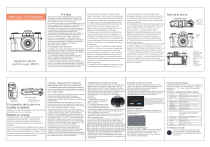
Manuel d'utilisation
Préface
Merci d'avoir acheté cet appareil photo numérique.
Veuillez lire ce manuel avant d'utiliser ce produit. Une
fois la lecture de ce manuel terminée, conservez-le
dans un endroit sûr pour référence future.
Le contenu couvert dans ce manuel d'utilisation fait réfé
rence aux dernières informations en préparation de ce
manuel d'utilisation. Les affichages d'écran, les
illustrations, etc. adoptés dans ce manuel sont destiné
s à expliquer le fonctionnement de l'appareil photo en
détail. En raison des différences dans le dé
veloppement technologique et les lots de production, ils
peuvent être légèrement différents des appareils
photo numériques que vous utilisez réellement.
Avis de non-responsabilité�: des efforts considé
rables ont été déployés pour garantir que ce manuel
est exempt d'inexactitudes et d'omissions. Cependant,
rien ne garantit qu'il n'y aura pas d'erreurs ou
d'omissions dans ce manuel.
Précautions de sécurité:
Appareil photo
numérique (WIFI)
1. Assurez-vous de lire, de comprendre et de suivre les
précautions de sécurité ci-dessous lors de l'utilisation
de l'appareil photo. Veuillez vous assurer que la fa on
dont vous utilisez la caméra est correcte.
2. Ne dirigez pas l'appareil photo directement vers le
soleil ou d'autres sources lumineuses puissantes, ou
votre vue pourrait être endommagée.
3. Ne déclenchez pas le flash à proximité d'yeux
humains ou animaux. Votre vue peut être endommagé
e face à une source lumineuse puissante si la distance
est trop proche. Veuillez porter une attention particulière
à rester à plus d'un mètre (39 pouces) de bébé.
Conseils : l'appareil photo s'allumera
automatiquement lors du chargement.
La batterie sera complètement chargé
e plus rapidement lorsqu'elle est chargé
e à l'état éteint
1 : interface MIC
2: interface USB
3: interface HDMI
1 : porte de la batterie
2: emplacement pour trépied
33: emplacement mémoire
Préparation de la caméra
Installer la batterie
Appuyez sur le verrou de la batterie et ouvrez le couvercle
de la batterie pour insérer la batterie.
Batterie en charge
Cet appareil photo utilise une batterie au lithium externe
rechargeable de haute capacité. Veuillez mettre la
batterie dans la fente de la batterie correctement en
fonction de la fente de la batterie et du compartiment de
la batterie.
(1) Lors du chargement avec cet appareil photo, utilisez la
ligne USB pour connecter l'adaptateur secteur et l'appareil
photo, puis connectez l'alimentation pour charger. Lors de l
a charge, le voyant rouge est toujours allumé et le voyant
rouge est éteint après une charge complète
(2) Lors de la charge avec un chargeur externe standard,
placez la batterie directement dans le chargeur.
(3) Temps de charge de la batterie (estimé) Dans un
environnement normal, il faut 3 heures pour être complè
tement chargé.
(4) Heures de travail continues (estimées) Lorsque
[système] est réglé sur le mode photo et que tous les
autres paramètres sont des paramètres d'usine par dé
faut, il peut fonctionner pendant 1,5 heure.
Lorsque [système] est réglé sur le mode vidéo et
d'autres résolutions, et que tous les autres paramètres
sont des paramètres par défaut, il peut fonctionner
pendant 1,5 heure. Remarque : il est recommandé de
commencer la charge de la batterie dans une plage de
températures de 10 °C à 30 °C. À une température
plus basse, la batterie peut ne pas être en mesure ou
avoir besoin de plus de temps pour être complètement
chargée. Lors de la charge à haute température, cela
peut raccourcir la durée de vie de la batterie.
La batterie complètement chargée consommera
naturellement de l'électricité. Afin d'assurer une
puissance suffisante, il est recommandé de charger à
l'avance. Lorsque l'appareil photo n'est pas utilisé
pendant une longue période, veuillez charger la batterie
tous les 3 mois. Ensuite, laissez la batterie se décharger
pour maintenir la durée de vie de la batterie.
3. Ne déclenchez pas le flash à proximité d'yeux
humains ou animaux. Votre vue peut être endommagé
e face à une source lumineuse puissante si la distance
est trop proche. Veuillez porter une attention particuliè
re à rester à plus d'un mètre (39 pouces) de bébé.
4 Veuillez ranger cet équipement hors de portée des
enfants et des nourrissons. Cela peut causer des
blessures graves aux enfants si l'appareil photo ou la
batterie sont accidentellement endommagés.
5 N'essayez pas de démonter ou de modifier des piè
ces non décrites dans ce guide. Le déballage ou la
modification de l'appareil photo peut entraîner un choc
à haute tension. L'inspection interne ou la garantie relè
ve de la responsabilité du personnel de service qualifié
désigné par la société ou le revendeur de caméras
correspondant.
6. Veuillez arrêter immédiatement d'utiliser l'appareil
photo s'il y a de la fumée ou une odeur désagréable
sur l'une des parties de l'appareil photo, sinon cela
pourrait provoquer un incendie ou un choc électrique.
Éteignez immédiatement l'appareil photo et retirez la
batterie de l'appareil photo ou débranchez le cordon
d'alimentation de la prise électrique. Assurez-vous que l
a caméra a cessé d'émettre de la fumée ou une
odeur désagréable.
7. Veuillez arrêter immédiatement d'utiliser la caméra
si vous la faites tomber accidentellement au sol ou si
vous endommagez son boîtier, sinon cela pourrait
provoquer un incendie ou un choc électrique. Éteignez i
mmédiatement l'appareil photo et retirez la batterie de
l'appareil photo ou débranchez le cordon d'alimentation
de la prise électrique.
8. N'exposez pas et n'immergez pas l'appareil photo dans
l'eau ou d'autres liquides. Cet appareil photo n'est pas é
tanche. Veuillez sécher avec un chiffon doux si le
boîtier est exposé à de l'eau liquide ou salée.
Éteignez immédiatement l'appareil photo et retirez la
batterie de l'appareil photo ou débranchez le cordon
d'alimentation de la prise électrique si de l'eau ou
d'autres matériaux pénètrent dans l'appareil photo.
9. D Veuillez stocker cet équipement hors d'un endroit
humide ou poussiéreux
10. Vos mains peuvent être chaudes car la température
du boîtier de l'appareil photo augmentera après une
longue période d'utilisation. Soyez prudent lorsque vous
utilisez cet équipement pendant une longue période.
11. Veuillez débrancher la batterie si vous n'utilisez pas
l'appareil photo. La batterie doit être chargée une fois
tous les 6 mois. Utilisez à nouveau l'appareil photo pour
décharger la batterie lorsqu'elle est complètement
chargée, afin de préserver la durée de vie de l'appareil
photo et de la batterie
Nom de la pièce
Installer/retirer la carte mémoire
Formater la carte mémoire
Paramètres de langue
La caméra prend en charge la carte TF, doit utiliser une
carte de classe 10, la prise en charge la plus élevée
256G. insérez la carte TF avec l'étiquette vers le haut
dans la fente pour carte au bas de la caméra jusqu'à ce
qu'elle s'enclenche pour confirmer que l'installation est en
place. Appuyez sur la carte mémoire apparaîtra
automatiquement si vous appuyez à nouveau vers
l'intérieur.
Il est recommandé de formater une carte mémoire
utilisée pour la première fois dans cet appareil photo,
sinon une défaillance, telle qu'une incapacité
d'enregistrement, peut se produire.
Lors de la première utilisation d'une carte mémoire dans
cet appareil photo, la fenêtre de formatage apparaîtra
automatiquement. Comme le montre la figure�:
Entrez dans les paramètres du système, appuyez sur
le bouton Bas pour trouver le sous-menu «�Langue�»,
appuyez sur «�OK�» pour sélectionner la langue
appropriée.
Remarques:
1)Mettez l'appareil photo hors
tension avant de remplacer la
carte mémoire.
2)Insérez la carte dans le bon
sens. N'utilisez pas trop de force
lors de l'insertion de la carte pour
éviter d'endommager la carte ou les pièces de l'appareil
photo. Veuillez vérifier si la direction est correcte si la
carte ne peut pas être insérée.
3)Veuillez d'abord formater la carte mémoire si elle est
utilisée pour la première fois ou a été utilisée sur
d'autres appareils photo
La durée d'enregistrement estimée est juste pour réfé
rence et la durée spécifique peut être différente en
fonction de la carte mémoire et de l'état de la batterie
Système
4k
2.7k
FPS
30FPS
30FPS
16G
45
32G
64G
128G
1080P
Allumer l'appareil
Appuyez sur le bouton d'alimentation, l'indicateur de
fonctionnement s'allume, l'écran s'allume et l'appareil
photo est allumé.
720P
60FPS
30FPS
120FPS
60FPS
30FPS
80
80
160
80
160
160
90
170
170
300
170
300
300
180
350
350
620
350
620
620
720
720
1320
720
1320
1320
360
Vous pouvez également entrer dans le menu
système de cette caméra——sous-menu :
formater, appuyez sur le bouton OK, entrez d
ans la fenêtre de formatage dans la figure
ci-dessus pour effectuer le formatage. Vous
pouvez également formater la carte mémoire
sur votre ordinateur.
Remarque : S'il y a des documents non enregistrés par
cet appareil photo ou sauvegardés par un PC sur la
carte mémoire, la durée d'enregistrement peut être ré
duite ou les données peuvent ne pas être enregistrées
correctement.
Régler la date/l'heure
Appuyez deux fois sur « MENU » pour entrer dans le
menu de configuration du système, appuyez sur le
bouton Bas pour trouver le sous-menu « Time
Set / Date Set », appuyez sur « OK » pour régler la
date et l'heure correspondantes.
2:Bouton de prise
de vue
3:Conférencier
4:chaussure
5.Bouton de mode
1:Lentille
2:Viseur
3.Flash
1:Viewfinder
2:Indicateur de charge
3:indicateur de travail
4:T Zoom avant
5: W Zoom arrière
6: Haut/Flash lumière
7: Droite / Prise de vue en
continu
8: D'accord
9: Bas / Supprimer
10:menus
11:affichage
12: Gauche / Retard
13:écran LCD
Submenu catalog of system setting
Sous-menu
Contenu des menus
Rotation de l'image
Allumer/éteindre (Appuyez sur OK pour changer)
affichage de l'icône
Ouvrir fermer
Wifi
Allumer/éteindre (Appuyez sur OK pour changer)
Réinitialiser le Wi-Fi
Confirmer / Annuler
Fréquence de la source
lumineuse
Automatique/50 Hz/60 Hz
Indicateur LED
Allumer/éteindre (Appuyez sur OK pour changer)
Économiseur d'écran
automatique
Désactiver/30s/1min/2min
Mise hors tension
automatique
Éteindre/3min/5min/10min
Invite du bouton Son
Haut/Moyen/Bas/Désactiver
Musique de démarrage
Open/Close
Langue
Chinois simplifié/chinois traditionnel/anglais/japonais
/coréen/russe/allemand/français/italien/espagnol/
portugais/thaï
Format de l'heure
AAAA/MM/JJ MM/JJ/AAAA JJ/MM/AAAA
Réglage de l'heure
heure minute seconde
Date définie
Année mois jour
Format
(Carte SD)Formater/Annuler
Info appareil
Product model and version number
Factory Reset
Confirm/Cancel
Sélecteur de mode
Tournez le bouton de sélection de mode
pour sélectionner le mode correspondant.
La référence correspondante du mode est
la suivante :
icône
Mode
Contenu des réglages du menu en mode photo
Sous-menu
photo
enregistrement
Enregistrement en accéléré
Enregistrement au ralenti
Relecture
Prendre des photos
Réglez le sélecteur de mode sur le mode appareil photo,
l'écran de l'appareil photo affichera l'interface suivante:
Menu setting contents in video mode (In this mode, press
MENU directly to set the corresponding menu)
Contenu des menus
48M/30M/24M/20M/12M/8M/5M/3MV
Sous-menu
Balance des blancs
Auto/Ensoleillé/Nuageux/Incandescent/Fluorescence
Scène
Auto / Sport / Portrait / Paysage / Crépuscule / Plage
Résolution
vidéo
4K 30FPS/2,7K 30FPS/1080P 60FPS/1080P 30FPS/720P
120FPS/720P 60FPS/720P 30FPS
Balance des blancs
Auto/Ensoleillé/Nuageux/Incandescent/Fluorescence
Scène
Auto / Sport / Portrait / Paysage / Crépuscule /
-3/-2/-1/0/1/2/3
Pixellnset
Photographie à intervalles
Contenu des menus
Réglage de l'exposition
Mode de mesure
-3/-2/-1/0/1/2/3
Mesure moyenne/Mesure centrale/Mesure spot/Mesure matricielle
Qualité d'image
Super haute qualité/haute qualité/standard
Réglage de
l'exposition
Acuité
Haut/Moyen/Bas
Mode de mesure
Mesure moyenne/Mesure centrale/Mesure spot/Mesure matricielle
Exposition longue
Auto/2S/5S/10S/15S/20S/30S
Acuité
Haut/Moyen/Bas
ISO
Auto/100/200/400/800/1600/3200/6400
Qualité vidéo
Haut/Moyen/Bas
Filigrane horaire
Allumer/éteindre (Appuyez sur OK pour changer)
ISO
Auto/100/200/400/800/1600/3200/6400
Filigrane horaire
Turn On/Turn Off (Press OK to switch)
Enregistrement
audio
Allumer/éteindre (Appuyez sur OK pour changer)
Enregistrement vidéo
Mode lecture
10:Lecture
11: heure système
12: date système
13:Exposition
14:ISO
15:Mesure de l'exposition
16:Scène
17:balance des blancs
18:Setting
SORTIE HD
Lorsque la vidéo et le son de la caméra vidéo doivent
être transmis au téléviseur HD, insérez le port public
du câble HD dans l'interface HD de la caméra vidéo et
connectez le port d'entrée HD à l'interface d'entrée HD
du téléviseur HD. Veuillez arrêter d'enregistrer / lire
des vidéos avant d'accéder / de débrancher le câble
HD. (passer le signal TV en mode HD)
Connecter l'ordinateur et la
webcam
Connectez l'appareil photo au port USB disponible sur
l'ordinateur avec le câble USB. Après avoir inséré le
câble USB, l'appareil photo s'allumera automatiquement.
Appuyez sur les boutons haut et bas pour sélectionner
le mode de charge, le mode de stockage ou le mode
webcam, puis appuyez sur
(1) Sélectionnez le mode de charge, toutes les fonctions
de l'appareil photo peuvent être utilisées normalement.
L'appareil photo prend en charge l'enregistrement
pendant le chargement.
1 : Mode d'enregistrement
2 : résolution vidéo
3 : Lumière d'appoint (éteinte)
4 : Temps d'enregistrement actuel
5 : Temps d'enregistrement restant sur la
carte mémoire actuelle
6 : Actuel batterie restante
7 : Zoom avant/Zoom arrière
8 : Facteur de zoom
9 : Lecture
10 : heure du système
1 1: date du système
12 : Exposition
13 : ISO
14 : Mesure de l'exposition
15 : Scène
16 : Balance des blancs
17 : Réglage
18 : MIC
(2) Lorsque le mode de stockage est sélectionné, un
nouveau périphérique de stockage amovible sera
ajouté dans la fenêtre «�Mon ordinateur�», qui
transférera les photos et les fichiers vidéo vers
l'ordinateur.
Note: do not disconnect the USB
connection when downloading the file.
Do not plug and unplug the memory
card when connecting the USB, so as
to avoid data loss.
(3) Sélectionnez le mode webcam, l'appareil photo peut
être utilisé comme appareil photo.
Astuce : Si la caméra ne peut pas
être activée après la connexion,
accédez au gestionnaire de périphé
riques de l'ordinateur, recherchez le
menu du périphérique d'image ou le
menu de la caméra, puis cliquez pour
vérifier s'il existe un périphérique de
caméra UVC, s'il est déjà connecté.
S'il s'agit d'un ordinateur portable avec
sa propre webcam, vous devez dé
sactiver sa propre webcam. Ce n'est
qu'alors que l'appareil photo peut être
utilisé comme webcam
Tournez le sélecteur de mode en mode lecture, puis
appuyez sur le bouton Gauche ou Droite pour afficher les
photos ou les vidéos. Appuyez sur le bouton bas pour
choisir de supprimer la photo ou la vidéo actuelle
(1) Allumez d'abord l'appareil photo, accédez au menu
de configuration du système, recherchez le sous-menu
du point d'accès sans fil et appuyez sur la touche OK
pour activer le WiFi. L'écran de la caméra affichera le
nom ou le mot de passe WiFi.
Lill lumière
Il peut être utilisé pour remplir la lumière dans un
environnement sombre. En mode photo, appuyez sur le
bouton «�haut�» pour régler rapidement les trois
modes de flash correspondants suivants
Pas de flash
Flash automatique
Cette caméra prend en charge la pause vidéo. Pendant
l'enregistrement, appuyez sur la touche appareil photo,
l'enregistrement est arrêté et appuyez à nouveau sur la
touche appareil photo, l'enregistrement se poursuit. Si
vous appuyez à nouveau sur la touche d'enregistrement,
l'enregistrement se terminera.
Conseils:La vidéo longue enregistrée sera enregistrée
dans la carte mémoire par sections et le nom du
document est ***0000—***0000X.
1:�mode photo
2: pixels de l'image
3: qualité d'image
4: Lumière de remplissage (éteindre)
5: quantité stockée actuelle
6:stockage restant de la mémoire actuelle
7 : Puissance restante actuelle de la batterie
8:Zoom avant/Zoom arrière
9:facteur de zoom
éteindre l'appareil photo numérique
Si vous définissez le menu d'extinction automatique,
lorsque l'appareil photo numérique est libre, il s'éteindra
automatiquement sans opération dans plus de 3 min
/5 min/10 min, afin d'économiser de l'énergie.
Flash forcé
En mode enregistrement, appuyez sur le bouton "haut"
pour régler rapidement les deux modes de flash : Pas
de flash et flash forcé
Besoin d'utiliser la fonction WIFI, utilisez d'abord le télé
phone intelligent pour scanner le code QR suivant
pour télécharger l'application, ou recherchez
directement XDV PRO dans Google Play Store ou Apple
Store.
Éteindre
(2) Ouvrez les paramètres sur votre téléphone ou
votre tablette. ------ Le WLAN trouve l'ID WIFI de la
caméra, entre le mot de passe WIFI et connecte le télé
phone à la caméra.
(3) Désactivez la fonction WIFI�: dans l'état de
connexion WIFI, appuyez sur le bouton HAUT pour
couper la source de signal WIFI de la caméra, et la
caméra revient à l'état normal (vous pouvez
également entrer dans le menu de configuration du
système pour éteindre le point d'accès sans fil).
ENTRÉE MICRO
Lorsqu'un microphone externe est nécessaire, branchez
le microphone externe dans l'interface MIC de la caméra
vidéo pour enregistrer de la vidéo ou de l'audio pour de
meilleurs effets audio
Appuyez longuement sur le bouton POWER pour
Inquiéter
Les mesures
La batterie est faible, veuillez la remplacer par une neuve
La caméra ne
peut pas dé
marrer une fois
la batterie installée
Impossible de
charger
Le téléviseur
connecté par
câble HD ne peut
pas être connecté
La batterie n'est pas installée en place�; veuillez confirmer
que la batterie est correctement installée.
Il peut y avoir une erreur dans le programme de l'appareil
photo, veuillez retirer la batterie, réinstaller, puis allumer.
Si le voyant de charge clignote, la batterie n'est pas installée
en place ou en mauvais contact. Veuillez réinstaller la batterie j
usqu'à ce que le voyant soit allumé pendant une longue
période (le voyant s'éteindra lorsque la batterie est pleine).
Si l'indicateur de charge n'est pas allumé, le chargeur n'est
pas branché. Veuillez vérifier si le chargeur est connecté
normalement.
Vérifiez si la source TV est réglée sur le mode HD.
Vérifiez si le fil HD est correctement connecté.
Veuillez vérifier si le câble de données USB est
correctement connecté
Impossible de se
connecter au PC
Veuillez vérifier si l'interface USB de l'ordinateur fonctionne
correctement.
Veuillez vérifier la compatibilité du système informatique
La meilleure distance pour tirer est de plus de 2 m.
Effet de prise de
vue floue
Vérifiez si l'appareil photo tremble lors de la prise de vue.
Nettoyage et entretien de la
caméra
(1) Si vous n'utilisez pas l'appareil photo pendant une
longue période, retirez la batterie de l'appareil photo et
placez-la dans un environnement sec et sans poussière
avec une température ne dépassant pas 30 ℃.
(2) Afin de prolonger la durée de vie de la batterie, veuillez
la décharger complètement avant le stockage.
(3) Veuillez décharger complètement la batterie au moins
une fois tous les 3 mois après qu'elle ait été complè
tement chargée.
(4) S'il y a de la poussière ou de la saleté sur l'objectif
ou l'écran, essuyez-le doucement avec un chiffon de
nettoyage d'objectif propre et doux.
(5) Comme cette machine est un instrument de précision,
veuillez ne pas la laisser tomber ou souffrir d'impacts ou
de vibrations importants.
Notes complémentaires
(1) N'insérez aucun objet dans la fente à l'exception de
la carte mémoire.
(2) Après la mise sous tension, la caméra peut afficher
une image instable pendant quelques secondes, mais ce
n'est pas un défaut.
(3) En raison des propriétés optiques de l'objectif, il peut
y avoir une dispersion des couleurs (grossissement de
l'aberration chromatique) sur les bords de l'image. Ce n'est
pas un défaut de la caméra.
(4) Il est normal que la carte mémoire chauffe après une
longue période d'utilisation.
(5) Il est normal que l'écran de l'appareil photo chauffe
après une longue période d'utilisation.
(6) L'appareil photo n'a pas de fonction de mise au point
automatique et la meilleure distance de prise de vue est
supérieure à 2 mètres.
Caractéristiques
Articles
Paramètre de spécification
Capteur d'image
Capteur Cmos13 millions de mégapixels, 48 millions de
mégapixels maximum
Objectif de la caméra
Objectif fixe F/3.2,f=7.36mm
Carte mémoire
Carte TF externe (Prise en charge maximale 256G)
Zoom
Zoom numérique 16X
Pas de zoom optique
Plage de mise au point
normale
2,0 m, l'infini
Sensibilité photo
Automatique /IOS100/ISO200/ISO400/ISO800/
ISO 1600/ISO 3200/ISO 6400
Image statique
Format:JPG Résolution photo:3M, 5M, 8M, 12M, 20M,
24M.30M, 48M (Interpolation logicielle)
Résolution vidéo
Format:MP4 Résolution vidéo:4K_3840X2160 (30FPS),
2.7K_2688X1520 (30FPS),FHD_1920X1080(60FPS),
FHD_1920X1080(30FPS),HD_1280x720(1 20/60/30FPS)
WIFI
Soutien
Micro externe
Soutien
Remplir la lumière
1,0 m de portée
balance des blancs
Auto / ensoleillé / nuageux / incandescent / fluorescent
Exposition
–3.0EV~+3.0EV
Interface USB
USB2.0 (haute vitesse)
Mise hors tension automatique
Arrêt /3 min /5 min /10 min
Écran LCD
Écran tactile ultra HD de 3,0 pouces (16:9)
Interface multimédia en haute
définition
Interface de sortie HDMI
Langue
Anglais (par défaut), espagnol, portugais, russe, chinois
simplifié, chinois traditionnel, allemand, italien, fran ais,
japonais, coréen, thaï
Source de courant
Batterie aux ions lithium
Système compatible
PC : Windows XP/Windows7/Windows8/Windows10/MAC
">