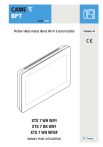
Portier vidéo mains libres Wi-Fi à écran tactile
FB00982-FR
XTS 7 WH WIFI
XTS 7 BK WIFI
XTS 7 WH WFBF
MANUEL POUR L’UTILISATEUR
FR Français
INSTRUCTIONS GÉNÉRALES
Lire attentivement les instructions avant d’utiliser le dispositif.
L’installation, la programmation, la mise en service et la manutention du produit ne doivent être effectuées
que par des techniciens qualifiés et dans le strict respect des normes en vigueur, y compris des règles sur la
prévention des accidents et l'élimination des emballages.
• L'appareil ne devra être destiné qu'à l'utilisation pour laquelle il a été expressément conçu.
• Le fabricant décline toute responsabilité en cas d'éventuels dommages provoqués par des utilisations impropres, incorrectes et déraisonnables.
•
Entretien et précautions pour l’utilisation du dispositif
• Ne pas exposer l'écran LCD à la lumière directe du soleil.
• Pour le nettoyage, n'utiliser que des chiffons doux et secs ou légèrement imbibés d'eau. N’utiliser aucun type
de produit chimique.
• Ne pas couvrir les fentes de ventilation.
DESCRIPTION
Portier vidéo mains libres Full Touch pour système X1.
Description des parties
1 Voyants led de signalisation
2 Haut-parleur
3 Écran tactile
4 Micro
2
1
4
3
Page 2 - Manuel FB00982-FR - vers. 1 - 03/2018 - © CAME S.p.A. - Le contenu de ce manuel est susceptible de subir des modifications à tout moment et sans aucun préavis.
•
Commandes et signalisations présentes sur la page d’accueil
L’aspect de la page d’accueil peut varier en fonction de la configuration de l’installation ou de l’interface
utilisateur.
Page 3 - Manuel FB00982-FR - vers. 1 - 03/2018 - © CAME S.p.A. - Le contenu de ce manuel est susceptible de subir des modifications à tout moment et sans aucun préavis.
A
B
C
E
D
F G H I
Favoris
Postes externes
Contacts
Répondeur vidéo
Liste Aux
Registre d'appels
O
N
M
19:02
Jeudi
01 févr. 2018
Info
Précédent
Home
L
K
J
1 Commande de désactivation des sonneries des
appels ; lorsque cette commande est activée, le
voyant rouge est allumé.
8 L’icône blanche indique que le dispositif fonctionne correctement et qu’il peut recevoir les
appels.
2 Le voyant allumé indique que la sonnerie du dispositif est désactivée.
9 Cette icône signale l’activation de la connexion
Wi-Fi ainsi que sa qualité.
3 Le voyant bleu clignote durant la mise en veille de
l’écran en présence de messages non visualisés
ou d’appels manqués.
J Ce bouton apparaît sur toutes les pages et permet de revenir à la page d’accueil.
4 Permet d’activer/désactiver le répondeur.
K Ce bouton apparaît sur toutes les pages et permet de revenir à la page précédente.
5 Permet d’activer/désactiver la fonction ouvreporte automatique.
L Ce bouton apparaît sur toutes les pages et permet d’accéder aux pages d’information.
Cette icône apparaît uniquement lorsque la
fonction ouvre-porte automatique a été correctement configurée.
6 Cette icône clignote en présence de messages
non visualisés ou d’appels manqués.
M Permet d’activer la commande auxiliaire prédéfinie.
7 L’icône grise indique que le dispositif peut se
connecter à CAMEConnect ; l’icône blanche que
le dispositif est connecté à CAMEConnect.
N Commande ouvre-porte prédéfinie
O Bouton SOS ; permet l’envoi au concierge prédéfini d’une signalisation d’« alarme panique »
indiquant le numéro du poste interne appelant.
Ce bouton n’apparaît que sur les installations
dotées du service conciergerie.
UTILISATION DU DISPOSITIF
Répondre à un appel
Appel provenant d’un poste externe
C
D
G
E
J
H
B
I
A
L’écran visualise l’éventuelle image de l’appelant. L’audio depuis/vers l’appelant n’est pas activé.
1 Appuyer sur le bouton pour répondre à l’appel et activer la communication audio.
2 Appuyer sur le bouton pour refuser l’appel et revenir à la page d’accueil.
Indications visualisées à l’écran en phase de conversation
3 Durée de l’appel.
4 Code d’identification de l’appelant.
Commandes activées en phase de conversation
5 Permet d’activer la serrure électrique du poste externe visualisé.
6 Permet d’ouvrir la liste des commandes auxiliaires configurées pour le poste externe visualisé ; appuyer sur le
nom de la commande à envoyer.
7 Appuyer sur les boutons + et - pour régler l’audio.
8 Permet de désactiver le micro (fonction mute).
9 Appuyer sur ce bouton pour lancer l’enregistrement audio/vidéo de la communication en cours.
Un voyant rouge clignote à côté du code d’identification de l’appelant durant l’enregistrement.
L’enregistrement se conclura automatiquement au bout de 10 secondes.
J Appuyer sur l’image et la faire glisser sur l’écran (ou appuyer sur la flèche latérale >) pour visualiser le poste
externe ou la prochaine caméra analogique de la liste ; l’appel audio/vidéo en cours est interrompu.
Page 4 - Manuel FB00982-FR - vers. 1 - 03/2018 - © CAME S.p.A. - Le contenu de ce manuel est susceptible de subir des modifications à tout moment et sans aucun préavis.
F
Effectuer un appel
Le dispositif permet d’effectuer des appels vers d’autres postes (intercommunication), vers des dispositifs connectés via le réseau Wi-Fi (App) ou vers des postes externes.
A
Appeler un contact dans la
liste des favoris
A Appuyer sur l’icône pour accéder à la liste des contacts favoris.
Répondeur vidéo
Pour remplir la liste des
contacts favoris, consulter le chapitre “Contatti” a pagina 7.
Page 5 - Manuel FB00982-FR - vers. 1 - 03/2018 - © CAME S.p.A. - Le contenu de ce manuel est susceptible de subir des modifications à tout moment et sans aucun préavis.
Favoris
Postes externes
19:02
1
Contacts
Liste Aux
Jeudi
01 févr. 2018
Registre d'appels
Info
Précédent
Home
Sélectionner un des contacts de la
liste pour lancer l’appel.
Appuyer sur cette icône pour
visualiser les détails du contact.
__CONCIERGE__
App 01 Téléphone Mario
Habitation
Appel principal
Appuyer sur cette icône pour
éliminer le contact de la liste des
favoris.
Intercom 1 Pas à la maison
Appel principal
Intercom 2 Pas à la maison
App 02 Téléphone Lucia
Habitation
2
19:02
Jeudi
01 févr. 2018
Appel App 01 Téléphone Mario
3
Info
Précédent
Home
Quand la communication est activée, l’écran visualise des informations et des commandes déjà
illustrées au chapitre "Rispondere
ad una chiamata" a pagina 4.
Établir l'audio avec le poste
externe
Postes externes
Contacts
2 Appuyer sur l’icône pour accéder à la liste des postes externes.
B
Répondeur vidéo
19:02
1
Liste Aux
Jeudi
01 févr. 2018
Pour remplir la liste des
postes externes, consulter le chapitre "Contatti" a pagina 7.
Registre d'appels
Info
Précédent
Home
Sélectionner le poste externe pour
lancer l’appel.
Poste externe principal
Permet d’ouvrir la porte associée au poste externe sans lancer
l’appel.
Permet d’ouvrir une fenêtre
contextuelle contenant une liste de
commandes auxiliaires associées
au poste externe.
2
19:02
Jeudi
01 févr. 2018
Poste externe secondaire
Appuyer sur cette icône pour
visualiser les détails du contact.
Info
Précédent
Home
Appuyer sur cette icône pour
éliminer le contact de la liste des
favoris.
Quand la communication est activée, l’écran visualise des informations et des commandes déjà
illustrées au chapitre "Rispondere
ad una chiamata" a pagina 4.
3
Page 6 - Manuel FB00982-FR - vers. 1 - 03/2018 - © CAME S.p.A. - Le contenu de ce manuel est susceptible de subir des modifications à tout moment et sans aucun préavis.
Favoris
Contacts
Page 7 - Manuel FB00982-FR - vers. 1 - 03/2018 - © CAME S.p.A. - Le contenu de ce manuel est susceptible de subir des modifications à tout moment et sans aucun préavis.
Appuyer sur cette icône pour accéder à la liste des contacts.
Favoris
Postes externes
Contacts
Répondeur vidéo
Liste Aux
Registre d'appels
19:02
1
Jeudi
01 févr. 2018
Info
Précédent
Home
La liste contient tous les dispositifs
pouvant être contactés.
Unité
Poste externe
Intercom 1
Intercom 2
Intercom 3
Intercom 4
Intercom 5
19:02
2
Jeudi
01 févr. 2018
Info
Précédent
Home
Commandes associées aux contacts
Permet d’ouvrir la porte associée au poste externe.
Permet d’ouvrir une fenêtre contextuelle contenant une liste de commandes auxiliaires associées au poste
externe.
Permet d’ajouter/éliminer le contact sélectionné à/de la liste des favoris.
Permet d’ajouter/éliminer le contact sélectionné à/de la liste des postes externes.
Type de contact
Unité d’habitation
Simple utilisateur
Concierge
Poste externe ou caméra analogique
Appuyer sur l’un des éléments de la liste pour accéder à la fenêtre permettant de visualiser les détails du contact
et personnaliser le nom de l’élément sélectionné.
Unité
1 Unité d’habitation (à savoir le
poste interne et les applications
associées).
A
EXTENSIONS
Récepteur XTS
B
2 Le poste interne.
App Mobile 1
3 Éventuels utilisateurs connectés
à l’installation par app. localement
ou à distance.
App Mobile 2
C
App Mobile 3
Appuyer sur l’un des contacts pour
lancer l’appel.
App Mobile 4
19:02
3
Jeudi
01 févr. 2018
Info
Précédent
Home
Appuyer sur cette icône pour
modifier le nom du contact.
Unité
Appuyer sur cette icône pour
ajouter le contact à la liste des favoris.
EXTENSIONS
Récepteur XTS
App 01
App 02
Appuyer sur le bouton Précédent
pour revenir à la page précédente.
App 03
App 04
19:02
4
Jeudi
01 févr. 2018
Info
Précédent
Home
Poste externe
Poste externe
4 Poste externe.
D
E
5 Commandes associées au
poste externe.
Appuyer sur le contact pour lancer
l’appel.
Appuyer sur cette icône pour
modifier le nom du contact.
5
Intercom
Intercom 1
F
6 Contact intercom.
Appuyer sur le contact pour lancer
l’appel.
Appuyer sur cette icône pour
modifier le nom du contact.
6
Page 8 - Manuel FB00982-FR - vers. 1 - 03/2018 - © CAME S.p.A. - Le contenu de ce manuel est susceptible de subir des modifications à tout moment et sans aucun préavis.
Unité
Concierge
7 Poste de conciergerie (éventuellement prévu sur l’installation).
G
Appuyer sur le contact pour lancer
l’appel.
Page 9 - Manuel FB00982-FR - vers. 1 - 03/2018 - © CAME S.p.A. - Le contenu de ce manuel est susceptible de subir des modifications à tout moment et sans aucun préavis.
Appuyer sur cette icône pour
modifier le nom du contact.
7
Répondeur vidéo
1 Appuyer sur cette icône pour
activer/désactiver le répondeur.
A
Favoris
Répondeur vidéo
Postes externes
Contacts
Liste Aux
Registre d'appels
Pour configurer correctement
le répondeur, consulter le chapitre
"Segreteria video" a pagina 15.
2 Le numéro sur fond rouge est le
nombre de messages du répondeur
n’ayant pas été visualisés.
B
19:02
1
Jeudi
01 févr. 2018
Info
Précédent
Poste externe
04 jan 2018 21:03
Poste externe
03 jan 2018 17:33
Poste externe
01 jan 2018 23:55
Home
Quand l’écran est en mode veille,
la présence de messages sur le répondeur n’ayant pas été visualisés
est signalée par le clignotement du
voyant bleu sur le cadre du dispositif.
Les messages pas encore visualisés sont mis en évidence.
10 s
Appuyer sur le message souhaité
pour en lancer la reproduction.
10 s
10 s
Tout effacer
Appuyer sur cette icône pour
éliminer le message de la liste.
Appuyer sur le bouton Précédent
pour revenir à la page précédente.
2
19:02
Jeudi
01 févr. 2018
Info
Précédent
Home
Liste Aux
Postes externes
Répondeur vidéo
Contacts
Liste Aux
Les commandes auxiliaires (AUX)
permettent l'activation de contacts
dûment programmés pour exécuter
d’autres commandes outre l'ouverture classique de la porte d'entrée.
Registre d'appels
A
19:02
1
Jeudi
01 févr. 2018
Info
Précédent
Home
Pour remplir la liste des
contacts auxiliaires, consulter le
chapitre "Configurazione Aux (comandi ausiliari)" a pagina 13.
Appuyer sur le nom de la commande souhaitée pour activer le
contact y étant associé.
Portail
Poste externe
Lumière
Appuyer sur cette icône pour
modifier le nom de la commande.
Poste externe
Appuyer sur le bouton Précédent
pour revenir à la page précédente.
19:02
2
Jeudi
01 févr. 2018
Info
Précédent
Home
Registre d'appels
1 Appuyer sur cette icône pour
accéder au registre des appels.
Favoris
Postes externes
Répondeur vidéo
Contacts
Liste Aux
2 Le numéro sur fond rouge est le
nombre d’appels manqués.
Quand l’écran est en mode veille,
la présence d’appels sans réponse
est signalée par le clignotement du
voyant bleu sur le cadre du dispositif.
Registre d'appels
A
B
1
19:02
Jeudi
01 févr. 2018
Info
Précédent
Home
Page 10 - Manuel FB00982-FR - vers. 1 - 03/2018 - © CAME S.p.A. - Le contenu de ce manuel est susceptible de subir des modifications à tout moment et sans aucun préavis.
Favoris
1 Appuyer sur cette icône pour
accéder à la liste des contacts auxiliaires.
Page 11 - Manuel FB00982-FR - vers. 1 - 03/2018 - © CAME S.p.A. - Le contenu de ce manuel est susceptible de subir des modifications à tout moment et sans aucun préavis.
Type d’appel
Poste externe
29 jan 2018 19:55
Poste externe
28 jan 2018 11:23
Poste externe
07 jan 2018 21:03
Poste externe
05 jan 2018 14:21
Intercom 1
03 jan 2018 16:31
Concierge
30 jan 2017 15:45
Appel effectué.
0s
Appel manqué.
0s
Tout effacer
0s
0s
Jeudi
01 févr. 2018
Info
Les appels sans réponse sont mis
en évidence.
Appuyer sur la ligne souhaitée pour
appeler le contact.
0s
19:02
2
Appel reçu.
0s
Appuyer sur cette icône pour
éliminer le message de la liste.
Précédent
Home
Appuyer sur le bouton Précédent
pour revenir à la page précédente.
CCTV
CCTV
Réglages
19:02
1
1 Appuyer sur cette icône pour
accéder à la liste des caméras disponibles.
Jeudi
01 févr. 2018
Info
Précédent
Home
Sélectionner la caméra IP à visualiser.
2
Caméra IP 01
Caméra IP 02
Caméra IP 03
Caméra IP 04
19:02
Jeudi
01 févr. 2018
Info
Précédent
Home
CONFIGURATIONS GÉNÉRALES
Appuyer sur cette icône pour accéder à la liste des configurations.
Réglages
19:02
Jeudi
01 févr. 2018
Info
Précédent
Home
Informations de système
La fenêtre contient une série d'informations techniques utiles à
l'identification des caractéristiques
du dispositif, la version ordinateur
et logiciel.
Informations de système
Langues
Date/heure
Configuration Aux.
Commandes rapides
Répondeur vidéo
Caméras IP
19:02
Jeudi
01 févr. 2018
Info
Précédent
Home
Langues
Langues
Choisir dans le menu déroulant la
langue de l'interface du dispositif.
Français
Sauvegarder la configuration en
appuyant sur le bouton Sauvegarder.
Sauvegarder
19:02
Jeudi
01 févr. 2018
Info
Précédent
Home
Page 12 - Manuel FB00982-FR - vers. 1 - 03/2018 - © CAME S.p.A. - Le contenu de ce manuel est susceptible de subir des modifications à tout moment et sans aucun préavis.
CCTV
Date/heure
Modalité
C
A
Manuelle
Auto
Cette fenêtre permet de configurer
la date et l’heure du poste interne.
B
1 La date et l’heure sont configurées manuellement par l’utilisateur.
Serveur NTP
D Date/heure
2 La date et l’heure sont synchronisées automatiquement par un service Internet spécifique ; le réseau
WiFi auquel le dispositif est connecté doit pouvoir accéder à Internet.
01 févr. 2018 19:02
Page 13 - Manuel FB00982-FR - vers. 1 - 03/2018 - © CAME S.p.A. - Le contenu de ce manuel est susceptible de subir des modifications à tout moment et sans aucun préavis.
Continent
E
Pays/Ville
Sauvegarder
19:02
Jeudi
01 févr. 2018
Info
Précédent
Home
La sélection de la modalité 2
comporte l’activation de la section
de configurations du serveur NTP.
3 Indiquer dans cet espace l’adresse du serveur NTP à partir de laquelle le dispositif synchronisera la date et
l’heure.
4 Avec le mode manuel activé (1), configurer manuellement la date et l’heure courantes en utilisant la fenêtre
contextuelle.
5 Choisir dans les listes le Continent - Pays/Ville où le système est installé.
Sauvegarder la configuration en appuyant sur le bouton Sauvegarder.
Appuyer sur le bouton Précédent pour revenir à la liste des paramètres à configurer.
Configuration Aux (commandes auxiliaires)
1 Appuyer sur ce bouton pour
ajouter une nouvelle commande
auxiliaire.
A
La liste est vide
1
19:02
Jeudi
01 févr. 2018
Nouvel Aux
Info
Précédent
Home
Description
B Ouverture portail
Commande
C Aux 3
Destination
D Poste externe
2 Appuyer sur cette zone pour attribuer un nom à la commande AUX
à ajouter.
3 Choisir dans la liste la commande à laquelle associer l'AUX.
Sauvegarder la configuration en
appuyant sur le bouton Sauvegarder.
Sauvegarder
19:02
2
Jeudi
01 févr. 2018
Info
Précédent
Home
Les commandes auxiliaires configurées apparaissent dans la liste.
Ouverture portail
Permet de modifier l’élément
sélectionné.
Poste externe
Lumières jardin
Poste externe
Nouvel Aux
Tout effacer
3
19:02
Jeudi
01 févr. 2018
Info
Précédent
Permet d’éliminer l’élément
sélectionné.
Appuyer sur le bouton Précédent
pour revenir à la liste des paramètres à configurer.
Home
Commandes rapides
Commande Aux prédéfinie
Cette fenêtre permet d’établir, parmi les commandes précédemment
configurées, celle à exécuter en
appuyant sur le bouton Aux de la
page d’accueil.
A
1 Choisir dans la liste la commande auxiliaire souhaitée.
Appuyer sur le bouton Précédent
pour revenir à la liste des paramètres à configurer.
19:02
Jeudi
01 févr. 2018
Info
Précédent
Home
Page 14 - Manuel FB00982-FR - vers. 1 - 03/2018 - © CAME S.p.A. - Le contenu de ce manuel est susceptible de subir des modifications à tout moment et sans aucun préavis.
4 Choisir dans la liste la destination de la commande AUX.
Répondeur vidéo
Si l’installation prévoit la présence d'un poste externe avec portier vidéo, en cas d'absence de l'utilisateur appelé,
le dispositif permet à l'appelant d’enregistrer un message vidéo.
L'appelant peut être informé de cette opportunité par un message de courtoisie (ex. : « L’utilisateur n'est pas
disponible pour le moment, veuillez laisser un message après le bip »).
Page 15 - Manuel FB00982-FR - vers. 1 - 03/2018 - © CAME S.p.A. - Le contenu de ce manuel est susceptible de subir des modifications à tout moment et sans aucun préavis.
Le message vidéo, avec date et heure de l'appel, sera archivé et pourra être visionné par la suite en consultant
le répondeur.
Retard de la réponse
A
5
Message de courtoisie
1 Choisir dans le menu déroulant
la durée de la sonnerie (exprimée
en secondes) au bout de laquelle il
y a activation de l’enregistrement
automatique.
On
Off
B
Enregistrer message
C
2 Permet d’activer la reproduction
du message de courtoisie.
Écouter message
3 Boutons permettant d'enregistrer et de réécouter le message de
courtoisie.
Sauvegarder
19:02
Jeudi
01 févr. 2018
Info
Précédent
Home
Sauvegarder la configuration en
appuyant sur le bouton Sauvegarder.
Appuyer sur le bouton Précédent
pour revenir à la liste des paramètres à configurer.
Caméras IP
1 Appuyer sur ce bouton pour
ajouter une nouvelle caméra IP.
A
La liste est vide
1
19:02
Jeudi
01 févr. 2018
Nouvelle caméra IP
Info
Précédent
Home
B
Connexion en temps réel URI
C
Connexion URI pour l'image fixe
D
3 Appuyer sur cette zone et saisir la chaîne URI permettant la
connexion à la caméra.
4 Appuyer sur cette zone et saisir
la chaîne URI permettant d’obtenir
de la caméra l’image statique nécessaire pour l’aperçu.
Sauvegarder
19:02
2
Jeudi
01 févr. 2018
Info
Précédent
Home
Les caméras IP ajoutées apparaissent dans la liste.
Caméra IP 01
Permet de modifier l’élément
sélectionné.
Caméra IP 02
Caméra IP 03
Nouvelle caméra IP
Caméra IP 04
Tout effacer
3
Sauvegarder la configuration en
appuyant sur le bouton Sauvegarder.
19:02
Jeudi
01 févr. 2018
Info
Précédent
Permet d’éliminer l’élément
sélectionné.
Appuyer sur le bouton Précédent
pour revenir à la liste des paramètres à configurer.
Home
Fonds d’écran
Choisir le fond d’écran préféré ; la
nouvelle configuration est immédiatement visualisée.
Fond d’écran
Appuyer sur le bouton Précédent
pour revenir à la liste des paramètres à configurer.
19:02
Jeudi
01 févr. 2018
Info
Précédent
Home
Page 16 - Manuel FB00982-FR - vers. 1 - 03/2018 - © CAME S.p.A. - Le contenu de ce manuel est susceptible de subir des modifications à tout moment et sans aucun préavis.
Description
2 Appuyer sur cette zone pour
attribuer un nom à la caméra IP à
ajouter.
Écran
Luminosité
A
Luminosité en mode veille
B
1 Permet de régler la luminosité
de l’écran durant l’utilisation.
2 Permet de régler la luminosité
de l’écran en mode veille.
3 Permet de rendre l’écran insensible au toucher pendant 20
secondes de manière à pouvoir le
nettoyer.
Effacer écran
Page 17 - Manuel FB00982-FR - vers. 1 - 03/2018 - © CAME S.p.A. - Le contenu de ce manuel est susceptible de subir des modifications à tout moment et sans aucun préavis.
C
19:02
Jeudi
01 févr. 2018
Appuyer sur le bouton Précédent
pour revenir à la liste des paramètres à configurer.
Info
Précédent
Home
Tons
1 Permet de régler le volume général des sonneries pour les appels
portier vidéo.
A
Volume
Tonalité d’appel
B
Tonalité carillon local
C
2 Permet de choisir dans le menu
déroulant la mélodie à associer aux
appels entrants.
Son au toucher
3 Permet de choisir dans le menu
déroulant la mélodie à associer à
l’appel palier.
D
19:02
Jeudi
01 févr. 2018
Info
Précédent
Home
4 Si cette fonction est activée, chaque toucher d'écran est accompagné d'un son.
Appuyer sur le bouton Précédent pour revenir à la liste des paramètres à configurer.
Cette section requiert des
connaissances spécifiques sur
le fonctionnement du système
portier-vidéo. Une configuration
incorrecte pourrait provoquer des
mauvais fonctionnements partiels
ou complets, raison pour laquelle
la modification de certains paramètres requiert la saisie du mot
de passe de l’installateur (par défaut 112233).
Message de courtoisie
Configuration Aux.
Caméras IP
Fonds d’écran
Écran
Tons
Configurations avancées
1
19:02
Jeudi
01 févr. 2018
Info
Précédent
Home
Accéder à la liste des configurations avancées.
Configuration X2
Sélectionner la première option de
la liste.
Réseau
CAME Connect
Multimédia
Authentifiants
Ouvre-porte automatique
Configuration interface utilisateur
2
19:02
Jeudi
01 févr. 2018
Info
Précédent
Home
Configuration X2
Envoyer SN
A
Programmation manuelle
B
1 Ce bouton permet d’envoyer le
numéro de série (SN= Serial Number) au logiciel Pcs/Xip en phase de
programmation.
2 Ce bouton permet d’effectuer
la programmation manuelle du dispositif.
La procédure complète pour
la programmation manuelle de
l’appel est indiquée dans les manuels des postes externes.
19:02
Jeudi
01 févr. 2018
Info
Précédent
Home
Page 18 - Manuel FB00982-FR - vers. 1 - 03/2018 - © CAME S.p.A. - Le contenu de ce manuel est susceptible de subir des modifications à tout moment et sans aucun préavis.
Configurations avancées
Réseau
WiFi
Type de connexion
Activé
3 Ce bouton permet d’activer la
communication Wi-Fi.
C
OUI
L’icône
indique que la modalité
de connexion Wi-Fi est activée avec
activation des sections inférieures
liées à la configuration de réseau.
NON
Page 19 - Manuel FB00982-FR - vers. 1 - 03/2018 - © CAME S.p.A. - Le contenu de ce manuel est susceptible de subir des modifications à tout moment et sans aucun préavis.
Configurer WiFi
Modalité
D
Adresse IP
E
Masque réseau
F
Passerelle
G
DNS
H
DHCP
Statique
Adresse MAC
Sauvegarder
19:02
1
Jeudi
01 févr. 2018
Info
Précédent
Home
4 Permet de choisir le type d'adressage entre :
DHCP
L’adresse IP du dispositif est attribuée par le serveur DHCP ; cette modalité permet , à défaut d’exigences
particulières, de poursuivre la configuration sans devoir saisir d’autres données.
Statique
L’adresse IP du dispositif est attribuée manuellement.
5 En cas d’utilisation d’une adresse IP statique, entrer l’adresse IP du dispositif, qui doit appartenir au même
sous-réseau (subnet) que le routeur et que les autres dispositifs connectés.
6 Indiquer le masque réseau correct s’il devait différer du masque par défaut.
7 Indiquer la passerelle par défaut pour le réseau d’appartenance.
8 Entrer une adresse de DNS valide pour activer la connexion CAMEConnect (ex. : 8.8.8.8).
Type de connexion
Activé
Modalité
9 Après avoir choisi la modalité
de connexion, ce bouton permet de
choisir et de configurer le réseau
Wi-Fi.
WiFi
OUI
NON
I
Configurer WiFi
Le dispositif effectue toutes les 30
secondes un balayage des réseaux
disponibles.
DHCP
Adresse IP
Masque réseau
Sauvegarder
2
19:02
Jeudi
01 févr. 2018
Info
Précédent
Home
Non protégé
Wi-Fi PUBLIC
K
Protégé
Ajouter réseau WiFi
J
Balayage
L
3 La page visualise les réseaux
détectés ; pour effectuer un balayage manuel, appuyer sur le bouton J.
Sélectionner un réseau pour établir
la connexion.
La connexion est immédiate lorsque
le réseau n’est pas protégé.
Sauvegarder configuration
19:02
3
SSID
Jeudi
01 févr. 2018
Info
Précédent
Home
Sauvegarder la configuration en
appuyant sur le bouton L.
Réseau masqué
Sécurité
En cas de réseau protégé, il est nécessaire de saisir le mot de passe
du réseau WiFi pour pouvoir accéder.
Pour établir la connexion à un réseau WiFi avec SSID masqué, appuyer sur le bouton K.
Aucune
Chiffrement
La page qui s’affiche permet de
saisir le SSID (nom du réseau), le
type de sécurité, le chiffrement et le
mot de passe (si nécessaire).
Mot de passe
Connecter
19:02
4
Jeudi
01 févr. 2018
Pour établir la connexion, appuyer
sur le bouton M.
M
Info
Précédent
Home
Sauvegarder la configuration en
appuyant sur le bouton L.
CAME Connect
1 Code univoque du dispositif.
Keycode
A
Activation connexion
B
Fournisseur services Internet
C
État
D
2 Permet d’activer ou de désactiver la commande à distance VoIP
de l’appel portier vidéo.
OUI
NON
Les configurations par défaut prévoient l'activation de la connexion à
CAME Connect.
La connexion à CAME Connect
doit être activée pour permettre la
réception des appels sur App.
Sauvegarder
19:02
Jeudi
01 févr. 2018
Info
Précédent
Home
3 URL du service pour les appels distants (par défaut xip01.cameconnect.net)
4 Indique l’état de la connexion.
Page 20 - Manuel FB00982-FR - vers. 1 - 03/2018 - © CAME S.p.A. - Le contenu de ce manuel est susceptible de subir des modifications à tout moment et sans aucun préavis.
Wi-Fi MAISON DURANT
Multimédia
Cette fenêtre permet de configurer
le maximum de BITRATE que le
dispositif peut gérer en choisissant
parmi les valeurs disponibles.
Codec audio
Codec vidéo
Plus les valeurs de BITRATE sont
élevées, meilleure est la qualité vidéo et plus est importante l’occupation de la base de données dans la
LIAISON MONTANTE (UPLINK).
Page 21 - Manuel FB00982-FR - vers. 1 - 03/2018 - © CAME S.p.A. - Le contenu de ce manuel est susceptible de subir des modifications à tout moment et sans aucun préavis.
App Bitrate Vidéo (Kbps)
Sauvegarder
19:02
Jeudi
01 févr. 2018
Info
Précédent
Home
Si la vidéo sur l’application n’est
pas fluide ou qu’elle est détériorée, configurer des valeurs de BITRATE inférieures.
Authentifiants
Cette fenêtre permet de visualiser
les données des 4 unités pouvant
se connecter au dispositif par le
biais de dispositifs mobiles.
Unité - App Mobile 1
00700100000
Unité - App Mobile 2
00700100001
Appuyer sur l’unité souhaitée pour
accéder à la page permettant d’attribuer ou de modifier le mot de
passe d’accès.
Unité - App Mobile 3
00700100002
Unité - App Mobile 4
00700100003
19:02
Jeudi
01 févr. 2018
Info
Précédent
Home
Ouvre-porte automatique
Cette fonction, particulièrement utile pour les cabinets professionnels, permet l’ouverture automatique de la porte
d’entrée à l’enfoncement du bouton d’appel sur le poste externe. L’activation de cette fonction peut être programmée pour des horaires et des jours de la semaine bien précis.
1 Appuyer sur le bouton pour
ajouter une nouvelle plage horaire.
A
La liste est vide
Nouvelle plage horaire
1
19:02
Jeudi
01 févr. 2018
Info
Précédent
Home
C
Heure fin
Jours de la semaine
Lun
Mar
Mer
jeu
Ven
Sam
Dim
Sauvegarder
19:02
2
Heure début
08:30
Heure fin
13:30
Jours de la semaine
Lun
Jeudi
01 févr. 2018
Info
Précédent
Home
4 Appuyer sur les jours de la semaine au cours desquels la plage
horaire doit être activée.
Mar
Mer
jeu
Ven
Sam
5 Appuyer sur le bouton pour sauvegarder la plage horaire créée.
Dim
Créer éventuellement d’autres
plages horaires et appuyer sur
le bouton Sauvegarder pour les
ajouter à la liste.
D
E
19:02
3
08:30
-
Lun
13:30
Lun
Sauvegarder
Jeudi
01 févr. 2018
Info
Précédent
Home
Permet de modifier l’élément
sélectionné.
12:30
Mar
-
Mer
Jeu
Ven
Jeu
Ven
Permet d’éliminer l’élément
sélectionné.
18:30
Mar
Mer
Nouvelle plage horaire
Tout effacer
4
19:02
Jeudi
01 févr. 2018
Appuyer sur le bouton Précédent
pour visualiser la liste des plages
horaires créées.
Info
Précédent
Home
Appuyer sur le bouton Précédent
pour revenir à la liste des paramètres à configurer.
Page 22 - Manuel FB00982-FR - vers. 1 - 03/2018 - © CAME S.p.A. - Le contenu de ce manuel est susceptible de subir des modifications à tout moment et sans aucun préavis.
Heure début
3 Appuyer sur les sections vides
et configurer, dans la fenêtre
contextuelle, l’heure de début et de
fin de la plage horaire d’activation
de la fonction.
Configuration interface utilisateur
Page d'accueil activée
Prédéfinie
Page 23 - Manuel FB00982-FR - vers. 1 - 03/2018 - © CAME S.p.A. - Le contenu de ce manuel est susceptible de subir des modifications à tout moment et sans aucun préavis.
B
19:02
1
Cette section permet de personnaliser l’aspect de la page principale.
1 Choisir le type de page d’accueil
à visualiser.
2 Appuyer sur le bouton pour
créer une page d’accueil personnalisée.
A
Personnalisée
Personnalisation fonctions page d’accueil
Jeudi
01 févr. 2018
Info
Précédent
Home
Nombre de zones :
C
3 Choisir dans le menu déroulant
le nombre total de sections devant
composer la nouvelle page principale.
Chaque page compte au
maximum six sections ; la dernière est toujours réservée à la
configuration.
Sauvegarder
19:02
2
Jeudi
01 févr. 2018
Info
Précédent
Home
Appuyer sur chacune des sections
vides et choisir dans le menu déroulant le contenu à attribuer à la
section.
Nombre de zones :
Vide
Vide
Vide
Réglages
Sauvegarder la configuration en
appuyant sur le bouton Sauvegarder.
Sauvegarder
3
19:02
Jeudi
01 févr. 2018
Info
Précédent
Home
Entretien
A
Redémarrer application
B
Configuration modalité slave
C
Restaurer paramètres par défaut
D
Jeudi
01 févr. 2018
Info
1 Appuyer sur le bouton pour remettre en marche le poste interne.
2 Appuyer sur le bouton pour ne
relancer que l’application gérant le
poste interne.
Précédent
Home
Les configurations par défaut prévoient le fonctionnement du poste interne en mode « master ». En cas
d’installation dotée de plusieurs postes internes répondant à un même appel dans une habitation, un seul
d’entre eux doit fonctionner en mode « master » et tous les autres doivent le faire en mode « slave ».
3 Appuyer sur le bouton pour configurer la modalité « slave » sur le poste interne.
4 Appuyer sur le bouton pour ramener tous les paramètres locaux à la configuration d'usine.
Références normatives Ce produit est conforme aux directives de référence en vigueur.
Mise au rebut et élimination. Ne pas jeter l'emballage et le dispositif dans la nature au terme du cycle de vie de
ce dernier, mais les éliminer selon les normes en vigueur dans le pays où le produit est utilisé. Le symbole et le
sigle du matériau figurent sur les composants recyclables.
LES DONNÉES ET LES INFORMATIONS CONTENUES DANS CE MANUEL SONT SUSCEPTIBLES DE SUBIR DES MODIFICATIONS À TOUT MOMENT ET SANS AUCUN PRÉAVIS. LES DIMENSIONS SONT EXPRIMÉES EN MILLIMÈTRES,
SAUF INDICATION CONTRAIRE.
CAME S.p.A.
Via Martiri Della Libertà, 15
31030 Dosson di Casier - Treviso - Italy
tel. (+39) 0422 4940 - fax. (+39) 0422 4941
Manuel FB00982-FR - vers. 1 - 03/2018 - © CAME S.p.A. - Le contenu de ce manuel est susceptible de subir des modifications à tout moment et sans aucun préavis.
19:02
Redémarrer dispositif
(mot de passe administrateur requis ;
mot de passe par défaut 112233).
">