John J.
Is there a built-in tuner in the Katana amplifier models?
The provided manual does not contain information regarding the presence of a built-in tuner in the Katana amplifier models.
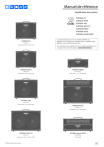
Manuel de référence
Amplificateur pour guitare
KATANA-50
KATANA-50 EX
KATANA-100
KATANA-100/212
KATANA-HEAD
KATANA-Artist
KATANA-Artist HEAD
KATANA-50
KTN-50 3
Haut-parleur 30 cm, sortie 50 W
KATANA-50 EX
Ce mode d’emploi concerne les modèles KATANA-50,
KATANA-50 EX, KATANA-100, KATANA-100/212, KATANA-HEAD,
KATANA-Artist et KATANA-Artist HEAD.
Les explications qui s’appliquent à des modèles spécifiques sont
marquées d’une icône (exemple : 100/212, HEAD seulement ).
KATANA-HEAD
KTN50 3EX
KTN-HEAD 3
Haut-parleur 30 cm, sortie 50 W
Haut-parleur 12 cm, sortie 100 W
KATANA-100
KTN-100 3
Haut-parleur 30 cm, sortie 100 W
KATANA-Artist
KTN-ART 3
Haut-parleur 30 cm, sortie 100 W
KATANA-100/212
KATANA-Artist HEAD
KTN-212 3
KTN-ART3HD
Haut-parleur 30 cm, 2 sorties 100 W
Sortie 100 W.
© 2024 Roland Corporation
02
Description de l’appareil
Façade supérieure/avant
KATANA-50, KATANA-50 EX, KATANA-100, KATANA-100/212, KATANA-HEAD
* L’illustration présente le KATANA-HEAD.
* Le KATANA-50/KATANA-50 EX ne dispose pas des commandes suivantes : molette [PRESENCE], commutateur [CAB RESONANCE], bouton [BLOOM], bouton [CONTOUR],
boutons TONE SETTING [CH3] et [CH4], bouton [SOLO].
5
1
2
3
4
7
KATANA-Artist, KATANA-Artist HEAD
1
2
9
11
13
5
3
4
1 Prise INPUT
6
7
12
8
9
10
11
Molette [BASS]
Règle le niveau sonore des basses fréquences.
2 AMPLIFIER
Molette [AMP TYPE]
Molette [MIDDLE]
Sélectionne le type d’amplificateur. Tous les types d’amplificateurs
fournis sont originaux.
Règle le niveau sonore des moyennes fréquences.
Type
BROWN
LEAD
CRUNCH
PUSHED
CLEAN
ACOUSTIC
13
1 EQUALIZER
Connectez votre guitare électrique à cette entrée.
Explication
Son lead avec une touche héritée du « brown sound »
de BOSS WAZA.
Différents réglages de gain permettent d’obtenir une
large gamme de sonorités, depuis le crunch jusqu’au
gain élevé.
Son crunch épais répondant fidèlement aux nuances
de votre attaque.
Son ample et percutant dont le timbre réagit aux
nuances de votre attaque.
Son clair et naturel. Il peut être utilisé avec BOOSTER
pour un son solo ou lead.
Amplificateur de guitare acoustique dédié à la
connexion d’une guitare acoustique.
Bouton [VARIATION]
Change la variante AMP TYPE.
Molette [GAIN]
Permet de régler le gain (niveau de distorsion).
Molette [VOLUME]
Permet de régler le volume.
Bouton [BLOOM]
HEAD, Artist, Artist HEAD uniquement
Lorsque ce bouton est activé, le circuit de l’ampli de puissance
change pour produire un son avec des fréquences basses
dynamiques.
2
8
12
Molette [TREBLE]
Règle le niveau sonore des hautes fréquences.
Bouton [CONTOUR]
100, 100/212, HEAD, Artist, Artist HEADuniquement
Sélectionnez un des trois types (vert/rouge/orange) de
caractéristiques de bande moyenne pour modifier la définition
sonore.
Vous passez d’un type à l’autre à chaque pression sur ce bouton
(vert Ó rouge Ó orangeÓ OFF).
Description de l’appareil
3 EFFECTS
Permet d’effectuer les réglages des effets intégrés.
Pour plus d’informations sur les types d’effets et les réglages de
chaque bouton, consultez la section « Utilisation des effets » (p. 12).
Bouton [BANK]
Artist, Artist HEAD seulement
Permet de basculer entre BANK A et BANK B.
Lorsque BANK B est sélectionné, le bouton [BANK] est allumé.
Molette/bouton [BOOSTER]
Boutons [CH1] à [CH4]
Règle les effets de distorsion.
Les boutons [CH 1] à [CH 4] ([CH 1] et [CH 2] sur le 50, 50 EX ) gardent
en mémoire les réglages de l’ensemble des boutons et molettes de la
façade supérieure (à l’exception de la molette [MASTER]).
Molette/bouton [MOD]
Lorsque vous maintenez un bouton enfoncé pendant une
seconde, les réglages de la façade sont mémorisés.
Règle l’effet de modulation.
Molette/bouton [FX]
Règle les effets tels que la wah-wah, le tremolo et l’octave.
* Vous pouvez réinitialiser les réglages aux paramètres d’usine en
mettant l’appareil sous tension tout en exerçant une pression
prolongée sur le bouton [PANEL] (p. 9).
Molette [DELAY]
Bouton [PANEL]
Règle l’effet de delay.
L’ampli utilise les réglages actuels des boutons pour produire le son.
Bouton [TAP]
6 Molette [RESONANCE] Artist, Artist HEAD seulement
Permet de régler la durée du delay. Lorsque vous appuyez sur
ce bouton deux fois ou plus, la durée du delay est réglée sur
l’intervalle entre les pressions.
Molette/bouton [REVERB]
Règle la définition des basses fréquences.
7 Molette [PRESENCE]
100, 100/212, HEAD, Artist, Artist HEADuniquement
Ajoute de la brillance à la plage des moyennes et hautes fréquences.
C’est un moyen efficace pour améliorer la définition du son.
Contrôle la reverb.
8 Molette [MASTER]
4 TONE SETTING
Permet de stocker ou rappeler des sons que vous avez configurés
sur la façade.
50, 50 EX
Règle le volume global.
9 SOLO
Vous pouvez stocker un total de quatre sons.
Bouton [SOLO]
BANK A
BANK B
Active ou désactive la fonction solo.
CH1, CH2
CH1, CH2
* Avec le KATANA-50 EX, vous pouvez utiliser les canaux CH3 et CH4
en connectant un GA-FC/GA-FC EX (vendu séparément).
100, 100/212, HEAD, Artist, Artist HEAD
100, 100/212, HEAD, Artist, Artist HEADuniquement
Molette [LEVEL] (Molette intérieure)
Artist, Artist HEAD seulement
Règle le volume utilisé pour le solo.
Molette [DELAY] (molette extérieure)
Artist, Artist HEAD seulement
Vous pouvez stocker un total de huit sons.
Règle l’effet de delay lorsque la fonction solo est activée.
BANK A
BANK B
Bouton [TAP]
MEMO
CH1, CH2, CH3, CH4
CH1, CH2, CH3, CH4
50, 50 EX, 100, 100/212, HEAD uniquement
Pour sélectionner la BANK A ou la BANK B, maintenez le bouton
[PANEL] enfoncé pendant environ une seconde lorsque l’un des
boutons [CH1]à [CH4] est sélectionné.
Le bouton [CH1]–[CH4] sélectionné clignote, et la banque bascule
entre BANK A et BANK B. Lorsque BANK B est sélectionné, le
bouton [PANEL] clignote lentement.
Définit la durée du delay lorsque la fonction solo est activée.
Lorsque vous appuyez sur ce bouton deux fois ou plus, la durée
du delay est réglée sur l’intervalle entre les pressions.
10 LINE OUT
Artist, Artist HEAD seulement
Position de la
Explication
molette
Vous pouvez sélectionner et utiliser les paramètres que
vous avez configurés sur l’application dédiée (p. 14).
CUSTOM
REC
LIVE
* Vous ne pouvez pas changer de banque lorsque PANEL est
sélectionné.
Artist, Artist HEAD seulement
BLEND
Chaque pression du bouton juste au-dessus de la
molette (le bouton CUSTOM) permet de sélectionner
l’un des deux réglages (vert ou rouge).
* Le bouton CUSTOM ne fonctionne que lorsque la
molette est réglée sur CUSTOM.
Un son capté à distance pour l’enregistrement.
Un son rapproché de type concert.
Un son offrant un bon mélange de sons proches et
lointains qui peut être utilisé globalement pour les
concerts ou les enregistrements.
3
Description de l’appareil
11 Commutateur [POWER CONTROL]
Permet de modifier le niveau de sortie de l’amplificateur de
puissance en fonction du lieu ou de vos besoins. En sélectionnant
« STANDBY », vous pouvez couper le son tout en laissant l’appareil
allumé.
Lorsque le son est coupé, les boutons [CH1] à [PANEL]
sélectionnés clignotent.
Vous pouvez ainsi couper le son de l’amplificateur sans modifier
le volume ou d’autres réglages lorsque vous quittez la scène, par
exemple entre les différentes parties de votre concert.
Bouton [GLOBAL EQ] Artist, Artist HEAD seulement
Active/désactive l’égaliseur global.
Vous pouvez également sélectionner un des trois réglages
d’égaliseur différents (vert/rouge/orange).
MEMO
Les trois égaliseurs globaux peuvent être configurés à l’aide de
l’appli dédiée (p. 14). Ils ne peuvent pas être configurés sur cet
appareil.
12 Commutateur [CAB RESONANCE] 100/212, HEAD, Artist, Artist HEAD seulement
Ajoute la résonance d’un caisson d’enceinte.
Valeur
Explication
VINTAGE
Son chaud et doux d’une enceinte à l’ancienne.
Son d’enceinte moderne qui se distingue par des
graves plus précis.
Son avec des graves puissants et un tranchant
distinctif.
MODERN
DEEP
13 Commutateur [POWER]
Mise sous ou hors tension
4
Description de l’appareil
Façade arrière
KATANA-50, KATANA-50 EX
KATANA-100, KATANA-100/212, KATANA-HEAD
14
26
20
21
22
15
23 24 25
20
* L’illustration présente le KATANA-50 EX. Le KATANA-50 ne
possède pas de prise LINE OUT ou GA-FC.
16
17
21
22
18
19
23 24 25
* L’illustration présente le KATANA-HEAD. Le KATANA-100 et le KATANA-100/212ne
possèdent pas de connecteur MIDI IN ou de prise SPEAKER OUT.
KATANA-Artist, KATANA-Artist HEAD
15
20
16
21
17
22
18
23 24
19
25
* L’illustration présente le KATANA-Artist HEAD.
14 Prise AC IN
Branchez le cordon d’alimentation fourni.
16 Connecteur MIDI IN
HEAD, Artist, Artist HEAD uniquement
Vous pouvez contrôler cette unité depuis un appareil multi-effets
ou un contrôleur à pédale MIDI.
15 Prise SPEAKER OUT HEAD, Artist, Artist HEAD uniquement
Connectez une enceinte de haut-parleur. Utilisez exclusivement
un câble pour haut-parleur pour brancher l’enceinte de hautparleur. N’utilisez pas un câble blindé conçu pour être utilisé avec
des guitares.
En cas de raccordement à un haut-parleur externe
HEAD
¹ Si une fiche est insérée dans cette prise, aucun son n’est émis
depuis le haut-parleur.
¹ Vous devez utiliser une enceinte avec une impédance d’entrée
de 8Ω ou supérieure.
Artist
¹ À la sortie d’usine de l’unité, le haut-parleur interne est
connecté à la prise 8Ω. Si une fiche est connectée à la prise 8Ω,
le son ne sort pas des prises 16Ω (A/B).
Mode de spécification du canal de réception MIDI
Canal de réception Opération
CH2
CH3
CH4
* Le canal de réception est défini sur CH1 à la sortie d’usine.
Données reçues
RX CH
OMNI
Si vous souhaitez utiliser un haut-parleur externe, débranchez
la fiche du haut-parleur interne de la prise 8Ω.
PC
Artist, Artist HEAD
¹ Si vous utilisez la prise 8Ω, vous devez utiliser un haut-parleur
dont l’impédance d’entrée est égale ou supérieure à 8Ω.
¹ Si vous utilisez les prises 16Ω (A/B), vous devez utiliser des
enceintes dont l’impédance d’entrée est de 16Ω ou plus.
Maintenez le bouton [CH1] enfoncé tout en
mettant l’appareil sous tension.
Maintenez le bouton [CH2] enfoncé tout en
mettant l’appareil sous tension.
Maintenez le bouton [CH3] enfoncé tout en
mettant l’appareil sous tension.
Maintenez le bouton [CH4] enfoncé tout en
mettant l’appareil sous tension.
CH1
1à4
OFF (fixe)
1 (00H) : BANK A CH1
2 (01H) : BANK A CH2
3 (02H) : BANK A CH3
4 (03H) : BANK A CH4
5 (04H) : PANEL
6 (05H) : BANK B CH1
7 (06H) : BANK B CH2
8 (07H) : BANK B CH3
9 (08H) : BANK B CH4
5
Description de l’appareil
CC
#16
#17
#18
#19
#20
#21
#80
#81
#82
#83
#84
BOOSTER SW
MOD SW
0 à 63 : OFF
FX SW
64 à 127 : ON
DELAY SW
REVERB SW
EFFECT LOOP SW
EXP PEDAL
GA-FC EXP PEDAL 1 (FX)
0 à 127
GA-FC EXP PEDAL 2 (VOLUME)
GA-FC (FS1)
0 à 63 : OFF
GA-FC (FS2)
64 à 127 : ON
* Lorsque vous utilisez les molettes de la section EFFECTS, leurs
réglages deviennent opérationnels et le réglage activé/désactivé
ci-dessus est ignoré.
17 Prises EFFECT LOOP SEND/RETURN
100, 100/212, HEAD, Artist, Artist HEADuniquement
Branchez une unité d’effets externe (mono).
Branchez la prise SEND à l’entrée de votre dispositif d’effets
externe et branchez la sortie de votre dispositif d’effets externe
sur la prise RETURN.
18 Commutateur [STEREO EXPAND]
Vous pouvez brancher deux unités KATANA comme sorties stéréo.
Schéma de connexion stéréo
20 FOOT CONTROL
POINTE : CH1/CH2, MANCHON : prise SOLO
50 uniquement
Connectez un commutateur au pied (FS-6, FS-7 ou FS-5L, vendu
séparément) ici pour passer du CH1 au CH2 et activer/désactiver
la fonction solo avec vos pieds.
Prise EXP PEDAL
Branchez ici une pédale d’expression (Roland EV-30, FV-500L, FV500H ou EV-5; vendues séparément) pour contrôler le volume.
GA-FC (POINTE : CH1/CH2, MANCHON : SOLO)
50 EX, 100, 100/212, HEAD, Artist, Artist HEADuniquement
Vous pouvez connecter les GA-FC/GA-FC EX, vendus séparément,
pour passer d’un canal à l’autre et activer ou désactiver les effets.
Connectez un commutateur au pied (FS-6, FS-7 ou FS-5L, vendu
séparément) ici pour passer du CH1 au CH2 et activer/désactiver
la fonction solo avec vos pieds.
21 Port USB ă
Vous pouvez utiliser un câble USB Type-C® disponible dans
le commerce pour enregistrer le son de cette unité sur votre
ordinateur. Vous pouvez également utiliser l’application dédiée
pour modifier les réglages des effets internes (p. 14).
* N’utilisez pas de câbles USB conçus uniquement pour la recharge.
Les câbles uniquement conçus pour la charge ne peuvent pas
transmettre de données.
Ampli 1
Ampli 2
Vous devez installer le pilote USB avant la connexion de cet
appareil à un ordinateur.
1. Connectez la prise LINE OUT de l’ampli #1 auquel
votre guitare est connectée sur la prise POWER
AMP IN de l’ampli #2.
2. Activez le commutateur [STEREO EXPAND] des deux
amplis.
* Aucune des commandes de l’ampli #2 ne répond dans ce cas, à
l’exception de la molette [MASTER] et du commutateur [POWER
CONTROL].
19 Prise POWER AMP IN
Cette prise transmet directement un signal à l’amplificateur de
puissance sans le faire passer par le préampli du KATANA. Cela
vous permet entre autres d’entrer le son d’un préampli externe ou
les sons que vous avez créés à l’aide d’une unité multi-effet avec
simulateur d’ampli intégré.
Lorsque vous utilisez la prise POWER AMP IN, le bouton [PANEL]
s’allume en vert (ou en rouge, lorsque le commutateur [STEREO
EXPAND] est activé).
* Aucune des commandes n’affecte le son entré sur cette prise, à
l’exception de la molette [MASTER] et du commutateur [POWER
CONTROL].
* Réglez le commutateur [STEREO EXPAND] sur « OFF » si vous
n’utilisez pas deux KATANA pour une connexion stéréo.
* Vous ne pouvez pas utiliser simultanément la prise POWER AMP
IN et la prise INPUT. Si un câble est connecté aux deux prises, la
prise INPUT est prioritaire.
6
Téléchargez le pilote USB sur le site Internet de BOSS. Pour plus
de détails, reportez-vous au fichier « Readme.htm » livré avec le
téléchargement.
https://www.boss.info/support/
22 Prise Bluetooth ADAPTOR
Connectez l’adaptateur double MIDI audio Bluetooth® (BT-DUAL,
vendu séparément) pour lire de la musique sans fil à partir de vos
appareils mobiles tels que smartphones ou tablettes (dénommés
ci-après « appareil mobile »), ou pour modifier les effets à partir
d’une application dédiée sur votre appareil mobile (p. 15).
23 Prise AUX IN
Vous pouvez connecter ici un lecteur CD, un lecteur audio,
un instrument de musique électronique ou une source audio
similaire, et l’écouter pendant que vous jouez de la guitare.
24 Prise STEREO PHONES
Branchez vos écouteurs à cette prise. Vous pouvez obtenir des
sons d’amplificateur de guitare puissants comme si vous étiez
en train de jouer via le haut-parleur. Utilisez la molette [MASTER]
pour régler le volume.
* Si une fiche est insérée dans cette prise, aucun son n’est émis
depuis le haut-parleur. Cette fonctionnalité est très pratique si
vous ne souhaitez pas que le haut-parleur émette un son fort,
lorsque vous jouez la nuit par exemple.
Description de l’appareil
25 Prise LINE OUT
50 EX, 100, 100/212, HEAD, Artist, Artist HEADuniquement
Connectez cette prise à votre système de diffusion ou à votre
enregistreur. Vous pouvez obtenir des sons d’amplificateur de
guitare puissants comme si vous étiez en train de jouer via le
haut-parleur.
Enregistreur, etc.
Vous pouvez utiliser cette fonction conjointement avec
un système de diffusion externe ou pour enregistrer votre
interprétation via une ligne directe, tout en écoutant le son émis
par le haut-parleur de cet appareil.
Réglez le niveau de sortie à l’aide de la molette [VOLUME].
La molette [MASTER] n’affectant pas la sortie, vous pouvez réduire
son niveau de manière à ce que le son soit envoyé à un appareil
connecté sans que l’amplificateur lui-même produise un son.
* Afin d’éviter des risques de dysfonctionnement ou de panne de
l’équipement, veillez à toujours réduire le volume et à couper
l’alimentation de tous les appareils avant de les connecter.
Prise LINE OUT (XLR), commutateur [GND LIFT]
Artist, Artist HEAD seulement
Il peut arriver que vous entendiez un bourdonnement grave de
boucle de masse lorsque des appareils externes sont connectés à
cet appareil.
Dans de tels cas, vous pourrez peut-être atténuer le problème
en changeant la position du commutateur [GND LIFT]. Le
commutateur [GND LIFT] doit normalement être réglé sur OFF.
Commutateur Explication
ON
OFF
La broche 1 de la prise BALANCED OUT est
déconnectée de la prise GND de cet appareil.
La broche 1 de la prise BALANCED OUT est
connectée à la prise GND de cet appareil.
* Affectation des broches de la prise LINE OUT (XLR)
1: GND
2: HOT
3: COLD
* Lorsqu’un appareil est connecté à la prise LINE OUT, aucun son
n’est émis par le connecteur LINE OUT (XLR).
À propos du mode STEREO EXPAND sur le
KATANA-50 EX
Vous pouvez connecter deux unités KATANA-50 EX pour
obtenir une sortie stéréo (mode STEREO EXPAND).
1. Allumez les amplis 1 et 2 tout en maintenant
les boutons [CH2] et [PANEL] enfoncés.
2. Connectez la prise LINE OUT de l’ampli #1
auquel votre guitare est connectée sur la prise
POWER AMP IN de l’ampli #2.
Ampli 1
Ampli 2
* Utilisation de l’ampli 2
Lorsque vous utilisez le mode STEREO EXPAND, le bouton
[PANEL] s’allume en rouge et vous ne pouvez utiliser que la
molette [MASTER] et le commutateur [POWER CONTROL].
* Pour revenir en sortie LINE normale, éteignez l’alimentation,
puis rallumez-la tout en maintenant les boutons [CH2] et
[PANEL] enfoncés.
7
Description de l’appareil
Connexion d’un commutateur au pied
Connexion d’un commutateur au pied (FS-6, FS-7 ou FS-5L; vendus
séparément)
Utilisation des pédales d’expression
En connectant une pédale d’expression (Roland EV-30, FV-500L,
FV-500H ou EV-5; vendues séparément), vous pouvez utiliser la
pédale pour faire varier le volume ou contrôler un effet tel que la
wah-wah.
Façade arrière
GA-FC
Jack stéréo 6,35 mm Ð
Jack stéréo 6,35 mm Ð
Jack stéréo 6,35 mm
Prise jack 6,35 mm x 2
ou
FS-6
RING
Pédale d’expression
ou
FS-7
FS-5L
RING
POINTE
POINTE
RING
POINTE
Prise
Explication
VOLUME
EXP
Permet de régler le volume.
Vous pouvez contrôler un effet tel que la wah-wah.
* Vous pouvez également utiliser l’application dédiée (p. 14) pour
assigner une fonction de votre choix à une pédale d’expression
connectée à la prise VOLUME ou EXP.
Réglage du MINIMUM VOLUME pour la pédale d’expression
Commutateur
Explication
POINTE
RING
Permet de basculer entre CH1 et CH2.
Permet d’activer ou de désactiver la fonction SOLO.
* Cet appareil est compatible avec les commutateurs au pied à
verrouillage (FS-6, FS-7 ou FS-5L; vendus séparément). Si vous
utilisez un commutateur au pied FS-6 ou FS-7, réglez le mode
de A et B sur FS-5L (LATCH). Il n’est pas possible d’utiliser des
commutateurs au pied de type momentané (comme le FS-5U).
Connexion du GA-FC ou du GA-FC EX
50 EX, 100, 100/212, HEAD, Artist, Artist HEADuniquement
La molette [MINIMUM VOLUME] d’une pédale d’expression vous
permet de régler la valeur lorsque la pédale est complètement
relevée (valeur la plus faible).
Molette [MINIMUM VOLUME]
* Utilisez exclusivement les pédales d’expression spécifiées.
La connexion d’autres types de pédales d’expression
risque d’endommager l’appareil ou de provoquer des
dysfonctionnements.
Raccordez un câble stéréo à la prise GA-FC.
Utilisation d’un commutateur au pied
* Utilisez toujours un câble stéréo.
Lorsqu’un commutateur au pied (FS-6, FS-7 ou FS-5U) est branché,
vous pouvez l’utiliser pour sélectionner la BANK A ou B du TONE
SETTING ou pour régler le temps de delay (entrée en tapant).
* Utilisez des câbles ne comprenant pas de résistances.
Type casque 6,35 mm Ð type casque 6,35 mm
GA-FC
Utilisation du GA-FC ou du GA-FC EX
Connecteur Explication
Vous pouvez changer TONE SELECT (CH1–CH4, PANEL).
FS1
Vous pouvez également activer ou désactiver les effets (BOOSTER,
MOD, FX, DELAY, REVERB) en réglant le commutateur [EFFECTS] sur ON.
FS2
À chaque pression prolongée d’un des commutateurs [CH1] à [CH4]
ou [PANEL], vous pouvez activer ou désactiver le mode solo (le
témoin clignote lentement lorsque le mode solo est activé).
De plus, lorsque vous appuyez longuement sur le commutateur
[EFFECTS] (le témoin clignote), vous pouvez utiliser le commutateur
[DELAY] pour taper sur entrer en tapant la durée du Delay 1, et le
commutateur [REVERB] pour entrer en tapant la durée du Delay 2.
8
Permet de sélectionner la BANK A ou la BANK B de TONE
SETTING.
Permet de régler la durée du delay. Lorsque vous appuyez
sur ce bouton deux fois ou plus, la durée du delay est
réglée sur l’intervalle entre les pressions.
* Vous pouvez également utiliser l’application dédiée (p. 14) pour
assigner une fonction de votre choix à une pédale connectée à la
prise FS1 ou FS2.
Description de l’appareil
Passer d’une banque à l’autre avec le GA-FC/GA-FC EX
Après avoir sélectionné l’un des canaux [CH1]–[CH4], maintenez le
commutateur [PANEL] enfoncé pendant une seconde environ.
Lorsque BANK B est sélectionné, le bouton [PANEL] clignote
lentement.
GA-FC
* Vous ne pouvez pas changer de banque lorsque PANEL est
sélectionné.
Mise sous ou hors tension
* Une fois que l’équipement est correctement connecté
(p. 5–p. 7), veillez à suivre la procédure de mise sous tension
décrite ci-dessous. Si vous n’allumez pas l’équipement dans le bon
ordre, vous risquez de provoquer des dysfonctionnements ou une
panne de l’équipement.
* Avant la mise sous/hors tension, veillez toujours à régler le
volume au minimum. Même si le volume est réglé au minimum,
il se peut que vous entendiez du son en mettant l’appareil sous/
hors tension. Ce phénomène est tout à fait normal et n’indique
aucunement un dysfonctionnement.
1. Assurez-vous que la molette [MASTER] de cet
appareil ainsi que les réglages de volume de tous
les appareils connectés sont réglés sur « 0 ».
* Avant de brancher votre instrument sur la prise INPUT de cet appareil,
réglez la molette [MASTER] sur le niveau minimum (tout à gauche).
2. Allumez l’appareil.
3. Mettez les appareils connectés à la prise LINE OUT
et aux prises PHONES/REC OUT sous tension.
4. Réglez le volume des appareils.
Avant de couper l’alimentation, réduisez le volume de tous vos
appareils connectés, puis mettez l’appareil hors tension
(en procédant dans l’ordre inverse de la mise sous tension).
* Si vous avez besoin de couper complètement l’alimentation,
commencez par mettre l’appareil hors tension, puis débranchez le
cordon d’alimentation de la prise secteur.
Pour plus d’informations, consultez la section « Pour couper
complètement l’alimentation de l’appareil, débranchez la fiche de
la prise murale » dans le Guide de démarrage (inclus).
Rétablissement des paramètres d’usine
Cette section explique comment rétablir les réglages de cet appareil
à leurs paramètres d’usine (rétablissement des paramètres d’usine).
1. Débranchez tous les appareils connectés, puis
mettez l’appareil sous tension tout en maintenant
le bouton [PANEL] enfoncé.
Chacun des boutons EFFECTS continue de clignoter de manière
consécutive en partant de la gauche.
Lorsque le clignotement cesse, tous les réglages de cet appareil
sont rétablis à leur état d’usine.
* Le rétablissement des paramètres d’usine demande 30 secondes
environ. Ne mettez pas l’appareil hors tension durant cette opération.
9
Description de l’appareil
Connexion du GA-FC EX ou du GA-FC
50 EX, 100, 100/212, HEAD, Artist, Artist HEADuniquement
Connexions
Branchez un câble stéréo à la prise GA-FC KATANA.
* Utilisez toujours un câble stéréo.
Amp
Changer de mode d’opération avec le GA-FC EX/GA-FC
Appuyez sur le commutateur [EFFECTS] du GA-FC EX/GA-FC pour changer de mode de fonctionnement pour le GA-FC EX/GA-FC.
Appuyez sur le commutateur [EFFECTS] pendant au moins une seconde pour changer le mode de fonctionnement sur « FUNCTION ». Les
commutateurs [CH 1] à [PEDAL] fonctionnent ainsi comme des commutateurs de FUNCTION. Vous pouvez utiliser l’application dédiée (p. 14)
pour affecter diverses fonctions aux commutateurs [CH 1] à [PEDAL].
Témoins EFFECTS
Mode de fonctionnement
Éteint
Allumé
Clignote
Sélection de canal
Permet d’activer ou non l’effet.
FUNCTION
Témoin EFFECTS
GA-FC EX
Témoin EFFECTS
GA-FC
Utilisation d’un commutateur au pied et d’une pédale d’expression
Branchez une pédale d’expression (Roland FV-500L, FV-500H ou EV-5; vendues séparément) pour contrôler le volume ou d’autres paramètres.
Lorsqu’un commutateur au pied (FS-5U; vendu séparément) est branché, vous pouvez l’utiliser pour sélectionner la BANK A ou B du TONE SETTING
ou pour régler le temps de delay (entrée en tapant).
Câble mono
ou
ou
GA-FC EX UNIQUEMENT
Câble mono
Lorsque le commutateur [MODE] du GA-FC EX est réglé sur « EXP PEDAL 3 », vous
pouvez connecter une troisième pédale d’expression ou un troisième commutateur
au pied (seulement les amplis compatibles avec le GA-FC EX).
* Vous pouvez utiliser l’application dédiée (p. 14) pour affecter diverses fonctions à la pédale d’expression..
* Utilisez uniquement une des pédales d’expression spécifiées (Roland FV-500L, FV-500H ou EV-5; vendues séparément). La connexion d’autres
types de pédales d’expression risque d’endommager l’appareil ou de provoquer des dysfonctionnements.
10
Description de l’appareil
Branchement d’un deuxième GA-FC EX (or GA-FC)
Lorsque le commutateur [MODE] du GA-FC EX est réglé sur « EXPAND », vous pouvez connecter un second GA-FC EX (ou GA-FC).
Par exemple, vous pouvez utiliser la première pédale pour passer d’un canal à l’autre, et la seconde pour passer d’un effet à l’autre.
Première unité
Deuxième unité
Ampli
FOOT CONTROL 1 (GA-FC EX)
FOOT CONTROL (GA-FC)
Première
unité
Deuxième
unité
Utilisée uniquement pour passer d’un canal à l’autre.
Utilisée uniquement pour activer ou désactiver les effets, ou pour passer d’une fonction à l’autre.
Branchement d’un deuxième ampli (amplis #1 et #2)
GA-FC EX UNIQUEMENT
Lorsque le commutateur [MODE] du GA-FC EX est réglé sur « FOOT CONTROL 2 », vous pouvez connecter un second ampli (seulement les amplis
compatibles avec le GA-FC EX).
Ampli 1
(CONTROL 1)
Ampli 2
(CONTROL 2)
Commutation entre les amplis à contrôler
Lorsque vous connectez deux amplis, vous pouvez choisir l’ampli à contrôler.
Appuyez sur les deux commutateurs en même temps pendant au moins une seconde pour basculer de l’un à l’autre.
Commutateurs
Ampli à contrôler
Explication
Commutateur [CH 2] +
commutateur [CH 3]
CONTROL 1
Contrôle l’ampli CONTROL 1.
Contrôle simultanément les amplis CONTROL 1 et le CONTROL 2.
Cela vous permet d’utiliser les deux amplis comme un double ampli, avec les mêmes réglages.
Commutateur [CH 3] +
commutateur [CH 4]
CONTROL 1 et 2
* Les différents témoins du GA-FC EX s’allument en fonction des réglages du CONTROL 1.
Commutateur [CH 4] +
commutateur [PANEL]
CONTROL 2
Contrôle l’ampli CONTROL 2.
* Si vous utilisez le CONTROL 1 ou le CONTROL 2 pendant que vous utilisez CONTROL 1&2,
les témoins des amplis (comme leur état on/off ) peuvent ne pas correspondre à ce que
vous voyez sur le GA-FC EX.
Le témoin de l’ampli contrôlé s’allume.
11
Utilisation des effets
Sur l’ampli KATANA, vous pouvez utiliser trois types d’effets
simultanément.
1. Appuyez sur le bouton [BOOSTER], [MOD], [DELAY],
[FX] ou [REVERB] pour sélectionner l’effet à utiliser.
À chaque pression sur le bouton, sa couleur change.
Effets affectés à chaque bouton à la sortie d’usine
* Les effets affichés en gras s’activent après le rappel d’un réglage
de son.
A: CH 1 « Chunky Brown »
Bouton
2. Tournez le bouton pour régler la profondeur de
l’effet.
Bouton
BOOSTER
(molette
extérieure)
Profondeur
MOD (molette
intérieure)
Profondeur FX
(molette
extérieure)
Profondeur
DELAY
(molette
intérieure)
Bouton
Bouton
Couleur du
bouton
BOOSTER
MOD
Vert
TREBLE BST
CHORUS
Rouge
OVERDRIVE
PHASER 90E
Orange
DISTORTION
FLNGR 117E
Couleur du
bouton
FX
DELAY
Vert
TREMOLO
DIGITAL
Rouge
T.WAH
ANALOG
Orange
FLNGR 117E
SDE-3000
Couleur du
bouton
MODE
DELAY2
REVERB
Vert
REVERB
DIGITAL
PLATE
Rouge
REVERB
ANALOG
SPRING
Orange
REVERB
TAPE ECHO
HALL
Profondeur
REVERB
A: CH 2 « Picking Pushed »
Bouton
Bouton
Bouton
12
Couleur du
bouton
BOOSTER
MOD
Vert
CLEAN BST
T.WAH
Rouge
MID BST
COMP
Orange
TREBLE BST
LIMITER
Couleur du
bouton
FX
DELAY
Vert
PHASER 90E
TAPE ECHO
Rouge
FLNGR 117E
ANALOG
Orange
TREMOLO
DIGITAL
Couleur du
bouton
MODE
DELAY2
REVERB
Vert
REVERB
TAPE ECHO
SPRING
Rouge
REVERB
SDE-3000
PLATE
Orange
REVERB
SDE-3000
HALL
Utilisation des effets
B: CH 1 « Sparkle Clean »
A: CH 3 « Riff Shred »
Bouton
Bouton
Bouton
Couleur du
bouton
BOOSTER
MOD
Couleur du
bouton
BOOSTER
MOD
Vert
BLUES DRIVE
CHORUS
Vert
BLUES DRIVE
CHORUS
Rouge
OVERDRIVE
PHASER 90E
Rouge
OVERDRIVE
PHASER 90E
Orange
DISTORTION
FLNGR 117E
Orange
DISTORTION
FLNGR 117E
Couleur du
bouton
FX
DELAY
Couleur du
bouton
FX
DELAY
Vert
TREMOLO
DIGITAL
Vert
TREMOLO
DIGITAL
Rouge
T.WAH
ANALOG
Rouge
T.WAH
ANALOG
Orange
HEAVY OCT
TAPE ECHO
Orange
HEAVY OCT
TAPE ECHO
Couleur du
bouton
MODE
DELAY2
REVERB
Couleur du
bouton
MODE
DELAY2
REVERB
Vert
REVERB
DIGITAL
PLATE
Vert
REVERB
DIGITAL
PLATE
Rouge
REVERB
ANALOG
SPRING
Rouge
REVERB
ANALOG
SPRING
Orange
REVERB
TAPE ECHO
HALL
Orange
REVERB
TAPE ECHO
HALL
Bouton
A: CH 4 « Bloom Crunch »
Bouton
Bouton
Bouton
Bouton
Bouton
B: CH 2 « Church Brown »
Couleur du
bouton
BOOSTER
MOD
Couleur du
bouton
BOOSTER
MOD
Vert
BLUES DRIVE
CHORUS
Vert
CLEAN BST
DC-30
Rouge
OVERDRIVE
PHASER 90E
Rouge
MID BST
COMP
Orange
DISTORTION
FLNGR 117E
Orange
TREBLE BST
LIMITER
Couleur du
bouton
FX
DELAY
Couleur du
bouton
FX
DELAY
Vert
TREMOLO
TAPE ECHO
Vert
PHASER 90E
SDE-3000
Rouge
T.WAH
ANALOG
Rouge
FLNGR 117E
DIGITAL
Orange
HEAVY OCT
DIGITAL
Orange
PITCH SHIFT
MODULATE
Couleur du
bouton
MODE
DELAY2
REVERB
Couleur du
bouton
MODE
DELAY2
REVERB
Vert
REVERB
TAPE ECHO
PLATE
Vert
REVERB
TAPE ECHO
PLATE
Rouge
REVERB
ANALOG
SPRING
Rouge
REVERB
SDE-3000
PLATE
Orange
REVERB
DIGITAL
HALL
Orange
REVERB
SDE-3000
HALL
Bouton
Bouton
Bouton
13
Utilisation des effets
B: CH 4 « Bite Lead »
B: CH 3 « Spongy Crunch »
Bouton
Bouton
Bouton
Couleur du
bouton
BOOSTER
MOD
Couleur du
bouton
BOOSTER
MOD
Vert
CLEAN BST
DC-30
Vert
CLEAN BST
DC-30
Rouge
MID BST
COMP
Rouge
MID BST
COMP
Orange
TREBLE BST
LIMITER
Orange
TREBLE BST
LIMITER
Couleur du
bouton
FX
DELAY
Couleur du
bouton
FX
DELAY
Vert
PHASER 90E
SDE-3000
Vert
PHASER 90E
SDE-3000
Rouge
FLNGR 117E
DIGITAL
Rouge
FLNGR 117E
DIGITAL
Orange
PITCH SHIFT
MODULATE
Orange
PITCH SHIFT
MODULATE
Couleur du
bouton
MODE
DELAY2
REVERB
Couleur du
bouton
MODE
DELAY2
REVERB
Vert
REVERB
TAPE ECHO
PLATE
Vert
REVERB
TAPE ECHO
PLATE
Rouge
REVERB
SDE-3000
PLATE
Rouge
REVERB
SDE-3000
PLATE
Orange
REVERB
SDE-3000
HALL
Orange
REVERB
SDE-3000
HALL
Bouton
Bouton
Bouton
Utilisation de l’application dédiée du KATANA
Vous pouvez brancher l’amplificateur KATANA à votre ordinateur en USB et l’utiliser avec une application dédiée.
Les opérations suivantes sont disponibles dans l’application dédiée « BOSS TONE STUDIO for KATANA Gen3 ».
¹ Modifiez les réglages des effets.
¹ Sauvegarder les effets et autres réglages internes, ou restaurer les réglages à partir d’une sauvegarde.
Téléchargez l’application dédiée sur le site web de BOSS (https://www.boss.info/support/).
14
Connexion sans fil avec un appareil mobile
Fixez le BT-DUAL (vendu séparément) au KATANA pour lire de la musique sans fil provenant de votre appareil mobile ou pour modifier les effets de
cet appareil à partir de l’application sur votre appareil mobile.
Notez que l’ampli KATANA n’offre pas de fonctionnalité Bluetooth. Le BT-DUAL (vendu séparément) doit être connecté pour lui permettre d’utiliser
le Bluetooth.
Fixation du BT-DUAL
Branchez le BT-DUAL au connecteur Bluetooth ADAPTOR.
Écoute du son à l’aide d’une connexion
sans fil vers un appareil mobile
1. Éteignez votre ampli et débranchez l’adaptateur
secteur de la prise secteur.
Fonctionnalité audio Bluetooth®
2. Retirez le cache et la vis du connecteur Bluetooth
ADAPTOR de la façade arrière.
Vous pouvez lire de la musique ou du contenu vidéo musical sur un
appareil mobile doté de la fonctionnalité audio Bluetooth, et écouter
le contenu sur cet appareil à l’aide de l’enceinte de l’ampli ou d’une
enceinte connectée à l’ampli.
Enregistrement d’un appareil mobile
(appariement)
3. Fixez le BT-DUAL et remettez en place la vis que
vous avez retirée à l’étape 2.
L’« appariement » consiste à enregistrer l’appareil mobile que vous
souhaitez utiliser avec l’ampli KATANA (faisant en sorte que les deux
appareils se reconnaissent).
Cette configuration décrit les paramètres nécessaires pour que les
données musicales enregistrées sur votre appareil mobile puissent
être lues sans fil via l’ampli KATANA.
MEMO
La procédure détaillée ci-après l’est seulement à titre d’exemple.
Pour plus d’informations, reportez-vous au mode d’emploi de
votre appareil mobile.
1. Allumez votre ampli.
NOTE
2. Placez l’appareil mobile à connecter à proximité de
l’ampli.
¹ Ne touchez pas les circuits ou les prises.
3. Maintenez le bouton d’appariement du BT-DUAL
enfoncé jusqu’à ce que le témoin Bluetooth
clignote rapidement.
¹ Veillez à n’utiliser que la vis qui était initialement montée sur le
connecteur Bluetooth ADAPTOR. Si vous utilisez une vis différente,
l’appareil peut mal fonctionner.
¹ Après avoir fixé l’adaptateur, vérifiez à nouveau s’il est
correctement installé.
Témoin Bluetooth
4. Activez la fonction Bluetooth de l’appareil mobile.
MEMO
Les explications ci-dessous prennent un iPhone pour exemple.
Pour plus d’informations, reportez-vous au mode d’emploi de
votre appareil mobile.
5. Appuyez sur « KATANA 3 Audio » qui s’affiche sur
l’écran Bluetooth de votre appareil mobile.
Cette opération apparie le BT-DUAL avec votre appareil mobile.
Quand l’appariement est terminé, « KATANA 3 Audio » est ajouté à
la liste des « Appareils appariés » sur votre appareil mobile.
* Si vous n’effectuez pas l’appariement avant un certain temps, le
témoin Bluetooth s’éteint et l’appareil quitte le mode d’attente
d’appariement.
15
Connexion sans fil avec un appareil mobile
Connecter un appareil mobile déjà apparié
1. Lorsque le témoin [Bluetooth] du BT-DUAL est
éteint, appuyez sur le bouton d’appariement.
2. Activez la fonction Bluetooth de l’appareil mobile.
MEMO
¹ Si vous n’avez pas réussi à établir une connexion à l’aide des
étapes ci-dessus, appuyez sur « KATANA 3 Audio » qui s’affiche sur
l’écran de dispositif Bluetooth de l’appareil mobile.
¹ Pour le déconnecter, appuyez sur le bouton d’appariement du
BT-DUAL pour éteindre le témoin Bluetooth ou désactivez la
fonction Bluetooth de l’appareil mobile.
Désactivation de la fonction Bluetooth
Si vous souhaitez interrompre la connexion Bluetooth entre le
BT-DUAL et votre appareil mobile, désactivez la fonction Bluetooth.
1. Appuyez sur le bouton d’appariement du BT-DUAL.
Le témoin Bluetooth s’éteint.
Contrôler l’ampli depuis l’application
dédiée sur votre appareil mobile
Vous pouvez utiliser l’application dédiée « BOSS TONE STUDIO for
KATANA Gen3 » pour modifier les effets et enregistrer les réglages de
cet appareil.
Pour plus d’informations sur BOSS TONE STUDIO pour KATANA Gen3,
reportez-vous au site web de BOSS.
https://www.boss.info/
Réglage du volume
1. Réglez le volume sur l’appareil mobile.
Réglez le volume du son Bluetooth.
2. Tournez la molette [MASTER VOLUME] sur l’ampli
KATANA.
La molette [MASTER VOLUME] contrôle le son Bluetooth, celui des
appareils connectés au port USB et le volume du son des appareils
mobiles connectés à la prise AUX IN.
Tourner la molette [MASTER VOLUME] contrôle à la fois le volume
de l’audio Bluetooth et le volume des appareils connectés à
chaque prise.
Configuración del controlador USB
A continuación, se explica cómo se cambia entre el controlador que proporciona su sistema operativo y el controlador dedicado de KATANA3
(programa del sistema versión 1.07 o posterior).
* Este ajuste se mantiene incluso al apagar la unidad.
Controlador
Vendor
32bit/96kHz
(Máximo)
Generic
16bit/48kHz
16
Explicación
Elija esto para utilizar el controlador dedicado de
KATANA3 proporcionado por BOSS. Puede usar
la aplicación dedicada “BOSS TONE STUDIO para
KATANA Gen3”.
Se pueden utilizar MIDI y audio USB.
Active el amplificador mientras mantiene
presionado el botón [BOOSTER].
Elija esto cuando use el controlador USB estándar
proporcionado con su sistema operativo.
Solo se admiten señales de audio USB. MIDI no es
compatible.
Active el amplificador mientras mantiene
presionado el botón [MOD].
MEMO
Cuando se utiliza el controlador estándar del sistema operativo
(Generic), las señales de audio USB son de entrada/salida entre el
efecto y el VOLUMEN MAESTRO en la cadena de señal.
Señal de audio USB: PRIMARIA (Windows), ENTRADA 1/2, SALIDA
ESTÉREO 1/2 (Mac)
Ø Schéma fonctionnel (al final del manual)
Spécifications principales
* Ce document décrit les spécifications du produit à l’heure de publication du document. Pour obtenir les informations les plus récentes,
consultez le site web de Roland.
KATANA-50
Puissance de sortie nominale
Niveau d’entrée nominal
Haut-parleur
50 W
INPUT : -10 dBu (1 MΩ)
AUX IN : -10 dBu (20 kΩ)
30 cm x 1
Commutateur [POWER]
Molette [MASTER]
Commutateur [POWER CONTROL] : STANDBY, 0,5 W, HALF, MAX
<AMPLIFIER>
Bouton [VARIATION]
Commutateur [AMP TYPE] : ACOUSTIC, CLEAN, PUSHED, CRUNCH, LEAD, BROWN
Molette [GAIN]
Molette [VOLUME]
Commandes
<EQUALIZER>
Molette [BASS], molette [MIDDLE], molette [TREBLE]
<EFFECT>
Bouton [BOOSTER], bouton [MOD], bouton [FX], bouton [DELAY], bouton [REVERB], bouton [TAP]
Molette [BOOSTER], molette [MOD], molette [FX], molette [DELAY], molette [REVERB]
Témoins
Connecteurs
Consommation électrique
Dimensions (poignée et pieds en
caoutchouc compris)
Poids
Accessoires
Options (vendues séparément)
<TONE SETTING>
Bouton [CH1], bouton [CH2], bouton [PANEL]
VARIATION, BOOSTER, MOD, FX, DELAY, REVERB, TAP, CH1, CH2, PANEL
Prise INPUT
Jack 6,35 mm
Prise POWER AMP IN
Prise STEREO PHONES
POINTE : CH1/CH2, MANCHON : Prise SOLO
Prise EXP PEDAL
Prise AUX IN
Port USB COMPUTER
Bluetooth ADAPTOR SLOT
Prise AC IN
Jack 6,35 mm
Type casque stéréo 6,35 mm
type jack TRS 6,35 mm
type jack TRS 6,35 mm
type jack stéréo
USB type C®
Adaptateur double MIDI audio Bluetooth®
47 W
470 (L) x 238 (P) x 398 (H) mm
11,6 kg
Guide de démarrage, cordon d’alimentation
PÉDALE : FS-5L, FS-6, FS-7
Pédale d’expression : Roland EV‑30, FV-500L, FV-500H ou EV-5
Adaptateur Bluetooth® Audio MIDI Dual Adaptor (Modèle : BT-DUAL)
Support d’amplificateur : BAS-1
* 0 dBu = 0,775 Vrms
17
Spécifications principales
KATANA-50 EX
Puissance de sortie nominale
Niveau d’entrée nominal
Haut-parleur
50 W
INPUT : -10 dBu (1 MΩ)
AUX IN : -10 dBu (20 kΩ)
30 cm x 1
Commutateur [POWER]
Molette [MASTER]
Commutateur [POWER CONTROL] : STANDBY, 0,5 W, HALF, MAX
<AMPLIFIER>
Bouton [VARIATION]
Commutateur [AMP TYPE] : ACOUSTIC, CLEAN, PUSHED, CRUNCH, LEAD, BROWN
Molette [GAIN], molette [VOLUME]
Commandes
<EQUALIZER>
Molette [BASS], molette [MIDDLE], molette [TREBLE]
<EFFECT>
Bouton [BOOSTER], bouton [MOD], bouton [FX], bouton [DELAY], bouton [REVERB], bouton [TAP]
Molette [BOOSTER], molette [MOD], molette [FX], molette [DELAY], molette [REVERB]
Témoins
Connecteurs
<TONE SETTING>
Bouton [CH1], bouton [CH2], bouton [PANEL]
VARIATION, BOOSTER, MOD, FX, DELAY, REVERB, TAP, CH1, CH2, PANEL
Prise INPUT
Jack 6,35 mm
Prise POWER AMP IN
Jack 6,35 mm
Prise LINE OUT
Jack 6,35 mm
Prise STEREO PHONES
Type casque stéréo 6,35 mm
GA-FC (POINTE : CH1/CH2, MANCHON : SOLO)
type jack TRS 6,35 mm
Prise EXP PEDAL
type jack TRS 6,35 mm
Prise AUX IN
type mini-jack stéréo
Port USB COMPUTER
USB type C®
Bluetooth ADAPTOR SLOT
Adaptateur double MIDI audio Bluetooth®
Prise AC IN
Consommation électrique
Dimensions (poignée et pieds en
caoutchouc compris)
Poids
Accessoires
Options (vendues séparément)
* 0 dBu = 0,775 Vrms
18
47 W
470 (L) x 238 (P) x 398 (H) mm
11,7 kg
Guide de démarrage, cordon d’alimentation, autocollant GA-FC
PÉDALE : FS-5L, FS-6, FS-7
Pédale d’expression : Roland EV‑30, FV-500L, FV-500H, EV-5
GA FOOT CONTROLLER (GA-FC, GA-FC EX)
Adaptateur Bluetooth® Audio MIDI Dual Adaptor (Modèle : BT-DUAL)
Support d’amplificateur : BAS-1
Spécifications principales
KATANA-100
Puissance de sortie nominale
Niveau d’entrée nominal
Haut-parleur
100 W
INPUT : -10 dBu (1 MΩ)
AUX IN : -10 dBu (20 kΩ)
RETOUR : -10 dBu (100 kΩ)
30 cm x 1
Commutateur [POWER]
Molette [PRESENCE]
Molette [MASTER]
Bouton [SOLO]
Commutateur [POWER CONTROL] : STANDBY, 0,5 W, HALF, MAX
Commutateur [CAB RESONANCE] : VINTAGE, MODERN, DEEP
<AMPLIFIER>
Bouton [VARIATION]
Molette [AMP TYPE] : ACOUSTIC, CLEAN, PUSHED, CRUNCH, LEAD, BROWN
Molette [GAIN], molette [VOLUME]
Commandes
<EQUALIZER>
Bouton [CONTOUR], molette [BASS], molette [MIDDLE], molette [TREBLE]
<EFFECT>
Bouton [BOOSTER], bouton [MOD], bouton [FX], bouton [DELAY], bouton [REVERB], bouton [TAP]
Molette [BOOSTER], molette [MOD], molette [FX], molette [DELAY], molette [REVERB]
<TONE SETTING>
Boutons [CH1] à [CH4], bouton [PANEL]
Témoins
Connecteurs
Consommation électrique
Dimensions (poignée et pieds en
caoutchouc compris)
Poids
Accessoires
Options (vendues séparément)
<STEREO EXPAND>
Commutateur [STEREO EXPAND]
VARIATION, ACOUSTIC, CLEAN, PUSHED, CRUNCH, LEAD, BROWN, CONTOUR, BOOSTER, MOD, FX, DELAY, REVERB, TAP, SOLO, CH1 à 4,
PANEL
Prise INPUT
Jack 6,35 mm
Prise POWER AMP IN
Jack 6,35 mm
Prise LINE OUT
Jack 6,35 mm
Prise SEND
Prise RETURN
Prise STEREO PHONES
Prise EXP PEDAL
GA-FC (POINTE : CH1/CH2, MANCHON : SOLO)
Prise AUX IN
Port USB COMPUTER
Bluetooth ADAPTOR SLOT
Prise AC IN
77 W
Jack 6,35 mm
Jack 6,35 mm
Type casque stéréo 6,35 mm
type jack TRS 6,35 mm
type jack TRS 6,35 mm
type mini-jack stéréo
USB type C®
Adaptateur double MIDI audio Bluetooth®
530 (L) x 248 (P) x 445 (H) mm
14,8 kg
Guide de démarrage, cordon d’alimentation, autocollant GA-FC
PÉDALE : FS-5L, FS-6, FS-7
Pédale d’expression : Roland EV‑30, FV-500L, FV-500H, EV-5
GA FOOT CONTROLLER (GA-FC, GA-FC EX)
Adaptateur Bluetooth® Audio MIDI Dual Adaptor (Modèle : BT-DUAL)
Support d’amplificateur : BAS-1
* 0 dBu = 0,775 Vrms
19
Spécifications principales
KATANA-100/212
Puissance de sortie nominale
Niveau d’entrée nominal
Haut-parleur
100 W
INPUT : -10 dBu (1 MΩ)
AUX IN : -10 dBu (20 kΩ)
RETURN IN : -10 dBu (100 kΩ)
30 cm x 2
Commutateur [POWER]
Molette [PRESENCE]
Molette [MASTER]
Bouton [SOLO]
Commutateur [POWER CONTROL] : STANDBY, 0,5 W, HALF, MAX
Commutateur [CAB RESONANCE] : VINTAGE, MODERN, DEEP
<AMPLIFIER>
Bouton [VARIATION]
Molette [AMP TYPE] : ACOUSTIC, CLEAN, PUSHED, CRUNCH, LEAD, BROWN
Molette [GAIN], molette [VOLUME]
Commandes
<EQUALIZER>
Bouton [CONTOUR], molette [BASS], molette [MIDDLE], molette [TREBLE]
<EFFECT>
Bouton [BOOSTER], bouton [MOD], bouton [FX], bouton [DELAY], bouton [REVERB], bouton [TAP]
Molette [BOOSTER], molette [MOD], molette [FX], molette [DELAY], molette [REVERB]
<TONE SETTING>
Boutons [CH1] à [CH4], bouton [PANEL]
Témoins
Connecteurs
Consommation électrique
Dimensions (poignée et pieds en
caoutchouc compris)
Poids
Accessoires
Options (vendues séparément)
* 0 dBu = 0,775 Vrms
20
<STEREO EXPAND>
Commutateur [STEREO EXPAND]
VARIATION, ACOUSTIC, CLEAN, PUSHED, CRUNCH, LEAD, BROWN, CONTOUR, BOOSTER, MOD, FX, DELAY, REVERB, TAP, SOLO, CH1 à 4,
PANEL
Prise INPUT
Jack 6,35 mm
Prise POWER AMP IN
Jack 6,35 mm
Prise LINE OUT
Jack 6,35 mm
Prise SEND
Jack 6,35 mm
Prise RETURN
Jack 6,35 mm
Prise STEREO PHONES
Prise EXP PEDAL
GA-FC (POINTE : CH1/CH2, MANCHON : SOLO)
Prise AUX IN
Port USB COMPUTER
Bluetooth ADAPTOR SLOT
Prise AC IN
77 W
Type casque stéréo 6,35 mm
type jack TRS 6,35 mm
type jack TRS 6,35 mm
type mini-jack stéréo
USB type C®
Adaptateur double MIDI audio Bluetooth®
670 (L) x 248 (P) x 484 (H) mm
19,8 kg
Guide de démarrage, cordon d’alimentation, autocollant GA-FC
PÉDALE : FS-5L, FS-6, FS-7
Pédale d’expression : Roland EV‑30, FV-500L, FV-500H, EV-5
GA FOOT CONTROLLER (GA-FC, GA-FC EX)
Adaptateur Bluetooth® Audio MIDI Dual Adaptor (Modèle : BT-DUAL)
Support d’amplificateur : BAS-1
Spécifications principales
KATANA-HEAD
Puissance de sortie nominale
Niveau d’entrée nominal
Haut-parleur
30 W (utilisation d’un haut-parleur interne)
100 W (utilisation d’un haut-parleur externe)
INPUT : -10 dBu (1 MΩ)
AUX IN : -10 dBu (20 kΩ)
RETURN IN : -10 dBu (100 kΩ)
12 cm x 1
Commutateur [POWER]
Molette [PRESENCE]
Molette [MASTER]
Bouton [SOLO]
Commutateur [POWER CONTROL] : STANDBY, 0,5 W, HALF, MAX
Commutateur [CAB RESONANCE] : VINTAGE, MODERN, DEEP
<AMPLIFIER>
Bouton [VARIATION], bouton [BLOOM]
Molette [AMP TYPE] : ACOUSTIC, CLEAN, PUSHED, CRUNCH, LEAD, BROWN
Molette [GAIN], molette [VOLUME]
Commandes
<EQUALIZER>
Bouton [CONTOUR], molette [BASS], molette [MIDDLE], molette [TREBLE]
<EFFECT>
Bouton [BOOSTER], bouton [MOD], bouton [FX], bouton [DELAY], bouton [REVERB], bouton [TAP]
Molette [BOOSTER], molette [MOD], molette [FX], molette [DELAY], molette [REVERB]
<TONE SETTING>
Boutons [CH1] à [CH4], bouton [PANEL]
Témoins
Connecteurs
Consommation électrique
Dimensions (poignée et pieds en
caoutchouc compris)
Poids
Accessoires
Options (vendues séparément)
<STEREO EXPAND>
Commutateur [STEREO EXPAND]
VARIATION, BLOOM, ACOUSTIC, CLEAN, PUSHED, CRUNCH, LEAD, BROWN, CONTOUR, BOOSTER, MOD, FX, DELAY, REVERB, TAP, SOLO,
CH1 à 4, PANEL
Prise INPUT
Jack 6,35 mm
Prise POWER AMP IN
Jack 6,35 mm
Prise LINE OUT
Jack 6,35 mm
Prise SEND
Jack 6,35 mm
Prise RETURN
Jack 6,35 mm
Prise STEREO PHONES
Type casque stéréo 6,35 mm
Prise SPEAKER OUT
Jack 6,35 mm (minimum 8 Ω)
Prise EXP PEDAL
type jack TRS 6,35 mm
GA-FC (POINTE : CH1/CH2, MANCHON : SOLO)
type jack TRS 6,35 mm
Prise AUX IN
type mini-jack stéréo
Port USB COMPUTER
USB type C®
Connecteur MIDI IN
Bluetooth ADAPTOR SLOT
Adaptateur double MIDI audio Bluetooth®
Prise AC IN
77 W
470 (L) x 228 (P) x 215 (H) mm
8,8 kg
Guide de démarrage, cordon d’alimentation, autocollant GA-FC
PÉDALE : FS-5L, FS-6, FS-7
Pédale d’expression : Roland EV‑30, FV-500L, FV-500H, EV-5
GA FOOT CONTROLLER (GA-FC, GA-FC EX)
Adaptateur Bluetooth® Audio MIDI Dual Adaptor (Modèle : BT-DUAL)
* 0 dBu = 0,775 Vrms
21
Spécifications principales
KATANA-Artist
Puissance de sortie nominale
Niveau d’entrée nominal
Haut-parleur
100 W
INPUT : -10 dBu (1 MΩ)
AUX IN : -10 dBu, 20kΩ
RETOUR : -10 dBu (100 kΩ)
30 cm x 1
Commutateur [POWER]
Molette [RESONANCE]
Molette [PRESENCE]
Molette [MASTER]
Molette [SOLO LEVEL]
Molette [SOLO DELAY]
Bouton [SOLO]
Bouton [SOLO TAP]
Bouton [LINE OUT]
Commutateur [LINE OUT] : CUSTOM, REC, BLEND, LIVE
Bouton [GLOBAL EQ]
Commutateur [POWER CONTROL] : STANDBY, 0,5 W, HALF, MAX
Commutateur [CAB RESONANCE] : VINTAGE, MODERN, DEEP
<AMPLIFIER>
Bouton [VARIATION], bouton [BLOOM]
Molette [AMP TYPE] : ACOUSTIC, CLEAN, PUSHED, CRUNCH, LEAD, BROWN
Molette [GAIN], molette [VOLUME]
Commandes
<EQUALIZER>
Bouton [CONTOUR], molette [BASS], molette [MIDDLE], molette [TREBLE]
<EFFECT>
Bouton [BOOSTER], bouton [MOD], bouton [FX], bouton [DELAY], bouton [REVERB], bouton [TAP]
Molette [BOOSTER], molette [MOD], molette [FX], molette [DELAY], molette [REVERB]
<TONE SETTING>
Bouton [BANK], bouton [CH1], bouton [CH2], bouton [CH3], bouton [CH4], bouton [PANEL]
<STEREO EXPAND>
Commutateur [STEREO EXPAND]
Témoins
Connecteurs
Consommation électrique
Dimensions (poignée et pieds en
caoutchouc compris)
Poids
Accessoires
Options (vendues séparément)
* 0 dBu = 0,775 Vrms
22
<LINE OUT>
Commutateur [GND LIFT] : OFF, ON
VARIATION, BLOOM, ACOUSTIC, CLEAN, PUSHED, CRUNCH, LEAD, BROWN, CONTOUR, BOOSTER, MOD, FX, DELAY, REVERB, TAP, SOLO,
SOLO TAP, LINE OUT, GLOBAL EQ, BANK, CH1 à 4, PANEL
Prise INPUT
Jack 6,35 mm
Prise RETURN
Jack 6,35 mm
Prise POWER AMP IN
Jack 6,35 mm
Prise STEREO PHONES
Type casque stéréo 6,35 mm
type XLR
Prise SPEAKER OUT 16Ω A
Jack 6,35 mm
Prise LINE OUT
Jack 6,35 mm
Prise SPEAKER OUT 16Ω B
Jack 6,35 mm
Prise SEND
Prise EXP PEDAL
GA-FC (POINTE : CH1/CH2, MANCHON : SOLO)
Jack 6,35 mm
type jack TRS 6,35 mm
type jack TRS 6,35 mm
Prise AUX IN
type mini-jack stéréo
Port USB COMPUTER
Connecteur MIDI IN
Bluetooth ADAPTOR SLOT
Prise AC IN
77 W
USB type C®
Prise SPEAKER OUT 8Ω
Adaptateur double MIDI audio Bluetooth®
630 (L) x 248 (P) x 515 (H) mm
19 kg
Guide de démarrage, cordon d’alimentation, autocollant GA-FC
PÉDALE : FS-5L, FS-6, FS-7
Pédale d’expression : Roland EV‑30, FV-500L, FV-500H, EV-5
GA FOOT CONTROLLER (GA-FC, GA-FC EX)
Adaptateur Bluetooth® Audio MIDI Dual Adaptor (Modèle : BT-DUAL)
Support d’amplificateur : BAS-1
Jack 6,35 mm
Spécifications principales
KATANA-Artist HEAD
Puissance de sortie nominale
Niveau d’entrée nominal
100 W
INPUT : -10 dBu (1 MΩ)
AUX IN : -10 dBu (20 kΩ)
RETURN IN : -10 dBu (100 kΩ)
Commutateur [POWER]
Molette [RESONANCE]
Molette [PRESENCE]
Molette [MASTER]
Molette [SOLO LEVEL]
Molette [SOLO DELAY]
Bouton [SOLO]
Bouton [SOLO TAP]
Bouton [LINE OUT]
Commutateur [LINE OUT] : CUSTOM, REC, BLEND, LIVE
Bouton [GLOBAL EQ]
Commutateur [POWER CONTROL] : STANDBY, 0,5 W, HALF, MAX
Commutateur [CAB RESONANCE] : VINTAGE, MODERN, DEEP
<AMPLIFIER>
Bouton [VARIATION], bouton [BLOOM]
Molette [AMP TYPE] : ACOUSTIC, CLEAN, PUSHED, CRUNCH, LEAD, BROWN
Molette [GAIN], molette [VOLUME]
Commandes
<EQUALIZER>
Bouton [CONTOUR], molette [BASS], molette [MIDDLE], molette [TREBLE]
<EFFECT>
Bouton [BOOSTER], bouton [MOD], bouton [FX], bouton [DELAY], bouton [REVERB], bouton [TAP]
Molette [BOOSTER], molette [MOD], molette [FX], molette [DELAY], molette [REVERB]
<TONE SETTING>
Bouton [BANK], boutons [CH1] à [CH4], bouton [PANEL]
<STEREO EXPAND>
Commutateur [STEREO EXPAND]
Témoins
<LINE OUT>
Commutateur [GND LIFT] : OFF, ON
VARIATION, BLOOM, ACOUSTIC, CLEAN, PUSHED, CRUNCH, LEAD, BROWN, CONTOUR, BOOSTER, MOD, FX, DELAY, REVERB, TAP, SOLO,
SOLO TAP, LINE OUT, GLOBAL EQ, BANK, CH1 à 4, PANEL
Prise INPUT
Jack 6,35 mm
Prise RETURN
Jack 6,35 mm
Prise POWER AMP IN
Jack 6,35 mm
Prise STEREO PHONES
Type casque stéréo 6,35 mm
Prise LINE OUT
Connecteurs
Prise SEND
Prise EXP PEDAL
GA-FC (POINTE : CH1/CH2, MANCHON : SOLO)
Prise AUX IN
Port USB COMPUTER
type XLR
Prise SPEAKER OUT 16Ω A
Jack 6,35 mm
Jack 6,35 mm
Jack 6,35 mm
type jack TRS 6,35 mm
type jack TRS 6,35 mm
type mini-jack stéréo
USB type C®
Prise SPEAKER OUT 16Ω B
Prise SPEAKER OUT 8Ω
Jack 6,35 mm
Jack 6,35 mm
Connecteur MIDI IN
Consommation électrique
Dimensions (poignée et pieds en
caoutchouc compris)
Poids
Accessoires
Options (vendues séparément)
Bluetooth ADAPTOR SLOT
Prise AC IN
77 W
Adaptateur double MIDI audio Bluetooth®
631 (L) x 246 (P) x 296 (H) mm
12,4 kg
Guide de démarrage, cordon d’alimentation, autocollant GA-FC
PÉDALE : FS-5L, FS-6, FS-7
Pédale d’expression : Roland EV‑30, FV-500L, FV-500H, EV-5
GA FOOT CONTROLLER (GA-FC, GA-FC EX)
Adaptateur Bluetooth® Audio MIDI Dual Adaptor (Modèle : BT-DUAL)
* 0 dBu = 0,775 Vrms
23
Schéma fonctionnel
KATANA-50, KATANA-50 EX
USB
USB
Bluetooth
-Secondary (Windows)
-Input/Output 3,4 (Mac)
-Primary (Windows)
-Input 1,2/Stereo Out (1,2) (Mac)
AUDIO
POWER CONTROL
* Aucun signal USB n’est envoyé par l’enceinte.
* Lorsque le commutateur [STEREO EXPAND] est sur ON,
les signaux reçus via USB ne sont pas émis vers la prise
LINE OUT.
MONO
INPUT
PREAMP MONO
L
R
FOOT
VOLUME L
R
EFFECT
L
R
MUTE
L
MUTE
R
RØ
LØ
LØ
RØ
EXP.
OFF: R
ON: L Ø
[L]
Ø
EXP.
OFF: R
ON: L Ø
[R]
EXP PEDAL
FOOT SW
/
GAFC
( 50EX )
POWER AMP IN
STEREO EXPAND IN
R (L)
MASTER
VR
L
Ø
LINE OUT
( 50EX )
SPEAKER
MONO
POWER
AMP
MUTE
STEREO
EXPAND MODE
( 50EX )
AUX IN
PHONES
/
REC OUT
24
Schéma fonctionnel
KATANA-100, KATANA-100/212, KATANA-HEAD
USB
USB
Bluetooth
-Secondary (Windows)
-Input/Output 3,4 (Mac)
-Primary (Windows)
-Input 1,2/Stereo Out (1,2) (Mac)
AUDIO
BLOOM SW
( HEAD )
POWER CONTROL
* Aucun signal USB n’est envoyé par l’enceinte.
* Lorsque le commutateur [STEREO EXPAND] est
sur ON, les signaux reçus via USB ne sont pas
émis vers la prise LINE OUT.
PREAMP MONO
L
VOLUME L
R
SEND / RETURN
L
R
EFFECT
L
R
MUTE
L
RØ
LØ
LØ
RØ
EXP.
OFF: R
ON: L Ø
[L]
SEND
RETURN
FOOT SW
/
GAFC
POWER AMP IN
STEREO EXPAND IN
MONO POWER
AMP
EXP.
OFF: R
ON: L Ø
[R]
EXP PEDAL
Ø
SPEAKER
R(L)
MASTER
VR
L
Ø
LINE OUT
AUX IN
PHONES
/
REC OUT
MUTE
MONO
INPUT
FOOT
R
MUTE
R
MUTE
STEREO
EXPAND SW
SPKER OUT
( HEAD )
25
Schéma fonctionnel
KATANA-Artist, KATANA-Artist HEAD
USB
USB
Bluetooth
-Secondary (Windows)
-Input/Output 3,4 (Mac)
-Primary (Windows)
-Input 1,2/Stereo Out (1,2) (Mac)
AUDIO
BLOOM SW
( HEAD )
POWER CONTROL
* Aucun signal USB n’est envoyé par l’enceinte.
* Lorsque le commutateur [STEREO EXPAND] est
sur ON, les signaux reçus via USB ne sont pas
émis vers la prise LINE OUT.
PREAMP MONO
L
VOLUME L
R
SEND / RETURN
L
R
EFFECT
L
R
MUTE
L
RØ
LØ
LØ
RØ
EXP.
OFF: R
ON: L Ø
[L]
SEND
RETURN
FOOT SW
/
GAFC
POWER AMP IN
STEREO EXPAND IN
MONO POWER
AMP
EXP.
OFF: R
ON: L Ø
[R]
EXP PEDAL
Ø
SPEAKER
R(L)
MASTER
VR
L
Ø
LINE OUT
AUX IN
PHONES
/
REC OUT
MUTE
MONO
INPUT
FOOT
R
MUTE
R
MUTE
STEREO
EXPAND SW
SPKER OUT
( HEAD )
26
">
The public link to your chat has been updated. You may view and manage your chat links after registration here.

Is there a built-in tuner in the Katana amplifier models?
The provided manual does not contain information regarding the presence of a built-in tuner in the Katana amplifier models.

How to access and adjust the built-in effects on the KATANA amplifier?
The built-in effects are managed using the EFFECTS section on the top panel of the device. The [BOOSTER], [MOD], [FX], [DELAY], and [REVERB] buttons allow for selecting and adjusting the depth of the effects.
How to use the integrated effects on the amplifier?
The integrated effects can be adjusted using the EFFECTS section on the top panel of the device. Use the [BOOSTER], [MOD], [FX], [DELAY], and [REVERB] buttons to select the desired effect and adjust its depth.
How to access and adjust the integrated effects?
The integrated effects are located in the '3 EFFECTS' section on the top panel. The [BOOSTER], [MOD], [FX], [DELAY], and [REVERB] buttons allow for the selection and depth adjustment of these effects.
How to adjust the integrated effects on the KATANA amplifier?
Use the EFFECTS section on the top panel of the device. The [BOOSTER], [MOD], [FX], [DELAY], and [REVERB] buttons allow for the selection and depth adjustment of these effects.
How to locate and adjust the built-in effects?
The built-in effects are located in the "3 EFFECTS" section on the top panel of the device. Use the [BOOSTER], [MOD], [FX], [DELAY], and [REVERB] buttons to select an effect and adjust its depth.
Login to continue