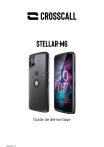
STELLAR-M6
Guide de démontage
Version 1.1
Introduction .......................................................................................................................................... 5
Avertissements sur la réparation ........................................................................................................ 5
Décharges électrostatiques, environnement de travail ...................................................................... 7
Matériel nécessaire .............................................................................................................................. 8
Démontage, remontage et échange des pièces .................................................................................. 9
Cache batterie .................................................................................................................................. 9
Démontage du cache batterie .................................................................................................... 9
Echange du cache batterie ....................................................................................................... 11
Remontage du cache arrière ..................................................................................................... 11
Cosmétique arrière .......................................................................................................................... 11
Démontage de la cosmétique arrière......................................................................................... 11
Echange de la cosmétique arrière ............................................................................................. 13
Remontage de la cosmétique arrière ......................................................................................... 14
Support antenne NFC - Carte flash/écouteur ................................................................................. 15
Démontage du support antenne NFC - Carte flash/écouteur...................................................... 15
Echange du support antenne NFC - Carte flash/écouteur .......................................................... 16
Remontage du support antenne NFC - Carte flash/écouteur...................................................... 16
Batterie ............................................................................................................................................ 18
Démontage de la batterie .......................................................................................................... 18
Echange de la batterie .............................................................................................................. 19
Remontage de la batterie .......................................................................................................... 19
Haut-parleur.................................................................................................................................... 20
Démontage du Haut-parleur ..................................................................................................... 20
Echange du Haut-parleur ......................................................................................................... 20
Remontage du Haut-parleur ..................................................................................................... 20
Flex USB ...........................................................................................................................................21
Démontage du flex USB ............................................................................................................ 21
Echange du flex USB ................................................................................................................. 21
Remontage du flex USB ........................................................................................................... 22
Carte fille principale........................................................................................................................ 23
Démontage de la carte fille principale ...................................................................................... 23
Echange de la carte fille principale ........................................................................................... 24
Remontage de la carte fille principale ...................................................................................... 24
Toute modification ou tout changement effectué sur votre appareil hors d’un centre agréé entraînera l’annulation de la garantie. Si votre appareil doitêtre
réparé, nous vous conseillons de le confier au service après-vente CROSSCALL (contact disponible sur notre site https://crosscall.com/sav/).
Vibreur ............................................................................................................................................ 25
Démontage du vibreur.............................................................................................................. 25
Echange du vibreur .................................................................................................................. 25
Remontage du vibreur.............................................................................................................. 25
Flex principal................................................................................................................................... 26
Démontage du flex principal..................................................................................................... 26
Echange du flex principal ......................................................................................................... 26
Remontage du flex principal..................................................................................................... 27
Câbles coaxiaux .............................................................................................................................. 28
Démontage des câbles coaxiaux .............................................................................................. 28
Echange des câbles coaxiaux ................................................................................................... 28
Remontage des câbles coaxiaux .............................................................................................. 29
Carte fille antenne ........................................................................................................................... 31
Démontage de la carte fille antenne .......................................................................................... 31
Echange de la carte fille antenne .............................................................................................. 31
Remontage de la carte fille antenne .......................................................................................... 31
Caméra arrière ................................................................................................................................ 32
Démontage de la caméra arrière .............................................................................................. 32
Echange de la caméra arrière ................................................................................................... 32
Remontage de la caméra arrière .............................................................................................. 33
Caméra avant .................................................................................................................................. 34
Démontage de la caméra avant ................................................................................................ 34
Echange de la caméra avant..................................................................................................... 35
Remontage de la caméra avant ................................................................................................ 35
Carte mère ...................................................................................................................................... 36
Démontage de la carte mère .................................................................................................... 36
Echange de la carte mère......................................................................................................... 37
Remontage de la carte mère .................................................................................................... 37
Flex boutons on/off-volume .......................................................................................................... 39
Démontage du flex boutons on/off-volume .............................................................................. 39
Echange du flex boutons on/off-volume................................................................................... 40
Remontage du flex bouton on/off-volume ................................................................................ 40
Ecouteur.......................................................................................................................................... 41
Toute modification ou tout changement effectué sur votre appareil hors d’un centre agréé entraînera l’annulation de la garantie. Si votre appareil doitêtre
réparé, nous vous conseillons de le confier au service après-vente CROSSCALL (contact disponible sur notre site https://crosscall.com/sav/).
Démontage de l’écouteur .......................................................................................................... 41
Echange de l’écouteur.............................................................................................................. 42
Remontage de l’écouteur ......................................................................................................... 42
Cosmétique avant ........................................................................................................................... 43
Démontage de la cosmétique avant ......................................................................................... 43
Echange de la cosmétique avant .............................................................................................. 43
Remontage de la cosmétique avant.......................................................................................... 43
Informations pour les recycleurs ................................................................................... 44
Schémas techniques ....................................................................................................... 46
Toute modification ou tout changement effectué sur votre appareil hors d’un centre agréé entraînera l’annulation de la garantie. Si votre appareil doitêtre
réparé, nous vous conseillons de le confier au service après-vente CROSSCALL (contact disponible sur notre site https://crosscall.com/sav/).
Introduction
Crosscall s'est fondée, il y a plus de 10 ans, sur un engagement : fabriquer des téléphones mobiles
durables, et cela même dans les conditions d’usage les plus difficiles.
C’est grâce à ses années d’expérience et à une attention particulière de ses équipes sur la conception,
l’industrialisation et le contrôle qualité que Crosscall offre à ses utilisateurs une garantie-constructeur
de 5 ans et des pièces détachées disponibles pendant 10 ans sur l’ensemble des produits issus de la
nouvelle gamme CORE, ce qui est exceptionnel dans le monde de la téléphonie.
Ce document est un guide de démontage et de remontage pour le smartphone Crosscall STELLARM6.
Il explique aussi quelles opérations doivent être effectuées lors du changement d’une pièce.
Il est organisé de la manière suivante :
• Avertissements et précautions à prendre avant de démonter l’appareil.
•
Matériel nécessaire : Liste de l’outillage indispensable pour le démontage/remontage des
pièces
•
Changement des pièces (Structuré de la manière suivante pour chaque pièce principale)
• Matériel nécessaire : Outillage nécessaire pour l’opération concernée.
• Opérations préalables au démontage de la pièce : indique les autres pièces à démonter avant
de pouvoir accéder à la pièce voulue.
• Démontage de la pièce.
• Echange de la pièce : concerne la préparation de la pièce neuve.
• Remontage de la pièce.
Avertissements sur la réparation
Au-delà de l’impact sur la garantie (voir l’encadré ci-après), l’ouverture de l’appareil et le remplacement
de pièces peuvent avoir un impact sur l’étanchéité, la résistance et l’autonomie de votre produit, si cela
n’est pas réalisé dans un centre agréé par CROSSCALL.
Avant de faire effectuer une réparation, vérifiez si celle-ci est ou non garantie en vous référant aux
conditions du contrat de garantie commerciale sur notre site internet et prenez connaissance des
éléments ci-dessous.
Toute modification ou tout changement effectué sur votre appareil hors d’un centre agréé entraînera l’annulation de la garantie. Si votre appareil doitêtre
réparé, nous vous conseillons de le confier au service après-vente CROSSCALL (contact disponible sur notre site https://crosscall.com/sav/).
IMPACT SUR LA GARANTIE
Toute modification ou tout changement effectué sur votre appareil hors d’un centre de réparation
agréé CROSSCALL entraînera l’annulation de la garantie. Si votre appareil doit être réparé, nous
vous conseillons de le confier au service après-vente CROSSCALL (contact disponible sur notre site
https://www.crosscall.com/fr_FR/help/ ).
L’ETANCHEITE
Attention, l’étanchéité des téléphones réparés hors d’un centre agréé CROSSCALL n’est plus assurée.
LA BATTERIE
Les dangers liés à la manipulation des batteries
Afin d’assurer votre sécurité, les batteries et les appareils CROSSCALL sont testés selon des
normes internationales. La conception de nos appareils participe aussi à votre sécurité : la batterie
est confinée dans un châssis métallique.
La batterie est une pièce pouvant présenter des risques pour la personne effectuant la réparation si
cette dernière n’a pas les qualifications requises. Si le retrait de la batterie n’est pas effectué
correctement, cela peut endommager l’appareil et provoquer des blessures corporelles.
Une batterie au lithium se caractérise par sa densité d’énergie élevée. Avant toute manipulation d’une
batterie, vous devez avoir conscience des risques suivants (liste non exhaustive).
Le risque principal est lié aux mauvaises manipulations (chocs, coups, détérioration) qui peuvent
poser un risque important de sécurité.
Les dommages mécaniques peuvent entraîner la déformation des cellules à l'intérieur de la batterie et
provoquer des courts-circuits internes et un emballement de celle-ci. La batterie au lithium libère
alors de manière incontrôlée l'énergie qu'elle a stockée.
L’emballement thermique, avec des températures supérieures à 250°C, va entraîner une forte
génération de gaz inflammables à l’intérieur de la batterie concernée et ces gaz vont déclencher
l’explosion de l’enveloppe de la batterie. Les métaux entrent ensuite en fusion et se consument.
Les fumées dégagées sont toxiques et très corrosives.
Le contact avec l'humidité peut aussi provoquer un court-circuit de l'accumulateur.
Toute modification ou tout changement effectué sur votre appareil hors d’un centre agréé entraînera l’annulation de la garantie. Si votre appareil doitêtre
réparé, nous vous conseillons de le confier au service après-vente CROSSCALL (contact disponible sur notre site https://crosscall.com/sav/).
Consignes de sécurité
• Eteignez l’appareil avant toute intervention.
• Ne pas le rallumer avant réassemblage complet.
• Éteignez l’appareil avant de retirer la batterie. Si vous retirez la batterie alors que l’appareil est
allumé, celui-ci risque de subir des dysfonctionnements.
• Ne démontez pas ou ne perforez pas la batterie, car ceci peut causer une explosion ou un incendie.
• Ne provoquez pas de court-circuit.
• Ne réutilisez pas la batterie si vous avez un doute sur son intégrité suite au démontage.
• Recyclez la batterie selon les normes en vigueur.
• Ne la jetez pas au feu
Veuillez respecter les règles en matière d’élimination des déchets lorsque vous vous
débarrassez de l’emballage, de la batterie, de l’appareil et de ses pièces électroniques.
Déposez-les dans un point de collecte afin qu’ils soient correctement recyclés. Ne jetez pas
d’appareils électriques et électroniques ou de batteries usagés dans une poubelle ordinaire.
Veuillez déposer les batteries au lithium usagées dans un endroit conçu à cet effet.
Décharges électrostatiques, environnement de travail
Durant l’opération de démontage / remontage il est conseillé de s’équiper d’un
bracelet antistatique relié à la terre. Si cela n’est pas possible, il est impératif de se
laver les mains et se décharger de toute accumulation d’électricité statique en
touchant un objet métallique relié à la terre (ex. radiateur) avant de procéder au
démontage / remontage de l’appareil.
Les décharges électrostatiques peuvent endommager l’électronique de l’appareil
de manière permanente.
Toute intervention sur l’appareil doit être réalisée dans un environnement lumineux, propre et
dépourvu de poussière. Cette dernière peut se déposer sur des pièces liées à la photographie et à la
vidéo et fausser les mises au point. Les poussières métalliques peuvent aussi provoquer des courtscircuits.
Toute modification ou tout changement effectué sur votre appareil hors d’un centre agréé entraînera l’annulation de la garantie. Si votre appareil doitêtre
réparé, nous vous conseillons de le confier au service après-vente CROSSCALL (contact disponible sur notre site https://crosscall.com/sav/).
Matériel nécessaire
Description
Illustration
Description
Tapis + équipement ESD
Seringue silicone LOCTUO
RTV165
Outillage divers
antistatique pour le
démontage: nylon pointer,
médiator…
Extracteur SIM
3 pinces précelles
antistatiques
Pistolet applicateur de colle
Cutter
Tape protection ecran
Tournevis embout
cruciforme PH00
Alcool isopropylique
Tournevis dynamométrique
+ embout PH00
Chiffon
Illustration
Toute modification ou tout changement effectué sur votre appareil hors d’un centre agréé entraînera l’annulation de la garantie. Si votre appareil doitêtre
réparé, nous vous conseillons de le confier au service après-vente CROSSCALL (contact disponible sur notre site https://crosscall.com/sav/).
Démontage, remontage et échange des pièces
Cache batterie
Démontage du cache batterie
Matériel nécessaire
•
•
Outil de démontage antistatique, médiator.
Extracteur SIM
Opérations préalables
Extraire le tiroir SIM en insérant
l’extracteur dans l’orifice du tiroir.
Ouvrir le cache USB, insérer le
médiator sous le cache batterie puis
soulever le cache batterie pour le
décoller complètement.
Le cache batterie peut être séparé du reste de la
cosmétique.
Toute modification ou tout changement effectué sur votre appareil hors d’un centre agréé entraînera l’annulation de la garantie. Si votre appareil doitêtre
réparé, nous vous conseillons de le confier au service après-vente CROSSCALL (contact disponible sur notre site https://crosscall.com/sav/).
Enlever l’adhésif restant sur la
cosmétique arrière du mobile et sur
le cache batterie si ce dernier doit
être réutilisé.
Toute modification ou tout changement effectué sur votre appareil hors d’un centre agréé entraînera l’annulation de la garantie. Si votre appareil doitêtre
réparé, nous vous conseillons de le confier au service après-vente CROSSCALL (contact disponible sur notre site https://crosscall.com/sav/).
Echange du cache batterie
Matériel nécessaire
•
Pince précelle
Retirer le film de protection de l’adhésif double
face.
Remontage du cache arrière
Poser et clipser le cache batterie sur la
cosmétique arrière.
Bien appuyer sur toute la surface du cache
batterie pour emboiter tous les clips.
Cosmétique arrière
Démontage de la cosmétique arrière
Matériel nécessaire
Opérations préalables
•
•
•
•
Outil de démontage antistatique
Tournevis PH00
Pince précelle
Démonter le cache batterie
Toute modification ou tout changement effectué sur votre appareil hors d’un centre agréé entraînera l’annulation de la garantie. Si votre appareil doitêtre
réparé, nous vous conseillons de le confier au service après-vente CROSSCALL (contact disponible sur notre site https://crosscall.com/sav/).
Retirer les 2 caches-vis rouges.
Cache-vis
PH00
(x2)
PH00
(x8)
Dévisser les 8 vis M1.4x3.0 encerclées
en rouge et les 2 vis blanches M1.4x5.0
encerclées en bleu.
Ouvrir le cache USB et insérer le
médiator entre les 2 cosmétiques
pour commencer à décoller la
cosmétique arrière.
Tout en soulevant la cosmétique
arrière, faire glisser le médiator
sur la périphérie du mobile pour
couper le joint d’étanchéité.
Toute modification ou tout changement effectué sur votre appareil hors d’un centre agréé entraînera l’annulation de la garantie. Si votre appareil doitêtre
réparé, nous vous conseillons de le confier au service après-vente CROSSCALL (contact disponible sur notre site https://crosscall.com/sav/).
La cosmétique arrière peut être
démontée.
Nettoyer les résidus de joint
adhésif sur les pièces qui doivent
être réutilisées.
Echange de la cosmétique arrière
Matériel nécessaire
•
Pince précelle
Pas d’action spécifique lors du
changement de cette pièce.
Toute modification ou tout changement effectué sur votre appareil hors d’un centre agréé entraînera l’annulation de la garantie. Si votre appareil doitêtre
réparé, nous vous conseillons de le confier au service après-vente CROSSCALL (contact disponible sur notre site https://crosscall.com/sav/).
Remontage de la cosmétique arrière
Matériel nécessaire
Tournevis PH00
Pince précelle
•
•
Coller l’adhésif double face sur la
cosmétique arrière et retirer le film de
protection en tirant la languette
repérée par la flèche rouge.
Assembler la cosmétique arrière sur la
façade avant et presser fortement
toute la surface de la cosmétique.
PH00
(x2)
PH00
(x8)
Visser les 8 vis M1.4x3.0 repérées en rouge et
les 2 vis blanches M1.4x5.0 repérées en bleu à
l’aide de la visseuse ou le tournevis
dynamométrique réglés au couple suivant :
9 cN.m ± 1cN.m (0.9kgf±0.1kgf)
Utiliser systém atiquem ent des vis
neuves.
R especter l’ordre de vissage com m e
indiqué sur l’illustration ci-contre.
Toute modification ou tout changement effectué sur votre appareil hors d’un centre agréé entraînera l’annulation de la garantie. Si votre appareil doitêtre
réparé, nous vous conseillons de le confier au service après-vente CROSSCALL (contact disponible sur notre site https://crosscall.com/sav/).
Support antenne NFC - Carte flash/écouteur
Démontage du support antenne NFC - Carte flash/écouteur
Matériel nécessaire
Opérations préalables
PH00
(x2)
•
•
•
•
•
Outil de démontage antistatique
Tournevis PH00
Pince précelle
Démonter le cache batterie
Démonter la cosmétique arrière
PH00
(x7)
Dévisser les 7 vis M1.4x3.5
encerclées en rouge et la vis M1.4x5
encerclée en bleu.
Le support antenne peut être enlevé.
Décoller l’antenne NFC.
Extraire la carte fille flash à l’aide de la
pince précelle.
Toute modification ou tout changement effectué sur votre appareil hors d’un centre agréé entraînera l’annulation de la garantie. Si votre appareil doitêtre
réparé, nous vous conseillons de le confier au service après-vente CROSSCALL (contact disponible sur notre site https://crosscall.com/sav/).
Extraire la carte fille écouteur à l’aide
de la pince précelle.
Echange du support antenne NFC - Carte flash/écouteur
Vérifier la présence de l’adhésif
conducteur et des différentes
mousses.
Remontage du support antenne NFC - Carte flash/écouteur
Matériel nécessaire
•
Pince précelle
Insérer la carte fille écouteur dans
son emplacement suivant les 2 plots
de guidage repérés en bleu.
La carte est maintenue par un adhésif
double face.
Insérer la carte fille flash dans son
emplacement suivant les 2 plots de
guidage repérés en bleu.
Toute modification ou tout changement effectué sur votre appareil hors d’un centre agréé entraînera l’annulation de la garantie. Si votre appareil doitêtre
réparé, nous vous conseillons de le confier au service après-vente CROSSCALL (contact disponible sur notre site https://crosscall.com/sav/).
Coller l’antenne NFC en suivant les 3
plots de guidage repérés en bleu.
PH00
(x2)
PH00
(x7)
Poser l’ensemble sur la carte mère et
visser les 7 vis M1.4x3.5 encerclées
en rouge et les vis M1.4x5 encerclées
en bleu.
Toute modification ou tout changement effectué sur votre appareil hors d’un centre agréé entraînera l’annulation de la garantie. Si votre appareil doitêtre
réparé, nous vous conseillons de le confier au service après-vente CROSSCALL (contact disponible sur notre site https://crosscall.com/sav/).
Batterie
Démontage de la batterie
Matériel nécessaire
•
•
Outil de démontage antistatique
Pince précelle
Opérations préalables
•
•
•
Démonter le cache batterie
Démonter la cosmétique arrière
Démonter le support antenne NFC
Débranchez le connecteur batterie
en le soulevant à l’aide d’un outil de
démontage non métallique.
Décoller les 4 adhésifs de la
batterie.
Tirer avec force sur les languettes
pour extraire la batterie.
Toute modification ou tout changement effectué sur votre appareil hors d’un centre agréé entraînera l’annulation de la garantie. Si votre appareil doitêtre
réparé, nous vous conseillons de le confier au service après-vente CROSSCALL (contact disponible sur notre site https://crosscall.com/sav/).
Echange de la batterie
Pas d’action spécifique lors du changement
de la batterie.
Remontage de la batterie
Matériel nécessaire
•
Pince précelle
Si besoin, changer l’enveloppe adhésive de la
batterie.
Insérer
la
batterie
dans
son
compartiment et coller les 4 languettes
de l’enveloppe adhésive.
Brancher le connecteur batterie.
Toute modification ou tout changement effectué sur votre appareil hors d’un centre agréé entraînera l’annulation de la garantie. Si votre appareil doitêtre
réparé, nous vous conseillons de le confier au service après-vente CROSSCALL (contact disponible sur notre site https://crosscall.com/sav/).
Haut-parleur
Démontage du Haut-parleur
Matériel nécessaire
•
•
•
•
•
•
Opérations préalables
Tournevis PH00
Pince précelle
Démonter le cache batterie
Démonter la cosmétique arrière
Démonter le support antenne NFC
Débrancher le connecteur batterie
PH00
(x3)
Dévisser les 3 vis M1.4x3.5 encerclées en
rouge.
Le haut-parleur peut être enlevé.
Echange du Haut-parleur
Pas d’action spécifique lors du changement de
cette pièce.
Remontage du Haut-parleur
Matériel nécessaire
PH00
(x3)
•
Tournevis PH00
Placez le haut-parleur dans son
compartiment et visser les 3 vis
M1.4x3.5 encerclées en rouge.
Toute modification ou tout changement effectué sur votre appareil hors d’un centre agréé entraînera l’annulation de la garantie. Si votre appareil doitêtre
réparé, nous vous conseillons de le confier au service après-vente CROSSCALL (contact disponible sur notre site https://crosscall.com/sav/).
Flex USB
Démontage du flex USB
Matériel nécessaire
Opérations préalables
•
•
•
•
•
•
Tournevis PH00
Pince précelle
Démonter le cache batterie
Démonter la cosmétique arrière
Démonter le support antenne NFC
Débrancher le connecteur batterie
Débrancher le connecteur du flex
USB sur la carte fille à l’aide d’un outil
de démontage antistatique.
PH00
(x2)
Dévisser les 2 vis M1.4x2.0 du connecteur
USB.
Extraire le flex de son emplacement.
Echange du flex USB
Pas d’action spécifique lors du changement de
cette pièce.
Toute modification ou tout changement effectué sur votre appareil hors d’un centre agréé entraînera l’annulation de la garantie. Si votre appareil doitêtre
réparé, nous vous conseillons de le confier au service après-vente CROSSCALL (contact disponible sur notre site https://crosscall.com/sav/).
Remontage du flex USB
Matériel nécessaire
•
•
Pince précelle
Tournevis PH00
Insérez le connecteur USB dans son
emplacement.
PH00
(x2)
Visser les 2 vis M1.4x2.0 pour maintenir le
connecteur USB.
Brancher le connecteur du flex sur la carte
fille.
Toute modification ou tout changement effectué sur votre appareil hors d’un centre agréé entraînera l’annulation de la garantie. Si votre appareil doitêtre
réparé, nous vous conseillons de le confier au service après-vente CROSSCALL (contact disponible sur notre site https://crosscall.com/sav/).
Carte fille principale
Démontage de la carte fille principale
Matériel nécessaire
Opérations préalables
•
•
•
•
•
•
•
•
•
Outil de démontage antistatique
Tournevis PH00
Pince précelle
Démonter le cache batterie
Démonter la cosmétique arrière
Démonter le support antenne NFC
Débrancher le connecteur batterie
Démonter le haut-parleur
Débrancher le connecteur flex USB
Débrancher le connecteur du flex
principal sur la carte fille à l’aide
d’un outil de démontage
antistatique.
Débrancher les 2 connecteurs
coaxiaux sur la carte fille à l’aide
d’une pince précelle.
PH00
(x1)
Dévisser la vis M1.4x2.5 encerclée en
rouge.
La carte fille peut être retirée.
Toute modification ou tout changement effectué sur votre appareil hors d’un centre agréé entraînera l’annulation de la garantie. Si votre appareil doitêtre
réparé, nous vous conseillons de le confier au service après-vente CROSSCALL (contact disponible sur notre site https://crosscall.com/sav/).
Echange de la carte fille principale
Pas d’action spécifique lors du changement
de cette pièce.
Remontage de la carte fille principale
Matériel nécessaire
•
•
Tournevis PH00
Pince précelle
Placer la carte fille en commençant par
l’insérer sous le rebord repéré en bleu
puis plaquer la carte pour faire
coïncider les 2 plots repérés en rouge
avec les 2 trous sur la carte fille.
PH00
(x1)
Visser la vis M1.4x2.5 encerclée en
rouge.
Brancher les 2 connecteurs coaxiaux.
Brancher le connecteur
principal sur la carte fille.
du
flex
Toute modification ou tout changement effectué sur votre appareil hors d’un centre agréé entraînera l’annulation de la garantie. Si votre appareil doitêtre
réparé, nous vous conseillons de le confier au service après-vente CROSSCALL (contact disponible sur notre site https://crosscall.com/sav/).
Vibreur
Démontage du vibreur
Matériel nécessaire
•
Pince précelle
Opérations préalables
•
•
•
•
•
•
Démonter le cache batterie
Démonter la cosmétique arrière
Démonter le support antenne NFC
Débrancher le connecteur batterie
Démonter le haut-parleur
Démonter la carte fille principale
Décoller le vibreur en insérant la pince
précelle par le dessous du côté gauche.
Echange du vibreur
Le vibreur est collé avec un adhésif conducteur.
Remontage du vibreur
Matériel nécessaire
•
Pince précelle
Placer et coller le vibreur à son
emplacement.
Toute modification ou tout changement effectué sur votre appareil hors d’un centre agréé entraînera l’annulation de la garantie. Si votre appareil doitêtre
réparé, nous vous conseillons de le confier au service après-vente CROSSCALL (contact disponible sur notre site https://crosscall.com/sav/).
Flex principal
Démontage du flex principal
Matériel nécessaire
Opérations préalables
•
•
•
•
•
•
Tournevis PH00
Pince précelle
Démonter le cache batterie
Démonter la cosmétique arrière
Démonter le support antenne NFC
Démonter la batterie
Débrancher le connecteur du flex
principal sur la carte mère et la carte
fille si besoin à l’aide d’un outil de
démontage antistatique.
Soulever doucement le flex pour le
décoller.
Le flex peut être enlevé.
Echange du flex principal
Pas d’action spécifique lors du changement de
cette pièce.
Toute modification ou tout changement effectué sur votre appareil hors d’un centre agréé entraînera l’annulation de la garantie. Si votre appareil doitêtre
réparé, nous vous conseillons de le confier au service après-vente CROSSCALL (contact disponible sur notre site https://crosscall.com/sav/).
Remontage du flex principal
Matériel nécessaire
•
Pince précelle
Coller le flex principal en faisant
coïncider le trait blanc sur le flex avec
les 2 repères sur la cosmétique
indiqués par les flèches rouges.
Plaquer le flex sur toute sa longueur.
Brancher le connecteur sur la carte mère et
sur la carte fille.
Toute modification ou tout changement effectué sur votre appareil hors d’un centre agréé entraînera l’annulation de la garantie. Si votre appareil doitêtre
réparé, nous vous conseillons de le confier au service après-vente CROSSCALL (contact disponible sur notre site https://crosscall.com/sav/).
Câbles coaxiaux
2 câbles bleus de 98.5 mm
1 câble blanc de 153.5 mm
Démontage des câbles coaxiaux
Matériel nécessaire
•
Pince précelle
Opérations préalables
•
•
•
•
Démonter le cache batterie
Démonter la cosmétique arrière
Démonter le support antenne NFC
Débrancher le connecteur batterie
Débrancher les 6 connecteurs sur la
carte mère et la carte fille à l’aide d’une
pince précelle.
Extraire les 3 câbles coaxiaux.
Echange des câbles coaxiaux
Toute modification ou tout changement effectué sur votre appareil hors d’un centre agréé entraînera l’annulation de la garantie. Si votre appareil doitêtre
réparé, nous vous conseillons de le confier au service après-vente CROSSCALL (contact disponible sur notre site https://crosscall.com/sav/).
COAXIAL CABLE (98.5MM)
(x2)
COAXIAL CABLE (153.5MM)
Pas d’action spécifique lors du
changement de ces pièces.
Remontage des câbles coaxiaux
Matériel nécessaire
•
Pince précelle
Insérer et brancher d’abord un
câble coaxial bleu comme
indiqué sur la photo par le tracé
rouge, dans la goulotte latérale.
Poser ensuite le second câble
bleu suivant le tracé rouge sur la
photo.
Insérez-le dans la même goulotte
par-dessus le premier câble et
dans le guide métallique encadré
en jaune.
Toute modification ou tout changement effectué sur votre appareil hors d’un centre agréé entraînera l’annulation de la garantie. Si votre appareil doitêtre
réparé, nous vous conseillons de le confier au service après-vente CROSSCALL (contact disponible sur notre site https://crosscall.com/sav/).
Poser et connecter le dernier
câble blanc comme indiqué sur la
photo et par les 3 guides
métalliques représentés en
jaune.
Respecter le sens d’insertion par
rapport au blindage métallique
sur le câble.
Position du
blindage
métallique
Toute modification ou tout changement effectué sur votre appareil hors d’un centre agréé entraînera l’annulation de la garantie. Si votre appareil doitêtre
réparé, nous vous conseillons de le confier au service après-vente CROSSCALL (contact disponible sur notre site https://crosscall.com/sav/).
Carte fille antenne
Démontage de la carte fille antenne
Matériel nécessaire
•
Pince précelle
Opérations préalables
•
•
•
•
•
Démonter le cache batterie
Démonter la cosmétique arrière
Démonter le support antenne NFC
Débrancher le connecteur batterie
Démonter le haut-parleur
Débrancher le connecteur coaxial sur la
carte fille à l’aide d’une pince précelle.
Retirer la carte fille antenne.
Echange de la carte fille antenne
Pas d’action spécifique lors du changement de
cette pièce.
Remontage de la carte fille antenne
Matériel nécessaire
•
Pince précelle
Poser la carte fille à son emplacement et
brancher le connecteur coaxial.
Toute modification ou tout changement effectué sur votre appareil hors d’un centre agréé entraînera l’annulation de la garantie. Si votre appareil doitêtre
réparé, nous vous conseillons de le confier au service après-vente CROSSCALL (contact disponible sur notre site https://crosscall.com/sav/).
Caméra arrière
Démontage de la caméra arrière
Matériel nécessaire
Opérations préalables
•
•
•
•
•
•
Outil de démontage antistatique
Pince précelle
Démonter le cache batterie
Démonter la cosmétique arrière
Démonter le support antenne NFC
Débrancher le connecteur batterie
Attention lors de la manipulation des
caméras à ne pas toucher les lentilles
et les contacts des connecteurs.
Débrancher le connecteur de
la caméra arrière à l’aide d’un
outil antistatique.
Retirer la caméra avec l’adhésif
conducteur.
Echange de la caméra arrière
Récupérer l’adhésif
l’ancienne caméra.
conducteur
sur
Toute modification ou tout changement effectué sur votre appareil hors d’un centre agréé entraînera l’annulation de la garantie. Si votre appareil doitêtre
réparé, nous vous conseillons de le confier au service après-vente CROSSCALL (contact disponible sur notre site https://crosscall.com/sav/).
Remontage de la caméra arrière
Matériel nécessaire
•
Pince précelle
Placer la caméra arrière dans
son logement.
Brancher le connecteur de la
caméra et coller l’adhésif
conducteur comme sur la
photo.
Toute modification ou tout changement effectué sur votre appareil hors d’un centre agréé entraînera l’annulation de la garantie. Si votre appareil doitêtre
réparé, nous vous conseillons de le confier au service après-vente CROSSCALL (contact disponible sur notre site https://crosscall.com/sav/).
Caméra avant
Démontage de la caméra avant
Matériel nécessaire
Opérations préalables
•
•
•
•
•
•
Outil de démontage antistatique
Pince précelle
Démonter le cache batterie
Démonter la cosmétique arrière
Démonter le support antenne NFC
Débrancher le connecteur batterie
Attention lors de la manipulation des
caméras à ne pas toucher les lentilles
et les contacts des connecteurs.
Débrancher le connecteur de
la caméra avant à l’aide d’un
outil antistatique.
Retirer la caméra avec l’adhésif
conducteur.
Toute modification ou tout changement effectué sur votre appareil hors d’un centre agréé entraînera l’annulation de la garantie. Si votre appareil doitêtre
réparé, nous vous conseillons de le confier au service après-vente CROSSCALL (contact disponible sur notre site https://crosscall.com/sav/).
Echange de la caméra avant
Récupérer les 2 adhésifs conducteurs de
l’ancienne caméra.
Récupérer aussi le joint de l’objectif s’il
n’est pas déjà monté sur la nouvelle
caméra.
Remontage de la caméra avant
Matériel nécessaire
•
Pince précelle
Placer la caméra avant dans son
logement.
Brancher le connecteur de la
caméra et coller les adhésifs
conducteurs comme sur la
photo.
Toute modification ou tout changement effectué sur votre appareil hors d’un centre agréé entraînera l’annulation de la garantie. Si votre appareil doitêtre
réparé, nous vous conseillons de le confier au service après-vente CROSSCALL (contact disponible sur notre site https://crosscall.com/sav/).
Carte mère
Démontage de la carte mère
Matériel nécessaire
•
•
•
•
•
•
•
•
Opérations préalables
Outil de démontage antistatique
Tournevis PH00
Pince précelle
Démonter le cache batterie
Démonter la cosmétique arrière
Démonter le support antenne NFC
Débrancher le connecteur batterie
Démonter les caméras
Débrancher tous les connecteurs flex
encadrés en rouge.
Déconnecter et libérer de la carte mère
les câbles coaxiaux (voir §câbles
coaxiaux).
PH00
(x1)
Dévisser la vis M1.4x2.5 encerclée en
rouge.
Extraire la carte mère.
Attention, lors de la manipulation
de la carte mère, à ne pas toucher
la pâte thermique déposée entre la
cosmétique avant et la carte.
Pâte thermique
Toute modification ou tout changement effectué sur votre appareil hors d’un centre agréé entraînera l’annulation de la garantie. Si votre appareil doitêtre
réparé, nous vous conseillons de le confier au service après-vente CROSSCALL (contact disponible sur notre site https://crosscall.com/sav/).
Echange de la carte mère
Matériel nécessaire
•
Pince précelle
Pas d’action spécifique
changement de cette pièce.
lors
du
Remontage de la carte mère
Matériel nécessaire
•
•
•
Tournevis PH00
Pince précelle
Alcool isopropylique
Déposer de la pâte thermique à l’endroit repéré
en rouge sur la photo.
Nettoyer au préalable cette zone à l’alcool s’il
reste des résidus de l’ancienne pâte thermique.
En cas de remontage de l’ancienne carte
mère, nettoyer les résidus de pâte thermique
à l’alcool.
Toute modification ou tout changement effectué sur votre appareil hors d’un centre agréé entraînera l’annulation de la garantie. Si votre appareil doitêtre
réparé, nous vous conseillons de le confier au service après-vente CROSSCALL (contact disponible sur notre site https://crosscall.com/sav/).
PH00
(x1)
Insérer la carte mère à son emplacement
puis visser la vis M1.4x2.5 encerclée en
rouge.
Brancher les différents connecteurs flex et
coaxiaux.
Consulter la section sur les câbles coaxiaux
pour le remontage.
Toute modification ou tout changement effectué sur votre appareil hors d’un centre agréé entraînera l’annulation de la garantie. Si votre appareil doitêtre
réparé, nous vous conseillons de le confier au service après-vente CROSSCALL (contact disponible sur notre site https://crosscall.com/sav/).
Flex boutons on/off-volume
Démontage du flex boutons on/off-volume
Matériel nécessaire
Opérations préalables
•
•
•
•
•
•
•
Pince précelle
Cutter
Démonter le cache batterie
Démonter la cosmétique arrière
Démonter le support antenne NFC
Démonter la batterie
Démonter la carte mère
Démonter les boutons du flex en utilisant
une pince précelle plate.
Insérer la pince entre le bouton et la
cosmétique puis faire levier avec la pince
pour extraire le bouton de son logement.
Effectuer la même opération sur tous les
boutons du flex.
Décoller le flex du capteur d’empreinte
pour libérer l’accès au flex boutons
on/off-volume.
Toute modification ou tout changement effectué sur votre appareil hors d’un centre agréé entraînera l’annulation de la garantie. Si votre appareil doitêtre
réparé, nous vous conseillons de le confier au service après-vente CROSSCALL (contact disponible sur notre site https://crosscall.com/sav/).
Décoller et déposer le flex bouton on/offvolume sur toute sa longueur.
Echange du flex boutons on/off-volume
Récupérer les supports flex si besoin, ils
sont simplement collés sur le flex.
Flex boutons on/off-volume
2104140475678
Supports flex touches
2104140740708
Remontage du flex bouton on/off-volume
Matériel nécessaire
•
Pince précelle
Insérer les boutons
emplacements.
dans
leurs
Rabattre et coller le flex bouton comme
sur la photo.
Faire coïncider les contacts avec l’ergot
repéré par une flèche bleue.
v
Rabattre et coller ensuite le flex du
capteur d’empreinte.
Toute modification ou tout changement effectué sur votre appareil hors d’un centre agréé entraînera l’annulation de la garantie. Si votre appareil doitêtre
réparé, nous vous conseillons de le confier au service après-vente CROSSCALL (contact disponible sur notre site https://crosscall.com/sav/).
Ecouteur
Démontage de l’écouteur
Matériel nécessaire
Opérations préalables
•
•
•
•
•
•
•
Pince précelle
Cutter
Démonter le cache batterie
Démonter la cosmétique arrière
Démonter le support antenne NFC
Démonter les caméras
Démonter la carte mère
Couper au cutter le joint silicone
autour de l’écouteur.
Utiliser la pince plate pour décoller
l’écouteur.
Attention à ne pas abimer la
membrane sur la cosmétique
pendant cette opération.
Supprimer le joint silicone restant
dans le compartiment de l’écouteur.
Toute modification ou tout changement effectué sur votre appareil hors d’un centre agréé entraînera l’annulation de la garantie. Si votre appareil doitêtre
réparé, nous vous conseillons de le confier au service après-vente CROSSCALL (contact disponible sur notre site https://crosscall.com/sav/).
Echange de l’écouteur
Matériel nécessaire
•
Pince précelle
Enlevez le film de protection de
l’adhésif.
Remontage de l’écouteur
Matériel nécessaire
•
Applicateur de colle / Seringue silicone LOCTUO RTV165
Placez l’écouteur dans son
compartiment, dans le sens
montré sur la photo.
Appliquer du joint silicone LOCTUO RTV165
(produit conseillé - non vendu par CROSSCALL)
autour de l’écouteur, laisser sécher quelques
minutes avant remontage du produit.
Toute modification ou tout changement effectué sur votre appareil hors d’un centre agréé entraînera l’annulation de la garantie. Si votre appareil doitêtre
réparé, nous vous conseillons de le confier au service après-vente CROSSCALL (contact disponible sur notre site https://crosscall.com/sav/).
Cosmétique avant
Démontage de la cosmétique avant
Opérations préalables
•
Effectuer toutes les opérations de démontage
Pas d’action supplémentaire lorsque toutes les opérations préalables ont été effectuées.
Echange de la cosmétique avant
Matériel nécessaire
•
Pince précelle
Retirer les films de protection sur
la pièce neuve.
Remontage de la cosmétique avant
Consulter les chapitres correspondants au remontage des différents éléments.
Toute modification ou tout changement effectué sur votre appareil hors d’un centre agréé entraînera l’annulation de la garantie. Si votre appareil doitêtre
réparé, nous vous conseillons de le confier au service après-vente CROSSCALL (contact disponible sur notre site https://crosscall.com/sav/).
Informations pour les recycleurs
Ci-dessous une liste de matériaux avec leur poids dans le STELLAR-M6 ainsi que les composants
dans lesquels ils se trouvent.:
Matériau
Substance
CAS-NUMBER
Poids dans le
STELLAR-M6 (g)
Composants
Châssis
ALUMINIUM
7429-90-5
36.53
Batterie
SIM slot
Ecran
ARGENT
7440-22-4
0.06
Carte-mère, Carte-fille
Câble RF
COBALT
7440-48-4
26.75
Batterie
Carte-mère
Carte-fille
CUIVRE
7440-50-8
17.40
Châssis
Câble RF
Batterie
DYSPROSIUM
7429-91-6
0.0015
Vibreur
Carte-mère
ETAIN
7440-31-5
0.43
Châssis
USB-C
Ecran
Ecran
Haut-parleur
FER
7439-89-6
21.88
Vis
Vibreur
Batterie
LITHIUM
MAGNESIUM
12190-79-3
21324-40-3
12031-63-9
12031-66-2
7439-95-4
1.08
Battery
0.13
Châssis
Haut-parleur
NEODYME
7440-00-8
0.68
Caméra frontale
Vibreur
Aimant
Ecran
NICKEL
7440-02-0
3.53
Batterie
Châssis
Haut-parleur
Toute modification ou tout changement effectué sur votre appareil hors d’un centre agréé entraînera l’annulation de la garantie. Si votre appareil doitêtre
réparé, nous vous conseillons de le confier au service après-vente CROSSCALL (contact disponible sur notre site https://crosscall.com/sav/).
OR
7440-50-5
13967-50-5
Carte mère
0,018
USB-C
Ecran
Carte mère
PALLADIUM
7440-05-3
0,0012
Caméra frontale
Microphone
PET
25038-59-9
5.14
PLATINE
7440-06-4
0.000050
Ecran
FPC
Ecran
Coque arrière
POLYCARBONATE
24936-68-3
46.72
Protection PCB
Protection Batterie
Haut-parleur
PRASEODYME
7440-10-0
0.16
Vibreur
Aimant
Carte-mère
TITANE
7440-32-6
0,19
Châssis
Batterie
TUNGSTENE
7440-33-7
0,114050
Vibreur
Ecran
VERRE
65997-17-3
22,33
Châssis (plastique)
Carte-mère
ZINC
7440-66-6
1,745200
Carte mère
Châssis
Toute modification ou tout changement effectué sur votre appareil hors d’un centre agréé entraînera l’annulation de la garantie. Si votre appareil doitêtre
réparé, nous vous conseillons de le confier au service après-vente CROSSCALL (contact disponible sur notre site https://crosscall.com/sav/).
Schémas techniques
Version 1.1
Toute modification ou tout changement effectué sur votre appareil hors d’un centre agréé entraînera l’annulation de la garantie. Si votre appareil doitêtre réparé, nous vous conseillons de le confier au service après-vente
CROSSCALL (contact disponible sur notre site https://crosscall.com/sav/).
Toute modification ou tout changement effectué sur votre appareil hors d’un centre agréé entraînera l’annulation de la garantie. Si votre appareil doitêtre réparé, nous vous conseillons de le confier au service après-vente
CROSSCALL (contact disponible sur notre site https://crosscall.com/sav/).
">