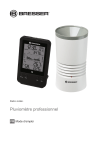
Station météo ·
Pluviomètre professionnel
FR Mode d’emploi
DE
esuchen Sie unsere Website über den folgenden QR Code oder Weblink um weitere
B
Informationen zu diesem Produkt oder die verfügbaren Übersetzungen dieser Anleitung zu
finden.
EN
isit our website via the following QR Code or web link to find further information on this
V
product or the available translations of these instructions.
FR
i vous souhaitez obtenir plus d’informations concernant ce produit ou rechercher ce mode
S
d’emploi en d’autres langues, rendez-vous sur notre site Internet en utilisant le code QR ou le
lien correspondant.
NL
ezoek onze internetpagina via de volgende QR-code of weblink, voor meer informatie over dit
B
product of de beschikbare vertalingen van deze gebruiksaanwijzing.
IT
esidera ricevere informazioni esaustive su questo prodotto in una lingua specifica? Venga
D
a visitare il nostro sito Web al seguente link (codice QR Code) per conoscere le versioni
disponibili.
ES
Desearía recibir unas instrucciones de uso completas sobre este producto en un idioma
¿
determinado? Entonces visite nuestra página web utilizando el siguiente enlace (código QR)
para ver las versiones disponibles.
CA
Voleu una guia detallada d'aquest producte en un idioma específic? Visiteu el nostre lloc web
a través del següent enllaç (codi QR) per accedir a les versions disponibles.
PT
eseja um manual detalhado deste produto numa determinada língua? Visite a nossa Website
D
através da seguinte ligação (QR Code) das versões disponíveis.
www.bresser.de/P7002530
GARANTIE · WARRANTY · GARANTÍA · GARANZIA
www.bresser.de/warranty_terms
1 Mentions légales (France) ............................................................................................................................. 4
2 Caractéristiques ............................................................................................................................................. 4
3 A propos de ce mode d’emploi ..................................................................................................................... 4
4 Consignes générales de sécurité ................................................................................................................. 5
5 Vue d'ensemble des pièces Station de base ............................................................................................... 6
6 Aperçu des pièces Pluviomètre et contenu de la livraison ........................................................................ 8
7 écran d'affichage .......................................................................................................................................... 10
8 Avant le démarrage ...................................................................................................................................... 11
9 Mise en place de l'alimentation ................................................................................................................... 11
10 Fixation des coussinets en caoutchouc .................................................................................................... 12
11 Installation et montage de capteurs à distance......................................................................................... 12
12 Réglage automatique de l'heure ................................................................................................................. 13
13 Réglage manuel de l'heure .......................................................................................................................... 13
14 Réglage de l'alarme ...................................................................................................................................... 14
15 Fonction Snooze........................................................................................................................................... 14
16 Réception automatique des mesures......................................................................................................... 14
17 Les précipitations......................................................................................................................................... 14
18 Histogramme graphique .............................................................................................................................. 15
19 Fonction de précipitations totales SINCE .................................................................................................. 15
20 Affichage manuel des mesures................................................................................................................... 16
21 Alerte HI / LO................................................................................................................................................. 16
22 Données techniques .................................................................................................................................... 17
23 Déclaration de conformité CE ..................................................................................................................... 17
24 Disposition .................................................................................................................................................... 17
25 Garantie ......................................................................................................................................................... 18
3
1 Mentions légales (France)
Bresser GmbH
Gutenbergstr. 2
46414 Rhede
Germany
http://www.bresser.de
Pour toute demande de garantie ou de service, veuillez consulter les informations relatives à la " Garantie " et au " Service " dans cette documentation. Nous nous excusons des inconvénients causés
par le fait que nous ne pouvons pas traiter les demandes de renseignements ou les soumissions envoyées directement à l'adresse du fabricant.
Sous réserve d’erreurs et de modifications techniques.
© 2019 Bresser GmbH
Tous droits réservés.
La reproduction de cette documentation - même partielle - sous quelque forme que ce soit (par ex.
photocopie, impression, etc.) ainsi que l'utilisation et la diffusion au moyen de systèmes électroniques
(par ex. fichier image, site Internet, etc.) sans l'autorisation écrite préalable du fabricant sont interdites.
Les désignations et les marques des sociétés respectives utilisées dans cette documentation sont généralement protégées par le droit commercial, le droit des marques et/ou le droit des brevets en Allemagne, dans l'Union européenne et/ou dans d'autres pays.
2 Caractéristiques
• Mesure des précipitations
• Horloge radiocommandée avec réception et affichage du signal DCF
• Alarme avec fonction snooze
• Alarme de température extérieure (avertissement de gel)
• Température extérieure (en ° C ou ° F)
• Température intérieure (en ° C ou ° F)
• Humidité intérieure
• Histogramme
• Fonction SINCE pour afficher le total des précipitations à partir d’un instant personnalisé.
• Affichage de la valeur maximale et minimale
• Mémoire Min / Max
• Rétro-éclairage
3 A propos de ce mode d’emploi
INFORMATION
Ce mode d’emploi fait partie intégrante de l’appareil.
Lire attentivement les consignes de sécurité et le mode d'emploi avant d'utiliser l'appareil.
Conservez ce manuel dans un endroit sûr pour référence ultérieure. Lorsque l’appareil est vendu ou
donné à un tiers, le mode d’emploi doit être fourni au nouveau propriétaire/utilisateur du produit.
4 / 20
4 Consignes générales de sécurité
DANGER
Risque d'étouffement !
L'utilisation incorrecte de ce produit peut entraîner la suffocation, surtout chez les enfants. Il est donc
impératif que vous respectiez les consignes de sécurité suivantes.
• Conservez les matériaux d'emballage (sacs en plastique, élastiques, etc.) hors de portée des enfants ! Il y a un DANGER DE COUPURE [Ceux-ci posent un DANGER DE COUPURE]
• Ce produit contient des petites pièces qui peuvent être avalées par les enfants ! Il y a un DANGER
DE COUPURE [Ceux-ci posent un DANGER DE COUPURE]
DANGER
Risque de décharge électrique !
Cet appareil comprend des composants électroniques alimentés par une source de courant (bloc d’alimentation et/ou piles). Toute utilisation non conforme de ce produit peut entrainer un risque de décharge électrique. Une décharge électrique peut provoquer des blessures graves voire mortelles. Respectez donc impérativement les informations de sécurité suivantes.
• Ne jamais laisser les enfants manipuler l’appareil sans surveillance ! L’utilisation de l’appareil doit
se faire exclusivement comme décrit dans ce manuel, faute de quoi un RISQUE d’ELECTROCUTION peut exister !
DANGER
Risque d’explosion !
L’utilisation non conforme du présent produit entraîne un risque d’explosion. Respectez impérativement les consignes de sécurité suivantes afin d’éviter toute explosion.
• Ne pas exposer l’appareil à des températures trop élevées. N’utilisez que les batteries conseillées.
L’appareil et les batteries ne doivent pas être court-circuitées ou jeter dans le feu ! Toute surchauffe ou manipulation inappropriée peut déclencher courts-circuits, incendies voire conduire à
des explosions !
INFORMATION
DANGER de dommages matériels !
Une manipulation incorrecte peut entraîner des dommages à l'appareil et/ou aux accessoires. Par
conséquent, n'utilisez l'appareil que conformément aux consignes de sécurité suivantes.
• Ne pas démonter l’appareil ! En cas de panne, s’adresser à son revendeur spécialisé. Il prendra
contact avec le centre de services et pourra, le cas échéant, envoyer l’appareil en réparation.
• Ne plongez jamais l’appareil dans de l’eau!
• N’exposer l’appareil à aucun choc, à aucune secousse, poussière, à des températures élevées
pendant une période prolongée, ni à une humidité extrême. Ceci peut entraîner des dysfonctionnements, des courts-circuits ainsi que des dommages causés aux piles et aux composants.
• N‘utilisez que les batteries conseillées. Remplacez toujours les batteries trop faibles ou usées par
un jeu complet de nouvelles batteries disposant de toute sa capacité. N’utilisez pas de batteries de
marques, de types ou de capacités différentes. Les batteries doivent être enlevées de l’appareil
lorsque celui-ci est destiné à ne pas être utiliser pendant un certain temps !
5 / 20
INFORMATION
RISQUE d dommages de surtension
Le fabricant récuse toute responsabilité en cas de dommage résultant d’une alimentation électrique inappropriée due à des batteries mal insérées!
5 Vue d'ensemble des pièces Station de base
20
19
10
1
7
8
9
11
12
A
18
14
15
16
17
2
13
3
1
3
5
7
6 / 20
4
5
Écran LCD avec rétro-éclairage
Bouton HISTORY (Historique)
Bouton RAIN (Précipitations)
Bouton CLOCK (Horloge)
6
2
4
6
8
Indicateur LED d'alerte
Bouton SINCE (total des précipitations)
Bouton MEM (MIN / MAX)
Bouton ALARM (Alarme)
9
11
13
15
17
19
Bouton ALERT (Alerte)
Bouton BAS
Compartiment à piles
Sélecteur à glissière MM / IN (mm / inch)
Bouton SCAN
Bouton SNOOZE/LIGHT
10
12
14
16
18
20
Support mural
Bouton HAUT
Commutateur à glissière ° C / ° F
Bouton RCC
Bouton RESET
Support de table
7 / 20
6 Aperçu des pièces Pluviomètre et contenu de la
livraison
B
C
3
1
2
4
5
6
9
7
8
1
3
5
7
9
8 / 20
Ecran anti-rayonnement
Base de montage
Collecteur de pluie
Pluviomètre à jauge basculeur
Bouton RESET
2
4
6
8
10
LED rouge
Pince de montage
Orifices de drainage
Capteur de pluie
Compartiment à piles
10
Contenu de la livraison
Station de base (A), capteur de pluviomètre sans fil (B), accessoires de montage (C)
Aussi requis (non inclus):
Station: 2 pcs. Piles (1.5V, type AA)
Capteur 4 pcs. Piles (1.5V, type AA)
Tournevis
9 / 20
7 écran d'affichage
3
2
4
6
5
1
7
8
14
13
10
9
15
11
16
17
12
19
18
22
24
29
1
3
5
7
9
11
10 / 20
20
21
27
28
23
25
26
30
Icône SINCE (total des précipitations)
Heure
Pré-alerte de glace activée
Mode Alarme
Jour et Mois
Temps passé
2
4
6
8
10
12
Icône HISTORY (données historiques)
Heure d'été (DST) activée
Jour de la semaine
Alarme activée
Indicateur de précipitation
Histogramme
13 Indicateur d'enregistrement de la plage de
temps
15 Alerte Haute
17 Unité de précipitations (in / h, mm / h)
19 Indicateur MAX/MIN
21 Indicateur de niveau de batterie (capteur)
23 Alerte HI/LO
et Alarme activée
25 Humidité intérieure
27 Température intérieure
29 Alerte HI / LO pour humidité et Alarme activée
14 Lecture actuelle des précipitations
16
18
20
22
Alerte Haute activée
Indicateur extérieur
Température extérieure
Indicateur d'intensité du signal du capteur extérieur
24 Indicateur intérieur
26 Indicateur MAX/MIN
28 Indicateur de niveau de batterie (station de
base)
30 Alerte HI / LO pour la température et Alarme
activée
8 Avant le démarrage
INFORMATION
Éviter les problèmes de connexion !
Afin d’éviter des problèmes de connexion entre les appareils, veuillez respecter les points suivants
lors de la mise en service.
1. Placez la base (récepteur) et le capteur extérieur (émetteur) le plus près possible.
2. Reliez l'alimentation électrique à la base de la station et attendez que la température intérieure
soit affichée.
3. Insérez les piles dans le capteur extérieur.
4. Positionnez la station de base et le capteur de télécommande dans la plage de transmission effective.
5. Assurez-vous que la station de base et le capteur distant sont affectés au même canal.
Assurez-vous que la station de base et le capteur distant sont affectés au même canal. Lorsque vous
changez les piles, remplacez toujours les piles de l'unité principale ainsi que toutes les unités dans le
bon ordre, afin que la connexion à distance puisse être rétablie. Si l'un des appareils est alimenté par
le secteur, l'alimentation doit être déconnectée pendant une courte période de l’appareil lors du changement des piles. Si les batteries sont échangées dans un seul des dispositifs (c'est-à-dire capteur
distant) le signal ne peut pas être reçu ou ne peut pas être reçu correctement.
Veuillez noter que la portée réelle dépend autant des matériaux de construction utilisés dans le bâtiment que de la position de l’unité de base et du capteur extérieur. La distance possible peut être fortement réduite en raison d’influences externes (divers émetteurs radio ou autres sources d’interférences). Dans de tels cas, nous recommandons, autant pour l’appareil de base que pour le capteur
externe, de rechercher d’autres emplacements. Il suffit parfois de déplacer l’un ou l’autre appareil de
quelques centimètres !
9 Mise en place de l'alimentation
Station de base
1. Retirez le couvercle du compartiment à piles.
2. Insérez les piles dans le compartiment à piles. Assurez-vous que la polarité de la batterie (+/-) est
correcte.
3. Replacez le couvercle du compartiment à piles.
4. Attendez que la température intérieure soit affichée sur la station de base.
Capteur à distance
11 / 20
5. Desserrez les vis du couvercle du compartiment des piles avec un petit tournevis Philips et retirez
le couvercle.
6. Insérez les piles dans le compartiment à piles. Assurez-vous que la polarité de la batterie (+/-) est
correcte.
7. Replacez le couvercle et resserrez-le avec la vis.
Remplacement de la batterie
8. Appuyez sur le bouton RESET du capteur après chaque changement de pile.
9. Appuyez sur le bouton SCAN de la base pour rétablir l'appairage.
10 Fixation des coussinets en caoutchouc
Fixez les patins en caoutchouc auto-adhésifs fournis aux pinces comme indiqué pour assurer un montage plus ferme de la tige de montage.
11 Installation et montage de capteurs à distance
Selon l'emplacement souhaité, le capteur à distance peut être posé sur la table ou fixé au mur.
INFORMATION ! Pendant l’installation, assurez-vous que l’appareil se trouve à au moins 1,5
mètre du sol.
L'emplacement doit être aussi libre que possible des obstacles pour assurer une mesure précise. Le
capteur à distance doit être installé / monté horizontalement et à moins de 100 m de l’unité de base.
12 / 20
Installation sur un tube vertical (diamètre maximal du tube: 26 mm)
1. Placez l’arrière de la base de montage du capteur à distance sur le tube et appuyez la bride de
fixation contre le tube de l’autre côté.
2. Faites glisser 4 vis dans les trous de la bride de fixation et dans les trous de la base de montage
de l’autre site.
3. Mettez les 4 écrous et serrez le vissage à la main.
12 Réglage automatique de l'heure
Dès que l'alimentation est établie, l'appareil recherche automatiquement le signal radio. Ce processus
dure de 3 à 8 minutes environ.
Dès que le signal radio est correctement capté, la date et l’heure se règlent automatiquement et le
symbole de réception s’affiche à l’écran.
En l'absence de réception du signal, procéder de la manière suivante :
1. Appuyer sur la touche RCC de l'appareil de base jusqu'à ce que l'icône du signal radio se mette à
clignoter.
2. Si le signal est toujours absent, l'heure doit être réglée manuellement.
Pour plus de détails sur les réglages manuels de l'heure et de l'alarme, se reporter au mode d'emploi
détaillé (voir informations sur le téléchargement à la page 2).
13 Réglage manuel de l'heure
Pour régler l’heure / la date manuellement, commencez par désactiver la réception du signal de
l’heure en appuyant sur la touche RCC pendant env. 8 secondes.
1. Appuyez et maintenez enfoncé le bouton CLOCK pendant env. 3 secondes pour passer en mode
de réglage de l'heure.
2. Les chiffres à définir clignotent.
3. Appuyez sur le bouton UP ou DOWN pour changer la valeur.
4. Appuyez sur le bouton CLOCK pour confirmer et passer au réglage suivant.
5. Ordre des paramètres: Mode 12/24 heures > Heures > Minutes > Année > Mois et jour > Jour et
mois > Décalage de l'heure > Langue > Heure d'été (DST)
13 / 20
6. Enfin, appuyez sur le bouton CLOCK pour enregistrer les paramètres et quitter le mode de configuration.
14 Réglage de l'alarme
Activer / Désactiver le réveil (et fonction Alerte Glace)
1. Appuyez sur le bouton ALARME pour afficher l'heure de l'alarme.
2. Appuyez à nouveau sur le bouton ALARM pour activer l'alarme.
3. Appuyez une nouvelle fois sur le bouton ALARM pour activer l’alarme avec alerte glace.
4. Pour désactiver l'alarme et l'alerte de glace, appuyez sur le bouton ALARM jusqu'à ce que les
icônes d'alarme disparaissent.
Régler l'heure de l'alarme
5. Appuyez sur le bouton ALARM et maintenez-le enfoncé pendant env. 2 secondes pour entrer
dans le mode de réglage de l'heure de l'alarme.
6. Les chiffres à définir clignotent.
7. Appuyez sur le bouton UP ou DOWN pour changer la valeur.
8. Appuyez sur le bouton ALARM pour confirmer et passer au réglage suivant.
9. Ordre des paramètres: Heures > Minutes
10. Enfin, appuyez sur le bouton ALARM pour enregistrer les paramètres et quitter le mode de configuration.
11. Appuyez sur le bouton SET pour activer l'alarme. Le symbole
sera affiché. L'alarme est activée.
12. Appuyez de nouveau sur le bouton SET pour désactiver l’alarme. Le symbole
ché. L'alarme est désactivée.
ne sera pas affi-
15 Fonction Snooze
1. Lorsque l’alarme sonne, appuyez sur le bouton SNOOZE pour activer la fonction de répétition.
L'alarme sonnera à nouveau dans 4 minutes.
2. Appuyez sur le bouton ALARM lorsque l'alarme sonne pour l'interrompre jusqu'à ce que l'heure de
l'alarme soit à nouveau atteinte.
3. L'alarme est automatiquement désactivée si vous n'appuyez sur aucun bouton dans les 2 minutes.
16 Réception automatique des mesures
Dès que les piles sont insérées, la station de base commence à afficher les valeurs mesurées pour
l’espace intérieur. Les premières valeurs mesurées par le capteur extérieur sont affichées dans les
trois premières minutes après la mise en service.
17 Les précipitations
La station de base affiche le nombre de millimètres / pouces de précipitations accumulées sur une période donnée, en fonction du taux de précipitations actuel, mis à jour toutes les minutes.
14 / 20
Sélectionnez le mode d'affichage
Appuyez plusieurs fois sur le bouton RAIN jusqu'à ce que la plage de temps souhaitée s'affiche:
RATE
(TAUX)
HOUR
(HEURE)
DAY (JOURNÉE)
WEEK (LA
SEMAINE)
MONTH
(MOIS)
YEAR (ANNÉE)
Taux de précipitations actuel dans l'heure écoulée
Taux de pluie total pour l'heure actuelle
Taux de précipitation total dans la journée en cours, à partir de minuit
Taux de précipitations total pour la semaine en cours
Taux de précipitations total pour le mois en cours
Taux de précipitation total pour l'année (à compter du premier jour de l'année)
L'unité de mesure (millimètre ou pouce) pour les précipitations est sélectionnée via le commutateur à
coulisse MM / IN.
18 Histogramme graphique
1. L'histogramme présente une vue graphique de l'évolution des précipitations sur une période donnée.
2. L'échelle de temps du graphique change automatiquement en fonction des modes d'affichage des
précipitations. Ordre des paramètres : Tarif > Heure > Jour > Semaine > Mois > Année
3. Par défaut, le graphique est présenté en échelle horaire.
4. Il n'y a pas d'affichage graphique lorsque les précipitations annuelles sont sélectionnées.
Pour vérifier les données de l'historique :
5. Appuyez sur le bouton RAIN pour sélectionner les modes d'affichage des précipitations.
6. Réglages de l'ordre : les 24 dernières heures > les 31 derniers jours > les 52 dernières semaines
> les 12 derniers mois > les 5 dernières années
19 Fonction de précipitations totales SINCE
1. Appuyez sur le bouton SINCE pour afficher les précipitations totales à partir d’un instant personnalisé.
2. Pour supprimer les données actuelles : Appuyez sur le bouton SINCE et maintenez-le enfoncé
jusqu'à ce que la valeur enregistrée soit effacée. La nouvelle valeur correspond désormais aux
précipitations journalières et l'unité de base redémarre pour collecter les données relatives aux
précipitations.
15 / 20
20 Affichage manuel des mesures
1. Appuyez plusieurs fois sur le bouton MEM pour afficher les valeurs enregistrées les unes après
les autres.
2. Ordre d'affichage : Valeurs actuelles > MAX (valeurs les plus élevées) > MIN (valeurs les plus
basses)
3. Lorsque vous affichez les valeurs les plus élevées ou les plus basses, maintenez enfoncée la
touche MEM pendant env. 3 secondes pour supprimer toutes les valeurs enregistrées.
21 Alerte HI / LO
Les alertes HI / LO sont utilisées pour vous avertir de certaines conditions météorologiques. Une fois
activé, l'alarme s'active et le voyant commence à clignoter lorsqu'un certain critère est rempli. Les
zones et types d’alertes fournies sont les suivants :
Surface
Température intérieure
Humidité (intérieur)
Température extérieure
Précipitations (horaire)
Précipitations (journalières)
Type d'alerte disponible
HI AL / LO AL
HI AL / LO AL
HI AL / LO AL
HI AL
HI AL *
HI AL = Alerte haute / LO AL = Alerte basse
* Précipitations journalières depuis minuit
Paramètre d'alerte HI / LO
1. Appuyez sur le bouton ALERT jusqu'à ce que la zone souhaitée soit sélectionnée.
2. Appuyez sur le bouton UP ou DOWN pour changer la valeur.
3. Appuyez sur le bouton ALERT pour confirmer et passer au réglage suivant.
Activer / désactiver l'alerte HI / LO
4. Appuyez sur le bouton ALERT jusqu'à ce que la zone souhaitée soit sélectionnée.
5. Appuyez sur le bouton ALARM pour activer l’alarme.
6. Appuyez sur le bouton ALERT pour confirmer et passer au réglage suivant.
Remarque:
7. L'unité quittera automatiquement le mode de réglage dans les 5 secondes si aucune touche n'est
enfoncée.
8. Lorsque l'alarme ALERT est activée, la zone et le type d'alarme qui a déclenché l'alarme clignotent et l'alarme retentit pendant 2 minutes.
9. Appuyez sur le bouton SNOOZE / LIGHT lorsque l’alarme sonne pour l’interrompre. L'alarme se
remettra en marche au bout de 2 minutes.
Effacement des données
10. Appuyez sur le bouton HISTORY et maintenez-le enfoncé pendant env. 3 secondes.
11. Appuyez sur le bouton HAUT ou BAS pour choisir OUI ou NON.
12. Appuyez sur le bouton HISTORY pour confirmer. Cela effacera toutes les données de pluie enregistrées auparavant.
16 / 20
22 Données techniques
Unité principale
Piles
Unité de température
Plage de mesure de la température
Plage de mesure d'humidité
Affichage de l'heure
Format de l'heure
Affichage du calendrier
Dimensions
Poids
2x AA, 1,5 V
°C/°F
-10 ° C - 50 ° C
20% à 90%
HH: MM: SS / Jour de la semaine
12 ou 24 heures
JJ / MM / YR ou MM / JJ / YR
95 x 155 x 23 mm (L x H x P)
212 g (sans piles)
Capteur de pluviomètre sans fil
Piles
Fréquence de transmission
Puissance radiofréquence maximale
Unité de température
P
Unité de précipitations
Plage de mesure des précipitations
4x AA, 1,5 V
868 MHz
<25mW
°C/°F
-40 ° C à 60 ° C
mm, pouce
0 - 29999 mm
23 Déclaration de conformité CE
Le soussigné, Bresser GmbH, déclare que l’équipement radioélectrique du type 7002530 est
conforme a la directive 2014/30/EU. Le texte complet de la déclaration UE de conformité est disponible a l’adresse internet suivante: www.bresser.de/download/7002530/CE/7002530_CE.pdf
24 Disposition
Éliminez correctement les matériaux d'emballage, en fonction de leur type, tels que le papier
ou le carton. Contactez votre service local d'élimination des déchets ou les autorités environnementales pour obtenir des informations sur l'élimination appropriée.
Ne jetez pas les appareils électroniques avec les ordures ménagères!
Conformément à la directive 2012/19 / CE du Parlement européen sur les déchets d’équipements électriques et électroniques et sur son adaptation au droit allemand, les appareils
électroniques usagés doivent être collectés séparément et recyclés de manière écologique.
Ne jetez pas les piles rechargeables et les piles avec les ordures ménagères. Vous êtes légalement obligé de renvoyer les piles et les piles rechargeables. Une fois utilisées, les batteries
peuvent être renvoyées gratuitement à notre point de vente ou à un point de vente à proximité
(par exemple, des points de collecte ou des points de collecte municipaux).
Les piles et les piles rechargeables portent le symbole d'une poubelle barrée et le symbole
chimique du polluant. “Cd” représente le cadmium, “Hg” le mercure et “Pb” le plomb.
17 / 20
25 Garantie
La garantie normale dure 2 ans à compter du jour d’achat. Afin de pouvoir profiter d’une extension de
garantie (prestation non obligatoire), tel que mentionné sur la carte-cadeau, vous êtes tenu de vous
inscrire sur notre site Web.
Vous pouvez consulter l’intégralité des conditions de garantie ainsi que les informations quant au prolongement de la durée de la garantie et des prestations de services sous le lien suivant : www.bresser. de/garantiebedingungen.
18 / 20
Service
DE AT CH BE
NL BE
Bei Fragen zum Produkt und eventuellen
Reklamationen nehmen Sie bitte zunächst mit
dem Service-Center Kontakt auf, vorzugsweise
per E-Mail. Als u met betrekking tot het product vragen
of eventuele klachten heeft kunt u contact
opnemen met het service centrum (bij voorkeur
per e-mail).
E-Mail:
Telefon*:
e-mail:
Teléfono*:
service@bresser.de
+49 28 72 80 74 210
BRESSER GmbH
Kundenservice
Gutenbergstr. 2
46414 Rhede
Deutschland
*
Lokale Rufnummer in Deutschland (Die Höhe der Gebühren je
Telefonat ist abhängig vom Tarif Ihres Telefonanbieters); Anrufe aus
dem Ausland sind mit höheren Kosten verbunden.
GB IE
Please contact the service centre first for any
questions regarding the product or claims,
preferably by e-mail. e-mail:
service@bresseruk.com
Telephone*: +44 1342 837 098
BRESSER UK Ltd
Suite G3, Eden House
Enterprise Way
Edenbridge, Kent TN8 6HF
United Kingdom
*Number charged at local rates in the UK (the amount you will be
charged per phone call will depend on the tariff of your phone
provider); calls from abroad will involve higher costs.
FR BE
Si vous avez des questions concernant ce
produit ou en cas de réclamations, veuillez
prendre contact avec notre centre de services
(de préférence via e-mail).
e-mail:
sav@bresser.fr
Téléphone*: 00 800 6343 7000
BRESSER France SARL
Pôle d'Activités de Nicopolis
260, rue des Romarins
83170 Brignoles
France
*Prix d'un appel local depuis la France ou Belgique
info@folux.nl
+31 528 23 24 76
Folux B.V.
Smirnoffstraat 8
7903 AX Hoogeveen
Nederlands
*
Het telefoonnummer wordt in het Nederland tegen lokaal tarief
in rekening gebracht. Het bedrag dat u per gesprek in rekening
gebracht zal worden, is afhankelijk van het tarief van uw telefoon
provider; gesprekken vanuit het buitenland zullen hogere kosten
met zich meebrengen.
ES PT
Si desea formular alguna pregunta sobre el
producto o alguna eventual reclamación, le
rogamos que se ponga en contacto con el
centro de servicio técnico (de preferencia por
e-mail).
e-mail:
es
Teléfono*:
servicio.iberia@bresser-iberia.
+34 91 67972 69
BRESSER Iberia SLU
c/Valdemorillo,1 Nave B
P.I. Ventorro del cano
28925 Alcorcón Madrid
España
*Número local de España (el importe de cada llamada telefónica
dependen de las tarifas de los distribuidores); Las llamadas des del
extranjero están ligadas a costes suplementarios.
">