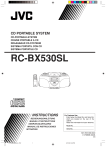
CD PORTABLE SYSTEM
CD-PORTABLE-SYSTEM
CHAINE PORTABLE A CD
DRAAGBAAR CD-SYSTEEM
SISTEMA PORTATIL CON CD
SISTEMA PORTATILE CD
RC-BX530SL
INSTRUCTIONS
BEDIENUNGSANLEITUNG
MANUEL D’INSTRUCTIONS
GEBRUIKSAANWIJZING
MANUAL DE INSTRUCCIONES
ISTRUZIONI
For Customer Use:
Enter below the Model No. and Serial No.
which are located on the rear of the
cabinet.
Retain this information for future reference.
Model No.
Serial No.
601-531000-040
LVT0938-004A
[E]
01_RCBX530SL_E_FCV
1
5/31/02, 5:39 PM
Warnings, Cautions and Others
Warnung, Achtung und sostige Hinweise
Mises en garde, précautions et indications diverses
Waarschuwingen, voorzorgen en andere mededelingen
Avisos, Precauciones y Varios
Simboli di avvertenza, attenzione e altri
Caution –– POWER
button!
Disconnect the mains plug to shut the power off completely.
The POWER
button in any position does not disconnect
the mains line. The power can be remote controlled.
Achtung — POWER
-Schalter!
Den Netzstecker aus der Steckdose ziehen, um die
Stromversorgung vollkommen zu unterbrechen. Der Schalter
unterbrichet in keiner Stellung die
POWER
Stromversorgung vollkommen. Die Stromversorgung kann
mit der Fernbedienung ein- und ausgeschaltet werden.
Precaución –– Botón POWER
!
Quitar el enchufe principal para desconectar completamente
la tensión de red. El botón POWER
en cualquier
posición no desconecta la tensión de la red. La tensión
puede ser controlada a distancia.
Attenzione –– tasto POWER
Per interrompere l’erogazione di corrente, scollegare la
spina dalla presa. L’uso del tasto di accensione e spegnimento
non interrompe l’erogazione della corrente.
POWER
L’unità può essere accesa e spenta con il telecomando.
Attention — Commutateur POWER
!
Déconnecter la fiche de secteur pour couper complètement
le courant. Le commutateur POWER
ne coupe jamais
complètement la ligne de secteur, quelle que soit sa position.
Le courant peut être télécommandé.
Voorzichtig — POWER
schakelaar!
Om de stroomtoevoer geheel uit te schakelen, trekt u de
stekker uit het stopkontakt. Anders zal er altijd een geringe
hoeveelheid stroom naar het apparaat lopen, ongeacht de
stand van de POWER
schakelaar. U kunt het apparaat
ook met de afstandsbediening aan- en uitschakelen.
Per l'Italia:
"Si dichiara che il questo prodotto di marca JVC è conforme
alle prescrizioni del Decreto Ministeriale n.548 del 28/08/
95 pubblicato sulla Gazzetta Ufficiale della Repubblica
Italiana n.301 del 28/12/95."
CAUTION
To reduce the risk of electrical shocks, fire, etc.:
1. Do not remove screws, covers or cabinet.
2. Do not expose this appliance to rain or moisture.
PRECAUCIÓN
Para reducir el riesgo de descargas eléctricas, fuego, etc.:
1. No quitar los tornillos, tapas o caja.
2. No exponer el aparato a la lluvia ni a la húmedad.
ACHTUNG
Zur Verhinderung von elektrischen Schlägen, Brandgefahr,
usw:
1. Keine Schrauben lösen oder Abdeckungen enternen
und nicht das Gehäuse öffnen.
2. Dieses Gerät weder Regen noch Feuchtigkeit
aussetzen.
ATTENZIONE
Per ridurre il rischio di scosse elettriche, incendio e altro:
1. Non rimuovere le viti, i coperchi o aprire il cabinet.
2. Non esporre questo apparecchio alla pioggia o
all’umidità.
ATTENTION
Afin d’éviter tout risque d’électrocution, d’incendie, etc.:
1. Ne pas enlever les vis ni les panneaux et ne pas
ouvrir le coffret de l’appareil.
2. Ne pas exposer l’appareil à la pluie ni à l’humidité.
VOORZICHTIG
Ter vermindering van gevaar voor brand, elektrische
schokken, enz.:
1. Verwijder geen schroeven, panelen of de behuizing.
2. Stel dit toestel niet bloot aan regen of vocht.
– G-1 –
02_RCBX530SL_E_G1-G3
2
5/31/02, 5:40 PM
CAUTION:
• Do not block the ventilation openings or holes.
(If the ventilation openings or holes are blocked by a
newspaper or cloth, etc., the heat may not be able to get
out.)
• Do not place any naked flame sources, such as lighted
candles, on the apparatus.
• When discarding batteries, environmental problems must
be considered and local rules or laws governing the disposal
of these batteries must be followed strictly.
• Do not expose this apparatus to rain, moisture, dripping or
splashing and that no objects filled with liquids, such as
vases, shall be placed on the apparatus.
VOORZICHTIG
• Zorg dat u de ventilatieopeningen en -gaten niet afsluit.
(Als de ventilatieopeningen en -gaten worden afgesloten
door bijvoorbeeld papier of een doek, kan er hitte in het
apparaat worden opgebouwd.)
• Zet geen bronnen met open vuur, zoals brandende kaarsen,
op het apparaat.
• Wees milieubewust en gooi lege batterijen niet bij het
huishoudelijk afval. Lege batterijen dient u in te leveren met
het KCA of bij een innamepunt voor batterijen.
• Stel dit apparaat niet bloot aan regen, vocht, drupwater of
spatwater en plaats geen enkel voorwerp waarin zich een
vlocistof bevindt, zoals een vaas, op het apparaat.
ACHTUNG
• Blockieren Sie keine Belüftungsschlitze oder -bohrungen.
(Wenn die Belüftungsöffnungen oder -löcher durch eine
Zeitung oder ein Tuch etc. blockiert werden, kann die
entstehende Hitze nicht abgeführt werden.)
• Stellen Sie keine offenen Flammen, beispielsweise
angezündete Kerzen, auf das Gerät.
• Wenn Sie Batterien entsorgen, denken Sie an den
Umweltschutz. Batterien müssen entsprechend den
geltenden örtlichen Vorschriften oder Gesetzen entsorgt
werden.
• Setzen Sie dieses Gerät auf keinen Fall Regen, Feuchtigkeit
oder Flüssigkeitsspritzern aus. Es dürfen auch keine mit
Flüssigkeit gefüllen Objekte, z. B. Vasen, auf das Gerät
gestellt werden.
PRECAUCIÓN
• No obstruya las rendijas o los orificios de ventilación.
(Si las rendijas o los orificios de ventilación quedan tapados
con un periódico, un trozo de tela, etc., no se podrá disipar
el calor).
• No ponga sobre el aparato ninguna llama al descubierto,
como velas encendidas.
• Cuando tenga que descartar las pilas, tenga en cuenta los
problemas ambientales y observe estrictamente los
reglamentos o las leyes locales sobre disposición de las
pilas.
• No exponga este aparato a la lluvia, humedad, goteos o
salpicaduras. Tampoco ponga recipientes conteniendo
líquidos, como floreros, encima del aparato.
ATTENTION
• Ne bloquez pas les orifices ou les trous de ventilation.
(Si les orifices ou les trous de ventilation sont bloqués par
un journal un tissu, etc., la chaleur peut ne pas être
évacuée correctement de l’appareil.)
• Ne placez aucune source de flamme nue, telle qu’une
bougie, sur l’appareil.
• Lors de la mise au rebut des piles, veuillez prendre en
considération les problèmes de l’environnement et suivre
strictement les règles et les lois locales sur la mise au rebut
des piles.
• N’exposez pas cet appareil à la pluie, à l’humidité, à un
égouttement ou à des éclaboussures et ne placez pas des
objets remplis de liquide, tels qu’un vase, sur l’appareil.
ATTENZIONE
• Evitare di ostruire le aperture o i fori di ventilazione con
giornali, indumenti etc., in quanto s’impedirebbe al calore
di fuoriuscire.
• Non collocare fiamme libere (es. candele accese)
sull’apparecchio.
• Le batterie devono essere smaltite nel rispetto dell’ambiente,
attenendosi ai regolamenti locali in materia.
• Non esporre l’apparecchio a pioggia, umidità, gocciolamenti
e spruzzi d’acqua ed evitare di sovrapporvi oggetti contenenti
liquidi (vasi etc.).
– G-2 –
02_RCBX530SL_E_G1-G3
3
5/31/02, 5:40 PM
IMPORTANT FOR LASER PRODUCTS / WICHTIGER HINWEIS FÜR LASER-PRODUKTE / IMPORTANT POUR LES
PRODUITS LASER / BELANGRIJKE INFORMATIE VOOR LASERPRODUKTEN / IMPORTANTE PARA PRODUCTOS
LASER / IMPORTANTE PER I PRODOTTI LASER
REPRODUCTION OF LABELS / ANBRINGUNGSORTE FÜR LASER-PRODUKTE / REPRODUCTION DES ETIQUETTES
/ VERLARING VAN DE LABELS / REPRODUCCIÓN DE ETIQUETAS / RIPRODUZIONE DI ETICHETTE
1 CLASSIFICATION LABEL, PLACED ON EXTERIOR
SURFACE
2 WARNING LABEL, PLACED INSIDE THE UNIT
1 KLASSIFIKATIONSETIKETT AUF DER
AUßENSEITE
2 WARNETIKETTE IM GERÄTEINNEREN
2 ETIQUETTE D’AVERTISSEMENT PLACÉE À
L’INTERIEUR DE L’APPAREIL
1 ÉTIQUETTE DE CLASSIFICATION, PLACÉE SUR
LA SURFACE EXTÉRIEURE
2 WAARSCHUWINGSLABEL, IN HET APPARAAT
1 CLASSIFICATIELABEL, OP DE ACHTERZIJDE VAN
HET APPARAAT
1 ETIQUETA DE CLASIFICACIÓN, PEGADA EN LA
SUPERFICIE EXTERIOR
2 ETIQUETA DE AVISO, SITUADA EN EL INTERIOR
DE LA UNIDAD
2 ETICHETTA DI AVVERTENZA, AFFISSA
ALL’INTERNO DELL’UNITÀ
1 ETICHETTA DI CLASSIFICAZIONE, SITUATA
SULLA SUPERFICIE ESTERNA
CAUTION -
INVISIBLE LASER RADIATION WHEN OPEN AND INTERLOCKS
DEFEATED. AVOID EXPOSURE TO BEAM,
VORSICHTI - UNSICHTBARE LASERSTRAHLUNG TRITT AUS, WENN DECKEL
GEOFFNET UND WEEN SICHERHEITSVERRIEGELUNG
uBERBRuCKT IST, NICHT DEM STRAHL AUSSETENI
VARNING OSYNLIG LASERSTRALNING NAR DENNA DAL AR OPPNAD OCH
SPARR AR URKOPPLAD STRALEN AR FARLIG.
ADVARSEL - USYNLIG LASERSTRALING VED ABNNING NAR
SIKKERHEDSAFBRYDERE ER UDE AF FUNKTION.UNDGA
UNS ETTELSE FOR STRALING.
1. CLASS 1 LASER PRODUCT
2. CAUTION: Invisible laser radiation when open and
interlock failed or defeated. Avoid direct exposure to
beam.
3. CAUTION: Do not open the top cover. There are no
user serviceable parts inside the Unit; leave all
servicing to qualified service personnel.
1. PRODUCTO LÁSER DE CLASE 1
2. PELIGRO: Radiación láser visible cuando se abra un
sistema de bloqueo defectuoso o averiado. Evitar la
exposición directa al haz.
3. PRECAUCIÓN: No abrir la tapa superior. No hay
piezas reparables por el usuario en el interior de la
unidad; deje todo mantenimiento o reparación al
personal técnico cualificado.
1. LASER-PRODUKT DER KLASSE 1
2. GEFAHR: Sichtbare Laserstrahlung bei Öffnung und
fehlerhafter oder beschädigter Spre. Direkten Kontakt
mit dem Strahl vermeiden!
3. ACHTUNG: Das Gehäuse nicht öffnen. Das Gerät
enthält keinerlei Teile, die vom Benutzer gewartet
werden können. Überlassen Sie Wartungsarbeiten
bitte qualifizierten Kundendienst-Fachleuten.
1. PRODUIT LASER CLASSE 1
2. ATTENTION: Radiation laser visible quand l’appareil
est ouvert ou que le verrouillage est en panne ou
désactivé. Eviter une exposition directe au rayon.
3. ATTENTION: Ne pas ouvrir le couvercle du dessus. Il
n’y a aucune pièce utilisable à l’intérieur. Laisser à un
personnel qualifié le soin de réparer votre appareil.
1. CLASSE 1, PRODOTTI LASER
2. PERICOLO: radiazioni laser visibili quando
l’apparecchio è aperto o il dispositivo di bloccaggio è
guasto o è stato sbloccato. Evitare l’esposizione
diretta al raggio.
3. ATTENZIONE: non aprire il coperchio superiore.
Nessun utente deve sostituire o riparare le parti
interne di questo apparecchio; per eventuali
riparazioni, rivolgersi a tecnici qualificati.
1. KLAS 1 LASERPRODUKT
2. GEVAARLIJK: Zichtbaar laserstraling wanneer open
en de beveiliging faalt of uitgeschakeld is. Voorkom het
direkt blootstaan aan de straal.
3. VOORZICHTIG: De bovenkap niet openen. Binnenin
het toestel bevinden zich geen door de gebruiker te
repareren onderdelen: laat onderhoud over aan
bekwaam vakpersoneel.
– G-3 –
02_RCBX530SL_E_G1-G3
4
5/31/02, 5:40 PM
English
Deutsch
CARACTÉRISTIQUES ........................................ 1
CONSIGNES POUR LA MANIPULATION .......... 2
ALIMENTATION .................................................. 3
NOMENCLATURE ET FONCTIONS DES
ÉLÉMENTS ................................................... 4
TÉLÉCOMMANDE .............................................. 5
MISE SOUS/HORS TENSION ............................ 7
RÉGLAGE DE L’HORLOGE ............................... 7
RÉGLAGE DU SON ............................................ 8
À PROPOS DES DISQUES COMPACTS .......... 9
LECTURE DE DISQUES COMPACTS ............. 10
RÉCEPTION DE LA RADIO ............................. 12
CASSETTE ....................................................... 13
LECTURE DE CASSETTE ............................... 14
ENREGISTREMENT ......................................... 14
ENTRETIEN ...................................................... 16
DÉPANNAGE .................................................... 17
SPÉCIFICATIONS ............................................ 18
CARACTÉRISTIQUES
1.
Chaîne portable intégrant un lecteur CD
• La télécommande à 16 touches permet
d’exécuter les fonctions CD ordinaires.
• L’affichage ACL (affichage à cristaux
liquides) indique le numéro d’accord de
lecture, le mode de lecture répétée et les
modes des fonctions.
• Lecture possible des CD single (8 cm)
2.
3.
4.
Démarrage synchro de l’enregistrement
pour faciliter l’enregistrement des CD
Mécanisme d’arrêt automatique
Touche HYPER-BASS SOUND
Italiano
Español
Nederlands
Français
SOMMAIRE
1
05_RCBX530SL_E_01-18_Fr
1
5/31/02, 5:42 PM
3.
4.
2
05_RCBX530SL_E_01-18_Fr
2
English
Deutsch
Français
2.
Évitez l’installation aux emplacements
suivants.
• Endroit où il pourrait être soumis à des
vibrations.
• Endroit excessivement humide, une salle de
bain par exemple.
• Endroit où il pourrait être magnétisé par un
aimant ou une enceinte.
Faites attention à la poussière.
Fermez toujours le volet CD de sorte que la
lentille ne soit pas contaminée par la poussière.
Ne touchez pas la lentille.
Condensation
Dans les cas suivants, de la condensation peut
apparaître sur la lentille, ce qui peut provoquer
un mauvais fonctionnement de l’appareil.
• Dans une salle où un chauffage vient juste
d’être allumé.
• À un endroit enfumé ou fortement humide.
• Quand l’appareil est transporté directement
d’un endroit froid à un endroit chaud.
Dans ce cas, réglez l’interrupteur POWER
sur ON et attendez 1 à 2 heures avant d’utiliser
l’appareil.
Réglage du volume
Comparés aux disques analogiques, les
disques compacts produisent très peu de bruit.
Quand la commande de volume d’un
amplificateur est ajustée en écoutant le bruit,
comme c’est le cas pour les disques
analogiques, les enceintes peuvent être
endommagées par une augmentation brutale
de la sortie au démarrage de la musique.
Réduisez donc le volume avant le démarrage
et ajustez comme requis pendant la lecture
d’un CD.
Mécanisme de sécurité
Cet appareil incorpore un mécanisme de
verrouillage de sécurité qui active/désactive le
rayon laser de sorte que, quand le volet CD est
ouvert,
le
rayon
laser
s’arrête
automatiquement.
6. Ne placez pas de cassettes etc. près des
enceintes.
Comme les enceintes contiennent des aimants,
ne placez pas de cassettes ou cartes
magnétiques dessus, car les matériaux
enregistrés pourraient être effacés.
7. Maintenez cet appareil à l’écart de votre
téléviseur.
Quand cet appareil est utilisé près d’un
téléviseur, l’image de ce dernier peut être
déformée. Dans ce cas, éloignez l’appareil du
téléviseur. Si la situation ne s’améliore pas,
évitez d’utiliser cet appareil quand le téléviseur
est allumé.
8. Nettoyage du coffret
Si le coffret est souillé, essuyez-le avec un
chiffon doux et sec. N’utilisez pas de benzine
ou de diluant, car ils pourraient abîmer la
finition.
9. À l’écoute avec des écouteurs
• N’écoutez pas à volume élevé, cela pourrait
endommager votre ouïe.
• Par mesure de sécurité, ne conduisez pas
en écoutant cet appareil.
10. Poignée de transport
Ne soulevez pas et n’abaissez pas la poignée
quand l’antenne télescopique est étendue pour
éviter d’endommager celle-ci. Placez la
poignée de transport de sorte qu’elle ne gêne
pas le fonctionnement.
Nederlands
1.
5.
Italiano
N’utilisez pas cet appareil en plein soleil et ne
le laissez pas dans une voiture fermée (ou un
yacht etc.) où il pourrait être exposé à des
températures élevées dépassant 40˚C.
Español
CONSIGNES POUR LA MANIPULATION
5/31/02, 5:42 PM
English
ALIMENTATION
A. Fonctionnement
domestique
sur
le
secteur
• Raccordez le cordon d’alimentation.
Deutsch
CONSIGNES:
1.
Français
2.
UTILISEZ UNIQUEMENT LE CORDON
D’ALIMENTATION JVC FOURNI AVEC CET
APPAREIL POUR ÉVITER TOUT MAUVAIS
FONCTIONNEMENT OU DOMMAGE À
L’APPAREIL. RETIREZ LES PILES QUAND
VOUS
UTILISEZ
LE
CORDON
D’ALIMENTATION.
DÉBRANCHEZ BIEN LE CORDON
D’ALIMENTATION DE LA PRISE QUAND
VOUS SORTEZ OU SI L’APPAREIL DOIT
RESTER INUTILISÉ PENDANT UNE
PÉRIODE PROLONGÉE.
Contrôle des piles
Remplacez les piles par des neuves quand la
vitesse de défilement de la bande ou le son émis
diminuent, ou que la lecture du CD devient
intermittente.
Quand vous faites un enregistrement important,
utilisez des piles neuves (de préférence des piles
alcalines à vie de service plus longue) pour éviter
toute défaillance éventuelle.
•
Pour un meilleur usage des piles
Les piles se consument plus rapidement en
fonctionnement continu qu’en fonctionnement
discontinu, et aussi plus rapidement quand
l’appareil fonctionne à un endroit froid qu’à un
endroit chaud.
CONSIGNES:
•
B. Fonctionnement sur piles
Español
Nederlands
Chargement des piles
1.
Ouvrez le couvercle du logement à piles en le
tirant vers vous tout en appuyant sur les
sections marquées de flèches.
•
2.
Insérez huit piles de format “R20/D (13F)”
comme le montre l’illustration.
* Insérez bien les piles en positionnant
correctement les bornes ª et ·.
1
4
6
3
Italiano
7
2
8
5
Piles de format
“R20/D (13F)”
3.
Remettez le couvercle en place.
SI L’APPAREIL DOIT RESTER INUTILISÉ
PENDANT UNE PÉRIODE PROLONGÉE
(PLUS DE DEUX SEMAINES) OU S’IL EST
TOUJOURS UTILISÉ SUR LE COURANT
SECTEUR, RETIREZ LES PILES POUR
ÉVITER
TOUT
MAUVAIS
FONCTIONNEMENT OU DOMMAGE À
L’APPAREIL.
QUAND LE CORDON D’ALIMENTATION
JVC FOURNI AVEC CET APPAREIL EST
RACCORDÉ, L’ALIMENTATION EST
AUTOMATIQUEMENT COMMUTÉE DES
PILES AU SECTEUR DOMESTIQUE MÊME
SI DES PILES SONT CHARGÉES. MAIS
RETIREZ LES PILES AVANT D’UTILISER LE
CORDON SECTEUR.
CONSIGNES POUR L’UTILISATION
DES PILES:
Quand les piles sont mal utilisées, une fuite de
produits chimiques des piles est possible, ou
bien elles peuvent exploser. Les précautions
suivantes doivent être prises:
•
Vérifiez que les pôles positif ª et négatif
· des piles sont positionnés correctement
et chargez-les comme indiqué sur
l’illustration.
•
Ne mélangez pas des piles neuves et
anciennes, ni des piles de types différents.
•
N’essayez pas de recharger des piles nonrechargeables.
•
Retirez les piles de l’appareil s’il doit rester
inutilisé pendant une période prolongée.
Si des produits chimiques des piles viennent
au contact de votre peau, éliminez-les
immédiatement en les lavant à l’eau. Si des
produits chimiques fuient sur l’appareil,
nettoyez-le complètement.
3
05_RCBX530SL_E_01-18_Fr
3
5/31/02, 5:42 PM
English
NOMENCLATURE ET FONCTIONS DES ÉLÉMENTS
•
Panneau supérieur
2
3
4
8
1. Commande JOG VOLUME (–/+)
2. Touche PROGRAM
3. Touche FM MODE (FM STEREO/FM
MONO)
4. Touche PRESET/REPEAT
5. Interrupteur POWER
•
9 10
6.
7.
8.
9.
10.
Touche PRESET EQ
Touche HYPER-BASS SOUND
Volet CD
Touche TAPE
Touche TUNER
Nederlands
5 6 7
Français
Deutsch
1
Panneau frontal
Italiano
Español
11 12 13 14 15 16 17 18 19
20
11.
12.
13.
14.
15.
16.
17.
18.
19.
Touche RANDOM
Section du capteur REMOTE
Touche de saut/recherche arrière 4
Touche d’arrêt 7
Fenêtre d’affichage
Touche de lecture/pause 6 CD
Touche de saut/recherche avant ¢
Indicateur STANDBY
Touche INTRO
21
20. Logement à cassette
21. Touches de fonctionnent de la cassette
Touche 8 PAUSE
Touche § STOP/EJ
Touche ¡ FF
Touche 1 REW
Touche 3 PLAY
Touche ¶ REC
4
05_RCBX530SL_E_01-18_Fr
4
5/31/02, 5:43 PM
English
Panneau arrière
Deutsch
•
22
Français
22. Antenne télescopique
23. Couvercle du logement à piles
24. Bouton RESET
Nederlands
Español
24
25 26
25. Prise AC IN (entrée secteur)
26. Prise PHONES (miniprise stéréo dia.
3,5 mm)
Raccordez les écouteurs (impédance de 16 Ω
à 32 Ω) à cette prise. Les enceintes seront
automatiquement coupées à la connexion des
écouteurs.
Réinitialisez comme suit si les opérations
normales sont invalidées:
1) Mettez hors tension.
2) Appuyez sur le bouton RESET avec la
pointe d’un petit tournevis ou d’un objet
similaire.
3) Remettez sous tension.
4) Réglez à nouveau l’horloge.
TÉLÉCOMMANDE
Préparatifs pour l’utilisation
Italiano
23
•
1.
2.
3.
Remettez le couvercle en place.
•
Remplacement des piles
Insertion des piles dans la télécommande
Retirez le couvercle du logement à piles de
l’arrière de la télécommande.
Insérez deux piles format “R03 (UM-4)/AAA
(24F)”.
• Insérez les piles en alignant les pôles ª et
· sur les indications dans le logement.
(Insérez d’abord les extrémités ·.)
Piles format “R03 (UM-4)/AAA (24F)”
2
1
Remplacez les piles par des neuves quand le
fonctionnement de la télécommande devient
instable ou que la distance de télécommande
est raccourcie.
Emploi de la télécommande
Pour utiliser la télécommande, pointez-la vers le
capteur REMOTE et appuyez légèrement et
fermement sur les touches. La télécommande est
possible sur une distance d’environ 7 m. Mais
comme la portée de télécommande diminue quand
elle est utilisée à un angle, utilisez-la autant que
possible directement à l’avant de la section du
capteur REMOTE.
N’exposez pas la section du capteur REMOTE à
une forte lumière (en plein soleil ou sous éclairage
artificiel), et vérifiez l’absence de tout obstacle entre
la section du capteur REMOTE et la télécommande.
5
05_RCBX530SL_E_01-18_Fr
5
5/31/02, 5:43 PM
English
1
2
3
4
5
6
7
8
Deutsch
9
10
11
12
13
14
Français
15
8.
9.
10.
11.
12.
13.
14.
15.
Touche EQ
Touche TAPE
Touche de lecture/pause CD 3/8
Touche 7 STOP
Touche INTRO
Touche PROGRAM
Touches VOL 5/∞
Touche RANDOM
Nederlands
Touche POWER
Touche TUNER
Touche de saut/recherche avant ¢
Touche de saut/recherche arrière 4
Touche PRESET/REPEAT
Touche FM MODE (FM STEREO/FM
MONO)
7. Touche HBS (Hyper-Bass Sound)
Italiano
Español
1.
2.
3.
4.
5.
6.
6
05_RCBX530SL_E_01-18_Fr
6
5/31/02, 5:43 PM
English
Français
Deutsch
MISE SOUS/HORS TENSION
Mise sous/hors tension
Nederlands
Interrupteur
POWER
Appuyez sur l’interrupteur POWER
pour mettre
sous ou hors tension.
Le témoin STANDBY s’éteint à la mise sous
tension.
L’appareil est prêt à lire la source lue au moment
de la dernière mise hors tension.
Remarque:
Retirez les piles en portant l’appareil ou lors de son
transport dans le coffre de votre voiture pour
économiser les piles. Cela évitera la mise sous
tension en cas de pression accidentelle de
.
l’interrupteur POWER
L’horloge s’affiche quand l’appareil est en mode de veille.
Procédez comme suit pour régler l’horloge.
Italiano
Español
RÉGLAGE DE L’HORLOGE
1.
2.
3.
4.
5.
Maintenez la touche PROGRAM pressée
jusqu’à ce que les heures clignotent.
Appuyez sur la touche 4 ou ¢ pour régler
les heures.
Maintenez la touche PROGRAM pressée
jusqu’à ce que les minutes clignotent.
Appuyez sur la touche 4 ou ¢ pour régler
les minutes.
Maintenez la touche PROGRAM pressée
jusqu’à ce que l’horloge s’affiche en continu.
Attention:
En cas de débranchement de l’appareil ou de
panne de courant, le réglage sera perdu. Le réglage
de l’horloge devra être refait.
Remarque:
L’horloge peut avancer ou reculer de 1 à 2 minutes
par mois.
7
05_RCBX530SL_E_01-18_Fr
7
5/31/02, 5:43 PM
English
Réglage du volume
Sélection des modes audio
Tournez la commande JOG VOLUME de l’appareil.
Ou bien appuyez sur les touches VOL 5/∞ sur la
télécommande.
Des modes audio peuvent être sélectionnés pour
rehausser le type de musique lu.
Appuyez sur la touche PRESET EQ sur l’appareil
jusqu’à ce que le mode audio souhaité s’affiche.
Ou bien appuyez sur la touche EQ sur la
télécommande.
À chaque pression de la touche, le mode audio
change comme suit:
Ne mettez pas l’appareil HORS TENSION (en
veille) avec le volume réglé à un niveau très élevé;
sinon, une surcharge brutale de son pourrait
endommager votre ouïe, les enceintes et/ou les
écouteurs à la mise sous tension de l’appareil ou
au démarrage d’une source la fois suivante.
N’OUBLIEZ PAS que vous ne pouvez pas régler le
volume quand l’appareil est en mode de veille.
Pour l’écoute personnelle
Raccordez une paire d’écouteurs à la prise
PHONES. Aucun son ne sortira des enceintes.
N’oubliez pas de baisser le volume avant de
connecter ou d’ajuster les écouteurs sur vos
oreilles.
ROCK
FLAT
JAZZ
POP
CLASSIC
Pour mettre hors tension, appuyez sur la touche
PRESET EQ jusqu’à ce que “FLAT” s’affiche.
Renforcement des graves
La fonction Hyper-Bass Sound vous permet
d’apprécier des graves puissants.
Pour activer cette fonction, appuyez sur la touche
HYPER-BASS SOUND sur l’appareil de sorte que
l’indicateur HBS apparaisse dans la fenêtre
d’affichage.
Ou bien, appuyez sur la touche HBS sur la
télécommande.
Pour désactiver la fonction, appuyez à nouveau sur
la touche pour éteindre l’indicateur HBS.
8
05_RCBX530SL_E_01-18_Fr
8
5/31/02, 5:43 PM
Español
Attention:
Italiano
Le volume peut être réglé entre 0 et 40.
Nederlands
Français
Deutsch
RÉGLAGE DU SON
English
Deutsch
Français
Nederlands
•
Manipulation
Incorrect
Respectez les points suivants parce que des
disques souillés, endommagés ou gondolés
peuvent endommager l’appareil:
1. Disques compacts utilisables
Utilisez des disques compacts portant la
marque indiquée.
2. Remarques sur la manipulation des disques
• Ne touchez pas la surface enregistrée
réflective.
• Ne collez rien et n’écrivez rien sur la face
étiquetée.
• Ne recourbez pas les disques.
3. Rangement
• Après le retrait d’un disque de l’appareil,
remettez-le bien dans sa boîte.
• N’exposez pas les disques en plein soleil, à
la chaleur d’un chauffage etc., à une forte
humidité ou à la poussière.
4. Nettoyage des disques
Avant de charger un disque, éliminez la
poussière, la saleté ou les traces de doigts avec
un chiffon doux. Les disques doivent être
nettoyés en essuyant dans le sens radial, du
centre vers le bord.
•
•
N’utilisez jamais de diluant, de benzine ou
de détergent pour disque ou de spray
antiseptique.
Retirez le disque de sa boîte et chargez-le.
•
Appuyez sur le centre et soulevez-le.
•
Appuyez pour asseoir le CD.
Italiano
Español
À PROPOS DES DISQUES COMPACTS
•
Nettoyage
Correct
Incorrect
Cet appareil est prévu pour lire les CD suivants:
CD audio, CD-R et CD-RW.
À la lecture d’un CD-R ou CD-RW
Les CD-R (enregistrables) édités par
l’utilisateur et les CD-RW (réinscriptibles) sont
lisibles seulement s’ils sont déjà “finalisés”.
•
Vous pouvez lire vos CD-R ou CD-RW
originaux enregistrés en format CD
musique. (La lecture peut toutefois être
impossible à cause de leurs
caractéristiques ou des conditions
d’enregistrement.)
•
Avant de lire des CD-R ou CD-RW, lisez
attentivement les instructions ou mises en
garde.
•
Certains CD-R ou CD-RW peuvent ne pas
être lus sur cet appareil à cause des
caractéristiques du disque, des dommages
ou taches dessus, ou bien si la lentille du
lecteur est sale.
•
Les CD-RW peuvent exiger un long temps
d’extraction. (Cela est dû au fait que la
réflectance des CD-RW est inférieure à
celle des CD ordinaires.)
9
05_RCBX530SL_E_01-18_Fr
9
5/31/02, 5:43 PM
English
LECTURE DE DISQUES COMPACTS
Lecture de tout un disque
3.
4.
Lecture de recherche (pour localiser la
position souhaitée sur le disque)
•
•
•
Réglez le son.
Lecture sautée
•
La position requise peut être localisée par
recherche en avance ou retour rapide pendant
la lecture d’un disque.
Maintenez la touche pressée, la lecture de
recherche démarrera.
Comme le son à faible volume (à environ un
quart du niveau normal) est audible en mode
de recherche, contrôlez le son et libérez la
touche à la localisation de la position souhaitée
sur le disque.
Pendant la lecture, il est possible de sauter en
avant au début de la plage suivante ou en
arrière au début de la plage en cours de lecture
ou de la plage précédente; la lecture
commencera automatiquement à la localisation
du début de la plage souhaitée.
Appareil
Télécommande
Pour arrêter la lecture
•
Pour arrêter au milieu d’un disque
Pendant la lecture, appuyez sur la touche 7
pour arrêter la lecture.
Pour écouter la plage suivante ...
Appuyez une fois sur la touche ¢ au début de la
plage suivante.
Pour écouter la plage précédente ...
Appuyez sur la touche 4 pour sauter au début de
la plage en cours de lecture et appuyez à nouveau
pour sauter au début de la plage précédente.
•
Appareil Télécommande
Pour arrêter temporairement un disque
Appuyez sur la touche 3/8 pour arrêter
temporairement la lecture. Appuyez une
seconde fois pour reprendre la lecture au point
où elle a été interrompue.
Appareil
Télécommande
10
05_RCBX530SL_E_01-18_Fr
10
Español
2.
Appuyez sur ) PUSH de l’appareil pour ouvrir
le volet CD.
Chargez un disque, la face étiquetée dirigée
vers le haut, puis refermez le volet CD.
• Les disques compacts de 8 cm peuvent être
utilisés sans adaptateur dans cet appareil.
Appuyez sur la touche 3/8 pour démarrer la
lecture.
• Le numéro de plage s’affiche.
5/31/02, 5:43 PM
Italiano
1.
Nederlands
Français
Deutsch
Procédez comme suit
English
Pour changer de disque, appuyez sur la touche 7;
vérifiez que le disque est complètement arrêté
avant de le décharger.
Appareil
Télécommande
Remarques:
•
L’indication suivante peut apparaître quand un
disque est sale ou rayé, ou quand le disque est
chargé à l’envers. Dans ce cas, contrôlez le
disque et réinsérez-le après nettoyage ou
retournement.
•
N’utilisez pas l’appareil à des températures
excessivement élevées ou basses. La plage de
températures recommandée est de 5 à 35˚C.
Après la lecture, déchargez le disque et
refermez le volet CD.
En cas d’erreur de plage pendant la lecture,
abaissez le volume.
Une erreur de plage est possible si un choc
violent est appliqué à l’appareil ou s’il est utilisé
à un emplacement soumis à des vibrations (par
exemple dans une voiture roulant sur route
inégale).
•
Lecture répétée d’une seule plage (“REPEAT”
clignote)
La plage en cours de lecture sera lue de
manière répétée.
Lecture répétée de toutes les plages
(“REPEAT” s’allume)
Lors de la lecture de tout un disque, toutes les
plages sont lues de manière répétée.
Lecture aléatoire
Appuyez sur la touche RANDOM de sorte que
l’indicateur RANDOM s’allume sur l’affichage avant
ou pendant la lecture du CD souhaité.
RANDOM
RANDOM
•
•
•
Lecture répétée
Appuyez sur la touche PRESET/REPEAT avant ou
pendant la lecture. Une seule plage ou toutes les
plages peuvent être répétées.
Les plages sont lues de manière aléatoire.
La lecture aléatoire cesse quand toutes les plages
ont été lues une fois.
Pour annuler la lecture aléatoire, appuyez à
nouveau sur la touche RANDOM de sorte que
l’indicateur RANDOM s’éteigne.
Lecture du début de chaque plage
Appuyez sur la touche INTRO de sorte que
l’indicateur INTRO s’allume sur l’affichage, puis
démarrez la lecture.
Italiano
Español
Nederlands
Français
Deutsch
•
Attention:
Le début (10 secondes) de chaque plage est lu.
Pour annuler cette fonction, appuyez à nouveau sur
la touche INTRO de sorte que l’indicateur INTRO
s’éteigne.
La répétition d’une ou de toutes les plages peut être
spécifiée. À chaque pression de la touche PRESET/
REPEAT, le mode changera d’une plage
(“REPEAT” clignote sur l’affichage), à toutes les
plages (“REPEAT” s’allume en continu) et au mode
d’annulation, dans cet ordre.
11
05_RCBX530SL_E_01-18_Fr
11
5/31/02, 5:43 PM
3.
Appuyez sur la touche PROGRAM.
4.
Appuyez sur la touche 4 ou ¢ pour
sélectionner la plage souhaitée à lire.
English
Lecture programmée
16 plages maximum peuvent être programmées
pour la lecture dans n’importe quel ordre requis.
3,5
4
1,7
Deutsch
4
2
1.
2.
3,5
1,7
2
Appuyez sur la touche 6 pour régler au mode
CD.
Appuyez sur la touche 7.
Appuyez sur la touche PROGRAM.
Répétez les étapes 4 et 5 pour programmer
d’autres plages.
7. Appuyez sur la touche 6 pour démarrer la
lecture.
Pour annuler le programme, appuyez sur la touche
7 en mode d’arrêt.
RÉCEPTION DE LA RADIO
Français
5.
6.
Español
Nederlands
Procédez dans l’ordre suivant
2.
3.
4.
•
Appuyez sur la touche TUNER pour régler au
mode TUNER.
Appuyez sur la touche TUNER pour
sélectionner la bande FM ou MW (AM).
Maintenez la touche 4 ou ¢ pressée plus
d’une seconde.
L’appareil commence à rechercher des stations
et s’arrête à l’accord d’une station à signal
suffisamment puissant.
Réglez le son.
La pression brève et répétée de la touche 4
ou ¢ fera changer la fréquence pas à pas.
Préréglage de stations
Vous pouvez prérégler 20 stations FM et 12 stations
MW (AM).
2
3,5
4
Changement du mode de réception FM
Quand une émission FM stéréo est difficile à recevoir
ou parasitée, appuyez sur la touche FM MODE de
sorte que l’indicateur MONO s’allume sur l’affichage.
La réception sera améliorée.
FM MODE
1
1.
2.
Appareil Télécommande
Pour rétablir l’effet stéréo, appuyez à nouveau sur
la touche FM MODE de sorte que l’indicateur
MONO s’éteigne.
05_RCBX530SL_E_01-18_Fr
12
Appuyez sur la touche TUNER pour
sélectionner la bande FM ou MW (AM).
Appuyez sur la touche 4 ou ¢ pour
accorder la station que vous souhaitez
prérégler.
12
5/31/02, 5:43 PM
Italiano
1.
English
3.
Utilisation des antennes
FM
Deutsch
4.
Appuyez sur la touche PRESET/REPEAT pour
sélectionner le numéro de préréglage.
Le numéro de préréglage sélectionné clignote.
MW (AM)
5.
Français
Appuyez sur la touche PROGRAM.
6.
Appuyez sur la touche PROGRAM.
Le numéro de préréglage s’allume en continu.
Répétez les étapes 2 à 5 pour prérégler
d’autres stations en utilisant des numéros de
préréglage différents.
Accord d’une station préréglée
Remarque:
1.
L’antenne à noyau de ferrite intégré peut capter les
interférences de récepteurs de télévision dans le
voisinage et ainsi gêner la réception MW (AM).
Nederlands
2.
Appuyez sur la touche TUNER pour
sélectionner la bande FM ou MW (AM).
Appuyez plusieurs fois sur la touche PRESET/
REPEAT jusqu’à ce que le numéro de
préréglage souhaité apparaisse.
Attention:
En cas de débranchement de l’appareil ou de
panne de courant, les stations préréglées seront
effacées. Si cela arrive, le préréglage devra être
refait.
Español
CASSETTE
Cassette
Chargement d’une cassette
1.
1.
Italiano
2.
Une bande détendue peut causer des
problèmes. Tendez-la légèrement avec un
crayon.
Pour éviter l’effacement accidentel des
enregistrements, brisez le ou les onglets avec
un tournevis. Refermez les fentes avec du
ruban adhésif pour effacer et réenregistrer
après avoir brisé les onglets.
Tournez le crayon pour
tendre la bande.
2.
3.
Appuyez sur la touche § STOP/EJ pour
ouvrir le logement à cassette.
Chargez une cassette comme indiqué.
Refermez le logement à cassette en appuyant
légèrement dessus. Vérifiez l’émission du clic
indiquant que le logement est bien fermé.
Marche avant =
Remarque:
L’emploi de cassettes de plus de 120 minutes n’est
pas recommandé, parce que la détérioration des
caractéristiques est possible et que la bande
s’emmêle facilement sur le galet presseur et le
cabestan.
13
05_RCBX530SL_E_01-18_Fr
13
5/31/02, 5:43 PM
English
LECTURE DE CASSETTE
Procédez dans l’ordre suivant
1
3.
4.
5.
3
4
Appuyez sur la touche TAPE.
Appuyez sur la touche § STOP/EJ pour
ouvrir le logement à cassette.
Chargez une cassette. (Utilisez des cassettes
normales dans cet appareil.)
Appuyez sur la touche 3 PLAY pour démarrer
la lecture.
Réglez le son.
2
Pour arrêter la lecture
Appuyez sur la touche § STOP/EJECT pour
arrêter la lecture. (Le défilement de la bande
s’arrête automatiquement en arrivant en fin de
bande.)
Bobinage rapide d’une bande
Appuyez sur la touche 1 REW ou ¡ FF pour
rebobiner la bande.
Nederlands
1.
2.
Français
Deutsch
5
•
À l’enregistrement, le circuit ALC optimise automatiquement le niveau d’enregistrement; le réglage du
niveau d’enregistrement est inutile.
Procédez dans l’ordre indiqué
Italiano
1
Español
ENREGISTREMENT
1.
2.
3.
3
Sélectionnez la source d’enregistrement.
• À l’enregistrement à partir de la radio
- Réglez au mode TUNER
• À l’enregistrement à partir d’un lecteur CD
- Réglez au mode CD
Chargez une cassette vierge ou effaçable. (Voir
la remarque à droite.)
Appuyez simultanément sur les touches ¶ REC
et 3 PLAY.
2
Pour arrêter l’enregistrement
Appuyez sur la touche § STOP/EJ pour arrêter
l’enregistrement. (La bande s’arrêtera
automatiquement en arrivant à sa fin.)
Remarque:
Les caractéristiques d’enregistrement/lecture de
cet appareil sont celles d’une cassette normale. Les
caractéristiques d’une cassette normale sont
différentes de celles d’une cassette CrO2 ou métal.
14
05_RCBX530SL_E_01-18_Fr
14
5/31/02, 5:43 PM
English
Il peut être illégal d’enregistrer ou de lire des
matériaux sous droits d’auteur sans l’accord du
détenteur des droits d’auteur.
Enregistrement synchronisé avec le
lecteur CD
Deutsch
•
Dans cet appareil, le lecteur CD démarre la
lecture quand la platine passe en mode
d’enregistrement.
Procédez dans l’ordre suivant
1
3
Touche 8 PAUSE
Avant tout, appuyez sur la touche 8 PAUSE. Puis
appuyez sur les touches ¶ REC et 3 PLAY,
passant ainsi en mode pause d’enregistrement
(veille). Ensuite, appuyez à nouveau sur la touche
8 PAUSE au moment précis où vous souhaitez
reprendre l’enregistrement. La bande sera libérée
pour commencer l’enregistrement à ce moment
exact.
•
Ne laissez pas l’appareil en mode pause
pendant plus de quelques minutes. À la place,
appuyez sur la touche § STOP/EJ et mettez
hors tension.
Effacement
Français
À l’enregistrement sur une cassette préenregistrée,
l’enregistrement précédent est automatiquement
effacé et seuls les nouveaux matériaux seront
audibles à la lecture.
Pour effacer une casette sans faire de
nouvel enregistrement ...
1.
1.
2.
3.
4.
5.
5
2
Réglez l’interrupteur POWER
sur ON.
Chargez une cassette.
Chargez un disque.
Réglez à CD.
Appuyez sur la touche ¶ REC et la touche 3
PLAY,
l’enregistrement
synchronisé
démarrera.
• Si la bande arrive à sa fin en premier, le
lecteur CD s’arrête automatiquement; si le
lecteur CD s’arrête en premier, la bande
continue à défiler. Dans ce cas, appuyez sur
la touche § STOP/EJ pour arrêter la
bande.
2.
Appuyez sur la touche 7 (arrêt du CD) quand il
n’y a pas de disque chargé dans l’appareil.
Appuyez sur les touches ¶ REC et 3 PLAY.
Les sons enregistrés seront effacés.
Attention:
Si un enregistrement effectué contient beaucoup de
bruit ou de parasites, l’appareil était peut-être
proche d’un téléviseur allumé pendant
l’enregistrement.
Mettez le téléviseur hors tension ou séparez
davantage le téléviseur et l’appareil.
Italiano
Español
Nederlands
4
15
05_RCBX530SL_E_01-18_Fr
15
5/31/02, 5:43 PM
English
Nettoyage de la lentille
Quand une bande défile, de la poudre magnétique
et de la poussière s’accumulent normalement sur
les têtes, le cabestan et le galet presseur. Quand
ils sont trop sales ...
•
la qualité du son se détériore
•
le niveau du son fourni baisse
•
les sons précédents ne sont pas complètement
effacés
•
l’enregistrement ne se fait pas de manière
satisfaisante.
C’est pourquoi les têtes etc. doivent être nettoyées
toutes les 10 heures de fonctionnement pour
pouvoir obtenir un enregistrement parfait.
Si la lentille de la tête de lecture CD est sale, le son
sera dégradé.
Ouvrez le volet CD et nettoyez la lentille comme
indiqué.
•
Utilisez une poire soufflante (disponible chez
un marchand d’appareils photo) pour éliminer
la poussière de la lentille.
Français
Le nettoyage est important!
Deutsch
ENTRETIEN
Nettoyage des têtes, du cabestan et du
galet presseur
Nederlands
Poire soufflante
Blower
Têtes
Lens
Lentille
Cabestan
Galet presseur
•
S’il y a des traces de doigts etc. sur la lentille,
nettoyez doucement avec un coton-tige.
Español
Ouvrez le logement à cassette. Nettoyez les têtes,
le galet presseur et le cabestan.
Pour un nettoyage efficace, utilisez un kit de
nettoyage disponible dans un magasin audio.
Après le nettoyage, vérifiez que le liquide de
nettoyage a entièrement séché avant de charger
une cassette.
Consignes:
•
2.
Maintenez tout aimant ou objet métallique à
l’écart de la tête. Si la tête est magnétisée, les
parasites augmenteront et la tonalité se
détériorera. Démagnétisez la tête toutes les 20
à 30 heures de fonctionnement avec un
démagnétiseur de têtes (disponible dans un
magasin audio). (L’interrupteur POWER
doit être réglé à STANDBY pendant la
démagnétisation.)
La tête d’effacement de l’appareil étant de
type magnétique, ne la démagnétisez pas.
Utilisez uniquement de l’alcool pour le
nettoyage. Le diluant et la benzine abîmeront
le galet presseur en caoutchouc.
Italiano
1.
16
05_RCBX530SL_E_01-18_Fr
16
5/31/02, 5:43 PM
English
Deutsch
Français
Ce qui semble être un problème n’est pas
toujours sérieux. Vérifiez d’abord ...
1. L’appareil ne peut pas être mis sous
tension.
*
Le cordon d’alimentation est-il débranché?
2. La bande ne défile pas à la pression de la
touche 3 PLAY.
*
La touche 8 PAUSE est-elle pressée?
3. Le son lu a un niveau très faible.
*
Les piles sont-elles affaiblies?
*
La tête est-elle sale?
4. La touche ¶ REC ne fonctionne pas.
*
Les onglets de sécurité de la cassette sont-ils
brisés?
*
Une cassette est-elle chargée?
5. Le disque est chargé mais n’est pas lu.
*
Le disque est-il inséré à l’envers?
*
Le disque est-il sale?
*
Le disque est-il endommagé ou gondolé?
*
La lentille est-elle sale?
*
Y a-t-il condensation sur la lentille? Si oui,
à ON et
réglez l’interrupteur POWER
attendez 1 à 2 heures avant d’utiliser l’appareil.
6. Aucun son ne sort des enceintes.
*
Des écouteurs sont-ils raccordés?
7.
*
*
8.
*
9.
*
*
Il y a pleurage et scintillement parce que la
vitesse de défilement de la bande est
irrégulière.
Le galet presseur ou le cabestan est-il sale?
Les piles sont-elles affaiblies?
La réception radio est mauvaise et très
parasitée.
L’antenne est-elle correctement réglée?
La télécommande est impossible.
Les piles de la télécommande sont-elles
épuisées?
La section du capteur REMOTE est-elle
exposée à une forte lumière (en plein soleil
etc.)?
Remarque:
Quand l’apparreil est déplacé d’un endroit froid à
environ 0˚C à un endroit chaud, il peut ne pas
fonctionner normalement parce que de l’humidité
s’est formée à l’intérieur. Le fonctionnement normal
sera rétabli au bout d’1 ou 2 heures.
Italiano
Español
Nederlands
DÉPANNAGE
17
05_RCBX530SL_E_01-18_Fr
17
5/31/02, 5:43 PM
English
Enceintes
Puissance de sortie
Radio
Plage de fréquences : FM 87,5 MHz à
108,0 MHz
MW (AM) 522 kHz à
1 620 kHz
Antennes
: Antenne télescopique
pour FM
Antenne à noyau de ferrite
pour MW (AM)
Platine cassette
Système des plages : Stéréo 2 canaux 4 plages
Moteur
: Moteur CC à régulateur
électrique pour le
cabestan
Têtes
: Tête en permalloy dur
pour l’enregistrement/
lecture
Tête magnétique pour
l’effacement
Réponse en
fréquence
: 80 Hz à 12 500 Hz
Pleurage et
scintillement
: 0,15% (WRMS)
Temps de bobinage
rapide
: Env. 120 sec. (cassette
C-60)
Bornes de sortie
Alimentation
Consommation
Dimensions
Poids
Accessoires fournis
Conception et spécifications sont sujettes à
modifications sans préavis.
Español
Système de détection
du signal
: Tête de lecture optique
sans contact (laser semiconducteur)
Nombre de canaux : 2 (stéréo)
Réponse en
fréquence
: 20 Hz à 20 000 Hz
Rapport signal/bruit : 90 dB
Pleurage et
scintillement
: Au-dessous de la limite
mesurable
: 10 cm × 2
: 2 W par canal, RMS min.,
sous 8 Ω à 1 kHz, avec
pas plus de 10% de
distorsion harmonique
totale (IEC 268-3)
: PHONES × 1 (niveau de
sortie : 0 mW à 20 mW/
32 Ω, impédance
d’adaptation ; 16 Ω à 32
Ω)
: Secteur 230 V, 50 Hz
12 V CC (piles “R20/D
(13F)” × 8)
: 19 W (allumé)
3,8 W (en mode Standby)
: 430 mm (L) × 165 mm (H)
× 240 mm (P)
: Env. 3,5 kg (sans piles)
: Cordon d’alimentation × 1
Télécommande × 1
Piles pour la
télécommande, R03
(UM-4)/AAA (24F) × 2
Italiano
: Lecteur de disque
compact
18
05_RCBX530SL_E_01-18_Fr
18
Deutsch
Généralités
Type
Français
Lecteur de disque compact
Nederlands
SPÉCIFICATIONS
5/31/02, 5:43 PM
EN, GE, FR, NL, SP, IT
99_RCBX530SL_E_BCV
2
0502NNMBICMTS
5/31/02, 5:47 PM
">