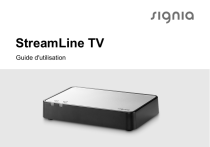
StreamLine TV
Guide d'utilisation
Sommaire
Avant de commencer Destination prévue / Utilisation prévue Inclus dans la livraison Composants 4
4
6
8
Prise en main Positionnement Connexion à l’alimentation secteur Connexion à votre appareil électronique Appairage des aides auditives 10
10
11
13
20
Utilisation quotidienne Utilisation du transmetteur Témoins d’alimentation et TV 23
23
26
2

Consignes de sécurité importantes Sécurité des personnes Sécurité du produit 30
30
34
Remarques importantes Explication des symboles Maintenance et entretien Dépannage Informations techniques Informations relatives à la mise au rebut Informations relatives à la conformité Carte de garantie 37
37
40
42
50
53
53
59

3
Avant de commencer
Destination prévue / Utilisation prévue
Cet appareil est prévu pour transmettre de manière sans fil
à des aides auditives le son provenant d’un téléviseur ou
d’autres appareils électroniques. Il est prévu pour que des
enfants (de plus de 36 mois) et des adultes l’utilisent avec
leurs aides auditives.
4

ATTENTION
Veuillez lire attentivement la totalité de ce guide
d'utilisation et respecter les consignes de sécurité
qu'il contient pour éviter tout dommage matériel ou
corporel.
Aides auditives compatibles
StreamLine TV fonctionne avec nos aides auditives sans fil
spécifiques. Votre audioprothésiste vous conseillera sur les
modèles compatibles.

5
Inclus dans la livraison
➊ StreamLine TV
➋ Câble d'alimentation USB et prise électrique
avec adaptateur spécifique du pays
➌ Câble TOSLINK
➍ Câble RCA (Cinch)
➎ Adaptateur mini-jack
Un adaptateur SCART est disponible comme accessoire.
6

➋
7
Composants
➊ Témoin TV
➋ Témoin d'alimentation
➌ Bouton Configuration
➍ Raccordement secteur
➎ Connexions RCA (gauche et droite)
➏ Connexions TOSLINK (entrée et sortie)
➐ Bouton Mode (sans fonction)
8

➋
➌
9
Prise en main
Positionnement
Positionnez le transmetteur près
de votre appareil électronique,
de façon à brancher facilement
les câbles sur les deux appareils.
Pour que la connexion à vos
aides auditives soit optimale,
positionnez le transmetteur à
l’horizontale et sur la même ligne
droite que vos aides auditives.
10
Connexion à l’alimentation secteur
Utilisez uniquement le câble
d’alimentation USB et la prise
électrique fournis avec le
transmetteur.
X Connectez l’extrémité
micro USB du câble
d’alimentation sur le
port d’alimentation du
transmetteur ➊.
X Connectez la prise
électrique à l’alimentation
secteur ➋.
11
X Observez les témoins ➌ :
Description
-
Le transmetteur se met en marche.
Si après quelques secondes, les deux témoins
lumineux sont bleus et clignotent, le
transmetteur est en marche, mais il n’est
appairé à aucune aide auditive. Voir le
paragraphe « Appairage des aides auditives ».
autres
12
Voir le paragraphe
« Témoins d’alimentation et TV ».
Connexion à votre appareil électronique
Vous pouvez connecter le transmetteur à votre appareil
électronique au moyen du câble TOSLINK ou du
câble RCA. Nous recommandons d’utiliser la connexion
TOSLINK. Utilisez les câbles et adaptateurs fournis.
13
Nous recommandons de connecter soit TOSLINKl’entrée,
soit l’entrée RCA du transmetteur.
En cas d’utilisation des deux entrées du transmetteur,
l’appareil électronique connecté via le câble TOSLINK est
prioritaire, et seul, le signal audio de cet appareil est diffusé
à vos aides auditives.
14

Connexion TOSLINK
X Avant de connecter le câble, enlevez les capuchons
protecteurs des fichesTOSLINK.
X Branchez le câble surTOSLINK l’entrée de votre
transmetteur et sur la TOSLINK sortie (optique audio) de
votre appareil électronique.
Ne tordez pas le câble TOSLINK, car il pourrait se
rompre.
15
Informations complémentaires :
● Voir le manuel de l’appareil électronique : Réglez le
format de sortie de l’appareil électronique sur MIC
(modulation par impulsions) ou Dolby® Digital*.
● La TOSLINK sortie de votre transmetteur peut servir
à connecter d’autres TOSLINK appareils tels que des
décodeurs Dolby externes ou des systèmes de son
Surround.
* Dolby et le symbole double D sont des marques déposées de Dolby Laboratories.
16

Connexion RCA
X Branchez le câble sur les connecteurs RCA de votre
transmetteur.
X Branchez l’autre extrémité du câble sur la sortie RCA
de l’appareil électronique. En utilisant un adaptateur,
vous pouvez brancher le câble sur la sortie SCART ou
mini jack de l’appareil électronique.
17
Informations complémentaires :
● Sans adaptateur : la sortie RCA de l’appareil
électronique est typiquement marquée
« L‑R AUDIO OUT » (Sortie audio G-D) et se trouve au
dos de l’appareil ou sur le panneau de configuration.
● Avec adaptateur SCART : le signal audio peut dépendre
de la source sélectionnée sur l’appareil électronique.
Par exemple, sur certains téléviseurs, le son disponible
à la sortie SCART est uniquement le son TV, le son d’un
lecteur de DVD connecté n’étant pas disponible.
18

● Avec adaptateur mini-jack : la sortie mini-jack de
l’appareil électronique est typiquement la sortie du
casque. Si la sortie du casque est utilisée, les hautparleurs de l’appareil électronique peuvent être mis
en mode muet. Ainsi, l’utilisateur n’entend que le son
transmis par les aides auditives.
● Voir le manuel de l’appareil électronique : réglez le format
de sortie de l’appareil électronique sur audio analogique
ou audio non compressé.

19
Appairage des aides auditives
Vos aides auditives ne doivent être appairées qu’une fois
avec le transmetteur. Après quoi, l’appairage est enregistré
dans les aides auditives et activé à chaque mise en marche.
X Vérifiez que le transmetteur est connecté à l’alimentation
secteur.
X Éteignez les aides auditives et remettez-les en marche :
ouvrez et fermez les tiroir piles. Si vos aides auditives
n’ont pas de tiroir pile, éteignez-les et remettez-les en
marche, comme il est décrit dans le guide d’utilisation
des aides auditives.
20

X Placez les deux aides
auditives près du
transmetteur, ou sur
celui-ci. Le processus
d’appairage débute
automatiquement.
X Observez les témoins :
Description
Quand l’appairage est terminé, les deux
témoins lumineux sont bleus pendant
30 secondes environ.
autres
Voir le paragraphe
« Témoins d’alimentation et TV ».
21
Plusieurs utilisateurs :
● Ce transmetteur peut être appairé à plusieurs aides
auditives. Tous les utilisateurs pourront entendre le
même son.
● Pour supprimer les appairages d’un utilisateur
actuel, restaurez d’abord les réglages d’usine du
transmetteur. Cela supprimera les appairages de tous
les utilisateurs. Après cela, appairez à nouveau les aides
auditives des autres utilisateurs. Voir le paragraphe
« Restauration des réglages d’usine ».
22

Utilisation quotidienne
Utilisation du transmetteur
Fonction
Description
Démarrer la
diffusion audio
en continu
Mettez vos aides auditives en mode
Transmetteur ou passez au programme
d’écoute dédié.
Arrêter la
diffusion audio
en continu
Quittez le mode Transmetteur, ou
choisissez sur vos aides auditives
n’importe quel autre programme d’écoute.
Ajustement du
volume
Utilisez les boutons de commande de vos
aides auditives.

23
Informations complémentaires :
● Selon le type et la configuration des aides auditives, vous
pouvez changer le mode ou le programme d’écoute avec
les boutons de commande des aides auditives (p. ex. le
bouton-poussoir), ou avec une application smartphone,
ou une télécommande dédiée. Pour plus de détails, voir
le guide d’utilisation des aides auditives.
● Les fonctions de volume et les programmes d’écoute
sont des fonctionnalités optionnelles des aides auditives.
Elles dépendent du type d’aides auditives et peuvent être
programmées par votre audioprothésiste.
● Normalement, le volume du signal audio diffusé n’est
pas affecté par les réglages du volume effectués avec la
télécommande du téléviseur.
24

● Votre audioprothésiste peut ajuster selon vos préférences
la façon dont le signal de diffusion audio en continu se
combine aux bruits environnants.

25
Témoins d’alimentation et TV
Le témoin d’alimentation
et le témoin TV
l’état actuel du transmetteur.
montrent
Description
-
Le témoin d’alimentation est blanc :
Le transmetteur se met en marche.
Les deux témoins lumineux sont bleus et
clignotent :
l’appareil est en marche. Le transmetteur
n’est appairé à aucune aide auditive. Voir le
paragraphe « Appairage des aides auditives ».
26
Description
Les deux témoins lumineux sont bleus pendant
30 secondes :
l’appairage est terminé.
-
Le témoin d’alimentation est rouge :
l’appareil est en marche. Le transmetteur ne
reçoit pas de signal audio. Voir le paragraphe
« Dépannage ».
Les deux témoins lumineux sont verts :
le transmetteur reçoit un signal audio via la
connexion RCA.
27
Description
Le témoin d’alimentation est vert, le témoin TV
clignote en vert :
le transmetteur ne reçoit pas de signal audio
via la connexion RCA, ou le volume est trop
faible.
Le témoin d’alimentation est vert, le témoin TV
est bleu :
le transmetteur est relié à votre appareil
électronique par une connexion TOSLINK
valide, indépendamment du fait qu’un signal
audio soit lu ou non par les aides auditives.
28
Description
Le témoin d’alimentation est vert, le témoin TV
clignote en rouge :
Le format du signal n’est pas pris en charge.
Voir le paragraphe « Connexion à votre appareil
électronique ».
Les deux témoins lumineux sont rouges et
clignotent :
erreur. Contactez votre audioprothésiste.
29
Consignes de sécurité importantes
Sécurité des personnes
AVERTISSEMENT
Risque d’étouffement.
Vos aides contiennent de petites pièces susceptibles
d’être avalées.
X Rangez les aides auditives, les batteries et les
accessoires hors de portée des enfants et des
personnes souffrant d’une déficience mentale.
X En cas d’ingestion de pièces, consultez un médecin
ou rendez-vous à l’hôpital immédiatement.
30

AVERTISSEMENT
Risque de choc électrique !
X N'utilisez pas un appareil qui paraît endommagé,
renvoyez-le au point de vente.

31
AVERTISSEMENT
Notez que toute modification non autorisée de ce
produit peut l’endommager ou causer des blessures.
X N’utilisez que les pièces et accessoires approuvés.
Faites appel à votre audioprothésiste pour
bénéficier d’une assistance.
X Ne modifiez pas ce produit sans avoir obtenu
l’autorisation du fabricant.
X En cas de modification, une inspection et des tests
adaptés doivent être réalisés afin de garantir une
utilisation du produit en toute sécurité.
32

AVERTISSEMENT
Risque de choc électrique !
X Ne raccordez votre aide auditive qu'à des appareils
conformes à la norme CEI 60065, norme CEI
relative aux appareils audio, vidéo et autres
appareils électroniques.
AVERTISSEMENT
Cet appareil peut interférer avec les instruments de
mesure et les équipements électroniques.
X N'utilisez pas votre appareil en avion ou dans
des zones qui contiennent des équipements
électroniques sensibles ou de maintien des
fonctions vitales.

33
AVERTISSEMENT
Risque d’explosion.
X N'utilisez pas votre appareil dans des atmosphères
explosives (par ex. sur des sites miniers).
Sécurité du produit
REMARQUE
X Protégez vos appareils de la chaleur extrême.
Ne les exposez pas aux rayons directs du soleil.
REMARQUE
X Protégez vos appareils de la forte humidité.
34

REMARQUE
X Ne mettez pas vos appareils dans le four à microondes.
REMARQUE
Différents types de fortes radiations, par ex. lors
d'examens radiologiques ou IRM de la tête, peuvent
endommager les appareils.
X N'utilisez pas les appareils durant ces examens ou
autres procédures similaires.
Les radiations plus faibles comme celles de
l'équipement radio ou de la sécurité aéroportuaire
n'altèrent pas les appareils.

35
Certains pays imposent des restrictions à l'utilisation
d'un équipement sans fil.
X Renseignez-vous auprès des administrations
locales.
REMARQUE
Vos appareils sont conçus en conformité avec les
normes internationales relatives à la compatibilité
électromagnétique, mais des interférences peuvent
se produire avec des appareils électroniques situés
à proximité. Dans ce cas, éloignez-vous de la source
d'interférences.
36

Remarques importantes
Explication des symboles
Symboles utilisés dans ce document
Indique une situation pouvant entraîner des
blessures graves, modérées ou mineures.
Indique un risque de dommage matériel.
Conseils et astuces pour une meilleure utilisation
de votre appareil.
37
Symboles figurant sur l’appareil ou l’emballage
Étiquette de conformité CE, confirme
la conformité avec certaines
directives européennes. Veuillez
vous reporter au paragraphe
« Informations relatives à la conformité ».
Label australien de conformité concernant
la compatibilité électromagnétique
et les radiocommunications. Veuillez
vous reporter au paragraphe
« Informations relatives à la conformité ».
Indique le fabricant légal de l’appareil.
38
Symboles figurant sur l’appareil ou l’emballage
Ne pas jeter l’appareil avec les
déchets ménagers ordinaires. Plus
d’informations dans le paragraphe
« Informations relatives à la mise au rebut ».
Lire et observer les instructions du guide
d’utilisation.
39
Maintenance et entretien
REMARQUE
X Ne mettez PAS l'appareil sous l'eau !
X Ne nettoyez PAS l'appareil avec de
l'alcool ou de la benzine.
X Nettoyez l'appareil au besoin, à l'aide d'un chiffon doux.
X Évitez les produits de nettoyage abrasifs contenant des
additifs tels que l'acide citrique, l'ammoniaque, etc.
40
Réinitialisation pour restaurer les réglages d'usine
Pour restaurer les réglages d'usine du transmetteur :
X Appuyez sur le bouton Configuration et maintenez-le
enfoncé pendant plus de 5 secondes.
Tous les appairages sont supprimés. Les deux témoins
lumineux sont bleus et clignotent.

41
Dépannage
Si la diffusion audio en continu ne fonctionne pas, consultez
les tableaux suivants.
Le câble TOSLINK est connecté
Dépannage
Le format du signal n’est pas pris
Vert
Orange en charge. Voir le paragraphe
brillant clignotant « Connexion à votre appareil
électronique ».
42
Dépannage
Vert
brillant
Bleu
brillant
Vert
brillant
Bleu
brillant
Aucun signal audio n’est disponible.
Par exemple, le bouton Pause ou
Silence de l’appareil électronique est
enfoncé.
Vos aides auditives sont hors
de portée. Approchez-les du
transmetteur.
43
Dépannage
Vos aides auditives n’ont pas
été appairées au transmetteur,
mais d’autres aides auditives sont
appairées. Appairez vos aides
auditives. Voir le paragraphe
« Appairage des aides auditives ».
Vert
brillant
Bleu
brillant
Orange
brillant
Aucun signal audio n’est disponible.
Voyants Par exemple, le bouton Pause ou
éteints Silence de l’appareil électronique est
enfoncé.
44
Dépannage
Orange
brillant
Le câble TOSLINKest défectueux.
Voyants Vérifiez que le câble n’est pas
éteints endommagé, et remplacez-le si
nécessaire.
45
Le câble RCA est connecté
Dépannage
Le signal de sortie de l’appareil
électronique n’est pas assez fort.
Vert
Vert
brillant clignotant Augmentez le volume sur l’appareil
électronique.
Aucun signal audio n’est disponible.
Par exemple, le bouton Pause ou
Vert
Vert
brillant clignotant Silence de l’appareil électronique est
enfoncé.
46
Dépannage
Vert
brillant
Vert
brillant
Vert
brillant
Vert
brillant
Vos aides auditives sont hors
de portée. Approchez-les du
transmetteur.
Vos aides auditives n’ont pas
été appairées au transmetteur,
mais d’autres aides auditives sont
appairées. Appairez vos aides
auditives. Voir le paragraphe
« Appairage des aides auditives ».
47
Dépannage
Le format du signal n’est pas pris
en charge. Voir le paragraphe
« Connexion à votre appareil
électronique ».
Vert
brillant
Vert
brillant
Orange
brillant
Le signal de sortie de l’appareil
Voyants électronique n’est pas assez fort.
éteints Augmentez le volume sur l’appareil
électronique.
48
Dépannage
Orange
brillant
Aucun signal audio n’est disponible.
Voyants Par exemple, le bouton Pause ou
éteints Silence de l’appareil électronique est
enfoncé.
Les câbles TOSLINK et RCA sont tous deux connectés
● Débranchez le câble qui est actuellement inutilisé
(soitTOSLINK, soit le câble RCA).
49
Informations techniques
Conditions d’utilisation, de transport et de stockage
Conditions d’utilisation
Température
5 à 40 °C
Humidité relative
15 à 93 %, sans condensation
Pression atmosphérique
700 à 1 060 hPa
50

En cas de période prolongée de transport ou de stockage,
veuillez respecter les conditions suivantes :
Transport et stockage
Température
- 25 à 70 °C
Humidité relative
15 à 93 %, sans condensation
Les conditions à appliquer pour d’autres pièces (p. ex, pour
les aides auditives) peuvent différer.

51
Caractéristiques techniques de l'alimentation électrique
Tension d'entrée :
100 – 240 V CA
Courant d'entrée :
max. 0,2 A avec CA de 100 V
Fréquence d'entrée :
47 – 63 Hz
Tension de sortie :
5 V CC
Courant de sortie :
max. 1 A
52

Informations relatives à la mise au rebut
Recyclez les appareils, les accessoires et les emballages
conformément aux réglementations locales.
Informations relatives à la conformité
Le marquage CE atteste de la conformité du produit aux
directives et réglementations européennes suivantes :
● Règlement 2017/745 applicable aux dispositifs médicaux
● la 2014/53/EU applicable aux équipements
radioélectriques ;
● la 2011/65/EU relative à la limitation de l’utilisation de
substances dangereuses.
Le texte intégral de la déclaration de conformité est
disponible ici : www.wsaud.com/signia.

53
Fonctionnalité sans fil
Cet appareil contient un transmetteur sans fil pourvu d'une
technologie 2,4 GHz. La puissance maximale émise par cet
appareil est de 17,1 dBm PIRE. Cet appareil est conforme
aux normes internationales relatives à la compatibilité
électromagnétique et à l'exposition des personnes.
Les informations de conformité FCC et ISED se trouvent à
l'arrière de l'appareil.
confirme la
La marque de conformité ACMA
conformité avec les normes relatives aux interférences
électromagnétiques établies par l'Autorité australienne des
médias et des communications (ACMA).
54

Les appareils sur lesquels est apposé le marquage
FCC sont conformes aux normes de la FCC concernant les
interférences électromagnétiques.
Cet appareil numérique de classe B est conforme à la
norme canadienne ICES-003.
Cet appareil est conforme à la partie 15 des
règlements FCC et aux CNR d'ISED applicables aux
appareils radio exempts de licence.

55
Son fonctionnement est soumis aux conditions suivantes :
● cet appareil ne doit pas causer d'interférences nuisibles,
et
● cet appareil doit supporter toutes les interférences
reçues, y compris celles susceptibles de perturber son
bon fonctionnement.
Cet appareil a été testé et déclaré conforme aux valeurs
limites d'un appareil numérique de classe B selon la
partie 15 des règlements FCC. Ces limites sont destinées à
garantir une protection raisonnable contre les interférences
nuisibles en milieu résidentiel. Cet appareil génère, utilise
et peut rayonner de l'énergie radiofréquence et, s'il n'est
pas installé et utilisé dans le respect des instructions, peut
produire des interférences nuisibles aux liaisons radio.
56

Cependant, rien ne garantit que ces interférences ne se
produiront pas dans une installation particulière. Si cet
appareil provoque des interférences nuisibles avec des
récepteurs de radio ou télévision, lesquelles peuvent être
déterminées par l'arrêt et la remise en marche de l'appareil,
l'utilisateur est encouragé à essayer de les corriger par une
ou plusieurs des mesures suivantes :
● Réorientez ou déplacez l'antenne réceptrice.
● Augmentez la distance entre l'appareil et le récepteur.
● Branchez l'appareil sur une prise d'un circuit différent de
celui auquel est raccordé le récepteur.
● Pour obtenir de l'aide, contactez le revendeur ou un
technicien spécialisé en radio/TV.

57
FCC attention : tout changement ou modification sans
être expressément approuvé par la partie responsable
de la conformité peut annuler l'autorisation d'utilisation de
l'appareil.
Pour garantir la conformité avec les exigences de la FCC en
matière d'exposition aux radiofréquences, l'appareil et son
antenne doivent être installés de façon à maintenir entre eux
et des personnes une distance minimale de 20 cm. Toute
autre configuration de fonctionnement doit être évitée.
58

Carte de garantie
Nom :
Modèle :
Réf. modèle :
Date d’achat :
Durée de garantie (en mois) :
Apposez votre tampon ici :

59
Fabricant légal
WSAUD A/S
Nymøllevej 6
3540 Lynge
Danemark
www.signia-audition.fr
www.signia-hearing.can
www.signia-hearing.ch
Avant toute utilisation, il est
recommandé de consulter un
audioprothésiste ou tout autre
professionnel compétent.
Pour un bon usage, veuillez
lire attentivement les
instructions figurant dans le
manuel d‘utilisation.
Document No. 03132-99T06-7700 FR
Order/Item No. 109 463 25
Master Rev06, 03.2024
www.wsaud.com
© 04.2024, WSAUD A/S. All rights reserved
www.signia.net
">