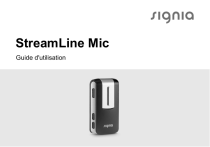
StreamLine Mic
Guide d'utilisation
Sommaire
Avant de commencer Introduction Inclus dans le coffret Composants 5
5
10
12
Prise en main Charge Appairage des aides auditives Appairage de votre smartphone ou lecteur de
musique Supprimer les appairages 14
14
18
2

20
22
Utilisation quotidienne Mise en marche/Arrêt Réglage du volume Mise en sourdine des microphones de l'aide
auditive ➊ Passation d'appels téléphoniques ➋ Écouter de la musique ➌ Utilisation comme microphone distant ➍ Utilisation comme télécommande 23
23
24
Consignes de sécurité importantes Sécurité des personnes Sécurité du produit 37
37
45
25
26
30
32
35

3
Remarques importantes Destination prévue / Utilisation prévue Vue d'ensemble du voyant d'état et du témoin
d'alimentation Explication des symboles Maintenance et entretien Informations techniques Informations relatives à la mise au rebut Informations relatives à la conformité 4

48
48
49
53
56
57
59
60
Avant de commencer
ATTENTION
Veuillez lire attentivement la totalité de ce guide
d'utilisation et respecter les consignes de sécurité
qu'il contient pour éviter tout dommage matériel ou
corporel.
Introduction
StreamLine Mic utilise la Bluetooth®* technologie pour
fournir les fonctions suivantes.
* La Bluetooth marque et les logos appartiennent à Bluetooth SIG, Inc., et le fabricant
légal de ce produit utilise ces marques sous licence. Les autres marques déposées et
noms commerciaux sont ceux de leurs propriétaires respectifs.

5
➊ Micro-casque pour smartphones
Les sons provenant de votre
smartphone seront diffusés en
continu vers vos aides auditives
via StreamLine Mic.
Votre voix est reprise par
StreamLine Mic et envoyée à
votre smartphone.
Plus d'informations à la
rubrique « Passation d'appels
téléphoniques ».
6
➋ Casques pour la musique
La musique provenant de votre
smartphone ou de tout autre
appareil Bluetooth sera diffusée
en continu vers vos aides
auditives via StreamLine Mic.
Plus d'informations à la rubrique
« Écouter de la musique ».
7
➌ Microphone distant
La voix d'un locuteur choisi
sera transmise sans fil de
StreamLine Mic vers vos aides
auditives.
Plus d'informations à la rubrique
« Utilisation comme microphone
distant ».
8
➍ Télécommande
Quand StreamLine Mic ne diffuse aucun son, il peut servir
de télécommande pour vos aides auditives.
Plus d'informations à la rubrique « Utilisation comme
télécommande ».

9
Inclus dans le coffret
➊ StreamLine Mic
➋ Cordons (de différentes longueurs)
➌ Câble USB pour la charge
➍ Câble d'alimentation USB et fiche secteur
(spécifique à chaque pays)
10

➌
11
Composants
➊ Microphones
➋ Témoin d'alimentation
➌ Voyant d'état
➍ Clip (rotatif)
➎ Bouton multi‑fonction
et
➏ Boutons du volume
➐ Port USB pour la charge
12

➍
13
Prise en main
Charge
StreamLine Mic est livré partiellement chargé. Chargez-le
complètement avant la première utilisation.
est rouge, le temps de
Lorsque le témoin d’alimentation
diffusion restant est d’environ 30 minutes.
14
Le témoin d'alimentation indique l'état de charge :
Description
Rouge
La pile est faible.
Vert clignotant
La charge est en cours
(StreamLine Mic est activé).
Orange clignotant
La charge est en cours
(StreamLine Mic est désactivé).
Le vert s'affaiblit
La charge est terminée
(StreamLine Mic est activé).
Orange
La charge est terminée
(StreamLine Mic est désactivé).

15
Informations complémentaires :
● Généralement, deux heures sont nécessaires pour
charger complètement l’appareil.
● Vérifiez que la fiche secteur est aisément accessible, afin
de la débrancher du réseau électrique si nécessaire.
REMARQUE
X Lors de la charge, le témoin de charge doit être
allumé comme indiqué dans ce guide d’utilisation.
Si le témoin de charge n'est pas allumé,
déconnectez l'appareil du chargeur et consultez
votre audioprothésiste.
16

REMARQUE
X Lors de la charge du StreamLine Mic utilisez
le dispositif d'alimentation d'origine fourni de
5,0 V/1 A, qui porte le marquage de conformité aux
normes CE et de sécurité.

17
Appairage des aides auditives
Vos aides auditives ne doivent être appairées qu’une fois
avec StreamLine Mic : Après quoi, l’appairage est enregistré
dans les aides auditives et activé à chaque mise en marche.
X Vérifiez que StreamLine Mic est éteint : Maintenez
bouton appuyé jusqu’à ce que le témoin
le
soit éteint. Cela dure environ
d’alimentation
6 secondes.
X Éteignez les aides auditives et remettez-les en marche :
Ouvrez et fermez les tiroir piles. Si vos aides auditives
n’ont pas de tiroir-pile, éteignez-les et remettez-les en
marche, comme il est décrit dans le guide d’utilisation
des aides auditives.
18

Les aides auditives sont maintenant prêtes pour
l'appairage. Vous avez 3 minutes pour réaliser
l'appairage.
X Mettez StreamLine Mic en marche : Maintenez le
bouton appuyé jusqu’à ce que le témoin d’alimentation
soit vert. Cela dure environ 3 secondes.
Le voyant d'état
clignote en jaune.
X Placez les deux aides auditives à
proximité de StreamLine Mic (à une
distance maximale de 20 cm ou
8 pouces). Le processus d’appairage
débute automatiquement.
L'appairage est terminé quand le
voyant d'état est jaune.
19
Appairage de votre smartphone ou lecteur de
musique
Votre smartphone (ou lecteur de musique) doit être appairé
une fois avec StreamLine Mic. Après quoi, la connexion est
automatiquement établie quand StreamLine Mic est mis en
marche, s'il est à portée.
X Appuyez simultanément sur
et le bouton
,
clignote en bleu. Cela
jusqu'à ce que le voyant d'état
dure environ 6 secondes.
StreamLine Mic est maintenant prêt pour l'appairage.
Vous avez 3 minutes pour réaliser l'appairage.
X Réglez votre smartphone ou lecteur de musique sur la
« recherche d'autres Bluetooth appareils ». Veuillez vous
référer au manuel d'utilisation de l'appareil.
20

X Sur votre smartphone ou lecteur de musique, sélectionnez
« StreamLine Mic » dans la liste des appareils détectés.
X Si le système le demande, entrez le code PIN « 0000 ».
L'appairage est terminé quand le voyant d'état
est bleu.
Autres informations
● StreamLine Mic peut être appairé à jusqu'à huit
Bluetooth appareils. Mais un seul appareil peut être
connecté à la fois.
● Lors de l'appairage à plusieurs appareils :
● StreamLine Mic se connecte au premier appareil qu'il
détecte.
● Pour passer à un autre appareil, désactivez Bluetooth
sur l'appareil ou les appareils que vous ne voulez pas
utiliser en ce moment.

21
Supprimer les appairages
Pour supprimer tous les appairages de StreamLine Mic aux
smartphones et lecteurs de musique :
X Éteignez StreamLine Mic : Maintenez le
bouton
soit
appuyé jusqu’à ce que le témoin d’alimentation
éteint. Cela dure environ 6 secondes.
X Maintenez simultanément le
bouton et le
allumés pendant 10 secondes
bouton et le
Quand les appairages sont supprimés, le voyant d'état
clignote en rouge. Vos aides auditives restent appairées à
StreamLine Mic.
22

Utilisation quotidienne
Mise en marche/Arrêt
Mise en marche :
X Maintenez le
bouton appuyé jusqu’à ce que le
soit vert. Cela dure environ
témoin d’alimentation
3 secondes.
Le voyant d'état
clignote en jaune jusqu’à ce que les
aides auditives soient connectées.
Arrêt :
X Maintenez le
bouton appuyé jusqu’à ce que le
soit éteint. Cela dure environ
témoin d’alimentation
6 secondes.

23
Réglage du volume
Appuyez brièvement
ou
ajustez le volume.
Selon le modèle de votre aide auditive, le volume est ajusté
de la manière suivante :
● Possibilité 1 : Pendant la diffusion d'un son, seul le son
provenant deStreamLine Mic (appel téléphonique, parole
ou musique) est ajusté. Si aucun son n'est diffusé, le
volume des aides auditives est ajusté.
● Possibilité 2 : Le son provenant de StreamLine Mic
(appel téléphonique, parole ou musique) et le volume des
aides auditives sont ajustés ensemble.
24

Mise en sourdine des microphones de l'aide
auditive
Maintenez le
bouton appuyé pendant 3 secondes pour
désactiver le mode muet des microphones de l'aide auditive.
Vos aides auditives ne vous font entendre que le son
provenant de StreamLine Mic.
Selon le modèle de votre aide auditive, vous pouvez
désactiver la sourdine des micros de l'aide auditive de la
manière suivante :
bouton appuyé pendant
● Possibilité 1 : Maintenez le
3 secondes.
.
● Possibilité 2 : Appuyez brièvement
Cette fonction n'est pas disponible lorsque StreamLine Mic
est utilisé en tant que microphone distant.

25
➊ Passation d'appels téléphoniques
Prérequis : StreamLine Mic doit être connecté à un
smartphone et doit être porté correctement.
Façon correcte de porter StreamLine Mic
26
StreamLine MicPour des performances optimales, il faut
porter le microphone comme indiqué dans les illustrations.
Il est important que le microphone de StreamLine Mic soit
dirigé vers votre bouche, et que StreamLine Mic ne soit pas
recouvert par des vêtements, etc.
Distance maximale :
● Smartphone — StreamLine Mic : 10 m (33 ft)
● Aides auditives — StreamLine Mic : 2 m (6,5 ft)

27
Réception d'un appel
À la réception d’un appel, vous entendez une sonnerie dans
clignote en vert.
vos aides auditives. Le voyant d'état
X Pour accepter/terminer l’appel, appuyez brièvement
ou acceptez/terminez l’appel avec votre smartphone.
Quand vous téléphonez, le voyant d'état
est vert.
X Pour rejeter un appel, maintenez le
bouton appuyé
pendant environ 3 secondes.
28

Émettre un appel
Quand vous appelez quelqu'un avec votre smartphone
connecté, l'appel est automatiquement diffusé vers vos aides
est vert.
auditives. Quand vous téléphonez, le voyant d'état
Cette fonction n'est pas disponible lorsque
StreamLine Micest utilisé en tant que microphone distant.
Informations complémentaires
● Numérotation vocale : Lorsqu’il est connecté à un
pour activer la
smartphone, appuyez deux fois
numérotation vocale (si le téléphone prend en charge
cette fonctionnalité).
● Pour ce type de connexion, StreamLine Mic utilise le
Profil mains libres (HFP) de Bluetooth.

29
➋ Écouter de la musique
Si StreamLine Mic est connecté à un lecteur de musique via
Bluetooth, la musique sera automatiquement lue dans vos
aides auditives. Vous n’avez pas besoin d'actionner quoi
que ce soit sur StreamLine Mic.
Pendant la diffusion de la musique, le voyant d'état
orange.
Distances maximales :
est
● Lecteur de musique — StreamLine Mic : 10 m (33 ft)
● Aides auditives — StreamLine Mic : 2 m (6,5 ft)
30

Démarrage/arrêt de la musique
X Utilisez votre smartphone ou lecteur de musique pour
démarrer/arrêter la musique.
Pour arrêter la musique, vous pouvez aussi appuyer
brièvement
sur StreamLine Mic.
Informations complémentaires
● Pour ce type de connexion, StreamLine Mic utilise le
profil A2DP de Bluetooth.
● Si de la musique est diffusée depuis votre smartphone,
les appels entrants vous sont signalés pendant que la
musique est lue.

31
➌ Utilisation comme microphone distant
La fonction Microphone distant ne démarre pas
automatiquement. Vous devez basculer en mode
bouton.
Microphone distant à l’aide du
Façon correcte de porter StreamLine Mic
32
Pour des performances optimales, le locuteur devrait porter
StreamLine Mic, comme indiqué dans les illustrations. Il est
important que le microphone soit dirigé vers la bouche du
locuteur, et que StreamLine Mic ne soit pas couvert par des
vêtements, etc.
Distance maximale :
● Aides auditives — StreamLine Mic : 20 m (66 ft)
Mise en marche du microphone distant
X Appuyez
pendant environ 3 secondes.
est magenta. Vos aides auditives
Le voyant d'état
émettent un son de confirmation.
Les microphones distants sont en marche. La parole
de la personne portant StreamLine Mic est directement
diffusée vers vos aides auditives.

33
Désactivation du microphone distant
X Maintenez le
bouton appuyé pendant environ
3 secondes.
Le voyant d'état
est soit bleu (connecté à un
smartphone) soit jaune (pas connecté à un smartphone).
Informations complémentaires
● Lorsque StreamLine Mic est utilisé en tant que
microphone distant, il n'y a pas de connexion au
smartphone. En particulier, les appels entrants ne sont
pas signalés.
● StreamLine Mic est équipé de microphones directionnels,
c.-à-d. des microphones qui captent le son provenant
d'une certaine direction.
34

➍ Utilisation comme télécommande
StreamLine Mic peut également servir de télécommande
pour vos aides auditives : Vous pouvez ajuster le volume
(voir la rubrique « Réglage du volume »), désactiver
les microphones de l'aide auditive (voir la rubrique
« Désactivation des microphones de l'aide auditive ») ou
passer au programme d'écoute suivant (voir ci-dessous).
Distances maximales :
● Aides auditives — StreamLine Mic : 2 m (6,5 ft)

35
Passer au programme d'écoute suivant
X Maintenez le
3 secondes.
bouton appuyé pendant environ
Cette fonction n'est pas disponible lorsque
StreamLine Micest utilisé en tant que microphone distant.
36

Consignes de sécurité importantes
Sécurité des personnes
AVERTISSEMENT
Risque d’étouffement !
Vos aides contiennent de petites pièces susceptibles
d’être avalées.
X Rangez les aides auditives, les batteries et les
accessoires hors de portée des enfants et des
personnes souffrant d’une déficience mentale.
X En cas d’ingestion de pièces, consultez un médecin
ou rendez-vous à l’hôpital immédiatement.

37
AVERTISSEMENT
Risque de strangulation !
X Attention de ne pas emmêler la lanière, par ex. en
déplaçant des pièces mobiles de machines.
X Utilisez uniquement la lanière anti-strangulation
fournie. Son mécanisme de sécurité la détache
automatiquement en cas de traction.
X La lanière ne convient pas aux enfants de moins de
12 ans.
AVERTISSEMENT
Risque de choc électrique !
X N'utilisez pas un appareil qui paraît endommagé,
renvoyez-le au point de vente.
38

AVERTISSEMENT
Notez que toute modification non autorisée de ce
produit peut l’endommager ou causer des blessures.
X N’utilisez que les pièces et accessoires approuvés.
Faites appel à votre audioprothésiste pour
bénéficier d’une assistance.
X Ne modifiez pas ce produit sans avoir obtenu
l’autorisation du fabricant.
X En cas de modification, une inspection et des tests
adaptés doivent être réalisés afin de garantir une
utilisation du produit en toute sécurité.

39
AVERTISSEMENT
La sécurité de la recharge des piles effectuée au
moyen d'un connecteur USB est déterminée par
l'équipement externe.
X Lorsque le connecteur USB est connecté à
un équipement branché sur une prise murale,
cet équipement devrait être homologué UL ou
conforme aux normes CEI 60065, CEI 60950 ou
autres normes de sécurité équivalentes.
40

AVERTISSEMENT
La sécurité d'utilisation de cet appareil, quand il est
connecté à un équipement externe (via le câble
auxiliaire d'entrée, via le câble USB, ou directement),
est déterminée par l'équipement externe.
X Lorsqu'il est connecté à un équipement externe
branché sur une prise murale, cet équipement doit
être conforme aux normes CEI 60065, CEI 60950
ou autres normes de sécurité équivalentes.

41
AVERTISSEMENT
Risque d'explosion en cas de manipulation incorrecte
de la batterie rechargeable.
X Evitez de percer, d'écraser, de désassembler ou de
court-circuiter la batterie rechargeable.
X Ne la placez pas dans un four et ne la jetez pas au
feu.
X Ne l'immergez pas dans l'eau.
X Chargez la batterie rechargeable à une
température comprise entre 0 ºC et 45 ºC.
X Pour une réparation ou un remplacement de la
batterie rechargeable, rapportez l'appareil à votre
audioprothésiste.
42

AVERTISSEMENT
Implants actifs
X Avec les implants actifs, la prudence est de
mise. Si vous avez un implant actif, contactez le
fabricant de votre appareil implanté pour avoir des
informations sur le risque d'interférence.
AVERTISSEMENT
Cet appareil peut interférer avec les instruments de
mesure et les équipements électroniques.
X N'utilisez pas votre appareil en avion ou dans
des zones qui contiennent des équipements
électroniques sensibles ou de maintien des
fonctions vitales.

43
AVERTISSEMENT
Risque d’explosion !
X N'utilisez pas votre appareil dans des atmosphères
explosives (par ex. sur des sites miniers).
44

Sécurité du produit
REMARQUE
X Protégez votre appareil de la chaleur extrême.
Rangez-le à l'abri des rayons directs du soleil.
REMARQUE
X Protégez vos appareils de la forte humidité.
REMARQUE
X Ne mettez pas vos appareils dans le four à microondes.

45
REMARQUE
Certains types de rayonnements puissants,
comme ceux émis lors d'examens radiologiques,
de procédures d'IRM, où lorsque l’on se trouve à
proximité d'une IRM ou d'un scanner, même inactifs,
peuvent endommager les appareils.
X N’utilisez pas les appareils durant ces examens ou
autres procédures similaires.
Les rayonnements plus faibles comme ceux de
l'équipement radio ou de la sécurité aéroportuaire
n'altèrent pas les appareils.
46

Certains pays imposent des restrictions à l'utilisation
d'un équipement sans fil.
X Renseignez-vous auprès des administrations
locales.
REMARQUE
Vos appareils sont conçus en conformité avec les
normes internationales relatives à la compatibilité
électromagnétique, mais des interférences peuvent
se produire avec des appareils électroniques situés
à proximité. Dans ce cas, éloignez-vous de la source
d'interférences.

47
Remarques importantes
Destination prévue / Utilisation prévue
Cet appareil est prévu pour la réception et la transmission
sans fil du son entre les aides auditives et l'environnement
ambiant, incluant la parole et le son émis par des appareils
audio sans fil. Cet appareil permet aussi aux porteurs
d'aides auditives sans fil de contrôler la fonctionnalité de
leurs aides auditives.
Il est prévu pour que des enfants (de plus de 36 mois) et
des adultes l’utilisent avec leurs aides auditives.
48

Vue d'ensemble du voyant d'état et du témoin
d'alimentation
Voyant d’état
Description
Jaune clignotant
Recherche d'aides auditives en cours.
Jaune
Mode Inactif : Connecté aux aides auditives. Non
connecté à un smartphone ou un autre appareil.
Bleu clignotant
StreamLine Mic est visible d'un smartphone aux fins
d'appairage.
49
Description
Bleu
Mode Téléphone : Connecté à un smartphone.
Vert clignotant
Appel entrant.
Vert
Pendant un appel.
Orange
Diffusion de musique.
Magenta
Mode Microphone distant.
50
Description
Magenta clignotant
Reconnexion au microphone distant.
Témoin d'alimentation
Description
Rouge
La pile est faible.
Vert clignotant
Charge pendant que l'appareil est en marche.
51
Description
Le vert s'affaiblit
La charge est terminée et StreamLine Mic est en
marche.
Vert
En marche, pas en charge.
Orange clignotant
Charge pendant que l'appareil est désactivé.
Orange
La charge est terminée et StreamLine Mic est
désactivée.
52
Explication des symboles
Symboles utilisés dans ce document
Indique une situation pouvant entraîner des
blessures graves, modérées ou mineures.
Indique un risque de dommage matériel.
Conseils et astuces pour une meilleure utilisation
de votre appareil.
53
Symboles figurant sur l'appareil ou l'emballage
Niveau de conformité CE, confirme la
conformité avec certaines directives
européennes ; voir le paragraphe
« Informations relatives à la conformité ».
Label australien de conformité concernant
la compatibilité électromagnétique et les
radiocommunications, voir le paragraphe
« Informations relatives à la conformité ».
Indique le fabricant légal de l'appareil.
54
Symboles figurant sur l'appareil ou l'emballage
Ne pas jeter l'appareil avec les déchets ménagers
ordinaires. Plus d'informations dans le paragraphe
« Informations relatives à la mise au rebut ».
Lire et observer les instructions du guide
d'utilisation.
55
Maintenance et entretien
REMARQUE
X Ne mettez PAS l'appareil sous l'eau !
X Ne nettoyez PAS l'appareil avec de
l'alcool ou de la benzine.
X Nettoyez l'appareil au besoin, à l'aide d'un chiffon doux.
X Évitez les produits de nettoyage abrasifs contenant des
additifs tels que l'acide citrique, l'ammoniaque, etc.
56
Informations techniques
Aides auditives compatibles
StreamLine Mic fonctionne avec nos aides auditives sans fil
spécifiques. Votre audioprothésiste vous conseillera sur les
modèles compatibles.
Conditions d’utilisation, de transport et de stockage
Conditions d’utilisation
Température
5 à 40 °C (41 à 104 °F)
Humidité relative
15 à 93 %, sans condensation
Pression atmosphérique 700 à 1 060 hPa

57
En cas de période prolongée de transport ou de stockage,
veuillez respecter les conditions suivantes :
Transport et stockage
Température
-20 à 70 °C (-4 à 158 °F)
Pression atmosphérique
700 à 1 060 hPa
AVERTISSEMENT
Risque de blessure, d'incendie ou d'explosion pendant
le transport.
X Expédier StreamLine Mic conformément aux
réglementations locales.
Les conditions à appliquer pour d’autres pièces (p. ex, pour
les aides auditives) peuvent différer.
58

Caractéristiques techniques de l'alimentation électrique
Tension d'entrée :
100-240 V CA
Courant d'entrée :
max. 0,2 A avec CA de 100 V
Fréquence d'entrée :
47-63 Hz
Tension de sortie :
5 V CC
Courant de sortie :
max. 1 A
Informations relatives à la mise au rebut
Recyclez les appareils, les accessoires et les emballages
conformément aux réglementations locales.

59
Informations relatives à la conformité
Le marquage CE atteste de la conformité du produit aux
directives et réglementations européennes suivantes :
● Règlement 2017/745 applicable aux dispositifs médicaux
● la 2014/53/UE applicable aux équipements
radioélectriques ;
● la 2011/65/UE relative à la limitation de l’utilisation de
substances dangereuses.
Le texte intégral de la déclaration de conformité est
disponible ici : www.wsaud.com/signia.
60

Fonctionnalité sans fil
Cet appareil contient un émetteur-récepteur radio qui utilise
les technologies Bluetooth EDR, Bluetooth Low Energy (BLE)
et une technologie radio propriétaire à ondes courtes, qui
fonctionnent toutes à 2,4 GHz. Le transmetteur radio 2,4 GHz
est faible et la puissance émise totale est toujours inférieure à
17 dBm p.i.r.e.
Cet appareil est conforme aux normes internationales
relatives aux transmetteurs radio, à la compatibilité
électromagnétique et à l'exposition des personnes.
Les informations de conformité FCC et ISED se trouvent à
l'arrière de l'appareil.

61
La marque de conformité ACMA
confirme la
conformité avec les normes relatives aux interférences
électromagnétiques établies par l'Autorité australienne des
médias et des communications (ACMA).
Les appareils sur lesquels est apposé le marquage
FCC sont conformes aux normes de la FCC concernant les
interférences électromagnétiques.
Cet appareil numérique de classe B est conforme à la
norme canadienne ICES-003.
Cet appareil est conforme à la partie 15 des
règlements FCC et aux CNR d'ISED applicables aux
appareils radio exempts de licence.
62

Son fonctionnement est soumis aux conditions suivantes :
● cet appareil ne doit pas causer d'interférences nuisibles,
et
● cet appareil doit supporter toutes les interférences
reçues, y compris celles susceptibles de perturber son
bon fonctionnement.
Cet appareil a été testé et déclaré conforme aux valeurs
limites d'un appareil numérique de classe B selon la
partie 15 des règlements FCC. Ces limites sont destinées à
garantir une protection raisonnable contre les interférences
nuisibles en milieu résidentiel. Cet appareil génère, utilise
et peut rayonner de l'énergie radiofréquence et, s'il n'est
pas installé et utilisé dans le respect des instructions, peut
produire des interférences nuisibles aux liaisons radio.

63
Cependant, rien ne garantit que ces interférences ne se
produiront pas dans une installation particulière. Si cet
appareil provoque des interférences nuisibles avec des
récepteurs de radio ou télévision, lesquelles peuvent être
déterminées par l'arrêt et la remise en marche de l'appareil,
l'utilisateur est encouragé à essayer de les corriger par une
ou plusieurs des mesures suivantes :
● Réorientez ou déplacez l'antenne réceptrice.
● Augmentez la distance entre l'appareil et le récepteur.
● Branchez l'appareil sur une prise d'un circuit différent de
celui auquel est raccordé le récepteur.
● Pour obtenir de l'aide, contactez le revendeur ou un
technicien spécialisé en radio/TV.
64

FCC attention : tout changement ou modification sans
être expressément approuvé par la partie responsable
de la conformité peut annuler l'autorisation d'utilisation de
l'appareil.

65
66


67
Avant toute utilisation, il est recommandé de consulter un
audioprothésiste ou tout autre professionnel compétent. Pour un
bon usage, veuillez lire attentivement les instructions figurant
dans le manuel d'utilisation.
Fabricant légal
WSAUD A/S
Nymøllevej 6
3540 Lynge
Danemark
www.signia‑audition.fr
www.signia‑hearing.can
www.signia‑hearing.ch
Document No. 03384-99T05-7700 FR
Order/Item No. 109 520 27
Master Rev05, 08.2024
www.wsaud.com
© 10.2024, WSAUD A/S. All rights reserved
www.signia.net
">